To build a better creator setup with lighting before upgrading your camera, focus on creating soft, even illumination using diffused lights positioned at a slight angle to your face. Use fill lights to reduce shadows, add a backlight for depth, and guarantee your light sources are adjustable for ideal facial clarity. A well-lit scene boosts your video’s professionalism and impact, making your content shine even without a camera upgrade. Keep exploring for more tips to perfect your setup.
Key Takeaways
- Prioritize proper lighting placement with soft, diffused sources for even facial illumination and minimal shadows.
- Use fill lights and backlights to create depth and balance, enhancing overall visual quality.
- Optimize your environment with soundproofing and acoustic treatments to support clear audio alongside good lighting.
- Position your camera at eye level to ensure natural framing and complement your lighting setup effectively.
- Focus on consistent, well-placed lighting before upgrading camera equipment to improve overall content quality.
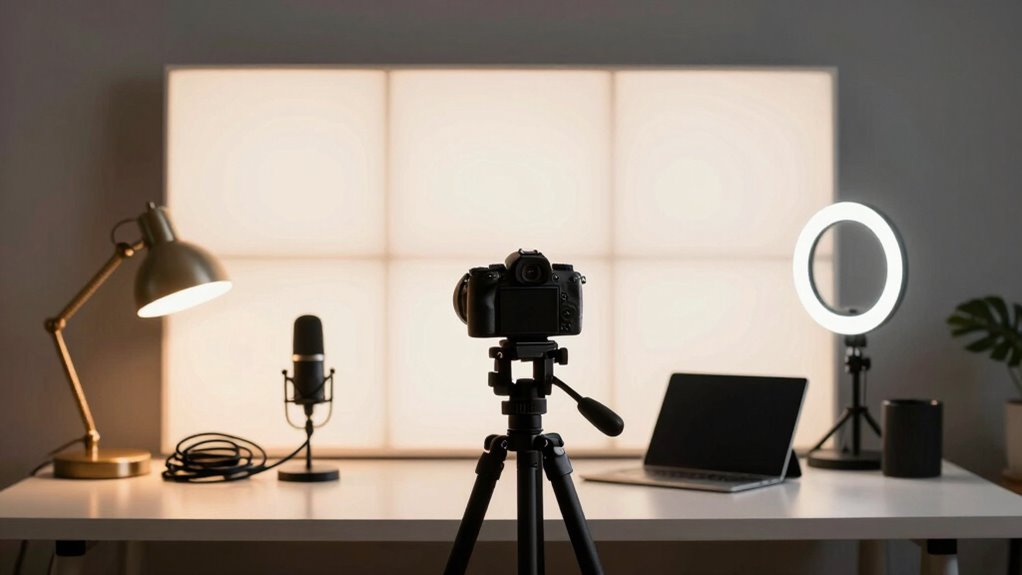
Good lighting can make or break your content, transforming a basic setup into a professional-quality studio. When you prioritize proper lighting, your videos look sharper, your face appears clear, and your overall production quality improves. But before rushing to upgrade your camera or invest in fancy equipment, focus on the essentials like studio acoustics and camera positioning. These elements are foundational to creating compelling content and will maximize the impact of your lighting setup.
Quality lighting elevates your content, but strong acoustics and camera placement are the real foundations for professional videos.
First, pay attention to your studio acoustics. Even the best lighting won’t save poor audio quality. Soundproof or treat your space to minimize echo and background noise. Use soft materials like rugs, curtains, or foam panels to absorb sound reflections. When your environment sounds clear and balanced, your voice comes through crisp, making your content more engaging. Good acoustics also prevent distracting echoes that can interfere with your viewers’ focus, ensuring your message remains front and center. Sound quality is just as important as visual clarity in creating a professional-looking video. Additionally, understanding audio treatment techniques can help you optimize your space for both sound and visual elements. Incorporating proper soundproofing methods can further enhance your overall setup, ensuring your audio remains clean regardless of external noise. Recognizing the importance of environmental factors can help you create a space that supports both excellent sound and lighting quality. Paying attention to lighting placement and how it interacts with your environment can also improve your overall setup.
Next, consider your camera positioning. How you frame yourself on camera greatly influences how your audience perceives you. Position your camera at eye level to create a natural, engaging connection. Avoid extreme angles or looking down at the lens, which can feel uninviting or awkward. Once your camera is correctly positioned, focus on your lighting setup to highlight your face evenly. Proper camera placement combined with good lighting ensures your face is well-lit without harsh shadows or overexposure, giving your videos a professional appearance.
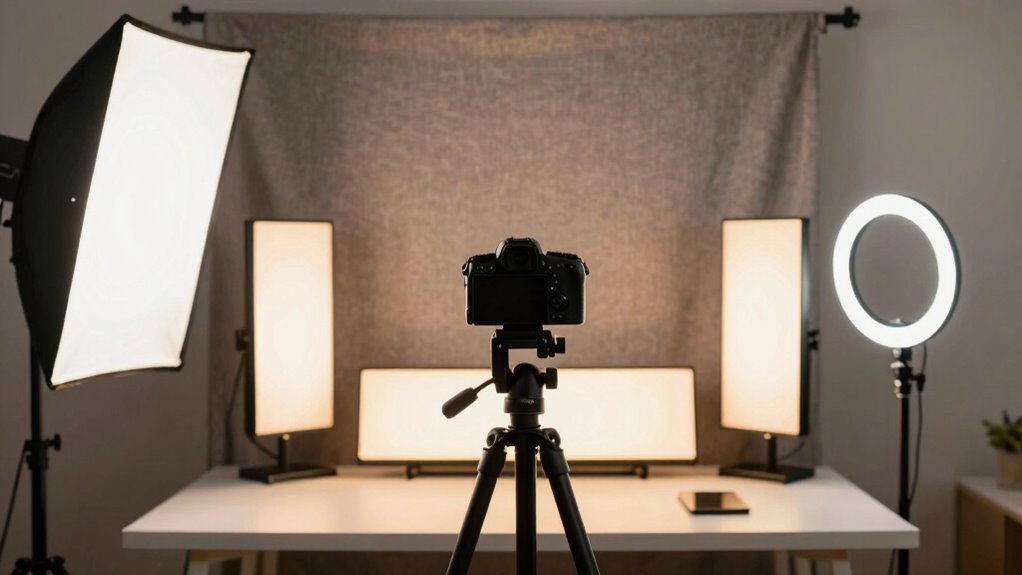
When it comes to lighting, think about where shadows fall and how your face is illuminated. Soft, diffused light sources work best to avoid unflattering shadows. Use a key light as your main source, positioned at a slight angle to illuminate your face evenly. Fill lights can help soften shadows created by the key light, and backlights add depth, separating you from the background. These lighting techniques complement your camera positioning, making sure your face remains the focus.
Ultimately, building a better creator setup isn’t just about flashy gear; it’s about creating a balanced environment. Improving studio acoustics and perfecting camera positioning lay the groundwork for great lighting to shine. When these core elements come together, your videos will look more polished, sound clearer, and feel more professional — all before you even think about upgrading your camera. Focus on these essentials first, and you’ll see a noticeable difference in your content’s quality and engagement.

Torjim Softbox Photography Lighting Kit, 16'' x 16'' Professional Softbox Lighting Kit with 85W 3000-7500K LED Bulbs, Studio Lights for Photography/Video Recording/Live Streaming/Portraits Shooting
【Illuminate Your Creativity】 Torjim softbox lighting kit is made of high-quality PET fabric and a foldable nylon cover,…
As an affiliate, we earn on qualifying purchases.
As an affiliate, we earn on qualifying purchases.
Frequently Asked Questions
What Is the Ideal Color Temperature for Creator Lighting?
The ideal color temperature for creator lighting is around 5600K, which mimics natural daylight. This guarantees good light consistency, making your skin tone look natural and your videos professional. If you’re filming indoors, using lights close to this temperature helps maintain a balanced look. Adjustments can be made based on your environment, but sticking near 5600K provides reliable, consistent lighting that enhances your content quality.
How Do I Prevent Shadows on My Face?
You can easily improve your face illumination and reduce shadows by positioning your lights thoughtfully. Use soft, diffused lighting sources placed at eye level or slightly above to evenly illuminate your face. Incorporate fill lights or reflectors to bounce light into shadowed areas. Adjust your lights to create a gentle, flattering glow, ensuring shadows stay minimal and your face looks vibrant and inviting on camera.
What Are Budget-Friendly Lighting Options for Beginners?
You can start with budget-friendly lighting options like ring lights or softbox setups that use light diffusion to soften shadows. Incorporate affordable lighting accessories like diffusers or reflectors to improve light quality and reduce harsh shadows on your face. These options are easy to set up, provide even illumination, and won’t break the bank, helping you create a more professional look without investing heavily upfront.
How Do I Position Lights for Different Filming Environments?
You might worry about complex light placement, but it’s simpler than you think. Adjust your light based on your environment considerations—use soft, diffused light for small spaces and position lights at a 45-degree angle to avoid harsh shadows. For different filming environments, experiment with distance and angle, ensuring your subject is well-lit without overexposing the background. Proper light placement enhances your video’s quality effortlessly.
Can Lighting Improve Audio Quality in My Videos?
Lighting doesn’t directly improve audio quality, but it can enhance your overall video quality and viewer experience. Good lighting effects help you appear clearer and more professional, which can make your audio seem more synchronized and polished. When lighting is well-balanced, it reduces distractions and helps you focus on delivering your message, making your audio feel more natural and synchronized with your visuals.
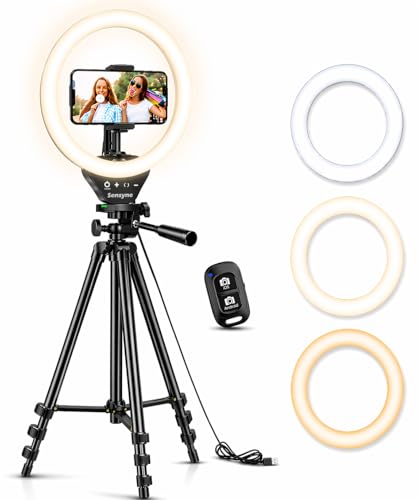
Sensyne Ring Light with Stand, 50" Phone Tripod for iPhone & Android, LED Ring Light with Remote, 3 Color Modes & 10 Brightness Levels for TikTok, Zoom & Video Recording
【Perfect Lighting for Video, Makeup & Streaming】3 color modes (warm, natural, cool) with 10 brightness levels let you…
As an affiliate, we earn on qualifying purchases.
As an affiliate, we earn on qualifying purchases.
Conclusion
Remember, upgrading your lighting transforms your entire creator setup—think of it as the brushstrokes that bring your masterpiece to life. Good lighting isn’t just an accessory; it’s the foundation of professional-looking content. By focusing on lighting first, you’re planting the seeds for higher-quality videos and photos. Don’t wait for the perfect camera—lighting is the secret ingredient that makes everything shine brighter. After all, isn’t it true that the right light can turn the ordinary into the extraordinary?
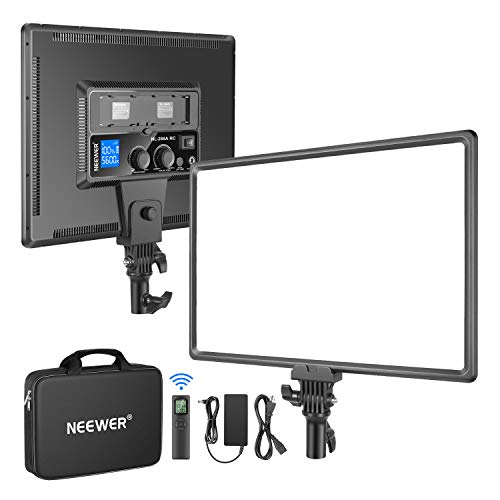
Neewer NL288 LED Video Light with 2.4G Remote, 45W 4800Lux 3200K-5600K CRI 97+ Dimmable Bi-Color 18" Soft Light Panel for Photography YouTube Live Stream Game Zoom Meeting(Battery Not Included)
Wide Application: The 14.8"×10.5" large, 1"/25mm thick LED video light panel provides continuous, non flickering soft light for…
As an affiliate, we earn on qualifying purchases.
As an affiliate, we earn on qualifying purchases.

2-Pack LED Video Light Kit, NiceVeedi Studio Light, 2800-6500K Dimmable Photography Lighting Kit with Tripod Stand&Phone Holder, 73" Stream Light for Video Recording, Game Streaming, YouTube
【MULTIPLE COLOR TEMPERATURE & ADJUSTABLE BRIGHTNESS】There are 3 Color temperatures (2800K, 4800K & 6500K) which offer different lighting…
As an affiliate, we earn on qualifying purchases.
As an affiliate, we earn on qualifying purchases.