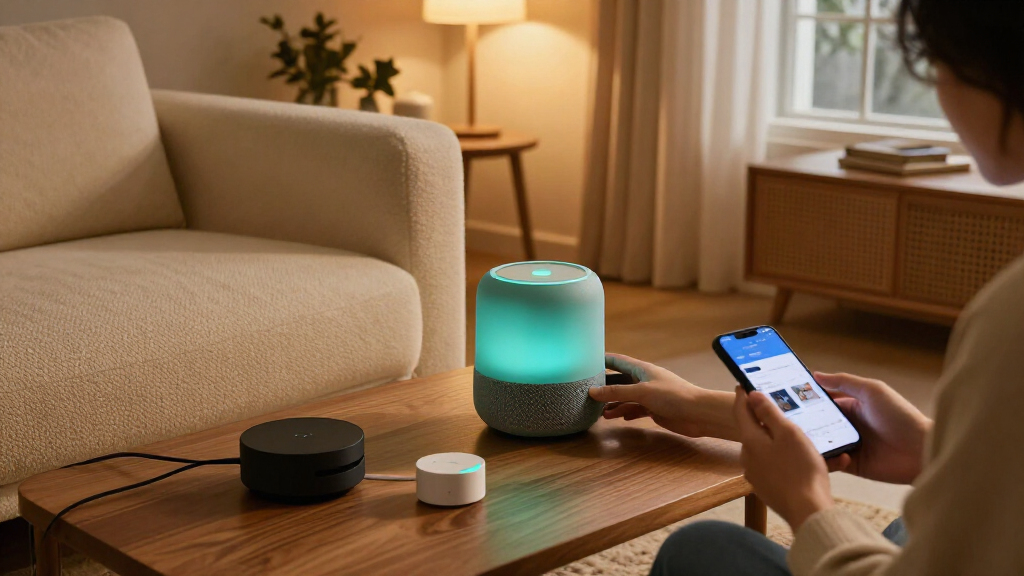

Among these Black Friday smart home deals, the Amazon Echo Hub is my best overall pick for shoppers who want a dedicated place to control a growing setup. For practical starter upgrades, the Linkind Matter Smart Plug 4-Pack offers a route to broader platform compatibility, while the Kasa EP40 Outdoor Smart Plug stands out for independently controlling two exterior devices. The main tradeoffs are ecosystem compatibility, wiring requirements, and whether you need a simple plug or a larger control hub. Several options fill similar roles, so the right choice depends on what you already own and what you want to automate. Read on for the full breakdown of how these 14 products differ and which buyer each suits.

Get the latest gadgets delivered free with Prime
- Fast, free delivery on millions of items
- Prime Video, Amazon Music and more included
- Member-only deals all year
Complete the kit



Key Takeaways
- The Echo Hub ranks first for control breadth: it is the most purpose-built choice here for managing a larger smart home, while Echo speakers and displays focus more on voice, sound, or a compact screen.
- Matter support separates the Linkind plug from many basic plugs: it may make cross-platform setup easier, but buyers still need to check that their hub and chosen devices support the features they want.
- Outdoor control is a distinct use case: the Kasa EP40 has two separately controlled outlets, a more useful fit for exterior gear than indoor plug multipacks.
- Smart switches demand more planning than smart plugs: both Kasa switch listings require a neutral wire, so a quick wiring check can prevent an unsuitable purchase.
- The 14 products reveal a value-versus-flexibility split: four-packs can automate several devices at once, while premium displays, locks, and speakers make sense when their specific functions will see regular use.
| GHome Smart Wi-Fi Plug, 15A, Dual-Band, Alexa and Google Home Compatible, White, 4-Pack |  | Best Value for Mixed Wi-Fi Networks | Pack size: 4 mini smart plugs | Wi-Fi: 2.4GHz and 5GHz | Connectivity: Bluetooth and Wi-Fi | VIEW LATEST PRICE | See Our Full Breakdown |
| Amazon Echo Hub 8-Inch Smart Home Control Panel |  | Best Central Control Panel | Display: 8-inch touchscreen, 1280 × 800 resolution | Smart home protocols: Wi-Fi, Bluetooth Low Energy Mesh, Zigbee, Thread, Matter controller, and Amazon Sidewalk | Wi-Fi: Dual-band 802.11a/b/g/n/ac | VIEW LATEST PRICE | See Our Full Breakdown |
| GHome Smart Wi-Fi Plug with App and Voice Control, 4-Pack | 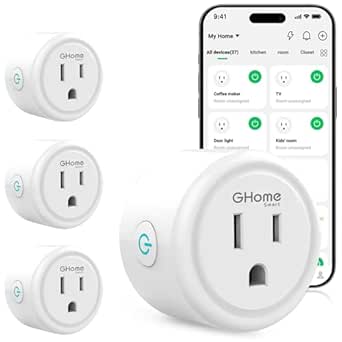 | Best for App Flexibility | Pack size: 4 plugs | Operating voltage and wattage: 120V, 1,200W | Wi-Fi: 2.4GHz | VIEW LATEST PRICE | See Our Full Breakdown |
| Amazon Echo Spot Smart Alarm Clock with Alexa, Black |  | Best Bedside Smart Home Pick | Display: 2.83-inch touchscreen, 240 × 320 pixels | Dimensions: 4.5 × 4.1 × 4.4 inches | Weight: 14.3 ounces | VIEW LATEST PRICE | See Our Full Breakdown |
| Linkind Matter Smart Plug, 4-Pack | 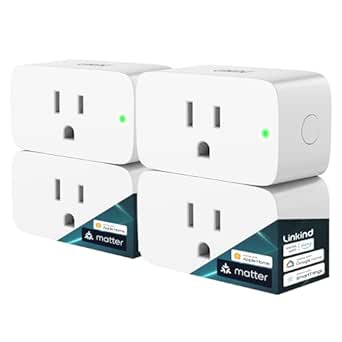 | Best for Multi-Platform Matter Setups | Pack size: 4 plugs | Connectivity: Matter, 2.4GHz Wi-Fi, and IPv6 | Supported platforms: Apple Home, Siri, Amazon Alexa, Google Assistant, SmartThings, and AiDot | VIEW LATEST PRICE | See Our Full Breakdown |
| Kasa Smart Wi-Fi Light Switch HS200-BL, Single-Pole, Requires Neutral Wire |  | Best for Built-In Light Control | Model: HS200-BL | Switch type: Single-pole, one-way | Wiring requirement: Neutral wire required | VIEW LATEST PRICE | See Our Full Breakdown |
| Amazon Echo Dot Max Smart Speaker with Alexa, Graphite |  | Best Premium Smart-Home Hub Speaker | Audio drivers: 1 × 0.8-inch tweeter; 1 × 2.5-inch woofer | Audio bandwidth: 53 Hz–16 kHz at volume 6 | Wi-Fi: Wi-Fi 6E (IEEE 802.11ax) | VIEW LATEST PRICE | See Our Full Breakdown |
| Kasa EP40 Outdoor Smart Plug with Two Independently Controlled Outlets |  | Best for Outdoor Automation | Model: EP40 | Outlets: 2, independently controlled | Weather resistance: IP64 | VIEW LATEST PRICE | See Our Full Breakdown |
| Amazon Smart Plug with Alexa |  | Best for Simple Alexa Setups | Electrical input: 120 VAC, 60 Hz, 15 A maximum | Maximum output: 15 A | Wi-Fi: 2.4 GHz, 802.11 b/g/n; no 5 GHz or ad-hoc network support | VIEW LATEST PRICE | See Our Full Breakdown |
| Govee Dual Smart Plug, 4-Pack, 15A Wi-Fi and Bluetooth |  | Best Multi-Room Plug Value | Model: H5082 | Pack size: 4 smart plugs | Outlets per plug: 2, independently controlled | VIEW LATEST PRICE | See Our Full Breakdown |
| Amazon Echo Show 5 Smart Display, Charcoal |  | Best Compact Smart Display | Display: 5.5-inch touchscreen | Camera: 2 MP with built-in shutter | Speaker: 1.75-inch full-range built-in speaker | VIEW LATEST PRICE | See Our Full Breakdown |
| Govee Smart Wi-Fi Plug, 4-Pack, Compatible with Alexa and Google Assistant |  | Best Value Starter Plug Pack | Quantity: 4 plugs | Connectivity: Bluetooth and 2.4 GHz Wi-Fi | Voice assistants: Amazon Alexa and Google Assistant | VIEW LATEST PRICE | See Our Full Breakdown |
| Kasa Smart Wi-Fi Light Switch, Single-Pole, Neutral Wire Required, 3-Pack | 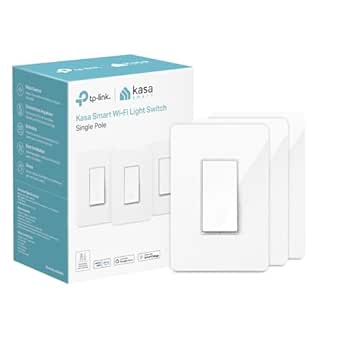 | Best Value for Multi-Room Lighting | Model: HS200P3 | Pack size: 3 switches | Installation: Single-pole, 1-way; neutral wire required | VIEW LATEST PRICE | See Our Full Breakdown |
| DESLOC B200 Fingerprint Smart Door Lock with App Control, Matte Black |  | Best for Keyless Household Access | Fingerprint capacity: Up to 50 fingerprints | Fingerprint unlock speed: Less than 0.3 seconds | Connectivity: Bluetooth; TTLock app | VIEW LATEST PRICE | See Our Full Breakdown |
| Black Friday smart home deal | Connectivity | Wi-Fi | Voice assistants | Dimensions |
|---|---|---|---|---|
| GHome Smart Wi-Fi Plug | Bluetooth and Wi-Fi | 2.4GHz and 5GHz | Amazon Alexa and Google Assistant | 2.1 × 2.1 × 1.1 inches |
| Amazon Echo Hub 8-Inch Smart H | — | Dual-band 802.11a/b/g/n/ac | — | — |
| GHome Smart Wi-Fi Plug with Ap | Wi-Fi with Bluetooth-supported connection | 2.4GHz | Amazon Alexa and Google Assistant | 2.1 × 2.1 × 1.1 inches |
| Amazon Echo Spot Smart Alarm C | — | Dual-band 802.11a/b/g/n/ac, 2.4GHz and 5GHz | — | 4.5 × 4.1 × 4.4 inches |
| Linkind Matter Smart Plug | Matter, 2.4GHz Wi-Fi, and IPv6 | — | — | — |
| Kasa Smart Wi-Fi Light Switch | 2.4 GHz Wi-Fi (IEEE 802.11b/g/n) | — | Amazon Alexa, Google Assistant | — |
| Amazon Echo Dot Max Smart Spea | — | Wi-Fi 6E (IEEE 802.11ax) | — | 4.27 × 4.27 × 3.9 in |
| Kasa EP40 Outdoor Smart Plug w | — | — | Amazon Alexa, Google Assistant | 4.9 × 2.38 × 2.29 in |
| Amazon Smart Plug with Alexa | — | 2.4 GHz, 802.11 b/g/n; no 5 GHz or ad-hoc network support | — | 3.2 × 1.5 × 2.2 in |
| Govee Dual Smart Plug | Wi-Fi and Bluetooth | — | Amazon Alexa, Google Assistant | — |
| Amazon Echo Show 5 Smart Displ | — | Dual-band 802.11a/b/g/n/ac; does not support ad-hoc networks | — | 5.8 × 3.6 × 3.2 in |
| Govee Smart Wi-Fi Plug | Bluetooth and 2.4 GHz Wi-Fi | — | Amazon Alexa and Google Assistant | — |
| Kasa Smart Wi-Fi Light Switch | 2.4 GHz Wi-Fi | — | Amazon Alexa and Google Assistant | — |
| DESLOC B200 Fingerprint Smart | Bluetooth; TTLock app | — | — | — |
More Details on Our Top Picks
GHome Smart Wi-Fi Plug, 15A, Dual-Band, Alexa and Google Home Compatible, White, 4-Pack
For a Black Friday smart home setup that needs several straightforward appliance controls, this four-pack stands out for combining 15A capacity with support for both 2.4GHz and 5GHz Wi-Fi. That dual-band flexibility is the key difference from the other GHome four-pack here, which is limited to 2.4GHz and rated at 1,200W. App schedules, timers, group control, and Alexa or Google Assistant commands cover the everyday jobs without adding a hub.
The tradeoff is a less direct setup: I would need to configure each plug in the GHome app before linking a voice assistant. Unlike the Linkind Matter Smart Plug, it does not offer Matter-based platform flexibility, and its stated IP40 rating does not provide water protection. I’d choose this set for indoor lamps and appliances when broad wattage support matters more than cross-platform Matter support.
Pros:- Four plugs provide app, voice, timer, schedule, and group control.
- Supports both 2.4GHz and 5GHz Wi-Fi.
- 15A and 1,800W rating suits a wider range of compatible indoor appliances than the other GHome four-pack.
- Compact 2.1 × 2.1 × 1.1-inch body and ETL and FCC certifications.
Cons:- Requires setup in the GHome app before Alexa or Google Assistant linking.
- IP40 rating offers limited dust protection and no stated water protection.
- Does not list Matter support, unlike the Linkind plug.
Best for: Shoppers equipping multiple indoor lamps or appliances who want 15A capacity and a choice of 2.4GHz or 5GHz Wi-Fi.
Not ideal for: Buyers seeking Matter integration, water protection, or the simplest possible voice-assistant setup.
- Pack size:4 mini smart plugs
- Wi-Fi:2.4GHz and 5GHz
- Connectivity:Bluetooth and Wi-Fi
- Voice assistants:Amazon Alexa and Google Assistant
- Controls:App, voice, push button, timers, schedules, and group control
- Dimensions:2.1 × 2.1 × 1.1 inches
- Certifications:ETL and FCC
Our verdict“Choose this GHome set for flexible Wi-Fi and 15A capacity across several indoor devices, but skip it if Matter or outdoor use is a priority.”
Amazon Echo Hub 8-Inch Smart Home Control Panel
The Echo Hub is the most control-focused pick in this group: its 8-inch touchscreen dashboard is designed to bring compatible devices, routines, security controls, and camera feeds into one fixed location. Its built-in support for Zigbee, Thread, and Matter, alongside Wi-Fi and Bluetooth, gives it broader protocol coverage than the Echo Spot, which is better suited to bedside routines and audio than whole-home device management.
That breadth makes the Hub a stronger anchor for a larger smart home, but it is not the cheapest or most casual entry point in function: it needs a Wi-Fi or Ethernet internet connection, and some integrations depend on compatible devices or subscriptions. The included wall mount suits a dedicated control spot; a tabletop stand and the USB-C converter needed for power over Ethernet are separate purchases. I’d skip it if a simple plug-and-voice setup is all I need.
Pros:- Customizable 8-inch touchscreen dashboard organizes device controls.
- Supports Wi-Fi, Zigbee, Thread, Matter controller functions, Bluetooth, and Sidewalk.
- Can manage compatible security devices and show camera feeds.
- Wall mount, power adapter, and mounting hardware are included.
Cons:- Requires an internet connection over Wi-Fi or Ethernet.
- Tabletop stand and power-over-Ethernet converter are sold separately.
- Some Alexa integrations require compatible devices or subscriptions.
Best for: Households with compatible lights, sensors, cameras, and security devices that want a shared wall-mounted control point.
Not ideal for: Shoppers who only want a bedside Alexa device or a few voice-controlled plugs without a fixed dashboard.
- Display:8-inch touchscreen, 1280 × 800 resolution
- Smart home protocols:Wi-Fi, Bluetooth Low Energy Mesh, Zigbee, Thread, Matter controller, and Amazon Sidewalk
- Wi-Fi:Dual-band 802.11a/b/g/n/ac
- Sensors:PIR proximity and ambient light sensors
- Audio:Pair of top-ported full-range speakers with stereo playback
- Power:12.5W adapter included; compatible USB-C PD accessories supported
- Power over Ethernet:Supported with compatible USB-C converter and IEEE 802.3at or 802.3bt
- Mounting:Wall mount included; tabletop stand sold separately
Our verdict“Pick the Echo Hub when you want a dedicated, protocol-rich control center; choose the Echo Spot instead for a compact alarm clock and routine-focused use.”
GHome Smart Wi-Fi Plug with App and Voice Control, 4-Pack
This GHome pack makes the most sense for buyers who care about app choice and basic schedules more than high appliance capacity. It works with GHome, Smart Life, and Tuya, and offers group control, sharing, timers, and voice commands through Alexa or Google Assistant. Compared with the other GHome four-pack, it has a lower 1,200W rating and requires 2.4GHz Wi-Fi, so it is the narrower fit for appliance loads and network setups.
Its compact shape and no-hub setup keep the entry requirements modest, though initial setup still runs through the GHome app before voice control is ready. For a Black Friday plug bundle aimed at lamps and other compatible lower-wattage devices, those app options can be useful. If I need 15A capacity or dual-band Wi-Fi, I’d step up to the other GHome model; if platform interoperability is the priority, the Linkind Matter plug is a better match.
Pros:- Compatible with GHome, Smart Life, and Tuya apps.
- Supports Alexa and Google Assistant voice control.
- Offers timers, schedules, group control, and device sharing.
- No hub required and compact dimensions help it fit standard outlets.
Cons:- Rated at 1,200W, below the 1,800W rating of the other GHome pack.
- Requires a 2.4GHz Wi-Fi connection.
- Must be set up in the GHome app before voice-assistant linking.
Best for: People who want several compact plugs for lamps and compatible lower-wattage devices, with a choice of GHome, Smart Life, or Tuya apps.
Not ideal for: Buyers with 15A appliance needs, 5GHz-only network preferences, or a requirement for Matter compatibility.
- Pack size:4 plugs
- Operating voltage and wattage:120V, 1,200W
- Wi-Fi:2.4GHz
- Connectivity:Wi-Fi with Bluetooth-supported connection
- Compatible apps:GHome, Smart Life, and Tuya
- Voice assistants:Amazon Alexa and Google Assistant
- Controls:App, voice, remote, touch, timers, and schedules
- Dimensions:2.1 × 2.1 × 1.1 inches
Our verdict“Choose this pack for app flexibility and routine control on compatible lower-wattage devices, not for higher-load appliances or dual-band Wi-Fi.”
Amazon Echo Spot Smart Alarm Clock with Alexa, Black
The Echo Spot earns its place as a bedside Alexa device, not as a substitute for a whole-home control panel. Its small touchscreen shows time, weather, reminders, and song information, while Alexa routines can pair a gradual wake-up with control of compatible smart-home devices. Unlike the Echo Hub, it is compact enough for a nightstand and includes a built-in speaker; the Hub is the more capable choice for organizing many devices and viewing compatible camera feeds.
The Spot also has no camera and includes a microphone-off button, which may suit a bedroom better than a camera-equipped display. The tradeoff is limited screen space and a smaller role in managing a complex setup. Its eero network extension only works with a compatible eero router, so I wouldn’t count on that feature with another router. Choose it for alarms, audio, and simple routines rather than as a smart-home dashboard.
Pros:- Compact 2.83-inch touchscreen displays clocks, weather, reminders, and song titles.
- Alexa routines can combine wake-up cues with compatible smart-home controls.
- Built-in speaker plays music, podcasts, and audiobooks.
- No camera; includes a microphone-off button and uses 36% recycled materials.
Cons:- Small display is less suited to managing many devices than the Echo Hub.
- Eero extension requires a compatible eero router and account linking.
- Does not support ad-hoc or peer-to-peer Wi-Fi networks.
Best for: Alexa households wanting a compact bedside alarm with routines, basic compatible-device controls, and no camera.
Not ideal for: Buyers who need an 8-inch dashboard, camera feeds, or eero coverage extension without a compatible eero router.
- Display:2.83-inch touchscreen, 240 × 320 pixels
- Dimensions:4.5 × 4.1 × 4.4 inches
- Weight:14.3 ounces
- Camera:None
- Wi-Fi:Dual-band 802.11a/b/g/n/ac, 2.4GHz and 5GHz
- Speaker:1.73-inch full-range built-in speaker
- eero built-in:Up to 1,000 square feet of additional coverage with a compatible eero router
- Privacy and materials:Microphone-off button and in-app controls; made with 36% recycled materials
Our verdict“Choose the Echo Spot for a compact Alexa alarm and bedside routines; choose the Echo Hub for a larger, dedicated home-control dashboard.”
Linkind Matter Smart Plug, 4-Pack
The Linkind four-pack is the strongest fit here for a home that already spans smart-home platforms. Matter support brings compatibility with Apple Home, Alexa, Google Home, and SmartThings, while local communication after setup can keep Matter devices working during an internet outage. That makes it more flexible across ecosystems than either GHome plug set, though it requires a compatible Matter hub for those major platforms; the AiDot app is the listed no-hub route.
Its 15A, 1,800W rating matches the higher-capacity GHome pack, and listed fire-resistant materials plus short-circuit and overload protection add useful safeguards. The tradeoff is that it supports only 2.4GHz Wi-Fi, unlike the dual-band GHome model. I’d choose Linkind when platform choice and local Matter control matter more than 5GHz support, but skip it if I don’t have a suitable hub and don’t want to use AiDot.
Pros:- Matter support spans Apple Home, Alexa, Google Home, SmartThings, and AiDot.
- Local Matter communication can continue during an internet outage after setup.
- 15A and 1,800W rating matches the higher-capacity GHome option.
- Lists fire-resistant materials and short-circuit and overload protection.
Cons:- A compatible Matter hub is required for Apple Home, Alexa, Google Home, and SmartThings.
- Supports 2.4GHz Wi-Fi only, unlike the dual-band GHome 15A pack.
- IPv6 support is required for its Wi-Fi connection.
Best for: Households using Apple Home, Alexa, Google Home, or SmartThings that already have a compatible Matter hub and want shared plug control.
Not ideal for: Buyers who need 5GHz Wi-Fi or want to use major smart-home platforms without obtaining a compatible Matter hub.
- Pack size:4 plugs
- Connectivity:Matter, 2.4GHz Wi-Fi, and IPv6
- Supported platforms:Apple Home, Siri, Amazon Alexa, Google Assistant, SmartThings, and AiDot
- Hub requirement:Matter-certified hub for Apple Home, Alexa, Google Home, and SmartThings; AiDot app can be used without a hub
- Safety features:Fire-resistant materials, short-circuit protection, and overload protection
- Plug type:Type A
- Certification:FCC certified; ETL certified in product listing
Our verdict“Pick Linkind for cross-platform Matter control and local operation when you have a compatible hub; otherwise, the dual-band GHome pack is simpler to match to Wi-Fi needs.”
Kasa Smart Wi-Fi Light Switch HS200-BL, Single-Pole, Requires Neutral Wire
For lights controlled at the wall, this Kasa switch adds app, voice, and scheduled control without occupying an outlet or requiring a separate hub. Its Away Mode and remote access can make a regularly used fixture easier to manage when nobody is home. Compared with the Amazon Smart Plug, it replaces the wall switch rather than adding control only to a plug-in device, so it suits overhead lights and compatible fixtures better. The tradeoff is installation: this is a single-pole switch that requires a neutral wire, and wiring may call for an electrician if you are unfamiliar with electrical work. Unlike the Echo Dot Max, it does not serve as a speaker or smart-home hub; its appeal is focused, permanent control of one circuit.
Pros:- Controls compatible fixtures remotely through the Kasa app.
- Works with Amazon Alexa and Google Assistant.
- Schedules, timers, countdowns, and Away Mode support routine control.
- No separate hub is required.
Cons:- Requires a neutral wire and compatible single-pole wiring.
- Installation may require electrical knowledge or a professional.
- Connects over 2.4 GHz Wi-Fi rather than 5 GHz.
Best for: Homeowners with a neutral wire who want app and voice control for a single-pole light or compatible fixture.
Not ideal for: Renters, homes without a neutral wire, or anyone who wants a plug-in device that needs no electrical wiring.
- Model:HS200-BL
- Switch type:Single-pole, one-way
- Wiring requirement:Neutral wire required
- Connectivity:2.4 GHz Wi-Fi (IEEE 802.11b/g/n)
- Voice assistants:Amazon Alexa, Google Assistant
- Operating voltage:120 V
- Maximum wattage:600 W
- Hub required:No
Our verdict“Choose this switch for a permanent, hub-free upgrade to a compatible light circuit, provided your wiring includes a neutral wire.”
Amazon Echo Dot Max Smart Speaker with Alexa, Graphite
The broadest smart-home centerpiece in this group, the Echo Dot Max combines Alexa, a multi-protocol hub, sensors, and room-adaptive audio in one device. Its support for Zigbee, Matter, and Thread can simplify connections with compatible devices, while presence and temperature sensing let routines respond to room conditions. That makes it a more capable home-control base than the Amazon Smart Plug, which only adds Alexa control to a compatible outlet device. The Dot Max also offers more audio hardware than a basic plug-focused setup, but its value depends on wanting a speaker as well as a hub. eero Built-in is conditional: it requires a compatible eero network and has limits on connected devices and speed. Skip it if you need only inexpensive, individual outlet control.
Pros:- Built-in hub supports Zigbee, Matter, and Thread devices.
- Presence and temperature sensors can support automated routines.
- Room adaptation and separate woofer and tweeter provide more audio capability than a smart plug.
- Includes a microphone disable button and can extend a compatible eero network.
Cons:- eero Built-in needs a compatible eero router, account linking, and the eero app.
- The eero extension feature supports up to 10 connected devices in the 5 GHz band.
- May be more device and capability than needed for basic outlet control.
Best for: Alexa households seeking one central speaker with Zigbee, Matter, and Thread support plus sensor-triggered routines.
Not ideal for: Shoppers who only need to control a few appliances, or households without a compatible eero network that expect the network extension feature to work.
- Audio drivers:1 × 0.8-inch tweeter; 1 × 2.5-inch woofer
- Audio bandwidth:53 Hz–16 kHz at volume 6
- Wi-Fi:Wi-Fi 6E (IEEE 802.11ax)
- Smart-home hub:Zigbee, Matter, and Thread Border Router
- Sensors:Ambient temperature, ambient light, and presence detection
- Bluetooth:Bluetooth Low Energy 5.3; A2DP and AVRCP support
- Dimensions:4.27 × 4.27 × 3.9 in
- eero Built-in:Up to 1,000 sq. ft. on a compatible eero network; up to 100 Mbps and 10 or fewer connected devices in the 5 GHz band
Our verdict“Pick the Echo Dot Max when you want an Alexa speaker and multi-protocol smart-home hub together, not just a way to switch appliances remotely.”
Kasa EP40 Outdoor Smart Plug with Two Independently Controlled Outlets
For outdoor lighting and equipment, the Kasa EP40 brings two independently controlled outlets into a single weather-resistant plug. Separate control means landscape lights and another connected device can follow different schedules or countdown timers, unlike a basic single-outlet indoor plug such as the Amazon Smart Plug. Its IP64 rating and outlet covers suit outdoor placement, although the description does not specify protection while devices are plugged in, so placement and exposure still matter. It works with Alexa and Google Assistant and needs no hub, keeping setup simpler than adding a central system like the Echo Dot Max. The main limits are its 2.4 GHz Wi-Fi requirement and outdoor-only use; buyers who need indoor multi-outlet coverage should compare it with the Govee Dual Smart Plug four-pack.
Pros:- Two outlets operate independently.
- IP64 weather resistance and attached covers support outdoor use.
- Works with Alexa and Google Assistant for remote and voice control.
- Supports grouping, schedules, and countdown timers without a hub.
Cons:- Requires a 2.4 GHz Wi-Fi connection.
- Protection while outlets are in use is not specified in the product data.
- Its outdoor format is less suited to general indoor outlet control than the Amazon Smart Plug.
Best for: Homeowners automating two outdoor devices, such as landscape lighting and seasonal lights, with separate schedules.
Not ideal for: People seeking an indoor plug, 5 GHz Wi-Fi support, or clearly specified protection for outlets while equipment is connected.
- Model:EP40
- Outlets:2, independently controlled
- Weather resistance:IP64
- Wi-Fi requirement:2.4 GHz
- Voice assistants:Amazon Alexa, Google Assistant
- Plug type:Type B
- Dimensions:4.9 × 2.38 × 2.29 in
- Certification:ETL
Our verdict“Choose the EP40 to schedule two outdoor devices independently, while checking that its placement suits your exposure and Wi-Fi setup.”
Amazon Smart Plug with Alexa
This is the straightforward pick for Alexa users who want to make one indoor appliance controllable by voice or routine. Setup and control stay within Alexa, and the compact body leaves the second outlet free—a practical advantage over larger multi-outlet plugs such as the Govee Dual Smart Plug. Timers, schedules, and routines cover common jobs like switching a lamp on at a set time, while automatic reconnection after power or Wi-Fi outages reduces the need to reset it manually. That simplicity comes with a firm ecosystem boundary: Alexa only, with no Google Assistant or smart-hub support. Compared with the Kasa EP40, it is smaller and made for indoors, but it cannot control two outlets independently or serve outdoor devices.
Pros:- No separate smart-home hub is required.
- Compact design leaves the adjacent outlet free.
- Timers, schedules, and Alexa routines support common automation.
- Can reconnect to Alexa after power or Wi-Fi outages.
Cons:- Works only with Alexa and does not support other voice assistants or smart hubs.
- Indoor use only.
- Requires 2.4 GHz Wi-Fi and does not support 5 GHz or ad-hoc networks.
Best for: Alexa households that want simple voice and routine control for one indoor lamp or compatible appliance.
Not ideal for: Google Assistant users, people seeking outdoor control, or anyone who needs two independently controlled outlets in one device.
- Electrical input:120 VAC, 60 Hz, 15 A maximum
- Maximum output:15 A
- Wi-Fi:2.4 GHz, 802.11 b/g/n; no 5 GHz or ad-hoc network support
- Use:Indoor only
- Compatibility:Alexa app and compatible Alexa devices; no other voice assistants or smart hubs
- Dimensions:3.2 × 1.5 × 2.2 in
- Weight:3.1 oz
- Warranty:1-year limited warranty
Our verdict“Choose this plug for a compact, indoor Alexa-only setup; look to the Govee or Kasa options for independent dual outlets or broader assistant support.”
Govee Dual Smart Plug, 4-Pack, 15A Wi-Fi and Bluetooth
For outfitting several rooms at once, this four-pack offers two independently controlled outlets on each plug, giving it more reach than the single Amazon Smart Plug and more indoor coverage than the outdoor-focused Kasa EP40. The split control is useful when a lamp and another device share a wall outlet but need separate schedules. Alexa and Google Assistant support make it a more flexible choice across voice-assistant households than Amazon’s Alexa-only plug, and no separate hub is required. The tradeoff is account and network dependence: Wi-Fi features require a Govee Home account and 2.4 GHz Wi-Fi, with no 5 GHz support. It is a stronger fit for buyers who want several controlled outlets than for someone seeking a single, ecosystem-neutral smart plug.
Pros:- Four plugs provide eight independently controlled outlets in total.
- Works with both Amazon Alexa and Google Assistant.
- Timers and on/off schedules are available through the Govee Home app.
- No separate hub is required; plugs use fire-resistant materials and carry ETL and FCC certifications.
Cons:- Wi-Fi features require a Govee Home account.
- Does not support 5 GHz Wi-Fi.
- Indoor use is the stated fit; it does not replace an outdoor plug such as the Kasa EP40.
Best for: Households adding scheduled, independently controlled outlets in multiple rooms and using Alexa or Google Assistant.
Not ideal for: People who avoid app accounts, rely on 5 GHz Wi-Fi only, or need outdoor-rated plugs.
- Model:H5082
- Pack size:4 smart plugs
- Outlets per plug:2, independently controlled
- Operating voltage:120 V
- Wattage:1800 W
- Connectivity:Wi-Fi and Bluetooth
- Wi-Fi compatibility:2.4 GHz only; no 5 GHz support
- Voice assistants:Amazon Alexa, Google Assistant
- Certifications:ETL, FCC
Our verdict“Choose this four-pack when you want independently scheduled outlets across several indoor rooms and are comfortable using the Govee Home account.”
Amazon Echo Show 5 Smart Display, Charcoal
For a small bedside table or kitchen counter, the Echo Show 5 adds a screen to Alexa without taking up much room. Its 5.5-inch touchscreen makes timers, compatible camera feeds, and video calls easier to check than on a speaker such as the Echo Dot Max, while its built-in speaker handles everyday audio. The camera also supports calls, and a physical shutter plus a microphone/camera-off button offer direct privacy controls. Compared with the larger Echo Hub, this is a more compact, general-purpose screen rather than a dedicated whole-home control panel. That smaller footprint brings a smaller viewing area, and some Alexa services may involve extra fees. Buyers should also note that it does not support ad-hoc Wi-Fi networks or Bluetooth speakers that require PIN codes.
Pros:- Compact screen supports video calls, streaming, and glanceable information
- Built-in camera can support calls and viewing compatible camera feeds
- Physical camera shutter and microphone/camera-off button provide direct privacy controls
- Uses recycled fabric and aluminum, with recyclable packaging
Cons:- The 5.5-inch screen is less suited to viewing from across a room than the larger Echo Hub
- Some Alexa skills and services may require subscriptions or additional fees
- Does not support ad-hoc Wi-Fi networks or Bluetooth speakers that require PIN codes
Best for: Alexa users who want a small bedside or countertop screen for video calls, quick updates, and basic smart-home control
Not ideal for: Buyers seeking a large, dedicated smart-home dashboard or those who need ad-hoc Wi-Fi or PIN-code Bluetooth speaker support
- Display:5.5-inch touchscreen
- Camera:2 MP with built-in shutter
- Speaker:1.75-inch full-range built-in speaker
- Dimensions:5.8 × 3.6 × 3.2 in
- Wi-Fi:Dual-band 802.11a/b/g/n/ac; does not support ad-hoc networks
- Privacy:Microphone/camera-off button and built-in camera shutter
- Materials:Fabric made from 100% post-consumer recycled polyester yarn; aluminum made from 100% recycled aluminum
Our verdict“Choose the Echo Show 5 for compact Alexa access with a screen, but opt for the Echo Hub if room-wide control and a larger display matter more.”
Govee Smart Wi-Fi Plug, 4-Pack, Compatible with Alexa and Google Assistant
The Govee Smart Wi-Fi Plug 4-Pack is a straightforward way to automate several lamps or other compatible 120 V appliances without buying a hub. App scheduling and group control let buyers set routines across the plugs, while Alexa and Google Assistant support makes voice control flexible. Compared with the Linkind Matter Smart Plug 4-Pack, this Govee set is a simpler choice for households already using its app and standard assistant integrations, rather than buyers prioritizing Matter compatibility. Bluetooth offers another connection method, but Wi-Fi is limited to 2.4 GHz, so it is not a fit for a network configured only for 5 GHz. The listing also gives conflicting current ratings—10 A in the description and 11 A in the specifications—so I would verify appliance requirements before connecting higher-draw devices.
Pros:- Four plugs provide a practical starting set for automating multiple devices
- Works with Amazon Alexa and Google Assistant
- Scheduling, app control, and group control support routine automation
- Bluetooth and 2.4 GHz Wi-Fi connectivity operate without a hub
Cons:- Does not support 5 GHz Wi-Fi
- The listing conflicts on whether the current rating is 10 A or 11 A
- Not presented as a Matter-compatible option like the Linkind plug pack
Best for: Households looking to automate several lamps or modest 120 V appliances through Alexa or Google Assistant without adding a hub
Not ideal for: Buyers with a 5 GHz-only network, those seeking Matter compatibility, or anyone who needs a clearly confirmed current rating for a demanding appliance
- Quantity:4 plugs
- Connectivity:Bluetooth and 2.4 GHz Wi-Fi
- Voice assistants:Amazon Alexa and Google Assistant
- Hub required:No
- Voltage:120 V
- Plug type:Type B
- Certifications:ETL and FCC
- Features:Scheduling, group control, and app control
Our verdict“Pick this Govee pack for basic multi-room scheduling without a hub, but check appliance loads and network compatibility before buying.”
Kasa Smart Wi-Fi Light Switch, Single-Pole, Neutral Wire Required, 3-Pack
For buyers who want wall-switch control rather than smart plugs, this three-pack of Kasa HS200 switches can bring schedules, away-mode switching, and app or voice control to compatible lights and fixtures. Since the switches replace the wall controls, family members can still operate the lights without relying on an app—an advantage over the Govee Smart Wi-Fi Plug, which automates devices at the outlet. The tradeoff is installation: each switch needs a neutral wire, a single-pole circuit, and 2.4 GHz Wi-Fi. That rules it out for some older wiring and multi-way setups. Compared with the single-switch Kasa HS200-BL in this roundup, this pack suits buyers outfitting several eligible rooms, but it is unnecessary if only one switch needs automation.
Pros:- Three switches can cover multiple eligible rooms in one purchase
- Retains ordinary wall-switch operation while adding app and voice control
- Scheduling and away mode support hands-off lighting routines
- Works with Alexa and Google Assistant without a hub
Cons:- Requires a neutral wire at each installation point
- Designed for single-pole circuits, not multi-way switch setups
- Requires 2.4 GHz Wi-Fi
Best for: Homeowners updating several compatible, single-pole light circuits who have neutral wiring and want schedules plus voice control
Not ideal for: Renters or DIY buyers without neutral wires, people with multi-way switch circuits, or households automating only one light
- Model:HS200P3
- Pack size:3 switches
- Installation:Single-pole, 1-way; neutral wire required
- Connectivity:2.4 GHz Wi-Fi
- Hub required:No
- Voice assistants:Amazon Alexa and Google Assistant
- Input voltage:100–120 VAC, 50/60 Hz
- Wattage:600 W
- Certification:UL
Our verdict“Choose this three-pack when several single-pole circuits have neutral wiring; the single Kasa HS200-BL is a better fit for one switch.”
DESLOC B200 Fingerprint Smart Door Lock with App Control, Matte Black
The DESLOC B200 is the standout choice here for buyers who want to change how people enter the home, rather than add another light or plug to an Alexa routine. It stores up to 50 fingerprints and also offers a touchscreen keypad, mechanical key, and TTLock app controls, giving households several ways to manage access. Temporary or scheduled codes can suit guests or recurring visitors; compared with the Kasa HS200P3, though, this lock addresses entry access rather than everyday lighting automation. Bluetooth app control is local-range, and remote access requires a separately sold G2 Gateway, so it is not a complete remote-management setup out of the box. Installation also depends on door fit and deadbolt alignment, and the four AA batteries are not included.
Pros:- Stores up to 50 fingerprints and specifies unlocking in under 0.3 seconds
- Offers fingerprint, keypad, app, and mechanical-key entry methods
- Supports temporary or scheduled codes through the TTLock app
- Includes an IP54 rating and USB-C emergency power port
Cons:- Remote app access requires a separately sold G2 Gateway
- Four AA batteries are required but not included
- Door dimensions and deadbolt alignment must match for installation
Best for: Households that want fingerprint entry and the ability to assign temporary or scheduled access codes to family, guests, or recurring visitors
Not ideal for: Buyers who need remote app access without extra hardware, cannot confirm compatible door measurements, or prefer a lock powered by included batteries
- Fingerprint capacity:Up to 50 fingerprints
- Fingerprint unlock speed:Less than 0.3 seconds
- Connectivity:Bluetooth; TTLock app
- Remote access:Requires G2 Gateway, sold separately
- Power:4 AA batteries, not included
- Emergency power:USB-C port
- Water resistance:IP54
- Door thickness compatibility:38–50 mm (1.5–2 in)
- Security grade:BHMA Grade 3
Our verdict“Choose the B200 for fingerprint entry and flexible household codes, but factor in the gateway if remote access is part of the plan.”
How We Picked
I ranked these options by how well each can serve a clear smart-home need, with attention to usefulness, setup demands, compatibility, and room to grow. A dedicated control panel earns a higher general-purpose position than a single-use accessory because it can help organize a broader setup; a plug multipack ranks well for affordable, incremental automation, but not when it lacks a buyer’s preferred platform features. I also weighed practical constraints, including neutral-wire requirements for switches, indoor versus outdoor placement, and whether a product’s main benefit depends on owning other compatible devices.
The lineup includes overlapping plugs and several Echo devices, so ranking is not a claim that one product suits every home. I favored options with a distinct role and a strong reason to choose them over nearby alternatives. Build and feature fit matter more than the Black Friday label: seasonal pricing cannot make an incompatible plug, unnecessary screen, or unsuitable lock a good buy. Since deal availability and terms can change, I judged the products by their capabilities and tradeoffs rather than temporary offers.
| Black Friday smart home deal | Voice assistants |
|---|---|
| GHome Smart Wi-Fi Plug | Amazon Alexa and Google Assistant |
| Amazon Echo Hub 8-Inch Smart H | — |
| GHome Smart Wi-Fi Plug with Ap | Amazon Alexa and Google Assistant |
| Amazon Echo Spot Smart Alarm C | — |
| Linkind Matter Smart Plug | — |
| Kasa Smart Wi-Fi Light Switch | Amazon Alexa, Google Assistant |
| Amazon Echo Dot Max Smart Spea | — |
| Kasa EP40 Outdoor Smart Plug w | Amazon Alexa, Google Assistant |
| Amazon Smart Plug with Alexa | — |
| Govee Dual Smart Plug | Amazon Alexa, Google Assistant |
| Amazon Echo Show 5 Smart Displ | — |
| Govee Smart Wi-Fi Plug | Amazon Alexa and Google Assistant |
| Kasa Smart Wi-Fi Light Switch | Amazon Alexa and Google Assistant |
| DESLOC B200 Fingerprint Smart | — |
Factors to Consider When Choosing Black Friday Smart Home Deals
Smart-home deal lists can make a multipack look like an automatic bargain, but the better purchase is the one that fits your home’s wiring, ecosystem, and routines. I’d decide what problem to solve first, then check compatibility and setup requirements before comparing bundles.
Start With Your Existing Ecosystem
Before buying, check which assistant, hub, and phone app already control your home. A device advertised for Alexa or Google Home may still offer different setup steps or features across platforms, while Matter support can broaden compatibility without guaranteeing that every feature works everywhere. Write down the exact functions you want, such as remote switching, voice control, or shared household access, then confirm those are supported by your existing equipment. A common mistake is buying a Matter device and assuming it removes the need for a compatible controller or network setup. If you are building from scratch, favor products that fit a platform you plan to keep using rather than mixing devices based only on a sale.
Match the Device to the Job
Smart plugs, switches, displays, and locks solve different problems, so compare them by the routine they improve rather than by how many features they list. A plug is a low-commitment way to control a lamp or another suitable appliance, while a wall switch can make an existing light easier to use without relying on a plug-in adapter. Displays and control panels offer a central interface but take up space and add another screen to manage. Locks involve security and access decisions that deserve more care than a convenience accessory. Avoid buying a bundle of devices before identifying where and how each one will be used.
Check Wiring, Placement, and Network Needs
Installation constraints can matter more than a device’s headline features. A neutral-wire smart switch is not suitable for every electrical box, so inspect the wiring or ask a qualified electrician before ordering; do not assume a switch will work because its size matches. Outdoor plugs need to be placed and used according to their weather and electrical ratings, and the outlet location should suit the equipment you plan to connect. Wi-Fi band requirements can also affect setup, especially in homes where network names or router settings are managed carefully. Confirm the product’s requirements before a seasonal deal creates pressure to buy quickly.
Compare Multipacks by Useful Coverage
A four-pack can be good value only when you have several compatible devices and suitable outlets ready to use. Count the lamps, small appliances, or other intended loads first, and check that each device is appropriate for smart-plug control. Multipacks can also create a more consistent setup, but the convenience is less compelling if one outlet design blocks an adjacent socket or if you need different features in each room. A single smart plug may be the better first purchase when you are still learning how automations fit your routine. Look beyond the number of units to app support, voice compatibility, and how independently the outlets can be controlled.
Pay More Only for Capabilities You’ll Use
Higher-cost smart-home devices tend to add a screen, central control, richer audio, or security functions rather than simply making a basic task possible. Those additions can be worthwhile when they replace another device or become part of a daily routine; otherwise, a simple plug may deliver more practical value. Consider ongoing needs too, such as app access, account setup, charging, firmware support, or sharing access with other household members. For a lock, weigh convenience against how you manage backup entry and household access. A Black Friday offer is most useful when it brings a planned purchase within reach, not when it persuades you to buy features you will leave unused.
Plan for Automation and Household Handoffs
Think about who will use the device and what should happen when the internet, power, or a phone is unavailable. Voice control can be convenient, but physical controls and straightforward app access matter for guests, children, and household members who do not use the same assistant. Automations also depend on compatible devices and reliable triggers, so start with one routine before building a complicated chain. Decide who owns the account and how access will be shared if several people need control. This planning can prevent a collection of individually compatible products from becoming a fragmented set of apps and permissions.
Frequently Asked Questions
Should I choose the Echo Hub or an Echo Show for controlling smart-home devices?
Choose the Echo Hub if your main goal is a dedicated interface for managing devices across a larger setup. An Echo Show is better suited to a mixed role where a compact screen also handles Alexa requests and everyday display tasks. The Echo Hub is less appealing if you only need voice control for a few plugs, while a Show may not feel as purpose-built for centralized device management. Check which devices and control features work with your existing ecosystem before deciding. The best fit depends on whether a control panel or a general smart display would get more regular use.
Does a Matter smart plug work without a smart-home hub?
Not in every setup: Matter devices still need a compatible controller and a network connection appropriate to the product. Your existing speaker, display, or other hub may serve that role, but support can differ by platform and device. Before buying, check the plug’s setup requirements and confirm your controller supports the functions you plan to use. Matter can make cross-platform compatibility easier, but it does not automatically remove setup steps or guarantee that every feature appears in every app. If you want the simplest path, match the plug to the system you already use.
How can I tell whether a smart wall switch will work in my home?
Start by checking the switch’s wiring requirements against the wiring in the electrical box where you plan to install it. The Kasa switches in this roundup require a neutral wire, and not every home or switch location has one available. If you are unsure, consult the switch instructions and get help from a qualified electrician rather than relying on the age of the home or the appearance of the existing switch. Also confirm whether the circuit is single-pole or part of a multi-location arrangement. A smart plug can be a simpler alternative when wiring changes are not practical.
Are four-pack smart plugs a better buy than purchasing one plug at a time?
A four-pack makes sense when you already have several suitable devices and outlets to automate, particularly if you want the same app and setup across rooms. Buying one at a time is safer if you are unsure about platform compatibility, outlet spacing, or how you will use automations. Multipacks can leave you with unused units, and similar-looking plug bundles may differ in features such as Matter support or independent outlet control. Make a short list of intended uses before choosing a bundle. That helps you compare the actual capabilities you need rather than counting plugs alone.
What should I check before buying an outdoor smart plug for seasonal lighting?
Check the product’s outdoor-use rating, the location of the outlet, and whether the connected equipment falls within its electrical limits. A plug with independently controlled outlets is useful when you want separate schedules for two devices, but it does not remove the need for suitable weather protection and safe placement. Confirm that your Wi-Fi reaches the outdoor outlet reliably, since weak coverage can disrupt remote control and routines. Review how the plug handles app setup and voice control with your current system. If the outlet is exposed or hard to access, prioritize safe installation and reach over convenience features.
Conclusion
For a single recommendation that serves a broader setup, I’d choose the Amazon Echo Hub as best overall; it is the lineup’s most dedicated control option. The GHome Smart Wi-Fi Plug 4-Pack is my best value direction for shoppers who want straightforward plug-based automation across several devices, while the Linkind Matter Smart Plug 4-Pack is a stronger fit for buyers who prioritize cross-platform flexibility. For beginners, start with a plug that matches the assistant already in your home rather than adding a hub or screen before you need one. The Echo Dot Max is the premium speaker pick, while the Echo Show 5 suits shoppers who want a smaller display; choose the Kasa EP40 for outdoor equipment, a Kasa switch only after confirming neutral wiring, and the DESLOC lock for a fingerprint-entry use case. Match the device to a real routine, then use the Black Friday offer as a reason to buy—not as the reason to buy.