The best AI laptop overall in this lineup is the ASUS Vivobook S16 with Ryzen AI 9 465, 32GB of RAM, and an OLED screen, a strong mix for demanding work and visual tasks. For a more balanced everyday option, the Dell 16 with Ryzen AI 7 350 pairs a capable processor with 32GB of memory and a 1TB SSD; the 13-inch MacBook Air with M5 is the compact choice for buyers who prefer macOS. The main tradeoffs are Windows versus macOS, portability versus a larger screen, and spending on AI-capable hardware you may or may not use. Memory, storage, and display quality can matter as much as the AI processor for everyday productivity. Continue reading for the full breakdown and help matching a laptop to your needs.

Get the latest gadgets delivered free with Prime
- Fast, free delivery on millions of items
- Prime Video, Amazon Music and more included
- Member-only deals all year
Complete the kit



Key Takeaways
- The ASUS Vivobook S16 with Ryzen AI 9 465 leads on listed hardware: its 32GB of RAM, 1TB SSD, and OLED display make it the most compelling all-round configuration for demanding multitasking and visual work.
- Ryzen AI 7 models form the practical middle ground: the Dell 16 options offer 32GB of RAM and 1TB storage, while HP’s OmniBook 16 trades down to 16GB but keeps a 1TB SSD.
- Screen size changes the shortlist: the 13-inch MacBook Air favors portability, while the 17.3-inch HP models suit buyers who want more workspace and accept a larger chassis.
- The two MacBook Airs share a core appeal, not the same use case: the 13-inch model is easier to carry, while the 15-inch version gives more screen area; both list 16GB of memory and 512GB of storage.
- AI branding alone does not settle the choice: check the exact processor, memory, display, operating system, and whether your intended AI features work locally or require an internet connection.
| HP Business Ultra 7 155H AI 15.6″ Touchscreen Laptop |  | Best for Windows Pro Business Basics | Processor: Intel Core Ultra 7 155H, 16-core, up to 4.8 GHz | Graphics: Integrated Intel Arc Graphics | Memory: 16GB DDR5 SODIMM, 4800 MHz; expandable to 64GB | VIEW LATEST PRICE | See Our Full Breakdown |
| HP OmniBook 3 16-inch AI Laptop, 2K Touchscreen, AMD Ryzen AI 5 430, 16 GB RAM, 512 GB SSD, Radeon 840M, Windows 11 Home, Glacier Silver |  | Best for Everyday AI on a Budget | Processor: AMD Ryzen AI 5 430, 4 cores, 8 threads, up to 4.5 GHz | Graphics: Integrated AMD Radeon 840M | Memory: 16GB DDR5-5600 | VIEW LATEST PRICE | See Our Full Breakdown |
| Dell 16-Inch FHD+ Touchscreen Laptop, AMD Ryzen AI 7 350, 32GB DDR5, 1TB SSD |  | Best for Multitasking and Local AI Work | Processor: AMD Ryzen AI 7 350 | Graphics: Integrated AMD Radeon graphics | Memory: 32GB DDR5 | VIEW LATEST PRICE | See Our Full Breakdown |
| ASUS Vivobook S16 16-Inch Copilot+ Laptop, Ryzen AI 9 465, 32GB RAM, 1TB SSD, OLED, Windows 11 Home |  | Best OLED AI Laptop | Processor: AMD Ryzen AI 9 465 | Graphics: Integrated Radeon graphics | Memory: 32GB DDR5 | VIEW LATEST PRICE | See Our Full Breakdown |
| HP OmniBook 16 Touchscreen Laptop with AMD Ryzen AI 7 445, 16GB DDR5 RAM, and 1TB SSD |  | Best for Windows Pro AI Features | Processor: AMD Ryzen AI 7 445, 6 cores, up to 4.6 GHz | NPU performance: 50 TOPS | Graphics: AMD Radeon 840M | VIEW LATEST PRICE | See Our Full Breakdown |
| Apple MacBook Air 15-inch Laptop with M5 Chip, 16GB Memory, 512GB SSD, Liquid Retina Display, and Touch ID (Midnight) |  | Best for Mac Users Who Want a Large Screen | Processor: Apple M5 chip | Display: 15.3-inch Liquid Retina | Memory: 16GB unified memory | VIEW LATEST PRICE | See Our Full Breakdown |
| Dell 16-Inch Touchscreen Laptop with AMD Ryzen AI 7 350, 32GB RAM, and 1TB SSD |  | Best for Practical Windows AI Work | Processor: AMD Ryzen AI 7 350, 8 cores, up to 5.0 GHz boost | NPU: Up to 50 TOPS | Display: 16-inch FHD+ touchscreen, 1920 × 1200, 16:10, 300 nits | VIEW LATEST PRICE | See Our Full Breakdown |
| MSI Venture A16 AI Laptop, Ryzen 9 270, 32GB RAM, 2TB SSD, 16-inch Touchscreen, Windows 11 Home |  | Best for Large Local Storage | Processor: AMD Ryzen 9 270 | Graphics: Integrated AMD Radeon Graphics | Memory: 32GB DDR5 | VIEW LATEST PRICE | See Our Full Breakdown |
| HP OmniBook 3 17.3″ Touchscreen Laptop (2026) – Intel Ultra 7 355, 32GB DDR5 RAM, 1TB SSD, Windows 11 Pro |  | Best for a Large Workspace and Video Calls | Processor: Intel Ultra 7 355, 8 cores, up to 4.7 GHz | NPU: 49 TOPS | Display: 17.3-inch IPS FHD touchscreen, 1920 × 1080, anti-glare, 300 nits | VIEW LATEST PRICE | See Our Full Breakdown |
| ASUS Vivobook S16 16-inch OLED Laptop, AMD Ryzen AI 7 445, 32 GB RAM, 1 TB SSD | | Best OLED Pick for Everyday AI Work | Processor: AMD Ryzen AI 7 445 | Graphics: Integrated AMD Radeon Graphics | Display: 16-inch WUXGA OLED, 1920 × 1200 | VIEW LATEST PRICE | See Our Full Breakdown |
| HP Pro Business Laptop, 17.3-Inch Touchscreen, Intel Core Ultra 7 255U, 32GB DDR5 RAM, 1TB SSD, Windows 11 Pro, with Laptop Cooler |  | Best for Big-Screen Business Work | Processor: Intel Core Ultra 7 255U, 12 cores, 14 threads, up to 5.2 GHz | Memory: 32GB DDR5 | Storage: 1TB SSD | VIEW LATEST PRICE | See Our Full Breakdown |
| Apple MacBook Air 13-inch with M5 chip, 16GB memory, 512GB SSD, and 12MP Center Stage camera (Silver) | 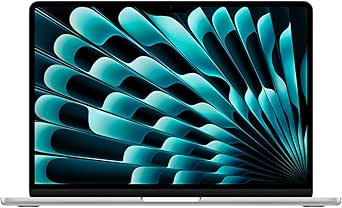 | Best Compact Mac AI Laptop | Chip: Apple M5 | Memory: 16GB unified memory | Storage: 512GB SSD | VIEW LATEST PRICE | See Our Full Breakdown |
| Acer Aspire 16 AI Copilot+ PC, 16-inch WUXGA 120Hz Laptop |  | Best for Windows AI Features and Display | Processor: Intel Core Ultra 5 226V, 8 cores, up to 4.5 GHz | NPU performance: Up to 40 TOPS | Graphics: Intel Arc 130V | VIEW LATEST PRICE | See Our Full Breakdown |
| AI laptop | Memory | Storage | Display | Processor |
|---|---|---|---|---|
| HP Business Ultra 7 155H AI 15 | 16GB DDR5 SODIMM, 4800 MHz; expandable to 64GB | 512GB PCIe M.2 SSD | 15.6-inch FHD touchscreen, 1920 × 1080, 60Hz LCD | Intel Core Ultra 7 155H, 16-core, up to 4.8 GHz |
| HP OmniBook 3 16-inch AI Lapto | 16GB DDR5-5600 | 512GB PCIe Gen4 NVMe M.2 SSD | 16-inch IPS touchscreen, 1920 × 1200, 300 nits, anti-glare | AMD Ryzen AI 5 430, 4 cores, 8 threads, up to 4.5 GHz |
| Dell 16-Inch FHD+ Touchscreen | 32GB DDR5 | 1TB SSD | 16-inch FHD+ touchscreen, 1920 × 1200, 16:10 | AMD Ryzen AI 7 350 |
| ASUS Vivobook S16 16-Inch Copi | 32GB DDR5 | 1TB SSD | 16-inch WUXGA OLED, 1920 × 1200, 60Hz | AMD Ryzen AI 9 465 |
| HP OmniBook 16 Touchscreen Lap | 16GB DDR5 | 1TB PCIe NVMe SSD | 16-inch IPS touchscreen, 1920 × 1200 | AMD Ryzen AI 7 445, 6 cores, up to 4.6 GHz |
| Apple MacBook Air 15-inch Lapt | 16GB unified memory | 512GB SSD | 15.3-inch Liquid Retina | Apple M5 chip |
| Dell 16-Inch Touchscreen Lapto | 32GB DDR5, 5600 MT/s | 1TB M.2 PCIe NVMe SSD | 16-inch FHD+ touchscreen, 1920 × 1200, 16:10, 300 nits | AMD Ryzen AI 7 350, 8 cores, up to 5.0 GHz boost |
| MSI Venture A16 AI Laptop | 32GB DDR5 | 2TB NVMe SSD | 16-inch LCD touchscreen, 1920 × 1200 | AMD Ryzen 9 270 |
| HP OmniBook 3 17.3" Touchscree | 32GB DDR5-5600 | 1TB PCIe SSD | 17.3-inch IPS FHD touchscreen, 1920 × 1080, anti-glare, 300 nits | Intel Ultra 7 355, 8 cores, up to 4.7 GHz |
| ASUS Vivobook S16 16-inch OLED | 32GB DDR5 | 1TB SSD | 16-inch WUXGA OLED, 1920 × 1200 | AMD Ryzen AI 7 445 |
| HP Pro Business Laptop | 32GB DDR5 | 1TB SSD | 17.3-inch touchscreen, 1600 × 900, 60Hz, anti-glare | Intel Core Ultra 7 255U, 12 cores, 14 threads, up to 5.2 GHz |
| Apple MacBook Air 13-inch with | 16GB unified memory | 512GB SSD | 13.6-inch Liquid Retina | — |
| Acer Aspire 16 AI Copilot+ PC | 16GB LPDDR5X onboard | 512GB PCIe Gen 4 SSD | 16-inch WUXGA, 120Hz, 100% sRGB | Intel Core Ultra 5 226V, 8 cores, up to 4.5 GHz |
More Details on Our Top Picks
HP Business Ultra 7 155H AI 15.6″ Touchscreen Laptop
The Core Ultra 7 155H gives this HP capable multitasking and integrated AI acceleration, while Windows 11 Pro, Firmware TPM 2.0, and a webcam privacy shutter suit office users who prioritize familiar business safeguards. Compared with the HP OmniBook 3 16, this model offers Pro rather than Home and a numeric keypad, but its standard 1080p display provides less workspace than the OmniBook’s 1920 × 1200 screen. Its 16GB memory and 512GB SSD cover everyday office work; the Dell 16-inch Ryzen AI 7 350 is better equipped for heavier multitasking with 32GB and 1TB. The integrated graphics also make this a poor fit for demanding visual workloads. One ownership detail matters: the seller opened the original seal to upgrade components, and the RAM/SSD coverage is provided by that seller.
Pros:- Core Ultra 7 155H combines 16 cores with integrated AI acceleration for productivity workloads.
- Windows 11 Pro, Firmware TPM 2.0, and a privacy shutter suit business use.
- Backlit keyboard includes a numeric keypad.
- USB-C, USB-A, and HDMI connect common peripherals and displays.
Cons:- The 1920 × 1080 display is less spacious and sharp than the 1920 × 1200 panels on the HP OmniBook 3 and Dell 16.
- Integrated graphics are not suited to demanding graphics work or modern gaming.
- Seller-opened packaging and separate coverage for upgraded RAM and SSD may concern buyers.
Best for: Office workers who need Windows 11 Pro, a numeric keypad, touchscreen input, and built-in privacy features for everyday productivity.
Not ideal for: Designers, gamers, and buyers seeking a high-resolution screen or discrete graphics; also skip it if seller-opened packaging is a concern.
- Processor:Intel Core Ultra 7 155H, 16-core, up to 4.8 GHz
- Graphics:Integrated Intel Arc Graphics
- Memory:16GB DDR5 SODIMM, 4800 MHz; expandable to 64GB
- Storage:512GB PCIe M.2 SSD
- Display:15.6-inch FHD touchscreen, 1920 × 1080, 60Hz LCD
- Operating system:Windows 11 Pro
- Security:Firmware TPM 2.0 and webcam privacy shutter
- Ports:USB-C, USB-A, HDMI
Our verdict“Choose this HP for Windows Pro office work and business privacy features, not for high-resolution visuals or graphics-heavy workloads.”
HP OmniBook 3 16-inch AI Laptop, 2K Touchscreen, AMD Ryzen AI 5 430, 16 GB RAM, 512 GB SSD, Radeon 840M, Windows 11 Home, Glacier Silver
The Ryzen AI 5 430 and 16GB of memory make this OmniBook a practical fit for everyday multitasking, video calls, and AI-assisted features, while its 1920 × 1200 touchscreen gives documents more vertical room than the HP Business Ultra 7’s 1080p panel. Its 16-inch size is balanced by a listed weight of 3.6 pounds, and the FHD IR camera with AI noise reduction is useful for frequent calls. The advertised battery life of up to 19 hours and 30 minutes and fast charging add flexibility, though actual runtime depends on use. Compared with the ASUS Vivobook S16, this HP gives up OLED contrast and a higher-tier Ryzen AI processor for a more straightforward everyday setup. Its display’s listed 62.5% sRGB coverage and integrated Radeon 840M make color-critical work and demanding graphics a weak match.
Pros:- 1920 × 1200 touchscreen offers a roomier 16:10 workspace than a standard 1080p screen.
- Ryzen AI processor, AI noise reduction, and FHD IR camera support everyday productivity and calls.
- Two USB-C ports, two USB-A ports, and HDMI 2.1 cover a broad range of accessories.
- Listed battery life of up to 19 hours and 30 minutes, with charging to 50% in about 45 minutes.
Cons:- The display is listed at 62.5% sRGB coverage, limiting its appeal for color-sensitive creative work.
- Integrated Radeon 840M graphics are not designed for demanding gaming or GPU-heavy applications.
- Windows 11 Home lacks the business-focused features included with the HP Business Ultra 7.
Best for: Students and remote workers who want a large touchscreen, useful video-call features, and an AI-capable processor for everyday tasks.
Not ideal for: Color-critical creators, graphics-heavy users, or buyers who need Windows Pro; this model has limited listed sRGB coverage, integrated graphics, and Windows Home.
- Processor:AMD Ryzen AI 5 430, 4 cores, 8 threads, up to 4.5 GHz
- Graphics:Integrated AMD Radeon 840M
- Memory:16GB DDR5-5600
- Storage:512GB PCIe Gen4 NVMe M.2 SSD
- Display:16-inch IPS touchscreen, 1920 × 1200, 300 nits, anti-glare
- Operating system:Windows 11 Home
- Camera:1080p FHD IR camera with HDR auto-switch
- Battery and charging:Up to 19 hours 30 minutes; 0% to 50% in approximately 45 minutes
- Weight:3.6 pounds
Our verdict“Pick the OmniBook 3 for everyday AI-assisted work and a roomy touchscreen, but choose a better-covered display for color-critical projects.”
Dell 16-Inch FHD+ Touchscreen Laptop, AMD Ryzen AI 7 350, 32GB DDR5, 1TB SSD
Among these five, the Dell offers one of the strongest practical setups for juggling many applications: its 32GB of DDR5 memory and 1TB SSD give it twice the memory and storage of the HP OmniBook 3. The Ryzen AI 7 350, 16-inch 1920 × 1200 touchscreen, and Windows 11 Pro make it a better match for demanding office workflows and buyers who want more headroom for compatible AI tools. A fingerprint reader simplifies sign-in, while the SD card reader adds convenience for photo transfers. The tradeoff is that the display is FHD+ rather than OLED, unlike the ASUS Vivobook S16, and integrated Radeon graphics limit its appeal for GPU-heavy work. HDMI 1.4 is also an older connection standard, so check display needs before relying on it for an external monitor.
Pros:- 32GB DDR5 memory supports heavier multitasking than the 16GB HP OmniBook 3 and HP OmniBook 16.
- 1TB SSD provides more built-in storage than the 512GB options in this group.
- Windows 11 Pro and a fingerprint reader suit business workflows and quick sign-in.
- 16:10 touchscreen, SD card reader, and backlit numeric keypad serve practical office needs.
Cons:- Integrated Radeon graphics are a poor fit for demanding 3D work and graphics-intensive games.
- HDMI 1.4 is an older video connection than the HDMI 2.1 port on the HP OmniBook 16.
- The FHD+ display does not offer the OLED contrast of the ASUS Vivobook S16.
Best for: Business users and power multitaskers who keep many applications open, need Windows Pro, and value 32GB memory plus 1TB storage.
Not ideal for: Content creators who need OLED contrast or strong color performance, and users whose external-display setup depends on newer HDMI features.
- Processor:AMD Ryzen AI 7 350
- Graphics:Integrated AMD Radeon graphics
- Memory:32GB DDR5
- Storage:1TB SSD
- Display:16-inch FHD+ touchscreen, 1920 × 1200, 16:10
- Operating system:Windows 11 Pro
- Video connectivity:USB-C 3.2 Gen 2 with DisplayPort 1.4; HDMI 1.4
- Security:Integrated fingerprint reader
- Weight:4.36 pounds
Our verdict“Choose the Dell when memory, storage, and Windows Pro matter more than OLED visuals or graphics performance.”
ASUS Vivobook S16 16-Inch Copilot+ Laptop, Ryzen AI 9 465, 32GB RAM, 1TB SSD, OLED, Windows 11 Home
The ASUS Vivobook S16 is the visual standout here: its 16-inch WUXGA OLED panel delivers deeper contrast than the FHD+ touchscreen on the Dell 16, making films, photos, and dark-interface work more engaging. It pairs that screen with a Ryzen AI 9 465, 32GB of memory, and a 1TB SSD, so it has generous capacity for simultaneous apps and local files. At 3.75 pounds, it is lighter than the Dell’s 4.36 pounds despite the large display, and its USB-A, USB-C, and HDMI ports reduce the need for an adapter. The compromise is a 60Hz refresh rate and integrated graphics, not a gaming-focused setup. Its Windows 11 Home edition also lacks the business-oriented tools found on the Dell and HP Business Ultra 7, and the advertised battery life can vary with use.
Pros:- WUXGA OLED provides stronger contrast than the FHD+ LCD on the Dell 16.
- Ryzen AI 9 465, 32GB memory, and 1TB storage offer substantial productivity headroom.
- At 3.75 pounds, it weighs less than the Dell 16 despite a similarly sized screen.
- USB-C, USB-A, HDMI, Windows Hello, and a physical camera shutter support flexible daily use.
Cons:- The 60Hz display is less fluid than higher-refresh laptop screens.
- Integrated Radeon graphics limit demanding gaming and GPU-heavy creative workloads.
- Windows 11 Home does not include the business-focused edition supplied on the Dell 16 and HP Business Ultra 7.
Best for: Students and mobile professionals who want a lightweight 16-inch laptop for AI-assisted productivity, entertainment, and OLED visuals.
Not ideal for: Windows Pro buyers, competitive gamers, and users who need a higher-refresh display or predictable all-day battery runtime under heavy workloads.
- Processor:AMD Ryzen AI 9 465
- Graphics:Integrated Radeon graphics
- Memory:32GB DDR5
- Storage:1TB SSD
- Display:16-inch WUXGA OLED, 1920 × 1200, 60Hz
- Operating system:Windows 11 Home
- Battery:70Wh; up to 23 hours claimed
- Weight:3.75 pounds
- Security:Windows Hello, FHD IR camera, physical privacy shutter
Our verdict“Choose the Vivobook S16 for OLED picture quality and capable AI-assisted multitasking in a relatively light 16-inch chassis.”
HP OmniBook 16 Touchscreen Laptop with AMD Ryzen AI 7 445, 16GB DDR5 RAM, and 1TB SSD
This OmniBook 16’s clearest differentiator is its stated 50 TOPS NPU performance, paired with a six-core Ryzen AI 7 445 and Windows 11 Pro. That makes it the most specifically documented choice here for buyers focused on local AI workloads, while its 1TB SSD gives it more storage than the 512GB HP OmniBook 3. The 16-inch 1920 × 1200 touchscreen, IR camera with manual privacy shutter, and numeric keypad fit a practical office setup. Compared with the Dell 16, however, this HP has half the memory at 16GB, which gives the Dell more room for demanding multitasking. Its integrated Radeon 840M graphics also suit everyday visuals rather than intensive creative work, and a 16-inch chassis is less convenient for frequent travel than a compact laptop.
Pros:- Specified 50 TOPS NPU performance highlights its focus on local AI-capable workloads.
- Windows 11 Pro and a 1080p IR camera with manual privacy shutter support business use.
- 1TB PCIe NVMe SSD offers more capacity than the HP OmniBook 3’s 512GB drive.
- USB-C with Power Delivery and DisplayPort, USB-A, and HDMI 2.1 support varied connections.
Cons:- 16GB memory is less generous than the 32GB in the Dell 16 and ASUS Vivobook S16.
- Integrated Radeon 840M graphics are not suited to demanding graphics workloads.
- The 16-inch format is less convenient to carry than smaller laptops.
Best for: Windows Pro users who want a clearly specified 50-TOPS NPU, touchscreen input, 1TB storage, and built-in camera privacy for office work.
Not ideal for: Heavy multitaskers who need 32GB memory, graphics professionals, and frequent travelers who prefer a smaller, lighter laptop.
- Processor:AMD Ryzen AI 7 445, 6 cores, up to 4.6 GHz
- NPU performance:50 TOPS
- Graphics:AMD Radeon 840M
- Memory:16GB DDR5
- Storage:1TB PCIe NVMe SSD
- Display:16-inch IPS touchscreen, 1920 × 1200
- Operating system:Windows 11 Pro
- Camera:1080p FHD IR with manual privacy shutter
- Ports:2 USB-C, 10Gbps, Power Delivery 3.1 and DisplayPort 1.4; 2 USB-A; HDMI 2.1
Our verdict“Pick this OmniBook for Windows Pro and its specified 50-TOPS NPU, but choose the Dell 16 if memory capacity is the priority.”
Apple MacBook Air 15-inch Laptop with M5 Chip, 16GB Memory, 512GB SSD, Liquid Retina Display, and Touch ID (Midnight)
The 15-inch MacBook Air pairs Apple’s M5 chip with a spacious display in a 3.32-pound design, making it a strong fit for macOS users who want room for documents, creative apps, and video calls without a larger workstation-style laptop. Its up to 18 hours of claimed battery life and support for two external displays add flexibility for moving between a desk and other locations. Compared with the ASUS Vivobook S16, it offers a lighter build and the macOS ecosystem, while the ASUS provides more memory and storage in its listed configuration. The tradeoff here is 16GB of memory and 512GB of storage, plus just two Thunderbolt 4 ports; buyers with large local project libraries may need external storage or a hub.
Pros:- M5 chip and 16GB unified memory suit everyday work and supported on-device AI features within macOS.
- 15.3-inch Liquid Retina display supports 1 billion colors for a generous workspace and vivid media.
- At 3.32 pounds, it is lighter than the 16-inch MSI Venture A16 and 17.3-inch HP OmniBook 3.
- 12MP Center Stage camera, MagSafe, Wi-Fi 7, and support for up to two external displays.
Cons:- 512GB SSD may be restrictive for large video, photo, or AI project libraries.
- Only two Thunderbolt 4 ports are listed, so multiple wired accessories may call for a hub.
- The 16GB memory configuration offers less headroom than the 32GB Windows options in this group.
Best for: Mac users who want a roomy 15.3-inch screen, long claimed battery life, and a laptop light enough to carry between home, school, and work.
Not ideal for: Windows users, or people who need 32GB of memory, more built-in storage, or a broad selection of built-in ports.
- Processor:Apple M5 chip
- Display:15.3-inch Liquid Retina
- Memory:16GB unified memory
- Storage:512GB SSD
- Camera:12MP Center Stage with Desk View
- Battery life:Up to 18 hours
- Ports:Two Thunderbolt 4, MagSafe charging, headphone jack
- Weight:3.32 pounds
Our verdict“Choose this MacBook Air if you want a large-screen macOS laptop with a relatively light build, but look elsewhere for more memory or storage.”
Dell 16-Inch Touchscreen Laptop with AMD Ryzen AI 7 350, 32GB RAM, and 1TB SSD
This Dell makes its case with a useful balance of 32GB of DDR5 memory, a 1TB SSD, and a Ryzen AI 7 350 NPU rated up to 50 TOPS. That combination gives multitaskers room for demanding applications and files while supporting compatible Windows AI features. Its 16-inch, 16:10 touchscreen offers more vertical workspace than a standard 16:9 panel, and the numeric keypad is a practical plus for spreadsheet-heavy work. Compared with the MSI Venture A16 AI, this model lists Windows 11 Pro and a broader mix of connectors, including an SD card reader; MSI counters with twice the listed storage. The Dell’s 300-nit display may be less comfortable in bright settings, and integrated Radeon graphics are not a substitute for a dedicated GPU. AI functions also depend on software, language, region, and device eligibility.
Pros:- Ryzen AI 7 350 NPU rated up to 50 TOPS supports compatible local AI workloads.
- 32GB DDR5 memory and 1TB PCIe NVMe SSD provide useful multitasking capacity and file space.
- 16-inch 16:10 touchscreen gives extra vertical room for documents and spreadsheets.
- Windows 11 Pro, numeric keypad, SD card reader, HDMI, USB-A, and USB-C with DisplayPort and Power Delivery.
Cons:- The listed 300-nit brightness may limit visibility in bright environments.
- Integrated Radeon graphics are less suited to demanding gaming and 3D rendering than a dedicated GPU.
- Some AI features depend on software updates, region, language, and device eligibility.
Best for: Windows professionals and students who need 32GB of memory, a numeric keypad, touchscreen input, and an NPU for compatible AI tools.
Not ideal for: People who regularly work outdoors or in bright rooms, or buyers seeking a high-refresh display or dedicated graphics for demanding 3D work.
- Processor:AMD Ryzen AI 7 350, 8 cores, up to 5.0 GHz boost
- NPU:Up to 50 TOPS
- Display:16-inch FHD+ touchscreen, 1920 × 1200, 16:10, 300 nits
- Memory:32GB DDR5, 5600 MT/s
- Storage:1TB M.2 PCIe NVMe SSD
- Graphics:Integrated AMD Radeon Graphics
- Operating system:Windows 11 Pro
- Ports:USB-A, USB-C with DisplayPort 1.4 and Power Delivery, HDMI 1.4, SD card reader, headset jack
Our verdict“Pick this Dell for a capable Windows work setup with strong memory capacity and practical ports, provided its modest screen brightness suits your workspace.”
MSI Venture A16 AI Laptop, Ryzen 9 270, 32GB RAM, 2TB SSD, 16-inch Touchscreen, Windows 11 Home
The MSI Venture A16 AI is the storage-focused choice in this group: its 2TB NVMe SSD offers twice the listed capacity of the Dell 16 and ASUS Vivobook S16, while 32GB of DDR5 memory supports a busy mix of applications. That makes it appealing for users who keep substantial media libraries, work files, or AI-related assets on the laptop rather than relying on cloud storage. The 16-inch 1920 × 1200 touchscreen also provides a familiar productivity-friendly format. Compared with the Dell 16, however, the MSI lists Windows 11 Home rather than Pro and fewer detailed connectivity features; Dell also specifies its NPU performance, while the MSI data does not. Its integrated graphics and 60Hz display set a clear ceiling for graphics-heavy work and fast-motion gaming, and its 4.2-pound weight makes it less convenient to carry than the MacBook Air.
Pros:- 2TB NVMe SSD provides the largest listed built-in storage among these five laptops.
- 32GB DDR5 memory gives multitasking and larger working sets more room.
- 16-inch 1920 × 1200 touchscreen offers a useful 16:10 workspace.
- Backlit keyboard and three USB ports plus HDMI support everyday accessory connections.
Cons:- Integrated Radeon graphics are intended for everyday computing and light gaming, not demanding graphics workloads.
- The 60Hz display is less suited to smooth high-frame-rate gaming.
- At 4.2 pounds, it is heavier than the MacBook Air and ASUS Vivobook S16.
Best for: Windows users who keep large project folders, media collections, or datasets on their laptop and want a touchscreen with ample memory.
Not ideal for: Frequent travelers seeking a light laptop, or creators and gamers who need dedicated graphics or a higher-refresh display.
- Processor:AMD Ryzen 9 270
- Graphics:Integrated AMD Radeon Graphics
- Memory:32GB DDR5
- Storage:2TB NVMe SSD
- Display:16-inch LCD touchscreen, 1920 × 1200
- Refresh rate:60Hz
- Operating system:Windows 11 Home
- Wireless:Wi-Fi 6E, Bluetooth 5.2
- Weight:4.2 pounds
Our verdict“Choose the MSI if built-in storage is your main priority, but favor the Dell for specified NPU capability or the ASUS for a lighter OLED-equipped option.”
HP OmniBook 3 17.3″ Touchscreen Laptop (2026) – Intel Ultra 7 355, 32GB DDR5 RAM, 1TB SSD, Windows 11 Pro
The HP OmniBook 3 prioritizes screen area and work-call features over easy portability. Its 17.3-inch anti-glare touchscreen gives spreadsheets, documents, and split windows room to breathe, while the Intel Ultra 7 355 includes a listed 49 TOPS NPU for compatible AI tasks. The Full HD IR camera with a privacy shutter, AI noise reduction, and Windows 11 Pro make it particularly suited to remote work. Against the Dell 16, the HP offers a substantially larger display and specified webcam privacy features, while the Dell is smaller and lists an SD card reader. The HP also has a useful selection of USB-C and USB-A ports, but its 4.43-pound weight is the highest here, and integrated Intel graphics limit its appeal for demanding games or 3D work. Its 300-nit panel is not especially bright for sunlit rooms.
Pros:- 17.3-inch anti-glare touchscreen gives ample room for side-by-side windows.
- Intel Ultra 7 355 includes a listed 49 TOPS NPU for compatible AI features.
- Full HD IR camera with HDR, physical privacy shutter, and AI noise reduction support video calls.
- Two USB-C ports with power delivery and DisplayPort, two USB-A ports, and HDMI 2.1.
Cons:- At 4.43 pounds, it is the heaviest laptop in this five-product selection.
- Integrated Intel graphics are not a strong fit for high-end gaming or professional 3D rendering.
- The 300-nit display may be hard to view in bright surroundings, and no card reader or Ethernet port is listed.
Best for: Remote workers and students who want a large touchscreen for documents and video calls, plus a physical camera shutter and Windows 11 Pro.
Not ideal for: Commuters who carry a laptop daily, or buyers who need dedicated graphics, an SD card reader, Ethernet, or a brighter panel.
- Processor:Intel Ultra 7 355, 8 cores, up to 4.7 GHz
- NPU:49 TOPS
- Display:17.3-inch IPS FHD touchscreen, 1920 × 1080, anti-glare, 300 nits
- Memory:32GB DDR5-5600
- Storage:1TB PCIe SSD
- Operating system:Windows 11 Pro
- Camera:Full HD IR camera with HDR and privacy shutter
- Battery life:Up to 14 hours
- Weight:4.43 pounds
Our verdict“Choose the HP for a large, call-ready Windows workspace that mostly stays at a desk, not for frequent travel or graphics-intensive work.”
ASUS Vivobook S16 16-inch OLED Laptop, AMD Ryzen AI 7 445, 32 GB RAM, 1 TB SSD
The ASUS Vivobook S16 stands out for pairing a 16-inch OLED screen with 32GB of memory and a 1TB SSD in a 3.75-pound chassis. OLED’s deep contrast and vivid presentation suit media, reading, and image work, giving it a visual advantage over the standard LCD panels in the Dell 16 and MSI Venture A16. Its Ryzen AI 7 445 makes this a Copilot+ laptop, while a physical camera shutter, Windows Hello, and a useful mix of USB-C, USB-A, and HDMI keep it ready for everyday work. The main display compromise is its 1920 × 1200 resolution: it is a WUXGA panel, not a higher-resolution screen. Battery life is claimed at up to 21 hours, but actual runtime can vary with use. It also has less built-in storage than the MSI’s 2TB drive.
Pros:- 16-inch OLED delivers deep contrast and vivid color compared with the LCD panels on the Dell and MSI.
- Ryzen AI 7 445 and Copilot+ positioning support compatible Windows AI features.
- 32GB DDR5 memory and 1TB SSD offer ample capacity for everyday multitasking and files.
- At 3.75 pounds and 0.63 inches thick, it is more portable than the larger HP OmniBook 3; includes a camera shutter and several port types.
Cons:- The 1920 × 1200 resolution is less detailed than higher-resolution laptop panels.
- The 1TB SSD offers half the listed capacity of the MSI Venture A16.
- Claimed battery life can vary with workload and settings, and the listed wireless standard is Wi-Fi 6.
Best for: Students and mobile professionals who want an OLED screen for work and entertainment, 32GB memory, and Copilot+ features in a relatively light 16-inch laptop.
Not ideal for: Buyers who need higher-than-WUXGA detail, 2TB of built-in storage, Wi-Fi 7, or a dedicated graphics processor.
- Processor:AMD Ryzen AI 7 445
- Graphics:Integrated AMD Radeon Graphics
- Display:16-inch WUXGA OLED, 1920 × 1200
- Memory:32GB DDR5
- Storage:1TB SSD
- Operating system:Windows 11 Home
- Battery:70Wh; claimed up to 21 hours
- Weight and thickness:3.75 pounds; 0.63 inches
- Ports and wireless:Two USB-C, two USB-A, HDMI 2.1 TMDS, 3.5mm audio; Wi-Fi 6
Our verdict“Choose the Vivobook S16 for OLED contrast and a portable Copilot+ setup, but pick the MSI if storage capacity matters more than screen technology.”
HP Pro Business Laptop, 17.3-Inch Touchscreen, Intel Core Ultra 7 255U, 32GB DDR5 RAM, 1TB SSD, Windows 11 Pro, with Laptop Cooler
This HP Pro suits office buyers who want a large touchscreen and ample memory for multitasking, rather than a compact AI laptop. Its Core Ultra 7 255U, 32GB of DDR5 memory, and 1TB SSD offer a roomy setup for business apps, though its integrated graphics and listed specs do not make it the strongest choice here for graphics-heavy creative work. Compared with the Acer Aspire 16 AI, it gives you more screen area and Windows 11 Pro, but the Acer has a sharper-feeling 120Hz display, a stated 40-TOPS NPU, and newer connectivity such as Wi-Fi 7.
The main compromise is the HP’s 1600 × 900 resolution on a 17.3-inch panel, which leaves less detail than smaller, higher-resolution screens. It is also a heavy, desk-oriented option with a 34Wh battery. The seal was opened for the RAM and SSD upgrade, so buyers should account for the separate coverage: three years for those upgrades from PCOnline US and one year from the manufacturer for other components.
Pros:- 17.3-inch anti-glare touchscreen provides a broad workspace
- 32GB DDR5 memory and 1TB SSD support multitasking and local file storage
- Windows 11 Pro, fingerprint reader, and backlit keyboard suit business use
- PCO laptop cooler is included
Cons:- 1600 × 900 resolution is modest for a 17.3-inch display
- 34Wh battery and 4.6-pound weight make it better suited to desk use
- Opened seal and split warranty coverage may not suit buyers seeking an untouched, standard-warranty configuration
Best for: Office and administrative users who want a large touchscreen, Windows 11 Pro, and 32GB of memory for multitasking at a mostly fixed desk.
Not ideal for: Frequent travelers, high-resolution display fans, and buyers prioritizing strong AI acceleration or graphics performance.
- Processor:Intel Core Ultra 7 255U, 12 cores, 14 threads, up to 5.2 GHz
- Memory:32GB DDR5
- Storage:1TB SSD
- Display:17.3-inch touchscreen, 1600 × 900, 60Hz, anti-glare
- Operating system:Windows 11 Pro
- Graphics:Integrated Intel Graphics
- Battery:34Wh lithium-ion
- Weight:4.6 lbs
- Warranty:Three-year coverage on upgraded RAM and SSD from PCOnline US; one-year manufacturer’s coverage on other components
Our verdict“Choose this HP for a large, business-focused workspace with generous memory, but skip it if display sharpness, portability, or AI acceleration comes first.”
Apple MacBook Air 13-inch with M5 chip, 16GB memory, 512GB SSD, and 12MP Center Stage camera (Silver)
For buyers who want a lightweight Mac for mobile work, this 13.6-inch MacBook Air puts portability and long stated battery life ahead of a large screen or expandable memory. The M5 chip, 16GB unified memory, and 512GB SSD make a compact everyday setup, while the 12MP Center Stage camera can keep video calls framed as people move. At 2.71 pounds and with up to 18 hours of battery life listed, it is easier to carry through a workday than the 17.3-inch HP Pro Business Laptop.
Its tradeoffs are clear: the memory is fixed at 16GB in the supplied configuration, and the built-in port selection is sparse. The Acer Aspire 16 AI offers a larger 120Hz screen, a wider set of connections, and a stated 40-TOPS NPU, making it a better fit for Windows users focused on Copilot+ features. This MacBook instead makes sense for people who value macOS, a light chassis, and a compact display, with adapters potentially needed for peripherals.
Pros:- Light 2.71-pound design is convenient for daily carrying
- Up to 18 hours of battery life is listed
- 12MP Center Stage camera supports video calls
- Supports up to two external displays
Cons:- 16GB unified memory may limit headroom for demanding workloads
- Few built-in ports mean many peripherals may require adapters
- 13.6-inch screen offers less workspace than the Acer Aspire 16 AI or HP Pro Business Laptop
Best for: Students, consultants, and mobile professionals who prefer macOS and need a lightweight laptop for writing, video calls, and everyday productivity.
Not ideal for: Buyers who need more than 16GB of memory, frequent built-in USB-A or HDMI connections, or a large screen for side-by-side work.
- Chip:Apple M5
- Memory:16GB unified memory
- Storage:512GB SSD
- Display:13.6-inch Liquid Retina
- Camera:12MP Center Stage
- Battery life:Up to 18 hours
- Ports:Two Thunderbolt 4 ports, MagSafe charging port, headphone jack
- Wireless connectivity:Wi-Fi 7, Bluetooth 6
- Weight:2.71 pounds
Our verdict“Pick this MacBook Air if portability and macOS matter more than a large screen, abundant ports, or higher memory capacity.”
Acer Aspire 16 AI Copilot+ PC, 16-inch WUXGA 120Hz Laptop
The Acer Aspire 16 AI is the most explicitly AI-focused Windows pick in this group: its Core Ultra 5 226V includes an NPU rated up to 40 TOPS, and it is identified as a Copilot+ PC. That makes it a more direct fit for buyers seeking supported on-device AI features than the HP Pro Business Laptop, whose supplied specifications do not state an NPU rating. Its 16-inch WUXGA display also pairs a 120Hz refresh rate with 100% sRGB coverage, giving work and media a smoother, color-capable screen.
The 16GB of onboard memory is a meaningful ceiling, especially compared with the HP Pro’s 32GB, and cannot be expanded according to the supplied configuration. Acer counters with useful connections—two Thunderbolt 4 USB-C ports, HDMI 2.1, and a microSD reader—plus a 180-degree hinge and 1080p IR webcam. Battery figures vary by test method, so I would treat the stated runtimes as test-specific rather than a single guaranteed workday estimate.
Pros:- NPU rated up to 40 TOPS and Copilot+ PC designation target Windows AI features
- 16-inch 120Hz display has 100% sRGB color coverage
- Two Thunderbolt 4 ports, HDMI 2.1, and microSD reader offer flexible connectivity
- Aluminum chassis, 180-degree hinge, and 1080p FHD IR webcam support work use
Cons:- 16GB LPDDR5X memory is onboard and listed without an upgrade path
- Battery life varies substantially by test method
- Windows 11 Home lacks the business-focused edition supplied with the HP Pro Business Laptop
Best for: Windows users who want Copilot+ features, a color-capable 120Hz screen, and modern ports for mixed work, study, and light creative tasks.
Not ideal for: Buyers who need more than 16GB of memory, upgradeable RAM, or a predictable battery estimate across real-world workloads.
- Processor:Intel Core Ultra 5 226V, 8 cores, up to 4.5 GHz
- NPU performance:Up to 40 TOPS
- Graphics:Intel Arc 130V
- Display:16-inch WUXGA, 120Hz, 100% sRGB
- Memory:16GB LPDDR5X onboard
- Storage:512GB PCIe Gen 4 SSD
- Operating system:Windows 11 Home
- Ports:2 Thunderbolt 4 USB-C, 2 USB 3.2 Gen 1, HDMI 2.1, headphone jack
- Battery life:Up to 18.5 hours (MobileMark 2025) or 26 hours (video playback tests)
Our verdict“Choose the Acer for stated Copilot+ capability and a fast, color-capable screen, provided 16GB of onboard memory is enough for your workload.”

How We Picked
I ranked these laptops by the usefulness of their listed configurations for everyday AI-assisted work, multitasking, and general computing—not by the presence of an AI label alone. I gave more weight to processor class, memory capacity, storage, display characteristics, and the practical balance between them. A faster processor can help with demanding workloads, but 32GB of RAM or a better screen may offer more value to someone who keeps many apps open or works with visual content.
I also considered operating system, screen size, and fit for different buyers. Models with clear strengths across several areas rank ahead of options whose listings provide fewer details or whose configuration suggests a narrower audience. Some entries are close relatives, including two Dell Ryzen AI 7 laptops and two ASUS Vivobook S16 models; their ranking reflects the differences stated in their listings, while buyers should confirm exact specifications before purchase.
| AI laptop | Operating system |
|---|---|
| HP Business Ultra 7 155H AI 15 | Windows 11 Pro |
| HP OmniBook 3 16-inch AI Lapto | Windows 11 Home |
| Dell 16-Inch FHD+ Touchscreen | Windows 11 Pro |
| ASUS Vivobook S16 16-Inch Copi | Windows 11 Home |
| HP OmniBook 16 Touchscreen Lap | Windows 11 Pro |
| Apple MacBook Air 15-inch Lapt | — |
| Dell 16-Inch Touchscreen Lapto | Windows 11 Pro |
| MSI Venture A16 AI Laptop | Windows 11 Home |
| HP OmniBook 3 17.3" Touchscree | Windows 11 Pro |
| ASUS Vivobook S16 16-inch OLED | Windows 11 Home |
| HP Pro Business Laptop | Windows 11 Pro |
| Apple MacBook Air 13-inch with | — |
| Acer Aspire 16 AI Copilot+ PC | Windows 11 Home |
Factors to Consider When Choosing Best AI Laptops
Choosing an AI laptop takes more than comparing processor names. I would start with the work you expect the computer to do, then check whether its memory, screen, software, and portability support that routine. These factors can prevent paying for hardware that goes unused—or choosing a configuration that feels cramped after your workload grows.
Check What “AI” Means for Your Work
The AI label can refer to hardware that accelerates certain on-device tasks, software features built into the operating system, or cloud services that run elsewhere. Those are not interchangeable benefits. Before buying, list the specific tools you plan to use—such as meeting transcription, image editing, or local model experiments—and check their processor and memory requirements. Some features depend on an internet connection, an account, or a software subscription, even on a laptop marketed for AI. Avoid paying extra for a capability unless your intended apps can use it.
Balance Processor, Memory, and Storage
Processor names provide only one part of the performance picture. For many people, extra memory helps more than a higher-tier chip because it keeps numerous browser tabs, video calls, and creative apps running together. A 1TB SSD gives more room for projects and offline files than a 512GB drive, but external storage can be a sensible workaround for archives. Check whether the memory and storage can be upgraded; many slim laptops have components that cannot be replaced later. Choose around your actual workload rather than treating the biggest specification as automatically best.
Pick a Screen Size You Will Use Comfortably
A larger display can reduce the need to connect an external monitor and makes side-by-side windows easier to manage. It also usually means a bigger device to carry, so frequent travelers may prefer a smaller laptop even if that means less workspace. Resolution, refresh rate, brightness, and panel type affect comfort and clarity, but a specification such as OLED does not guarantee that every panel suits every user. If you spend long hours reading, prioritize a screen you can view comfortably and check its finish and brightness for your workspace. A separate monitor at home can make a portable screen a more appealing tradeoff.
Choose Windows or macOS by Software Fit
AI features do not make operating systems interchangeable. Check that your work apps, accessories, file-sharing setup, and any required company software run on the platform you choose. Windows offers a broad range of laptop sizes and configurations across this roundup, while the MacBook Air options suit buyers already invested in Apple’s software and devices. Switching platforms can also affect familiar shortcuts and workflows. Confirm app compatibility first, especially if you rely on specialist business, engineering, or creative tools.
Judge Portability by the Whole Setup
Screen size is only a rough clue to how easy a laptop will be to carry. Chassis weight, thickness, charger size, battery life, and how often you work away from an outlet all shape day-to-day portability. A 17.3-inch model can be useful as a mostly stationary workstation, but it may be awkward for a daily commute. If you travel, check independent battery and weight information for the exact configuration rather than assuming an AI label predicts endurance. For a desk-based setup, a larger display may save the cost and space of a separate monitor.
Check Configuration Details Before Ordering
Product names can describe several configurations, and similar model names do not guarantee matching components. Confirm the exact processor, RAM, SSD capacity, display resolution and type, operating system edition, ports, and included accessories in the listing. This matters especially when two laptops share a product family but differ in processor or screen. Also review warranty coverage and return terms in case the keyboard, display, or operating system does not suit your routine. A careful specification check is more useful than relying on a broad “AI PC” label.
Frequently Asked Questions
Do I need 32GB of RAM for an AI laptop?
Not every buyer needs 32GB, but it gives more room for heavy multitasking and memory-intensive creative or AI workloads. For everyday browsing, office apps, and video calls, 16GB may be adequate if your workload is modest. Some on-device AI tools can use substantial memory, so check the requirements of the software you plan to run. If you cannot upgrade the memory later, choosing more capacity now can extend the laptop’s useful life. Compare RAM alongside the processor rather than treating either specification as a complete performance measure.
Can an AI laptop run AI features without an internet connection?
Some features can run locally when the laptop’s hardware and software support them, while others rely on cloud processing. Offline availability depends on the specific app and feature, not just the laptop’s AI branding. Check whether the software names a supported processor or neural processing unit and whether it offers a local mode. Cloud-based tools may also require an account or ongoing service access. If offline use matters, confirm it for each feature before choosing a computer.
Should I choose the 13-inch or 15-inch MacBook Air?
Choose the 13-inch MacBook Air if frequent carrying and a compact footprint matter more than screen space. The 15-inch model provides a larger display that can make split-screen work and long documents more comfortable. Both listings specify an M5 chip, 16GB of memory, and 512GB of storage, so screen size and portability are the clearest stated differences. A larger external monitor can reduce the need for the 15-inch screen at home, but it does not help while traveling. Check the weight and battery information for the exact models before deciding.
Is a Ryzen AI 9 laptop worth choosing over a Ryzen AI 7 model?
A higher-tier processor may suit sustained, demanding workloads, but the name alone does not tell you how much faster a laptop will feel in your apps. The ASUS Vivobook S16 with Ryzen AI 9 also pairs its processor with 32GB of RAM and an OLED display, while several Ryzen AI 7 options provide strong memory and storage configurations for everyday multitasking. Consider how often you run processor-heavy tasks and whether the screen or memory would make a bigger difference to your routine. Look for independent performance results for the exact laptop configuration if workload speed is central to your decision. For lighter work, a well-balanced Ryzen AI 7 system may be the more sensible fit.
Is a 17.3-inch AI laptop a good choice for a home office?
It can be a good fit if you mostly work at one desk and value a larger built-in workspace. A 17.3-inch screen can make documents and side-by-side windows easier to view without an external monitor. The tradeoff is a less portable chassis, and a large display does not replace checks for resolution, brightness, and panel quality. Compare the laptop’s weight and charger requirements with your routine if you occasionally commute. If you move between rooms or travel often, a smaller laptop plus a separate monitor may work better.
Conclusion
For most buyers, I’d start with the ASUS Vivobook S16 with Ryzen AI 9 465 as the best overall pick: its listed 32GB of RAM, 1TB SSD, and OLED display make for a well-rounded high-capability setup. The Dell 16 with Ryzen AI 7 350 is my best value direction for buyers who want 32GB of memory and 1TB of storage without needing an OLED screen; compare the two Dell listings carefully because their titles specify different RAM types. For a premium, portable macOS option, choose the 15-inch MacBook Air with M5; for a beginner who wants a straightforward Windows laptop, the HP OmniBook 3 16-inch offers a touchscreen and a defined everyday configuration. Choose the 13-inch MacBook Air for easier carrying, the HP 17.3-inch models for a larger built-in workspace, or the MSI Venture A16 AI if its 2TB SSD best matches your storage needs. Before committing, verify the exact configuration and software support for the AI tasks you plan to use.