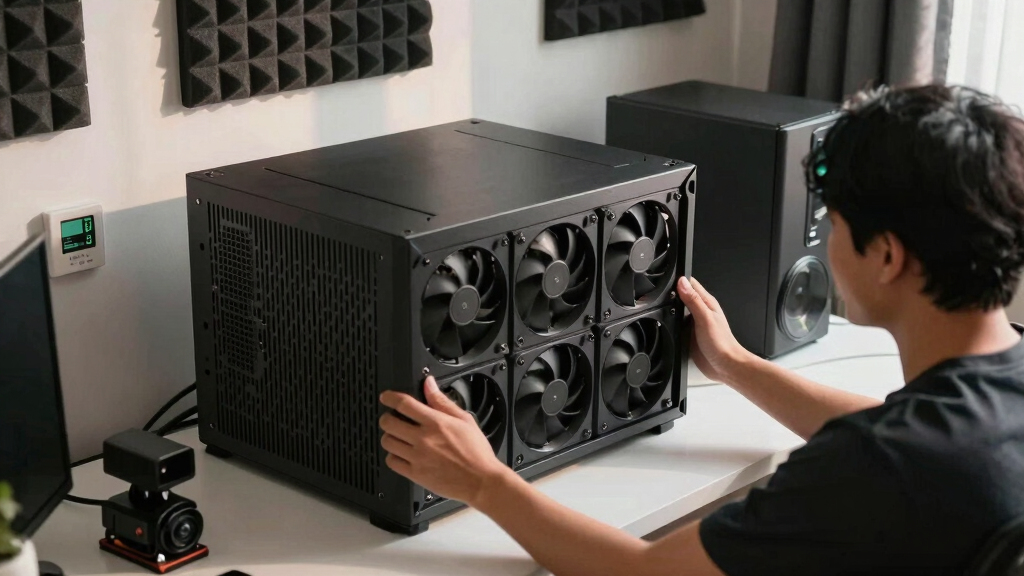

📊 Full opportunity report: How to Reduce Heat and Noise in a High-Power AI Workstation on ThorstenMeyerAI.com — validation score, market gap, and execution plan.
TL;DR
High-power AI workstations generate significant heat and noise due to continuous GPU load. Key strategies include undervolting GPUs, improving airflow, and managing power limits to reduce thermal output and sound levels.
High-power AI workstations produce excessive heat and noise due to sustained GPU loads, and effective cooling strategies are essential for quieter, more efficient operation. Learn how to reduce heat and noise in a high-power AI workstation. Recent insights confirm that undervolting GPUs and optimizing airflow significantly lower thermal and acoustic levels, improving workstation performance and comfort.
AI workstations operating under continuous load generate more heat and noise than gaming PCs, primarily because their GPUs run at or near full capacity for hours, unlike gaming systems that handle bursty loads. The main sources of heat and noise are the GPU, CPU, power supply, VRMs, and case airflow. GPUs contribute over 70% of thermal output and are the loudest component during sustained inference tasks, with fans spinning constantly at high speeds.
One of the most effective confirmed measures is undervolting the GPU and capping its power limit, which can reduce heat output by tens of watts without sacrificing performance in memory-bound inference workloads. Improving case airflow by optimizing intake and exhaust fans, as well as using high-quality cooling components, also helps dissipate heat more efficiently, reducing fan noise. Additionally, selecting higher-quality power supplies and managing VRM temperatures can prevent additional heat buildup and noise from these components.
Fan noise remains a primary concern, but other sources such as coil whine, pump whine from liquid coolers, and vibrations transmitted through the case also contribute. Addressing these requires specific fixes, including vibration dampening, better fan control profiles, and selecting quieter cooling hardware.
An AI workstation isn’t a gaming PC —
and that’s why it runs hot.
Local inference is a sustained load: the GPU sits near full power for hours with no loading screens, so the heat never dissipates and the fans never get a break. Here’s where the heat comes from — and the five levers that reduce it.
Impact of Effective Cooling on AI Workstation Performance
Implementing proven cooling and noise reduction strategies enhances the usability and comfort of high-power AI workstations, especially in office or home environments. Learn how to reduce heat and noise in a high-power AI workstation. Lowering heat reduces thermal throttling, maintaining higher inference speeds, while quieter operation minimizes disruption and improves focus. These improvements can also extend hardware lifespan by reducing thermal stress on components.

Noctua NF-P12 redux-1700 PWM, Quiet Fan 120mm
- Size: 120x120x25 mm
- Voltage: 12V
- PWM Control: 4-pin PWM
As an affiliate, we earn on qualifying purchases.
As an affiliate, we earn on qualifying purchases.
Understanding Heat and Noise Sources in AI Hardware
Unlike gaming PCs, AI workstations run GPUs at high loads continuously during inference tasks, leading to sustained heat generation. GPUs are the primary heat source, with CPU and power delivery components also contributing. Traditional cooling solutions designed for gaming bursts are insufficient for these workloads. Recent industry insights highlight the importance of targeted thermal management, including undervolting and airflow optimization, to address these specific demands.
“Undervolting GPUs and improving airflow are the most cost-effective methods to significantly reduce heat and noise in high-power AI workstations.”
— Thorsten Meyer, AI hardware expert

120mm for PC Fan Air Deflector – Dual Angle 45° & 60° Airflow Director with Screws, Exhaust Intake Guide for Case Cooling Optimization (Black)
- Fan Compatibility: Fits all standard 120mm case fans
- Dual Angle Design: Deflects at 45° and 60° angles
- Cooling Optimization: Directs exhaust and intake airflow
As an affiliate, we earn on qualifying purchases.
As an affiliate, we earn on qualifying purchases.
Remaining Uncertainties in Cooling Optimization
While undervolting and airflow improvements are confirmed effective, the optimal settings for specific GPU models and workloads are still being refined. The long-term effects of aggressive undervolting on hardware stability and lifespan require further study. Additionally, the impact of different case designs and cooling hardware on noise reduction varies, and comprehensive benchmarks are still emerging.
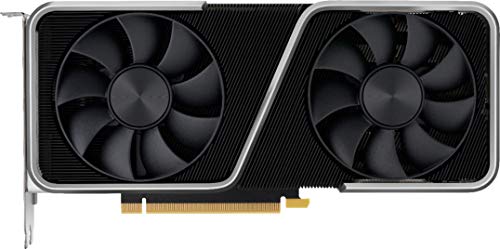
Geforce Nvidia RTX 3060ti Founders Edition 8GB
- GPU Series: GeForce RTX 30 Series
- Architecture: Ampere 2nd Gen RTX
- Performance: Ultimate gaming and creator performance
As an affiliate, we earn on qualifying purchases.
As an affiliate, we earn on qualifying purchases.
Next Steps for Enhancing AI Workstation Cooling
Further research will focus on developing standardized undervolting profiles for various GPU models and creating adaptive cooling profiles that respond to workload intensity. Hardware manufacturers are also expected to release more efficient cooling solutions tailored for continuous high-load inference tasks. Users should monitor industry updates and testing results to refine their cooling setups accordingly.

Dual A100 AIO Copper GPU Cooler Water Cooling Block kit for NVIDIA
- Full Coverage Copper Cold Plate: Ensures maximum heat transfer from GPU
- High-Performance AIO Cooling: Maintains optimal GPU temperatures during heavy workloads
- Versatile Compatibility: Compatible with standard liquid cooling and closed-loop systems
As an affiliate, we earn on qualifying purchases.
As an affiliate, we earn on qualifying purchases.
Key Questions
Can undervolting GPUs affect inference performance?
In most memory-bound inference workloads, undervolting can reduce heat and noise without impacting performance significantly. However, for compute-bound tasks, testing is recommended to ensure stability.
What case features improve cooling in AI workstations?
High airflow cases with multiple intake and exhaust fans, dust filters, and good cable management improve ventilation and reduce hot spots, lowering overall temperature and noise.
Are liquid coolers quieter than air coolers for GPUs?
Liquid coolers can be quieter under load due to more efficient heat transfer and lower fan speeds, but quality varies. Proper setup and maintenance are essential for optimal noise reduction.
How do I identify the main source of noise in my workstation?
Use a sound level meter or software to monitor fan RPMs and identify which components are the loudest during operation. Focus on those for targeted noise reduction measures.
Source: ThorstenMeyerAI.com