
TL;DR

Get the latest gadgets delivered free — and shop member deals
- Fast, free delivery on millions of items
- Access to Prime Big Deal Days deals on October 6–7
- Prime Video, Amazon Music and more included
PhotoGIMP is a free patch that modifies GIMP 3 to mimic Photoshop’s layout and shortcuts, making it easier for Photoshop users to adopt GIMP. It is community-maintained and available for multiple platforms.
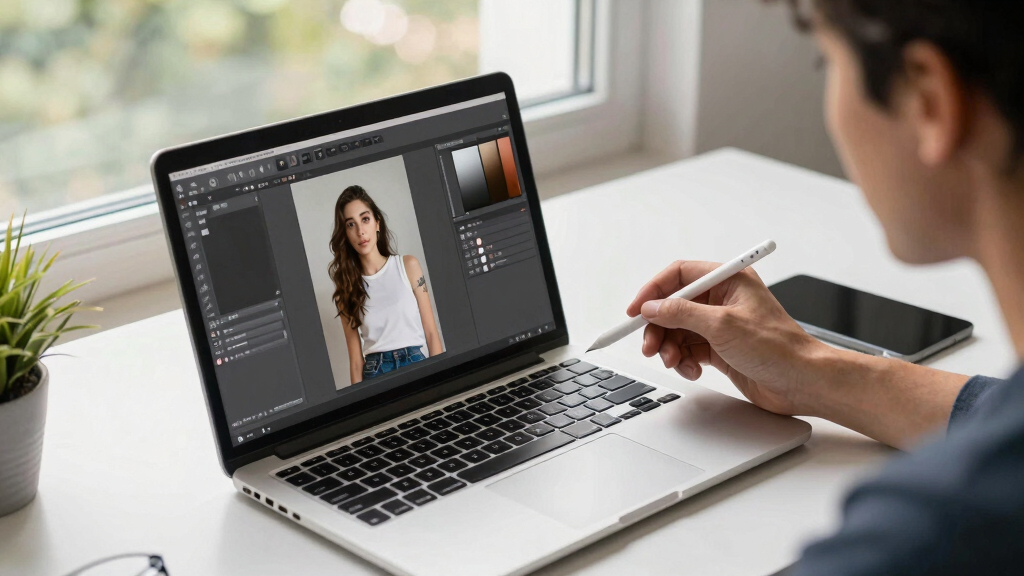
A new community patch called PhotoGIMP has been released, allowing GIMP 3 to mimic the layout, shortcuts, and interface of Adobe Photoshop, aimed at easing the transition for Photoshop users switching to GIMP.
PhotoGIMP is a free, community-driven patch that modifies GIMP 3’s configuration files to replicate Photoshop’s tool layout, keyboard shortcuts, and interface elements. It replaces or adds configuration files such as shortcutsrc, toolrc, and others, to achieve a familiar workspace for Photoshop users.
The patch is compatible with GIMP 3.0 or newer and is available for Linux, Windows, and macOS. Installation involves backing up existing settings, installing GIMP, then applying the patch by replacing configuration files in the user’s GIMP profile directories. On Linux, it also installs a custom desktop launcher and icon.
Developers recommend users back up their current GIMP settings before applying the patch, as it overwrites configuration files. The patch can be uninstalled by deleting the GIMP config folder, restoring default settings.
Why It Matters
This development matters because it lowers the barrier for Photoshop users to adopt GIMP, a free and open-source alternative. By providing a familiar interface and shortcuts, PhotoGIMP could accelerate GIMP’s adoption among professional and hobbyist users seeking a Photoshop-like experience without licensing costs.
It also highlights ongoing community efforts to improve GIMP’s usability and user experience, potentially influencing future official GIMP updates or plugins.
GIMP Photoshop interface customization
As an affiliate, we earn on qualifying purchases.
As an affiliate, we earn on qualifying purchases.
Background
GIMP has long been a popular free alternative to Photoshop, but its interface differs significantly, which can hinder adoption among Photoshop users. Previous efforts to customize GIMP’s interface have been limited or complex. The release of PhotoGIMP builds on ongoing community initiatives to make GIMP more user-friendly for those transitioning from Adobe’s software, especially as GIMP 3.0 introduces significant updates to its architecture.
This patch is part of a broader movement within the open-source community to improve usability and accessibility of GIMP, with similar projects aiming to streamline user experience.
“PhotoGIMP transforms GIMP’s interface to feel just like Photoshop, easing the transition for users switching from Adobe’s software.”
— André Augusto, developer of PhotoGIMP
“PhotoGIMP is a significant step toward making GIMP more accessible for new users, especially those coming from Photoshop.”
— GIMP community members
As an affiliate, we earn on qualifying purchases.
What Remains Unclear
It is not yet clear how widely adopted the patch will become or how it will influence official GIMP development. Compatibility with future GIMP updates and potential conflicts with other customizations remain uncertain. Additionally, some users may prefer to customize GIMP manually rather than use community patches.
photo editing software for Photoshop users
As an affiliate, we earn on qualifying purchases.
As an affiliate, we earn on qualifying purchases.
What’s Next
Developers plan to update PhotoGIMP for future GIMP releases and possibly integrate some features into official GIMP updates. User feedback and adoption rates will influence further development. The community may also develop additional plugins or tools inspired by PhotoGIMP’s approach.
As an affiliate, we earn on qualifying purchases.
Key Questions
Is PhotoGIMP safe to install?
Yes, as a community-developed patch, it is generally safe if downloaded from reputable sources. However, users should back up their settings before installation and verify the source.
Can I revert to the original GIMP interface after installing PhotoGIMP?
Yes, uninstalling involves deleting GIMP’s configuration folder, which restores default settings upon restart.
Does PhotoGIMP work with GIMP versions earlier than 3.0?
No, it requires GIMP 3.0 or newer to function properly.
Will PhotoGIMP affect my existing GIMP customizations?
Yes, it overwrites configuration files, so users should back up their settings beforehand.
Fall Picks
fall essentials
As an affiliate, we earn on qualifying purchases.