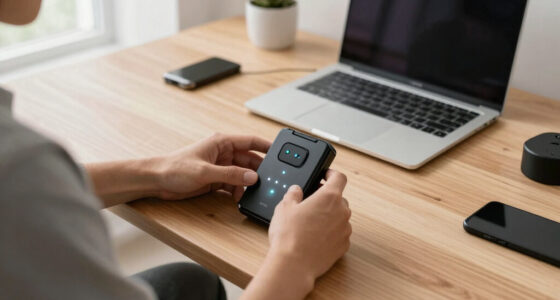
Trackballs offer an ergonomic alternative to traditional mice, reducing wrist strain while providing precise control. The Logitech Ergo M575S stands out as the best overall pick for its balanced performance and comfort. The Kensington Orbit Wireless Trackball offers a versatile design suitable for casual users, while the Nulea Wireless Trackball emphasizes ambidextrous ergonomics for all-day comfort. Choosing the right trackball involves weighing factors like size, control scheme, and connectivity, which can make the decision complex. Continue reading for a detailed breakdown to help you find the ideal fit for your needs.

Get the latest gadgets delivered free with Prime
- Fast, free delivery on millions of items
- Prime Video, Amazon Music and more included
- Member-only deals all year
Complete the kit



Key Takeaways
- The Logitech Ergo M575S combines affordability with reliable performance, making it ideal for everyday users.
- Ergonomic design is a common strength among the top picks, prioritizing wrist health and comfort over extended use.
- Wireless connectivity is standard, but wired options like the Kensington Orbit offer lower latency for precision tasks.
- Size and shape vary significantly—larger balls tend to offer better control, especially for detailed work.
- Price ranges from budget-friendly to premium, with tradeoffs in features like custom DPI settings and build quality.
| Logitech Ergo M575S Wireless Bluetooth Trackball Mouse – Black Silver Ball |  | Best Overall for Ergonomic Comfort and Space-Saving Design | Connectivity: Bluetooth, Logi Bolt USB receiver | Battery Life: Up to 18 months | Recycled Plastic Content: 52% (Graphite), 21% (Off-White) | VIEW ON AMAZON | See Our Full Breakdown |
| Logitech MX Ergo S Advanced Wireless Trackball Mouse USB-C – Graphite |  | Best for Precision and Customization with Advanced Ergonomics | Tilt Angle: 20 degrees | Connectivity: Bluetooth, Logi Bolt USB receiver | Battery Life: Up to 120 days (full charge), 24 hours (1-minute charge) | VIEW ON AMAZON | See Our Full Breakdown |
| Nulea Wireless Trackball Mouse Ergonomic 55mm Large Ball Ambidextrous |  | Best for Precision and Versatility with Large Trackball | Trackball Size: 55mm | DPI Settings: 400/800/1200/1600 | Connectivity: Bluetooth, 2.4 GHz wireless | VIEW ON AMAZON | See Our Full Breakdown |
| Kensington Orbit Wireless Trackball with Scroll Ring – Black-Red |  | Best for Secure Wireless Connectivity and Easy Navigation | Connectivity: 2.4 GHz and Bluetooth LE | Encryption: 128-bit AES | Scroll Ring: Yes | VIEW ON AMAZON | See Our Full Breakdown |
| Nulea M501 Wireless Trackball Mouse Ergonomic Thumb Control with 4 DPI Levels |  | Best for Versatile, Multi-Device Use with Adjustable DPI | Connectivity Technology: Bluetooth | Additional Features: Ergonomic, Rechargeable | Movement Detection: Trackball | VIEW ON AMAZON | See Our Full Breakdown |
| Kensington Orbit Trackball Mouse with Scroll Ring (K75327WW), Black-Grey |  | Best Overall | Tracking Technology: Optical | Design: Ambidextrous | Features: Scroll ring, detachable wrist rest, customizable buttons | VIEW ON AMAZON | See Our Full Breakdown |
| Logitech Ergo M575S Wireless Bluetooth Trackball Mouse – Off-White Blue Ball |  | Best for Ergonomic Daily Use | Connectivity: Bluetooth and Logi Bolt USB receiver | Battery Life: Up to 18 months | Battery: AA (included) | VIEW ON AMAZON | See Our Full Breakdown |
| Kensington Orbit Trackball Mouse with Scroll Ring (K72337US) |  | Best Wired Trackball | Connectivity Technology: Wired | Additional Features: Ergonomic design | Movement Detection: Optical, Trackball | VIEW ON AMAZON | See Our Full Breakdown |
| Kensington Expert Trackball Mouse (K64325), Black Silver |  | Best for Precision and Customization | Dimensions: 5″W x 5-3/4″D x 2-1/2″H | Ball Size: 55mm | Connection: Wired USB-A | VIEW ON AMAZON | See Our Full Breakdown |
| Logitech Ergo M575S Wireless Bluetooth Trackball Mouse – Graphite Blue Ball |  | Best Compact Wireless Option | Connectivity: Bluetooth and Logi Bolt USB receiver | Battery Life: Up to 18 months | Battery: AA (included) | VIEW ON AMAZON | See Our Full Breakdown |
| trackball | Connectivity |
|---|---|
| Logitech Ergo M575S Wireless B | Bluetooth, Logi Bolt USB receiver |
| Logitech MX Ergo S Advanced Wi | Bluetooth, Logi Bolt USB receiver |
| Nulea Wireless Trackball Mouse | Bluetooth, 2.4 GHz wireless |
| Kensington Orbit Wireless Trac | 2.4 GHz and Bluetooth LE |
| Nulea M501 Wireless Trackball | — |
| Kensington Orbit Trackball Mou | — |
| Logitech Ergo M575S Wireless B | Bluetooth and Logi Bolt USB receiver |
| Kensington Orbit Trackball Mou | — |
| Kensington Expert Trackball Mo | — |
| Logitech Ergo M575S Wireless B | Bluetooth and Logi Bolt USB receiver |
More Details on Our Top Picks
Logitech Ergo M575S Wireless Bluetooth Trackball Mouse – Black Silver Ball
The Logitech Ergo M575S stands out for its ergonomic shape that supports natural hand and forearm posture, helping to reduce muscle strain during extended use. Its long battery life of up to 18 months makes it a low-maintenance choice, especially compared to the shorter-lasting MX Ergo S. Made from over half recycled plastic, it also appeals to environmentally conscious buyers. However, its customization options are limited without the Logi Options+ app, and it lacks a wired connection, which might be a drawback for users needing a fail-safe setup. Compared with the MX Ergo S, this model offers a simpler, more space-efficient design, ideal for everyday office tasks but less suited to power users seeking advanced features.
Pros:- Ergonomic shape reduces muscle strain and promotes natural posture
- Long battery life of up to 18 months minimizes charging interruptions
- Made with recycled plastic, enhancing environmental sustainability
- Compact, space-saving design suitable for small workspaces
Cons:- Requires Logi Options+ app for full customization, which may be an extra step
- Limited to Windows and macOS, no Linux or other OS support
- No wired connection option for users needing wired reliability
Best for: Users who prioritize comfort and a clutter-free workspace, especially those with smaller desks or work setups.
Not ideal for: Gamers or power users who need extensive button customization or wired connectivity for uninterrupted performance.
- Connectivity:Bluetooth, Logi Bolt USB receiver
- Battery Life:Up to 18 months
- Recycled Plastic Content:52% (Graphite), 21% (Off-White)
- Number of Buttons:3 customizable buttons
- Color:Black Silver
- Ergonomic Design:Yes
Our verdict“This pick is best for ergonomic-conscious users seeking a comfortable, low-maintenance trackball mouse for daily office work.”
Logitech MX Ergo S Advanced Wireless Trackball Mouse USB-C – Graphite
The Logitech MX Ergo S emphasizes precision and ergonomic tilt, making it better suited for detailed tasks like design or editing compared to the more generalist M575S. Its 20-degree tilt angle promotes a natural forearm position, reducing strain over long sessions. With six customizable buttons and quiet clicks, it offers a higher level of control and productivity. Its quick USB-C charging supports up to 120 days of use on a full charge, surpassing many competitors in endurance. Nonetheless, the USB receiver is sold separately, which can be inconvenient, and some may find the tilt feature less necessary for casual use. Compared to the M575S, it caters more to power users who need advanced features and longer battery life, yet it might be overkill for simple tasks.
Pros:- Ergonomic tilt reduces muscle strain and promotes a natural wrist position
- Long battery life with rapid USB-C charging for convenience
- Quiet clicks and six customizable buttons boost productivity
- Dual connectivity options enhance versatility
Cons:- USB receiver is sold separately, adding to cost
- Requires Logi Options+ app for full customization, which might be a learning curve
- Some users may prefer a traditional mouse over a trackball
Best for: Creative professionals and power users seeking precise control and customizable features for prolonged work sessions.
Not ideal for: Casual users or those on a tight budget who prefer a simpler, plug-and-play device without extra features.
- Tilt Angle:20 degrees
- Connectivity:Bluetooth, Logi Bolt USB receiver
- Battery Life:Up to 120 days (full charge), 24 hours (1-minute charge)
- Charging:USB Type C
- Number of Buttons:6 customizable
- Made with recycled plastic:20%
Our verdict“Ideal for professionals who value precision, extensive customization, and ergonomic comfort for demanding workflows.”
Nulea Wireless Trackball Mouse Ergonomic 55mm Large Ball Ambidextrous
The Nulea Wireless Trackball offers a large 55mm ball that provides exceptional control, making it ideal for detailed tasks like graphic design or video editing. Its ambidextrous design suits both left- and right-handed users, and the inclusion of a wrist rest improves comfort during prolonged use. The multi-device Bluetooth and wireless support adds flexibility for workflows across different hardware. However, its larger size may require some adjustment, and the absence of a wired option could be limiting for users needing guaranteed responsiveness. Compared with smaller or more feature-rich models like the Kensington Orbit, the Nulea emphasizes control over customization, making it suitable for users who prioritize precision and comfort over advanced features.
Pros:- Large 55mm trackball offers superior control for detailed tasks
- Ergonomic and ambidextrous design reduces fatigue and suits all users
- Supports multi-device Bluetooth and wireless connections for flexibility
- Includes a wrist rest for extended comfort
Cons:- Requires a wrist rest for optimal ergonomics, which is an extra accessory
- No wired connection option for guaranteed responsiveness
- Learning curve for users unfamiliar with large trackballs
Best for: Creative professionals and precision-focused users needing a large, comfortable trackball for detailed work.
Not ideal for: Casual or office users who prefer smaller, less specialized mice, or those who need wired reliability.
- Trackball Size:55mm
- DPI Settings:400/800/1200/1600
- Connectivity:Bluetooth, 2.4 GHz wireless
- Design:Ambidextrous
- Included Accessories:Wrist rest
Our verdict“Best for creative professionals seeking precise, comfortable control with versatile multi-device support.”
Kensington Orbit Wireless Trackball with Scroll Ring – Black-Red
The Kensington Orbit excels with its dual wireless connectivity options, offering both 2.4 GHz and Bluetooth LE, making it highly flexible for various setups. The scroll ring adds a tactile and intuitive way to navigate long documents or web pages. Its 40mm ball provides good precision, and the adjustable DPI settings allow for tailored sensitivity. The ambidextrous design suits both left- and right-handed users, and the KensingtonKonnect software enables customization. However, it lacks support for Windows ARM-based computers and requires a software download for full customization, which may be inconvenient for some. Compared to the Kensington Expert or Orbit models, this offers a more affordable yet feature-rich option for those needing secure wireless connections and easy navigation.
Pros:- Dual wireless connectivity with secure encryption
- Scroll ring for effortless navigation
- Ambidextrous design for universal usability
- Adjustable DPI for personalized sensitivity
Cons:- Not supported on Windows ARM-based computers
- Requires software download for full customization
- Limited advanced features compared to high-end models
Best for: Office users needing a reliable, secure wireless trackball with intuitive navigation features.
Not ideal for: Power users requiring extensive customization or users on ARM-based Windows devices, due to limited support.
- Connectivity:2.4 GHz and Bluetooth LE
- Encryption:128-bit AES
- Scroll Ring:Yes
- Ball Diameter:40mm
- DPI Settings:400, 800, 1200, 1600
- Design:Ambidextrous
Our verdict“Great for users seeking a wireless, secure trackball with easy navigation features for everyday office tasks.”
Nulea M501 Wireless Trackball Mouse Ergonomic Thumb Control with 4 DPI Levels
The Nulea M501 emphasizes versatility, offering multiple device support and adjustable DPI levels for precise control. Its ergonomic design reduces muscle fatigue, making it suitable for extended work sessions across PCs, laptops, and even tablets like iPads. The rechargeable battery adds convenience over disposable batteries, and its right-handed orientation makes it comfortable for most users. Compared to the larger Nulea 55mm model, the M501 is more compact and portable, but with fewer DPI levels and limited programmability. It’s a practical choice for users juggling multiple devices who prioritize ergonomic comfort and adjustable sensitivity over extensive customization or specialized features.
Pros:- Ergonomic design reduces muscle stress during extended use
- Supports multiple devices with easy switching
- Rechargeable battery eliminates disposable batteries
- Adjustable DPI levels for precise cursor control
Cons:- Buttons are not programmable, limiting customization
- Requires careful charging to prevent fast chargers from damaging the battery
- Limited to right-handed users
Best for: Multi-device users needing a comfortable, portable trackball for various surfaces and tasks.
Not ideal for: Users requiring extensive button programming or those who prefer wired reliability for critical tasks.
- Connectivity Technology:Bluetooth
- Additional Features:Ergonomic, Rechargeable
- Movement Detection:Trackball
- Button Quantity:6
- Hand Orientation:Right
- Range:10 meters
Our verdict“Best for multi-device users seeking ergonomic comfort and adjustable control in a portable, wireless design.”
Kensington Orbit Trackball Mouse with Scroll Ring (K75327WW), Black-Grey
This model stands out for its precise optical tracking combined with an ergonomic, ambidextrous design, making it suitable for both hands and extended use. Unlike the wireless Logitech Ergo M575S, it offers a more traditional wired connection, which appeals to users prioritizing stability over mobility. The scroll ring enhances navigation efficiency, while the detachable wrist rest adds comfort during long sessions. However, it relies on software for full customization, and its wired setup limits portability. Compared to the Logitech, it provides a more ergonomic shape for sustained use but sacrifices wireless convenience.
Pros:- Precise cursor control with optical tracking
- Ergonomic design for extended use
- Ambidextrous for both hands
- Customizable buttons for productivity
Cons:- Requires software download for full customization
- Limited to desktop use, not portable
Best for: Office workers who need precise control and ergonomic comfort on their desktop setup
Not ideal for: Travelers seeking portability or those preferring wireless setups for minimal clutter
- Tracking Technology:Optical
- Design:Ambidextrous
- Features:Scroll ring, detachable wrist rest, customizable buttons
- Compatibility:Windows and Mac
Our verdict“This trackball is best for users who prioritize precision and comfort in a stationary workspace.”
Logitech Ergo M575S Wireless Bluetooth Trackball Mouse – Off-White Blue Ball
The Logitech Ergo M575S shines for its long battery life of up to 18 months and ergonomic, space-saving design, making it ideal for users who spend hours at their desk. It supports improved forearm posture with a thumb-controlled trackball, which reduces muscle strain compared to traditional mice. Unlike the wired Kensington Orbit models, it offers wireless connectivity via Bluetooth or Logi Bolt USB receiver, providing greater freedom of movement. Its customizable buttons and adjustable cursor speed enhance productivity, but it’s limited to right-handed users and requires initial Bluetooth pairing. For those seeking a comfortable, wireless option that minimizes desk clutter, this pick makes the most sense.
Pros:- Ergonomic design reduces muscle strain
- Long battery life of up to 18 months
- Wireless connectivity with Bluetooth and Logi Bolt
- Customizable buttons and cursor speed
Cons:- Requires Bluetooth or USB receiver for connection
- No wired option available
Best for: Home or office workers needing ergonomic comfort and long battery life in a wireless mouse
Not ideal for: Power users who prefer wired stability or left-handed users, as the design favors right-handed use
- Connectivity:Bluetooth and Logi Bolt USB receiver
- Battery Life:Up to 18 months
- Battery:AA (included)
- Material:Made with recycled plastics
- Color:Off-White Blue Ball
- Number of Buttons:3 customizable
Our verdict“Ideal for those prioritizing ergonomic comfort and wireless convenience during all-day computing.”
Kensington Orbit Trackball Mouse with Scroll Ring (K72337US)
This wired option emphasizes precise optical tracking combined with an innovative scroll ring that simplifies navigation. Its ergonomic design with a detachable wrist rest makes it suitable for extended use, similar to the Kensington wireless model but with a wired connection that guarantees consistent responsiveness. Unlike the wireless Logitech M575S, it relies on a USB connection, which might limit mobility but ensures no interference or battery concerns. The design may not fit all hand sizes, and full customization requires software installation. For users who prefer a wired setup with reliable performance, this model offers a solid balance between control and comfort.
Pros:- Precise optical tracking for accurate movement
- Innovative scroll ring for effortless navigation
- Ergonomic with detachable wrist rest
- Customizable via KensingtonWorks software
Cons:- Requires software installation for full customization
- Limited to wired connection
- Design may not suit all hand sizes
Best for: Desktop users who need a dependable wired trackball with ergonomic features
Not ideal for: Mobile users or those needing wireless flexibility, given its wired connection
- Connectivity Technology:Wired
- Additional Features:Ergonomic design
- Movement Detection:Optical, Trackball
- Button Quantity:2
- Hand Orientation:Ambidextrous
- Compatible Devices:Personal Computer
Our verdict“Best suited for users who prefer a wired, reliable trackball with ergonomic features for daily desktop use.”
Kensington Expert Trackball Mouse (K64325), Black Silver
The Kensington Expert Trackball Mouse offers a large 55mm ball and Diamond Eye optical tracking, making it ideal for precise control, especially compared to smaller ball models like the Logitech MX Ergo S. Its wired USB-A connection provides a stable, no-latency experience, but limits mobility compared to wireless options. The detachable wrist rest and ambidextrous design support long-term comfort and versatility, yet the wired setup can be restrictive. Customization through KensingtonKonnect software allows tailored control, but ChromeOS and Windows ARM users face limited support. This model is perfect for professionals who need accuracy and durability over wireless convenience.
Pros:- Large 55mm ball for precise movement
- Diamond Eye optical tracking for accuracy
- Customizable buttons and scroll speed
- Ergonomic with detachable wrist rest
Cons:- Limited compatibility with Windows ARM and ChromeOS
- Wired connection reduces mobility
- Not suited for casual or mobile use
Best for: Designers or CAD users requiring high precision and customization in a wired setup
Not ideal for: Casual users or those who prefer wireless or portable options, due to its wired design and limited OS support
- Dimensions:5″W x 5-3/4″D x 2-1/2″H
- Ball Size:55mm
- Connection:Wired USB-A
- Color:Black Silver
- Compatibility:Windows, ChromeOS (limited)
Our verdict“Best for professionals who need high accuracy and customization in a wired, durable trackball.”
Logitech Ergo M575S Wireless Bluetooth Trackball Mouse – Graphite Blue Ball
Similar to the Off-White version, the Logitech Ergo M575S in Graphite emphasizes ergonomic comfort with a space-saving design and long battery life of 18 months. Its wireless connection via Bluetooth or Logi Bolt makes it ideal for users who need a less cluttered workspace and easy surface tracking. The thumb-controlled trackball simplifies navigation, but requires initial setup with Logitech’s software, which can be a hassle for some. It’s limited to right-handed users, and cleaning the trackball involves ejecting it, which may be inconvenient. Compared to larger, wired models, this version prioritizes wireless convenience and compactness, making it well-suited for those with limited desk space or working on the go.
Pros:- Ergonomic, space-saving design
- Long battery life of up to 18 months
- Wireless connectivity with Bluetooth and Logi Bolt
- Customizable buttons and adjustable cursor speed
Cons:- Requires setup with Logi Options plus app
- Limited to right-handed use
- Trackball cleaning involves ejecting the ball
Best for: Remote workers or small-space users needing a compact, ergonomic wireless trackball
Not ideal for: Power users who dislike initial setup or require universal left-handed support, as the design favors right-handed users
- Connectivity:Bluetooth and Logi Bolt USB receiver
- Battery Life:Up to 18 months
- Battery:AA (included)
- Color:Graphite
- Material:Post-consumer recycled plastic
- Number of Buttons:3
Our verdict“A smart choice for space-conscious users seeking ergonomic wireless control on a variety of surfaces.”

How We Picked
In evaluating these trackballs, I focused on usability, build quality, and versatility, considering how well each model balances comfort and precision. Performance metrics like cursor control, responsiveness, and customization options shaped the rankings, alongside user reviews for durability and ease of use. I prioritized models that cater to different user needs, from casual browsing to professional tasks, ensuring a range of price points and features. The top picks were selected based on how effectively they serve their intended role while maintaining good value and reliability.Factors to Consider When Choosing Trackballs
Choosing the right trackball involves understanding several key factors that influence daily usability and long-term comfort. The decision should be based on your specific needs, whether it’s ergonomic health, precision, or connectivity options. Avoiding common pitfalls like selecting a size that doesn’t fit your hand or ignoring compatibility issues can save you time and frustration. Here are the main considerations to keep in mind:Ergonomics and Size
Size and shape are critical for comfort, especially if you plan to use your trackball for hours daily. Larger balls typically offer more control and reduce hand fatigue, but they may be less portable. Ambidextrous designs suit users who switch hands or have varying grip styles, while ergonomic shapes are tailored to support natural wrist positioning, reducing strain. Test different sizes if possible, and prioritize comfort to avoid repetitive strain injuries.
Connectivity and Compatibility
Wireless models provide freedom of movement and reduce desk clutter, but wired options often deliver lower latency, beneficial for precision tasks like CAD or gaming. Ensure the trackball is compatible with your operating system and supports your preferred connection type—Bluetooth, USB receiver, or USB-C. Some models also include multi-device pairing, which can streamline workflows across different systems.
Control and Customization
Look for adjustable DPI settings and programmable buttons, which enhance control for different tasks. More customization lets you tailor the device to your workflow, whether for detailed graphic work or simple browsing. Beware of models with limited button options if you need extensive shortcuts—sometimes, a more feature-rich device can justify a higher price. Consider how intuitive the interface is for configuring these options.
Build Quality and Durability
Since a trackball is a long-term investment, choose models with sturdy construction and durable switches. Rubberized or textured surfaces improve grip, especially during extended use. Cheaper models may wear out faster or develop tracking issues, so reading user reviews can reveal common durability concerns. A well-made device can last years with proper care, saving you money over time.
Price and Value
Price varies widely, with budget options often sacrificing some precision or build quality. Premium models include advanced features like higher DPI, customizable buttons, and premium materials, which benefit power users or professionals. Balance your budget against your specific needs, and consider whether investing in a higher-end model will improve your productivity or comfort enough to justify the cost.
Frequently Asked Questions
Is a larger trackball better for precision work?
Generally, yes. Larger trackballs tend to offer better control because they allow for more precise cursor movements with less effort. They are especially useful for detailed tasks like graphic design or CAD work, where accuracy is paramount. However, larger balls can be less portable and might take up more desk space. The right size ultimately depends on your workspace and comfort preferences.
Can I use a trackball with my laptop without additional software?
Most modern trackballs are plug-and-play, meaning they automatically work with your operating system’s built-in drivers. Basic functions like moving the cursor and clicking should work immediately. However, advanced customization—such as remapping buttons or adjusting DPI—may require proprietary software. Check whether the device supports your OS and if the software is compatible before purchasing.
Are wireless trackballs as responsive as wired ones?
Wireless trackballs can match the responsiveness of wired models in most cases, especially with Bluetooth or dedicated USB receivers. Modern wireless technology minimizes latency, making them suitable even for precision tasks. However, wired models often have a slight edge in responsiveness, which can matter for fast-paced gaming or detailed editing. Consider your use case and whether the convenience of wireless outweighs any minimal latency difference.
What should I look for if I want an ergonomic trackball?
Ergonomics focus on the shape, size, and grip of the device to promote natural wrist and hand positioning. Look for a design that supports your hand’s natural curvature and reduces strain during prolonged use. Features like a thumb-controlled ball or a shape that fits your palm can help. Prioritize models with adjustable sensitivity and customizable buttons to enhance comfort and productivity.
Is it worth paying more for a premium trackball?
Investing in a premium model often provides better build quality, higher DPI, more customizable buttons, and advanced features like multi-device pairing. If you use your trackball intensively or for professional work, these enhancements can improve efficiency and comfort. Conversely, casual users might find a mid-range or budget option sufficient, avoiding the extra cost without sacrificing too much functionality.
Conclusion
For general users seeking a balanced experience, the Logitech Ergo M575S stands out as the best overall choice, offering reliable performance at a reasonable price. Those prioritizing ergonomic comfort and customization might prefer the Kensington Expert Trackball. Beginners or casual users should consider the Kensington Orbit Wireless for its simplicity and versatility. Power users or professionals working long hours will find the Logitech MX Ergo S or the Kensington K64325 worth the investment for their advanced features and durability. Ultimately, your choice depends on your specific needs—whether it’s comfort, precision, or budget considerations.