If you’re looking for the 14 best Thunderbolt docks for seamless connectivity in 2025, I’ve got you covered. These docks support high-resolution displays, fast data transfer speeds up to 40Gbps, and powerful charging—some offering up to 140W—making them ideal for any professional or creative workflow. They also feature extensive ports like HDMI, Ethernet, SD card slots, and multiple USB options. Keep exploring, and you’ll find the perfect dock to boost your productivity and connectivity effortlessly.
Open a free Amazon Business account
Business pricing, bulk buying and tax-exempt orders.
As an affiliate, we earn on qualifying purchases.
Key Takeaways
- Highlights top Thunderbolt docks supporting 4K, 8K, and multiple display configurations for high-resolution multitasking.
- Details transfer speeds up to 40Gbps and power delivery up to 140W for fast data and device charging.
- Covers compatibility with Windows, MacBooks, and select devices, emphasizing port variety like HDMI, Ethernet, SD, and USB.
- Offers insights into performance features suitable for creative, professional, and enterprise use cases.
- Includes considerations for display support, port needs, power capacity, and portability to aid in optimal selection.
Anker Prime TB5 Docking Station, 14-in-1 Thunderbolt 5 Dock
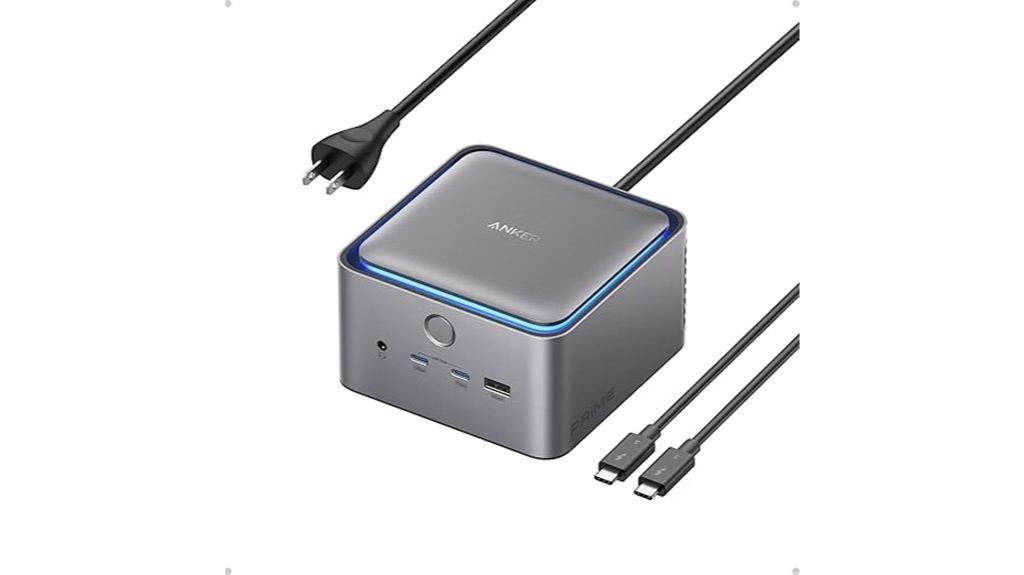
If you’re looking for a high-performance docking station that can handle demanding workflows, the Anker Prime TB5 Docking Station is an excellent choice. It boasts 14-in-1 Thunderbolt 5 connectivity, delivering up to 120Gbps transfer speeds and supporting dual 8K displays at 60Hz. With a cooling system and ambient lighting, it’s both efficient and stylish. It provides up to 140W charging, ensuring your devices stay powered, and includes a variety of ports—USB-C, USB-A, SD card readers, Ethernet, and audio jack. Whether you’re working on intensive tasks or multitasking across multiple screens, this dock offers reliable, seamless connectivity for your setup.
Best For: professionals and power users who require high-speed data transfer, multiple high-resolution displays, and comprehensive connectivity in a stylish, reliable docking station.
Pros:
- Supports dual 8K@60Hz display output for immersive visual experience
- Up to 120Gbps transfer speed enables rapid file transfers and data handling
- Includes a cooling system and ambient lighting for efficient operation and aesthetic appeal
Cons:
- May be expensive compared to lower-spec or simpler docking stations
- Requires Thunderbolt 5/4 compatible laptops for full functionality
- Limited compatibility with non-Thunderbolt devices or older systems
CalDigit TS4 Thunderbolt 4 Dock with 18 Ports
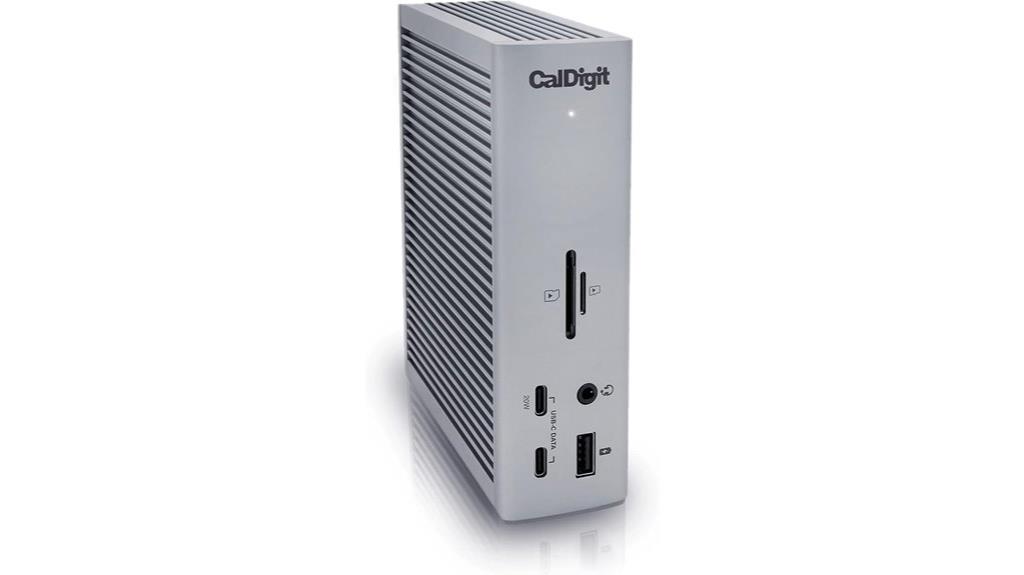
The CalDigit TS4 Thunderbolt 4 Dock stands out for users who need extensive connectivity without sacrificing performance or convenience. With 18 ports, it covers all bases—Thunderbolt 4 (three ports), USB 3.2, SD card readers, DisplayPort 1.4, audio jacks, and Ethernet. It supports high-resolution displays, including 8K or dual 4K setups for Windows and 6K for Macs. The dock delivers 98W charging via a single cable, simplifying setup. Compatible with Thunderbolt 4, USB4, and USB-C devices, it’s perfect for power users seeking fast data transfer, versatile display options, and reliable network connectivity, all in one compact solution.
Best For: power users and professionals who require extensive connectivity, high-resolution display support, and fast data transfer in a single, compact dock.
Pros:
- Offers a comprehensive 18-port setup including Thunderbolt 4, USB, SD card readers, Ethernet, and audio ports.
- Supports high-resolution displays up to 8K or dual 4K/6K setups depending on the host device.
- Provides 98W power delivery to charge laptops and power connected devices through a single cable.
Cons:
- Performance may be limited when connected to older interfaces like Thunderbolt 3 or non-fully supported USB-C ports.
- Compatibility and maximum display support depend on the host computer’s hardware and OS restrictions.
- The high number of ports and advanced features come at a premium price point.
Dell Thunderbolt 4 Smart Dock (SD25TB4)
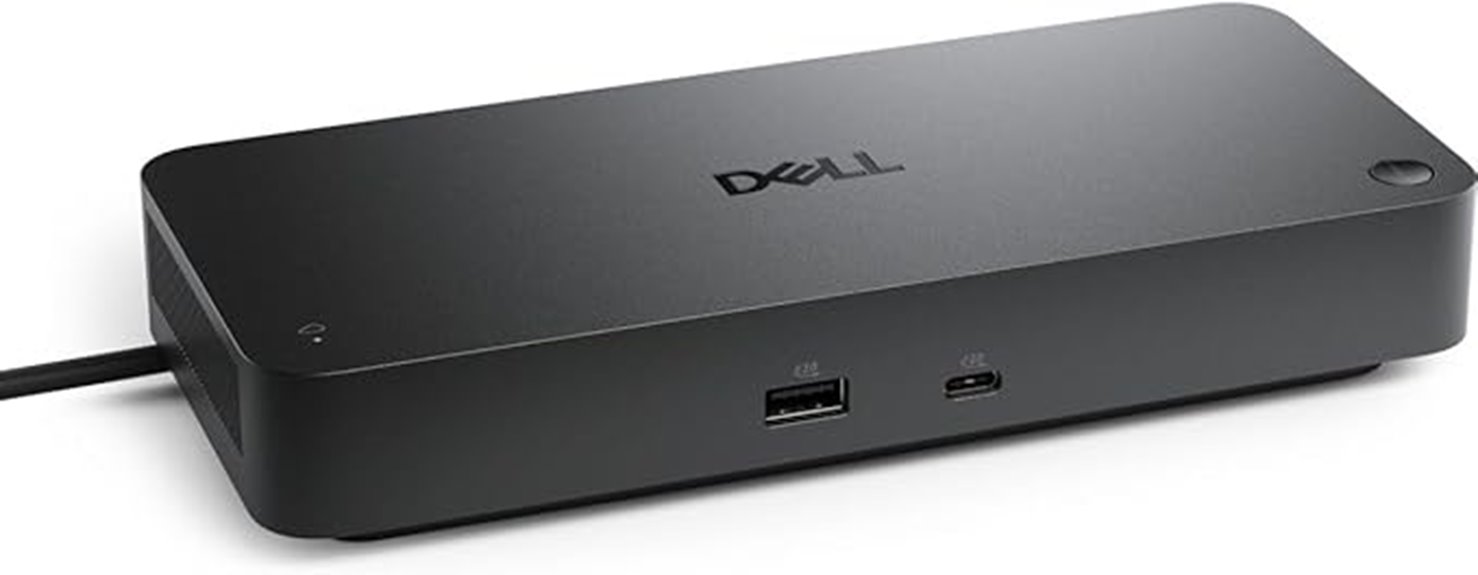
For professionals who need to connect multiple high-resolution displays and data devices seamlessly, the Dell Thunderbolt 4 Smart Dock (SD25TB4) stands out as an excellent choice. It supports up to four 4K monitors through HDMI 2.1, DisplayPort 1.4, USB-C, and Thunderbolt 4, with dual Thunderbolt 4 ports and additional data connections. The dock delivers up to 130W power for Dell devices and 96W for others, enabling fast charging and reducing cable clutter. Its high-speed data transfer, security features like WPA3, and remote management options make it perfect for demanding workflows. Plus, it’s designed sustainably with recycled materials and an ambidextrous form factor.
Best For: professionals requiring multiple high-resolution displays, fast data transfer, and secure, remote management capabilities in a sustainable and compact design.
Pros:
- Supports up to four 4K monitors via HDMI 2.1, DisplayPort 1.4, USB-C, and Thunderbolt 4 for versatile display configurations
- Delivers up to 130W power for Dell devices and 96W for others, enabling efficient fast charging
- Includes advanced security features like WPA3, PXE boot, DMA protection, and remote management options
Cons:
- May require compatible Thunderbolt 4-enabled devices for optimal performance
- Limited to Dell and compatible devices for maximum power delivery and features
- Slightly larger footprint compared to simpler docking stations, which may impact desk space in compact setups
CalDigit E5 Thunderbolt 5 Hub with 9 Ports
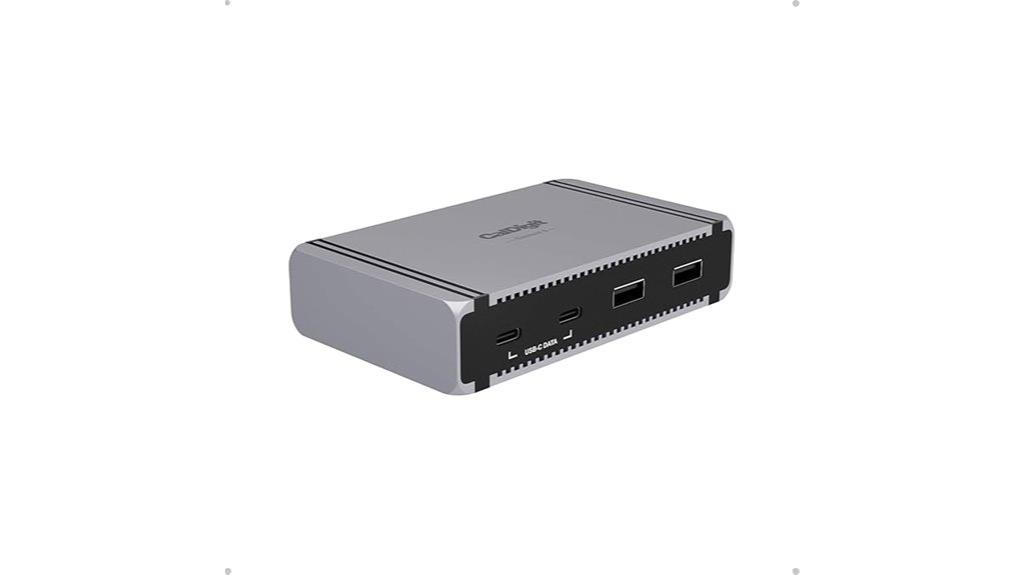
Designed for power users who demand top-tier performance, the CalDigit E5 Thunderbolt 5 Hub with 9 ports delivers exceptional speed and versatility. It supports Thunderbolt 5, USB4 v2, Thunderbolt 4, and other USB-C devices, ensuring broad compatibility. With three Thunderbolt 5 ports offering up to 80Gb/s each, plus a bandwidth boost for demanding displays, it handles multiple high-resolution monitors effortlessly. The hub also provides 90W power delivery, charging laptops and devices simultaneously. Its compact design, 9 ports—including USB-A and USB-C—makes it perfect for high-performance workflows, fast data transfer, and seamless multitasking.
Best For: power users and professionals requiring high-speed data transfer, multiple high-resolution displays, and reliable power delivery in a compact hub.
Pros:
- Supports Thunderbolt 5, USB4 v2, and multiple display configurations for versatile use
- Offers 90W power delivery to charge laptops and devices simultaneously
- Supports fast data transfer speeds up to 6,200MB/s with PCIe technology
Cons:
- High compatibility requirements may limit use with older or non-compatible devices
- Premium price point might be a consideration for budget-conscious users
- Full dual display support is limited to certain macOS and host configurations
Microsoft Surface Thunderbolt 4 Dock
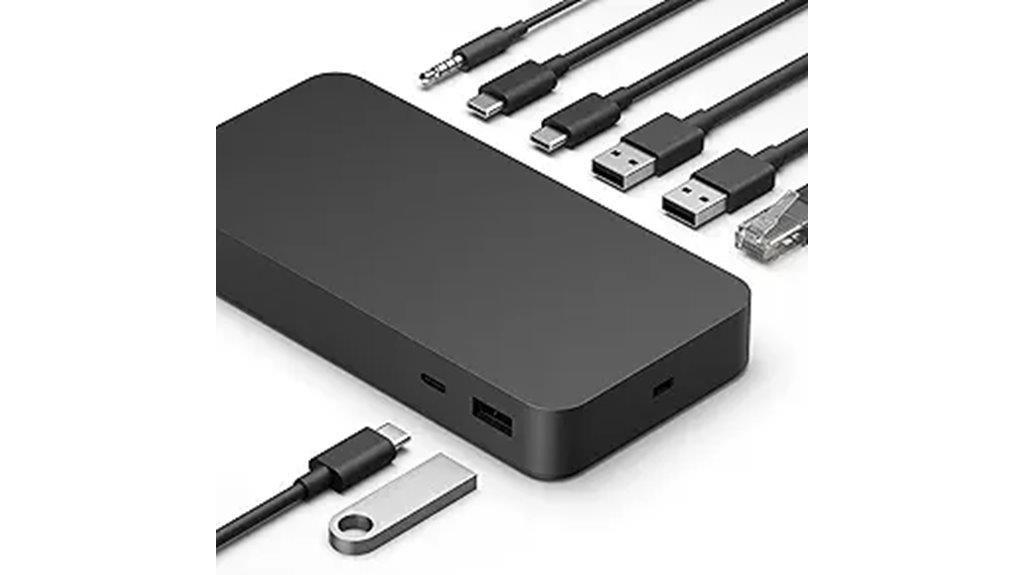
If you need a dock that delivers high-speed data transfer and seamless device compatibility, the Microsoft Surface Thunderbolt 4 Dock is an excellent choice. It offers Thunderbolt 4 ports for fast data, media streaming, and device charging, along with three USB-C and three USB-A ports for versatile peripherals. The dock supports up to two 4K monitors, providing stunning visuals, and includes a 2.5G Ethernet port for quick wired internet. Rapid charging gets your Surface laptop back in about 2.5 hours, while tactile indicators on each port make connections easy. Plus, it’s made with 20% recycled ocean plastic, combining performance with eco-conscious design.
Best For: professionals and creatives who require high-speed data transfer, multiple display support, and versatile connectivity for their Surface or compatible laptops.
Pros:
- Supports up to two 4K monitors for excellent visual clarity and multitasking
- Rapid charging feature restores laptop power in approximately 2.5 hours
- Eco-friendly construction using 20% recycled ocean-bound plastic
Cons:
- Limited to Thunderbolt 4-compatible devices, reducing versatility with older hardware
- May be more expensive compared to standard docks with fewer features
- Design may be bulkier due to multiple ports and robust build
UGREEN Thunderbolt 4 Dock 13-in-1 with 8K/4K Support and 90W Charging
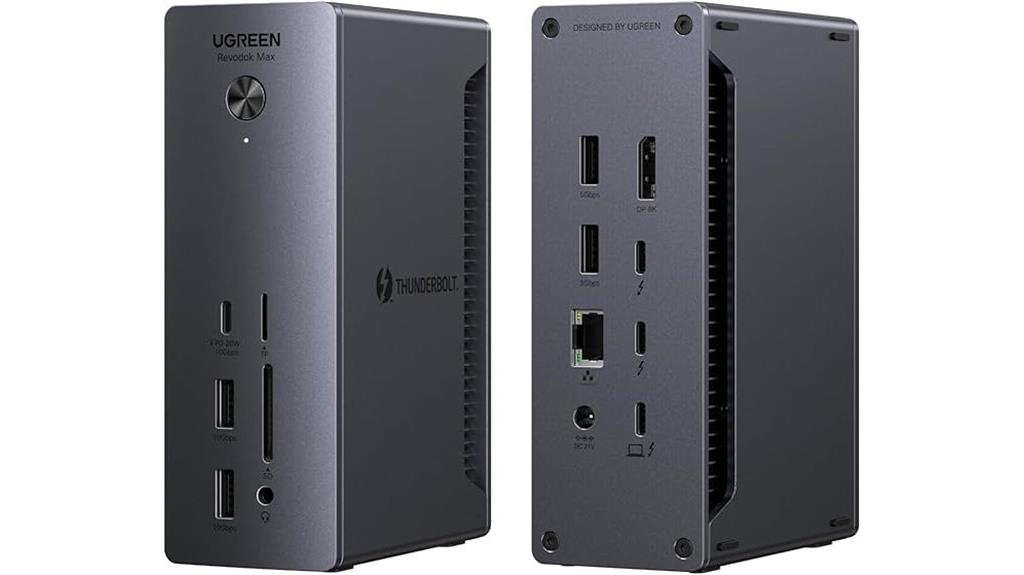
The UGREEN Thunderbolt 4 Dock 13-in-1 stands out as an excellent choice for professionals who need high-resolution display support and fast data transfer in a single, versatile device. It offers 13 ports, including dual Thunderbolt 4, DisplayPort 1.4, Ethernet, SD/TF readers, multiple USB-C and USB-A ports, and an audio jack. It supports dual 4K@60Hz or an 8K@30Hz display, ideal for high-res workflows. With 40Gbps transfer speeds and compatibility with Thunderbolt 4/3, USB4, and USB-C, it’s perfect for seamless connectivity. Its 90W charging via a 180W power adapter keeps laptops charged while multitasking, making it a powerful all-in-one dock.
Best For: creative professionals, gamers, and multitaskers needing high-resolution display support and fast data transfer in a versatile docking station.
Pros:
- Supports dual 4K@60Hz or 8K@30Hz display for high-quality visuals.
- Ultra-fast 40Gbps data transfer via Thunderbolt 4, ensuring quick file movement.
- Provides up to 90W charging with a 180W power supply, allowing simultaneous device operation and charging.
Cons:
- Requires connection to power to enable charging and full functionality.
- Compatibility issues with older devices like the Intel Mac mini 2018.
- The extensive port array may be overwhelming for users with minimal peripheral needs.
Amazon Basics Thunderbolt4/USB4 Pro Docking Station

For professionals seeking a versatile and portable docking solution, the Amazon Basics Thunderbolt4/USB4 Pro Docking Station stands out with its impressive dual 4K@60Hz display support and fast data transfer speeds. Compatible with Windows 10+ laptops with Thunderbolt 4 ports and select MacBooks, it offers reliable connectivity through two Thunderbolt 4/USB4 ports, an HDMI 2.1 port supporting 8K@30Hz, and multiple USB-A ports. It also includes a 2.5Gbps Ethernet port and supports up to 96W Power Delivery for charging. Its travel-friendly design makes it ideal for on-the-go professionals, ensuring seamless multitasking and high-quality display output wherever you work.
Best For: professionals seeking a portable, high-performance docking station for dual 4K displays and fast data transfer on Thunderbolt 4 or USB4-compatible Windows laptops and select MacBooks.
Pros:
- Supports dual 4K@60Hz display output via Thunderbolt 4/USB4 ports for high-resolution multitasking
- Includes a variety of connectivity options: HDMI 2.1, multiple USB-A ports, Ethernet, and 96W Power Delivery for charging
- Travel-friendly design with all necessary cables and power adapter included, ideal for on-the-go use
Cons:
- Limited compatibility with Linux, Chrome OS, and older macOS versions (10.16 or earlier)
- Thunderbolt bandwidth sharing may reduce display resolution and LAN speeds when multiple high-bandwidth devices are used simultaneously
- Overload protection may cause disconnection if connected devices require more than 96W power
Plugable Thunderbolt 4 Dock with 100W Charging

Looking for a Thunderbolt dock that delivers both blazing-fast speeds and reliable power delivery? The Plugable Thunderbolt 4 Dock with 100W Charging fits the bill perfectly. It’s Thunderbolt Certified and won Best Thunderbolt Dock 2025 by Wirecutter. With 40Gbps data transfer and 96W Power Delivery, it easily powers your laptop while connecting multiple peripherals. It supports dual 4K displays or an 8K monitor and works seamlessly with Thunderbolt 4, Thunderbolt 5, and USB4 systems on Windows and Mac. Its 13 ports—including HDMI, USB, SD card reader, Ethernet, and more—make it a versatile, durable choice for professional and personal use.
Best For: professionals and power users seeking a high-performance Thunderbolt dock with fast data transfer, multiple display support, and reliable charging for both Windows and Mac systems.
Pros:
- Thunderbolt 4 certified with 40Gbps data transfer speeds and 96W Power Delivery for efficient device charging and power management.
- Supports dual 4K displays or an 8K monitor, ideal for multitasking and high-resolution work.
- Versatile connectivity with 13 ports including HDMI, USB, SD card reader, Ethernet, and audio, suitable for various peripherals.
Cons:
- Supports only a single external display on Thunderbolt 3 and non-Thunderbolt USB-C ports, which may limit multi-monitor setups on some systems.
- Compatibility with older USB-C or Thunderbolt 3 systems may be limited, requiring newer hardware for full feature support.
- The dock’s large size and multiple ports may be excessive for minimalistic or portable setups.
Plugable 16-in-1 Thunderbolt 4 Dock for MacBook and Windows
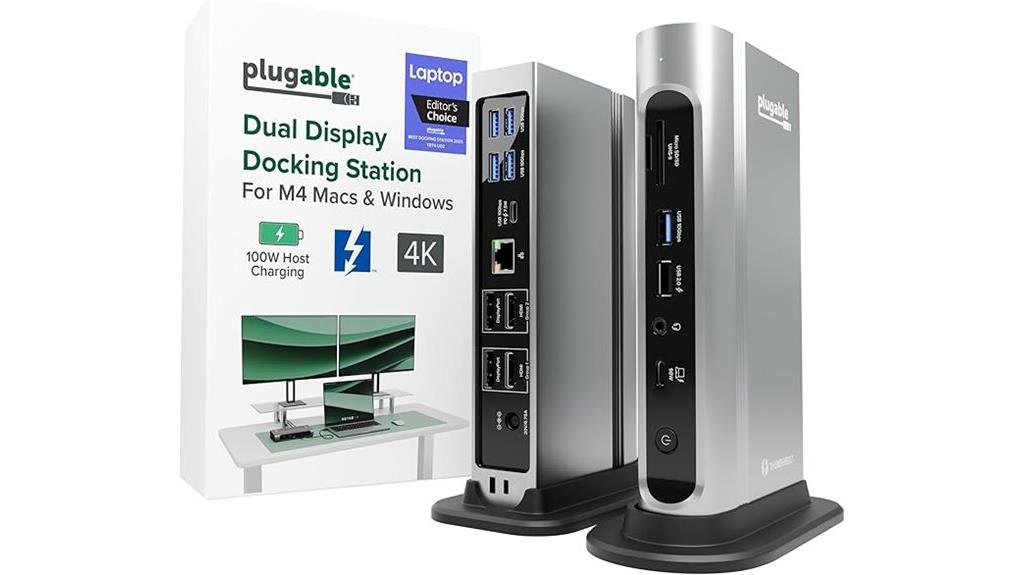
If you need a versatile dock that effortlessly expands your MacBook or Windows laptop’s connectivity, the Plugable 16-in-1 Thunderbolt 4 Dock stands out. It supports dual 4K 60Hz displays via HDMI or DisplayPort, making multitasking smooth without needing drivers—just plug and play. With 7 USB ports, 2.5Gbps Ethernet, SD/microSD slots, audio, and 100W charging, it covers all your essentials. Compatible with Thunderbolt 4, Thunderbolt 5, USB4, and USB-C, it works seamlessly across systems. Tested to UL standards, it’s a reliable, powerful hub for content creators, professionals, and power users seeking a clean, efficient workspace.
Best For: professionals, content creators, and power users seeking a versatile, high-performance docking solution for MacBook or Windows laptops with dual 4K monitor support and extensive peripheral connectivity.
Pros:
- Supports dual 4K 60Hz displays via HDMI or DisplayPort with plug-and-play simplicity
- Offers 7 USB ports, 2.5Gbps Ethernet, SD/microSD slots, audio, and 100W Power Delivery for comprehensive connectivity and charging
- Compatible across Thunderbolt 4, Thunderbolt 5, USB4, and USB-C systems, ensuring broad device support
Cons:
- May be more expensive than basic docks with fewer ports
- Requires a Thunderbolt 4 cable for optimal connection (included but may need replacement for some setups)
- Larger footprint might be less portable for users with limited workspace
CalDigit TS5 Plus Thunderbolt 5 Dock
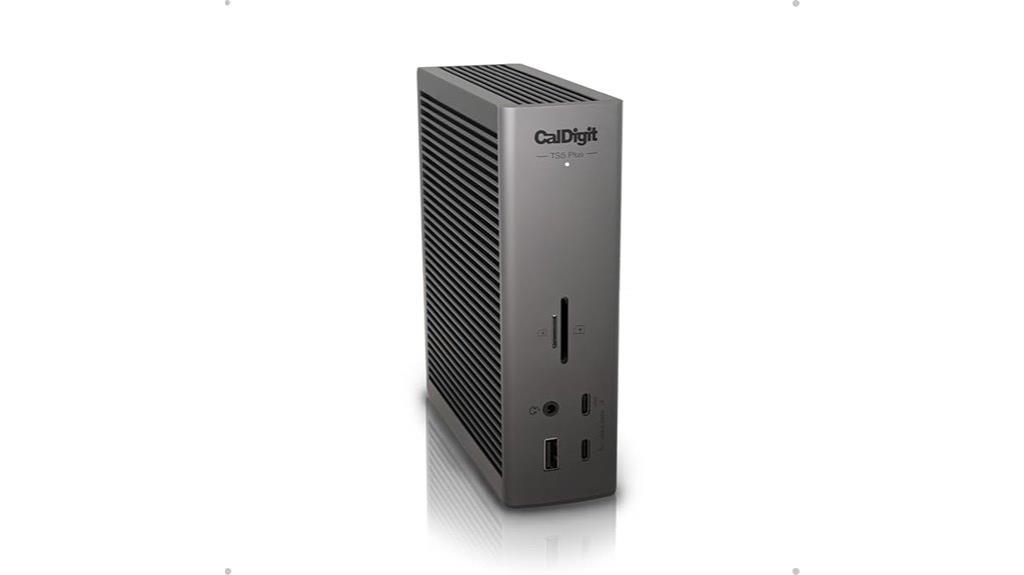
The CalDigit TS5 Plus Thunderbolt 5 Dock stands out with its impressive 20 ports, making it an ideal choice for professionals who need extensive connectivity options in a single device. It features three Thunderbolt 5 ports supporting 80Gb/s PCIe for blazing-fast SSDs and dual display support—up to dual 8K 60Hz on macOS or triple 4K 144Hz on compatible Windows hosts. With 10 USB-A ports, five USB-C ports, SD and microSD card readers, 10GbE Ethernet, and multiple audio ports, it covers all your needs. The 330W power supply delivers up to 140W charging, while the aluminum chassis guarantees efficient heat dissipation during demanding tasks.
Best For: professionals and power users who require extensive high-speed connectivity, multiple display support, and robust power delivery in a single, dedicated Thunderbolt 5 dock.
Pros:
- Offers a comprehensive array of 20 ports, including three Thunderbolt 5 ports with 80Gb/s PCIe, for versatile device and display connections.
- Supports dual or triple high-resolution display setups, ideal for demanding creative and professional workflows.
- Features a powerful 330W power supply with up to 140W charging, ensuring optimal power delivery to laptops and accessories.
Cons:
- Compatibility is limited to Thunderbolt 5 or USB4 v2 hosts; older Thunderbolt or USB4 devices may experience reduced functionality.
- The large number of ports and high power output may generate significant heat, requiring proper ventilation and clearance.
- The dock’s extensive features and high bandwidth may come at a premium price point, potentially making it less accessible for casual users.
OWC 14-Port Thunderbolt Dock with 85W Charging
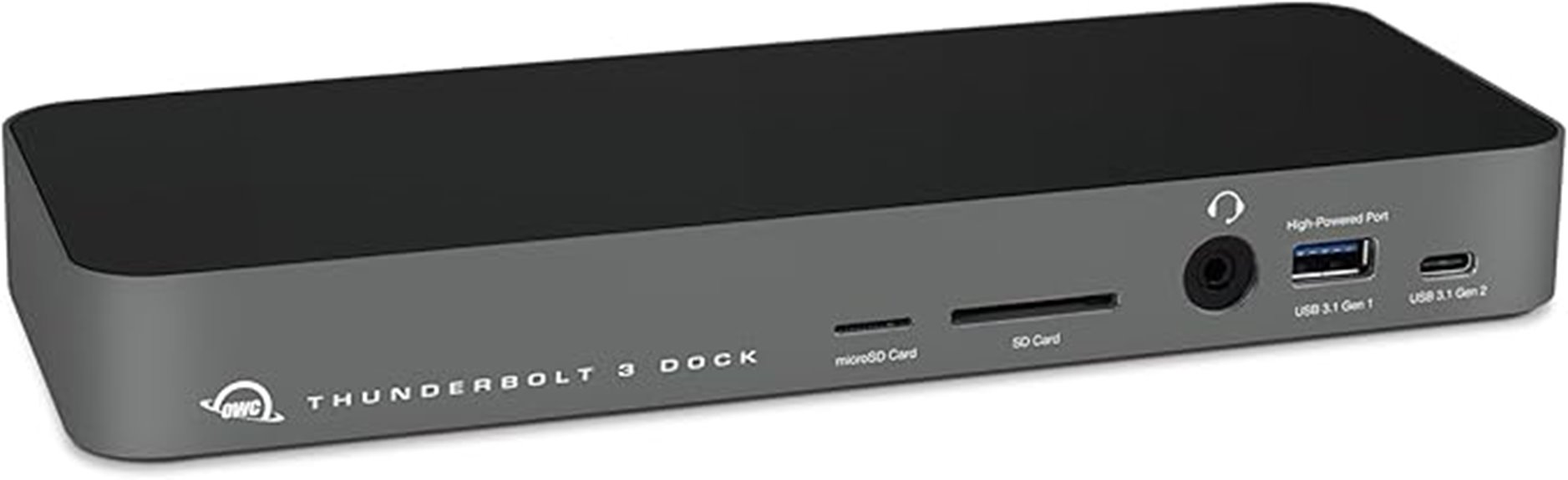
For professionals who need a reliable docking station that combines extensive port options with high-speed data transfer, the OWC 14-Port Thunderbolt Dock with 85W Charging stands out as an excellent choice. It supports both Mac and PC, with Thunderbolt certification for seamless compatibility. The dock offers a Thunderbolt 3/4 port, backward compatible with Thunderbolt 2, plus multiple USB-A ports, SD card readers, Ethernet, and audio jacks. It delivers up to 85W power delivery, charging notebooks and connected devices efficiently. Supporting single 5K or dual 4K displays, it’s perfect for demanding workflows. Despite being discontinued, it remains a versatile and robust hub for professional setups.
Best For: professionals and power users seeking a versatile docking station with extensive ports, high-speed data transfer, and high-power charging for Mac and PC systems.
Pros:
- Supports multiple displays, including 5K and dual 4K setups, ideal for demanding visual workflows
- Offers comprehensive port selection, including Thunderbolt, USB-A, SD card readers, Ethernet, and audio jacks
- Provides up to 85W charging, sufficient for most notebooks and connected devices
Cons:
- Discontinued by the manufacturer, which may affect availability and support
- Limited to Thunderbolt 3/4 compatibility, requiring compatible devices for full functionality
- Slightly bulky dimensions may be less portable for on-the-go use
UGREEN Thunderbolt 4 Dock 8-in-1 (Revodok Max 208)

Designed for professionals who need reliable, high-speed connectivity, the UGREEN Thunderbolt 4 Dock 8-in-1 offers an impressive 40Gbps data transfer rate and versatile display options. It features three Thunderbolt 4 ports, supporting dual 4K@60Hz or single 8K@30Hz displays, making it ideal for high-resolution workflows. With six USB-A 3.2 ports, gigabit Ethernet, and a 140W GaN charger providing 85W charging, it handles multiple peripherals and power needs seamlessly. Compatible with Thunderbolt 4, Thunderbolt 3, USB4, and USB-C devices, it’s a versatile solution for MacBooks, Windows laptops, and tablets, all in a compact design.
Best For: professionals and creative users who need high-speed data transfer, multiple high-resolution displays, and extensive peripheral connectivity in a compact, reliable dock.
Pros:
- Supports ultra-fast 40Gbps data transfer and dual 4K@60Hz display output.
- Compatible with a wide range of devices including MacBooks, Windows laptops, and tablets.
- Includes a powerful 140W GaN charger with 85W laptop charging, ensuring seamless power delivery.
Cons:
- Requires connection to the included charger for full functionality.
- Not compatible with Mac mini 2018 (Intel).
- Limited to single display support on some basic USB-C devices.
OWC Thunderbolt Go Dock, 11 Ports
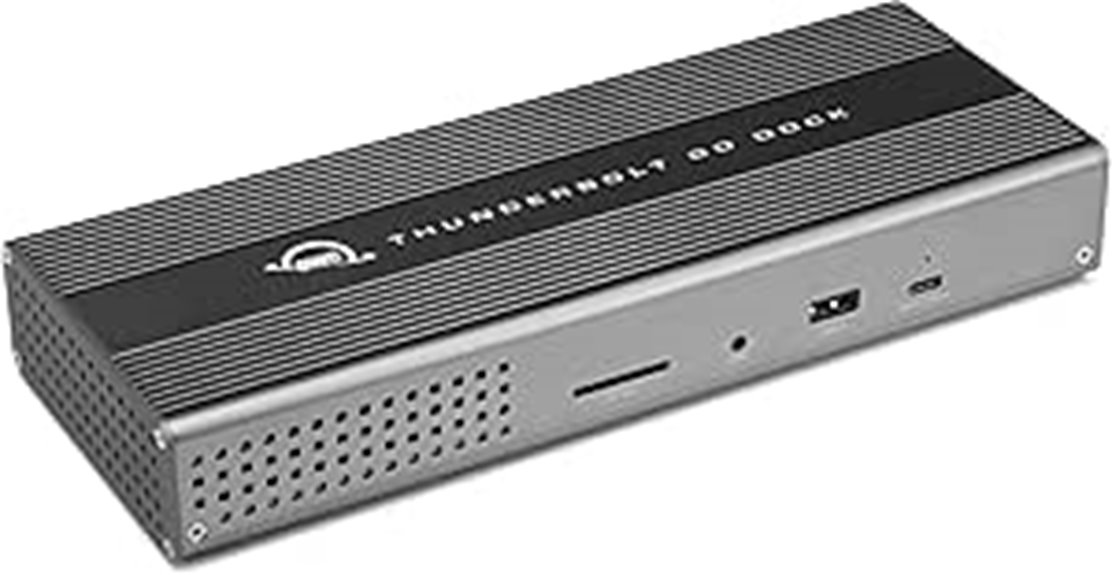
Looking for a Thunderbolt dock that offers extensive connectivity without sacrificing power or performance? The OWC Thunderbolt Go Dock delivers with 11 ports, including Thunderbolt 4, USB, HDMI, Ethernet, SD card slot, and more. It supports up to one 8K display or multiple 4K displays, depending on your setup. The built-in 90W power supply simplifies your workspace by eliminating external adapters and powers your laptop efficiently. Compatibility spans Macs, PCs, iPads, Chromebooks, and Android devices. With high-speed data transfer, versatile connections, and a lifetime license for Thunderbolt Share, this dock is a reliable hub for demanding workflows.
Best For: professionals and power users who need extensive connectivity options, high-speed data transfer, and reliable power delivery in a versatile Thunderbolt dock suitable for Macs, PCs, and other USB-C compatible devices.
Pros:
- Supports multiple high-resolution displays, including 8K and dual 4K setups, ideal for demanding visual workflows
- Built-in 90W power supply eliminates the need for external adapters, streamlining workspace setup
- Includes a lifetime license for Thunderbolt Share technology, enhancing device sharing capabilities
Cons:
- Compatibility with non-Thunderbolt USB devices may limit some functions or performance
- The number of ports can be overwhelming for minimalistic setups or users with fewer peripherals
- May be pricier compared to simpler docks with fewer ports and features
Ugreen Thunderbolt 5 Dock, 13-in-1, 120Gbps Transfer, 8K/6K60Hz Display, 140W Charging
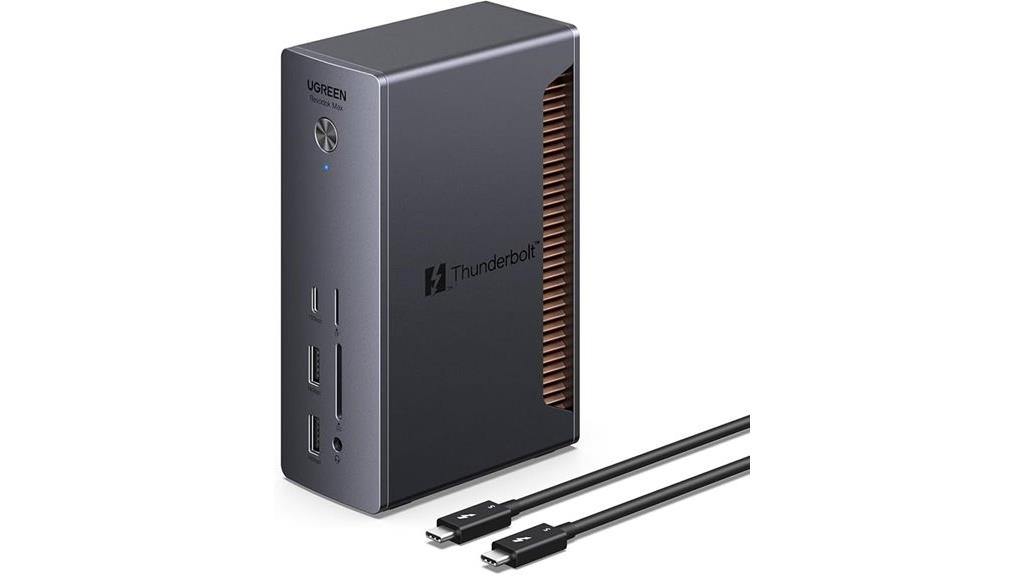
The Ugreen Thunderbolt 5 Dock stands out as an ideal choice for professionals who demand lightning-fast data transfer and outstanding display quality. With certified Intel Thunderbolt 5 performance, it offers 120Gbps speeds, letting you transfer a 21GB file in just two seconds. Its support for dual 6K displays or a single 8K screen ensures crisp visuals for creative work or entertainment. The dock delivers up to 140W power, efficiently charging laptops and devices, while its compact 180W GaN adapter keeps things portable. With multiple USB ports, 2.5GbE Ethernet, and fast SD/TF card slots, it’s a versatile hub built for high-performance workflows.
Best For: professionals and creatives requiring ultra-fast data transfer, high-resolution display support, and versatile connectivity for their high-performance laptops.
Pros:
- Certified Thunderbolt 5 delivers blazing 120Gbps transfer speeds, enabling quick file transfers.
- Supports dual 6K displays at 60Hz or a single 8K display for stunning visuals.
- Compact 180W GaN power adapter offers powerful charging in a portable design.
Cons:
- May be more expensive than lower-tier docks due to advanced features.
- Requires Thunderbolt 4 or 5 compatible devices for full functionality.
- Limited number of USB-C ports compared to some multifunctional docks.
Factors to Consider When Choosing Thunderbolt Docks

When selecting a Thunderbolt dock, I always check if it’s compatible with my devices to avoid connectivity issues. I also consider the supported display resolutions and power delivery to guarantee it meets my workflow needs. Finally, I look at the number of ports and how well it manages heat to keep everything running smoothly.
Compatibility With Devices
Choosing the right Thunderbolt dock hinges on *guaranteeing* compatibility with your devices. First, check that the dock supports the same Thunderbolt version as your device, whether it’s Thunderbolt 3, 4, or 5, for *maximum* functionality. Make sure it’s compatible with your operating system—Windows, macOS, or Chrome OS—to prevent connectivity issues. It’s also important to verify that your laptop or computer has the necessary Thunderbolt ports and supports the bandwidth needed for *ideal* performance. If you use specialized hardware like M1 or M2 Macs or gaming laptops, confirm the dock’s compatibility with those models. *Finally*, review the power delivery specs to ensure the dock can supply enough charging capacity for your device’s battery and peripherals.
Supported Display Resolutions
Since supported display resolutions directly impact the clarity and detail of your visuals, it’s essential to contemplate what your Thunderbolt dock can accommodate. Most docks support dual 4K displays at 60Hz, which is ideal for detailed multitasking. For higher resolutions like 6K or 8K, you’ll need docks with specific hardware, such as DisplayPort 2.1 or HDMI 2.1, and compatible cables. The maximum resolution also depends on your device’s video output ports and the operating system, as Windows and macOS have different capabilities. Thunderbolt 4 and Thunderbolt 5 docks are typically required for ultra-high resolutions, delivering up to 8K at 60Hz or multiple 4K screens. Always verify the dock’s specifications to ensure it meets your visual clarity needs for professional or entertainment use.
Power Delivery Capabilities
Power delivery capabilities play a vital role in guaranteeing your Thunderbolt dock meets your device’s charging needs. I always check that the dock supports the wattage required for my laptop, whether it’s 85W, 90W, or even 100W, to ensure fast, reliable charging. It’s also important to see if the dock offers downstream charging for peripherals, so I can keep my phone or external devices charged even when my computer is off. I pay attention to the Power Delivery protocol version, like PD 3.1, for compatibility and safety. Additionally, I look into whether the power is shared among ports or dedicated, as this affects charging speeds for multiple devices. Finally, I confirm the power supply can handle high-performance laptops without causing disconnections or slow charging.
Number of Available Ports
The number of available ports on a Thunderbolt dock directly impacts how smoothly I can connect all my peripherals without needing extra hubs or adapters. I look for a dock that offers enough USB-A, USB-C, HDMI, SD card readers, and Ethernet ports to cover my current setup and future needs. It’s essential to check the maximum number of video outputs supported at once, especially if I plan to run multiple high-resolution displays like dual 4K or even 8K monitors. The port configuration should support my devices and workflows seamlessly, balancing data transfer and charging without sacrificing performance. A well-channed port selection future-proofs my setup, ensuring I can add new devices or upgrades without replacing the dock. It’s all about ensuring smooth, versatile connectivity.
Cooling and Heat Management
Choosing a Thunderbolt dock with the right cooling and heat management features guarantees it can handle intense workloads without overheating. Effective cooling systems, like active fans or passive heatsinks, are vital for preventing thermal buildup during high data transfer speeds or prolonged use. A well-designed heat dissipation setup, such as an aluminum chassis or thermal silicone pads, helps keep temperatures in check and extends the device’s lifespan. Overheating can cause thermal throttling, reducing performance, or even lead to connectivity issues and shutdowns. Ensuring proper ventilation and leaving space around the dock allows heat to escape more efficiently, especially in compact setups. For high-power docks supporting 120Gbps transfers or multiple high-res displays, advanced cooling mechanisms are essential for maintaining ideal performance over time.
Frequently Asked Questions
How Do Thunderbolt Docks Impact Overall System Performance?
Thunderbolt docks substantially boost my system performance by providing fast data transfer and reliable connections. They reduce clutter and streamline my workflow by connecting multiple devices through a single port. I notice quicker file transfers, smoother video editing, and improved peripheral responsiveness. Overall, they optimize my setup, making my computer more efficient and capable of handling demanding tasks without lag or interruptions.
Are Thunderbolt Docks Compatible With Non-Windows or Macos Devices?
Yes, Thunderbolt docks are compatible with non-Windows and non-macOS devices, but it depends on the device’s ports and protocols. I’ve found that many Linux and other OS systems support Thunderbolt through specific drivers or adapters. However, compatibility isn’t universal, so I recommend checking your device’s specifications. If supported, you’ll enjoy seamless connectivity, making your setup versatile regardless of your operating system.
What Are the Security Features of Thunderbolt Docks?
Thunderbolt docks come with robust security features like hardware encryption, secure firmware, and data isolation to protect your information. I appreciate how these docks often support features like Thunderbolt Security Level 1, which requires user authentication before access. These protections help prevent unauthorized access and data breaches, giving me peace of mind when connecting sensitive devices. Overall, the security measures keep my data safe without sacrificing performance.
Can Thunderbolt Docks Be Daisy-Chained for Expanded Connectivity?
Did you know that over 80% of professionals use daisy-chaining to expand their connectivity? Yes, Thunderbolt docks can be daisy-chained, allowing you to connect multiple devices through a single port. I’ve personally done this to streamline my workspace, and it works seamlessly. Just confirm your devices support Thunderbolt 3 or 4, and use high-quality cables to avoid performance issues. It’s an efficient way to maximize your setup.
How Do Thunderbolt Docks Handle Multiple High-Resolution Displays Simultaneously?
Thunderbolt docks handle multiple high-resolution displays seamlessly by leveraging their high bandwidth capacity, typically up to 40Gbps. I’ve found that most docks support dual 4K displays or even a single 8K display without issues. They use DisplayPort or HDMI outputs, ensuring crisp visuals. Just make sure your dock and your computer support the desired resolution and refresh rate, and you’ll enjoy smooth, high-quality multitasking across multiple screens.
Conclusion
Choosing the right Thunderbolt dock is like finding the perfect key to unlock your device’s full potential. It’s more than just ports—it’s the bridge that connects your world seamlessly. When you pick wisely, you’re setting the stage for effortless flow and boundless creativity. So, don’t just settle for a dock; choose one that transforms your workspace into a symphony of connectivity, where every connection plays in perfect harmony.
Evergreen bestsellers Picks
bestsellers
As an affiliate, we earn on qualifying purchases.