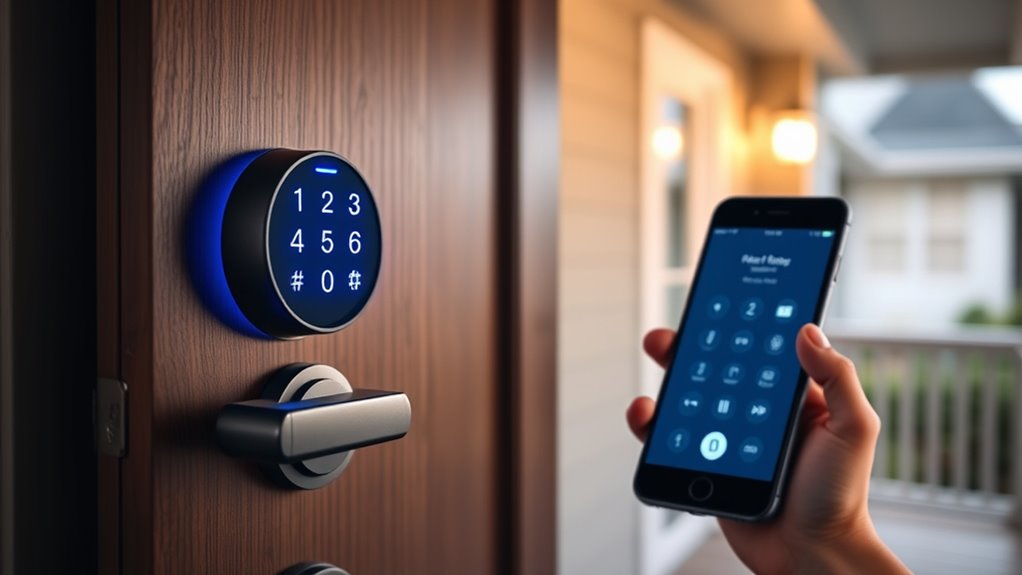

If you’re looking for the best smart lock deadbolts for 2025, I’ve got you covered. I’ve reviewed models that offer keyless entry via keypad, fingerprint, and smartphone apps, with features like auto-lock, tamper alerts, and smart home compatibility. These locks combine security with convenience, some even supporting voice commands. If you want to find the top options for your home, there’s plenty more to contemplate — keep going to learn which one is right for you.
Key Takeaways
- The list features top-rated smart lock deadbolts with advanced security, multiple access methods, and smart home integration for 2025.
- Highlights include easy DIY installation, user management, auto-lock features, and compatibility with popular voice assistants.
- Many models meet high security standards like ANSI Grade 1 and weather resistance for outdoor durability.
- Connectivity options include Wi-Fi, Bluetooth, and support for platforms like Alexa, Google Assistant, and Apple HomeKit.
- The guide emphasizes security features, convenience, stylish designs, and maintenance considerations for modern home security.
eufy Security Smart Lock C220, Fingerprint Keyless Entry Door Lock

If you’re looking for a smart lock that combines convenience with robust security, the eufy Security Smart Lock C220 is an excellent choice. It offers keyless entry through fingerprint recognition, app control, keypad, physical key, Apple Watch, and voice commands via Alexa or Google Assistant. Installation is straightforward, taking just 15 minutes without drilling. Powered by 8 AA batteries, it lasts around 8 months and includes an alarm for unusual access attempts. With self-learning AI fingerprint technology and support for BHMA Grade 3 security standards, it’s built to withstand extreme weather and provide reliable protection, all backed by professional support.
Best For: homeowners and renters seeking a secure, convenient, and easy-to-install smart lock with multiple access options and durable security features.
Pros:
- Offers versatile access methods including fingerprint, app, keypad, physical key, Apple Watch, and voice commands.
- Easy 15-minute installation without drilling, compatible with most standard US and Canada deadbolts.
- Equipped with self-learning AI fingerprint technology and supports BHMA Grade 3 security standards for enhanced safety.
Cons:
- Battery life lasts approximately 8 months, which may require periodic replacements.
- Requires Wi-Fi for remote access, which may need a stable internet connection.
- IP53 waterproof rating means limited resistance to heavy water exposure or submersion.
Philips Wi-Fi Smart Door Lock
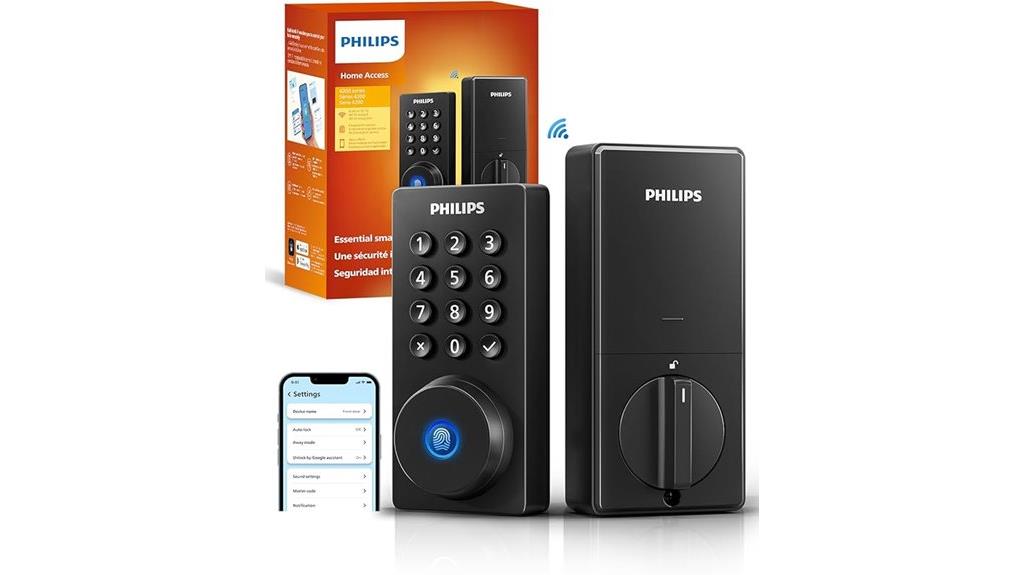
The Philips Wi-Fi Smart Door Lock stands out for its seamless remote control capabilities, making it ideal for busy homeowners who want to monitor and manage their door from anywhere. With app control, passcodes, fingerprints, physical keys, and voice commands via Alexa or Google Assistant, it offers versatile opening options. You can create up to 100 custom passcodes for family, friends, or renters, and share temporary or scheduled codes remotely. Its auto-lock feature enhances security by securing the door after a set time. Built-in Wi-Fi allows real-time notifications, access logs, and remote locking or opening without extra hubs, ensuring peace of mind wherever you are.
Best For: homeowners seeking a versatile, remote-controlled smart lock with multiple unlocking options and real-time access management.
Pros:
- Supports multiple unlocking methods including app control, passcodes, fingerprints, physical keys, and voice commands for maximum convenience.
- Built-in Wi-Fi enables remote locking, unlocking, and access monitoring without additional hubs, with real-time notifications.
- Auto-lock feature and customizable passcodes enhance security while allowing flexible access management for family, friends, or renters.
Cons:
- Requires 4 or 8 AA alkaline batteries (not included), which need regular replacement.
- No door sensor included, relying solely on auto-lock for security without detecting door open/close status.
- Installation is compatible with most doors but requires checking door thickness and may take some DIY effort for optimal setup.
TEEHO TE001 Keyless Entry Door Lock with Keypad

For homeowners seeking a reliable and user-friendly keyless entry solution, the TEEHO TE001 Keyless Entry Door Lock with Keypad stands out with its convenient access features. It offers 20 user codes for family members and a temporary one-time PIN for guests, enhancing security without keys. The lock’s sturdy aluminum alloy construction, weather resistance, and anti-peeping code protection ensure durability and safety. Easy to install with just a screwdriver, it fits most front doors and includes an auto-lock feature for added security. Plus, the low battery alert and excellent support from TEEHO make this lock a practical choice for modern home security.
Best For: homeowners seeking a reliable, easy-to-install keyless entry lock with customizable access codes and weather-resistant durability.
Pros:
- Easy to install with just a screwdriver, suitable for both men and women
- Provides multiple user codes and temporary PINs for flexible access control
- Weather-resistant design with low battery indicator and auto-lock feature
Cons:
- Not compatible with door holes smaller than 54mm (2-1/8 inch)
- Requires 4 AA batteries, which need periodic replacement
- Limited to front doors, may not be suitable for other entry points
ULTRALOQ U-Bolt Pro WiFi Smart Lock with Door Sensor

The ULTRALOQ U-Bolt Pro WiFi Smart Lock with Door Sensor stands out for its seamless remote management, making it an ideal choice for homeowners who want real-time control over their security. You can lock, open, share access, and view entry logs directly from your smartphone, all through its WiFi connection—no extra hub needed. It supports voice commands with Alexa and Google Assistant and integrates with various smart home platforms like SmartThings and IFTTT. Its 8-in-1 access options, including fingerprint, keypad, and remote sharing, provide versatile security. Plus, its durable, weatherproof design and high ANSI Grade 1 security standards ensure reliable protection indoors and outdoors.
Best For: homeowners, property managers, and hospitality providers seeking a secure, versatile, and remotely manageable smart lock solution.
Pros:
- Supports multiple access methods including fingerprint, keypad, smartphone app, and voice commands for flexible security.
- No hub required; connects directly to home WiFi for real-time remote control and monitoring.
- Durable, weatherproof design with high security standards (ANSI Grade 1) suitable for indoor and outdoor use.
Cons:
- Installation may be challenging on certain door types or older doors requiring additional modifications.
- Requires a stable WiFi connection for optimal remote functionality; may experience issues with weak signals.
- Some advanced automation features depend on integration with third-party platforms, which may require additional setup.
TEEHO TE001 Keyless Entry Door Lock with Keypad
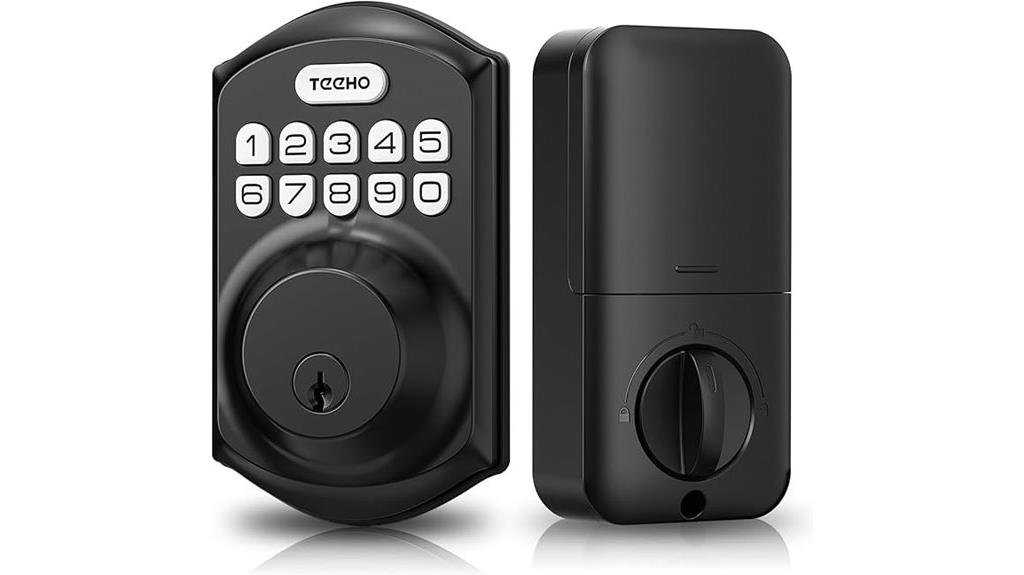
If you’re looking for a reliable keyless entry solution that combines convenience with security, the TEEHO TE001 Keyless Entry Door Lock with Keypad is an excellent choice. It offers a smart deadbolt with support for 20 user codes, including a one-time guest PIN, plus a backup key for emergencies. The lock supports auto-locking and anti-peeping keypad protection, ensuring your home stays secure. Made from sturdy aluminum alloy and weather-resistant, it’s built to last. Installation is straightforward, fitting standard 54mm door holes. With a one-year warranty and excellent customer support, it’s a practical upgrade for anyone seeking both convenience and peace of mind.
Best For: homeowners and renters seeking a reliable, secure, and convenient keyless entry solution for their front door.
Pros:
- Supports 20 user access codes plus a one-time guest PIN for flexible access control
- Auto-lock feature and anti-peeping keypad protection enhance security and peace of mind
- Easy installation compatible with standard 54mm door holes and durable weather-resistant construction
Cons:
- Not compatible with 38mm door holes, limiting installation options on certain doors
- Requires battery replacement when low, which may need periodic maintenance
- Limited to standard door sizes; may not fit unconventional door setups
Schlage Encode Smart WiFi Deadbolt Lock
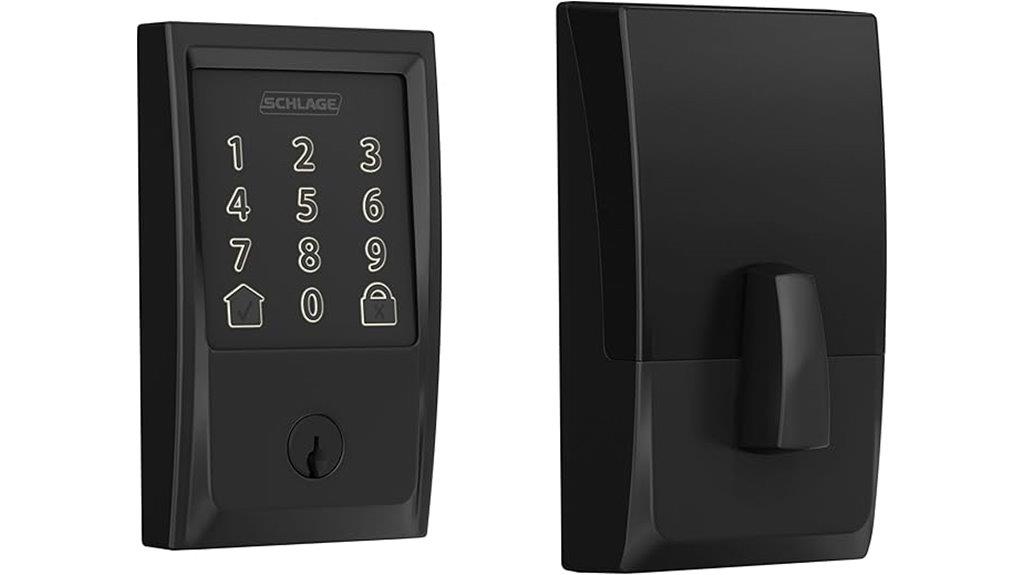
With its built-in WiFi and seamless app control, the Schlage Encode Smart WiFi Deadbolt Lock stands out as an ideal choice for homeowners seeking remote management and enhanced security. You can manage up to 100 access codes, monitor activity, and receive customizable alerts, all from anywhere. It easily integrates with Airbnb, automating guest access code distribution during bookings. Compatible with Alexa and Google Home, it offers hands-free voice control. The lock features a secure, encrypted connection, a fingerprint-resistant touchscreen, and a built-in alarm for added safety. Installation is quick and simple, fitting standard doors without hardwiring, making it a reliable, user-friendly smart lock for modern homes.
Best For: homeowners and property managers seeking a secure, remote-controlled smart lock with easy installation and integration capabilities.
Pros:
- Allows remote access management and activity monitoring via WiFi and app control.
- Seamlessly integrates with Airbnb for automated guest access code distribution.
- Easy to install on standard doors without hardwiring, with durable, fingerprint-resistant touchscreen.
Cons:
- Requires a stable WiFi connection for optimal remote operation.
- May be more expensive compared to traditional mechanical locks.
- Limited to specific door thickness and backset sizes, potentially requiring adapters for some doors.
eufy Security Smart Lock C30, Keyless Entry Door Lock
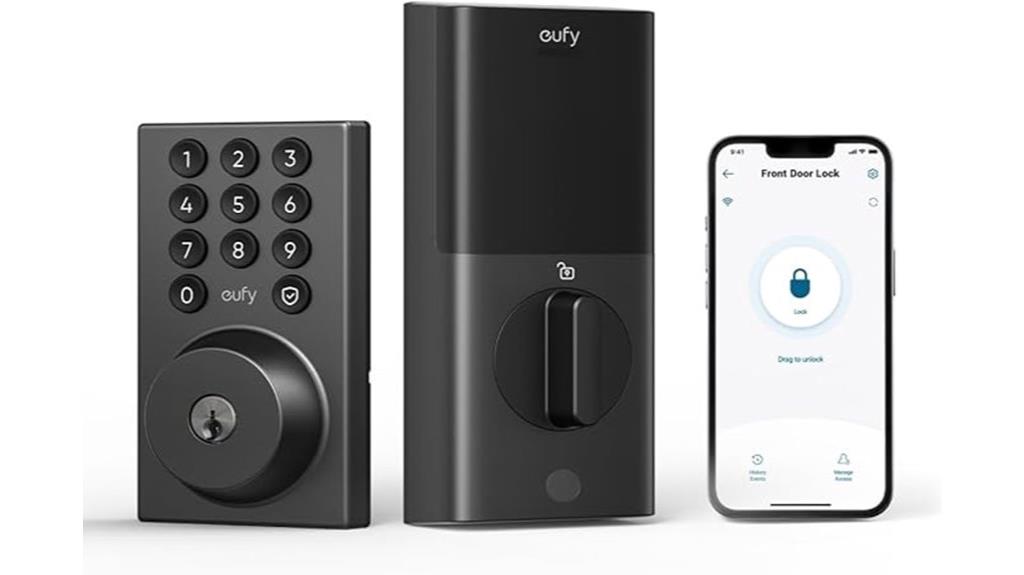
For homeowners seeking a reliable, keyless entry option that’s easy to install and compatible with most standard deadbolts, the eufy Security Smart Lock C30 stands out. It offers keyless entry via built-in Wi-Fi, so no bridge is needed, and installation takes just 15 minutes without drilling. You can use physical keys, voice commands through Alexa or Google Assistant, or the physical buttons on the lock for added durability. With remote control through the eufy app, you’ll get real-time notifications and manage access from anywhere. Its auto-lock feature, wrong-try protection, and battery life of up to five months make it both secure and reliable.
Best For: homeowners seeking a reliable, easy-to-install keyless lock with smart home integration and remote control capabilities.
Pros:
- No bridge required due to built-in Wi-Fi, enabling direct remote access via the app.
- Easy 15-minute DIY installation without drilling, compatible with most standard deadbolts.
- Physical buttons and multiple access options (keys, voice commands) enhance durability and usability.
Cons:
- Battery life of up to five months may require frequent replacements depending on usage.
- Packaging updates may result in receiving different versions, though functions remain unchanged.
- Requires 4 AA batteries (not included), adding an extra step for initial setup.
Yale Assure Lock 2 with Wi-Fi (YRD410-WF1-BSP)
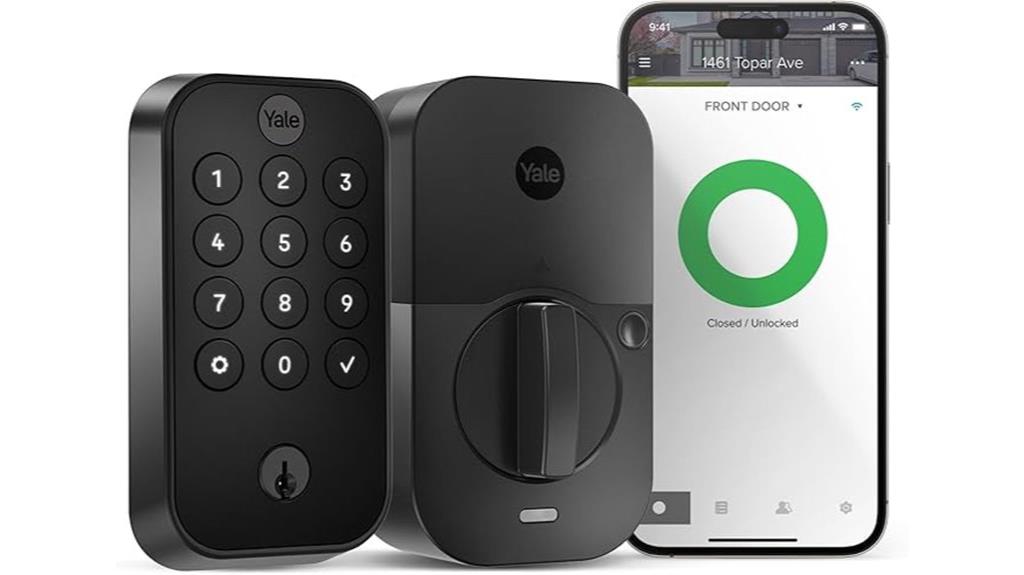
The Yale Assure Lock 2 with Wi-Fi (YRD410-WF1-BSP) stands out as an excellent choice for homeowners seeking seamless, keyless entry combined with advanced security features. This black smart lock is easy to install, replacing most standard US deadbolts without needing a locksmith. It offers multiple access options, including keypad, voice control, Auto-Unlock, and the Yale Access App, even on Apple Watch. Features like Auto-Lock and DoorSense ensure your home stays secure, while remote management keeps you in control from anywhere. Its compatibility with 2.4 GHz Wi-Fi makes setup straightforward, making it a reliable, user-friendly upgrade for any front door.
Best For: homeowners seeking a sleek, keyless smart lock with easy DIY installation and versatile access options for enhanced security.
Pros:
- Easy to install without professional help, compatible with most standard US deadbolts
- Multiple access methods including keypad, voice control, Auto-Unlock, and app control for convenience
- Auto-Lock and DoorSense features enhance security by ensuring the door remains securely closed and locked
Cons:
- Operates exclusively on 2.4 GHz Wi-Fi, which may require network adjustments for some users
- Limited to US and Canada markets, not suitable for international locations
- No keypad backlit illumination, which could affect visibility in low-light conditions
DESLOC Smart Door Lock B200, Keyless Entry & Fingerprint Smart Lock
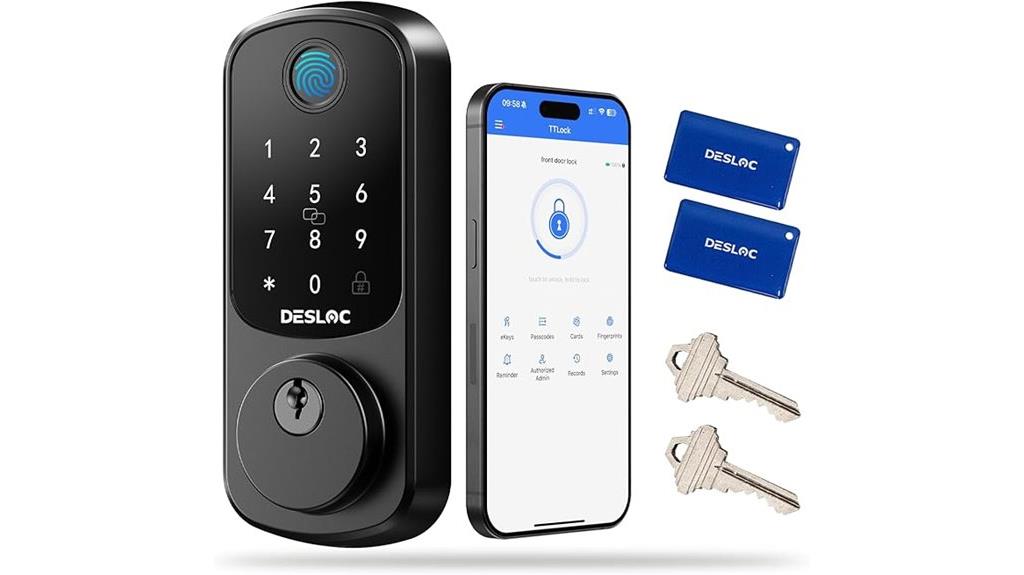
If you’re seeking a smart lock that combines advanced security features with user-friendly control, the DESLOC Smart Door Lock B200 is an excellent choice. It’s a BHMA Grade 3 deadbolt with a touchscreen keypad, fingerprint recognition, and app control, compatible with Alexa and Google Assistant. Built to withstand extreme weather from -22℉ to 158℉, it offers auto-lock, anti-peeping PIN codes, and emergency power via USB-C. Installation is quick and easy, taking just minutes. With support for multiple access methods—fingerprint, PIN, app, keys, voice, and fobs—it provides flexible, secure entry for any home.
Best For: homeowners seeking a durable, versatile smart lock with multiple access options and advanced security features.
Pros:
- Supports multiple entry methods including fingerprint, PIN, app, voice commands, and physical keys for flexible access.
- Weather-resistant design with IP54 rating and wide temperature range (-22℉ to 158℉), suitable for various climates.
- Easy installation requiring only a screwdriver, with additional features like auto-lock and anti-peeping PIN for enhanced security.
Cons:
- Requires 4 AA batteries which need periodic replacement; battery life may vary based on usage.
- G2 Gateway for remote access is sold separately, adding extra cost for full remote control functionality.
- Limited compatibility with certain smart home systems without additional accessories or gateways.
Yale Assure Lock 2 with Wi-Fi (YRD410-WF1-619)
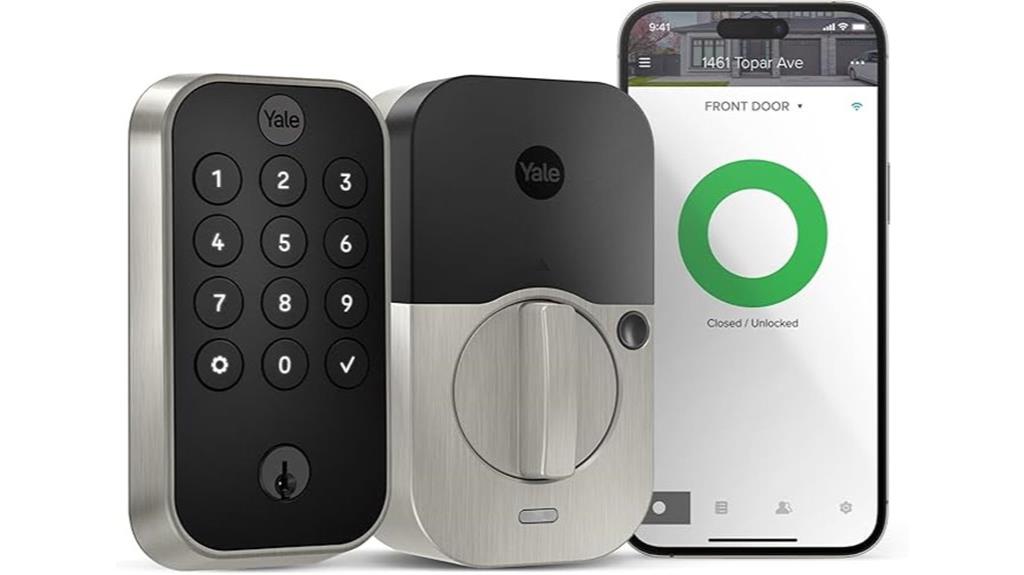
The Yale Assure Lock 2 with Wi-Fi (YRD410-WF1-619) stands out for its seamless remote management through the Yale Access App, making it an excellent choice for homeowners who want to monitor and control their lock from anywhere. It offers multiple unlocking options, including keypad, voice assistant, Auto-Unlock, and app control, for maximum convenience. Installation is straightforward, requiring only screwdriver tools and compatible with most standard US deadbolts. Auto-Lock guarantees the door stays secure when closed, and a backup key offers traditional access. With remote locking, notifications, and easy access sharing, this lock combines security and smart features effortlessly.
Best For: homeowners seeking a secure, convenient smart lock with remote access and multiple unlocking options.
Pros:
- Easy installation without the need for a locksmith, compatible with most standard US deadbolts
- Multiple unlocking methods including keypad, voice assistant, Auto-Unlock, and app control for maximum flexibility
- Auto-Lock feature and DoorSense ensure the door remains securely closed and locked
Cons:
- Only compatible with 2.4 GHz Wi-Fi networks, limiting connectivity options
- Requires smartphone or Apple Watch for remote management, which may not be suitable for all users
- Backup key included but may be overlooked or lost like traditional keys
Yale Matte Black Keyed Deadbolt Smart Lock with Google Matter

For homeowners seeking a smart lock that combines sleek design with seamless integration, the Yale Matte Black Keyed Deadbolt Smart Lock with Google Matter stands out. It easily fits most US and Canadian doors, with an adapter for smaller bore holes, making installation simple. Built with Matter technology, it works effortlessly across multiple brands and apps, offering flexible smart home integration. You can manage access remotely via the Google Home app, create codes, and monitor activity. With features like a keypad, physical key, and voice control through Google Assistant, it balances security and convenience. Its modern, fingerprint-resistant matte finish complements any smart home aesthetic perfectly.
Best For: homeowners seeking a sleek, secure, and easily manageable smart lock that integrates seamlessly with Google smart home devices and offers flexible access control.
Pros:
- Seamless integration with Google Home ecosystem and Matter-enabled devices for versatile smart home compatibility
- Modern, fingerprint-resistant matte black finish that complements contemporary home aesthetics
- Multiple access options including keypad, physical key, and voice control for added convenience and security
Cons:
- Requires a Matter-enabled hub for remote management, which may involve additional setup and cost
- Battery life depends on usage and may require frequent replacements if heavily used
- Installation may be challenging for those with non-standard door sizes without proper adapters
Philips WiFi Smart Keyless Door Lock Deadbolt with Handle Set
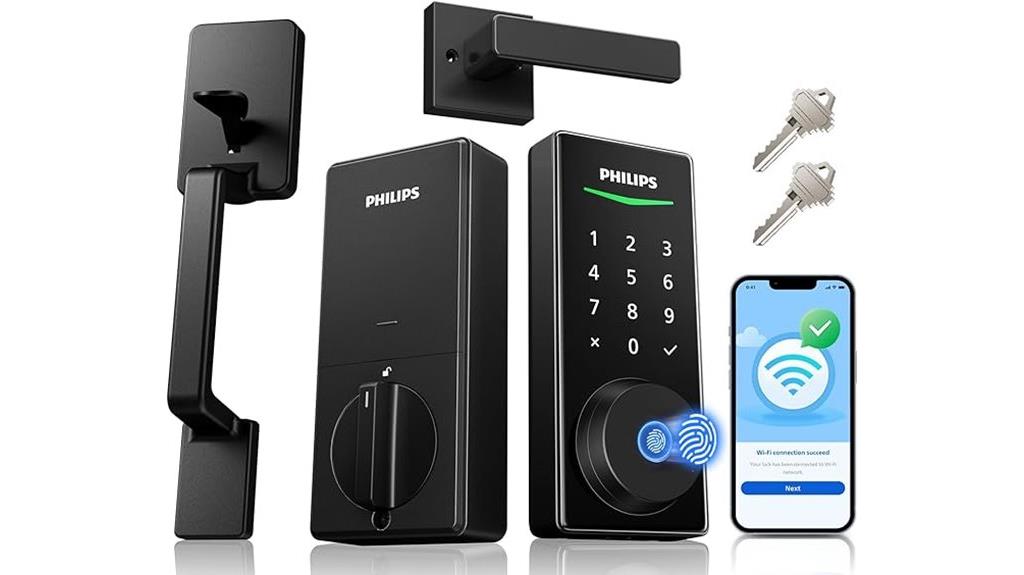
With built-in WiFi that connects directly to my home network, the Philips WiFi Smart Keyless Door Lock Deadbolt with Handle Set lets me manage my lock remotely without extra hubs. I can lock or open the door anytime through the mobile app, share access codes with family or visitors, and receive real-time notifications about lock events. The biometric fingerprint unlock is quick at just 0.3 seconds, and the backlit keypad makes it easy to use in low light. Plus, it works with Alexa and Google Assistant, so I can control it hands-free. The complete handle set is stylish, durable, and simple to install, enhancing both security and home aesthetics.
Best For: homeowners seeking a stylish, easy-to-install smart lock with remote access and voice control capabilities.
Pros:
- Built-in WiFi allows direct connection without extra hubs for seamless remote management.
- Fast fingerprint unlocking in just 0.3 seconds provides quick access.
- Compatible with Alexa and Google Assistant for hands-free control and smart home integration.
Cons:
- Requires WiFi connection, which may be unreliable in some network environments.
- Installation may be challenging for some DIY users despite the included handle set.
- Limited customer support hours could delay assistance in urgent situations.
Veise RZ07 Smart Lock with App Control
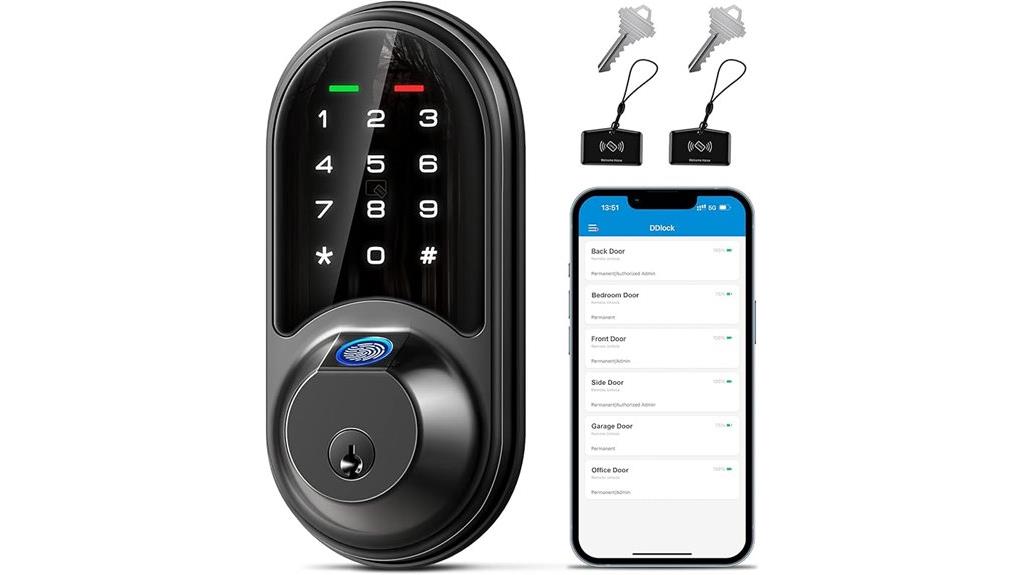
If you’re seeking a smart lock that combines versatile access options with robust security, the Veise RZ07 Smart Lock with App Control stands out. It offers 7-in-1 access: fingerprint, app, web portal, fobs, code, eKey sharing, and mechanical key, supporting up to 50 fingerprints and 250+ user codes. You can control it remotely via the free app and web portal, managing users, generating eKeys, and viewing access logs. With features like auto-lock, privacy mode, anti-peeping keypad, and low battery alerts, it enhances security. Compatible with smart home systems through Veise G2 gateway, it’s easy to install and backed by a 1-year warranty and lifetime support.
Best For: homeowners and property managers seeking a secure, versatile, and remote-controlled smart lock solution for family, guests, and service personnel.
Pros:
- Supports 7-in-1 access methods including fingerprint, app, web, fobs, codes, eKey sharing, and mechanical key for flexible entry options.
- Features robust security measures such as anti-peeping keypad, auto-lock, privacy mode, and low battery alerts.
- Easy installation compatible with most US standard doors, with remote management via free app and web portal.
Cons:
- Requires Veise G2 gateway (sold separately) for full smart home system integration and remote access features.
- Cannot change the Master Password via keypad before pairing in the app, possibly causing setup issues.
- Limited to a 1-year warranty, which may be shorter than some competitors offering extended coverage.
Veise VE012W Smart WiFi Fingerprint Lock with App Control

The Veise VE012W Smart WiFi Fingerprint Lock stands out for its seamless remote control capabilities, thanks to built-in WiFi that eliminates the need for a hub. I appreciate its versatile access options, including fingerprint, PIN code, app, voice control, auto-lock, and a physical key, providing flexibility for any situation. The lock integrates easily with smart home systems, allowing me to monitor access logs, receive real-time alerts, and adjust settings through the KK Home App. Its durable design meets high security standards, with an IP55 waterproof rating and long-lasting batteries. Plus, DIY installation makes setup quick and straightforward, with excellent support from Veise.
Best For: homeowners and renters seeking a secure, versatile, and easy-to-install smart lock with remote access capabilities.
Pros:
- Supports multiple access methods including fingerprint, PIN, app, voice control, auto-lock, and physical key for maximum flexibility.
- Built-in WiFi enables remote management without the need for a hub, simplifying setup and use.
- Meets high security standards with durability features like IP55 waterproof rating and long-lasting battery life.
Cons:
- Requires 8 AA batteries, which may need replacement over time.
- DIY installation, while straightforward, may still be challenging for some users unfamiliar with tools.
- Dependence on WiFi means remote access could be affected by network issues.
Philips Smart Lock with Handles, Keyless Entry Door Lock Set

For homeowners seeking an easy upgrade to their front door security, the Philips Smart Lock with Handles offers a seamless solution. It includes two lever handles and a smart lock, fitting most standard doors and allowing quick installation with just a screwdriver. You can access it via fingerprints, PIN codes, physical keys, or your smartphone app. With support for up to 50 fingerprints and customizable PINs, it offers flexible access. Pairing with a Philips WiFi Gateway enables remote control, sharing permissions, and access logs. Its auto-lock feature guarantees your door is always secured, making it a practical, user-friendly upgrade for enhanced home safety.
Best For: homeowners seeking an easy-to-install, keyless and remote-controlled smart lock solution to enhance their front door security.
Pros:
- Supports multiple unlocking methods including fingerprints, PIN codes, keys, and smartphone app control.
- Easy installation fitting most standard doors with minimal tools and time.
- Auto-lock feature ensures doors are automatically secured after closing for added peace of mind.
Cons:
- Requires additional accessories like a WiFi Gateway and Bridge for remote control and voice assistant integration.
- Lacks built-in sensors, so the door must be fully closed for the auto-lock to engage.
- Battery replacement should be done promptly upon low battery alerts to maintain functionality.
Factors to Consider When Choosing Smart Lock Deadbolts
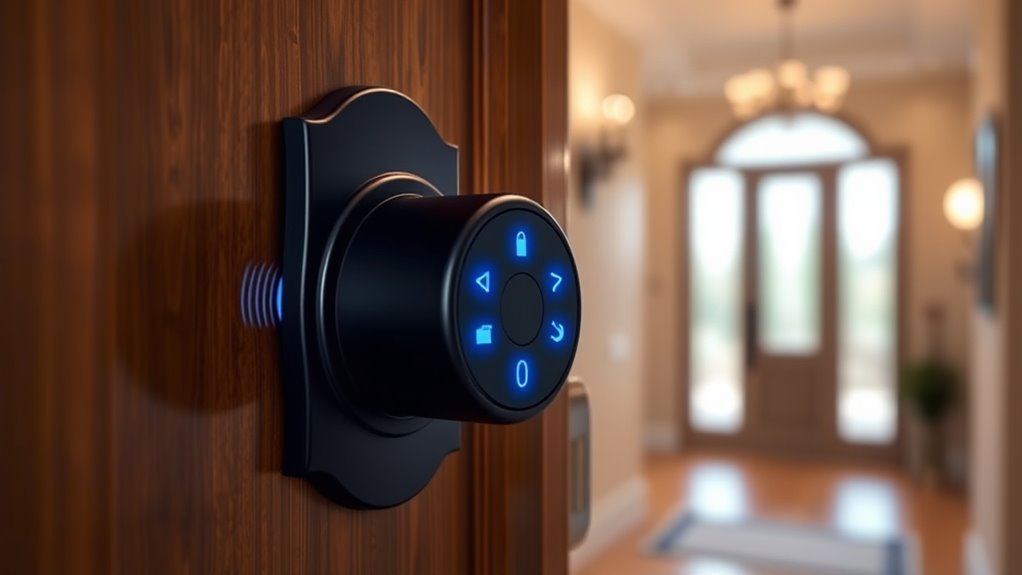
When selecting a smart lock deadbolt, I focus on compatibility with my door, making certain it fits and works seamlessly. I also consider the unlocking methods offered, like keypad, app, or biometric access, to match my preferences. Finally, I look at connectivity, security features, and ease of installation to guarantee I get a reliable and user-friendly upgrade.
Compatibility With Doors
Ensuring your smart lock deadbolt fits your door properly is essential for reliable security and smooth installation. First, check if the lock supports your door’s thickness, typically between 1-3/8 to 2 inches for standard US and Canada doors. Next, verify that the deadbolt matches your door’s hole diameter, usually 54mm (2-1/8 inch); some models may need adapters for smaller holes. It’s also important to confirm compatibility with your door’s backset and whether your door swings left or right, to ensure proper latch and deadbolt operation. Additionally, see if the lock can be installed on both wooden and metal doors, depending on your material. Lastly, confirm the mounting hardware and strike plate fit your door frame for a secure, professional installation.
Unlocking Methods Offered
Choosing a smart lock deadbolt isn’t just about compatibility with your door; it’s also about how you’ll open it daily. I look for locks offering multiple unlocking methods to suit my lifestyle. Many models have keypad codes, so I can grant access without keys. Biometric fingerprint recognition adds an extra layer of security and convenience. Smartphone app control allows me to lock or open remotely—perfect when I forget or need to let someone in. Physical keys are still available on some models, providing a backup. Voice command integration with Alexa, Google Assistant, or Apple HomeKit makes opening hands-free. Features like temporary or scheduled access codes give flexibility for guests or service providers. Auto-lock and auto-unlock ensure my door is secure or accessible when I need it most.
Connectivity and Control
Connectivity and control are vital factors that can make or break your smart lock experience. I look for locks that support remote control via Wi-Fi, Bluetooth, or Z-Wave, so I can manage access from anywhere. Compatibility with my existing smart home ecosystem, like Alexa or Google Assistant, is essential for seamless integration. I also prioritize locks that offer real-time notifications and event logs, helping me monitor activity and boost security. Managing the lock through a dedicated app or web portal is a huge plus, allowing me to lock, open, and share access remotely. Lastly, I want multiple access methods—keypad, app, fingerprint, or physical key—that can be controlled remotely, providing flexibility and peace of mind. These features guarantee my smart lock is both convenient and reliable.
Security and Durability
When selecting a smart lock deadbolt, security and durability should be top priorities, especially since these locks are your first line of defense. I look for models that meet or exceed ANSI/BHMA standards, like Grade 1 or Grade 2, for proven strength. Weather resistance is also vital; I prefer locks with IP54 or IP65 ratings to guarantee they function reliably in rain, snow, or humidity. Tamper-proof features, such as reinforced strike plates and anti-peep keypads, help prevent forced entry and unauthorized access. Some locks even include built-in alarms or anti-try protection, alerting me to tampering. Lastly, I prioritize materials like stainless steel or solid zinc alloy, which resist corrosion, impact, and wear over time, guaranteeing long-term security.
Installation Ease
Installing a smart lock deadbolt should be straightforward, especially if you’re a DIY enthusiast or want to avoid professional help. Look for models that offer simple, tool-free installation, which avoids drilling or complex setup. Many locks come with detailed guides or videos that show how to install them quickly, usually within 15 to 30 minutes. It’s essential to choose a lock compatible with your door’s size and type, such as standard US deadbolts with 1-3/8 to 1-3/4 inch thickness and specific bore hole diameters. Some models feature auto-locking and one-touch locking, making the process even more convenient during installation. Additionally, an all-inclusive hardware kit and clear instructions can help ensure a smooth, hassle-free setup for both DIYers and non-experts.
Frequently Asked Questions
How Do Smart Lock Deadbolts Integrate With Existing Home Automation Systems?
Smart lock deadbolts seamlessly integrate with existing home automation systems through Wi-Fi, Z-Wave, or Zigbee protocols. I just connect the lock to my hub or smart home app, then customize settings like remote locking or access schedules. Most locks also work with voice assistants like Alexa or Google Assistant, making it easy to control my door from anywhere. This integration enhances convenience and security effortlessly.
What Are the Typical Battery Life Spans for These Smart Locks?
Most smart lock deadbolts last between six months to a year on a single set of batteries. I’ve found that using high-quality, alkaline batteries really helps extend their life. It’s also smart to check the battery status regularly through the app or lock’s display. When the battery gets low, I get a warning, so I can replace them before the lock’s performance is affected.
Are Smart Lock Deadbolts Resistant to Physical Tampering and Forced Entry?
Smart lock deadbolts are designed with sturdy materials and advanced mechanisms that make them quite resistant to physical tampering and forced entry. I’ve found that many models include reinforced housings and anti-drill features, which act like a tough guard at your door. While no lock is completely invulnerable, these smart deadbolts offer a significant layer of protection, giving you peace of mind that your home is well-secured against unwanted intruders.
How Secure Are Fingerprint and App-Based Access Methods Against Hacking?
Fingerprint and app-based access methods are quite secure, but no system is completely invulnerable. I guarantee my smart lock uses strong encryption and regularly updates its firmware to guard against hacking. I also set complex passwords and enable two-factor authentication when possible. While these measures greatly reduce risks, I stay vigilant, knowing that combining technology with good security habits keeps my home safer.
What Maintenance Is Required to Keep Smart Lock Deadbolts Functioning Properly?
Think of your smart lock as a garden that needs tending. I regularly check the batteries, clean the keypad, and update the firmware to keep everything blooming smoothly. Sometimes, I tighten screws or recalibrate the touchpad to guarantee it’s responsive. Keeping these small chores in check prevents malfunctions and maintains security. By staying attentive, I ensure my smart lock continues to function reliably, like a well-cared-for garden thriving season after season.
Conclusion
Choosing the right smart lock deadbolt can feel overwhelming, but remember, it’s the little things that make a big difference. With so many options out there, finding one that fits your needs and gives you peace of mind is key. Don’t put all your eggs in one basket—select the lock that offers security, convenience, and peace of mind. After all, a secure home is a happy home, and it’s better to be safe than sorry.