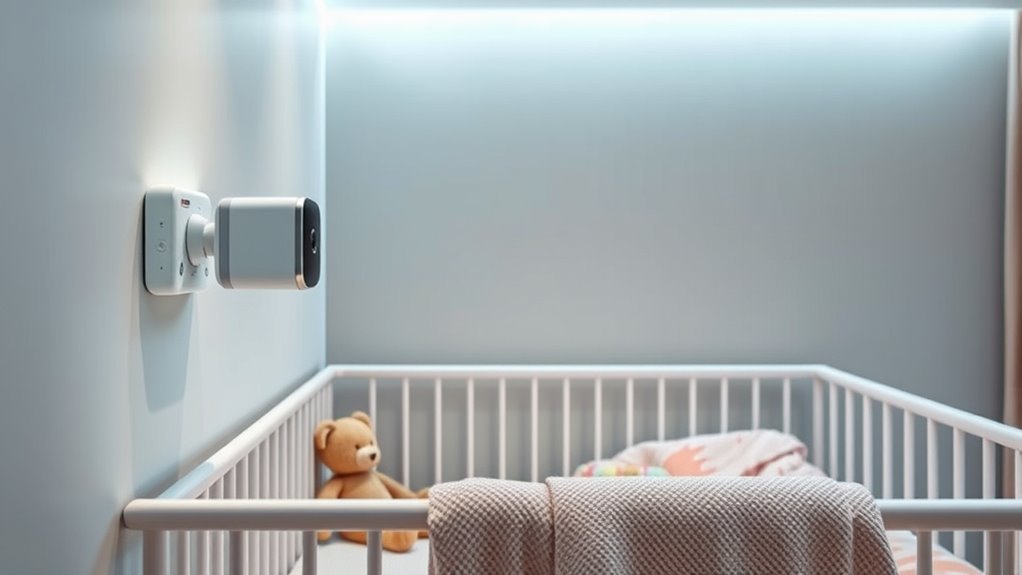

For parents searching for smart baby monitors with breath tracking, these three Nanit systems offer a related but important distinction: their listed features center on sleep insights, movement, and positioning rather than a direct medical measurement of breathing. I rank the Nanit Floor Stand with 1080p Wi-Fi first for flexible placement and a balanced app-based feature set. The Wall Mount model suits families who prefer a fixed camera position, while the 8-inch Display System is the clearest choice for caregivers who want a dedicated screen instead of relying only on a phone.

Get the latest gadgets delivered free with Prime
- Fast, free delivery on millions of items
- Prime Video, Amazon Music and more included
- Member-only deals all year
The main tradeoffs are consistent across the lineup: advanced sleep analytics and video history require a subscription after a trial, and core monitoring depends on Wi-Fi to varying degrees. I would choose among these based on where the camera can go, whether a separate display matters, and how much value I place on sleep tracking. None should be treated as a medical breathing monitor or as a replacement for safe-sleep practices or professional advice.
Complete the kit



Key Takeaways
- The floor-stand Nanit is my best overall pick for flexible camera placement and app-centered sleep monitoring.
- The wall-mount model is the most sensible fit when a fixed overhead camera position works better than moving a stand.
- The Nanit system with an 8-inch touchscreen is the only listed option with a dedicated display, but its portable battery lasts just 3–6 hours.
- All three list sleep insights and movement-related features; none of the supplied product details establish medical-grade breathing measurement.
- Advanced sleep analytics and video history require a subscription after the trial, so compare ongoing feature needs before choosing.
| Nanit Smart Baby Video Monitor with Camera and Floor Stand, 1080p Wi‑Fi |  | Best Overall for Flexible App-Based Monitoring | Camera resolution: 1080p HD | Connectivity: Wi-Fi; local network supported | Night vision: Infrared | VIEW ON AMAZON | See Our Full Breakdown |
| Nanit Smart Baby Video Monitor with Camera and Wall Mount, 1080p Wi-Fi |  | Best for a Fixed Camera Position | Resolution: 1080p HD | Connectivity: Wi-Fi; local network viewing supported | Night vision: Infrared | VIEW ON AMAZON | See Our Full Breakdown |
| Nanit Smart Baby Video Monitor System with Floor Stand & 8″ Display Screen |  | Best for Caregivers Who Want a Dedicated Screen | Display: 8-inch touchscreen | Camera resolution: 1080p HD | Portable display battery: 3–6 hours | VIEW ON AMAZON | See Our Full Breakdown |
| smart baby monitors with breath tracking | Camera resolution | Connectivity | Night vision | Audio |
|---|---|---|---|---|
| Nanit Smart Baby Video Monitor | 1080p HD | Wi-Fi; local network supported | Infrared | Two-way audio |
| Nanit Smart Baby Video Monitor | — | Wi-Fi; local network viewing supported | Infrared | Two-way audio |
| Nanit Smart Baby Video Monitor | 1080p HD | — | — | — |
More Details on Our Top Picks
Nanit Smart Baby Video Monitor with Camera and Floor Stand, 1080p Wi‑Fi
This floor-stand system takes my top spot because it combines flexible placement with a broad set of everyday monitoring tools. Its 1080p stream, infrared night vision, two-way audio, and alerts for motion, sound, temperature, and humidity give caregivers a useful picture of the nursery beyond the video feed. The listed AI sleep insights track duration, efficiency, and disturbances, which can help parents review sleep patterns over time. That is not the same as a stated medical breathing measurement, so I would not buy it on the assumption that it diagnoses or reliably measures respiration.
Compared with the wall-mount Nanit, this version is the more adaptable pick if room layout may change or a fixed mounting point is not desirable. It also supports a wall mount, according to the description, so the stand does not necessarily lock buyers into one placement style. The app and smart-home options suit households that already check a phone or use Alexa or Google Home. Encrypted multi-caregiver access adds useful account protections for families sharing monitoring duties.
The drawbacks are meaningful. The advanced analytics require a paid subscription after the free trial, and the product’s full feature set depends on Wi-Fi. I would choose it for a flexible camera setup and everyday sleep monitoring, not for buyers who want subscription-free analysis, an included dedicated screen, or a clearly specified medical breath-tracking function. In that last case, the product details provided here do not support treating the Nanit as a substitute for a medical device.
Pros:- Floor stand and wall-mount flexibility
- 1080p video with infrared night vision
- Motion, sound, temperature, and humidity alerts with two-way audio
- AI sleep insights and protected multi-caregiver access
Cons:- Advanced analytics require a paid plan after the trial
- Full feature set depends on Wi-Fi connectivity
- Listed features do not establish medical-grade breath measurement
Best for: Families wanting flexible floor-stand placement, high-definition app viewing, and sleep-pattern insights alongside standard room alerts.
Not ideal for: Caregivers who need a dedicated monitor screen, want advanced analytics without a subscription, or require verified medical breathing measurement.
- Camera resolution:1080p HD
- Connectivity:Wi-Fi; local network supported
- Night vision:Infrared
- Audio:Two-way audio
- Mount options:Floor stand or wall mount
- Room sensors:Temperature and humidity
- Security:256-bit AES encryption and two-factor authentication
Our verdict“I rank this first for flexible setup and well-rounded app monitoring, provided buyers understand that its sleep insights are not a medical breathing measure.”
Nanit Smart Baby Video Monitor with Camera and Wall Mount, 1080p Wi-Fi
If the nursery has a suitable mounting location and the camera is meant to stay put, this wall-mount version offers much of the same core monitoring as my top pick without making a floor stand the central feature. It streams 1080p video with infrared night vision, supports two-way audio, and sends customizable motion, sound, temperature, and humidity alerts. Multiple caregivers can use the app with access permissions, and local network viewing is listed as supported. Those features make it a strong fit for parents who want phone-based monitoring and a tidy, fixed camera setup.
Compared with the floor-stand model, the main distinction is the installation preference rather than a large change in the listed monitoring functions. A fixed mount may suit a nursery where camera placement is already settled, while the floor stand is a better match for families who value easier repositioning. This listing also describes floor-stand setup as an option, so I would confirm the included hardware and exact package contents before relying on that alternative. Its local-network support may help during some internet interruptions, though setup initially requires internet access and Wi-Fi.
The wall-mount system does not remove the lineup’s biggest ongoing tradeoff: advanced sleep insights and video history require a paid subscription after the included trial. Basic monitoring features are described as working without a paid plan, which helps keep the essential camera and alerts distinct from the extras. I place it second because its fixed-installation appeal is narrower than the floor-stand option, not because its basic video and alert set is weak. Like the other listed models, it should not be represented as a medical breath monitor based on the supplied details.
Pros:- 1080p video and infrared night vision
- Customizable motion, sound, temperature, and humidity alerts
- Multiple caregivers with access permissions
- Local network viewing is supported
Cons:- Sleep analytics and video history require a subscription after the trial
- Initial setup requires internet access and Wi-Fi
- Fixed mounting is less convenient if camera placement changes
Best for: Parents with a planned, stable camera location who prefer a wall-mounted setup and app access shared among caregivers.
Not ideal for: Households likely to move the camera frequently, buyers who want built-in screen viewing, or anyone expecting a specified medical respiration reading.
- Resolution:1080p HD
- Connectivity:Wi-Fi; local network viewing supported
- Night vision:Infrared
- Audio:Two-way audio
- Alerts:Motion, sound, temperature, and humidity
- Caregiver access:Multiple users with access permissions
- Security:256-bit AES encryption and two-factor authentication
- Mounting:Wall mount; floor-stand setup is also described
Our verdict“I recommend this for a settled nursery layout and shared app monitoring, but the floor-stand model is more adaptable for changing placement needs.”
Nanit Smart Baby Video Monitor System with Floor Stand & 8″ Display Screen
This bundle stands apart from the other two by adding an 8-inch touchscreen display alongside app and smart-home viewing. That can be a practical advantage for caregivers who would rather keep a dedicated screen nearby than open a phone app for every check. It also offers 1080p video, two-way audio with background audio mode, temperature and humidity monitoring, and listed AI insights that include sleep duration, efficiency, positioning, and nap predictions. The positioning feature is more directly relevant to sleep observation than the other listings’ descriptions, but it still does not establish a medical breathing measurement.
Compared with the floor-stand model without a bundled screen, this is the more complete viewing setup for a household that values a separate display. It is also more flexible than the wall-mount-focused listing for buyers who want multiple ways to check the feed. I rank it third overall because the screen’s portable battery lasts only 3–6 hours, limiting how long it can be carried around without charging. For a screen that will mostly stay plugged in near a caregiver, that limitation may matter less; for all-day portability, it is a real constraint.
The system still relies on Wi-Fi, and some functions may be affected by an internet outage. Advanced features require a subscription after the trial, so the dedicated display does not remove the recurring-plan question. I would choose this bundle when screen access is a priority and the display will usually be charged or stationary. Buyers who mainly use a smartphone can save themselves an extra device by choosing one of the simpler camera packages, while those seeking clinical breath tracking should verify a purpose-built feature rather than infer one from sleep or positioning insights.
Pros:- Dedicated 8-inch touchscreen plus app and smart-home viewing
- 1080p video and two-way audio with background audio mode
- Listed sleep insights include positioning and nap predictions
- Temperature and humidity monitoring
Cons:- Portable display battery life is listed at only 3–6 hours
- Advanced features require a subscription after the trial
- Wi-Fi dependence may limit functions during an internet outage
Best for: Families who want a dedicated 8-inch display in addition to app access and expect to use the screen mostly near a charger.
Not ideal for: Caregivers who need long portable screen runtime, want to avoid subscriptions for advanced insights, or need proven medical breathing measurements.
- Display:8-inch touchscreen
- Camera resolution:1080p HD
- Portable display battery:3–6 hours
- Charging time:Under 2.5 hours
- Sensors:Temperature and humidity
- Compatibility:iOS, Android, Alexa, and Google Home
- Setup options:Floor stand or wall mount
Our verdict“I would pick this over the other two when a dedicated screen matters more than portable battery life or a simpler app-only setup.”

How We Picked
I ranked these three monitors by how well their stated features serve the specific search for breath-related baby monitoring, while keeping their limits clear. The supplied descriptions emphasize AI sleep insights, sleep-position tracking for one system, and motion or sound alerts. They do not specify a direct respiratory-rate reading or a medical breathing alarm, so I do not present any model as a clinical breath tracker. Buyers seeking that kind of measurement should verify the exact feature and its intended use with the manufacturer before purchase.
Within that boundary, I compared camera placement, ways to view the feed, alert coverage, caregiver access, connectivity, and subscription dependence. The floor-stand camera ranks first for its flexible placement and strong combination of video, room sensors, two-way audio, and sleep insights. The wall-mount version ranks second because it supplies much of the same core app monitoring but is more suited to a fixed setup. The touchscreen bundle ranks third overall, not because a dedicated display is unhelpful, but because its short portable battery life and Wi-Fi reliance make it a more specialized fit.
I also weighed what a caregiver can use without a paid plan. The supplied details indicate that basic monitoring remains available, while advanced analytics and video history sit behind a subscription after a trial. I favor options that fit a household’s viewing habits and placement needs, rather than treating extra screens or analytics as automatic advantages. These rankings are about feature fit, not medical performance; safe-sleep guidance and professional care remain separate from consumer monitor alerts.
| smart baby monitors with breath tracking | Connectivity |
|---|---|
| Nanit Smart Baby Video Monitor | Wi-Fi; local network supported |
| Nanit Smart Baby Video Monitor | Wi-Fi; local network viewing supported |
| Nanit Smart Baby Video Monitor | — |
Factors to Consider When Choosing Smart Baby Monitors With Breath Tracking
I would start by checking what a listing actually means by breath tracking. The three products here describe sleep insights, movement alerts, and, on one model, positioning information. Those terms do not by themselves confirm respiratory-rate measurement or a medical breathing alarm.Separate sleep insights from breathing measurement
For this comparison, the phrase breath tracking needs careful interpretation. The supplied product information names AI sleep insights, motion alerts, disturbances, and positioning, but does not specify a measured breathing rate or a validated medical alarm. Sleep summaries can help a caregiver review patterns; they should not be treated as proof that breathing is normal or as a substitute for direct medical guidance. If breathing measurement is the deciding feature, check the manufacturer’s exact description, intended use, and any required accessories before choosing.
Choose camera placement before extra features
The floor-stand model is my pick for families who want more flexibility, while the wall-mount listing suits a nursery with a settled camera position. The display bundle also lists floor-stand or wall-mount setup, but its standout difference is the included screen. Think about whether the camera needs to move as the room changes, whether wall installation is acceptable, and where caregivers will view the feed. A good fit for the room can matter more day to day than another layer of app analysis.
Decide whether a dedicated display earns its place
The 8-inch screen lets a caregiver check video without opening a phone, a useful distinction if a phone is often elsewhere or shared. Its listed portable battery life is 3–6 hours, so it is less compelling for someone who expects to carry the display around all day. The other two options center viewing around a smartphone and compatible smart-home access. I would pay attention to viewing habits: choose the bundle for a screen-first routine, and the camera-only approach if an app already fits the household.
Check network needs and outage expectations
All three are Wi-Fi-based systems. The wall-mount listing explicitly mentions local network viewing support, while the floor-stand description says local network is supported; the display system notes that an internet outage may affect some functions. These details are not a promise that every feature will work offline. I would check which alerts, remote access, and viewing functions remain available on a local network, especially if dependable monitoring during service interruptions is a priority.
Account for subscription-dependent features
Advanced sleep analytics and video history require a paid subscription after a trial on the listed products. That makes the practical choice less about whether a model has AI features and more about whether those features are useful enough to keep paying for. The descriptions distinguish basic monitoring from advanced insights, but the exact plan terms can change. Before buying, verify what is included, how long the trial lasts, and which features remain available without an ongoing plan.
Use alerts as support, not as a safety guarantee
Motion, sound, temperature, and humidity alerts can help caregivers notice changes in the nursery or check a live feed. They cannot guarantee that every event will be detected, and the features listed here do not establish medical-grade breath monitoring. I would use a consumer monitor as one part of a broader caregiving setup, follow current safe-sleep guidance, and ask a qualified clinician about medical concerns. Choose based on the functions the product explicitly supports, rather than assuming an alert replaces supervision or care.
Frequently Asked Questions
Do these Nanit monitors directly measure a baby’s breathing rate?
The supplied descriptions do not specify a direct respiratory-rate reading or a medical breathing alarm. They describe sleep insights, motion or sound alerts, and positioning information for the display bundle. I would verify any claimed breathing feature with the manufacturer and confirm its intended use rather than treating general sleep tracking as breath measurement.
Which of the three is the best choice for breath-related sleep observation?
I rank the floor-stand model first for its flexible placement and broad set of app alerts alongside sleep insights. The display bundle lists positioning insights and may suit caregivers who want a dedicated screen, while the wall-mount model is better for a fixed camera location. None is established by the supplied details as a medical breathing monitor.
Can I use the monitors without a paid subscription?
The listings indicate that core monitoring features are available without a paid plan, while advanced sleep analytics and video history require a subscription after a trial. Exact plan terms and included features may change, so I would check the current manufacturer details before buying if ongoing access to sleep insights is important to you.
Will these monitors keep working if Wi-Fi or internet service goes down?
Wi-Fi is central to these systems, although local network viewing is mentioned for the first two listings. The wall-mount listing says initial setup requires internet access and Wi-Fi, and the display bundle notes that an outage may affect some functions. I would not assume remote access, every alert, or all analytics will continue during an outage; confirm the exact offline behavior for the model you choose.
Should a smart baby monitor replace medical advice or safe-sleep practices?
No. These are consumer monitoring systems, and the product details provided do not establish medical-grade breathing measurement. I would follow current safe-sleep guidance and speak with a qualified healthcare professional about breathing concerns or medical monitoring needs. A camera feed and app alerts can support routine checks, but they are not a diagnosis or a guarantee of safety.
Conclusion
My overall pick is the Nanit floor-stand model for families who want flexible placement and a capable app-based monitoring set. Choose the wall-mount version if your camera position is settled and you prefer a fixed installation. The 8-inch display bundle makes the most sense for caregivers who specifically want a separate screen and can live with its limited portable battery life.
For every option, weigh subscription-dependent sleep insights against the features you expect to use, and verify local-network behavior if connectivity interruptions matter. Most of all, do not read sleep tracking or positioning information as confirmed medical breath tracking: the supplied details do not support that claim. If you need a monitor for a medical reason, ask a clinician what type of device is appropriate.