

If you’re looking for the best silent, portable MacBooks for travel in 2025, I recommend models with the M4 chip, like the 13-inch and 15-inch MacBook Airs. They offer powerful performance, all-day battery life, and operate completely fanless for quiet use. Their lightweight, slim designs make them perfect for travel. If you want to discover which options fit your needs best, keep exploring how these MacBooks can enhance your on-the-go productivity.
Key Takeaways
- The fanless design ensures silent operation, ideal for quiet environments during travel or work.
- Lightweight and slim profiles (around 2.7 to 3.3 pounds) maximize portability for on-the-go use.
- Powered by the high-performance M4 chip with a 10-core CPU and GPU for demanding tasks.
- Long-lasting battery life supports up to 18 hours, perfect for full travel days without recharging.
- Seamless Apple ecosystem integration enhances connectivity and user experience on the move.
Apple MacBook Air 15-inch Laptop with M4 Chip
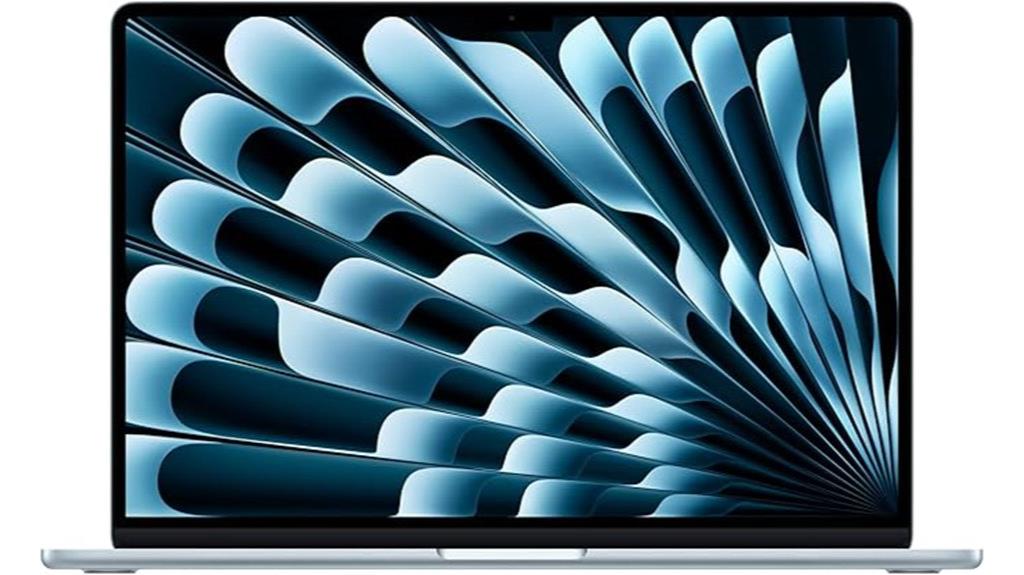
If you’re looking for a MacBook that combines powerful performance with silent operation, the Apple MacBook Air 15-inch with M4 chip is an excellent choice for travel. Its M4 chip boosts speed and fluidity, making multitasking, video editing, and gaming smooth and efficient. The 15.3-inch Liquid Retina display shows over a billion colors, providing sharp details and rich contrast. With up to 18 hours of battery life, it keeps you productive all day. The sound system, featuring six speakers with Spatial Audio and a 12MP camera, offers immersive audio and video experiences. Lightweight and secure with Touch ID, it’s perfect for on-the-go use.
Best For: professionals and travelers seeking a powerful, portable MacBook with excellent display and long battery life for multitasking, creative work, and entertainment.
Pros:
- Exceptional performance with M4 chip for smooth multitasking and media editing
- Stunning 15.3-inch Liquid Retina display with vivid colors and sharp details
- Long-lasting battery life of up to 18 hours, ideal for all-day use
Cons:
- Limited to two external display support, which may restrict multi-monitor setups
- Premium price point may be a consideration for budget-conscious users
- Less upgradability due to integrated components and fixed storage options
Apple MacBook Air 13-inch Laptop with M4 Chip
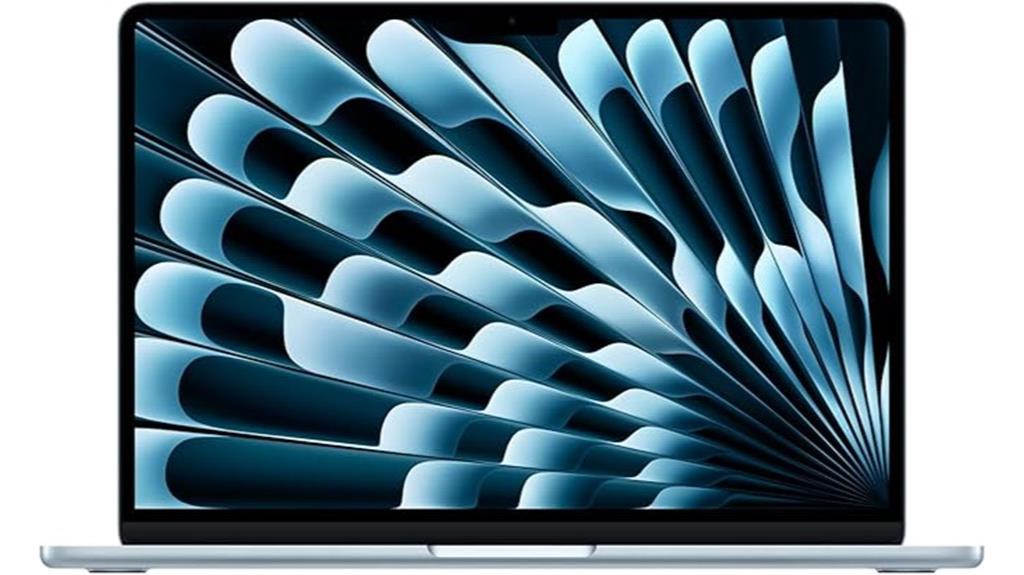
The Apple MacBook Air 13-inch with M4 chip stands out as an ideal choice for travelers who need a quiet, fanless laptop without sacrificing performance. Its powerful 10-core CPU and GPU deliver impressive speed, while the 16-core Neural Engine handles AI tasks seamlessly. The 13.6-inch Liquid Retina display offers stunning visuals with true-to-life colors and brightness. With up to 18 hours of battery life and fast-charging options, it keeps you connected all day. Its lightweight design, advanced connectivity, and seamless integration with the Apple ecosystem make it perfect for on-the-go productivity, all without any fan noise.
Best For: travelers and remote workers seeking a lightweight, silent, and powerful laptop with excellent battery life and seamless Apple ecosystem integration.
Pros:
- Fanless design ensures quiet operation perfect for quiet environments or travel.
- Long-lasting battery life of up to 18 hours supports all-day use without needing to recharge.
- High-quality Liquid Retina display with true-to-life colors enhances visual experience.
Cons:
- Limited ports with only two Thunderbolt 4 ports and MagSafe 3 may require adapters for additional connectivity.
- Storage is fixed at 512GB SSD, which might be insufficient for users with large data needs.
- No dedicated GPU options; performance may be limited for intensive graphics or gaming tasks.
Apple 2025 MacBook Air 15-inch Laptop with M4 Chip

For travelers seeking a powerful yet silent laptop, the Apple 2025 MacBook Air 15-inch with M4 chip stands out as an ideal choice. Weighing just 3.32 pounds and measuring 0.45 inches thick, it’s designed for portability. Its stunning 15.3-inch Liquid Retina display supports a billion colors, offering vibrant visuals perfect for work or entertainment. Powered by the M4 chip with a 10-core CPU and GPU, plus 24GB of memory, it handles demanding tasks effortlessly. With up to 18 hours of battery life and a fanless design, it remains whisper-quiet during extended use—making it perfect for travel, work, or leisure on the go.
Best For: travelers and mobile professionals seeking a lightweight, powerful, and silent laptop for productivity and entertainment on the go.
Pros:
- Ultra-light and portable at just 3.32 pounds and 0.45 inches thick
- Long-lasting battery life up to 18 hours for extended use without recharging
- Fanless design ensures silent operation during demanding tasks
Cons:
- Limited to 512GB SSD storage, which might be insufficient for some users
- No dedicated GPU options beyond the integrated 10-core GPU
- Higher price point due to advanced features and premium build quality
Apple MacBook Air 13-inch Laptop with M4 Chip
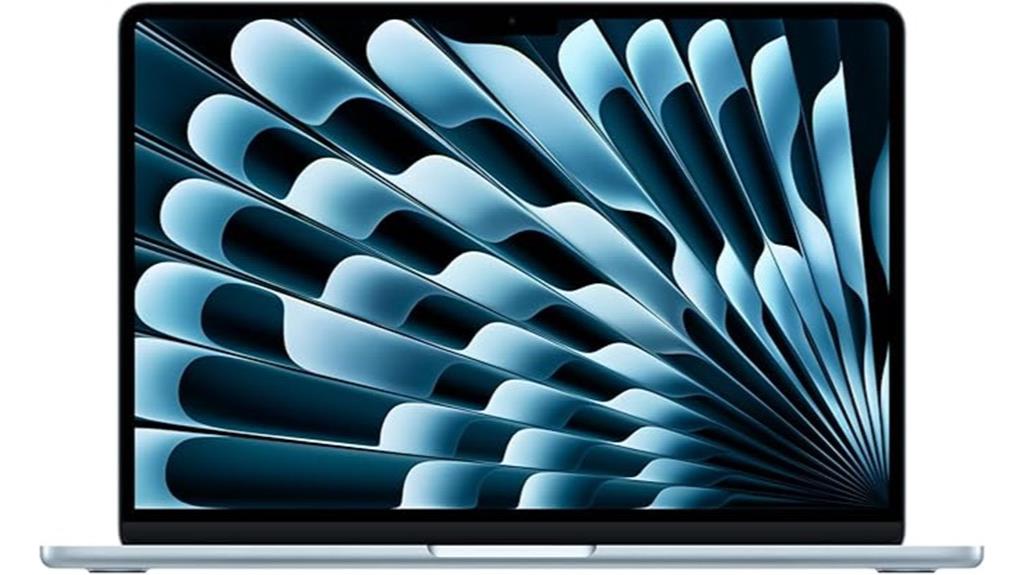
Travelers who need a quiet, lightweight laptop will find the Apple MacBook Air 13-inch with M4 chip an ideal choice. Weighing just 2.73 pounds and measuring only 0.44 inches thick, it’s perfect for on-the-go use. Its 13.6-inch Liquid Retina display offers vibrant colors and sharp detail, while the four-speaker system with Spatial Audio delivers immersive sound. Powered by the M4 chip, it handles multitasking, video editing, and gaming effortlessly. With up to 18 hours of battery life, fast charging, and seamless Apple ecosystem integration, this MacBook Air combines portability, power, and silence—making it an excellent companion for travel and work anywhere.
Best For: travelers and professionals seeking a lightweight, powerful, and quiet laptop for on-the-go productivity, creative work, and seamless ecosystem integration.
Pros:
- Ultra-lightweight and portable at just 2.73 pounds and 0.44 inches thick
- Bright, vibrant 13.6-inch Liquid Retina display with True Tone and wide P3 color support
- Long-lasting battery life of up to 18 hours with fast charging capabilities
Cons:
- Limited ports with only two Thunderbolt 4 ports and one MagSafe charging port, which may require adapters for some peripherals
- Higher price point compared to some Windows ultraportables with similar specs
- No dedicated GPU, which may limit performance for demanding graphics-intensive tasks
Apple MacBook Air 15-inch Laptop with M4 Chip

If you prioritize a quiet, fanless experience without sacrificing performance, the Apple MacBook Air 15-inch with M4 chip is an excellent choice for travel. It features a powerful 10-core CPU and GPU, along with a 16-core Neural Engine, ensuring smooth multitasking and creative workflows. The 15.3-inch Liquid Retina display delivers vibrant colors and sharp detail, perfect for work or entertainment on the go. With up to 18 hours of battery life and a lightweight design, it’s ideal for portability. Seamless Apple ecosystem integration, fast-charging, and advanced multimedia support make this laptop both practical and powerful for any traveler.
Best For: travelers and professionals seeking a quiet, lightweight, and powerful laptop with long battery life for on-the-go productivity and entertainment.
Pros:
- Fanless design ensures silent operation, ideal for quiet environments.
- Up to 18 hours of battery life supports all-day use without needing to recharge.
- Seamless integration with the Apple ecosystem enhances productivity and user experience.
Cons:
- Limited storage capacity of 256GB may require external solutions for large files.
- The high price point could be a barrier for budget-conscious buyers.
- No dedicated graphics card, which may affect high-end gaming or intensive graphic tasks.
Factors to Consider When Choosing Silent Fanless Macbooks for Travel

When selecting a silent fanless MacBook for travel, I consider factors like portability and size to guarantee it fits easily in my bag. Battery life is also essential so I can work long hours without needing to recharge, and I look for strong performance to handle my daily tasks. Finally, I check connectivity options and noise levels to verify the device meets my mobility and quietness needs.
Portability and Size
Silent fanless MacBooks are prized for their slim, lightweight designs, making them incredibly easy to carry around. Typically, they measure less than 0.5 inches thick, fitting effortlessly into backpacks and briefcases. Their compact size allows for easy handling and quick storage in small bags or compartments, perfect for travel. Weighing often under 3 pounds, these MacBooks reduce fatigue during long periods of use on the go. The streamlined design minimizes bulk, ensuring you won’t feel weighed down during your journeys. Whether commuting, working from a café, or hopping between airports, their portability means you can take your power and silence anywhere without hassle. Overall, their size and weight make them ideal companions for travelers prioritizing convenience and ease of transport.
Battery Life Duration
Choosing a silent fanless MacBook for travel means paying close attention to its battery life, as this determines how long you can work or enjoy entertainment without needing a recharge. A longer battery life guarantees your device can last throughout your travel day without frequent stops for charging. Devices offering up to 18 hours of video streaming or web browsing provide reliable power for extended use, making them ideal for busy travel days. Battery capacity, measured in watt-hours, directly impacts how long your MacBook can operate on a single charge. Fast-charging features are also valuable, allowing you to quickly replenish battery life and minimize downtime. Consistent performance in battery life is essential for maintaining silence and uninterrupted productivity, especially when you’re on the move.
Performance Capabilities
Battery life is important, but performance capabilities often determine whether a fanless MacBook can handle your travel needs. These devices leverage advanced thermal management and efficient M-series chips, like the M4, to deliver high performance without active cooling. They support demanding tasks such as video editing, multitasking, and graphics-intensive applications, all while remaining silent. The M4’s 10-core CPU and GPU, combined with hardware-accelerated media engines, ensure fast processing speeds suitable for professional workflows. Optimized macOS software helps manage power and heat, maintaining steady performance during extended use. This combination of high-performance hardware and innovative cooling solutions allows fanless MacBooks to operate smoothly in portable scenarios, making them reliable tools for travelers who need both power and quiet operation.
Noise Levels and Quietness
Since noise levels can substantially impact your travel experience, it’s crucial to evaluate how quiet a fanless MacBook truly is. These laptops operate without any moving parts, which means they produce virtually no noise during use. Relying solely on passive cooling, they greatly minimize background sounds, even during demanding tasks like video editing or multitasking. This quiet operation makes them ideal for silent environments such as libraries, meetings, or airports, where noise can be disruptive. The design ensures low noise levels across various workloads, providing a peaceful experience without sacrificing performance. If a silent workspace is a priority for you, fanless MacBooks offer a consistent, unobtrusive level of quietness that enhances focus and comfort during your travels.
Connectivity Options
When selecting a fanless MacBook for travel, paying attention to its connectivity options is vital to guarantee it meets your needs. I look for multiple Thunderbolt 4 ports and a headphone jack to support various wired connections without hassle. Fast wireless connectivity is essential, so I prioritize Wi-Fi 6E and Bluetooth 5.3 for quick, reliable links with compatible devices. It’s also important that the MacBook supports external displays, ideally up to two 6K monitors via Thunderbolt 4, for expanded productivity. Compatibility with USB-C hubs or adapters ensures I can connect peripherals like external drives or accessories. Additionally, features like MagSafe charging and fast charging support help keep my device powered throughout my travels. These options ensure I stay connected, productive, and powered up wherever I go.
Display Quality and Size
Choosing the right display size and quality is essential for making the most of your travel MacBook. Larger screens, like 15-inch models, offer immersive visuals but tend to be heavier and less portable. High-resolution Liquid Retina displays support a billion colors, making images sharp and vivid—perfect for multimedia work or entertainment on the go. Support for HDR, Dolby Vision, and Dolby Atmos further enhances visual and audio quality, elevating your viewing experience. Opting for thin, lightweight designs—under 10 inches and around 2.7 pounds—maximizes portability without sacrificing display clarity. Features like Touch ID and ambient light sensors improve usability, helping you navigate and view your screen comfortably in various lighting conditions. Balancing size, resolution, and portability ensures your travel MacBook meets your multimedia needs seamlessly.
Ecosystem Compatibility
To get the most out of a silent fanless MacBook for travel, it’s important to guarantee it integrates smoothly with your existing Apple devices. Make sure the operating system and software are compatible for seamless syncing. Features like iPhone Mirroring, AirDrop, and Handoff make data sharing effortless across devices. Check that the MacBook supports current Wi-Fi standards, such as Wi-Fi 6E, and Bluetooth versions like Bluetooth 5.3, for reliable wireless connections. Also, verify compatibility with accessories like external displays and Thunderbolt 4 peripherals to enhance your travel setup. Finally, consider security features like Touch ID and data encryption, ensuring they align with your ecosystem’s overall security protocols. A well-integrated device simplifies workflows and keeps your data safe while on the move.
Price and Value
Silent fanless MacBooks often come with a higher price tag because of their specialized cooling systems and sleek design, but it’s important to weigh this upfront cost against the benefits they provide. While the initial investment may seem steep, consider the long-term savings from reduced maintenance costs, since they avoid fan failures and dust buildup. The higher price can also be justified by increased portability and quiet operation, making them ideal for travel. When evaluating value, I compare what I pay to the performance, portability, and noise reduction benefits they offer. Ultimately, if you prioritize a silent, lightweight device with reliable performance on the go, the extra cost may be well worth it. Balancing price with your specific needs helps determine if they’re a smart investment.
Frequently Asked Questions
How Do Fanless Macbooks Handle High-Performance Tasks During Travel?
Fanless MacBooks handle high-performance tasks surprisingly well thanks to their efficient ARM-based processors and optimized software. I’ve found that during travel, they maintain smooth operation without overheating or loud fans. While intensive tasks like video editing can cause slight slowdowns, overall, they deliver powerful performance quietly and reliably, making them perfect companions for work or entertainment on the go without any noisy distractions.
What Is the Battery Life Expectancy of Silent Fanless Macbooks in Real-World Use?
I’ve found that silent fanless MacBooks typically last around 10 to 15 hours on a single charge in real-world use. Of course, this depends on what I’m doing—streaming, browsing, or working on more intensive tasks can shorten or extend that. I always carry a portable charger just in case, but overall, their impressive battery life keeps me going through long travel days without needing to find an outlet.
Are Fanless Macbooks More Prone to Overheating Under Heavy Workloads?
Fanless MacBooks can get warmer under heavy workloads, but they’re designed to handle it efficiently. I’ve noticed they often rely on passive cooling, so they might throttle performance slightly if they overheat. However, during normal use, I’ve found them to stay comfortable and cool. Just avoid pushing them to the limit for long periods, and they’ll perform well without overheating issues.
How Durable Are Fanless Macbooks for Frequent Travel and Transportation?
Fanless MacBooks are surprisingly durable for frequent travel and transport. I’ve traveled with mine multiple times, and it holds up well thanks to sturdy build quality and solid design. I always use a protective case, which helps prevent minor bumps and scratches. While I wouldn’t toss it around carelessly, I find that with careful handling, a fanless MacBook stays reliable and in good shape even with regular trips.
Can Silent Macbooks Be Upgraded or Customized After Purchase?
Silent MacBooks generally can’t be upgraded or customized after purchase, especially models with integrated components like the M1 or M2 chips. I’ve found that Apple designs them to be sleek and compact, which limits user modifications. If you need more storage or RAM, it’s best to choose the configuration you want upfront. Once bought, you’re mostly stuck with what you have, so plan carefully before making your purchase.
Conclusion
If you’re after a travel companion that’s as quiet as a whisper and as portable as your favorite backpack, these MacBooks are your perfect match. They’re like a gust of fresh air in a noisy world—powerful yet silent, ready to accompany you wherever adventure takes you. So, pick the one that best fits your needs, and let your journey be smooth, quiet, and full of possibilities. Your ideal travel partner awaits!





