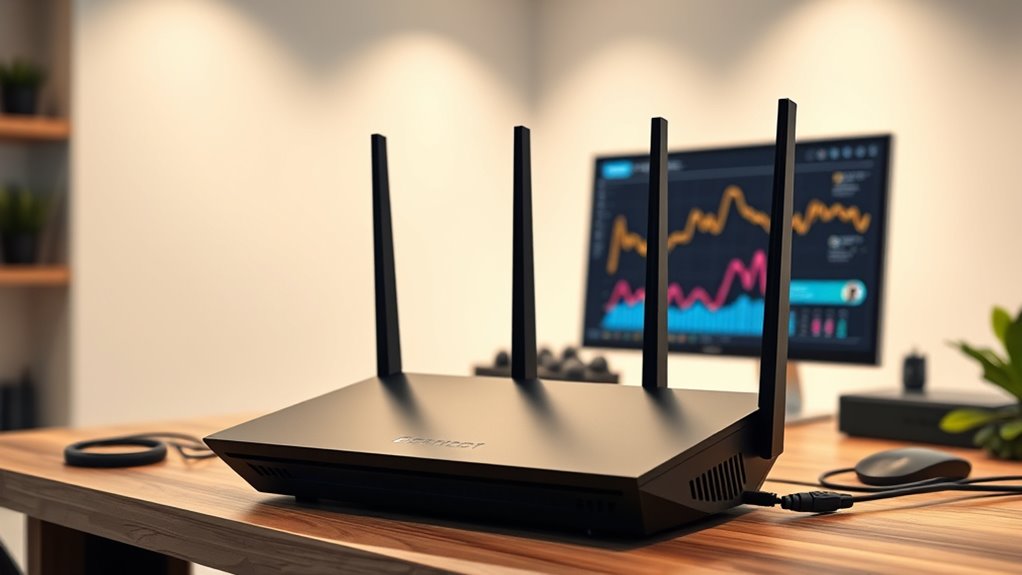

If you want to get the most out of gigabit internet in 2025, I recommend checking out top routers that support WiFi 7, WiFi 6E, and multi-gig ports, like the NETGEAR RS90 and RS140, or TP-Link’s AXE5400. These routers provide ultra-fast speeds, extensive coverage, and high device capacity, ensuring smooth, high-quality connections. Keep in mind compatibility with your internet plan and device needs—you’ll find more details that can help you make the perfect choice ahead.
Key Takeaways
- The top routers support Wi-Fi 7, Wi-Fi 6E, and multi-gig ports for maximum gigabit internet speeds.
- They feature advanced coverage, mesh compatibility, and high device capacity for seamless connectivity.
- Security and management features like WPA3, parental controls, and user-friendly apps ensure safe, easy setup.
- Compatibility with major ISPs and multi-gigabit plans makes these routers future-proof and versatile.
- High-performance hardware with multiple ports and beamforming technology optimize wired and wireless speed.
NETGEAR Nighthawk WiFi 7 Router (RS90)
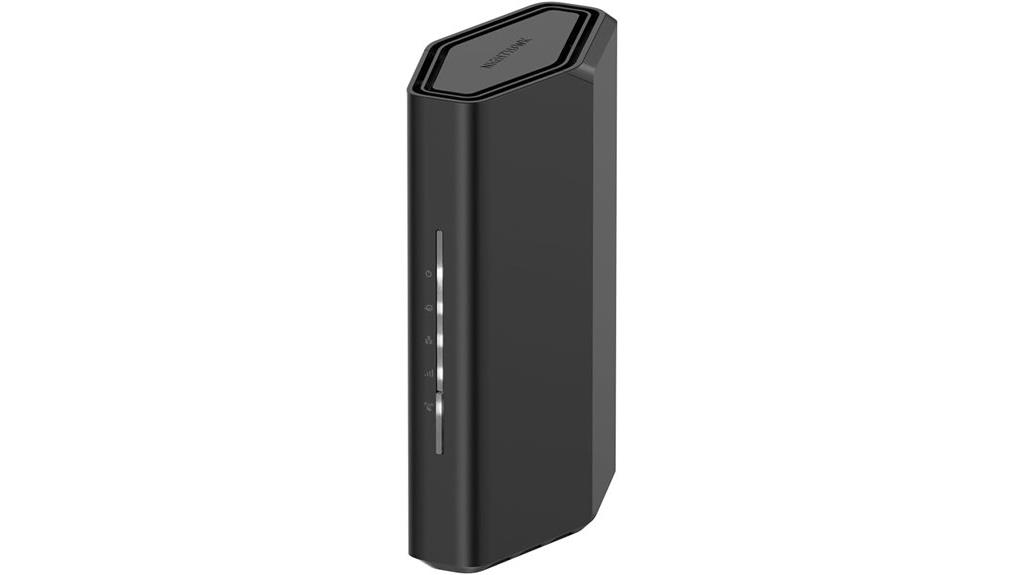
If you’re looking for a router that can handle demanding gaming, streaming, and video conferencing needs, the NETGEAR Nighthawk WiFi 7 Router (RS90) is an excellent choice. It offers blazing-fast speeds up to 3.6 Gbps, supporting up to 50 devices simultaneously across 2,000 sq. ft. of coverage. Designed for high performance, it features a sleek, compact body and easy setup via the Nighthawk app. While it requires a separate cable modem, its multi-gig 2.5 Gbps port guarantees you’re ready for multi-gig internet plans. Plus, with built-in security and NETGEAR Armor, your online safety is well-protected.
Best For: gamers, streamers, and professionals needing high-speed, reliable WiFi 7 connectivity for multiple devices within a 2,000 sq. ft. area.
Pros:
- Supports WiFi 7 speeds up to 3.6 Gbps, 1.2x faster than WiFi 6
- Can handle up to 50 devices simultaneously for seamless multitasking
- Easy setup and management via the user-friendly Nighthawk app
Cons:
- Does not include a built-in cable modem; requires a separate modem for internet access
- Designed for use in the U.S. only, limiting international compatibility
- May be more expensive than standard WiFi 6 routers with similar features
NETGEAR Nighthawk WiFi 7 Router (RS140)

The NETGEAR Nighthawk WiFi 7 Router (RS140) stands out as an excellent choice for gamers and streamers who demand lightning-fast speeds and reliable coverage. Supporting WiFi 7 speeds up to 5.0 Gbps and a 2.5 Gig internet port, it maximizes device performance with multi-gig capabilities. Its sleek, compact design offers coverage up to 2,250 sq. ft. and supports up to 80 devices simultaneously. Note that it’s a router-only device, requiring a separate modem with coax inputs. Plus, it comes with free expert assistance for setup and troubleshooting, making it a solid upgrade for any high-speed home network.
Best For: gamers, streamers, and high-bandwidth households seeking ultra-fast, reliable WiFi 7 coverage for multiple devices.
Pros:
- Supports WiFi 7 speeds up to 5.0 Gbps for optimal performance
- 2.5 Gig internet port enables multi-gig internet connections
- Compact, sleek design with coverage up to 2,250 sq. ft. and support for 80 devices
Cons:
- Router only; requires separate modem with coax inputs for internet service
- No included modem or additional networking hardware
- May be more expensive than WiFi 6 alternatives for casual users
TP-Link AX1800 WiFi 6 Router (Archer AX21)

For those seeking a reliable Wi-Fi 6 router that delivers fast, stable internet for multiple devices, the TP-Link AX1800 WiFi 6 Router (Archer AX21) stands out. It offers dual-band Wi-Fi 6 (802.11ax), supporting speeds up to 1.8 Gbps with 1200 Mbps on the 5 GHz band and 574 Mbps on 2.4 GHz. Equipped with Beamforming, four high-gain antennas, and OFDMA technology, it handles numerous devices smoothly. Compatible with major ISPs and featuring advanced security, easy mesh setup, and Alexa integration, it’s a solid choice for those looking to maximize their gigabit internet experience. Just remember, it requires a separate modem and doesn’t support the 6 GHz band.
Best For: those seeking a reliable, high-speed Wi-Fi 6 router that can handle multiple devices with enhanced security and easy mesh expansion.
Pros:
- Supports Wi-Fi 6 (802.11ax) with speeds up to 1.8 Gbps for faster, more efficient internet.
- Features Beamforming, OFDMA, and four high-gain antennas for strong, stable coverage across multiple devices.
- Compatible with all major ISPs and includes built-in security features plus easy mesh setup.
Cons:
- Requires a separate modem; it does not have a built-in modem.
- Does not support the 6 GHz band, limiting some future-proofing capabilities.
- Firmware updates and optimal performance depend on regular updates via the Tether app.
TP-Link AXE5400 Tri-Band WiFi 6E Router

With its tri-band WiFi 6E technology delivering up to 5400 Mbps, the TP-Link AXE5400 router is an excellent choice for anyone seeking blazing-fast gigabit internet. It harnesses the new 6 GHz band, offering more bandwidth and near-zero latency, perfect for gaming and streaming. The OFDMA technology increases capacity fourfold, allowing multiple devices to connect simultaneously without slowdown. Powered by a 1.7 GHz quad-core CPU and 512 MB RAM, it handles heavy network loads efficiently. Plus, with support for OneMesh, VPN, WPA3 security, and compatibility with major ISPs, it’s designed for seamless, secure, and high-performance home networking.
Best For: households and gamers seeking ultra-fast, reliable WiFi coverage for streaming, gaming, and multiple device connections with enhanced security and seamless coverage.
Pros:
- Supports tri-band WiFi 6E with up to 5400 Mbps combined speeds, ideal for high-bandwidth activities
- Utilizes OFDMA technology and 160MHz channel width for increased capacity and responsiveness
- Compatible with major ISPs and includes security features like WPA3 and TP-Link HomeShield
Cons:
- Requires a modem for most internet service providers, adding to setup complexity
- May be more expensive than dual-band or WiFi 5 routers, potentially limiting affordability for some users
- Advanced features like VPN setup may require technical knowledge to configure properly
TP-Link AC1900 Smart WiFi Router (Archer A8)
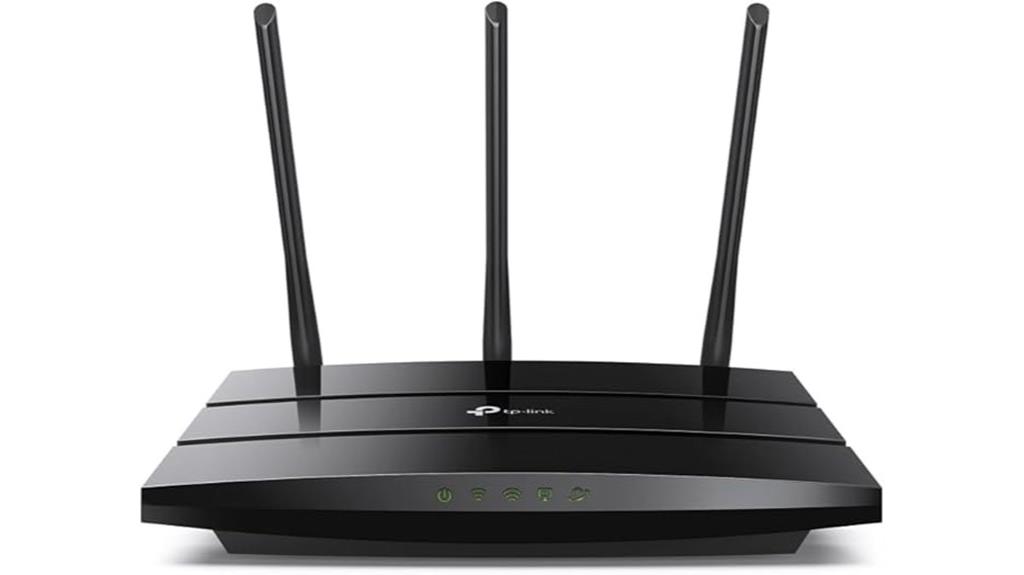
If you’re looking for a reliable router that can handle multiple devices at gigabit speeds, the TP-Link AC1900 Smart WiFi Router (Archer A8) is an excellent choice. It supports dual-band MU-MIMO technology, giving you combined speeds of up to 1900 Mbps with 600 Mbps on 2.4GHz and 1300 Mbps on 5GHz. Its Wave 2 wireless tech and beamforming guarantee strong, long-range signals. With four Gigabit LAN ports and one WAN port, wired connections are just as fast. Plus, its easy setup, full Gigabit speeds, and parental controls make it perfect for busy households needing secure, seamless WiFi coverage and reliable performance.
Best For: households and small offices seeking a reliable, high-speed WiFi router with strong coverage, device management, and wired connectivity.
Pros:
- Supports dual-band MU-MIMO technology for fast, simultaneous device connections
- Wave 2 wireless technology with beamforming ensures long-range, stable signals
- Four Gigabit LAN ports and one WAN port for high-speed wired connections
Cons:
- No USB port available for network sharing or device connection
- Requires a modem for most internet service providers, adding extra setup steps
- May be overkill for users with basic internet needs or smaller spaces
TP-Link AX3000 Wi-Fi 6 Router Archer AX55
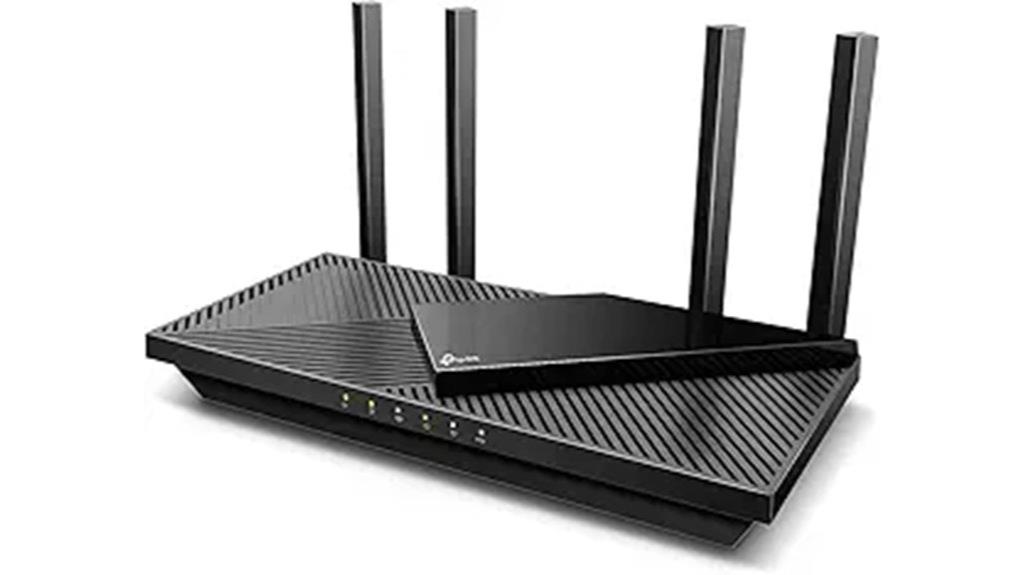
The TP-Link AX3000 Wi-Fi 6 Router Archer AX55 is an excellent choice for households demanding high-speed, reliable internet across multiple devices. It delivers impressive Gigabit Wi-Fi 6 speeds: 2402 Mbps on 5 GHz and 574 Mbps on 2.4 GHz, ensuring smoother streaming, faster downloads, and responsive gaming. Its OFDMA and MU-MIMO technology enable efficient sharing among many devices, reducing lag and latency. Four high-gain antennas with Beamforming extend coverage throughout your home. Plus, features like TP-Link HomeShield security, compatibility with major ISPs, and support for VPN and Alexa make this router versatile, secure, and easy to manage.
Best For: households seeking high-speed, reliable Wi-Fi coverage for multiple devices with advanced security and smart home integration.
Pros:
- Supports fast Wi-Fi 6 speeds with OFDMA and MU-MIMO technology for efficient multi-device connectivity.
- Extended coverage with four high-gain antennas and Beamforming technology.
- Features robust security with TP-Link HomeShield and compatibility with VPN and Alexa.
Cons:
- Requires a modem for most ISP services, adding to setup complexity.
- No mention of built-in Wi-Fi mesh capabilities without additional setup.
- The design may be bulkier compared to more compact routers.
ARRIS G18 Cable Modem Router Combo with WiFi 6 (AX1800)
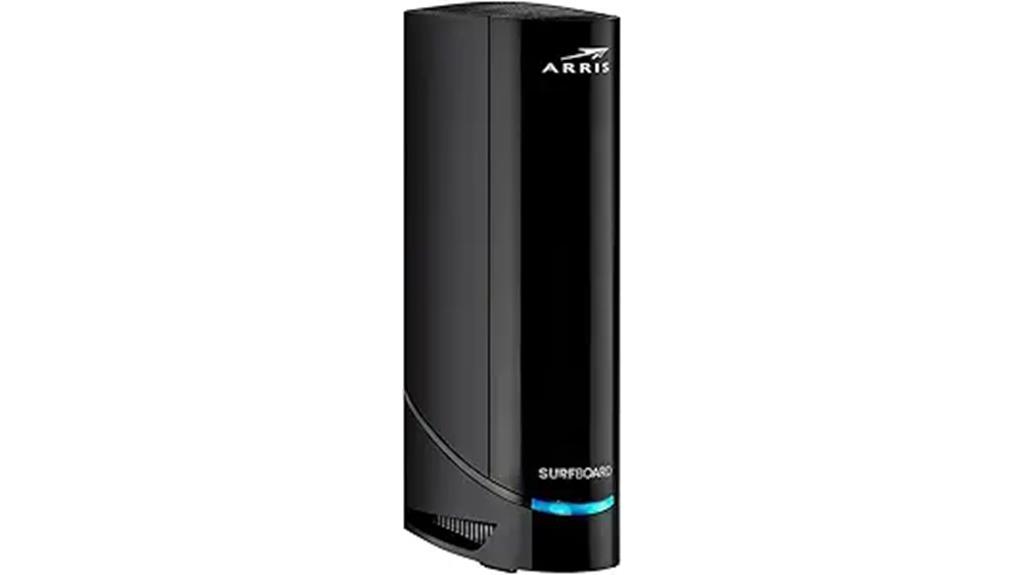
For anyone seeking a reliable, all-in-one solution to upgrade their home internet, the ARRIS G18 Cable Modem Router Combo with WiFi 6 (AX1800) stands out. It uses DOCSIS 3.1 technology, delivering multi-gigabit speeds and improved security. Compatible with major ISPs like Comcast, Cox, and Spectrum, it’s approved for widespread use. Its Wi-Fi 6 dual-band guarantees faster, broader coverage, perfect for streaming, gaming, and browsing throughout your home. Plus, owning this device saves money by eliminating rental fees, potentially saving up to $168 a year. With over 260 million homes trusting ARRIS, it’s a dependable choice for modern digital needs.
Best For: households seeking a reliable, high-speed all-in-one internet solution that eliminates rental fees and supports extensive streaming, gaming, and browsing needs.
Pros:
- Utilizes DOCSIS 3.1 technology for multi-gigabit speeds and enhanced security
- Wi-Fi 6 dual-band coverage provides faster, broader wireless performance throughout the home
- Compatible with major ISPs like Comcast, Cox, and Spectrum, ensuring easy integration
Cons:
- May require technical setup and configuration for optimal performance
- Limited to Wi-Fi 6 (AX1800), which might be less future-proof than higher-end models
- Does not include additional features like built-in mesh networking or advanced parental controls
TP-Link Dual-Band Wi-Fi 7 Router Archer BE230
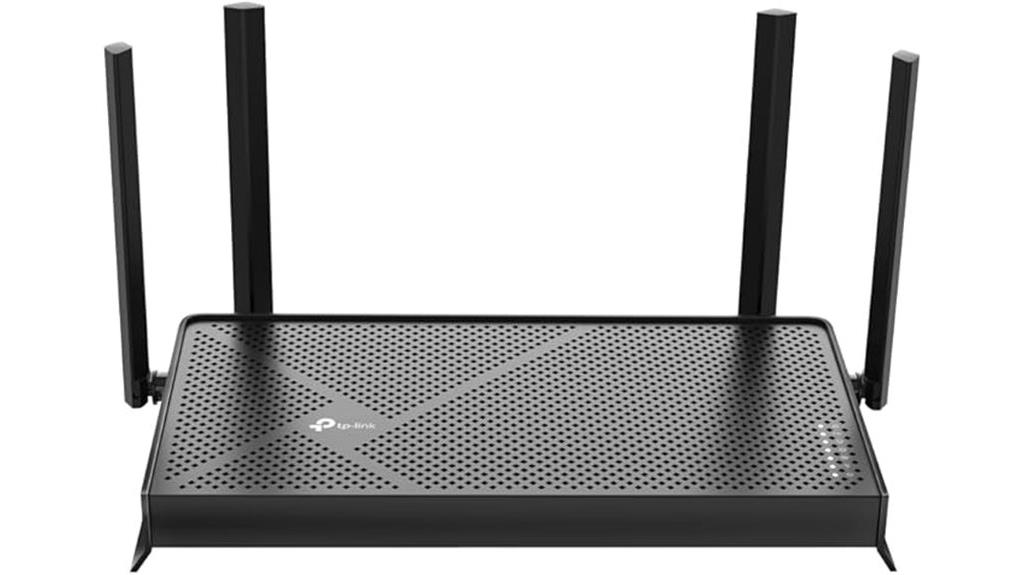
Powered by Wi-Fi 7, the TP-Link Archer BE230 is an excellent choice for households demanding ultra-fast, reliable internet across multiple devices. It offers up to 3.6 Gbps speeds, thanks to features like Multi-Link Operation, Multi-RUs, and 4K-QAM, with 2882 Mbps on 5 GHz and 688 Mbps on 2.4 GHz. Its 2.0 GHz quad-core processor handles high throughput with minimal latency, ideal for streaming, gaming, and downloads. Four external antennas with beamforming assure strong coverage throughout your home. Dual 2.5 Gbps ports, along with three 1 Gbps LAN ports, maximize high-speed connections, making it a future-proof, high-performance router for gigabit internet.
Best For: households and small to medium-sized homes seeking ultra-fast, reliable Wi-Fi 7 connectivity for streaming, gaming, and multiple device use.
Pros:
- Delivers up to 3.6 Gbps speeds with Wi-Fi 7 technology for high-performance connectivity
- Equipped with four external antennas and beamforming for strong, reliable coverage throughout the home
- Supports dual 2.5 Gbps ports and multiple 1 Gbps LAN ports for high-speed wired connections
Cons:
- Requires a compatible modem and internet service plan for full functionality
- May be more expensive than traditional Wi-Fi 6 routers due to advanced features
- Setup and management might be complex for users unfamiliar with advanced networking options
NETGEAR Nighthawk WiFi 7 Router (RS90)
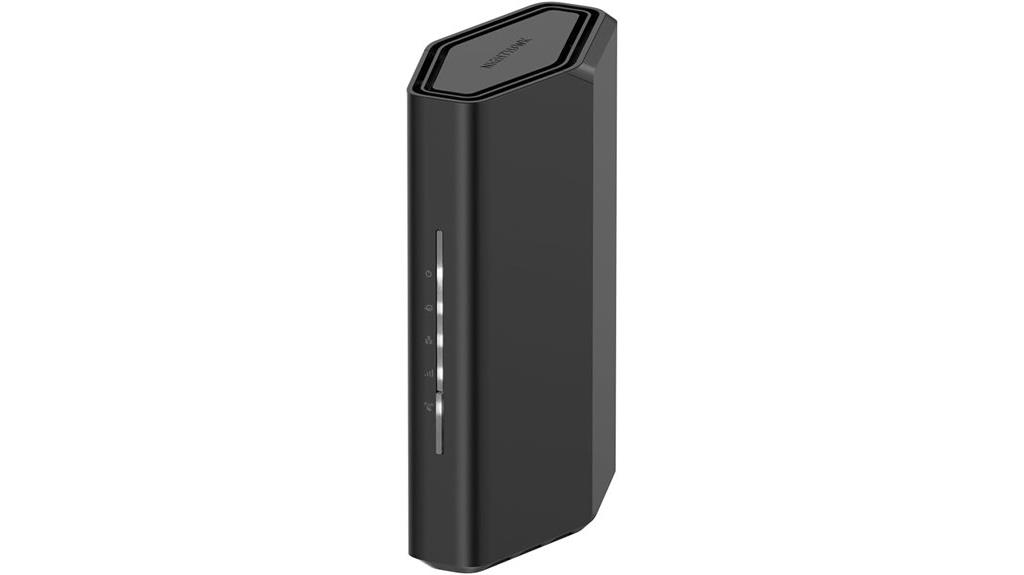
If you’re seeking a high-performance router capable of handling multiple devices and demanding activities like gaming and 4K streaming, the NETGEAR Nighthawk WiFi 7 Router (RS90) is an excellent choice. It delivers WiFi 7 speeds up to 3.6 Gbps, supporting up to 50 devices simultaneously across a 2,000 sq. ft. area. Its sleek design, easy setup via the Nighthawk app, and support for multi-gig internet ports make it versatile. Plus, built-in security features and NETGEAR Armor offer robust protection against cyber threats. Keep in mind, it requires a separate cable modem for internet service, but it’s perfect for maximizing gigabit speeds at home.
Best For: gamers, streamers, and households needing reliable high-speed WiFi to support multiple devices and demanding activities.
Pros:
- Supports WiFi 7 speeds up to 3.6 Gbps and up to 50 devices simultaneously
- Covers approximately 2,000 sq. ft. with high-performance antennas
- Easy setup and management via the Nighthawk app, with built-in security features
Cons:
- Does not include a built-in cable modem; requires a separate modem for internet access
- Designed for use in the U.S. only
- Higher price point compared to earlier WiFi standards
TP-Link AX5400 WiFi 6 Router (Archer AX73)
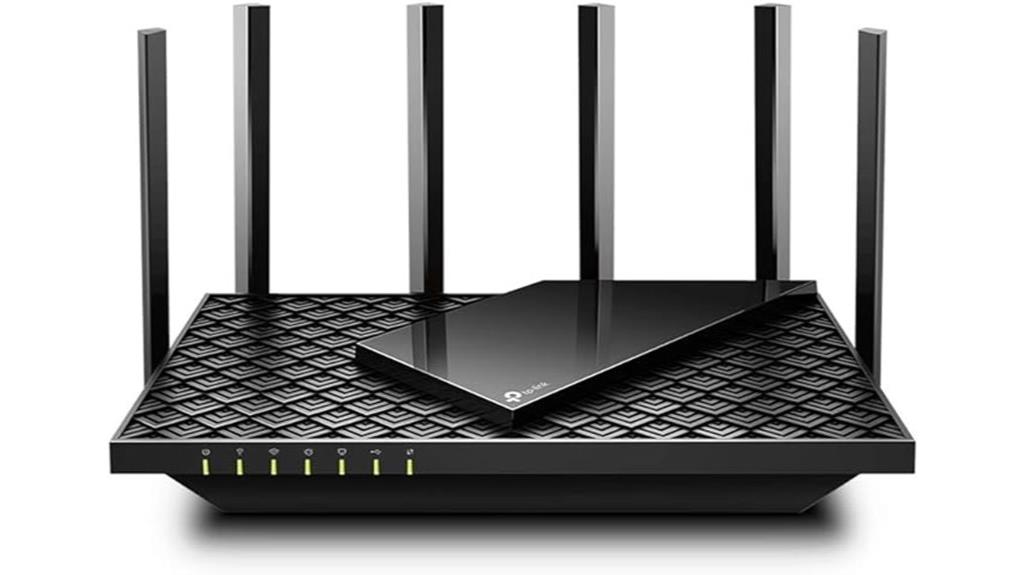
The TP-Link AX5400 WiFi 6 Router (Archer AX73) stands out as an excellent choice for households that demand high-speed, reliable internet across multiple devices. It delivers dual-band gigabit WiFi up to 5400 Mbps, supporting 8K streaming, gaming, and fast downloads simultaneously. With 4T4R and HE160 tech on the 5 GHz band, it achieves ultra-fast 4.8 Gbps connections. Its extensive coverage is boosted by six high-gain antennas and beamforming, ensuring stable signals in every corner of your home. Plus, the router features a USB 3.0 port, TP-Link’s HomeShield security, and compatibility with major ISPs, making it a versatile and powerful gigabit router option.
Best For: households seeking high-speed, reliable WiFi coverage across multiple devices with advanced security features.
Pros:
- Delivers up to 5400 Mbps dual-band gigabit WiFi, supporting 8K streaming, gaming, and downloads simultaneously
- Extensive coverage with six high-gain antennas, beamforming, and 4T4R technology for stable signals in all home areas
- Includes TP-Link HomeShield security for network protection and a USB 3.0 port for media sharing and cloud storage
Cons:
- Requires a modem for most ISP services, which may add to setup complexity and cost
- May be more expensive compared to basic routers without advanced features
- Limited to operating within temperature ranges of 0℃ to 40℃, so unsuitable for extreme environments
NETGEAR Nighthawk Modem Router Combo (CAX30) DOCSIS 3.1 Cable Modem & WiFi 6 Router

For anyone seeking a reliable, all-in-one solution for gigabit internet, the NETGEAR Nighthawk CAX30 stands out as a top choice. It combines a DOCSIS 3.1 cable modem with a WiFi 6 router, supporting plans up to 2Gbps. With 32×8 channel bonding, dual-band speeds up to 2.7Gbps, and coverage of 2,000 sq. ft., it handles multiple devices effortlessly. Four Gigabit Ethernet ports and a USB 3.0 port enhance wired connectivity. Plus, it saves money by replacing rental equipment and includes NETGEAR Armor for security. Easy to set up and manage via the Nighthawk app, it’s a solid upgrade for fast, secure gigabit internet.
Best For: households or small businesses seeking a reliable, all-in-one gigabit internet solution with strong WiFi 6 coverage and security.
Pros:
- Supports fast DOCSIS 3.1 with 32×8 channel bonding for optimal performance.
- Covers up to 2,000 sq. ft. and supports 25 devices simultaneously.
- Includes NETGEAR Armor security for protection against cyber threats.
Cons:
- Not compatible with Verizon, AT&T, CenturyLink, or DSL providers.
- May be overkill for users with basic internet needs.
- Limited to cable internet plans up to 2Gbps, not suitable for ultra-high-speed plans beyond that.
DBIT AX1500 WiFi 6 Router
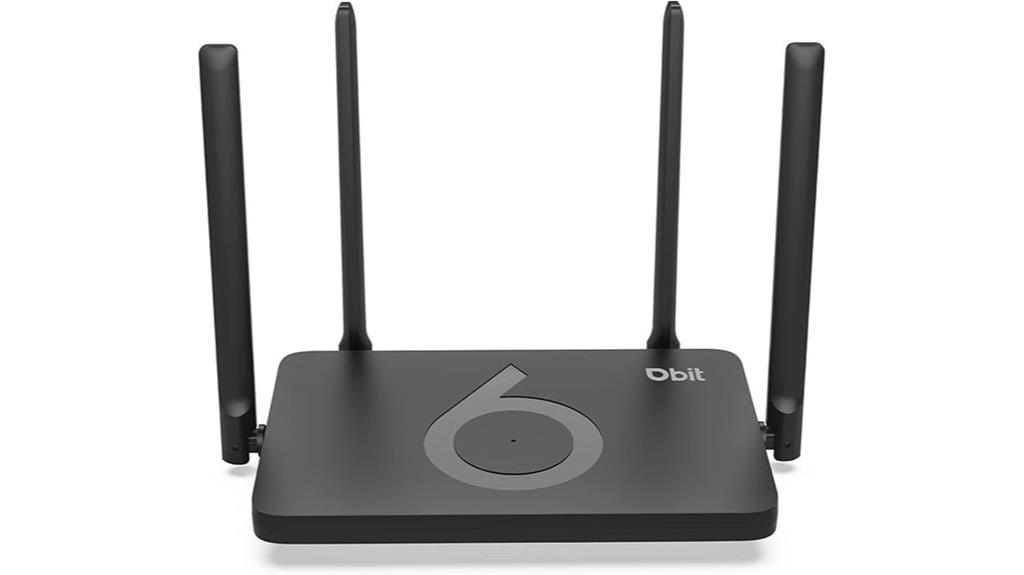
The DBIT AX1500 WiFi 6 Router is an excellent choice for households and small offices that need fast, reliable internet across multiple devices. Its dual-band WiFi 6 technology delivers up to 1.5 Gbps, with 1200 Mbps on the 5 GHz band and 300 Mbps on 2.4 GHz, ensuring smooth streaming, gaming, and downloads. Thanks to OFDMA, it supports many devices simultaneously, reducing congestion. It features multiple modes—Router, Repeater, Bridge—and supports Mesh Networking via EasyMesh, enabling seamless coverage. With WPA3 security, Gigabit Ethernet ports, and advanced features like Beamforming and MU-MIMO, it offers a robust, secure, and versatile networking solution.
Best For: households and small offices seeking fast, reliable WiFi 6 connectivity with seamless device support and enhanced security.
Pros:
- Delivers up to 1.5 Gbps combined speed for smooth streaming and gaming
- Supports multiple devices simultaneously with OFDMA and MU-MIMO technology
- Offers flexible network modes and Mesh support for comprehensive coverage
Cons:
- Requires a modem for internet connection, which is not included
- Limited to 4 Gigabit Ethernet ports, which may be insufficient for extensive wired setups
- Advanced features may be complex for non-technical users to configure easily
TP-Link Archer BE6500 Wi-Fi 7 Router
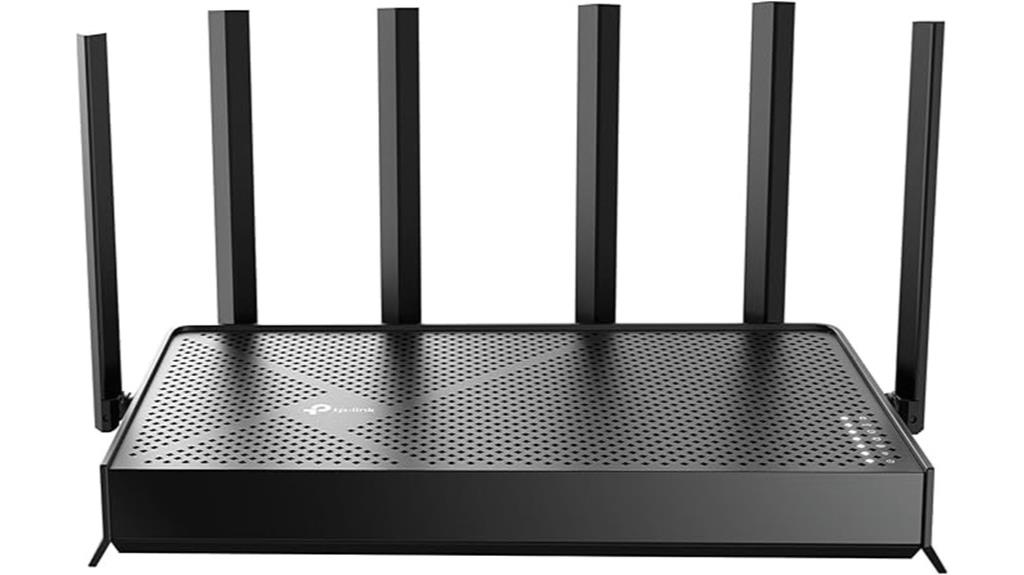
If you’re looking to upgrade your home network for the latest devices and high-bandwidth activities, the TP-Link Archer BE6500 Wi-Fi 7 Router stands out as an excellent choice. It features cutting-edge Wi-Fi 7 technology with Multi-Link Operation, Multi-RUs, and 4K-QAM, delivering combined speeds up to 6.5 Gbps—perfect for streaming 4K/8K content, gaming, and fast downloads. Covering up to 2,400 sq. ft. and supporting 90 devices, it offers six high-performance antennas and multiple gigabit ports for seamless wired and wireless connectivity. Plus, with advanced security via TP-Link’s HomeShield and easy setup through the Tether app, it’s future-proof and user-friendly.
Best For: home users seeking high-speed, reliable Wi-Fi 7 connectivity for streaming, gaming, and smart home devices across large spaces.
Pros:
- Supports Wi-Fi 7 technology with speeds up to 6.5 Gbps for future-proof performance
- Covers large areas up to 2,400 sq. ft. and supports up to 90 devices simultaneously
- Features multiple gigabit ports, including 2.5 Gbps WAN/LAN, for fast wired connections and multi-gig internet access
Cons:
- May be pricier than Wi-Fi 6 routers due to advanced features and Wi-Fi 7 support
- Setup and configuration might be complex for non-technical users despite app support
- Limited availability of Wi-Fi 7-compatible devices currently, which may impact immediate benefits
TP-Link AC1200 WiFi Router (Archer A6)

The TP-Link AC1200 WiFi Router (Archer A6) stands out as an excellent choice for households that need reliable, high-speed internet across multiple devices. With dual-band support—2.4GHz at 300 Mbps and 5GHz at 900 Mbps—it offers a combined speed of 1200 Mbps, perfect for streaming 4K content and reducing buffering. Its four external antennas and beamforming technology provide boosted coverage and strong signals over long distances. MU-MIMO ensures simultaneous connections without lag. Easy to set up and compatible with major ISPs, it also features advanced security with WPA3 and supports OneMesh for seamless whole-home coverage.
Best For: households and small offices seeking reliable, high-speed WiFi coverage for multiple devices with enhanced security and long-range performance.
Pros:
- Supports combined speeds up to 1200 Mbps ideal for 4K streaming and gaming
- Four external antennas with beamforming technology for boosted long-range coverage
- MU-MIMO technology allows multiple devices to connect simultaneously without lag
Cons:
- Requires a modem for most internet service providers, adding to setup complexity
- Lacks WiFi 6 support, which could limit future compatibility with newer devices
- May be overpowered for very small homes or single-user setups, leading to unnecessary cost
TP-Link AX3000 WiFi 6 Router (Archer AX55 Pro)
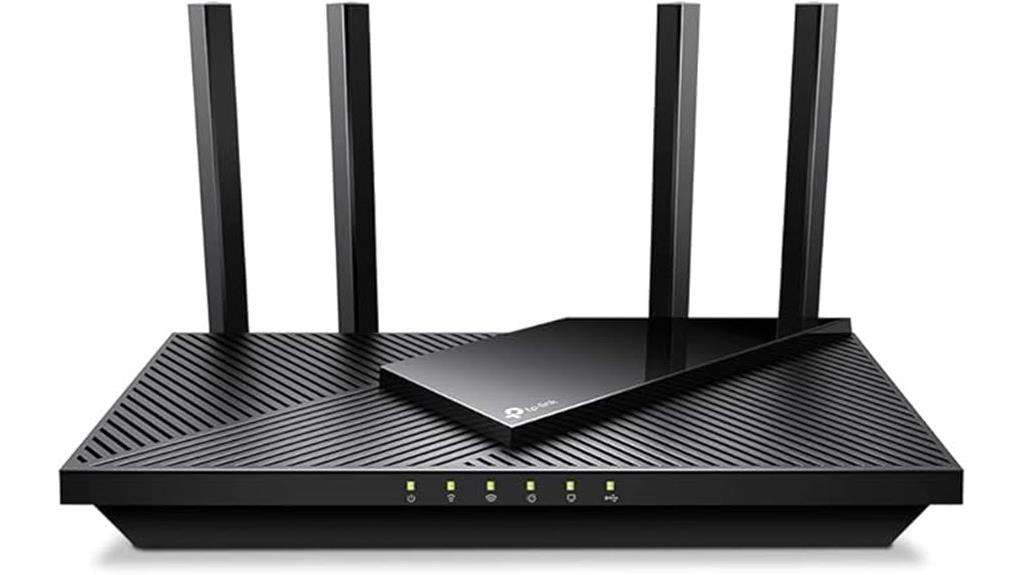
For households seeking reliable, high-speed WiFi coverage that can handle multiple devices simultaneously, the TP-Link AX3000 WiFi 6 Router (Archer AX55 Pro) stands out as an excellent choice. It delivers dual-band speeds up to 2402 Mbps on 5GHz and 574 Mbps on 2.4GHz, supporting 8K/4K streaming and lag-free gaming. Its four antennas with Beamforming ensure strong coverage throughout your home. The router also includes a 2.5 Gbps WAN port, multi-device support via MU-MIMO and OFDMA, and easyMesh compatibility for seamless mesh expansion. Security is robust with TP-Link HomeShield, and setup is simple with voice control options.
Best For: households and small to medium-sized homes seeking high-speed, reliable WiFi coverage with support for multiple devices and seamless mesh expansion.
Pros:
- Supports dual-band WiFi 6 speeds up to 2402 Mbps on 5GHz and 574 Mbps on 2.4GHz for smooth streaming and gaming
- Equipped with four high-performance antennas with Beamforming technology for strong coverage throughout the home
- Features multi-gigabit ports (2.5 Gbps WAN and LAN) and supports MU-MIMO and OFDMA for efficient multi-device connectivity
Cons:
- Requires a modem for most internet service providers, adding to setup complexity
- No built-in modem, so not an all-in-one solution for internet access
- Limited details on advanced parental controls and customization options in the provided context
Factors to Consider When Choosing Routers for Gigabit Internet
When selecting a router for gigabit internet, I consider several key factors to guarantee ideal performance. These include speed compatibility, the number of devices it can handle, coverage area, future-proof features, and security options. Focusing on these points helps me choose a router that meets my current needs and adapts to future demands.
Speed Compatibility
Choosing a router that can handle gigabit internet requires paying close attention to its speed capabilities. To get the most out of your plan, look for routers supporting Wi-Fi 6 or Wi-Fi 7, which deliver higher data rates. Confirm the router’s maximum wireless bandwidth matches or exceeds your gigabit plan, typically 1 Gbps or more. Check for multi-gig ports, like 2.5 Gbps or 10 Gbps Ethernet, to optimize wired connections. Verify that the router uses current Wi-Fi standards such as 802.11ax or 802.11be, capable of supporting high data speeds. Older standards like Wi-Fi 5 or earlier may fall short of gigabit speeds, so choosing newer standards is essential for full compatibility and maximum performance.
Device Capacity
To get the most out of gigabit internet, it’s essential to select a router that can handle a high number of devices simultaneously. Look for models supporting Wi-Fi 6 or Wi-Fi 6E, as these technologies improve multi-device efficiency. Features like OFDMA and MU-MIMO are critical—they allow the router to transmit data to multiple devices at once, boosting overall capacity. Check the maximum supported device count; high-capacity routers can often handle 80 or more devices without slowing down. Also, consider routers with multiple high-speed ports, such as 2.5 Gbps or 10 Gbps, to support wired connections and reduce wireless congestion. Finally, confirm the firmware and hardware are built to manage high device density, providing stable, reliable performance for everyone connected.
Coverage Range
A router’s coverage range is vital for guaranteeing strong Wi-Fi signals throughout your entire home, especially in larger spaces or homes with multiple floors. The number and quality of antennas play a key role; high-gain external antennas can considerably extend coverage. Beamforming technology further enhances range by focusing Wi-Fi signals directly toward connected devices, resulting in better coverage and stronger signals. Supporting mesh networking allows multiple routers or extenders to work together, seamlessly expanding coverage across larger areas. Additionally, the physical design and placement of the router—such as positioning it centrally and at a higher elevation—can optimize its effective coverage. Considering these factors helps make sure you get reliable, high-speed Wi-Fi throughout your home, making the most of your gigabit internet connection.
Future-Proof Features
As internet speeds and device capabilities continue to evolve rapidly, selecting a router with future-proof features becomes essential to keep up with upcoming technology. I recommend looking for routers that support the latest Wi-Fi standards, such as Wi-Fi 6E and Wi-Fi 7, to ensure compatibility with future devices. Features like Multi-Link Operation (MLO) and Multi-RUs in Wi-Fi 7 deliver higher speeds, lower latency, and more reliable connections as demands grow. Multi-gigabit ports, like 2.5 Gbps or higher, prepare your network for faster fiber and cable plans. Additionally, robust security protocols like WPA3 and VPN support safeguard your data long-term. Compatibility with mesh networks and seamless roaming also ensures your home can adapt and expand without hassle.
Security Measures
When choosing a router for gigabit internet, prioritizing security features can protect your fast connection from threats and unauthorized access. Look for routers that support WPA3 encryption, the latest standard offering stronger wireless security. Built-in security features like firewalls, automatic firmware updates, and malware protection help safeguard your network from vulnerabilities. It’s also wise to choose a router with advanced security protocols and parental controls to protect family devices and monitor usage. Ensure the router can receive regular security updates to patch vulnerabilities promptly. Additionally, consider routers with integrated VPN support, enabling secure remote access to your network. These security measures help keep your high-speed internet safe and protected against evolving cyber threats.
Easy Setup
Choosing a gigabit router with easy setup features can save you time and frustration, especially if you’re not tech-savvy. Look for routers that offer guided setup steps through mobile apps or web interfaces, making installation straightforward. Many modern routers support quick setup with one-click configuration or auto-detection, simplifying the process of connecting to your ISP. Clear, detailed instructions and intuitive menus can help reduce setup time and prevent errors. Compatibility with setup assistants or support tools further streamlines installation, which is especially helpful for beginners. Additionally, consider routers that offer remote management options, allowing you to configure and troubleshoot your network easily from anywhere. An easy setup ensures you get your gigabit internet running smoothly without unnecessary complications.
ISP Compatibility
Ensuring your router is compatible with your internet service provider’s requirements is vital for a smooth gigabit experience. I recommend checking if your ISP supports certain standards, like DOCSIS for cable or fiber-specific approvals. Look for routers with multi-gigabit ports—2.5 Gbps or higher—to match your plan’s speeds and prevent bottlenecks. It’s also essential to confirm that the hardware and firmware are compatible with your ISP’s network configurations and any specific settings they require. Additionally, verify if the router supports VPNs, security protocols, and other features your provider recommends or mandates. By ensuring these compatibility factors, you’ll get the most out of your gigabit connection without performance issues or configuration conflicts.
Frequently Asked Questions
How Do Router Features Influence Actual Gigabit Speeds?
Router features directly impact your gigabit speeds by handling data efficiently. Advanced features like Wi-Fi 6 or Wi-Fi 6E support faster connections and better device management. MU-MIMO technology allows multiple devices to stream simultaneously without slowing down. Quality of Service (QoS) prioritizes important traffic, ensuring smooth performance. If your router lacks these features, your gigabit speeds won’t be fully realized, so choosing a router with modern capabilities makes a big difference.
What Is the Best Placement for Gigabit Routers at Home?
I recommend placing your gigabit router in a central location of your home, ideally elevated on a shelf or wall. Keep it away from thick walls, metal objects, and electronic devices that can cause interference. This positioning guarantees even coverage and minimizes signal loss. Also, avoid placing it near large appliances or mirrors, as these can reflect or absorb signals, which could slow down your internet speeds.
Do Older Devices Support Gigabit Wi-Fi Standards?
Think of older devices like vintage cars—they might not hit top speeds, but they can still get you around. Most older gadgets support Wi-Fi standards up to 802.11n or ac, which are capable of gigabit speeds under the right conditions. However, they don’t fully leverage gigabit Wi-Fi like newer devices do. Upgrading your device or adding a compatible adapter can help you enjoy faster internet without missing out.
How Does Latency Affect Gaming and Streaming With These Routers?
Latency plays a huge role in gaming and streaming, affecting how smooth and responsive your experience feels. Lower latency means less lag, so your actions register instantly, which is critical for competitive gaming. For streaming, reduced latency guarantees your content buffers less and plays seamlessly. With the right routers, especially those supporting the latest standards, you’ll notice faster response times and a more enjoyable, uninterrupted experience.
Are There Security Considerations Unique to High-Speed Routers?
Imagine I’m a hacker in 2025, and high-speed routers are my treasure chests. High-speed routers do bring unique security concerns, like increased risk of data breaches if not properly protected. I always recommend enabling WPA3 encryption, keeping firmware updated, and disabling unnecessary features. These steps help safeguard your network, just like a medieval castle’s defenses, because faster speeds shouldn’t mean sacrificing security.
Conclusion
So, there you have it—your ticket to blazing fast gigabit internet. Whether you pick a sleek WiFi 7 or a trusty WiFi 6 model, just remember: speed’s only as good as the router’s patience for all your endless streaming, gaming, and meme sharing. Don’t settle for sluggish connections or “buffering…” anymore. Upgrade smart, surf faster, and turn that gigabit dream into your everyday reality—because waiting is so last decade.