
If you’re after the best gaming routers with low latency in 2025, I recommend looking at models with the latest Wi-Fi 6, 6E, or 7 standards like the ASUS ROG GT-BE98 PRO or TP-Link Archer GE650. These offer fast speeds, multiple gigabit ports, and advanced features like OFDMA and Multi-Link Operation for minimal lag. To guarantee smooth gameplay, factors like coverage, security, and multi-device support matter. Keep exploring to see which one fits your setup perfectly.
Key Takeaways
- Prioritize routers supporting Wi-Fi 6 and Wi-Fi 7 for multi-gigabit speeds and ultra-low latency.
- Look for models with advanced technologies like OFDMA, Multi-Link Operation, and beamforming to optimize data transfer.
- Choose routers with multi-gig ports (2.5 Gbps, 10 Gbps) for stable wired connections and minimal lag.
- Select devices with gaming-specific features such as traffic prioritization, QoS, and real-time monitoring.
- Consider routers with robust security, extensive coverage, and easy management for seamless, lag-free gaming experiences.
GL.iNet GL-MT6000 (Flint 2) WiFi 6 Gaming Router

If you’re serious about low-latency gaming and need a router that can handle multiple devices without sacrificing speed, the GL.iNet GL-MT6000 (Flint 2) WiFi 6 Gaming Router is an excellent choice. It offers WiFi 6 speeds up to 6 Gbps with 8-stream technology, ensuring stable, fast connections for gaming, streaming, or video calls. Equipped with dual 2.5G Ethernet ports, it’s perfect for fiber optic setups. Its ability to support over a hundred devices makes it ideal for busy households or gaming setups. Plus, quick setup and robust security features, like VPN support and ad-blocking, make it a versatile, reliable choice for seamless online experiences.
Best For: gamers and households requiring high-speed, low-latency WiFi 6 connectivity with multiple device support.
Pros:
- Supports WiFi 6 speeds up to 6 Gbps with 8-stream technology for stable, fast connections
- Dual 2.5G Ethernet ports ideal for fiber optic internet setups
- Capable of handling over a hundred devices, making it suitable for busy households or gaming setups
Cons:
- Initial setup requires firmware update for optimal performance
- May be more expensive compared to standard routers without WiFi 6 features
- Requires technical knowledge for advanced configurations and plugin installations
GL.iNet GL-BE9300 (Flint 3) Tri-Band WiFi 7 Router

The GL.iNet GL-BE9300 (Flint 3) Tri-Band WiFi 7 Router stands out for gamers who demand ultra-fast, low-latency connections across large spaces. It supports WiFi 7 with speeds up to 9 Gbps, perfect for 8K streaming, gaming, and video calls. Its MLO technology, enhanced OFDMA, and 6GHz band reduce latency and boost connectivity. With coverage reaching 2,000 sq ft, it’s ideal for big homes or offices. It handles over 100 devices, offers strong security with VPN support, and includes parental controls. Setup is straightforward, making it a reliable, high-performance choice for serious gamers in 2025.
Best For: gamers and large households seeking ultra-fast, low-latency WiFi 7 connectivity with extensive device support and reliable coverage.
Pros:
- Supports WiFi 7 standard with speeds up to 9 Gbps, ideal for high-bandwidth activities like 8K streaming and gaming.
- Long-range coverage up to 2,000 sq ft, suitable for large homes and offices.
- Handles over 100 devices simultaneously with stable, reliable performance.
Cons:
- Advanced features may require technical knowledge for optimal setup and management.
- Higher cost compared to standard WiFi 6 routers.
- Firmware updates and security settings might need regular attention to maintain peak performance.
TP-Link AX1800 WiFi 6 Router (Archer AX21)
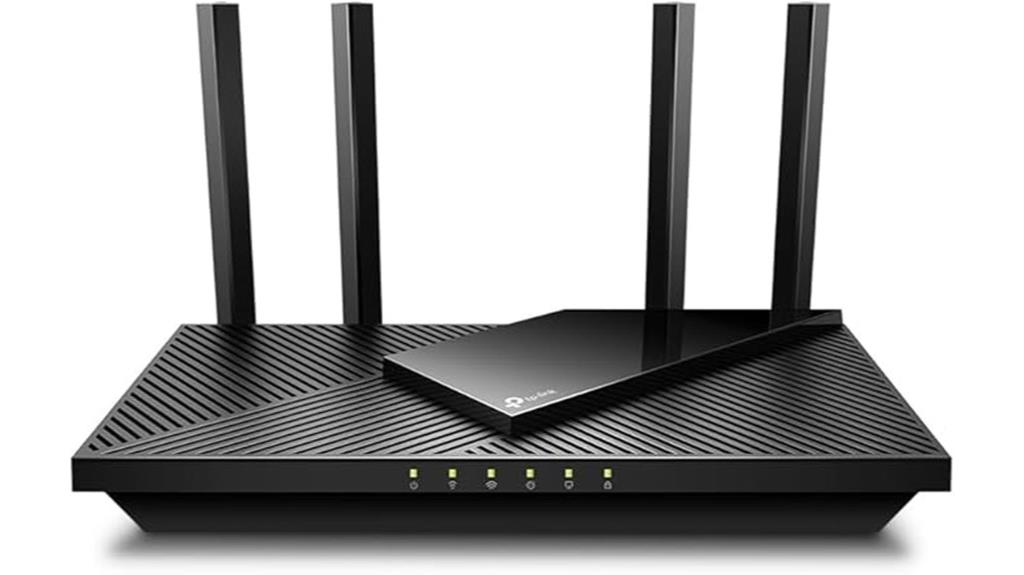
For gamers seeking a reliable connection without breaking the bank, the TP-Link AX1800 WiFi 6 Router (Archer AX21) stands out with its dual-band Wi-Fi 6 technology, ensuring faster speeds and lower latency. It supports up to 1.8 Gbps total bandwidth, making streaming, gaming, and downloading smoother. Equipped with Beamforming, four high-gain antennas, and OFDMA tech, it offers strong, reliable coverage even for distant devices. Compatible with all major ISPs and easy to set up with user-friendly features like Alexa support and Mesh technology, it’s a solid choice for seamless gaming experiences in 2025.
Best For: gamers and households seeking reliable, high-speed Wi-Fi 6 coverage without high costs, supporting multiple devices for streaming, gaming, and downloading.
Pros:
- Supports Wi-Fi 6 (802.11ax) for faster speeds and reduced congestion
- Equipped with Beamforming, four high-gain antennas, and OFDMA technology for strong coverage
- Compatible with all major ISPs and easy to set up with user-friendly features like Alexa and Mesh support
Cons:
- Does not support the 6 GHz band, limiting future-proofing for Wi-Fi 6E devices
- Requires a separate modem, adding to overall setup complexity
- Performance may vary based on device distance and environmental obstacles
ASUS RT-AX1800S Dual Band WiFi 6 Router

Designed for gamers seeking reliable, low-latency connections, the ASUS RT-AX1800S Dual Band WiFi 6 Router leverages the latest WiFi 6 technology to deliver fast, stable performance across multiple devices. It supports MU-MIMO and OFDMA, boosting efficiency and throughput, while 1024-QAM guarantees quicker wireless speeds. The dual-core processor enhances overall responsiveness, and four external antennas improve coverage and signal strength. With five Gigabit ports, including one WAN and four LAN, it supports high-speed wired connections. Built-in security via Trend Micro’s AiProtection and ASUS Instant Guard offers robust, subscription-free protection, making it ideal for seamless gaming and streaming.
Best For: gamers and tech-savvy users seeking a reliable, high-speed WiFi 6 router with robust security and wide coverage for multiple devices.
Pros:
- Supports the latest WiFi 6 (802.11ax) standard with MU-MIMO and OFDMA for enhanced efficiency and throughput
- Equipped with four external antennas for improved signal strength and coverage
- Built-in security features like AiProtection Classic and ASUS Instant Guard for ongoing protection
Cons:
- Performance may vary based on environmental factors and building materials
- Limited to AC input of 110V~240V, which may require adapters in some regions
- Slightly higher cost compared to older WiFi 5 routers with similar features
TP-Link AXE5400 Tri-Band WiFi 6E Router
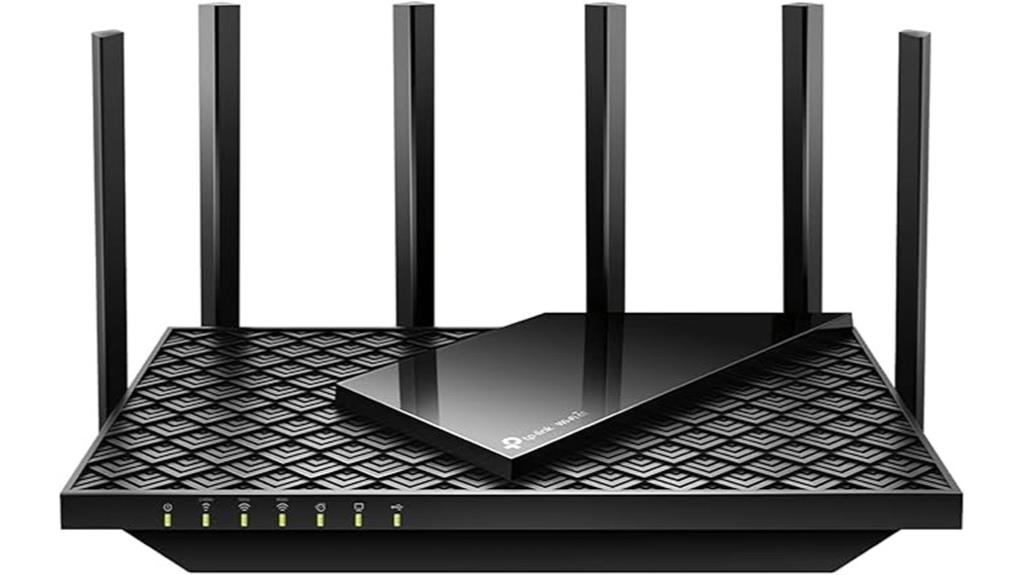
If you’re serious about low-latency gaming and seamless streaming, the TP-Link AXE5400 Tri-Band WiFi 6E Router is a top contender, especially since it leverages the new 6 GHz band to deliver faster speeds and near-zero latency. With up to 5400 Mbps combined speeds across three bands, it supports WiFi 6E’s advanced technology like OFDMA for increased capacity and 160MHz channels for enhanced responsiveness. Powered by a 1.7 GHz quad-core CPU and 512 MB RAM, it handles multiple devices effortlessly. Its compatibility with major ISPs, combined with security features like TP-Link HomeShield and support for VPNs, makes it ideal for gaming, streaming, and home use in 2025.
Best For: gamers, streamers, and tech enthusiasts seeking ultra-fast, low-latency WiFi coverage for multiple devices in a smart home environment.
Pros:
- Supports WiFi 6E with speeds up to 5400 Mbps and 6 GHz band for minimal latency
- Equipped with a powerful 1.7 GHz quad-core CPU and 512 MB RAM for seamless multi-device performance
- Includes advanced security features via TP-Link HomeShield and VPN support for secure browsing
Cons:
- Requires a compatible modem and may need setup for certain ISPs
- Premium features might come at a higher price point compared to standard routers
- Limited details on extender compatibility for very large or complex home layouts
NETGEAR Nighthawk Dual-Band WiFi 7 Router (RS90)

The NETGEAR Nighthawk Dual-Band WiFi 7 Router (RS90) stands out as an ideal choice for serious gamers seeking low latency and fast, reliable connections. With speeds up to 3.6 Gbps, it’s 1.2 times faster than WiFi 6, supporting up to 50 devices simultaneously across 2,000 sq. ft. of coverage. Its sleek design and easy setup via the Nighthawk app make it user-friendly. The router offers robust security, including built-in protections and NETGEAR Armor for advanced threat detection. Plus, its 2.5 Gig port ensures multi-gig internet speeds, making it perfect for high-performance gaming and streaming in 2025.
Best For: gamers and streamers seeking ultra-fast, low-latency WiFi 7 connectivity supporting multiple devices with robust security features.
Pros:
- Supports WiFi 7 speeds up to 3.6 Gbps, 1.2x faster than WiFi 6
- Capable of handling up to 50 devices simultaneously across 2,000 sq. ft. of coverage
- Includes a 2.5 Gig internet port for multi-gig speeds and easy setup via the Nighthawk app
Cons:
- Does not include a built-in cable modem; requires a separate modem for internet access
- Designed for use in the U.S. only, limiting international availability
- Premium features like NETGEAR Armor may require subscription renewal after the free trial
Gaming Router WiFi Booster, Dual Band WiFi 6 (AX3000)

Gamers seeking quick, reliable connections without replacing their existing router will find the Gaming Router WiFi Booster AX3000 an excellent choice. It’s a plug-and-play device that enhances your current network, supporting over 1000 games with game-specific optimizations. With WiFi 6 speeds reaching 2402Mbps across dual 5GHz and 2.4GHz bands, it reduces ping by up to 50% and eliminates packet loss. The booster handles multiple devices simultaneously, ensuring stable, low-latency gameplay. Easy to manage via the GearUP app, it also includes 3 months of VIP service for extra stability and acceleration—perfect for gamers and tech enthusiasts alike.
Best For: gamers and tech enthusiasts seeking to enhance their existing WiFi network with faster, more stable, low-latency connections without replacing their router.
Pros:
- Easy plug-and-play setup with app control via GearUP Router app
- Supports over 1000 games with game-specific optimization and WiFi 6 speeds up to 2402Mbps
- Reduces ping by up to 50% and eliminates packet loss, ensuring smooth gameplay
Cons:
- Requires existing WiFi network for optimal performance
- May not significantly boost performance for very high-end gaming setups with dedicated hardware
- Subscription to VIP service is limited to 3 months, additional plans may incur costs
TP-Link Dual-Band Wi-Fi 7 Router Archer BE230
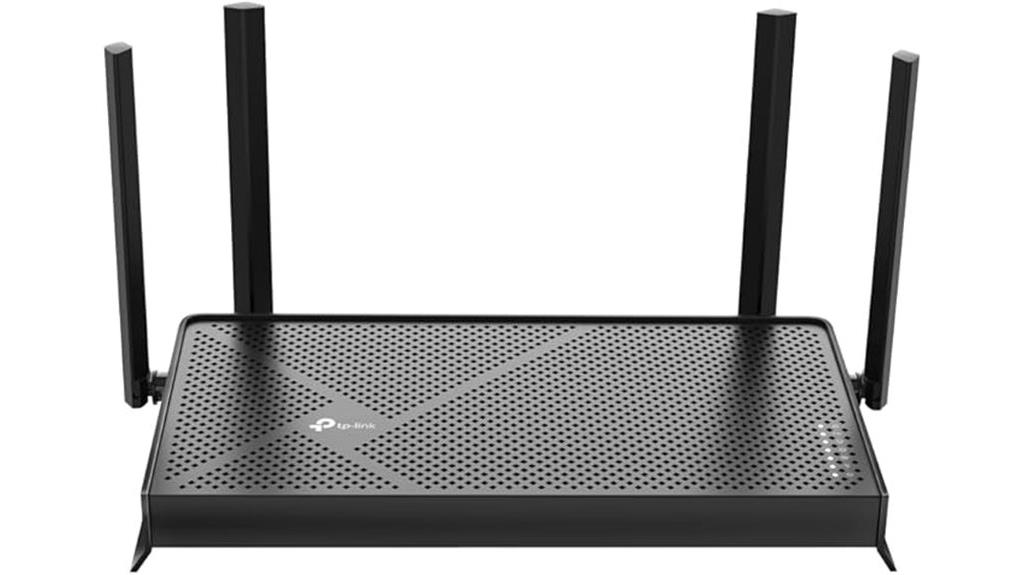
For gamers seeking ultra-fast, reliable connections, the TP-Link Archer BE230 stands out with its Wi-Fi 7 technology, delivering speeds up to 3.6 Gbps. Its advanced features, like Multi-Link Operation and 4K-QAM, guarantee higher data capacity and lower latency, perfect for seamless gaming. With a powerful 2.0 GHz quad-core processor, it manages high throughput smoothly. Four external antennas with beamforming boost coverage, even in tricky areas. Dual 2.5 Gbps ports and multiple gigabit LAN ports optimize high-speed connections. Plus, TP-Link’s HomeShield security and easy setup make this router a future-proof choice for anyone serious about fast, stable gaming.
Best For: gamers and home users seeking ultra-fast, reliable Wi-Fi 7 connectivity with extensive coverage and advanced security features.
Pros:
- Delivers up to 3.6 Gbps speeds with Wi-Fi 7 technology for seamless streaming and gaming.
- Equipped with four external antennas and beamforming for strong, reliable coverage throughout the home.
- Supports high-speed 2.5 Gbps ports and multiple gigabit LAN ports for versatile device connectivity.
Cons:
- May require a compatible modem for internet connection, adding to setup complexity.
- Advanced features and security options might be overwhelming for basic users.
- The high performance and features come at a potentially higher price point compared to standard routers.
ASUS ROG Rapture GT-AX11000 Pro Gaming Router

If you’re serious about minimizing lag and maximizing connection speed during intense gaming sessions, the ASUS ROG Rapture GT-AX11000 Pro stands out as an excellent choice. It features WiFi 6 tri-band technology with speeds up to 11,000 Mbps, using 160 MHz channels for better efficiency. Its powerful 2.0 GHz quad-core CPU and advanced chipsets guarantee reliable performance. With 2.5 Gbps and 10 Gbps ports, plus ASUS RangeBoost Plus, coverage is extensive and strong. The router prioritizes gaming traffic with triple-level acceleration, offers robust security without extra costs, and supports AiMesh for seamless mesh expansion—all designed to deliver smooth, fast, and secure gaming experiences.
Best For: gamers and high-demand users seeking the fastest, most reliable WiFi with extensive coverage and advanced security features.
Pros:
- Supports WiFi 6 tri-band with speeds up to 11,000 Mbps for optimal gaming and streaming performance
- Equipped with 2.5 Gbps and 10 Gbps ports for high-speed wired connections and network flexibility
- Features triple-level game acceleration and ASUS RangeBoost Plus for minimal lag and expanded coverage
Cons:
- Higher price point due to advanced features and hardware capabilities
- May be more complex to set up and optimize for average users
- Large size might require ample space and proper placement for best coverage
TP-Link Tri-Band Wi-Fi 7 Gaming Router Archer GE800
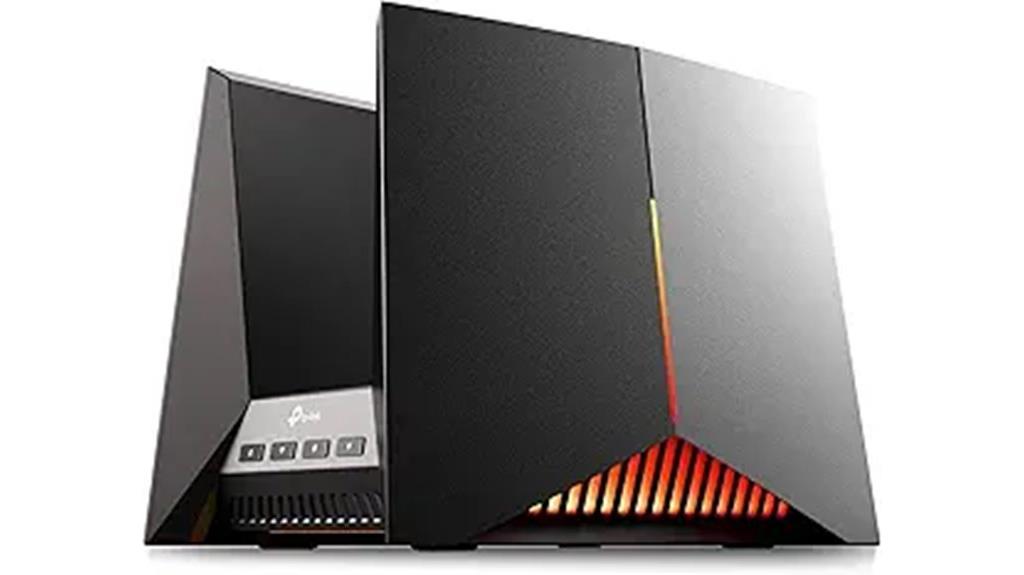
The TP-Link Tri-Band Wi-Fi 7 Gaming Router Archer GE800 stands out as an ideal choice for serious gamers seeking ultra-fast, reliable connections. It supports Wi-Fi 7 with speeds up to 19 Gbps across three bands, thanks to 12 streams, 8 antennas, and 320MHz channels. Its Multi-Link Operation reduces interference and boosts capacity. Designed for gaming, it features optimized antenna placement, customizable RGB lighting, and real-time performance monitoring. Powered by a quad-core processor with 2GB RAM, it handles demanding devices smoothly. With two 10 Gbps ports, four 2.5 Gbps ports, and EasyMesh support, it guarantees seamless wired and wireless connectivity for an unbeatable gaming experience.
Best For: serious gamers and high-demand households seeking ultra-fast, reliable Wi-Fi 7 connectivity with seamless wired and wireless performance.
Pros:
- Supports speeds up to 19 Gbps across three bands with Wi-Fi 7 technology, ideal for high-bandwidth activities.
- Equipped with multiple high-speed ports (2x 10 Gbps and 4x 2.5 Gbps) for versatile wired connections.
- Features customizable RGB lighting and real-time performance monitoring for a personalized gaming experience.
Cons:
- May be more expensive compared to standard routers due to advanced features.
- Complex setup and configuration could be challenging for non-technical users.
- Heavy reliance on Wi-Fi 7 compatibility; older devices may not benefit fully from the technology.
ASUS ROG Rapture GT-BE98 PRO Gaming Router

Equipped with advanced WiFi 7 technology, the ASUS ROG Rapture GT-BE98 PRO is designed for serious gamers who demand ultra-fast, stable connections. Its 320MHz channels in the 6 GHz band and 4096-QAM support speeds up to 30 Gbps, ensuring smooth gameplay and quick data transfer. Multi-link Operation links multiple bands simultaneously, maintaining consistent internet stability. The router features high-efficiency external antennas for broad coverage and robust signal strength. It offers dual 10G ports and quad 2.5G ports for low-latency wired connections. With game acceleration, mobile optimization, mesh support, and built-in security, this router is a top-tier choice for seamless gaming in 2025.
Best For: gamers and power users seeking ultra-fast, stable wireless and wired connections with comprehensive security and coverage in large or demanding network environments.
Pros:
- Supports WiFi 7 with speeds up to 30 Gbps for seamless gaming and streaming
- Features multiple high-speed wired ports (dual 10G and quad 2.5G) for low-latency connections
- Equipped with external high-efficiency antennas for broad, reliable coverage
Cons:
- Premium price point may be a barrier for casual users
- Complex setup for users unfamiliar with advanced networking features
- Large size could be less suitable for compact spaces
TP-Link Archer BE6500 Wi-Fi 7 Router
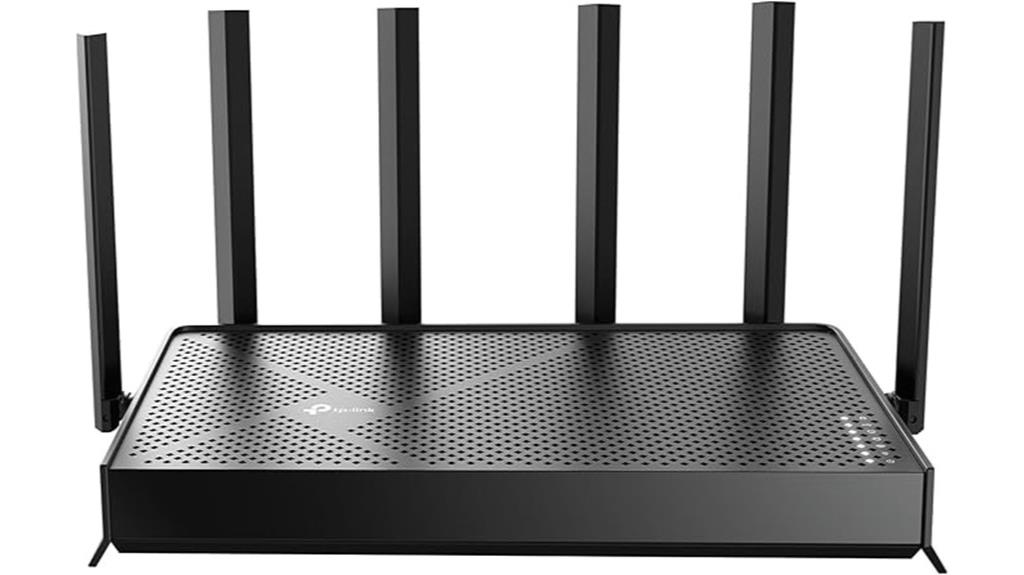
For gamers seeking ultra-fast, low-latency connections in large homes, the TP-Link Archer BE6500 Wi-Fi 7 Router stands out as an excellent choice. It leverages Wi-Fi 7 technology, including Multi-Link Operation and Multi-RUs, delivering speeds up to 6.5 Gbps—perfect for 4K/8K streaming, AR/VR, and gaming. With coverage of up to 2,400 sq. ft. and support for 90 devices, it’s ideal for busy households. The router features six antennas with Beamforming for reliable connections, plus multiple high-speed ports for wired performance. Its robust security and easy setup via the Tether app make it a future-proof solution for seamless, low-latency gaming.
Best For: gamers and large households seeking ultra-fast, low-latency Wi-Fi 7 connectivity with reliable coverage and robust security.
Pros:
- Supports Wi-Fi 7 with speeds up to 6.5 Gbps, ideal for 4K/8K streaming and gaming
- Covers up to 2,400 sq. ft. and supports up to 90 devices simultaneously
- Easy setup via the Tether app and supports mesh expansion for seamless coverage
Cons:
- Higher price point compared to legacy Wi-Fi routers
- May require compatible devices to fully utilize advanced Wi-Fi 7 features
- Limited detailed customization options for advanced users
TP-Link Tri-Band Wi-Fi 7 Gaming Router Archer GE650

If you’re serious about gaming performance, the TP-Link Tri-Band Wi-Fi 7 Archer GE650 stands out thanks to its cutting-edge Wi-Fi 7 technology and multi-gig ports. It offers blazing-fast speeds up to 5764 Mbps on 6 GHz, 4320 Mbps on 5 GHz, and 574 Mbps on 2.4 GHz, with a wide 1200 MHz spectrum and three channels for maximum bandwidth. Its Multi-Link Operation guarantees stable, simultaneous connection across all bands. Equipped with 5 Gbps WAN, 5 Gbps LAN, and 2.5 Gbps ports, it supports ultra-fast wired gaming. Plus, dedicated gaming tools and security features make it a top choice for seamless, lag-free gameplay.
Best For: gamers and high-bandwidth users seeking ultra-fast, stable Wi-Fi 7 connectivity with advanced security and wired options.
Pros:
- Blazing-fast speeds up to 5764 Mbps on 6 GHz and robust multi-band performance
- Multiple multi-gig ports (5 Gbps WAN and LAN, 2.5 Gbps LAN) for ultra-fast wired connections
- Dedicated gaming tools with traffic optimization and security features for seamless gameplay
Cons:
- Higher cost compared to standard routers due to advanced features
- Larger, volcano-inspired design may not suit all home aesthetics
- Setup and configuration may be complex for non-technical users
NETGEAR Nighthawk Tri-Band WiFi 7 Router (RS280S)
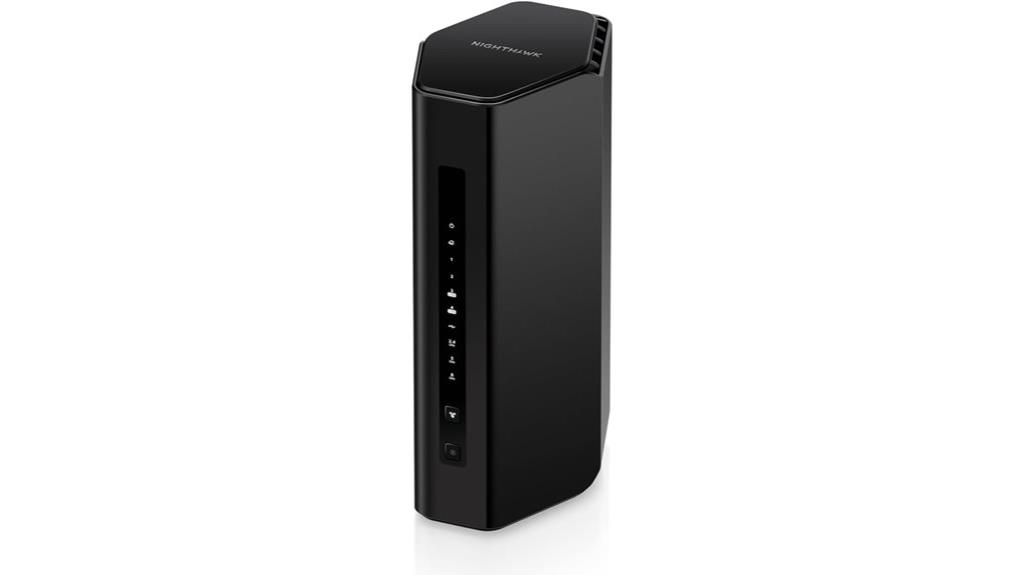
The NETGEAR Nighthawk Tri-Band WiFi 7 Router (RS280S) stands out as an excellent choice for serious gamers who demand ultra-low latency and lightning-fast speeds. It delivers WiFi 7 speeds up to 9.2 Gbps, making it perfect for gaming, streaming, and video calls. With coverage up to 2,500 sq. ft. and high-performance antennas, it ensures strong, reliable signals across your home. The router includes a 2.5 Gig internet port for multi-gig speeds and multiple Ethernet ports for wired devices. Its sleek design, easy setup via the Nighthawk app, and built-in security features like NETGEAR Armor make it a top pick for seamless, safe gaming.
Best For: gamers, streamers, and families seeking ultra-fast, reliable WiFi 7 coverage with enhanced security features.
Pros:
- Delivers WiFi 7 speeds up to 9.2 Gbps for seamless gaming and streaming
- Covers up to 2,500 sq. ft. with high-performance antennas for strong signal strength
- Includes NETGEAR Armor security suite with a 1-year subscription for online protection
Cons:
- Requires a separate modem for internet service, as it is not a modem-router combo
- Only designed for use in the U.S., limiting international compatibility
- Slightly larger price point due to advanced WiFi 7 technology
NETGEAR WiFi 6 Router (R6700AX)

The NETGEAR WiFi 6 Router (R6700AX) stands out as an excellent choice for gamers seeking low latency and reliable connections, thanks to its AX1800 wireless speeds of up to 1.8 Gbps. It covers up to 1,500 square feet and supports up to 20 devices simultaneously, making it ideal for busy households. With four Gigabit Ethernet ports, you can connect your gaming consoles and streaming devices directly for even lower latency. Built with WiFi 6 technology, it guarantees fast, stable streaming and gaming. Plus, its security features keep your network safe, letting you focus on your game without worry.
Best For: gamers and busy households seeking fast, reliable WiFi 6 connections with low latency and strong security.
Pros:
- Supports AX1800 speeds up to 1.8 Gbps for fast streaming and gaming
- Covers up to 1,500 sq. ft. and supports up to 20 devices simultaneously
- Four Gigabit Ethernet ports for direct wired connections to gaming consoles and streaming devices
Cons:
- Requires a separate cable modem for internet access, as it is not a modem/router combo
- Limited to WiFi 6 technology, which may not be compatible with older devices
- No included modem, meaning additional equipment purchase may be necessary
Factors to Consider When Choosing Gaming Routers Low Latency

When choosing a gaming router for low latency, I focus on connection speed and bandwidth to guarantee smooth gameplay. I also consider latency reduction technologies and device support to minimize lag and maintain compatibility. Ultimately, I look at security features and coverage to keep my network safe and strong across my space.
Connection Speed and Bandwidth
Choosing a gaming router with the right connection speed and bandwidth is vital for low-latency play. Higher speeds, like WiFi 6 or WiFi 7, notably reduce lag and boost responsiveness during gaming. It’s also essential to have at least 1 Gbps of bandwidth to handle multiple devices streaming, gaming, and downloading simultaneously without slowdowns. Multi-Gig ports, such as 2.5 Gbps or 10 Gbps, allow fast wired connections that minimize latency further. Technologies like OFDMA and Multi-Link Operation increase data capacity and optimize bandwidth allocation, helping maintain smooth gameplay. Supporting high throughput speeds—up to 9 Gbps—ensures your connection stays stable and low-latency, even during demanding online sessions. Prioritizing connection speed and bandwidth makes a noticeable difference in your gaming experience.
Latency Reduction Technologies
To achieve low latency in gaming, it’s essential to take into account advanced technologies that optimize data transfer. Features like Multi-Link Operation (MLO) and OFDMA enable multiple devices to communicate simultaneously, considerably reducing delays. High-bandwidth options, such as 160 MHz channels and 4096-QAM modulation, boost throughput and minimize lag during intense gaming sessions. Advanced routing algorithms prioritize gaming traffic, ensuring it gets through quickly and reliably, which cuts down on lag and packet loss. Hardware components like high-performance CPUs and multiple high-speed ports process data faster, further lowering latency. Additionally, seamless integration with mesh networks and QoS settings help manage bandwidth and reduce network congestion, providing a smoother, more responsive gaming experience.
Device Compatibility and Support
Optimizing gaming performance involves more than just advanced latency reduction features; device compatibility and support play a key role as well. I recommend choosing a router that supports the latest Wi-Fi standards like Wi-Fi 6 or Wi-Fi 7, ensuring ideal low-latency performance. It’s also essential to verify compatibility with your device’s hardware, such as MU-MIMO and OFDMA technologies, which enable efficient multi-device connections. Regular firmware updates are vital to maintaining device support and security enhancements. Make sure the router can handle the number of devices you have without sacrificing performance. Additionally, if you need extra security or device management, look for routers that support VPN and parental controls. These features help create a seamless, secure gaming environment.
Network Security Features
When selecting a gaming router with low latency, prioritizing robust security features is vital to protect your data and gaming sessions. Modern routers with WPA3 encryption and VPN support help shield your information from hackers and eavesdroppers. Built-in firewalls and intrusion detection systems actively monitor and block malicious traffic, creating a safer gaming environment. Parental controls and content filtering ensure safe gaming for all users by restricting access to inappropriate sites and apps. Regular firmware updates are essential because they patch vulnerabilities and improve security overall. Additionally, network security tools like AdGuard Home for DNS-based ad blocking and malware scanning help prevent online threats, making your gaming experience safer and more reliable. Security shouldn’t be an afterthought—it’s key to seamless gameplay.
Coverage and Signal Strength
A strong Wi-Fi signal is essential for smooth gaming, especially in larger spaces where coverage can become challenging. Routers with high-gain antennas and beamforming technology can substantially boost coverage and signal strength across bigger areas, reducing dead zones. Mesh or multi-router systems are also excellent for distributing signals evenly throughout your home or gaming setup, ensuring no spot gets left behind. Using dual or tri-band frequencies helps separate signals, lessening interference and improving overall coverage. When choosing a router, consider its maximum coverage in square footage to match your environment. Environmental factors like walls, furniture, or electronic interference can weaken signals, so opt for a router with robust signal penetration to maintain low latency and seamless gameplay everywhere.
User-Friendly Setup Processes
Choosing a gaming router with a user-friendly setup process can save you time and frustration, especially if you’re not tech-savvy. Look for routers that offer clear, step-by-step instructions that can be completed in just 10-15 minutes. Intuitive web interfaces or mobile apps make configuring network settings straightforward, without needing technical expertise. Features like automatic detection of internet connections and guided setup wizards help minimize errors and speed up the process. Compatibility with common devices and easy firmware updates through dedicated apps or web portals add convenience. Additionally, strong support options such as live chat, tutorials, and customer service ensure you can get help when needed. A hassle-free setup means you’ll be gaming faster with less hassle.
Frequently Asked Questions
How Do Gaming Routers Prioritize Gaming Traffic Over Other Devices?
Gaming routers prioritize gaming traffic by using Quality of Service (QoS) settings, which enable me to assign higher bandwidth to my gaming devices. I can also enable features like gaming traffic prioritization and device prioritization, ensuring my gameplay gets the lowest latency possible. These routers recognize gaming packets and give them precedence over other data, making sure I experience smooth, lag-free gaming even when multiple devices are connected.
What Is the Typical Latency Range for High-Performance Gaming Routers?
Typically, high-performance gaming routers have latency ranges between 1 to 20 milliseconds, which is vital for smooth gameplay. I’ve found that the lower the latency, the better your experience, especially during fast-paced games. These routers are designed to optimize traffic, reducing lag and ensuring your commands register instantly. If you’re serious about gaming, look for routers that consistently maintain low latency, even with multiple devices connected.
Do Mesh Wi-Fi Systems Improve Gaming Latency?
Yes, mesh Wi-Fi systems can improve gaming latency, especially in larger homes or spaces with dead zones. I’ve found that they provide more consistent coverage and reduce lag by seamlessly connecting multiple nodes. However, the actual impact depends on the system’s quality and your internet plan. For the best gaming experience, choose a mesh system optimized for low latency and high throughput.
How Often Should Firmware Updates Be Performed for Optimal Gaming Performance?
I recommend updating your firmware once a month to keep your gaming performance sharp, stable, and secure. Regular updates are like tuning a race car—they ensure your router runs at peak speed, fix bugs, and patch vulnerabilities. Don’t wait for issues to pop up; stay ahead by making updates a routine. This way, your connection remains fast, low latency stays intact, and you enjoy seamless gaming every time you hit ‘start.’
Can Qos Settings Significantly Reduce Lag During Intense Gaming Sessions?
Yes, QoS settings can considerably reduce lag during intense gaming sessions. I’ve seen it work wonders by prioritizing gaming traffic over other devices, ensuring your game data gets the bandwidth it needs. This minimizes latency and prevents lag spikes, even when your network is busy. Just make sure to set it up correctly and prioritize your gaming device. It’s a game-changer for smooth, uninterrupted play.
Conclusion
Choosing the right gaming router is like finding the secret weapon for victory. With the top picks in this list, you’ll experience low latency and seamless gameplay that keeps you ahead of the pack. Don’t settle for shaky connections—think of these routers as the backbone of your gaming fortress. Gear up with one of these and turn your gaming sessions into smooth, unstoppable adventures in 2025.