
If you’re looking for reliable unmanaged Ethernet switches, I recommend checking out options like the TP-Link TL-SG105 and NETGEAR GS308, which are easy to set up and come with solid performance. Multi-Gigabit models and PoE switches can handle higher speeds and power devices as needed. Considering port counts and environmental factors helps find the right match for your space. Keep exploring to discover which models best fit your network needs.
Key Takeaways
- Prioritize switches with Gigabit or multi-Gig ports for fast, reliable network expansion.
- Opt for models with varying port counts (5, 8, 16, 24) to match your scalability needs.
- Choose fanless, compact designs for silent operation and versatile placement options.
- Ensure compatibility with existing infrastructure and support for auto-negotiation and auto MDI/MDIX.
- Consider energy-efficient features and warranty options for cost-effective, long-term deployment.
TP-Link TL-SG105 5-Port Gigabit Ethernet Switch
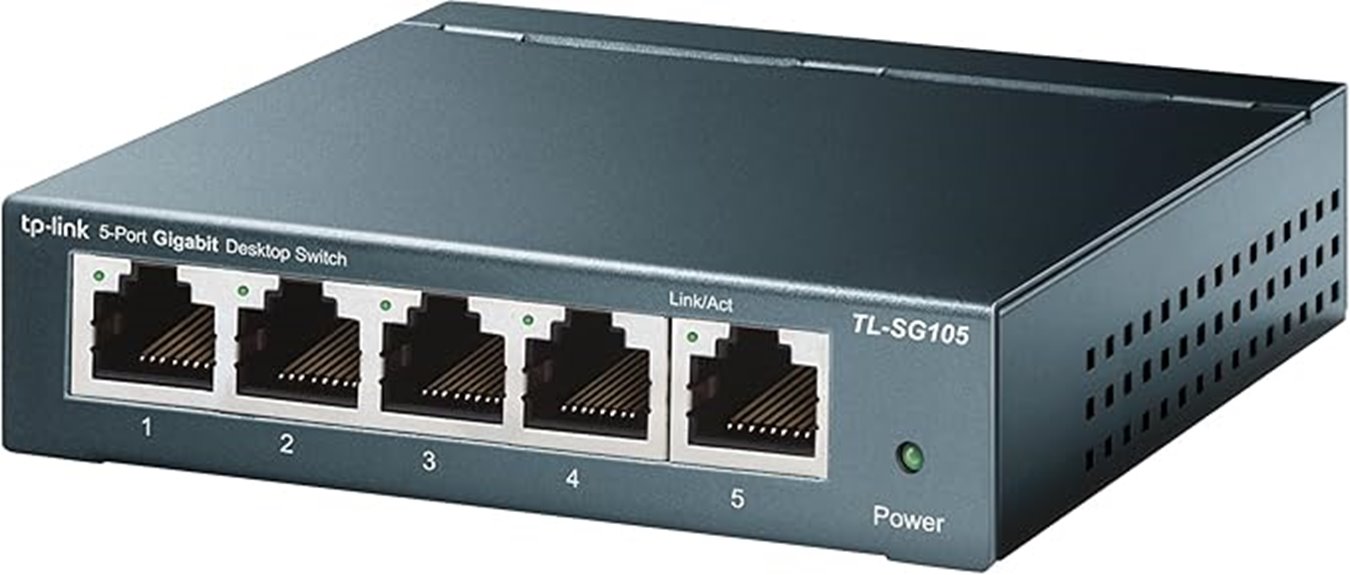
If you’re looking for a simple and reliable way to expand your network without complicated setup, the TP-Link TL-SG105 5-Port Gigabit Ethernet Switch is an excellent choice. It features five auto-negotiating Gigabit ports, supporting high-speed data transfer for smooth streaming, gaming, or file sharing. Its fanless metal design makes it quiet and durable, perfect for any environment. The switch is plug-and-play, so I didn’t need to install any software—just connect and go. Its energy-efficient tech reduces power use, saving costs. Plus, with a three-year warranty and free support, I feel confident in its long-term reliability.
Best For: Small office, home office, or personal use environments seeking reliable, high-speed network expansion without complex setup.
Pros:
- Easy plug-and-play installation with no software required
- Quiet fanless metal design suitable for noise-sensitive areas
- Supports Gigabit speeds with traffic prioritization features for smooth performance
Cons:
- Limited to 5 ports, may not suit larger networks
- No managed switch features for advanced network control
- Lacks PoE (Power over Ethernet) capabilities for powering devices
NETGEAR 8-Port Gigabit Ethernet Unmanaged Switch (GS308)

The NETGEAR 8-Port Gigabit Ethernet Unmanaged Switch (GS308) is an excellent choice for users seeking a straightforward, reliable network solution without the complexity of configuration. With eight Gigabit Ethernet ports, it supports high-speed data transfer ideal for expanding home or small office networks. Its plug-and-play setup means no software installation or configuration is needed, making it simple to deploy. The switch can be placed on a desk or wall-mounted, and its silent operation guarantees it won’t disturb your environment. Plus, its energy-efficient design helps save power, and the 3-year warranty offers added peace of mind.
Best For: home users and small offices seeking a simple, reliable, high-speed network switch with no setup complexity.
Pros:
- Plug-and-play with no software or configuration required
- Silent operation suitable for noise-sensitive environments
- Energy-efficient design reduces power consumption
Cons:
- Limited to unmanaged switching with no advanced management features
- Designed primarily for regional use in the U.S. and Canada, which may limit international compatibility
- Lacks additional features like PoE or VLAN support
TP-Link 5-Port Multi-Gigabit Ethernet Switch
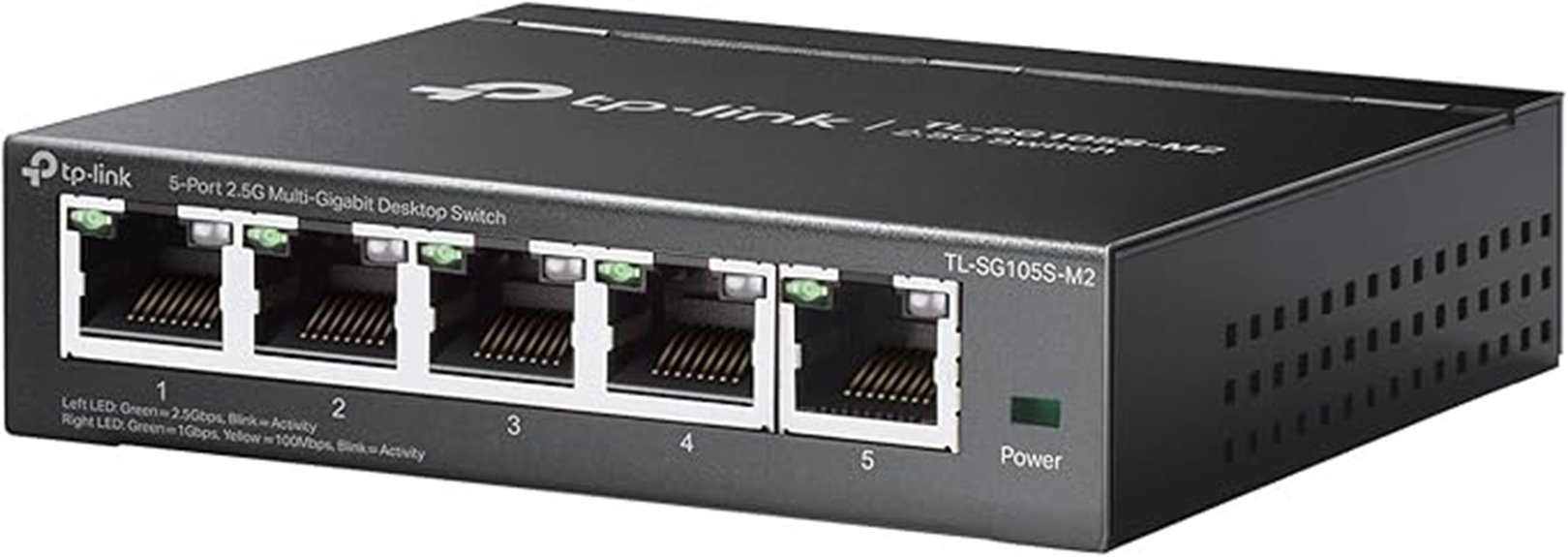
A standout feature of the TP-Link 5-Port Multi-Gigabit Ethernet Switch is its support for 2.5-Gigabit ports, making it ideal for users seeking quick, seamless data transfer without complicated setup. With five auto-negotiating ports, it intelligently adjusts between 100Mb, 1G, and 2.5G speeds, ensuring compatibility with devices like WiFi 6 APs, NAS, gaming PCs, and streaming setups. This switch instantly upgrades network speeds without needing new wiring, saving costs and installation time. Its silent, fanless design and sturdy metal case make it perfect for home or office use, offering reliable, high-speed connectivity in a compact form.
Best For: users seeking a high-speed, easy-to-install network switch for home or small office environments that supports multi-gigabit connections without complex setup.
Pros:
- Supports 2.5-Gigabit ports for faster data transfer rates.
- Plug-and-play with auto-negotiation for seamless device compatibility.
- Silent, fanless design ideal for quiet spaces like homes and offices.
Cons:
- Limited to five ports, which may not suit larger network setups.
- No managed features or advanced configuration options.
- Lacks PoE support, so it cannot power connected devices directly.
TP-Link 16 Port Gigabit Ethernet Network Switch
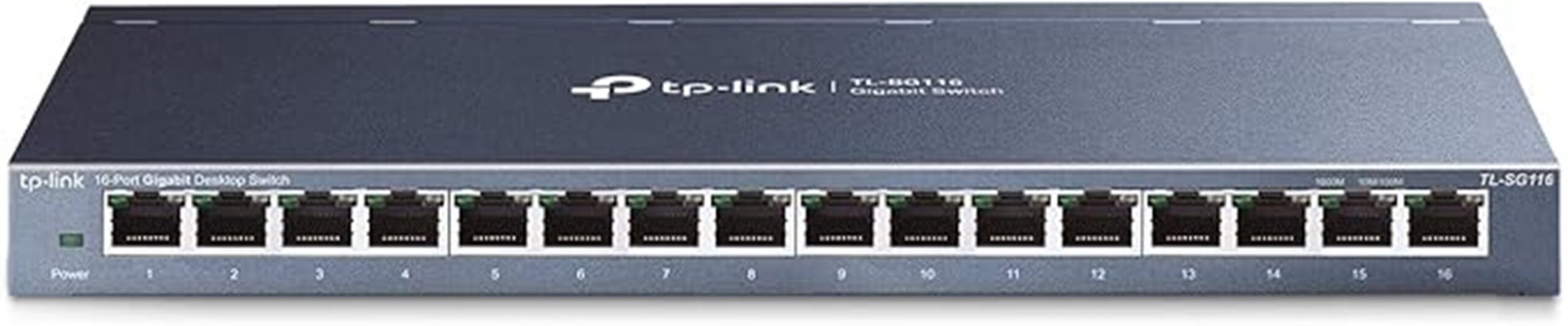
For networks that demand straightforward, reliable expansion without the need for complex configuration, the TP-Link 16 Port Gigabit Ethernet Network Switch stands out. It offers 16 gigabit ports with auto-negotiation and MDI/MDIX support, ensuring seamless, high-speed connections. Its plug-and-play design makes setup effortless, with no software needed. The switch’s fanless, metal case provides quiet operation and durability, perfect for various environments. Plus, its energy-efficient technology reduces power consumption. Features like QoS for traffic prioritization and IGMP snooping optimize performance for multimedia. Backed by a 3-year warranty and free support, it’s a dependable choice for expanding your network effortlessly.
Best For: small to medium-sized offices or home networks seeking reliable, high-speed network expansion without complex setup.
Pros:
- Easy plug-and-play setup with no software configuration needed
- Quiet, fanless design suitable for quiet environments
- Energy-efficient technology reduces power consumption while supporting high data transfer speeds
Cons:
- Limited advanced management features compared to managed switches
- No built-in security or monitoring capabilities
- Fixed 16 ports may not be sufficient for rapidly growing networks
NETGEAR 5-Port Gigabit Ethernet Switch (GS305)
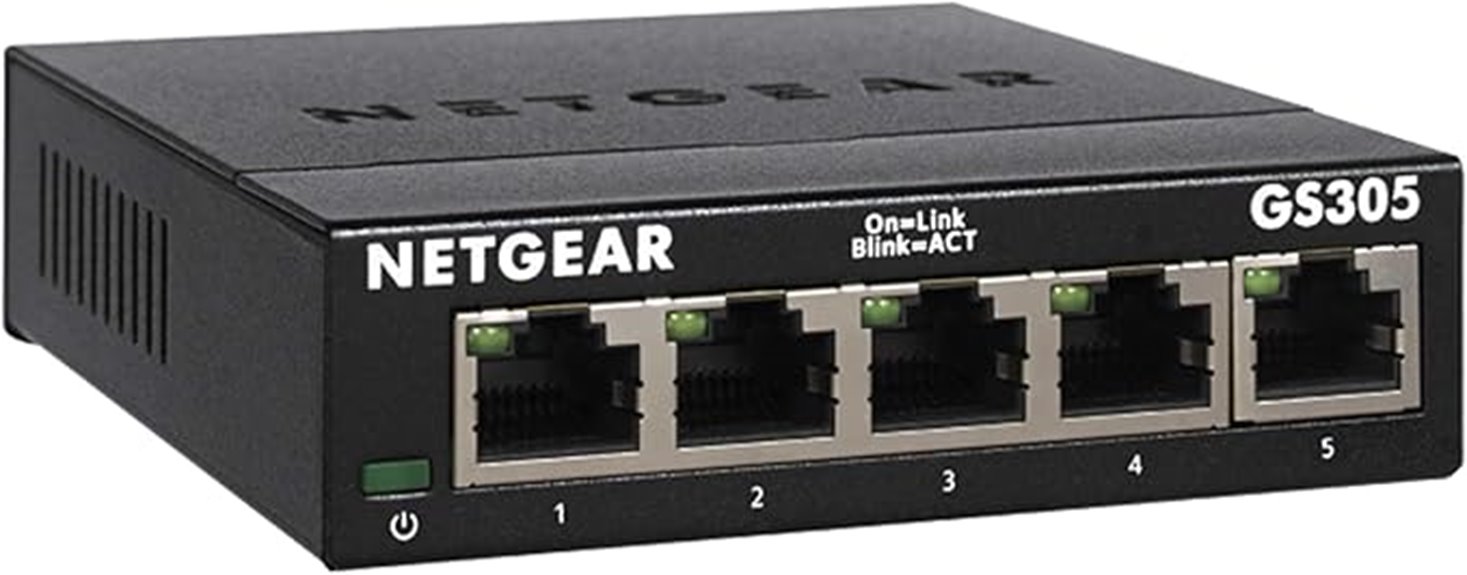
If you’re looking for a straightforward, reliable switch to expand your network without the hassle of configuration, the NETGEAR GS305 is an excellent choice. It’s a 5-port Gigabit Ethernet unmanaged switch that offers plug-and-play setup, so no software or complicated setup is needed. With five high-speed ports, it supports fast data transfer suitable for home or office use. Its flexible design allows desktop placement or wall mounting, and its silent operation makes it perfect for noise-sensitive environments. Plus, it’s energy-efficient thanks to IEEE802.3az standards and backed by a 3-year warranty, ensuring both performance and peace of mind.
Best For: small home or office users seeking a reliable, easy-to-set-up network switch with high-speed data transfer.
Pros:
- Plug-and-play setup with no configuration required
- Compact design suitable for desktop or wall mounting
- Energy-efficient operation with IEEE802.3az compliance
Cons:
- Limited to five ports, which may not suit larger networks
- No advanced management features for network customization
- Lacks built-in security options or VLAN support
TP-Link 8 Port Gigabit Ethernet Switch
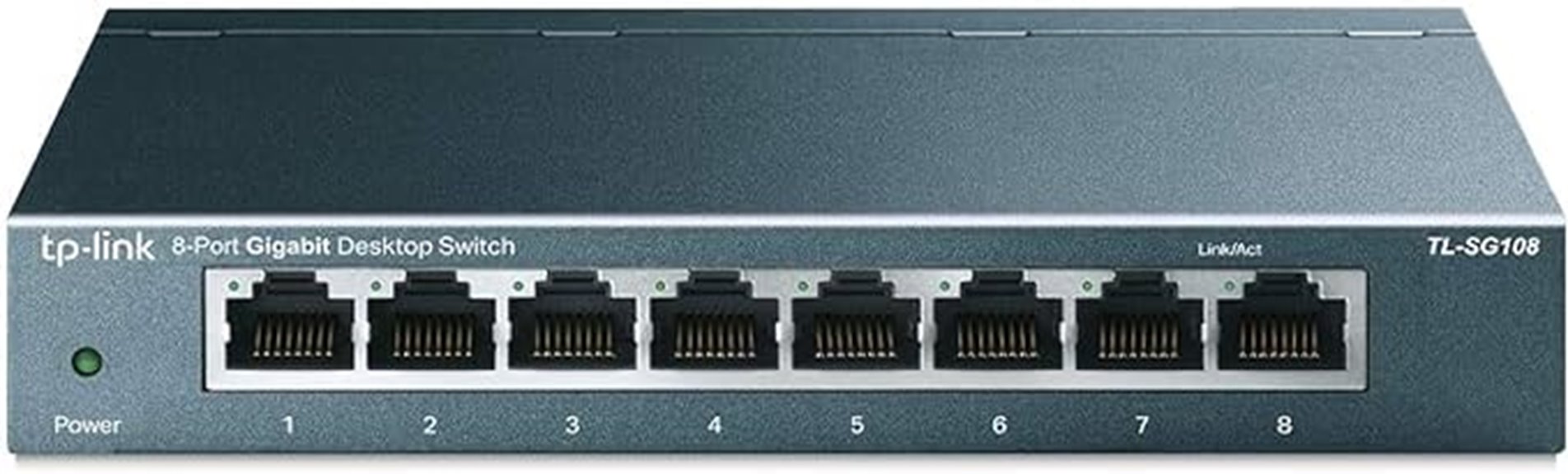
The TP-Link TL-SG108 stands out as an ideal choice for small offices or home networks that need simple, reliable, high-speed connectivity without the complexity of managed switches. With 8 Gigabit ports supporting 10/100/1000 Mbps speeds, it offers effortless plug-and-play setup thanks to auto-negotiation and auto MDI/MDIX. Its sturdy metal design ensures durability and efficient heat dissipation, while a fanless operation keeps it silent. Features like traffic prioritization, QoS, and IGMP Snooping optimize data flow for video or voice. Backed by a 3-year warranty and lifetime support, it’s a cost-effective, dependable solution for seamless network expansion.
Best For: small offices or home users seeking a reliable, high-speed, and simple network expansion solution without the need for management features.
Pros:
- Easy plug-and-play setup with auto-negotiation and auto MDI/MDIX
- Durable metal casing with fanless, silent operation
- Supports advanced features like QoS, IGMP Snooping, and traffic prioritization
Cons:
- Lacks managed switch features for advanced network control
- No included mounting hardware for wall installation
- Limited to unmanaged switch capabilities, which may not suit complex network needs
NETGEAR 24-Port Gigabit Ethernet Switch (GS324)
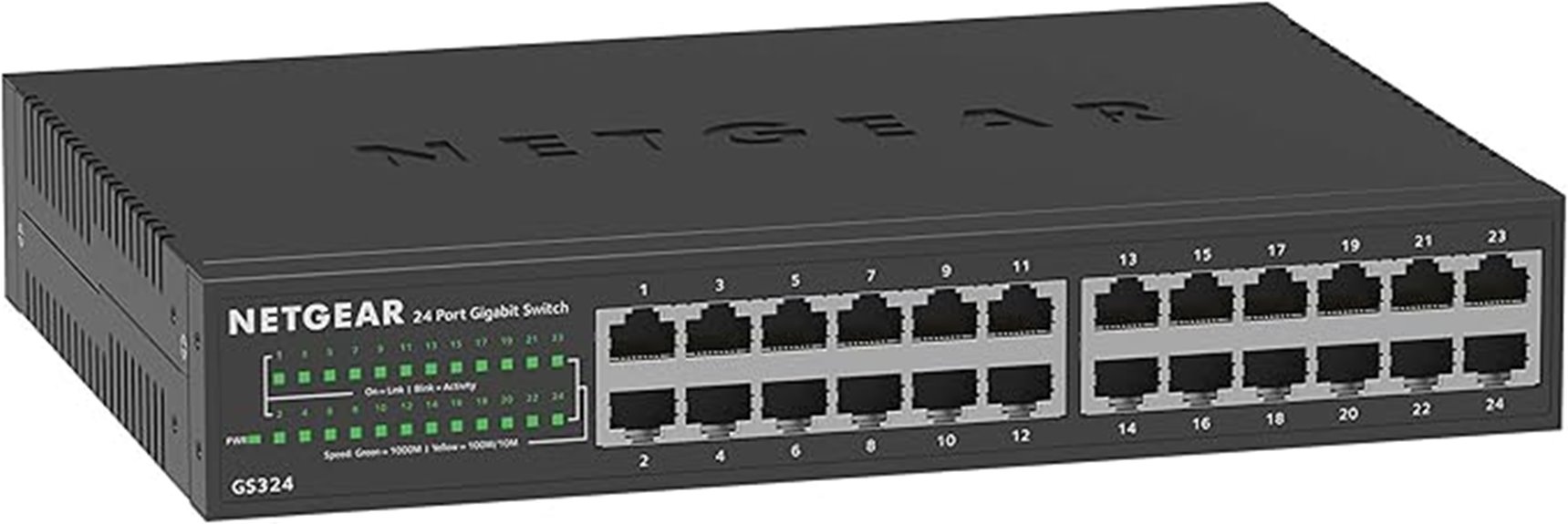
The NETGEAR 24-Port Gigabit Ethernet Switch (GS324) stands out as an ideal choice for small offices or home networks that demand reliable, high-speed connectivity without the complexity of managed switches. It offers 24 gigabit ports, ensuring fast data transfer across multiple devices. Its plug-and-play setup makes installation straightforward, with no need for software or configuration. Designed for noise-sensitive environments, it operates silently, and its energy-efficient design reduces power consumption. Plus, with a 3-year warranty, I feel confident in its durability and support. Overall, the GS324 provides a seamless, hassle-free way to expand your network effortlessly.
Best For: small offices or home networks seeking reliable, high-speed, plug-and-play network expansion without managed switch complexity.
Pros:
- Easy plug-and-play installation with no software or configuration needed
- Silent operation ideal for noise-sensitive environments
- Energy-efficient design reduces power consumption
Cons:
- Limited to unmanaged switch features, no advanced management capabilities
- Designed for U.S. & CA markets only, limiting international compatibility
- No PoE support, which may be a drawback for powering certain devices
NETGEAR 5-Port Gigabit Ethernet Switch (GS105NA)
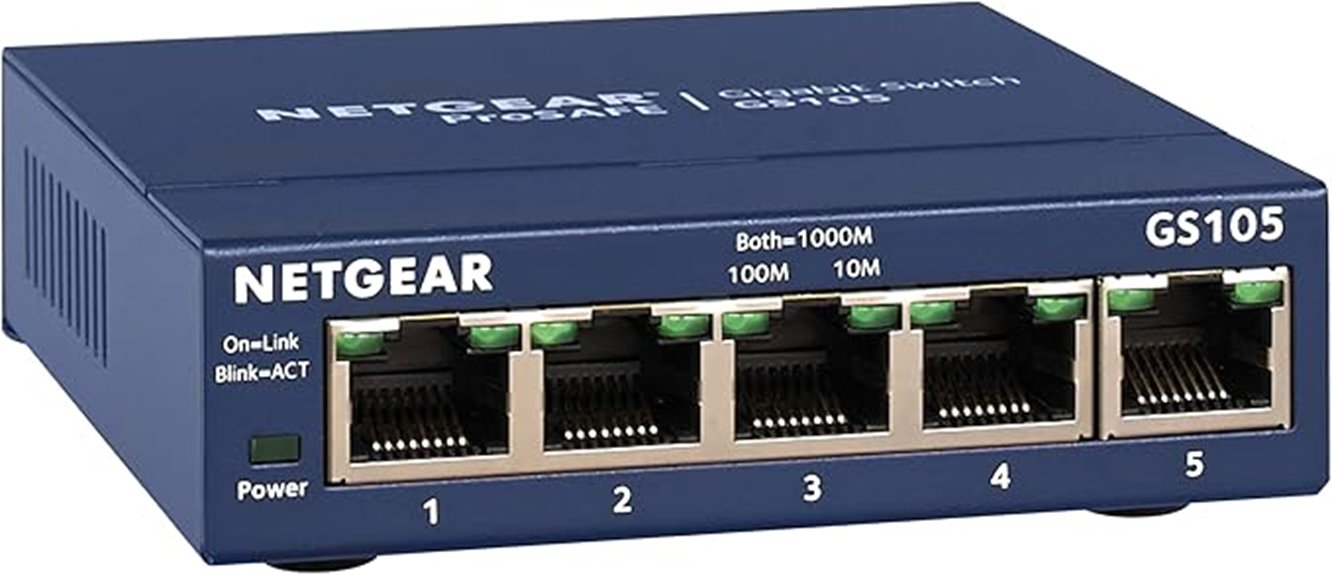
For those seeking a straightforward, reliable wired connection, the NETGEAR 5-Port Gigabit Ethernet Switch (GS105NA) offers an easy plug-and-play solution. With five Gigabit ports, it’s perfect for expanding a home or small office network without hassle. Its design supports simple desktop placement or wall mounting, and no software setup is needed—just connect and go. The switch is energy-efficient, quiet, and compliant with IEEE802.3az standards, making it eco-friendly. Plus, it comes with a lifetime limited warranty, next business day replacement, and round-the-clock support, giving peace of mind alongside dependable performance.
Best For: small home or office users seeking a simple, reliable, and eco-friendly wired networking solution with easy setup and support.
Pros:
- Plug-and-play setup requires no software or configuration
- Compact, durable design suitable for desktop or wall mounting
- Energy-efficient and compliant with IEEE802.3az standards
Cons:
- Limited to five ports, which may not suffice for larger networks
- No advanced management features for enterprise-level customization
- Does not include additional features like PoE or VLAN support
NETGEAR 16-Port Gigabit Ethernet Switch (GS316)

Looking for a straightforward way to expand your network without fuss? The NETGEAR 16-Port Gigabit Ethernet Switch (GS316) offers just that. With 16 gigabit ports, it provides ample connectivity for multiple devices. Its plug-and-play setup means no software or configuration is needed—simply connect and go. The switch can be placed on a desk or wall-mounted, making it versatile for various spaces. Built to last, it comes with a 3-year warranty and lifetime protection. Its energy-efficient design complies with IEEE802.3az standards, ensuring reliable and eco-friendly performance. This compact switch is an excellent choice for expanding your network effortlessly.
Best For: small to medium-sized businesses or home offices looking for a simple, reliable, and energy-efficient network expansion solution.
Pros:
- Easy plug-and-play setup with no software installation required
- 16 gigabit ports provide ample connectivity for multiple devices
- Compact design with options for desktop or wall mounting
Cons:
- Lacks advanced management features found in managed switches
- Does not include Power over Ethernet (PoE) capabilities
- Limited to unmanaged switch functionality, which may not suit complex network needs
TP-Link 8-Port Multi-Gigabit Ethernet Switch
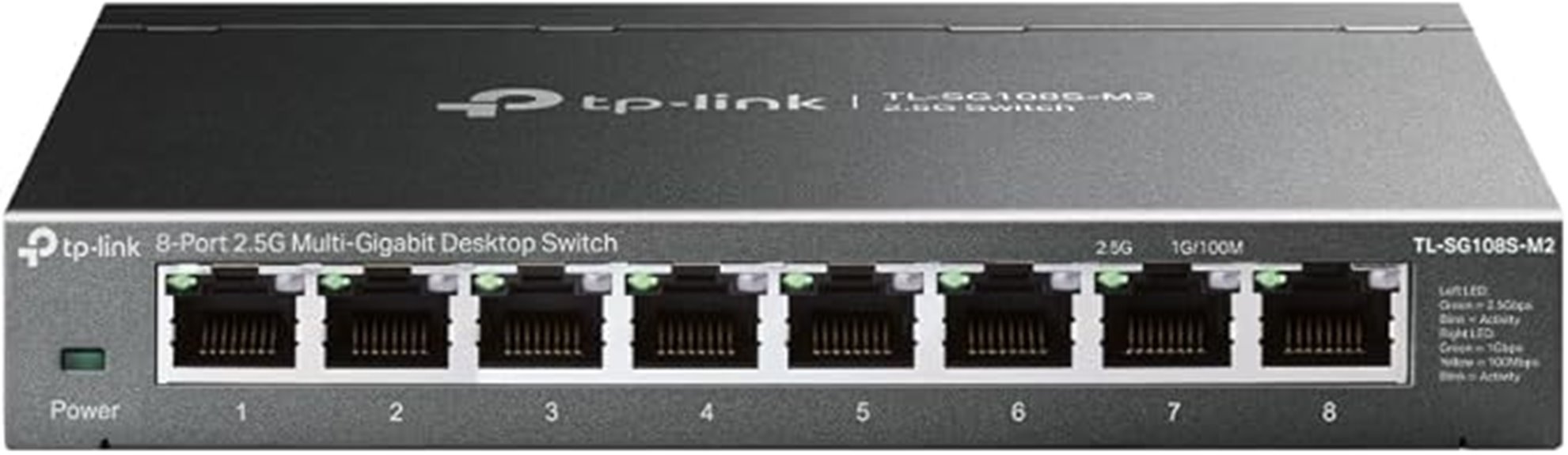
If you need a straightforward, high-speed switch for your home or small office, the TP-Link 8-Port Multi-Gigabit Ethernet Switch is an excellent choice. It features 8 ports supporting 2.5-Gigabit speeds, offering up to 40 Gbps switching capacity. Auto-negotiation detects link speeds, ensuring compatibility with devices like WiFi 6 access points, NAS, servers, and gaming PCs. It’s plug-and-play, so no configuration is needed, and you can upgrade to 2.5 Gbps without rewiring. Its silent, fanless design makes it ideal for noise-sensitive environments, and its compact, desktop or wall-mount setup offers flexible placement options.
Best For: home users and small offices seeking a reliable, high-speed, plug-and-play Ethernet switch for seamless network upgrades and expanded connectivity.
Pros:
- Supports 2.5-Gigabit speeds for faster data transfer and future-proofing
- Easy plug-and-play setup with no configuration required
- Silent, fanless operation suitable for noise-sensitive environments
Cons:
- Limited to unmanaged switch features, lacking advanced management options
- May require compatible cabling (Cat6 or higher) for optimal 2.5G speeds
- Not suitable for large enterprise networks requiring complex configurations
NETGEAR 8-Port Gigabit Ethernet Switch (GS108)

The NETGEAR 8-Port Gigabit Ethernet Switch (GS108) stands out as an ideal choice for users seeking a straightforward, reliable networking solution without the hassle of complex setup. It offers eight Gigabit ports, supporting fast data transfer and seamless device connections. Designed for easy plug-and-play operation, there’s no need for software or configuration, making it perfect for quick deployments. Its energy-efficient design reduces power consumption, and the quiet operation suits various environments. The compact, durable build allows flexible placement, whether on a desk or wall-mounted. With a lifetime warranty and responsive support, the GS108 provides dependable performance for expanding your network effortlessly.
Best For: small office or home office users seeking a simple, reliable, and easy-to-setup network switch for expanding their wired connections.
Pros:
- Plug-and-play setup with no software or configuration needed
- Energy-efficient design reduces power consumption
- Compact and durable build suitable for desktop or wall mounting
Cons:
- Only compatible with U.S. and Canada, limiting international use
- No advanced management features for larger or more complex networks
- Limited to 8 ports, which may be insufficient for very large setups
BrosTrend 2.5Gb Network Switch (8 Port, Unmanaged, Fanless)

For anyone seeking a straightforward and reliable way to upgrade their wired network without the complexity of managed switches, the BrosTrend 2.5Gb Network Switch is an excellent choice. It offers blazing-fast 2.5 Gbps speeds on all 8 ports, making it 2.5 times faster than traditional gigabit switches. With a total switching capacity of up to 40 Gbps, it handles multiple high-speed devices effortlessly. Its plug-and-play design means no software setup is needed—simply connect and go. The fanless, silent operation, along with durable build options, ensures long-term, noise-free performance. This switch combines speed, ease of use, and value for seamless network expansion.
Best For: home users, small offices, and gamers seeking a simple, high-speed wired network upgrade without managing complex configurations.
Pros:
- Provides blazing-fast 2.5 Gbps speeds on all 8 ports for efficient multi-device use
- Plug-and-play setup with no software required, ensuring easy installation
- Fanless and durable design offers silent operation and reliable long-term performance
Cons:
- Lacks optical SFP ports for fiber optic connections
- Limited to unmanaged switch functionality, offering no advanced network management features
- No included power adapter or mounting kit, which may require separate purchase or setup considerations
NETGEAR 5-Port PoE Gigabit Ethernet Switch (GS305P)
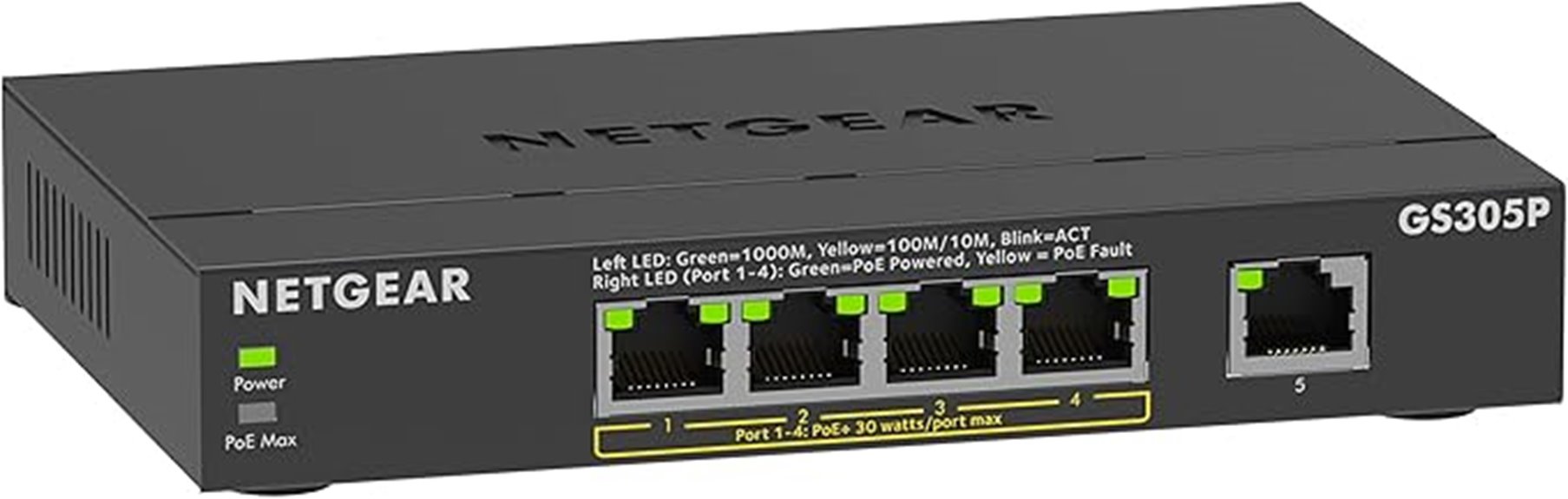
The NETGEAR 5-Port PoE Gigabit Ethernet Switch (GS305P) stands out as an ideal choice for small offices or home setups that need a simple, reliable networking solution. It offers five Gigabit ports, including four PoE+ ports with a total power budget of 63W, perfect for powering IP cameras or VoIP phones. Its plug-and-play design requires no software or configuration, making setup quick and straightforward. Compact and versatile, it can be desktop or wall-mounted. With energy-efficient IEEE802.3az support and silent operation, it suits noise-sensitive environments. Plus, its three-year warranty provides added peace of mind, ensuring dependable performance.
Best For: small offices and home users seeking a reliable, easy-to-setup PoE switch for powering IP cameras and VoIP phones.
Pros:
- Plug-and-play setup requires no software or configuration
- Compact design suitable for desktop or wall mounting
- Energy-efficient operation with silent performance
Cons:
- Limited to five ports, which may not suit larger networks
- Total PoE power budget of 63W might be insufficient for multiple high-power devices
- No managed features or advanced configuration options
10Gb Ethernet Switch with 10Gb and 2.5Gb Ports
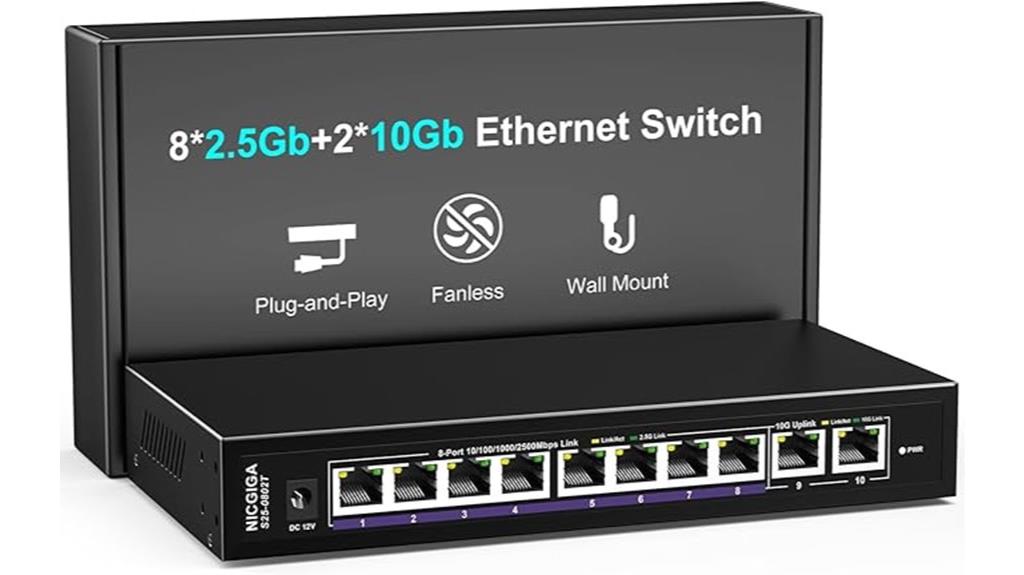
If you need a reliable switch that delivers high-speed connections without complex setup, this unmanaged Ethernet switch with 10Gb and 2.5Gb ports is an excellent choice. It offers 10 ports, including 8 x 2.5Gb and 2 x 10Gb RJ45 ports, supporting fast data transfer for NAS, gaming PCs, servers, and more. With a switching capacity of up to 60Gbps, it handles large traffic smoothly. The plug-and-play design makes installation effortless, while features like auto MDI/MDIX and a durable metal case ensure reliable, silent operation. Its flexible mounting options and broad temperature range make it suitable for various environments.
Best For: small to medium-sized businesses, gamers, and home users seeking high-speed, reliable network connections with easy setup.
Pros:
- Plug-and-play installation with no configuration needed
- Supports high data transfer speeds up to 60Gbps and multiple port speeds
- Durable metal case with lightning protection and silent, fanless operation
Cons:
- Limited to unmanaged switch functionality without advanced management features
- May require additional equipment for extensive network expansion
- No included mounting hardware, which might complicate wall installation
NETGEAR 8-Port PoE+ Gigabit Ethernet Switch (GS308PP)

Looking for an easy-to-use switch that delivers reliable Gigabit Ethernet connectivity with Power over Ethernet (PoE+)? The NETGEAR 8-Port PoE+ Gigabit Ethernet Switch (GS308PP) is perfect. It features 8 Gigabit ports, all PoE+ capable, with a total power budget of 83W, ideal for powering IP cameras, phones, or wireless access points. Its plug-and-play setup requires no software or configuration, making installation straightforward. You can place it on your desktop or mount it on a wall for flexibility. Plus, it comes with a 3-year limited hardware warranty, ensuring peace of mind for seamless network expansion.
Best For: small to medium-sized businesses or home offices seeking a reliable, easy-to-install PoE+ switch for powering IP cameras, phones, and wireless access points.
Pros:
- Plug-and-play setup with no software or configuration needed
- Supports wall mounting and desktop placement for flexible installation
- 3-year limited hardware warranty provides reliable support and peace of mind
Cons:
- Limited total power budget of 83W may restrict high-power device connections
- No managed features for advanced network configuration
- Only 8 ports, which may be insufficient for larger network setups
Factors to Consider When Choosing Ethernet Switches Unmanaged

When choosing an unmanaged Ethernet switch, I consider factors like port quantity and speed to match my network needs. I also look at Power over Ethernet support, device compatibility, and the switch’s size for easy placement. Finally, energy efficiency features and installation options help me select a model that’s both practical and eco-friendly.
Port Quantity and Speed
Choosing the right unmanaged Ethernet switch hinges on understanding both port quantity and speed, as these factors directly impact your network’s capacity and performance. The number of ports determines how many devices you can connect directly, influencing scalability. If you plan to expand your network, selecting a switch with enough ports now helps avoid future upgrades. Port speeds, such as 1Gbps, 2.5Gbps, or 10Gbps, define how quickly data moves between devices. For bandwidth-heavy tasks like 4K streaming or large file transfers, higher speeds are essential. Unmanaged switches tend to have fixed port counts and consistent speeds, so selecting a model that matches your current needs while providing room for growth is vital. Prioritizing the right port quantity and speed ensures your network remains efficient and ready for future demands.
Power Over Ethernet (Poe) Support
Have you considered how Power over Ethernet (PoE) support can streamline your network setup? PoE allows switches to deliver both power and data through a single Ethernet cable, simplifying device deployment. This is especially useful for powering IP cameras, wireless access points, and VoIP phones without needing separate power sources. The switch’s PoE power budget determines how many devices you can support simultaneously and their power levels, with standards like IEEE 802.3af (PoE) and IEEE 802.3at (PoE+) offering different capabilities—PoE+ supports up to 30W per port. Unmanaged switches with PoE support are generally plug-and-play, making expansion straightforward without complex configuration. Choosing a switch with appropriate PoE support ensures efficient, flexible, and cost-effective network growth.
Device Compatibility and Size
Ever wondered if your Ethernet switch will work seamlessly with your existing devices and space constraints? It’s vital to confirm the switch’s Ethernet ports support the same speed standards as your equipment, like Gigabit or 10Gb, to avoid compatibility issues. Check the physical size and form factor—whether desktop, wall-mounted, or rack-mounted—to make sure it fits your installation space. Also, verify that the number of ports matches your current needs and allows room for future expansion. Consider the switch’s power supply and overall size, especially for compact or constrained environments. Finally, confirm compatibility with your existing network infrastructure, including cable types and electrical standards, to enable smooth integration without unforeseen hurdles.
Installation and Placement Options
When selecting an unmanaged Ethernet switch, considering where and how you’ll install it can make a significant difference in performance and convenience. Switches come with various mounting options, such as wall mounts or desktop placement, so choose based on your space and accessibility needs. Compact designs or metal casings can influence placement, especially in tight or rugged environments. Wall-mountable switches typically include mounting holes or brackets for secure attachment, freeing up desk space. Desktop models are ideal for easy access and quick setup on desks or shelves. Additionally, think about environmental factors—if noise or space constraints are concerns, opt for switches with silent operation and suitable form factors. Proper placement guarantees ideal airflow, accessibility, and a tidy setup.
Energy Efficiency Features
Are you looking to save on energy costs without sacrificing network performance? Many unmanaged switches now include energy-efficient features that help reduce power consumption. For example, IEEE 802.3az compliance allows switches to lower power during periods of low activity. Port-based energy savings dynamically adjust power based on connected devices and traffic load, ensuring efficiency without affecting performance. Silent operation and fanless designs also contribute, eliminating the need for active cooling systems and decreasing energy use. Additionally, auto-sensing ports detect link speed and can disable unused ports to conserve energy. These energy-efficient unmanaged switches lower operational costs and minimize environmental impact, making them a smart choice for expanding networks while maintaining reliable, cost-effective performance.
Network Management Capabilities
Unmanaged switches operate without advanced management features, making them ideal for simple, plug-and-play network setups. They don’t support VLANs, SNMP monitoring, or traffic shaping, which limits their control over network traffic. Their management capabilities are minimal, mostly limited to physical port indicators and basic troubleshooting. There’s no option for remote configuration or detailed network segmentation, so they’re best suited for straightforward environments. While they may offer basic port-based Quality of Service (QoS) for traffic prioritization, this isn’t as flexible as managed switches. The simplicity of unmanaged switches means quick deployment and minimal setup, but it also means less control over network optimization and security policies. If you need advanced features, you’ll have to look beyond unmanaged options.
Price and Warranty Coverage
Choosing the right unmanaged Ethernet switch involves more than just considering its price; you also need to evaluate the warranty coverage to guarantee long-term reliability. Price is important to ensure the switch fits within your budget, but lower-cost options often come with limited features or shorter warranties, which could impact durability and functionality over time. A longer warranty, such as a lifetime or multi-year coverage, can give you peace of mind, knowing repairs or replacements are covered if the device fails. Balancing cost with warranty terms helps you select a switch that’s both affordable and protected. Investing in a device with solid warranty coverage ensures your network remains reliable and reduces potential future expenses. Ultimately, a good warranty safeguards your investment and ensures long-term performance.
Frequently Asked Questions
How Do Unmanaged Switches Handle Network Security Concerns?
Unmanaged switches handle network security by not offering advanced features like VLANs or access controls, so they rely on physical security and network segmentation. I recommend placing them in secure locations and using strong passwords on connected devices. While they lack built-in security, I find that combining them with proper network practices helps protect my data. For higher security needs, managed switches are a better choice.
Can Unmanaged Switches Prioritize Traffic for Specific Devices?
Ever wonder if unmanaged switches can prioritize traffic? They generally can’t because they lack features like Quality of Service (QoS) that manage traffic priority. This means all devices get equal bandwidth, which might slow down your critical applications. If you need device-specific prioritization, I recommend a managed switch. But if simplicity and cost are your main concerns, unmanaged switches are still a straightforward, reliable choice for expanding your network.
Are Unmanaged Switches Suitable for Future Network Upgrades?
Unmanaged switches are suitable for future network upgrades because they’re simple, cost-effective, and easy to install without complex configurations. I find they work well for small to medium setups where advanced management isn’t needed. However, if your network demands grow, you might eventually need managed switches for better control and scalability. For now, unmanaged switches provide a solid foundation, but planning ahead guarantees smooth upgrades later on.
What Is the Typical Lifespan of Unmanaged Ethernet Switches?
Unmanaged Ethernet switches typically last between 5 to 10 years. I’ve seen them serve well in small offices, often outlasting their initial needs. Their lifespan depends on factors like build quality, usage intensity, and environmental conditions. I recommend choosing a reputable brand and ensuring proper ventilation. Regular updates and gentle handling can extend their life, helping your network stay reliable without frequent replacements.
How Do Unmanaged Switches Perform in High-Traffic Environments?
Unmanaged switches can handle high-traffic environments well, but their performance depends on the switch’s quality and port capacity. I’ve found that they work smoothly for small to medium loads, providing quick data transfer without much fuss. However, in very busy networks, they might experience congestion or bottlenecks. For heavy traffic, I recommend high-quality switches with higher port speeds or managed options for better control.
Conclusion
Choosing the right unmanaged switch is like planting a sturdy tree in your network’s garden—it sets the foundation for growth and stability. With the options I’ve shared, you can easily expand and strengthen your connection, ensuring your digital landscape flourishes smoothly. Remember, a reliable switch isn’t just a device; it’s the silent architect of seamless connectivity, turning your network from a sparse trail into a thriving highway of data flow.