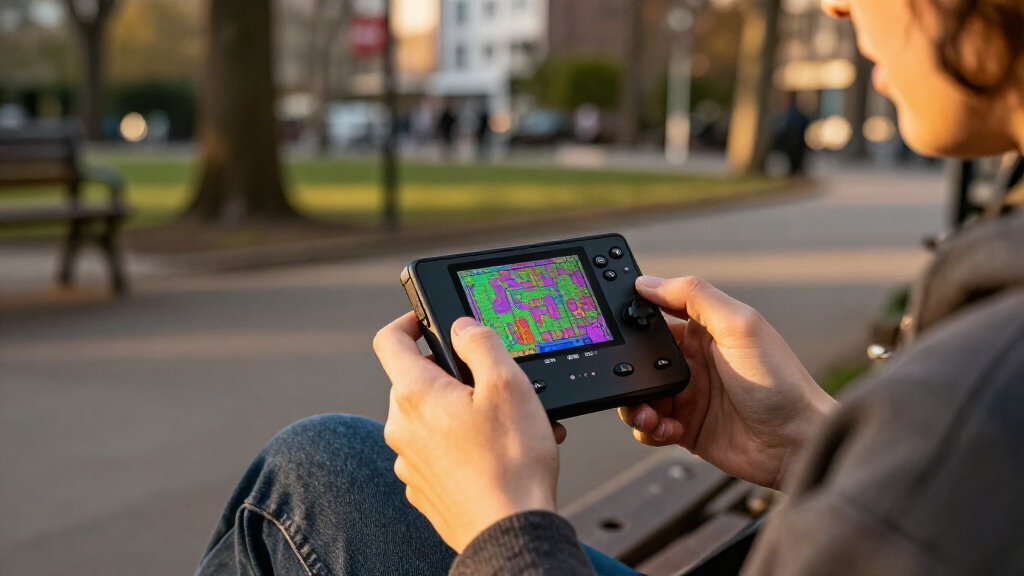
The best Raspberry Pi handheld consoles depend on whether you want a ready-to-assemble gaming shell, a small screen-and-controls board, or a portable Linux computer. My best overall pick is the Waveshare GamePi43 with Raspberry Pi 3B+, which offers a larger display and a more complete handheld format than the bare game boards. The Retroflag GPi Case 2W is a strong choice for a compact build, while the uConsole suits buyers who want a keyboard and broader computing uses. The main tradeoffs are screen size, portability, assembly effort, and whether the kit includes a Raspberry Pi. Read on for how each option fits a different kind of project.

Get the latest gadgets delivered free with Prime
- Fast, free delivery on millions of items
- Prime Video, Amazon Music and more included
- Member-only deals all year
Complete the kit



Key Takeaways
GamePi43 is the strongest all-around gaming format in this group because its larger 4.3-inch display and included Raspberry Pi 3B+ make it more complete than the small console boards.
The uConsole is a different kind of handheld: its 5-inch screen and QWERTY keyboard favor portable Linux use, not a pocketable, game-first design.
The 1.3-inch boards trade comfort for size; they suit tiny builds and simple projects better than long gaming sessions or games with detailed visuals.
Game HAT listings need careful comparison: the two 3.5-inch entries appear closely related, so buyers should verify the exact display and included parts rather than assume the names signal different capabilities.
Most options are components or kits, not complete consoles. Raspberry Pi compatibility, assembly, power, storage, and software setup can shape the experience as much as the screen does.
| Waveshare GamePi43 Portable Retro Game Console with Raspberry Pi 3B+ |  | Best Ready-to-Play Style Build | Included Raspberry Pi: Raspberry Pi 3B+ | Display: 4.3-inch IPS | Resolution: 800 × 480 | VIEW LATEST PRICE | See Our Full Breakdown |
| GamePi13 1.3-Inch LCD Game Console Board for Raspberry Pi and RP2040-PiZero |  | Best for DIY Projects | Display: 1.3-inch IPS LCD | Resolution: 240 × 240 | Color depth: 65K colors | VIEW LATEST PRICE | See Our Full Breakdown |
| Waveshare Game HAT for Raspberry Pi with 3.5-Inch IPS Display |  | Best for a Compact Console Build | Display: 3.5-inch IPS LCD | Resolution: 480 × 320 | Frame rate: 60 frames | VIEW LATEST PRICE | See Our Full Breakdown |
| uConsole Handheld Linux Computer Kit for Raspberry Pi CM4, 5-Inch IPS Display, QWERTY Keyboard, Wi-Fi (Silver) |  | Best for Gaming and Linux Use | Compatible module: Raspberry Pi CM4, not included | Mainboard: ClockworkPi v3.14 Rev 5 | Display: 5-inch IPS, 720p | VIEW LATEST PRICE | See Our Full Breakdown |
| Waveshare Game HAT for Raspberry Pi with 3.5-Inch IPS Screen |  | Best for Broad Raspberry Pi Compatibility | Screen: 3.5-inch IPS | Resolution: 480 × 320 | Refresh rate: 60 Hz | VIEW LATEST PRICE | See Our Full Breakdown |
| Waveshare 1.3-Inch LCD Game Console Board for Raspberry Pi |  | Best Compact Build-It-Yourself Option | Brand: Waveshare | Model: GamePi13 | Screen: 1.3-inch IPS LCD | VIEW LATEST PRICE | See Our Full Breakdown |
| AKNES Retroflag GPi Case 2W for Raspberry Pi Zero, Zero W, and Zero 2W |  | Best Solder-Free Handheld Case | Compatibility: Raspberry Pi Zero, Zero W, and Zero 2W | Display: 3-inch IPS LCD | Resolution: 640 × 480 | VIEW LATEST PRICE | See Our Full Breakdown |
| Raspberry Pi handheld console | Resolution | Display |
|---|---|---|
| Waveshare GamePi43 Portable Re | 800 × 480 | 4.3-inch IPS |
| GamePi13 1.3-Inch LCD Game Con | 240 × 240 | 1.3-inch IPS LCD |
| Waveshare Game HAT for Raspber | 480 × 320 | 3.5-inch IPS LCD |
| uConsole Handheld Linux Comput | — | 5-inch IPS, 720p |
| Waveshare Game HAT for Raspber | 480 × 320 | — |
| Waveshare 1.3-Inch LCD Game Co | 240 × 240 | — |
| AKNES Retroflag GPi Case 2W fo | 640 × 480 | 3-inch IPS LCD |
More Details on Our Top Picks
Waveshare GamePi43 Portable Retro Game Console with Raspberry Pi 3B+
The GamePi43 is the most self-contained gaming pick here: it includes a Raspberry Pi 3B+, so unlike the Game HAT models, you do not need to supply a compatible Pi separately. Its 4.3-inch, 800 × 480 IPS display gives games and menus more room than the 3.5-inch screens on the Waveshare Game HAT options, while onboard audio and a headphone jack cover both shared and private play. Volume and backlight controls add useful adjustments on the device itself. The tradeoff is that the required 18650 batteries are not included, and the supplied information does not establish ongoing software support. This is a better fit for buyers who want a complete console-style starting point than the GamePi13, which is a tiny DIY board rather than a ready handheld.
Pros:- Includes a Raspberry Pi 3B+, reducing the number of core components the buyer must source.
- The 4.3-inch IPS display offers more viewing area than the 3.5-inch Game HAT screens.
- Built-in speaker and earphone jack support different listening preferences.
- Battery indicator and volume and backlight controls provide useful on-device adjustments.
Cons:- 18650 batteries are not included, so the console cannot be powered straight from the box.
- Software update support is unspecified.
- Its listed compatibility with several Pi models does not change that a Raspberry Pi 3B+ is the included board.
Best for: Buyers who want a Raspberry Pi included and a larger screen for portable retro gaming without assembling a separate HAT setup.
Not ideal for: People who want a ready-to-use unit with every power component included, or buyers who need clear information about future software support.
- Included Raspberry Pi:Raspberry Pi 3B+
- Display:4.3-inch IPS
- Resolution:800 × 480
- Frame rate:60 fps
- Processor:64-bit quad-core, 1.4 GHz
- RAM:1 GB
- Storage capacity:32 GB
- Power:18650 lithium batteries, not included
Our verdict“Choose the GamePi43 if you want a larger-screen console with a Raspberry Pi 3B+ included and are prepared to source 18650 batteries.”
GamePi13 1.3-Inch LCD Game Console Board for Raspberry Pi and RP2040-PiZero
The GamePi13 is a project board, not a finished handheld: its appeal is the 1.3-inch IPS display and 12 customizable buttons for people building a compact game device around a Raspberry Pi or RP2040-PiZero. Its 240 × 240 screen is far smaller than the GamePi43’s 4.3-inch panel, so it suits simple, deliberately compact interfaces better than games that benefit from a broad view. Onboard audio and online demos give makers a starting point, but the board still calls for a compatible host and setup work. Compared with the Waveshare Game HAT, this is less of a ready-to-assemble console shell and more of a flexible component for custom projects. I would skip it if the goal is to start playing with minimal configuration.
Pros:- Twelve customizable buttons support tailored control layouts.
- The compact IPS display suits small DIY builds.
- Onboard audio output is included on the board.
- Online development resources and demos can help start a project.
Cons:- It is a board only; a compatible Raspberry Pi or RP2040-PiZero is required.
- The 1.3-inch, 240 × 240 display is substantially smaller than the Game HAT and GamePi43 screens.
- DIY assembly and setup are part of ownership.
Best for: Makers and Raspberry Pi or RP2040-PiZero owners who want a compact display-and-control board for a custom handheld project.
Not ideal for: Buyers seeking a complete handheld console, a large game display, or a setup that avoids hardware and software configuration.
- Display:1.3-inch IPS LCD
- Resolution:240 × 240
- Color depth:65K colors
- Display driver:ST7789
- Connectivity:SPI
- Buttons:12 customizable buttons
- Audio:Onboard audio output
- Compatible platforms:Raspberry Pi / RP2040-PiZero
Our verdict“Pick the GamePi13 for a small, customizable maker project, not as a ready-made Raspberry Pi handheld.”
Waveshare Game HAT for Raspberry Pi with 3.5-Inch IPS Display
This Waveshare Game HAT turns a compatible Raspberry Pi into a compact gaming setup, with a 3.5-inch, 480 × 320 IPS display, controls, speaker, and headphone jack. It is a more space-conscious alternative to the GamePi43, whose larger screen is easier to view but makes for a bigger handheld format. The included acrylic case and connection accessories make this a practical choice for buyers who already have a supported Pi and want the main console components together. It also supports charging while playing, though that does not remove the need to provide the 18650 battery. Battery life is listed at about one to two hours depending on the game, a clear limitation beside the GamePi43’s unspecified runtime. Raspberry Pi Zero models need an extra HDMI cable.
Pros:- The 3.5-inch IPS screen balances handheld size with a 480 × 320 resolution.
- Onboard speaker and earphone jack provide built-in audio options.
- Charging while playing supports continued use when connected to power.
- Acrylic case and connection accessories are included.
Cons:- The required 18650 lithium battery is sold separately.
- Listed battery life is about one to two hours, depending on the game.
- Raspberry Pi Zero models require an additional HDMI cable.
Best for: Raspberry Pi owners who want a compact 3.5-inch handheld build with basic case and connection accessories included.
Not ideal for: Buyers who need a long play session per charge, already expect a battery in the package, or want a larger screen like the GamePi43’s.
- Display:3.5-inch IPS LCD
- Resolution:480 × 320
- Frame rate:60 frames
- Compatible platforms:Raspberry Pi A+, B+, 2B, 3B, 3B+
- Battery:18650 lithium battery, not included
- Battery life:About 1–2 hours, depending on the game
- Audio:Onboard speaker and earphone jack
- Included accessories:Acrylic case, HDMI connector, Raspberry Pi screws
Our verdict“Choose this Game HAT for a compact Pi-based console build if you accept the short listed battery life and separate battery purchase.”
uConsole Handheld Linux Computer Kit for Raspberry Pi CM4, 5-Inch IPS Display, QWERTY Keyboard, Wi-Fi (Silver)
The uConsole is the outlier in this lineup: its 5-inch, 720p display and backlit QWERTY keyboard make it a handheld Linux computer that can also serve gaming projects, rather than a dedicated gaming HAT like the Waveshare Game HAT. That wider use may suit buyers who want a keyboard for terminal work or other Linux tasks alongside games. It is a kit, however, and requires a separately sourced Raspberry Pi CM4, batteries, and TF card; assembly is part of the purchase. The listing describes Wi-Fi and Bluetooth, but the selected configuration is Wi-Fi-only, so I would not assume cellular connectivity from the LTE wording. Compared with the GamePi43, it offers a larger, sharper listed display and more computing-oriented controls, but asks for more setup and missing components.
Pros:- The 5-inch 720p IPS display provides more resolution than the Game HAT models.
- Backlit QWERTY keyboard supports text input and Linux tasks beyond gaming.
- Wi-Fi and Bluetooth 5.0 with BLE are listed.
- CM4 adapter, shells, speakers, and assembly accessories are included.
Cons:- Raspberry Pi CM4 module is not included.
- 18650 batteries and a TF card are also excluded.
- The Wi-Fi-only configuration may not include cellular connectivity despite LTE wording in the listing.
Best for: Linux users and tinkerers who want a keyboard-equipped handheld for computing tasks as well as gaming and already plan to source a CM4.
Not ideal for: Buyers looking for a simple gaming console, a complete kit with the Pi and batteries included, or confirmed cellular connectivity.
- Compatible module:Raspberry Pi CM4, not included
- Mainboard:ClockworkPi v3.14 Rev 5
- Display:5-inch IPS, 720p
- Keyboard:Backlit QWERTY
- Connectivity:Wi-Fi 802.11 b/g/n/ac, Bluetooth 5.0, BLE
- Memory storage capacity:32 GB
- RAM technology:LPDDR4
- Not included:CM4 module, 18650 batteries, TF card, SIM card, cellular service plan
Our verdict“Choose the uConsole if keyboard-based Linux use matters as much as gaming and you are comfortable sourcing and assembling the missing parts.”
Waveshare Game HAT for Raspberry Pi with 3.5-Inch IPS Screen
This version of the Waveshare Game HAT is a straightforward choice for buyers who want a small screen, joystick, and buttons in one gaming HAT. Its 3.5-inch, 480 × 320 IPS display and 60 Hz refresh rate keep the setup compact, while the speaker and headphone jack avoid the need for separate audio hardware. It lists support for more Raspberry Pi models than the other Game HAT entry, including the Raspberry Pi 4B and Zero family; Zero, Zero W, and Zero WH need an additional HDMI cable. Compared with the GamePi43, this is a smaller component-based build and does not include a Raspberry Pi. As with the other HAT, buyers must provide an 18650 battery, so it is not a complete handheld straight from the package.
Pros:- Listed compatibility includes Raspberry Pi 4B and Zero, Zero W, and Zero WH models.
- The 3.5-inch IPS screen has 480 × 320 resolution and a 60 Hz refresh rate.
- Joystick and buttons provide integrated game controls.
- Onboard speaker and earphone jack cover built-in and private listening.
Cons:- The 18650 lithium battery is not included.
- Zero-family Raspberry Pi models require an additional HDMI cable.
- Unlike the GamePi43, this HAT does not include a Raspberry Pi.
Best for: Raspberry Pi owners who want a compact gaming HAT and value listed compatibility across Pi 4B and Zero-family boards.
Not ideal for: People who want a complete console with a Pi and battery included, or prefer a larger display than 3.5 inches.
- Screen:3.5-inch IPS
- Resolution:480 × 320
- Refresh rate:60 Hz
- Compatibility:Raspberry Pi A+, B+, 2B, 3B, 3B+, 4B; Zero, Zero W, Zero WH with additional HDMI cable
- Power:18650 lithium battery, not included
- Audio:Onboard speaker and earphone jack
- Input device:Joystick and buttons
- Connectivity:HDMI
Our verdict“Pick this Game HAT if you already own a supported Pi and want broad listed model compatibility in a compact gaming setup.”
Waveshare 1.3-Inch LCD Game Console Board for Raspberry Pi
Its tiny footprint is the main reason to choose this board: the 1.3-inch IPS screen and 12 customizable buttons give Raspberry Pi hobbyists a compact starting point for a handheld project. The 240 × 240 display suits simple retro graphics, but it offers far less viewing area than the 3-inch screen on the AKNES Retroflag GPi Case 2W. SPI connectivity and the ST7789 driver provide a defined display interface, while the buttons leave room to tailor controls to a project. The tradeoff is that this is a board, not a complete console; the product data does not state that a Raspberry Pi is included. I’d pick it for a space-conscious DIY build, not for someone seeking a ready-to-play handheld or a screen comfortable for longer sessions.
Pros:- Compact 1.3-inch IPS display with 240 × 240 resolution
- 12 customizable buttons allow control layouts to suit a DIY project
- SPI connection and ST7789 driver specify the display interface
- Designed for Raspberry Pi compatibility
Cons:- Board-only package; a Raspberry Pi is not stated as included
- The 1.3-inch screen is much smaller than the AKNES Retroflag GPi Case 2W’s 3-inch display
- Requires a separate build, so it is less suitable for buyers seeking a ready-to-play console
Best for: Raspberry Pi makers building a very compact handheld who want customizable physical controls and are comfortable sourcing and assembling the rest of the system.
Not ideal for: Buyers who want a complete console, a larger screen, or a straightforward plug-and-play setup; the 1.3-inch board is a small component rather than a stated full handheld kit.
- Brand:Waveshare
- Model:GamePi13
- Screen:1.3-inch IPS LCD
- Resolution:240 × 240
- Color depth:65K colors
- Display driver:ST7789
- Communication interface:SPI
- Controls:12 customizable buttons
- Platform:Linux
Our verdict“Choose this board for a compact, customizable Raspberry Pi build, but pick the AKNES Retroflag GPi Case 2W if a larger screen and handheld case matter more.”
AKNES Retroflag GPi Case 2W for Raspberry Pi Zero, Zero W, and Zero 2W
The GPi Case 2W is the stronger pick for buyers who want a recognizable handheld form without soldering: its POGO-pin connection simplifies assembly with a compatible Raspberry Pi Zero model. A 3-inch, 640 × 480 IPS display gives games more room than the Waveshare GamePi13 board’s 1.3-inch, 240 × 240 screen, while the rechargeable 2,800 mAh battery is rated for up to 10 hours of play. That stated runtime makes it better suited to portable sessions than a board-only project, though actual play time can vary. The tradeoff is platform lock-in: it requires a Raspberry Pi Zero, Zero W, or Zero 2W, which is not stated as included. I’d favor it over the GamePi13 for a cased handheld build, but not if you need an all-in-one purchase.
Pros:- Solder-free POGO-pin assembly with compatible Raspberry Pi Zero models
- 3-inch IPS display with 640 × 480 resolution
- 2,800 mAh rechargeable battery rated for up to 10 hours of play
- Turbo button and customizable hotkey add dedicated control options
Cons:- Requires a compatible Raspberry Pi, which is not stated as included
- Compatibility is limited to Raspberry Pi Zero, Zero W, and Zero 2W
- At 375 g, it is a more substantial handheld build than the compact GamePi13 board
Best for: DIY retro-gaming buyers who already have, or plan to source, a compatible Raspberry Pi Zero and want a solder-free case with a larger screen and rechargeable battery.
Not ideal for: Shoppers seeking a complete console without sourcing a Raspberry Pi, or makers building around a different Raspberry Pi model.
- Compatibility:Raspberry Pi Zero, Zero W, and Zero 2W
- Display:3-inch IPS LCD
- Resolution:640 × 480
- Battery:2,800 mAh rechargeable
- Claimed battery life:Up to 10 hours
- Assembly:Solder-free POGO-pin connection
- Controls:Turbo button and customizable hotkey
- Item weight:375 g
- Warranty:1 year
Our verdict“Pick the GPi Case 2W if you want a larger-screen, solder-free handheld enclosure and are ready to supply a compatible Pi Zero.”

How We Picked
I ranked these products by how well they serve distinct handheld needs: accessible retro gaming, compact DIY builds, or portable Linux computing. I weighed screen size and usability, the controls and enclosure provided, Raspberry Pi compatibility, likely setup demands, and how much of a working device the listing appears to supply. A larger display can make games easier to see, but it also creates a bulkier build; a tiny board is easier to fit into a custom project but gives up comfort and visual detail.
The GamePi43 ranks first because it combines a relatively large screen with a Raspberry Pi 3B+ in a recognizable handheld package. The GPi Case 2W ranks as a compact alternative, while the uConsole earns a separate place for buyers who value a keyboard and general-purpose computing. The 3.5-inch Game HATs and 1.3-inch boards serve narrower DIY needs, so their order reflects use-case fit rather than a claim that one is universally better. Since several listings describe boards or kits, buyers should confirm included hardware and exact compatibility before ordering.
Factors to Consider When Choosing Best Raspberry Pi Handheld Consoles
Before choosing a handheld, decide what you want to build and how much setup you are willing to handle. These products range from a more complete gaming assembly to small add-on boards and a keyboard-led computer. The right choice depends on the whole build—Pi model, enclosure, battery, controls, and software—not just the screen diagonal.
Decide Whether You Want a Console or a Project
Product names can make a board or case sound like a finished handheld, but many Raspberry Pi options still need a compatible computer, storage, power, and software. Check the box contents and the exact Pi model before comparing features. A kit that includes a Pi may save sourcing effort, while a bare board can be better if you already own compatible parts. DIY assembly also brings troubleshooting: display connections, button mapping, and software configuration may all need attention. If you want to spend more time playing than building, favor a more complete assembly and confirm what remains to be supplied. If the project itself is the point, a board or case can offer more room to customize.
Match Screen Size to the Games You Play
Screen size affects more than comfort: it changes how clearly text, menus, and fine details appear. The 1.3-inch boards are appealing for miniature builds, but their small displays are a poor fit for games that rely on readable text or detailed scenes. A 3.5-inch or 4.3-inch screen gives more room to see what is happening, at the cost of a larger handheld. Resolution, aspect ratio, brightness, and viewing angle matter too, so screen diagonal alone does not settle the choice. Think about where you will use the device and whether you will play in short bursts or longer sessions. A compact shell is not a benefit if its display makes your preferred games tiring to use.
Check Compatibility Across the Entire Build
Raspberry Pi handheld parts are not interchangeable just because they share a brand or look similar. Confirm the supported Pi model, connector layout, operating system requirements, and any required expansion board before buying. The listings here span Pi 3B+, Zero-family models, CM4, and RP2040-related hardware, so compatibility deserves particular attention. Also check whether a product needs a specific battery, memory card, or software image. A mismatch can turn an otherwise suitable screen or case into extra sourcing work. When two listings have near-identical names, compare their contents and specifications rather than relying on the title.
Choose Between Gaming Controls and a Keyboard
A handheld made for games and a handheld made for general computing have different control priorities. Traditional game controls keep the focus on play, while the uConsole’s QWERTY keyboard makes text input and command-line tasks more practical. That keyboard takes space and changes the feel of the device, so it may not be the right trade for someone who mainly wants a compact gaming system. Consider whether you will type, manage files, or use Linux applications away from a desk. For game-focused use, examine button placement and whether the controls suit the systems you plan to emulate. For mixed use, a keyboard can add more value than a larger collection of gaming buttons.
Budget Time for Power, Heat, and Software
A handheld build needs more than a screen and controls to work well away from a desk. Battery capacity, charging arrangements, power draw, and heat can affect runtime and comfort, especially in a tightly packed enclosure. Look for clear information about battery support and ventilation rather than assuming a case handles every power need. Software setup also varies: you may need to install an operating system, configure controls, and organize game files yourself. Check that the software you plan to use supports the chosen Pi and display. Buyers who want fewer setup surprises should favor clear documentation and a narrower, well-defined build plan.
Frequently Asked Questions
Does the GamePi43 listing include everything I need to play?
The listing names a GamePi43 console and Raspberry Pi 3B+, which makes it more complete than the standalone boards in this roundup. That does not automatically mean every item needed for a working system is included. Check the package contents for a battery, storage card, charger, and any required software or accessories. Confirm whether assembly or configuration is expected as well. If you already own compatible parts, that may be less of a concern; if not, make a parts checklist before choosing it.
Which option makes the most sense for a first Raspberry Pi handheld build?
For a first build, I would start with the product whose included parts and Pi compatibility are clearest, rather than the smallest or most customizable board. The GamePi43 has an advantage as a game-focused package that names a Raspberry Pi 3B+, while the GPi Case 2W is a compact route for buyers with a compatible Zero-family Pi. The uConsole is better for someone who wants Linux computing and is comfortable with its kit format. Before ordering, check whether the Pi, battery, and storage are included. A simple parts list and documented setup can save more frustration than a lower component count.
Are the two Waveshare 3.5-inch Game HAT listings different products?
The names describe very similar products, and the supplied titles do not establish a clear functional difference. I would not assume that one has a better screen or includes more parts based on the wording alone. Compare the full listing specifications, package contents, supported Pi models, display details, and board revisions. If those details remain unclear, contact the seller before choosing. Treating near-duplicate listings as interchangeable without checking can lead to buying a version that does not match your build.
Can a 1.3-inch console board replace a larger handheld for regular gaming?
It can work for a deliberately tiny project or simple games, but its display size limits readability and comfort. Text-heavy menus and detailed graphics are harder to enjoy on a very small screen, particularly over longer sessions. A 3.5-inch Game HAT or the 4.3-inch GamePi43 is a more suitable direction if visibility is a priority. The small boards make more sense when size, experimentation, or a custom enclosure matters more than extended play. Check the display resolution and game compatibility before building around one.
Should I choose the uConsole if I mainly want to play retro games?
The uConsole can support a broader handheld-computing project, but its 5-inch screen and QWERTY keyboard signal a different priority from a game-first console. The keyboard is useful for typing and Linux tasks, yet it takes space that could otherwise go to a more conventional gaming layout. If retro gaming is your main goal, compare it with the GamePi43 or GPi Case 2W, which are more directly shaped around handheld play. Choose the uConsole when you expect to use a keyboard and portable computing features often. Also verify which CM4 and other kit components are included before planning your setup.
Conclusion
For most readers seeking a Raspberry Pi gaming handheld, I recommend the Waveshare GamePi43 as the best overall because its 4.3-inch display and named Pi 3B+ make it the most balanced game-focused package here. The best value in this lineup is the GamePi13 1.3-inch board for builders who already have compatible hardware and want a minimal, compact project; skip it if screen comfort matters. The uConsole is my premium-style pick for portable Linux use, not the best choice for a dedicated gaming layout. Beginners should favor the GamePi43 or a clearly specified GPi Case 2W build, after checking exactly what is included. For a tiny custom console, choose a 1.3-inch board; for a middle-size DIY gaming build, compare the 3.5-inch Game HAT listings closely. Match the Pi, power parts, and intended use before settling on a kit.
Halloween Picks
halloween
As an affiliate, we earn on qualifying purchases.