The best indoor flying drone for most buyers is the HOVERAir X1, which stands out for hands-free camera flights, while the Holy Stone HS210 is a more straightforward choice for learning stick controls. For younger flyers who want a guarded toy, the HASAKEE Q9s pairs protective guards with lights and two batteries. The main tradeoff is between easy, playful flight and the extra space, care, and cost a camera drone can call for indoors. My picks span those different needs rather than treating every small drone as interchangeable. Read on for the full breakdown and guidance on choosing a drone that fits your room, pilot, and purpose.

Get the latest gadgets delivered free with Prime
- Fast, free delivery on millions of items
- Prime Video, Amazon Music and more included
- Member-only deals all year
Complete the kit



Key Takeaways
- The HOVERAir X1 leads for camera-focused indoor flights: its follow-me approach serves a different purpose from the lineup’s toy-style hand-control and remote-control drones.
- The Holy Stone HS210 is the clearest starter pick for conventional controls: it is aimed at beginners who want to practice piloting rather than simply launch a hand-operated toy.
- Protective guards matter more than flashy features in tight rooms: the HASAKEE Q9s makes guards a central part of its design, while LED lights mainly help with visibility and play.
- Hand-controlled models trade piloting practice for simplicity: the Force1 Scoot and TrysGame are aimed at casual, gesture-led flying, not the same control experience as a conventional remote.
- The DJI Neo 2 suits buyers who put footage first: its 4K camera separates it from the toy picks, but camera capability alone does not make it the easiest fit for small, crowded rooms.
| HOVERAir X1 Follow-Me Camera Drone |  | Best for Indoor Video | Video: Up to 2.7K at 30 fps; 1080p HDR | Still image resolution: 12 MP | Stabilization: Triple stabilization | VIEW LATEST PRICE | See Our Full Breakdown |
| Force1 Scoot Hand-Operated Indoor Drone, Blue |  | Best for Hands-On Beginner Play | Control type: Hand operated | Obstacle avoidance: Motion sensors with 360-degree obstacle avoidance | Flight time: Up to 8 minutes | VIEW LATEST PRICE | See Our Full Breakdown |
| SYMA X100 Indoor Drone for Kids |  | Best Overall for Beginner Indoor Flying | Obstacle detection: Four-way infrared; detects obstacles within about 12 inches | Total flight time: Up to 20 minutes, depending on use | Included batteries: 2 rechargeable lithium-ion batteries | VIEW LATEST PRICE | See Our Full Breakdown |
| HASAKEE Q9s Kids RC Drone with Protective Guards, LED Lights, Altitude Hold, and 2 Batteries |  | Best for Light-Up Indoor Play | Camera resolution: 720p | Included batteries: 2 lithium-polymer batteries | Battery capacity: 500 mAh per battery | VIEW LATEST PRICE | See Our Full Breakdown |
| TrysGame Hand-Controlled Mini Flying Drone with 360° Flips, Obstacle Sensing, and LED Lights |  | Best Compact Gesture-Controlled Pick | Model: TSM005-B | Control: Gesture control | Obstacle sensing: Six-direction | VIEW LATEST PRICE | See Our Full Breakdown |
| Holy Stone HS210 Mini Drone for Kids and Beginners, Blue |  | Best for Beginner Indoor Practice | Brand and model: Holy Stone HS210 | Dimensions: 3.15 × 3.15 × 1.18 in | Weight: 50 g | VIEW LATEST PRICE | See Our Full Breakdown |
| DJI Neo 2 Lightweight 4K Camera Drone |  | Best Premium Camera Drone | Brand and model: DJI Neo 2 | Weight: 151 g | Dimensions: 6.74 × 5.8 × 1.59 in | VIEW LATEST PRICE | See Our Full Breakdown |
| indoor flying drone | Dimensions | Weight |
|---|---|---|
| HOVERAir X1 Follow-Me Camera D | — | — |
| Force1 Scoot Hand-Operated Ind | 4.7 × 4.7 × 2 inches | 1.12 ounces |
| SYMA X100 Indoor Drone for Kid | 5.16 × 5.16 × 1.77 inches | 58 g |
| HASAKEE Q9s Kids RC Drone with | 6.9 × 6.9 × 2 inches | — |
| TrysGame Hand-Controlled Mini | 3.7 × 3.7 × 1.5 inches | 26 g |
| Holy Stone HS210 Mini Drone fo | 3.15 × 3.15 × 1.18 in | 50 g |
| DJI Neo 2 Lightweight 4K Camer | 6.74 × 5.8 × 1.59 in | 151 g |
More Details on Our Top Picks
HOVERAir X1 Follow-Me Camera Drone
The HOVERAir X1 is the camera-focused pick here: automated flight paths and follow-me tracking make it better suited to hands-free clips than the toy-style Force1 Scoot or SYMA X100. Its enclosed, foldable frame adds a layer of protection around the propellers, while triple stabilization and video up to 2.7K at 30 fps support smoother footage. The 32 GB of built-in storage also means there is no memory card to manage. The tradeoff is that this is still a short-session indoor flyer, with about 11 minutes per battery; the SYMA’s two included batteries offer longer stated total flight time. App-based control also makes phone compatibility part of the buying decision, and this is not intended for users under 14.
Pros:- Automated follow-me tracking and preset flight paths simplify hands-free filming.
- Triple stabilization supports smoother video than the toy-focused indoor options in this lineup.
- 32 GB of internal storage removes the need to supply a separate SD card.
- Foldable enclosed frame with safety guards is suited to careful indoor flying.
Cons:- Approximately 11 minutes of flight time per battery limits each filming session.
- App control requires Android 10.0 or later or iOS 12.1 or later.
- App album previews may appear low-resolution.
Best for: Adults and older teens who want automated indoor follow shots and stabilized video without carrying a separate memory card.
Not ideal for: Younger children or buyers who want long, simple play sessions without app setup; its stated age guidance excludes users under 14 and each battery lasts about 11 minutes.
- Video:Up to 2.7K at 30 fps; 1080p HDR
- Still image resolution:12 MP
- Stabilization:Triple stabilization
- Internal storage:32 GB
- Follow speed:Up to 15 mph
- Flight time:Approximately 11 minutes per battery
- Control and connectivity:App control via Wi-Fi
- Frame:Enclosed, foldable frame with safety guards
Our verdict“Choose the HOVERAir X1 if stabilized, automated indoor video matters more than extended flight time or child-friendly simplicity.”
Force1 Scoot Hand-Operated Indoor Drone, Blue
The Force1 Scoot keeps indoor flying unusually simple: toss it to launch, then guide it with hand movements instead of learning a remote. Its motion sensors and webbed shell suit close-range play, where a guarded design is more reassuring than the exposed propellers of many small quadcopters. Compared with the TrysGame TSM005-B, the Scoot shares gesture-led play but has a larger footprint and a simpler listed feature set; TrysGame adds six-direction sensing and flips. The Scoot’s appeal is straightforward interaction, not aerial filming or precision piloting. Its up-to-8-minute flight time is brief, and a roughly 50-minute USB charge means play sessions need pauses. Buyers seeking longer flying time should look at the SYMA X100 and its two batteries instead.
Pros:- Toss launch and hand-responsive controls reduce the learning curve for first-time flyers.
- Webbed shell helps shield hands, walls, and furniture from the propellers.
- Motion sensors provide 360-degree obstacle avoidance for indoor play.
- Vibrant LEDs make the drone easier to follow while it is flying.
Cons:- Up to 8 minutes of flight time makes play sessions short.
- The approximately 50-minute charge takes much longer than the stated flight time.
- Hand-operated control offers less direct piloting practice than the SYMA X100’s remote.
Best for: Children age 8 and up who want a simple toss-to-launch drone they can steer with their hands in a clear indoor space.
Not ideal for: Buyers who want a remote-controlled learning experience, aerial footage, or longer sessions; it has hand-operated controls and flies for up to 8 minutes per charge.
- Control type:Hand operated
- Obstacle avoidance:Motion sensors with 360-degree obstacle avoidance
- Flight time:Up to 8 minutes
- Charging time:Approximately 50 minutes
- Dimensions:4.7 × 4.7 × 2 inches
- Weight:1.12 ounces
- Shell:Webbed plastic shell
- Age guidance:8 and up
Our verdict“Pick the Force1 Scoot for young beginners who value guarded, gesture-led play over remote control, camera features, or longer flights.”
SYMA X100 Indoor Drone for Kids
For buyers who want a small drone they can actually learn to pilot indoors, the SYMA X100 offers the strongest balance in this group. One-button takeoff and landing, altitude hold, and headless mode reduce early control frustration, while a remote gives it a more conventional flying experience than the hand-operated Force1 Scoot. Its fully enclosed propeller guard and durable ABS body are built for the bumps that come with learning. Four-way infrared sensing adds help near obstacles, though its detection range is only about 12 inches, so it is not a substitute for open flying space. Two included batteries provide up to 20 minutes total, a clear advantage over the Scoot’s single-session limit. Gesture control and flips add play value, but flight time varies with use.
Pros:- One-key takeoff and landing, altitude hold, and headless mode make early flights easier to manage.
- Fully enclosed propeller guard and ABS body suit beginner flying around indoor obstacles.
- Two rechargeable batteries provide up to 20 minutes of total flight time, depending on use.
- Remote and gesture controls, two speed modes, and flips offer more variety than the Force1 Scoot.
Cons:- Infrared obstacle detection is specified only within about 12 inches.
- The up-to-20-minute total depends on use and is split across two batteries.
- Its 58 g body is larger and heavier than the compact 26 g TrysGame.
Best for: Families with beginner pilots who want remote-control practice, protective propeller coverage, and two batteries for longer indoor sessions.
Not ideal for: Experienced pilots seeking long-range control or advanced filming; its obstacle sensing is limited to about 12 inches and it is designed around beginner features.
- Obstacle detection:Four-way infrared; detects obstacles within about 12 inches
- Total flight time:Up to 20 minutes, depending on use
- Included batteries:2 rechargeable lithium-ion batteries
- Controls:Remote control and gesture control
- Flight aids:Altitude hold, headless mode, two speed modes, one-key takeoff and landing
- Body material:ABS
- Dimensions:5.16 × 5.16 × 1.77 inches
- Weight:58 g
Our verdict“The SYMA X100 is my pick for beginner pilots who want protected remote-control flying and more session time than a single-battery toy provides.”
HASAKEE Q9s Kids RC Drone with Protective Guards, LED Lights, Altitude Hold, and 2 Batteries
The HASAKEE Q9s puts visual play first: blue and green LEDs have multiple modes, and its 360-degree flips and auto-rotation give kids more to watch than the straightforward hand-led Force1 Scoot. Four propeller guards, an ABS frame, altitude hold, and one-button takeoff and landing make it approachable for new pilots. The two included batteries are a practical advantage over the Scoot’s single charge, though the listing gives no total flight-time figure, so I would not assume it matches the SYMA X100’s stated up-to-20-minute total. Its listed camera resolution is 720p, but the stated maximum range is only 0.03 miles; this is better treated as a nearby indoor toy than a camera or distance-focused drone. The three speed settings add room to progress, but do not change that close-range role.
Pros:- Four propeller guards and an ABS frame are suited to beginner bumps and indoor flying.
- One-button takeoff and landing, altitude hold, and headless mode simplify basic control.
- Two included batteries allow another flight after the first battery runs down.
- Multiple LED modes, flips, and auto-rotation add more visual play than the Force1 Scoot.
Cons:- The listed maximum range is just 0.03 miles, keeping it to nearby flying.
- Each battery is 500 mAh, and the product data does not specify total flight time.
- The 720p camera resolution is modest compared with the HOVERAir X1’s video capability.
Best for: Kids who want a guarded beginner quadcopter with colorful lighting, basic flight aids, and two batteries for repeat play.
Not ideal for: Buyers who need a clearly stated long flight time, longer control range, or a camera-first drone; its listed maximum range is 0.03 miles and video is 720p.
- Camera resolution:720p
- Included batteries:2 lithium-polymer batteries
- Battery capacity:500 mAh per battery
- Maximum range:0.03 miles
- Flight aids:Altitude hold, headless mode, one-button takeoff and landing
- Flight modes:3 speed settings, 360-degree flips, auto-rotation
- Propeller protection:4 guards
- Dimensions:6.9 × 6.9 × 2 inches
Our verdict“Choose the HASAKEE Q9s for kids who value lights and stunt-style play more than camera quality, range, or a documented flight-time total.”
TrysGame Hand-Controlled Mini Flying Drone with 360° Flips, Obstacle Sensing, and LED Lights
At just 3.7 inches wide and 26 g, the TrysGame TSM005-B is the smallest-feeling play option here, made for close indoor interaction rather than conventional remote-control practice. Gesture control and six-direction obstacle sensing let a child guide it by hand, while the mesh shell, rolling design, 12 LEDs, and 360-degree flips make it a more varied toy than the simpler Force1 Scoot. Compared with the SYMA X100, it gives up a remote and specified flight-time total in favor of a lighter body and gesture-led play. Its compact size is useful around the house, but the provided data does not state how long it flies on a charge, and it is designed for indoor use. USB charging takes about 30–35 minutes, so it still needs downtime between sessions.
Pros:- Compact 26 g design is easier to use in tight indoor spaces than the larger HASAKEE Q9s.
- Six-direction obstacle sensing and gesture control support close-range interactive play.
- Protective PP mesh shell and high-resilience frame are designed for everyday bumps.
- Twelve LEDs, rolling play, and 360-degree flips offer more variety than the Force1 Scoot.
Cons:- Flight time is not specified in the provided product data.
- It is designed for indoor play rather than outdoor flying.
- USB recharging takes approximately 30–35 minutes between sessions.
Best for: Children age 6 and up who want a very small, lightweight indoor toy with gesture control, obstacle sensing, and stunt-style play.
Not ideal for: Buyers who want a remote-controlled drone, a documented long flight time, or a camera; the product data focuses on indoor play and does not list flight duration or camera specs.
- Model:TSM005-B
- Control:Gesture control
- Obstacle sensing:Six-direction
- Weight:26 g
- Dimensions:3.7 × 3.7 × 1.5 inches
- Material:Soft, high-resilience PP
- LEDs:12
- Charging:USB; approximately 30–35 minutes
- Age guidance:6 years and up
Our verdict“The TrysGame is a good fit for younger kids who want a tiny gesture-controlled indoor toy, but not for buyers seeking remote piloting or a known flight-time figure.”
Holy Stone HS210 Mini Drone for Kids and Beginners, Blue
The Holy Stone HS210 is the more practical pick for learning basic indoor flight than the camera-focused DJI Neo 2: its compact 3.15-inch frame, propeller guards, altitude hold, and headless mode put control practice ahead of filming. Three batteries provide up to 21 minutes of combined flight time, so beginners can take several short turns without stopping to recharge after each one. Adjustable speed gives new pilots room to build confidence, while flips and auto rotation add playful options once they have the basics down.
The tradeoff is limited reach: its stated 160-foot maximum range is plenty for a room, but not for outdoor exploration. It also lacks the Neo 2’s 4K camera and obstacle sensing, and multiple HS210s may need separate pairing to avoid frequency confusion. I’d choose this for indoor skill-building, not aerial photography.
Pros:- Three included batteries offer up to 21 minutes of flight time in total.
- Altitude hold and headless mode make early control practice less demanding.
- Propeller guards and four spare propellers help protect the drone during indoor bumps.
- Compact 3.15-inch frame is easy to store and carry.
Cons:- The 160-foot stated maximum range limits use to nearby flying.
- Multiple drones may need separate pairing to avoid frequency confusion.
- No obstacle sensing is listed, so beginners still need to steer clear of furniture and people.
Best for: Parents seeking a small, guarded starter drone for children or beginners to practice basic controls indoors, with multiple batteries for longer play sessions.
Not ideal for: Buyers who want stabilized 4K footage, obstacle sensing, or longer-range flying; the HS210 is built around beginner practice rather than camera work.
- Brand and model:Holy Stone HS210
- Dimensions:3.15 × 3.15 × 1.18 in
- Weight:50 g
- Maximum flight time:Up to 21 minutes
- Maximum range:160 feet
- Battery:250 mAh; 3 batteries included
- Beginner features:Altitude hold, headless mode, adjustable speed, auto-landing
- Included protection and spares:Propeller guards and 4 spare propellers
Our verdict“Choose the HS210 for guarded, beginner-friendly indoor flying and several battery sessions, but pick the DJI Neo 2 if camera quality matters more than simple practice.”
DJI Neo 2 Lightweight 4K Camera Drone
The DJI Neo 2 is the camera-first choice in this group, with 4K video, 12 MP stills, and ActiveTrack in a 151 g aircraft. Palm takeoff and landing and gesture control can make casual filming feel simpler than piloting a conventional camera drone, while omnidirectional obstacle sensing and full-coverage propeller guards add reassurance around indoor obstacles. Compared with the Holy Stone HS210, it is far better equipped to capture polished footage, but it is larger, more feature-rich, and less focused on low-stakes beginner practice.
That capability brings real compromises indoors: its listed 10 km maximum range is not a useful advantage in a room, and only one flight battery is included. Buyers also need to download the DJI Fly app from DJI’s website, as it is unavailable on Google Play. I’d pick the Neo 2 for indoor filming and tracking, not simply for learning to hover.
Pros:- Records 4K video and captures 12 MP still images.
- Palm takeoff and landing plus gesture control support hands-free operation.
- ActiveTrack and omnidirectional obstacle sensing offer more filming and navigation capability than the HS210.
- Full-coverage propeller guards provide added protection around indoor obstacles.
Cons:- Only one flight battery is included, limiting flying between charges.
- The DJI Fly app must be downloaded from DJI’s website rather than Google Play.
- Its 10 km maximum range is unnecessary for indoor use and does not make it a better fit for small rooms.
Best for: Content creators and families who want hands-free indoor clips, subject tracking, and high-resolution footage in a lightweight guarded drone.
Not ideal for: First-time pilots seeking an inexpensive-feeling practice toy or anyone wanting multiple batteries included; this model prioritizes camera features and arrives with one flight battery.
- Brand and model:DJI Neo 2
- Weight:151 g
- Dimensions:6.74 × 5.8 × 1.59 in
- Video resolution:4K
- Still image resolution:12 MP
- Maximum range:10 km
- Control features:Palm takeoff and landing, gesture control, ActiveTrack
- Obstacle protection:Omnidirectional obstacle sensing and full-coverage propeller guards
- Included flight battery:1 lithium-polymer battery
Our verdict“Choose the Neo 2 if indoor video, tracking, and hands-free control justify its single included battery; choose the Holy Stone HS210 for simpler beginner practice.”
How We Picked
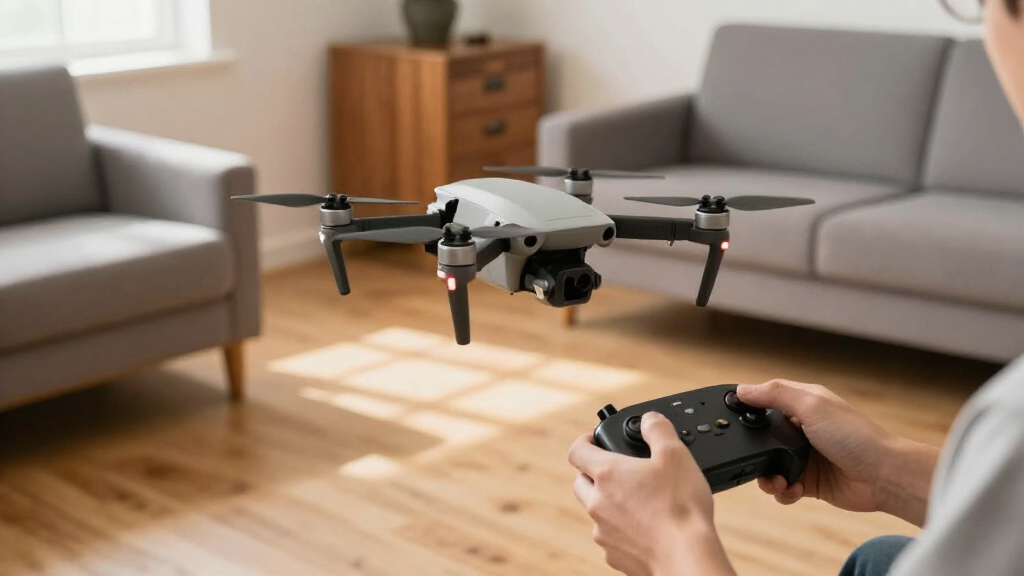
I ranked these drones by how well their stated design fits indoor flying: control simplicity, protective features, size and intended use, alongside whether the model is aimed at play, learning, or filming. I also weighed practical differences buyers may feel at home, such as included batteries, lighting, obstacle sensing, and the added demands of a camera-focused drone. Product descriptions do not establish that a drone is safe for every room or pilot, so I avoid treating a feature label as a guarantee of collision-free flight.
The order reflects distinct use cases, not a claim that one drone suits every buyer. The HOVERAir X1 ranks first for its combination of indoor-friendly camera use and follow-me positioning; the Holy Stone HS210 earns a strong place for conventional beginner piloting, and the HASAKEE Q9s offers a more play-oriented guarded option. The DJI Neo 2 is a specialized camera pick rather than a default indoor toy, while hand-controlled models rank for casual play and ease rather than control depth. Buyers should check the manufacturer’s operating guidance and room requirements before flying any model indoors.
Factors to Consider When Choosing Best Indoor Flying Drones
Before choosing, decide what you want the drone to do and where it will fly. A toy that is easy to launch may not teach remote piloting, and a capable camera drone may need more clear space than a small bedroom offers. These factors help match the drone to the room and the person using it.
Match the Control Style to the Pilot
Hand-operated or hand-controlled drones remove much of the setup and stick coordination that come with a conventional remote. That can make casual play more approachable, but it also gives the pilot less practice for flying a traditional RC drone. A remote-controlled model is a better fit if learning directional control is part of the goal. Check whether the listing describes actual hand sensing, gesture control, or simply a remote; those labels are not interchangeable. For a child, an adult should help judge whether the controls suit their coordination and patience. Avoid choosing by the word “easy” alone: a simple launch does not mean every flight will be simple to manage.
Plan for the Room, Not Just the Drone’s Size
A small drone can still need open space to turn, rise, and recover from a drift. Ceiling height, furniture, fans, pets, and breakable objects all affect whether a room is a sensible flying area. A hallway may look clear but leave little room to correct a poor turn. Start in a broad, uncluttered area and follow the manufacturer’s guidance on indoor operation and clearance. Do not assume obstacle sensing will detect every household object or prevent every collision. If the available space is tight, a lighter play-focused model may be a better match than prioritizing camera features.
Treat Guards as Protection, Not Permission to Fly Anywhere
Propeller guards can help reduce direct contact with walls or nearby objects, which is useful for early indoor practice. They do not make a drone impact-proof or remove the risk of damage to people, pets, lamps, or screens. Compare how much of the propellers the guards cover and whether the design appears suited to the intended age group. Supervision still matters, especially around younger children. A common mistake is to treat guards as a substitute for clearing the room; moving fragile items is still part of setup. If collisions are likely during learning, put protective design ahead of decorative lights or stunt claims.
Decide Whether You Need Footage or Just Flight
A camera adds a purpose beyond flying, but it can also bring added setup, storage, privacy, and handling questions. Choose a camera drone when recording people or spaces is central to the purchase, rather than assuming a camera automatically makes a better indoor flyer. For play or learning control, a simpler toy may be less distracting and easier to set up. Check how the manufacturer describes camera operation, recording controls, and the space needed for the intended flight mode. Avoid flying near people who have not agreed to be recorded. If you are considering 4K video, ask whether the room has enough clear area for the drone to operate as directed; resolution cannot compensate for unsuitable surroundings.
Compare Battery Convenience With Flight Expectations
Battery count affects how easily a flying session can continue, but it does not tell you how long each battery lasts. A bundle with two batteries can reduce interruptions if one needs charging, though it adds little if the pilot is only taking brief turns. Look for manufacturer details on flight duration, charge time, replacement availability, and charging method before making a choice. These details can be more useful than assuming all mini drones have similar endurance. Keep battery handling and charging within the supplied instructions, particularly when children are involved. If uninterrupted practice matters, include charging downtime in your plan rather than judging by battery count alone.
Pay for Features That Fit Your Use
Extra features make sense when they solve a real problem for the intended pilot. Altitude hold may help a beginner focus on direction, while lights can make a toy easier to spot during play; neither replaces a clear room or attentive control. Obstacle sensing can sound reassuring, but buyers should verify its limits instead of reading the feature as a guarantee. A camera-focused model costs more in complexity and may be excessive for someone who just wants a quick indoor flight. Conversely, a basic toy will not satisfy a buyer seeking aerial footage or a more developed control experience. Write down the one or two outcomes that matter most, then ignore extras that do not support them.
Frequently Asked Questions
Which of these drones makes the most sense for a small apartment?
For a small apartment, prioritize a compact play-focused drone and a clear flight area over a long feature list. The Force1 Scoot or TrysGame may suit buyers looking for casual hand-controlled play, while the Holy Stone HS210 is a better direction if you specifically want to practice remote control. A camera drone is not automatically unsuitable, but its intended operation and clearance requirements matter more in a confined room. Check the manufacturer’s guidance, remove fragile objects, and keep people and pets out of the flight path. No model should be treated as collision-proof in a cramped space.
Is a camera drone a good choice for a child who is learning to fly?
It depends on whether the child wants to film or simply learn basic flight. Camera functions can add setup and attention demands that distract from control practice, so a beginner-focused toy such as the Holy Stone HS210 may be a more direct starting point. For younger children, a guarded model such as the HASAKEE Q9s may better match play-oriented use, with adult supervision. Check the manufacturer’s age guidance and control instructions before buying. If recording is the main goal, an adult should handle flight planning and explain privacy expectations.
Do protective guards make indoor drone flying safe around pets and furniture?
No. Guards can reduce direct propeller exposure and may help with minor contact, but they do not prevent every collision or protect every surface. Pets may chase a moving drone, and sudden movements can bring it into furniture or a person. Clear the room, keep pets away during flight, and supervise children. Follow the product’s operating instructions rather than relying on guards as a safety guarantee. If there is not enough space to keep the drone separated from people and animals, wait for a better flying area.
Should I choose a hand-controlled drone or one with a remote?
Choose based on the experience you want: hand-controlled models are aimed at quick, casual play, while a remote-controlled drone gives the pilot practice with directional inputs. The Force1 Scoot and TrysGame fit the former style; the Holy Stone HS210 is more aligned with learning conventional control. Hand operation is not a substitute for learning to steer with a remote, and remote control may take more patience at first. Check the exact control method in the product details, since similar descriptions can mean different things. For a child, consider supervision and the pilot’s coordination as well as age guidance.
When is it worth choosing the DJI Neo 2 over a toy-style indoor drone?
The DJI Neo 2 is the more relevant choice when capturing 4K footage is a central reason for buying, rather than when the goal is simple indoor play. That camera focus separates it from models such as the HASAKEE Q9s and SYMA X100, which are presented as kid-oriented flyers. A camera drone can bring more planning around flight space, recording, and operation, so it may be a poor match for a crowded room or an inexperienced young pilot. Review the manufacturer’s indoor-use instructions and camera controls before deciding. If footage is not a priority, a simpler model may better fit the job.
Conclusion
My best overall pick is the HOVERAir X1 for buyers who want indoor camera flights with follow-me functionality. Choose the Holy Stone HS210 as the best beginner option if learning conventional remote control matters more than filming, and consider the HASAKEE Q9s for guarded, kid-focused play. The Force1 Scoot is the better fit for buyers who prefer hand-operated fun, while the DJI Neo 2 is the premium camera choice for those who prioritize 4K video and can meet its operating needs. For a straightforward kids’ toy, the SYMA X100 is another option; the TrysGame stands out for hand control with obstacle sensing and flips. My advice: choose for the pilot, room, and purpose first, then treat extra features as a bonus.
Black Friday Picks

Amazon Kindle Paperwhite (16 GB, 11th Generation, 2021) – 6.8-inch Display, Adjustable Warm Light, Black
As an affiliate, we earn on qualifying purchases.