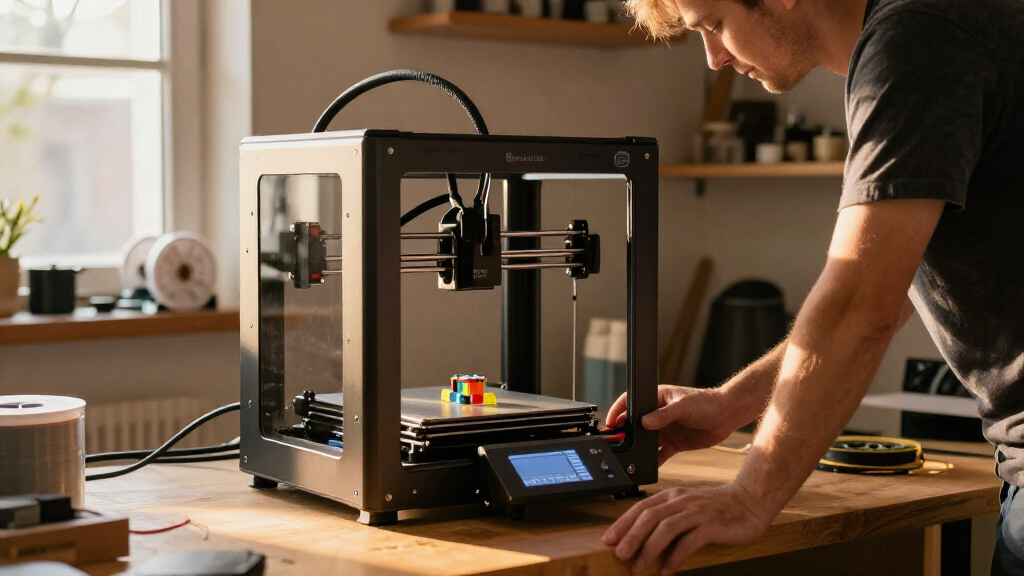

For most buyers, I’d start with the Bambu Lab P1S Combo: its enclosure and included AMS make it a versatile choice for multicolor projects and a broader range of filament than an open-frame beginner model. The P2S Combo is the stronger pick if you want faster printing, filament drying, and newer monitoring features in one package. For a more specialized workstation, the X1E Combo adds active chamber heating and secure-network features, while the A1 and A1 mini keep the focus on accessible everyday printing.

Get the latest gadgets delivered free with Prime
- Fast, free delivery on millions of items
- Prime Video, Amazon Music and more included
- Member-only deals all year
The main tradeoff is not simply speed versus price. It is material ambition and enclosure versus simplicity, space, and included accessories. The P1S and P2S combos bundle multicolor systems; the A1 needs an AMS lite purchased separately, and the compact A1 mini is aimed at smaller projects. I’ve ranked these five by how well each package fits a distinct buyer, rather than treating a higher speed figure as automatically better.
Complete the kit


Key Takeaways
- P1S Combo is my best overall pick for buyers who want an enclosure, automatic bed leveling, and AMS multicolor capability in one package.
- P2S Combo offers the most feature-rich everyday bundle here, pairing up to 600 mm/s printing with AMS 2 Pro filament drying, but its 50°C chamber is not a substitute for the X1E’s active heating.
- X1E Combo is the specialist choice for production and secure-network environments where a 320°C nozzle, heated chamber, and filtration matter more than a compact footprint.
- A1 is the sensible open-frame all-rounder for routine printing; multicolor requires the separately sold AMS lite, unlike the included AMS in the P1S and P2S combos.
- A1 mini with LED Lamp Kit suits small creative projects, not buyers who need room for large parts or an enclosed setup for advanced materials.
| Bambu Lab P1S Combo 3D Printer with AMS |  | Best Overall | Printer type: Enclosed CoreXY 3D printer | Included system: AMS | Maximum colors: Up to 16 when connected with additional AMS units | VIEW LATEST PRICE | See Our Full Breakdown |
| Bambu Lab P2S Combo 3D Printer with AMS 2 Pro |  | Best Feature-Rich Upgrade | Printer type: FDM 3D printer | Maximum print speed: 600 mm/s | Extruder: PMSM Servo Extruder | VIEW LATEST PRICE | See Our Full Breakdown |
| Bambu Lab X1E Combo Enclosed CoreXY 3D Printer with AMS |  | Best for Professional and Advanced Materials Workflows | Printer type: Enclosed CoreXY 3D printer | Included system: AMS | Maximum nozzle temperature: 320°C | VIEW LATEST PRICE | See Our Full Breakdown |
| Bambu Lab A1 FDM 3D Printer |  | Best Open-Frame All-Rounder | Printer type: FDM 3D printer | Acceleration: Up to 10,000 mm/s² | Calibration: Automatic, including Z-offset and bed leveling | VIEW LATEST PRICE | See Our Full Breakdown |
| Bambu Lab A1 mini 3D Printer with LED Lamp Kit |  | Best Compact Creative Starter | Product type: 3D printer with LED Lamp Kit | Calibration: Automatic | Flow management: Active flow rate compensation | VIEW LATEST PRICE | See Our Full Breakdown |
| Bambu Lab 3D printer | Printer type | Dimensions and weight |
|---|---|---|
| Bambu Lab P1S Combo 3D Printer | Enclosed CoreXY 3D printer | 15.31 × 18.03 × 15.31 inches; 47.5 pounds |
| Bambu Lab P2S Combo 3D Printer | FDM 3D printer | 18 × 22 × 18 inches; 46.3 pounds |
| Bambu Lab X1E Combo Enclosed C | Enclosed CoreXY 3D printer | — |
| Bambu Lab A1 FDM 3D Printer | FDM 3D printer | 21.76 × 20.83 × 12.87 inches; 22 pounds |
| Bambu Lab A1 mini 3D Printer w | — | — |
More Details on Our Top Picks
Bambu Lab P1S Combo 3D Printer with AMS
The P1S Combo is my best overall choice because its package addresses two common buyer needs at once: an enclosure for more demanding filament workflows and an included AMS for multicolor or multi-material printing. That makes it a more complete starting point than the open-frame A1, where multicolor capability depends on buying an AMS lite separately. Automatic bed leveling also reduces one recurring setup task, and the stated setup time is about 15 minutes.
Its CoreXY system is rated for up to 500 mm/s and 20,000 mm/s² acceleration. Those numbers point to a machine designed for brisk production, but buyers should not choose it on speed alone: the more useful distinction is the enclosed format and its stated support for materials including ABS and ASA, alongside familiar PLA and PETG. It can handle PA and PC, while carbon- and glass-fiber-reinforced polymers are not recommended. That boundary matters if reinforced engineering filaments are central to your work.
Compared with the P2S Combo, the P1S has a lower listed maximum speed and lacks the P2S’s stated filament-drying feature and AI failure detection. In return, it remains a straightforward enclosed multicolor recommendation rather than a feature-heavy step-up. The X1E is the better match for high-temperature and controlled professional workflows, but its active chamber heating and secure-network positioning will be unnecessary for many hobby users. The P1S’s main compromise is that its multicolor feature depends on the included AMS system, and the machine is still a substantial 47.5 pounds.
Pros:- Included AMS supports multicolor and multi-material printing, with expansion up to 16 colors when additional compatible AMS units are connected.
- Enclosed CoreXY design supports a wider material mix than the open-frame A1 and A1 mini.
- Automatic bed leveling helps reduce setup work before printing.
- Supports listed filaments including PLA, PETG, TPU, PVA, PET, ABS, and ASA, with PA and PC also listed as capable materials.
Cons:- Carbon- and glass-fiber-reinforced polymers are not recommended.
- At 47.5 pounds, it needs a stable workspace and is not especially easy to move.
- The P2S Combo adds filament drying and AI failure detection for buyers who want those newer features.
Best for: Buyers who want an enclosed printer with multicolor capability included and a useful mix of everyday and more demanding filament support.
Not ideal for: Buyers whose main requirement is carbon- or glass-fiber-reinforced filament, or those who want the most advanced chamber and network controls in the lineup.
- Printer type:Enclosed CoreXY 3D printer
- Included system:AMS
- Maximum colors:Up to 16 when connected with additional AMS units
- Maximum speed:500 mm/s
- Acceleration:20,000 mm/s²
- Bed leveling:Automatic
- Supported filaments:PLA, PETG, TPU, PVA, PET, ABS, ASA; PA and PC listed as capable
- Dimensions and weight:15.31 × 18.03 × 15.31 inches; 47.5 pounds
Our verdict“I’d choose the P1S Combo as the most balanced Bambu Lab package for buyers who want enclosure, broad material options, and AMS multicolor printing together.”
Bambu Lab P2S Combo 3D Printer with AMS 2 Pro
If I wanted the most feature-rich general-purpose bundle in this group, I’d look closely at the P2S Combo. Its headline is a stated maximum speed of 600 mm/s, but the practical distinction is the combination of automatic calibration, active flowrate compensation, AI failure detection, quick-swap nozzles, and an AMS 2 Pro that can dry filament at up to 65°C. For a buyer who regularly changes materials or values a more managed workflow, that package goes beyond the P1S Combo’s simpler feature set.
The AMS 2 Pro supports multicolor and multi-material printing, so the P2S does not make you add a separate system to get that capability. The printer also lists a maximum chamber temperature of 50°C and adaptive airflow intended to balance cooling with chamber heat. That is useful flexibility, but it should not be confused with the X1E’s active chamber heating and 320°C nozzle. If your work depends on higher-temperature engineering materials or the X1E’s secure-network design, the X1E is the more purpose-built option.
Compared with the P1S, the P2S brings the newer stated features and faster maximum speed, while the P1S remains the simpler recommendation for someone who wants an enclosed AMS package without needing filament drying or AI failure detection. The P2S is also a sizeable 46.3-pound machine, and the provided specifications do not establish support for every advanced filament. I would choose it for workflow conveniences, not assume that its speed figure makes it the right printer for every material or project.
Pros:- AMS 2 Pro supports multicolor and multi-material printing and can dry filament at up to 65°C.
- Up to 600 mm/s maximum print speed, paired with active flowrate compensation.
- Automatic calibration, AI failure detection, and quick-swap nozzles add convenience across setup and maintenance.
- Adaptive airflow and a listed maximum chamber temperature of 50°C help balance cooling and chamber conditions.
Cons:- The listed 50°C chamber temperature may not suit materials that call for higher chamber temperatures.
- At 46.3 pounds and about 18 × 22 × 18 inches, it needs a dedicated, stable space.
- The supplied details do not list a full material compatibility range, so buyers should verify filament requirements before choosing it for specialized work.
Best for: Buyers who want an enclosed-style, feature-rich multicolor workflow with filament drying, automatic calibration, and additional print monitoring.
Not ideal for: Buyers who need an actively heated chamber for demanding materials, or who prefer a simpler printer without extra workflow systems.
- Printer type:FDM 3D printer
- Maximum print speed:600 mm/s
- Extruder:PMSM Servo Extruder
- Filament system:AMS 2 Pro
- Filament drying:Up to 65°C
- Maximum chamber temperature:50°C
- Features:AI failure detection, quick-swap nozzles, automatic calibration, active flowrate compensation, carbon filter
- Dimensions and weight:18 × 22 × 18 inches; 46.3 pounds
Our verdict“I’d pick the P2S Combo over the P1S when filament drying and newer monitoring features matter more than keeping the setup straightforward.”
Bambu Lab X1E Combo Enclosed CoreXY 3D Printer with AMS
The X1E Combo is the specialist pick in this roundup. Its case is built around features that matter in a production or controlled workplace: a 320°C maximum nozzle temperature, active chamber heating, air filtration, AI print failure detection, and design for secure network environments. Those details separate it from the P1S and P2S more clearly than a simple speed comparison. The X1E is aimed at buyers with material, monitoring, or IT requirements that an everyday hobby printer may not address.
Its enclosed CoreXY format gives it the same broad machine category as the P1S, but the X1E’s active chamber heating and higher nozzle temperature point toward a more demanding workflow. The P1S has a clearer general-purpose appeal and listed support for familiar filaments such as PLA, PETG, ABS, and ASA; the supplied X1E details do not provide a complete material list. I would match the X1E to specific filament temperature and chamber requirements instead of assuming every engineering-grade material is supported just because its temperature figures are higher.
The included AMS keeps multicolor capability in the package, while AI failure detection and filtration address monitoring and workspace concerns. For many home users, though, those advantages will not outweigh the X1E’s size and 58-pound weight. The P2S is a more approachable feature-rich alternative with filament drying, while the P1S is the better balanced enclosed pick. I’d move to the X1E when its heated chamber, secure-network design, or professional monitoring solves a real requirement—not simply because it sits at the top of a feature ladder.
Pros:- 320°C maximum nozzle temperature and active chamber heating support workflows requiring more heat than the P1S’s stated general-purpose setup.
- Included AMS supports multicolor printing without a separate multicolor accessory purchase.
- AI print failure detection and integrated air filtration add monitoring and workspace features.
- Designed for secure network environments, giving it a distinct role for professional settings.
Cons:- Its 58-pound weight makes relocation more difficult than with the 22-pound A1 or 12.1-pound A1 mini.
- The approximately 19 × 23 × 19-inch footprint calls for a dedicated workspace.
- The supplied specifications do not list a complete supported-filament range, so material compatibility needs confirmation.
Best for: Professional teams and advanced users who need secure-network positioning, a heated chamber, higher nozzle temperature, filtration, and print monitoring.
Not ideal for: Casual home users, people with limited bench space, or buyers who do not need its specialized chamber and network features.
- Printer type:Enclosed CoreXY 3D printer
- Included system:AMS
- Maximum nozzle temperature:320°C
- Chamber:Active chamber heating
- Other features:AI print failure detection and air filtration
- Connectivity:Designed for secure network environments
- Dimensions:Approximately 19 × 23 × 19 inches
- Weight and color:58 pounds; gray
Our verdict“I’d choose the X1E Combo when its heated chamber and secure professional workflow are requirements, rather than paying for capabilities a home user may not use.”
Bambu Lab A1 FDM 3D Printer
The A1 is my pick for straightforward everyday printing if you do not need an enclosure or an included multicolor system. Automatic calibration covers Z-offset and bed leveling, active flow rate compensation helps keep extrusion consistent, and the touchscreen gives the printer a direct control point. A quick-swap nozzle also makes routine nozzle changes less of a project than they can be on a machine without a swappable design.
Its acceleration is listed at up to 10,000 mm/s², below the P1S’s 20,000 mm/s² and the P2S’s 600 mm/s maximum speed figure. Those numbers describe different performance measures, so I would not use them as a direct head-to-head speed verdict. The more meaningful buying distinction is that the A1 is a non-enclosed FDM option, while the P1S and P2S bundle enclosure-oriented designs and AMS systems. The A1 is a better fit for ordinary projects and a lighter, simpler setup; the enclosed models are better suited to buyers whose material choices or multicolor workflow call for their added hardware.
Multicolor printing requires a separately sold AMS lite, so the A1’s base package is not equivalent to the P1S Combo or P2S Combo. The stated noise level is no more than 48 dB, and active motor noise cancellation is intended to make operation less intrusive in a shared space. At 22 pounds, it is also easier to reposition than the heavier enclosed printers. I’d skip it if you already know you need chamber control or want multicolor straight from the included package; otherwise, its automatic setup features make it the more accessible general-purpose open-frame choice over the smaller A1 mini.
Pros:- Automatic calibration includes Z-offset and bed leveling.
- Active flow rate compensation supports consistent extrusion.
- Quick-swap nozzle simplifies maintenance compared with a more involved nozzle change.
- Active motor noise cancellation and a stated noise level of no more than 48 dB suit shared home spaces.
Cons:- Multicolor printing requires the separately sold AMS lite.
- It lacks the enclosure and stated material-oriented features of the P1S, P2S, and X1E.
- Its 10,000 mm/s² acceleration rating is lower than the P1S’s listed 20,000 mm/s².
Best for: New and intermediate users who want automated setup, convenient maintenance, and an open-frame printer for routine projects.
Not ideal for: Buyers who require an enclosure, want AMS multicolor printing included, or plan to focus on materials that need controlled chamber conditions.
- Printer type:FDM 3D printer
- Acceleration:Up to 10,000 mm/s²
- Calibration:Automatic, including Z-offset and bed leveling
- Flow management:Active flow rate compensation
- Multi-color printing:Requires separately sold AMS lite
- Noise level:≤48 dB
- Dimensions and weight:21.76 × 20.83 × 12.87 inches; 22 pounds
- Model number:PF002-A
Our verdict“I’d select the A1 for automated, everyday open-frame printing, but move to the P1S Combo if an enclosure and included AMS matter.”
Bambu Lab A1 mini 3D Printer with LED Lamp Kit
The A1 mini with LED Lamp Kit is the most focused creative option here. It combines an automatic-calibration printer with a kit for turning compatible printed models into decorative lights, so the bundle has a clear purpose beyond general-purpose fabrication. MakerWorld and the Bambu Handy app also connect the printer with a model library and mobile workflow. For someone who wants to make small decorative projects rather than build a production setup, that can be a more relevant package than the P1S’s enclosed design.
At 12.1 pounds, it is the lightest option in this roundup, well below the A1’s 22 pounds and the enclosed printers’ weights. That helps when a printer needs to share a desk or be moved between projects. Automatic calibration and active flow rate compensation echo useful features on the A1, while a stated noise level of no more than 48 dB fits home or studio use. The tradeoff is that its compact format may limit project size, and the supplied listing does not state a build volume, so I would confirm the actual printable dimensions before buying for a particular model.
Compared with the A1, the mini is the better match when footprint and the included lamp project matter more than a general all-rounder role. Compared with the P1S Combo, it gives up an enclosure and an included AMS system, so it is not the choice for buyers seeking a multicolor workflow or advanced material conditions. The LED kit is also not a universal lighting solution: it works with compatible printed models. I’d pick this bundle for small, approachable creative work, and move to the A1 or P1S if project size or material flexibility becomes the priority.
Pros:- Automatic calibration and active flow rate compensation support a simpler everyday workflow.
- The included LED Lamp Kit gives the bundle a defined decorative project use.
- At 12.1 pounds, it is the lightest printer in this comparison.
- MakerWorld and the Bambu Handy app provide access to models and mobile connectivity.
Cons:- Its compact design may limit the size of projects it can accommodate.
- The LED Lamp Kit works with compatible printed models rather than every print.
- Unlike the P1S and P2S combos, the listing does not include an AMS multicolor system or an enclosed printer design.
Best for: Beginners, makers, and home or studio users interested in smaller creative prints and compatible LED lamp projects.
Not ideal for: Buyers making large parts, seeking an enclosed printer, or wanting multicolor printing included as part of the package.
- Product type:3D printer with LED Lamp Kit
- Calibration:Automatic
- Flow management:Active flow rate compensation
- Connectivity:Bambu Handy app and MakerWorld model library
- Noise level:≤48 dB
- Dimensions:15.21 × 16.77 × 17.94 inches
- Weight:12.1 pounds
- Model number:PF002-M-EU
Our verdict“I’d choose the A1 mini bundle for small creative prints and lamp projects, not as a substitute for the A1’s broader everyday role or the P1S’s enclosure.”
How We Picked
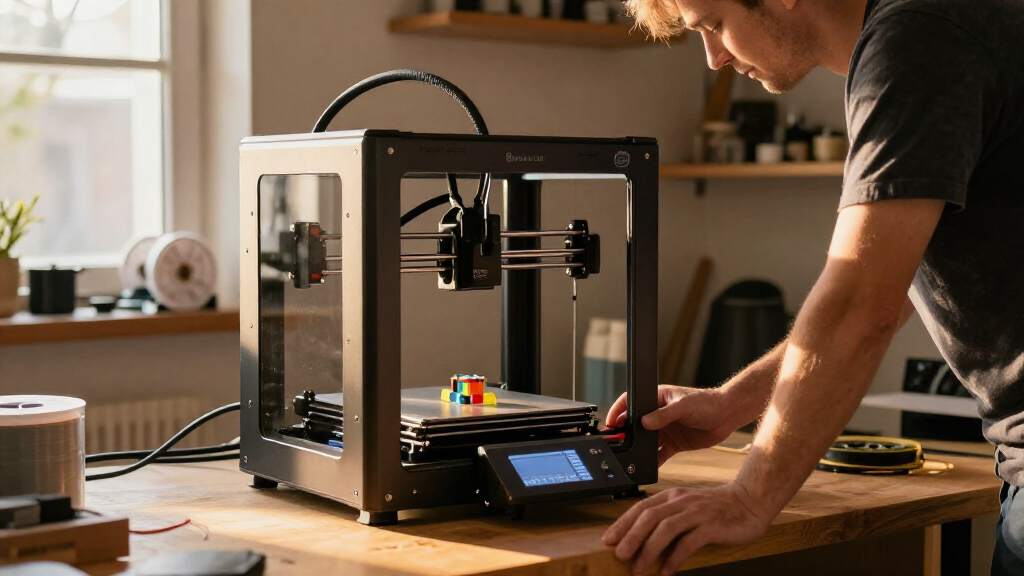
I ranked these printers around the decisions that most affect ownership: what comes in the box, what kinds of materials and projects the design supports, how much setup is automated, and how much workspace each machine asks for. A listed maximum speed can be useful, but it does not by itself tell me whether a printer is the right match. An enclosure, filament handling, and a bundled multicolor system can matter more for a buyer’s actual workflow.
I gave the P1S Combo the lead because it balances an enclosed CoreXY design, automatic bed leveling, broad everyday filament support, and an included AMS without being positioned as a specialized production machine. I placed the P2S Combo close behind: it brings a faster stated maximum speed and filament drying, but its chamber limit and larger feature set may be more than a casual user needs. The X1E’s specialized temperature, chamber, monitoring, and network capabilities earn it a distinct professional role, not a blanket win for everyone.
The A1 and A1 mini rank lower for buyers who need an enclosure or want multicolor printing included, but they are credible choices for different kinds of uncomplicated printing. I treat the A1 as the better general-purpose open-frame option and the A1 mini as the compact creative pick. Product details supplied for these listings do not specify every comparison point, including build volume for all models, so I avoid inferring unprovided dimensions such as printable capacity. My rankings reflect the stated features and package contents, with drawbacks called out where they change the buying decision.
| Bambu Lab 3D printer | Printer type |
|---|---|
| Bambu Lab P1S Combo 3D Printer | Enclosed CoreXY 3D printer |
| Bambu Lab P2S Combo 3D Printer | FDM 3D printer |
| Bambu Lab X1E Combo Enclosed C | Enclosed CoreXY 3D printer |
| Bambu Lab A1 FDM 3D Printer | FDM 3D printer |
| Bambu Lab A1 mini 3D Printer w | — |
Factors to Consider When Choosing Best Bambu Lab 3D Printers
I’d choose between these five by starting with your projects and work area, then checking which capabilities are included in the package. A printer’s base model and its combo bundle are not interchangeable: multicolor printing may depend on an additional AMS system, and enclosure features can change which filaments are a sensible match.
Decide whether you need an enclosure
An enclosure is the clearest dividing line in this lineup. The P1S, P2S, and X1E are enclosed choices; the A1 and A1 mini are better understood as open-frame everyday and creative printers. For common PLA projects, the A1 may be a more direct fit if you do not need the enclosed format. If your plans include materials such as ABS or ASA, the P1S’s listed filament support and enclosure make it a more relevant starting point than the open-frame alternatives. For materials that call for active chamber heating, the X1E has that specific feature; do not assume that every enclosed model offers the same chamber conditions.
I would also check the filament maker’s recommended nozzle and chamber conditions against the printer’s specifications. The P1S explicitly lists several supported materials and identifies PA and PC as capable, while warning against carbon- or glass-fiber-reinforced polymers. The X1E lists a 320°C nozzle and active chamber heating, but the supplied details do not name a full filament range. The P2S lists a 50°C maximum chamber temperature, which may not meet every advanced material’s requirements.
Treat multicolor capability as a bundle decision
If you want multicolor printing without buying another system, compare the combo packages first. The P1S Combo includes an AMS, the P2S Combo includes an AMS 2 Pro, and the X1E Combo includes an AMS. The P1S can support up to 16 colors when connected with additional AMS units, according to the supplied product details. The A1 is compatible with multicolor printing only when paired with a separately sold AMS lite, while the A1 mini listing does not specify an included multicolor system.
Multicolor is useful for decorative prints and designs with distinct color regions, but it can add complexity and material handling demands compared with a single-filament job. I would not pay for an AMS bundle unless I expect to use that workflow. Conversely, if multicolor is a main reason for buying, compare the total package contents rather than selecting an A1 and assuming the accessory is included.
Choose speed features that fit your workflow
The P2S lists up to 600 mm/s, and the P1S lists up to 500 mm/s with 20,000 mm/s² acceleration. The A1 lists acceleration up to 10,000 mm/s². These are not identical measurements, so I would avoid treating the figures as a direct ranking of finished-print quality or real-world time savings. Actual results depend on the model, material, settings, and other print conditions.
For many buyers, automatic calibration and flow compensation are more useful daily details than a headline maximum. The A1 and A1 mini both list automatic calibration and active flow rate compensation. The P2S adds AI failure detection and quick-swap nozzles; the X1E also lists AI failure detection. Those features may matter if you run frequent jobs or want extra monitoring, while a casual user may prefer the more straightforward A1 setup.
Match material handling to the work
The P2S’s AMS 2 Pro can dry filament at up to 65°C, a distinctive feature if managing moisture-sensitive filament is part of your routine. The P1S Combo’s listed material support gives buyers a clearer map of its stated range, while the X1E combines a higher nozzle temperature with active chamber heating. Those features serve different needs: drying filament is not the same as heating a chamber, and neither specification alone proves compatibility with a particular material.
Before choosing, check the material manufacturer’s instructions and the printer’s stated limits. If your work uses ordinary PLA or PETG, a specialist chamber may not add much value. If you use a filament with specific temperature, enclosure, or drying requirements, choose based on those requirements rather than on a general label such as “advanced materials.”
Measure the printer’s home before ordering
These printers range from the 12.1-pound A1 mini to the 58-pound X1E. The listed dimensions also show why a workspace check matters: the P2S is about 18 × 22 × 18 inches, and the X1E is approximately 19 × 23 × 19 inches. Allow room for access, filament loading, ventilation as directed by the manufacturer, and any attached filament system. A compact printer can still need a surprising amount of desk depth once cables and working space are counted.
The A1 mini is the easiest option to move based on its listed weight, while the A1 is also lighter than the enclosed models. If the printer will live on a fixed bench and you want a stable enclosed setup, the weight difference may matter less. Since the supplied product details do not give build volume for every model, confirm the printable dimensions separately before committing to large parts.
Pick the right level of automation
All five options offer some form of setup assistance, but their feature packages differ. The A1 and A1 mini highlight automatic calibration, while the P1S lists automatic bed leveling. The P2S adds automatic calibration, AI failure detection, flowrate compensation, and quick-swap nozzles. The X1E emphasizes AI monitoring along with professional-oriented chamber and network features. I’d pay for extra monitoring when unattended or repeated jobs make it useful, not simply because a longer feature list sounds reassuring.
For a first printer, the A1 and A1 mini have the clearest accessible roles. For a first enclosed machine with multicolor included, the P1S Combo provides a more complete package. Buyers who already understand their materials and workflow can decide whether the P2S or X1E’s more specialized systems solve a specific need.
Frequently Asked Questions
Which Bambu Lab printer is the best choice for most buyers?
I’d recommend the P1S Combo to most buyers who want one versatile printer. It pairs an enclosure and automatic bed leveling with an included AMS, so multicolor printing is part of the package. Choose the A1 instead if you do not need an enclosure or included multicolor system, and consider the P2S if filament drying and its added monitoring features matter to your workflow.
Which models include a multicolor system?
The P1S Combo includes an AMS, the P2S Combo includes an AMS 2 Pro, and the X1E Combo includes an AMS. The A1 requires a separately sold AMS lite for multicolor printing. The A1 mini listing supplied for this comparison does not specify an included AMS system, so I would not treat its LED Lamp Kit as a multicolor accessory.
Should I choose the P1S Combo or the P2S Combo?
I’d choose the P1S Combo for a balanced enclosed printer with a clearly listed filament range and AMS included. The P2S Combo makes more sense if you want its 600 mm/s stated maximum speed, AMS 2 Pro filament drying up to 65°C, AI failure detection, and quick-swap nozzles. Its 50°C maximum chamber temperature may not suit materials that need a hotter chamber, so check filament requirements before choosing it for specialized work.
Is the X1E Combo a good choice for home use?
It can suit a home user with a clear need for the X1E’s 320°C nozzle, active chamber heating, air filtration, or secure-network design. For routine home printing, those features may be more than necessary, and its 58-pound weight and roughly 19 × 23 × 19-inch dimensions call for a dedicated space. I’d compare it with the P1S Combo for a more general enclosed setup or the A1 if an open-frame printer fits the work.
Is the A1 mini a good first 3D printer?
The A1 mini can be a sensible first printer for small creative projects because it lists automatic calibration, active flow rate compensation, and connections to MakerWorld and the Bambu Handy app. The included LED Lamp Kit gives it a specific decorative use, but only compatible printed models work with that kit. I’d choose the A1 instead if I want a broader everyday role, and verify printable dimensions if the size of a planned project matters.
Conclusion
My recommendations depend on what you want the printer to do. For the best all-around enclosed package, I’d choose the P1S Combo: it balances an AMS, automatic bed leveling, and listed support for a useful mix of filaments. For buyers who want a more feature-rich workflow with filament drying and added monitoring, the P2S Combo is the step-up choice. I’d reserve the X1E Combo for professional or advanced users who can make use of its heated chamber, 320°C nozzle, filtration, and secure-network positioning.
If you want an accessible open-frame printer for everyday projects, the A1 is my pick; just account for the separately sold AMS lite if multicolor printing is part of the plan. If you are drawn to compact creative work and compatible decorative lamp models, the A1 mini with LED Lamp Kit has a clear niche. Before deciding, match material requirements to the stated printer limits and confirm printable dimensions for the projects you have in mind.