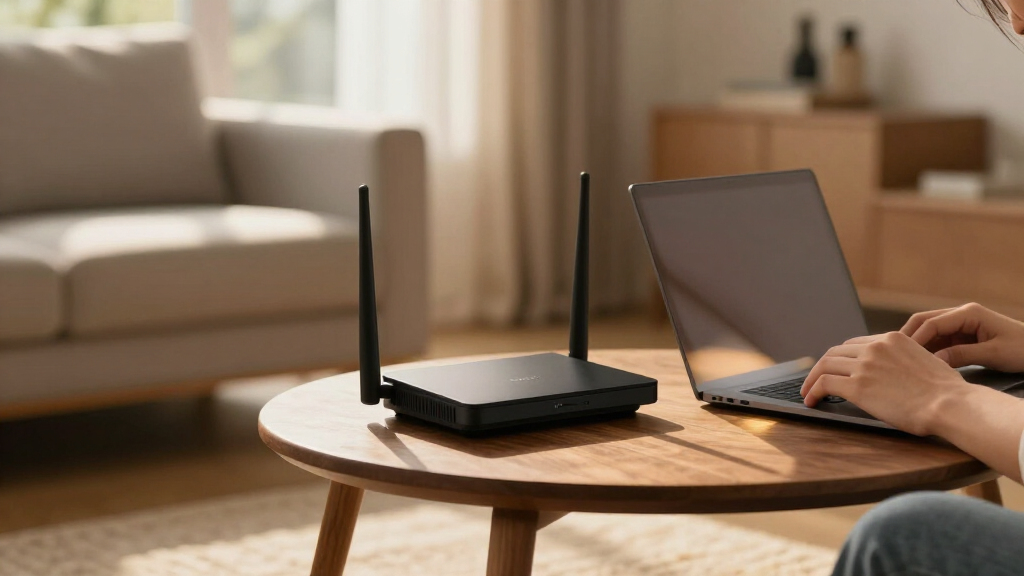

The best Netgear router for most homes is the Nighthawk RS500, which balances Wi-Fi 7 capability with coverage suited to larger spaces. The RS300 is a strong alternative for households seeking tri-band Wi-Fi 7, while the R6700AX keeps things simpler for smaller homes with more modest network demands. The main choice is whether newer Wi-Fi 7 capacity and extra bands justify moving beyond Wi-Fi 6, or whether a modem-router combo or refurbished model better fits your setup. Coverage claims, wired ports, device compatibility, and the age of your existing equipment can all affect that decision. Read on for the full breakdown of all 15 Netgear options and how I’d match them to different buyers.

Get the latest gadgets delivered free with Prime
- Fast, free delivery on millions of items
- Prime Video, Amazon Music and more included
- Member-only deals all year
Complete the kit


Key Takeaways
- The RS500 is my best overall pick because its stated 12 Gbps capacity and coverage up to 3,000 sq ft make it a balanced Wi-Fi 7 choice for demanding households without jumping to the lineup’s most ambitious specifications.
- Wi-Fi 7 models span very different needs: the RS90 is rated for up to 2,000 sq ft and 3.6 Gbps, while the BE17000 is rated for up to 3,300 sq ft and 17 Gbps, so the largest numbers are most relevant to homes with compatible devices and heavy network use.
- The R6700AX and RAX36 show where Wi-Fi 6 still makes sense: they offer a more straightforward fit for everyday use, while newer Wi-Fi 7 models make more sense when device compatibility or future capacity matters.
- The CAX30 is the lineup’s distinct all-in-one option: its DOCSIS 3.1 cable modem and Wi-Fi 6 router combination can reduce separate equipment, but it is not the right match for internet service that does not use a compatible cable connection.
- Condition and fit matter as much as headline speed: the RAX43 is renewed and the RS300 also appears as a certified refurbished listing, so buyers should weigh condition and included support against choosing a new router with a different feature set.
| NETGEAR Nighthawk Modem Router Combo (CAX30) DOCSIS 3.1 Cable Modem and WiFi 6 Router – AX2700 |  | Best Cable Modem-Router Combo | Model: CAX30 | Device type: Cable modem and router combo | Modem standard: DOCSIS 3.1 | VIEW LATEST PRICE | See Our Full Breakdown |
| NETGEAR Nighthawk WiFi 6 Router R6700AX – Up to 1,500 sq ft, 1.8 Gbps |  | Best for Smaller Homes | Model: R6700AX | WiFi standard: WiFi 6 | Maximum speed: 1.8 Gbps | VIEW LATEST PRICE | See Our Full Breakdown |
| Netgear Nighthawk WiFi 7 Router RS90 – Up to 2,000 sq ft, 3.6 Gbps |  | Best WiFi 7 Upgrade for Medium Homes | Model: RS90 | WiFi standard: WiFi 7 | Maximum speed: 3.6 Gbps combined | VIEW LATEST PRICE | See Our Full Breakdown |
| NETGEAR Nighthawk WiFi 7 Router RS500 – Up to 3,000 sq ft, 12 Gbps |  | Best for Large, High-Demand Homes | Model: RS500 | WiFi standard: WiFi 7 (802.11be) | Frequency bands: 2.4 GHz, 5 GHz, 6 GHz | VIEW LATEST PRICE | See Our Full Breakdown |
| NETGEAR Nighthawk WiFi 7 Router RS100 |  | Best Simple WiFi 7 Pick | Model: RS100 | WiFi generation and compatibility: WiFi 7; backward compatible with WiFi 6 and earlier | Frequency bands: Dual-band, 2.4 GHz and 5 GHz | VIEW LATEST PRICE | See Our Full Breakdown |
| NETGEAR Nighthawk WiFi 7 Router RS700S | 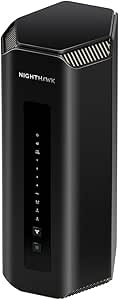 | Best for Maximum Capacity | WiFi standard: WiFi 7 | Bands: Tri-band: 2.4 GHz, 5 GHz, 6 GHz | Maximum speed: Up to 19 Gbps | VIEW LATEST PRICE | See Our Full Breakdown |
| NETGEAR Nighthawk WiFi 7 Router RS150 – Up to 5 Gbps, 2,250 sq ft Coverage |  | Best Entry Point to WiFi 7 | WiFi standard: WiFi 7 | Bands: Dual-band | Maximum speed: Up to 5 Gbps | VIEW LATEST PRICE | See Our Full Breakdown |
| NETGEAR Nighthawk WiFi 7 Router – Up to 9.3 Gbps, 2,500 sq ft coverage |  | Best Mid-Range Tri-Band Pick | WiFi standard: WiFi 7 | Bands: Tri-band | Maximum speed: Up to 9.3 Gbps | VIEW LATEST PRICE | See Our Full Breakdown |
| Netgear Nighthawk WiFi 7 Router RS600 |  | Best for Large, Device-Dense Homes | WiFi standard: WiFi 7 (802.11.be) | Bands: Tri-band: 2.4 GHz, 5 GHz, 6 GHz | Maximum speed: Up to 18 Gbps | VIEW LATEST PRICE | See Our Full Breakdown |
| Netgear Nighthawk WiFi 7 Router BE17000 – up to 3,300 sq ft coverage, 17 Gbps speed | | Best High-Capacity Alternative | WiFi standard: WiFi 7 (802.11.be) | Bands: 2.4 GHz, 5 GHz, 6 GHz | Maximum speed: Up to 17 Gbps | VIEW LATEST PRICE | See Our Full Breakdown |
| Nighthawk WiFi 6 Router (RAX36) – AX3000 3 Gbps Dual-Band |  | Best WiFi 6 Pick with VPN | Wi-Fi standard: WiFi 6 (802.11ax) | Maximum speed: AX3000, up to 3 Gbps | Coverage: Up to 2,000 sq. ft. | VIEW LATEST PRICE | See Our Full Breakdown |
| NETGEAR Nighthawk WiFi 7 Router RS300 | | Best Premium WiFi 7 Pick | Wi-Fi standard: WiFi 7 (802.11be) | Bands: Tri-band: 2.4 GHz, 5 GHz, 6 GHz | Maximum wireless speed: Up to 9.3 Gbps | VIEW LATEST PRICE | See Our Full Breakdown |
| NETGEAR Nighthawk RAX43 AX4200 WiFi 6 Router (Renewed) |  | Best Renewed WiFi 6 Performance | Model: RAX43 | Wi-Fi standard: WiFi 6 (802.11ax) | Maximum speed: Up to 4.2 Gbps (AX4200) | VIEW LATEST PRICE | See Our Full Breakdown |
| Netgear Nighthawk RS300 Tri-Band WiFi 7 Router (Certified Refurbished) | 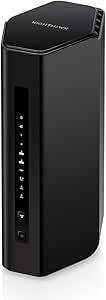 | Best Refurbished WiFi 7 Option | Model: RS300 | Condition: Certified refurbished | Wi-Fi standard: WiFi 7 (802.11be) | VIEW LATEST PRICE | See Our Full Breakdown |
| NETGEAR Nighthawk WiFi 7 Router RS140 |  | Best WiFi 7 Upgrade for Everyday Homes | Model: RS140 | Wi-Fi standard: WiFi 7 | Bands: Dual-band: 2.4 GHz, 5 GHz | VIEW LATEST PRICE | See Our Full Breakdown |
| Netgear router | Coverage | Maximum speed | Device capacity | Model |
|---|---|---|---|---|
| NETGEAR Nighthawk Modem Router | Up to 2,000 sq ft | — | 25+ connected devices | CAX30 |
| NETGEAR Nighthawk WiFi 6 Route | Up to 1,500 sq ft | 1.8 Gbps | — | R6700AX |
| Netgear Nighthawk WiFi 7 Route | Up to 2,000 sq ft | 3.6 Gbps combined | — | RS90 |
| NETGEAR Nighthawk WiFi 7 Route | Up to 3,000 sq ft | Up to 12 Gbps | — | RS500 |
| NETGEAR Nighthawk WiFi 7 Route | Up to 2,000 sq ft | 3.6 Gbps | Up to 50 devices | RS100 |
| NETGEAR Nighthawk WiFi 7 Route | Up to 3,500 sq ft | Up to 19 Gbps | Up to 200 devices | — |
| NETGEAR Nighthawk WiFi 7 Route | Up to 2,250 sq ft | Up to 5 Gbps | Up to 80 devices | — |
| NETGEAR Nighthawk WiFi 7 Route | Up to 2,500 sq ft | Up to 9.3 Gbps | Up to 100 devices | — |
| Netgear Nighthawk WiFi 7 Route | Up to 3,300 sq ft | Up to 18 Gbps | Up to 150 devices | — |
| Netgear Nighthawk WiFi 7 Route | Up to 3,300 sq ft | Up to 17 Gbps | Around 150 devices | — |
| Nighthawk WiFi 6 Router | Up to 2,000 sq. ft. | AX3000, up to 3 Gbps | Up to 25 devices | — |
| NETGEAR Nighthawk WiFi 7 Route | Up to 2,500 sq. ft. | — | Up to 100 devices | — |
| NETGEAR Nighthawk RAX43 AX4200 | Up to 2,000 sq. ft. | Up to 4.2 Gbps (AX4200) | — | RAX43 |
| Netgear Nighthawk RS300 Tri-Ba | Up to 2,500 sq. ft. | — | — | RS300 |
| NETGEAR Nighthawk WiFi 7 Route | Up to 2,250 sq. ft. | Up to 5 Gbps | Up to 80 devices | RS140 |
More Details on Our Top Picks
NETGEAR Nighthawk Modem Router Combo (CAX30) DOCSIS 3.1 Cable Modem and WiFi 6 Router – AX2700
The CAX30 earns its place by replacing two pieces of equipment with one: a DOCSIS 3.1 cable modem and an AX2700 WiFi 6 router. That makes it a practical fit for cable households that want fewer boxes and support for compatible plans up to 1 Gbps. Its four Gigabit Ethernet ports also give consoles, computers, and streaming devices wired options. Compared with the standalone R6700AX, the CAX30 includes a modem and supports more connected devices, but it costs you flexibility if you change to fiber, DSL, or a provider it does not support. Coverage is rated for up to 2,000 square feet, though walls and layout affect results. I’d choose it to simplify a compatible cable setup, not as a provider-neutral router.
Pros:- Combines a DOCSIS 3.1 cable modem and WiFi 6 router in one unit.
- Supports compatible cable plans up to 1 Gbps.
- Four Gigabit Ethernet ports provide wired connections for local devices.
- Rated for up to 25 or more connected devices and coverage up to 2,000 square feet.
Cons:- Limited to compatible cable providers and does not support bundled voice plans.
- Requires provider activation after setup.
- NETGEAR Armor protection requires a subscription after the 30-day trial.
Best for: Cable-internet households with Xfinity, Spectrum, or Cox that want to replace a separate modem and router and support plans up to 1 Gbps.
Not ideal for: Fiber, DSL, Verizon, AT&T, CenturyLink, or bundled-voice customers, since this cable modem is not compatible with those services or voice plans.
- Model:CAX30
- Device type:Cable modem and router combo
- Modem standard:DOCSIS 3.1
- WiFi standard and speed:WiFi 6, AX2700 (2.7 Gbps)
- Coverage:Up to 2,000 sq ft
- Device capacity:25+ connected devices
- Ethernet:4 Gigabit Ethernet ports
- Compatible providers:Xfinity, Spectrum, Cox
- Security:WPA3, firewall, NETGEAR Armor 30-day trial
Our verdict“Choose the CAX30 if you have a compatible cable provider and want one device instead of a separate modem and router.”
NETGEAR Nighthawk WiFi 6 Router R6700AX – Up to 1,500 sq ft, 1.8 Gbps
The R6700AX is the straightforward WiFi 6 pick for a smaller home: it covers up to 1,500 square feet, supports up to 20 devices, and has four Gigabit LAN ports for wired equipment. The Nighthawk app handles setup and management, which keeps the process simpler for buyers who do not need advanced network features. Compared with the WiFi 7 RS90, this model has a lower stated wireless speed and fewer supported devices, but it is a better match when a compact home and a standard gigabit connection make those newer capabilities unnecessary. Its main limitation is reach: a multi-story layout or distant rooms may call for a mesh system. This is a router only, so you’ll also need a compatible modem or gateway.
Pros:- WiFi 6 with a stated maximum speed of 1.8 Gbps.
- Coverage rated for up to 1,500 square feet.
- Four Gigabit LAN ports plus a dedicated Gigabit WAN port.
- Nighthawk app offers setup and network management.
Cons:- Smaller stated coverage area than the CAX30, RS90, and RS100.
- Does not include a modem, so internet service needs a separate modem or gateway.
- NETGEAR Armor protection requires a paid subscription after its 30-day trial.
Best for: People in apartments or smaller single-story homes who want a basic WiFi 6 router for up to 20 devices and wired connections.
Not ideal for: Households with large or multi-story floor plans, many connected devices, or a desire for WiFi 7 and multi-gig WAN support.
- Model:R6700AX
- WiFi standard:WiFi 6
- Maximum speed:1.8 Gbps
- Coverage:Up to 1,500 sq ft
- Supported devices:Up to 20
- Ethernet ports:4 Gigabit LAN, 1 Gigabit WAN
- Security:WPA3, NETGEAR Armor 30-day trial
- Management:Nighthawk app
Our verdict“Pick the R6700AX for a modest-sized home that needs uncomplicated WiFi 6 rather than wider coverage or WiFi 7.”
Netgear Nighthawk WiFi 7 Router RS90 – Up to 2,000 sq ft, 3.6 Gbps
The RS90 brings WiFi 7 to a medium-sized home without stepping up to the RS500’s tri-band, 12 Gbps class. Its dual-band design is rated for up to 3.6 Gbps and 50 devices, while the 2.5 Gigabit WAN port can connect to a multi-gig internet plan. Four Gigabit LAN ports handle wired devices, though they do not offer the faster wired LAN connection found on the RS500. Compared with the RS100, the RS90 shares the same headline speed, coverage, and device capacity; the supplied details distinguish the RS90 by explicitly listing its 2.5 Gigabit WAN and four LAN ports. Those wireless figures depend on the internet plan and client devices, so older WiFi hardware will not realize the full benefit. It also needs a separate modem.
Pros:- WiFi 7 with a stated combined maximum speed of 3.6 Gbps.
- 2.5 Gigabit WAN port supports connection to multi-gig internet service.
- Coverage rated for up to 2,000 square feet and support for up to 50 devices.
- Four Gigabit LAN ports and Nighthawk app management.
Cons:- Dual-band rather than tri-band, unlike the RS500.
- All four LAN ports are Gigabit, so wired devices cannot use a multi-gig LAN connection.
- Full WiFi 7 speeds depend on compatible devices and the internet plan; a separate modem is needed.
Best for: Households seeking a WiFi 7 router for up to 50 devices, especially those with a multi-gig internet plan and a home up to 2,000 square feet.
Not ideal for: Buyers who need built-in cable modem functionality, a tri-band router, or multi-gigabit LAN ports for wired devices.
- Model:RS90
- WiFi standard:WiFi 7
- Maximum speed:3.6 Gbps combined
- Frequency bands:Dual-band
- Coverage:Up to 2,000 sq ft
- Supported devices:Up to 50
- WAN port:1 × 2.5 Gigabit Ethernet
- LAN ports:4 × 1 Gigabit Ethernet
- Management:Nighthawk app for iOS and Android
Our verdict“Choose the RS90 for a medium home that wants WiFi 7 and a 2.5 Gigabit WAN without paying for the RS500’s larger tri-band capability.”
NETGEAR Nighthawk WiFi 7 Router RS500 – Up to 3,000 sq ft, 12 Gbps
The RS500 is the lineup’s high-capacity choice for buyers whose needs go beyond a basic WiFi 7 upgrade. Its tri-band WiFi 7 design adds a 6 GHz band, and its stated capacity of up to 120 devices and coverage of roughly 3,000 square feet suit homes with many simultaneous connections. A 2.5 Gigabit WAN and a 2.5 Gigabit LAN port also give compatible internet service and wired equipment a faster path than the RS90’s Gigabit-only LAN ports. That extra capability is a poor fit for smaller households with modest plans: the RS90 and RS100 cover up to 2,000 square feet and advertise 3.6 Gbps, making them less elaborate alternatives. Real speeds depend on client hardware and service, and Armor’s full protection requires a subscription after its trial.
Pros:- Tri-band WiFi 7 includes 2.4 GHz, 5 GHz, and 6 GHz bands.
- Rated for up to 12 Gbps, 3,000 square feet, and 120 devices.
- Includes 2.5 Gigabit WAN and 2.5 Gigabit LAN ports.
- Six antennas and app-based management support a high-capacity home network.
Cons:- Its higher capacity may go unused in smaller homes or on modest internet plans.
- Real-world speed depends on the internet plan and WiFi client capabilities.
- NETGEAR Armor protection requires a paid subscription after the 30-day trial.
Best for: Large households with many connected devices, WiFi 7-capable clients, and a need for broad coverage plus at least one multi-gig wired connection.
Not ideal for: Smaller homes or households with standard-speed internet and few devices that will not make practical use of tri-band WiFi 7 or multi-gig ports.
- Model:RS500
- WiFi standard:WiFi 7 (802.11be)
- Frequency bands:2.4 GHz, 5 GHz, 6 GHz
- Maximum speed:Up to 12 Gbps
- Coverage:Up to 3,000 sq ft
- Antennas and device capacity:6 antennas; up to 120 devices
- WAN port:1 × 2.5 Gigabit Ethernet
- LAN ports:1 × 2.5 Gigabit Ethernet, 3 × 1 Gigabit Ethernet
- Security:NETGEAR Armor 30-day trial, Advanced Router Protection, automatic firmware updates
Our verdict“Choose the RS500 when a large, device-heavy home can use tri-band WiFi 7 and multi-gig wired connections, rather than a simpler RS90 or RS100.”
NETGEAR Nighthawk WiFi 7 Router RS100
The RS100 is a no-frills route into WiFi 7 for homes that need up to 2,000 square feet of coverage and support for as many as 50 devices. Its dual-band design has a stated maximum speed of 3.6 Gbps, and the 2.5 Gigabit WAN port keeps it compatible with multi-gig internet service. Four Gigabit LAN ports cover everyday wired connections. Compared with the RS500, the RS100 gives up the 6 GHz band, broader stated coverage, higher device capacity, and multi-gig LAN; that makes it a more restrained choice for typical homes rather than a large, demanding network. It works with cable, fiber, DSL, and satellite providers, but it is not a modem, so you must keep or provide compatible internet equipment. WiFi 7 benefits also depend on client support.
Pros:- Dual-band WiFi 7 with a stated maximum speed of 3.6 Gbps.
- 2.5 Gigabit WAN port supports multi-gig internet plans.
- Rated for up to 2,000 square feet and 50 connected devices.
- Compatible with most cable, fiber, DSL, and satellite providers when paired with suitable internet equipment.
Cons:- Requires a separate modem or gateway.
- Four LAN ports are limited to 1 Gigabit each.
- Dual-band design lacks the RS500’s 6 GHz band and broader coverage.
Best for: Households moving to WiFi 7 that want dual-band coverage for up to 2,000 square feet and a 2.5 Gigabit WAN without the RS500’s tri-band capacity.
Not ideal for: People who need a built-in modem, tri-band 6 GHz WiFi, multi-gig LAN, or coverage beyond the stated 2,000 square feet.
- Model:RS100
- WiFi generation and compatibility:WiFi 7; backward compatible with WiFi 6 and earlier
- Frequency bands:Dual-band, 2.4 GHz and 5 GHz
- Maximum speed:3.6 Gbps
- Coverage:Up to 2,000 sq ft
- Device capacity:Up to 50 devices
- WAN port:1 × 2.5 Gigabit Ethernet
- LAN ports:4 × 1 Gigabit Ethernet
- Management and security:Nighthawk app; WPA3, WPA2-PSK, WPS
Our verdict“Pick the RS100 for a straightforward dual-band WiFi 7 network with multi-gig WAN support, but choose the RS500 for tri-band reach and faster wired LAN.”
NETGEAR Nighthawk WiFi 7 Router RS700S
The RS700S is the strongest fit here for homes that need top-end wireless capacity and fast wired links at the same time. Its 19 Gbps tri-band WiFi 7 rating and stated support for 200 devices give it more headroom than the RS600, which is rated for 18 Gbps and 150 devices. The 10 Gig WAN and LAN ports also suit multi-gig internet and fast wired equipment, while the Nighthawk app handles setup and management. That capacity comes with tradeoffs: the router is more than most homes need, and its stated coverage may not solve signal gaps across a large or multi-story layout. NETGEAR Armor is a trial rather than an ongoing included service, and buyers may need a separate mesh system for difficult coverage areas.
Pros:- Tri-band WiFi 7 with a stated maximum speed of 19 Gbps.
- Supports up to 200 devices and coverage up to 3,500 sq ft.
- 10 Gig WAN and LAN ports support high-speed internet and wired connections.
- Nighthawk app provides setup and router management.
Cons:- The 19 Gbps rating and stated coverage depend on client devices, interference, and home layout.
- NETGEAR Armor requires a paid subscription after its 30-day trial.
- Homes with multiple floors or difficult signal paths may need additional mesh equipment.
Best for: Households with many connected devices, a multi-gig internet plan, and wired equipment that can use 10 Gig Ethernet.
Not ideal for: Smaller homes or buyers with basic broadband who would not use the extra capacity; large multi-story homes with coverage gaps may need mesh instead.
- WiFi standard:WiFi 7
- Bands:Tri-band: 2.4 GHz, 5 GHz, 6 GHz
- Maximum speed:Up to 19 Gbps
- Coverage:Up to 3,500 sq ft
- Device capacity:Up to 200 devices
- Antenna streams:12-stream
- WAN port:1 × 10 Gigabit
- LAN ports:1 × 10 Gigabit, 4 × 1 Gigabit
Our verdict“Choose the RS700S for a high-capacity WiFi 7 network with 10 Gig wired connections, not for a modest home network.”
NETGEAR Nighthawk WiFi 7 Router RS150 – Up to 5 Gbps, 2,250 sq ft Coverage
The RS150 is the straightforward choice for buyers who want WiFi 7 without stepping up to the tri-band speeds and 10 Gig ports of the RS600 or RS700S. Its 5 Gbps dual-band rating, 2.5 Gig WAN, and stated coverage up to 2,250 sq ft fit a typical home with a multi-gig connection and up to 80 connected devices. The quad-core processor, MU-MIMO, and OFDMA are intended to help manage several active devices, while the Nighthawk app keeps setup accessible. The tradeoff is less flexibility for demanding networks: there is no 6 GHz band, and its three LAN ports are 1 Gigabit, limiting wired throughput compared with the higher-tier models. It also needs a separate modem or gateway.
Pros:- WiFi 7 supports a stated maximum speed of 5 Gbps.
- 2.5 Gig WAN port accommodates multi-gig broadband.
- Coverage is rated for up to 2,250 sq ft and 80 devices.
- Nighthawk app and automatic firmware updates simplify management.
Cons:- Dual-band design does not include a dedicated 6 GHz band.
- Three 1 Gigabit LAN ports constrain wired speeds compared with the RS600 and RS700S.
- Requires a separate modem or gateway; NETGEAR Armor’s full service requires a subscription after the trial.
Best for: Households upgrading to WiFi 7 with a multi-gig plan, moderate device counts, and no need for 6 GHz or 10 Gig wired ports.
Not ideal for: Buyers with a 10 Gig internet plan, a strong need for 6 GHz WiFi, or multiple wired devices requiring multi-gig Ethernet.
- WiFi standard:WiFi 7
- Bands:Dual-band
- Maximum speed:Up to 5 Gbps
- Coverage:Up to 2,250 sq ft
- Device capacity:Up to 80 devices
- Processor:Quad-core 2.0 GHz
- WAN port:1 × 2.5 Gigabit Ethernet
- LAN ports:3 × 1 Gigabit Ethernet
Our verdict“Pick the RS150 for a simpler WiFi 7 upgrade and 2.5 Gig internet, but choose a tri-band model for heavier workloads or faster wired networking.”
NETGEAR Nighthawk WiFi 7 Router – Up to 9.3 Gbps, 2,500 sq ft coverage
This Nighthawk BE9300 occupies a useful middle ground: it adds a dedicated 6 GHz band and multi-gigabit wired ports without reaching the larger coverage and 10 Gig port tier of the RS600 and RS700S. Its stated 9.3 Gbps speed, 2,500 sq ft coverage, and support for up to 100 devices suit busy homes with newer WiFi 7 clients, gaming equipment, or a NAS. Two 2.5 Gig LAN ports give wired devices more room than the RS150’s 1 Gig ports, while USB 3.0 adds a connection option for storage. The compromise is scale: the RS600 is rated for more coverage and devices, and the BE9300’s 2.5 Gig WAN does not match the 10 Gig connections on the higher-end picks. Some modem-router combinations may also need bridge mode.
Pros:- Tri-band WiFi 7 includes a dedicated 6 GHz band.
- Rated for up to 9.3 Gbps, 2,500 sq ft, and 100 devices.
- Two 2.5 Gig LAN ports support faster wired devices.
- Includes USB 3.0 and Nighthawk app management.
Cons:- 2.5 Gig WAN is less suited to 10 Gig internet than the RS600 or RS700S.
- Stated coverage and speeds can vary with device support and home conditions.
- Some modem-router combos may need bridge mode, and full NETGEAR Armor service requires a paid subscription after the trial.
Best for: Households seeking tri-band WiFi 7, 6 GHz access, and multi-gig wired connections in a medium-sized home.
Not ideal for: Owners of large homes, 10 Gig internet plans, or networks with many devices that would benefit from the RS600’s higher stated capacity.
- WiFi standard:WiFi 7
- Bands:Tri-band
- Maximum speed:Up to 9.3 Gbps
- Coverage:Up to 2,500 sq ft
- Device capacity:Up to 100 devices
- WAN port:1 × 2.5 Gigabit Ethernet
- LAN ports:2 × 2.5 Gigabit Ethernet, 2 × 1 Gigabit Ethernet
- USB port:USB 3.0
Our verdict“Choose this BE9300 for balanced tri-band WiFi 7 and multi-gig wired networking in a medium-sized home, rather than maximum range or 10 Gig connectivity.”
Netgear Nighthawk WiFi 7 Router RS600
The RS600 targets households that need broad WiFi 7 coverage and high capacity but do not need the RS700S’s highest stated speed or 200-device ceiling. It is rated for 18 Gbps, 3,300 sq ft, and 150 devices, placing it well above the RS150 and BE9300 for scale. Its tri-band design includes 6 GHz, and the 10 Gig WAN and LAN ports suit multi-gig internet and high-speed wired gear. Compared with the RS700S, the RS600 gives up some stated speed, coverage, and device capacity; its listed Ethernet layout also has three 1 Gig LAN ports alongside one 10 Gig LAN port, so wired expansion is not all multi-gig. A separate modem or gateway is required, and Armor is not a permanently included service.
Pros:- Tri-band WiFi 7 is rated for up to 18 Gbps.
- Coverage is rated up to 3,300 sq ft with support for 150 devices.
- 10 Gig WAN and LAN ports connect multi-gig broadband and a fast wired device.
- Nighthawk app offers setup and ongoing management.
Cons:- Falls short of the RS700S in stated speed, coverage, and device capacity.
- Only one listed LAN port is 10 Gig; three others are 1 Gigabit.
- Requires a separate modem or gateway, and full NETGEAR Armor protection requires a paid subscription after the trial.
Best for: Families or shared households with many active devices, a large floor plan, and multi-gig internet or wired equipment.
Not ideal for: Buyers who need the highest stated capacity in this group, or who want several multi-gig LAN ports for wired devices.
- WiFi standard:WiFi 7 (802.11.be)
- Bands:Tri-band: 2.4 GHz, 5 GHz, 6 GHz
- Maximum speed:Up to 18 Gbps
- Coverage:Up to 3,300 sq ft
- Device capacity:Up to 150 devices
- Processor:Quad-core 2.0 GHz
- WAN port:1 × 10 Gigabit Ethernet
- LAN ports:1 × 10 Gigabit Ethernet, 3 × 1 Gigabit Ethernet
- USB port:1 × USB 3.0
Our verdict“The RS600 suits large, device-heavy homes that need 10 Gig connectivity but do not require the RS700S’s higher capacity.”
Netgear Nighthawk WiFi 7 Router BE17000 – up to 3,300 sq ft coverage, 17 Gbps speed
The BE17000 is a large-home tri-band WiFi 7 option with a 10 Gig WAN and LAN connection, rated for 17 Gbps and up to 3,300 sq ft. Its stated capacity of around 150 devices makes it a fit for households with many connected gadgets, and the Nighthawk app provides a familiar setup path. Compared with the RS600, its headline speed is slightly lower, while the listed coverage and device capacity are similar; the RS600’s description is more explicit about support for 150 devices, whereas this model is described as supporting around that number. The BE17000 does include a USB 3.0 port and WPA3 alongside WPA2-Enterprise. It still requires a separate modem or gateway, and its single 10 Gig LAN port leaves most wired devices on 1 Gigabit connections.
Pros:- Tri-band WiFi 7 is rated for speeds up to 17 Gbps.
- Rated coverage reaches 3,300 sq ft, with support for around 150 devices.
- 10 Gig WAN and LAN ports support a fast broadband connection and one high-speed wired device.
- Includes USB 3.0, WPA3, and Nighthawk app management.
Cons:- Its stated maximum speed is below the RS600 and RS700S.
- Only one LAN port is 10 Gig; the other listed LAN ports are 1 Gigabit.
- Requires a separate modem or gateway, and full NETGEAR Armor service requires a paid subscription after the trial.
Best for: Large households that want tri-band WiFi 7, a 10 Gig internet connection, and one high-speed wired link plus USB connectivity.
Not ideal for: Buyers who want the highest wireless speed in this group or several 10 Gig and multi-gig LAN connections.
- WiFi standard:WiFi 7 (802.11.be)
- Bands:2.4 GHz, 5 GHz, 6 GHz
- Maximum speed:Up to 17 Gbps
- Coverage:Up to 3,300 sq ft
- Device capacity:Around 150 devices
- Antennas:8
- Ports:1 × 10 Gig WAN, 1 × 10 Gig LAN, 3 × 1 Gig LAN, 1 × USB 3.0
- Processor:Quad-core 2.0 GHz
- Security:WPA3, WPA2-Enterprise, NETGEAR Armor trial
Our verdict“Choose the BE17000 for large-home WiFi 7 coverage and one 10 Gig wired connection, but compare the RS600 if wireless speed is the priority.”
Nighthawk WiFi 6 Router (RAX36) – AX3000 3 Gbps Dual-Band
The RAX36 is a sensible WiFi 6 choice for homes that want useful everyday capacity without stepping up to WiFi 7. Its AX3000 rating, stated coverage of up to 2,000 sq. ft., and support for up to 25 devices suit a typical connected household, while built-in VPN support and USB 3.0 add options the RS140’s listed feature set does not include. Compared with the newer RS140, though, the RAX36 has a lower stated speed and device limit, and it lacks a multi-gig WAN port. It is also a router, not a modem-router combo, so buyers need a compatible modem. I’d choose it for its practical WiFi 6 feature mix, but skip it if your plan exceeds 1 Gbps or you want room to grow into WiFi 7.
Pros:- AX3000 WiFi 6 offers a capable dual-band setup for everyday streaming and connected devices.
- Stated coverage reaches up to 2,000 sq. ft. and support extends to 25 devices.
- Built-in VPN support adds a secure networking option.
- USB 3.0 and four Gigabit LAN ports provide useful wired and peripheral connections.
Cons:- Requires a separate modem rather than providing an all-in-one connection.
- WAN compatibility is listed up to 1 Gbps, limiting its fit for faster internet plans.
- Its WiFi 6 and 25-device capacity trail the newer RS140’s WiFi 7 and 80-device specifications.
Best for: Households with an existing modem that want WiFi 6, VPN support, and USB connectivity for a home network covering up to 2,000 sq. ft.
Not ideal for: Buyers with multi-gig internet, a need for WiFi 7, or no separate modem; its WAN compatibility is listed up to 1 Gbps.
- Wi-Fi standard:WiFi 6 (802.11ax)
- Maximum speed:AX3000, up to 3 Gbps
- Coverage:Up to 2,000 sq. ft.
- Device capacity:Up to 25 devices
- Ethernet:4 × 1 Gbps LAN ports
- USB:USB 3.0
- VPN:Built-in VPN support
- Modem requirement:Separate cable modem required
Our verdict“Choose the RAX36 if you want a feature-rich WiFi 6 router with VPN support and already have a modem.”
NETGEAR Nighthawk WiFi 7 Router RS300
The RS300 is the most capable new WiFi 7 option in this group for buyers who want tri-band flexibility, broad stated coverage, and faster wired networking. Its 9.3 Gbps headline speed and 2.5 GbE ports make it a stronger fit for demanding home networks than the dual-band RS140, while its 6 GHz band gives compatible devices another wireless lane. The listed reach of up to 2,500 sq. ft. and capacity of up to 100 devices also suit busier households. That extra capacity may be unnecessary in a smaller home, and the RS300 still needs a separate modem or gateway. NETGEAR Armor is offered as a trial, with a paid subscription required afterward. I’d rank it above more modest routers for performance headroom, not as the right choice for every household.
Pros:- Tri-band WiFi 7 includes 2.4 GHz, 5 GHz, and 6 GHz connectivity.
- Up to 9.3 Gbps wireless speed and 100-device capacity suit demanding networks.
- Two 2.5 Gb LAN ports and a 2.5 Gb WAN port support multi-gig wired connections.
- Stated coverage reaches up to 2,500 sq. ft.
Cons:- Requires a separate modem or gateway.
- NETGEAR Armor requires a paid subscription after its trial.
- May be more router capacity than smaller homes or slower internet plans can use.
Best for: Busy households with WiFi 7-capable devices, multi-gig wired equipment, and an existing modem or gateway.
Not ideal for: Small homes or buyers on a basic internet plan who are unlikely to use tri-band WiFi 7 or 2.5 GbE connections.
- Wi-Fi standard:WiFi 7 (802.11be)
- Bands:Tri-band: 2.4 GHz, 5 GHz, 6 GHz
- Maximum wireless speed:Up to 9.3 Gbps
- Coverage:Up to 2,500 sq. ft.
- Device capacity:Up to 100 devices
- Processor:Quad-core 2.0 GHz
- Ports:2 × 2.5 Gb LAN, 2 × 1 Gb LAN, 1 × 2.5 Gb WAN
- USB:USB 3.0
- Security:WPA3, Advanced Router Protection, NETGEAR Armor trial
Our verdict“Pick the RS300 if you want tri-band WiFi 7 and multi-gig ports for a busy, performance-focused home network.”
NETGEAR Nighthawk RAX43 AX4200 WiFi 6 Router (Renewed)
The renewed RAX43 earns its place for buyers who want a faster WiFi 6 specification than the RAX36 without moving to a newer WiFi 7 router. Its AX4200 speed rating, five-stream design, and 1.5 GHz triple-core processor are aimed at households with demanding streaming and gaming use. The stated 2,000 sq. ft. coverage matches the RAX36, but the RAX43’s renewed condition changes the buying equation: it may show cosmetic wear, and the provided details do not specify a warranty. Compared with the new RS140, it also gives up WiFi 7 and multi-gig WAN connectivity. NETGEAR Armor is included, but buyers should check the subscription terms. This is a performance-led WiFi 6 alternative for buyers comfortable with renewed hardware, not the safest pick for anyone who wants a new unit.
Pros:- AX4200 WiFi 6 rating offers more stated wireless capacity than the RAX36’s AX3000.
- Five-stream design and a 1.5 GHz triple-core processor are suited to demanding home use.
- Stated coverage reaches up to 2,000 sq. ft.
- NETGEAR Armor security is included in the product description.
Cons:- Renewed condition may include minor cosmetic wear.
- Warranty details are not specified in the supplied product information.
- Lacks the WiFi 7 and multi-gig WAN features listed for the RS140.
Best for: WiFi 6 households seeking an AX4200-class router for streaming or gaming who are comfortable buying renewed hardware.
Not ideal for: Buyers who require a new router, want WiFi 7 or multi-gig WAN, or need clearly specified warranty coverage.
- Model:RAX43
- Wi-Fi standard:WiFi 6 (802.11ax)
- Maximum speed:Up to 4.2 Gbps (AX4200)
- Coverage:Up to 2,000 sq. ft.
- Processor:1.5 GHz triple-core
- Streams:5-stream
- Condition:Renewed
- Security:NETGEAR Armor
Our verdict“Choose the renewed RAX43 for a higher-rated WiFi 6 setup if renewed condition and unspecified warranty details are acceptable.”
Netgear Nighthawk RS300 Tri-Band WiFi 7 Router (Certified Refurbished)
This certified refurbished RS300 brings the same core WiFi 7 proposition as the new RS300: tri-band connectivity, a stated 9.3 Gbps maximum, coverage up to 2,500 sq. ft., and 2.5 GbE ports. That makes it a more capable wireless and wired platform than the dual-band RS140, particularly for homes with compatible 6 GHz devices and multi-gig equipment. The reason to choose this version is its bundled one-year NETGEAR Armor subscription, rather than a different networking feature set. The tradeoff is the refurbished purchase: the listed warranty is only 90 days, and reaching 2.5 Gbps depends on compatible service and equipment. I’d favor the new RS300 for buyers prioritizing a new unit, but this version can suit buyers who want its high-end features and accept the shorter warranty.
Pros:- Tri-band WiFi 7 supports 2.4 GHz, 5 GHz, and 6 GHz bands.
- Up to 9.3 Gbps wireless speed and stated coverage up to 2,500 sq. ft.
- Two 2.5 Gigabit Ethernet ports support faster wired connections.
- Includes a one-year NETGEAR Armor security subscription.
Cons:- Certified refurbished condition comes with a 90-day limited warranty.
- 2.5 Gbps performance depends on compatible modem, equipment, and internet service.
- The new RS300 is a better fit for buyers who prefer a new unit.
Best for: WiFi 7 households seeking tri-band coverage, 2.5 GbE ports, and a one-year Armor subscription while accepting refurbished hardware.
Not ideal for: Buyers who want a new router or longer warranty coverage, or whose modem and internet service cannot make use of multi-gig speeds.
- Model:RS300
- Condition:Certified refurbished
- Wi-Fi standard:WiFi 7 (802.11be)
- Bands:Tri-band: 2.4 GHz, 5 GHz, 6 GHz
- Maximum wireless speed:Up to 9.3 Gbps
- Coverage:Up to 2,500 sq. ft.
- Ethernet ports:2 × 2.5 Gigabit, 2 × 1 Gigabit
- Warranty:90-day limited
- Security:One-year NETGEAR Armor subscription
Our verdict“Choose this refurbished RS300 if its WiFi 7 capability and included Armor year matter more to you than a longer warranty.”
NETGEAR Nighthawk WiFi 7 Router RS140
The RS140 makes WiFi 7 more approachable for a busy household that does not need the RS300’s tri-band setup or 9.3 Gbps headline speed. Its dual-band design is rated up to 5 Gbps, covers up to 2,250 sq. ft., and supports as many as 80 devices, giving it substantial stated capacity for phones, laptops, and smart-home gear. The 2.5 Gig WAN port is useful for a multi-gig internet plan, while the three Gigabit LAN ports cover common wired devices. Compared with the older RAX36, the RS140 adds WiFi 7 and a higher device limit, but it lacks the RAX36’s listed USB 3.0 and built-in VPN. NETGEAR Armor starts with a 30-day trial and then requires a subscription; larger or multi-story homes may need mesh coverage.
Pros:- WiFi 7 offers a newer wireless standard with a maximum stated speed of 5 Gbps.
- Supports up to 80 devices across stated coverage of up to 2,250 sq. ft.
- 2.5 Gig WAN port can connect to a compatible multi-gig internet plan.
- Nighthawk app provides setup and network management.
Cons:- Dual-band design does not include the RS300’s dedicated 6 GHz band.
- Only three 1 Gigabit LAN ports are listed.
- NETGEAR Armor requires a paid subscription after its 30-day trial, and larger homes may need mesh equipment.
Best for: Households upgrading to WiFi 7 that want support for many connected devices and a 2.5 Gig WAN port without choosing a tri-band flagship.
Not ideal for: Buyers who need tri-band 6 GHz, more than three Gigabit LAN ports, built-in VPN, or coverage across a large multi-story home.
- Model:RS140
- Wi-Fi standard:WiFi 7
- Bands:Dual-band: 2.4 GHz, 5 GHz
- Maximum speed:Up to 5 Gbps
- Coverage:Up to 2,250 sq. ft.
- Device capacity:Up to 80 devices
- WAN port:2.5 Gig
- LAN ports:3 × 1 Gigabit Ethernet
- Management:Nighthawk app for iOS and Android
Our verdict“Pick the RS140 for a practical WiFi 7 upgrade with broad device support, but choose the RS300 if you need tri-band and faster wired options.”

How We Picked
I ranked these 15 Netgear routers by how clearly they serve different household needs, rather than by maximum speed claims alone. I weighed the stated Wi-Fi generation, speed class, coverage estimates, band configuration when identified, modem integration, and practical features such as VPN support or USB connectivity. I also considered whether the model fits a particular job—such as replacing a cable modem, refreshing a smaller home network, or handling a large household with newer devices.
The order favors balance and buyer fit over sheer specifications. The RS500 leads because its listed speed and coverage position it as a capable middle ground among the Wi-Fi 7 choices. More specialized, less fully specified, or refurbished options rank lower when their strongest advantage applies to a narrower group of buyers. Coverage and throughput figures are manufacturer-stated estimates, not guarantees; walls, interference, internet service, client devices, and configuration can change actual results.
| Netgear router | WiFi standard |
|---|---|
| NETGEAR Nighthawk Modem Router | — |
| NETGEAR Nighthawk WiFi 6 Route | WiFi 6 |
| Netgear Nighthawk WiFi 7 Route | WiFi 7 |
| NETGEAR Nighthawk WiFi 7 Route | WiFi 7 (802.11be) |
| NETGEAR Nighthawk WiFi 7 Route | — |
| NETGEAR Nighthawk WiFi 7 Route | WiFi 7 |
| NETGEAR Nighthawk WiFi 7 Route | WiFi 7 |
| NETGEAR Nighthawk WiFi 7 Route | WiFi 7 |
| Netgear Nighthawk WiFi 7 Route | WiFi 7 (802.11.be) |
| Netgear Nighthawk WiFi 7 Route | WiFi 7 (802.11.be) |
| Nighthawk WiFi 6 Router | — |
| NETGEAR Nighthawk WiFi 7 Route | — |
| NETGEAR Nighthawk RAX43 AX4200 | — |
| Netgear Nighthawk RS300 Tri-Ba | — |
| NETGEAR Nighthawk WiFi 7 Route | — |
Factors to Consider When Choosing Best Netgear Routers
I’d start with the home network you actually need, not the largest speed figure on a box. These Netgear picks range from Wi-Fi 6 routers and a cable modem combo to several Wi-Fi 7 tiers, so the right choice depends on your internet connection, devices, layout, and plans for upgrading.
Match the Router to Your Internet Connection
Before choosing a router, check what type of service enters your home: cable, fiber, or another connection. The CAX30 includes a DOCSIS 3.1 cable modem, which may simplify a compatible cable setup, but it is not a universal modem replacement. For fiber service, you generally connect a router to the provider’s supplied gateway or optical network terminal rather than relying on a cable modem. Ask your provider whether a third-party modem is supported and whether the specific model is approved for your plan. A common mistake is buying a combo unit for the wrong service type, then discovering it cannot replace the equipment you already have. If you change providers often, a separate modem and router can be easier to adapt.
Choose Wi-Fi 6 or Wi-Fi 7 by Device Mix
Wi-Fi 7 is most useful when your devices can take advantage of it and your household has demanding simultaneous activity, such as large downloads, gaming, and video calls. A newer router can still serve older phones and computers, but those devices will not gain every Wi-Fi 7 benefit. Wi-Fi 6 models such as the R6700AX and RAX36 may be a sensible match when your current devices and internet service do not call for more capacity. Check the Wi-Fi capabilities of the devices you use most, not just the newest one in the house. Replacing a router before upgrading clients can leave much of the newer standard unused. Think of Wi-Fi 7 as a capacity and upgrade-planning decision, not an automatic speed boost for every device.
Treat Coverage Estimates as a Starting Point
Manufacturers’ coverage figures help compare models, but they cannot account for every floor plan. Dense walls, multiple floors, metal, and neighboring networks can weaken a signal well before a published square-footage estimate. A single powerful router may be enough for an open home, while a long or divided layout can still have dead zones. Place the router centrally and in the open before deciding that you need a higher-tier model. If weak spots remain, compare the cost and complexity of a mesh system or wired access point with buying a router rated for more coverage. Do not assume a bigger speed number alone will solve a placement problem.
Compare Wired Ports and Everyday Network Needs
Wi-Fi is not the whole network: a desktop, game console, network storage device, or work computer may benefit from a wired connection. Check the number and type of Ethernet ports against the equipment you plan to connect, along with any USB feature you expect to use. A router with a high wireless speed rating may still require a switch if you have several wired devices. VPN support can matter to buyers who want a router-level privacy setup, but confirm that the feature works with the service and configuration you intend to use. Make a list of current wired connections and likely additions before deciding between models. This simple check can prevent a capable router from becoming inconvenient on day one.
Pay for Capacity You Can Put to Work
Higher-tier Wi-Fi 7 models are aimed at heavier network demands, but their headline capacity is not the same as the speed of an individual internet plan. A household with many active devices, fast broadband, and compatible clients may have a reason to choose a higher-capacity model such as the BE17000. A smaller household with a slower connection may gain more from good placement or a suitable Wi-Fi 6 router than from paying for unused headroom. Consider local traffic too: transferring files between devices can benefit from a strong home network even when internet speed is modest. Avoid choosing by the biggest number alone; identify which activity is currently constrained and whether a new router can address it.
Check Condition, Support, and Upgrade Plans
New, renewed, and certified refurbished listings are not interchangeable buying decisions. For the renewed RAX43 and refurbished RS300, check the seller’s condition details, included accessories, return terms, and warranty coverage before comparing them with new units. Refurbished hardware may suit a buyer focused on a particular feature set, but support and condition can vary by listing. Also check how long you plan to keep the router and whether your household is likely to add Wi-Fi 7 devices soon. Buying a less expensive generation can be practical when it meets current needs; paying for newer capability can make sense when a network upgrade is already planned. Keep the router’s update and support information in mind as part of long-term ownership, not just the initial setup.
Frequently Asked Questions
Should I choose the RS500 or a higher-tier Wi-Fi 7 model?
I’d choose the RS500 when its listed 12 Gbps capacity and coverage up to 3,000 sq ft suit your home, and you want a strong Wi-Fi 7 option without automatically selecting the lineup’s highest specification. A higher-tier model such as the BE17000 makes more sense if your network has many demanding users, compatible devices, and a genuine need for its larger stated capacity or coverage estimate. Those figures do not promise matching real-world speeds, especially through walls or on devices that support older Wi-Fi generations. Compare the router’s ports and bands with your actual setup as well as its speed class. If you cannot identify a current or planned need for the extra capacity, the RS500 is the more balanced starting point.
Is the CAX30 a good choice if I already have a modem?
The CAX30 is most useful when you have compatible cable internet and want a cable modem and Wi-Fi 6 router in one device. If your current modem is working well, replacing it with a combo unit may add little benefit unless you want to reduce equipment or address a network limitation. It is not a direct fit for fiber service, and cable providers may require approval for a specific modem model. Check provider compatibility and your plan’s requirements before buying. If you want to upgrade only wireless performance, a standalone router may let you keep the modem you already own.
Will a Wi-Fi 7 Netgear router make my older devices faster?
Older devices can connect to a Wi-Fi 7 router, but they continue to use the Wi-Fi features they support. That means the router may improve overall network capacity or provide a path for future devices without giving every older phone or laptop a Wi-Fi 7 speed increase. Your internet plan, device hardware, signal strength, and congestion also affect performance. I’d check the wireless standard of your most-used devices before paying extra for a newer generation. If most of your household uses Wi-Fi 6 or earlier and has no planned upgrade, a suitable Wi-Fi 6 model may be the more practical match.
Can one of these routers cover a multi-story or wall-heavy home?
Possibly, but a stated coverage area cannot predict performance through every wall or across every floor. Central, elevated placement can help, while dense construction and interference can create weak areas even with a router carrying a larger coverage estimate. If you have persistent dead zones, first test placement and consider whether a wired access point or mesh system would serve the layout better than a single router. A higher-capacity model can help with network demand, but capacity does not remove physical barriers. Use the coverage figures as a comparison point, then match the solution to your home’s shape and construction.
Is a refurbished or renewed Netgear router worth choosing?
A refurbished or renewed model can make sense when its specific features fit your needs and the listing provides clear details about condition, returns, and warranty. In this roundup, the RAX43 is listed as renewed and one RS300 listing is certified refurbished, so compare those terms with the corresponding new-model options rather than assuming they are identical purchases. Check that the power supply and other required accessories are included, and review the seller’s support policy. A new router may be preferable if you want a straightforward warranty path or plan to keep it for years. The decision depends on the condition and support offered by the actual listing, not only the model name.
Do I need a tri-band router for a busy household?
Not every busy household needs tri-band Wi-Fi; the answer depends on the number of active devices, their wireless capabilities, and the kind of traffic they create. A tri-band router can offer additional wireless capacity for compatible devices, but it does not automatically increase your internet plan’s speed or fix poor placement. Many simultaneous low-demand connections may work well on a suitable dual-band router, while frequent high-bandwidth activity can make extra capacity more useful. Check the model’s band configuration and your devices’ support rather than inferring it from the Wi-Fi generation alone. If your current network rarely slows down, paying for more bands may not solve a problem you have.
Conclusion
For most buyers, I recommend the Nighthawk RS500 as the best overall for its combination of Wi-Fi 7 capability, stated speed, and coverage. The R6700AX is my best value-style fit for a smaller home or a household that does not need Wi-Fi 7, while the RS300 is a sensible beginner-friendly Wi-Fi 7 option for people who want a newer standard without starting at the highest tier. For a best premium choice, look at the BE17000 if your connected devices and broadband can make use of its greater stated capacity and coverage. Choose the CAX30 for a compatible cable setup where combining modem and router is the priority, and treat the renewed RAX43 or refurbished RS300 as options only after checking listing support and condition. Match the router to your service, home layout, and devices; the biggest specification is not automatically the best fit.