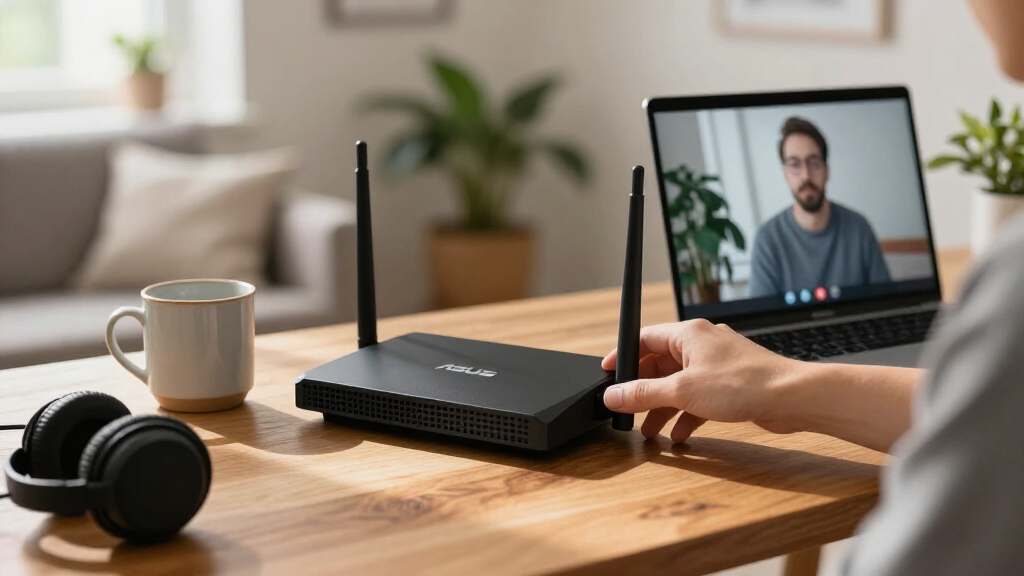

For most homes, I’d start with the ASUS RT-BE92U: its tri-band Wi-Fi 7 design offers more room for busy networks than the dual-band picks. The RT-AX86U Pro is a strong alternative for Wi-Fi 6 households that want gaming and wired-network features, while the RT-AX1800S keeps things simpler for basic connectivity. The main tradeoff is paying for newer Wi-Fi and extra bands versus choosing a less costly router that better matches your current devices and internet plan. Renewed models can add another wrinkle: their capabilities may appeal, but condition and included accessories deserve attention. Read on for the full breakdown of all 15 Asus routers and how I’d match each one to a different kind of home.

Get the latest gadgets delivered free with Prime
- Fast, free delivery on millions of items
- Prime Video, Amazon Music and more included
- Member-only deals all year
Complete the kit



Key Takeaways
- The RT-BE92U stands out for flexibility: its tri-band Wi-Fi 7 configuration makes it the clearest fit for homes juggling many connected devices.
- Wi-Fi 7 is not automatically the right buy: the RT-AX86U Pro and RT-AX88U Pro remain compelling Wi-Fi 6 choices when a household does not need a newer wireless generation.
- Band count changes the decision: the tri-band RT-AXE7800 and RT-BE92U give buyers more wireless-band options than the dual-band models, but device compatibility and network layout still matter.
- Gaming labels do not settle the choice: the RT-AX82U, RT-AX86U Pro, RT-BE86U, and ROG Rapture GT-BE98 Pro span different Wi-Fi generations and capability levels.
- Renewed models need extra scrutiny: the RT-BE58U, RT-AX82U, RT-BE86U, and GT-BE98 Pro renewed listings should be compared with their condition, warranty, and included parts in mind.
| ASUS RT-BE58U WiFi 7 BE3600 Dual-Band Router (Renewed) |  | Best Renewed WiFi 7 Value | Wi-Fi generation: WiFi 7 (802.11be) | Wireless speed: Up to 3600 Mbps | Frequency bands: Dual-band, 2.4 GHz and 5 GHz | VIEW LATEST PRICE | See Our Full Breakdown |
| ASUS RT-AX3000 WiFi 6 Dual-Band Gigabit Wireless Router |  | Best for Growing Homes | WiFi generation: WiFi 6 | Maximum data transfer rate: Up to 3,000 Mbps | Frequency bands: Dual-band, 2.4 GHz and 5 GHz | VIEW LATEST PRICE | See Our Full Breakdown |
| ASUS RT-AX82U AX5400 Dual-Band WiFi 6 Gaming Router (Renewed) |  | Best for Mobile Gaming | Model: RT-AX82U | WiFi standard: WiFi 6 (802.11ax) | Bands: Dual-band | VIEW LATEST PRICE | See Our Full Breakdown |
| ASUS RT-AX5400 Dual-Band WiFi 6 Router |  | Best for VPN and Remote Access | Model: RT-AX5400 | WiFi standard: WiFi 6 | Bands: Dual-band | VIEW LATEST PRICE | See Our Full Breakdown |
| ASUS RT-BE92U Tri-Band WiFi 7 Router |  | Best Premium WiFi 7 | WiFi standard: WiFi 7 (802.11be) | Frequency bands: Tri-band, including 6 GHz | Maximum wireless speed: Up to 9700 Mbps | VIEW LATEST PRICE | See Our Full Breakdown |
| ASUS RT-BE86U WiFi 7 Dual-Band Gaming Router |  | Best for High-Speed Wired Setups | Wi-Fi standard: Wi-Fi 7 (802.11be) | Bands: Dual-band, 2.4 GHz and 5 GHz | Maximum wireless speed: Up to 6,800 Mbps | VIEW LATEST PRICE | See Our Full Breakdown |
| ASUS RT-AXE7800 Tri-Band WiFi 6E Router |  | Best for a Dedicated 6 GHz Band | Wi-Fi standard: WiFi 6E (802.11ax) | Bands: Tri-band, including 6 GHz | Maximum WiFi speed: Up to 7,800 Mbps | VIEW LATEST PRICE | See Our Full Breakdown |
| ASUS RT-BE58U Dual-Band WiFi 7 Router | | Best Value WiFi 7 Upgrade | Wi-Fi generation: WiFi 7 (802.11be) | Frequency bands: Dual-band, 2.4 GHz and 5 GHz | Maximum total speed: Up to 3,600 Mbps | VIEW LATEST PRICE | See Our Full Breakdown |
| ASUS RT-AX1800S Dual-Band Wi-Fi 6 Router |  | Best for Straightforward Home Networking | Wi-Fi standard: Wi-Fi 6 (802.11ax) | Frequency bands: Dual-band | Wireless configuration: 2×2 | VIEW LATEST PRICE | See Our Full Breakdown |
| ASUS ExpertWiFi EBR63 AX3000 WiFi 6 Business Router |  | Best for Small Business Network Separation | Model: EBR63 | Wi-Fi standard: WiFi 6 | Wireless class: AX3000 | VIEW LATEST PRICE | See Our Full Breakdown |
| ASUS RT-AX86U Pro AX5700 Dual-Band WiFi 6 Gaming Router |  | Best for Gaming on WiFi 6 | WiFi standard: WiFi 6 (802.11ax) | Maximum wireless speed: Up to 5700 Mbps | Frequency bands: Dual band | VIEW LATEST PRICE | See Our Full Breakdown |
| ASUS RT-AX88U Pro AX6000 Dual-Band WiFi 6 Router |  | Best WiFi 6 Wired Flexibility | WiFi generation: WiFi 6 (802.11ax) | Wireless speed: Up to 6000 Mbps | Band speeds: 1148 Mbps (2.4 GHz); 4804 Mbps (5 GHz) | VIEW LATEST PRICE | See Our Full Breakdown |
| ASUS RT-BE86U BE6800 Dual-Band WiFi 7 Router (Renewed) |  | Best Renewed WiFi 7 Upgrade | WiFi generation: WiFi 7 (802.11be) | Frequency band: Dual-band | Maximum data transfer rate: 6800 Mbps | VIEW LATEST PRICE | See Our Full Breakdown |
| ASUS RT-AC68U AC1900 Dual-Band Gigabit Wi-Fi Router |  | Best for Basic Legacy Networks | Wi-Fi standard: 802.11ac | Combined Wi-Fi speed: Up to 1900 Mbps | Bands: 2.4 GHz and 5 GHz | VIEW LATEST PRICE | See Our Full Breakdown |
| ASUS ROG Rapture GT-BE98 Pro WiFi 7 Gaming Router (Renewed) |  | Best for Multi-Gig Gaming Setups | WiFi standard: WiFi 7 (802.11be) | Bands: Quad-band | Maximum advertised speed: Up to 30 Gbps | VIEW LATEST PRICE | See Our Full Breakdown |
More Details on Our Top Picks
ASUS RT-BE58U WiFi 7 BE3600 Dual-Band Router (Renewed)
The RT-BE58U brings WiFi 7 to a modest home setup without the extra radio band and broader capacity of the tri-band RT-BE92U. Its up-to-3600 Mbps combined wireless rate, 160 MHz channels, and 2.5G LAN port give newer devices room for fast local connections, while four Gigabit ports cover wired essentials. AiMesh, VPN support, AiProtection, and parental controls add useful flexibility without requiring a separate security package. The tradeoff is the renewed condition: its 90-day limited warranty offers less reassurance than a new router, and its stated 2,000-square-foot coverage is more suited to a smaller home than a sprawling layout. I’d pick it for entry-level WiFi 7, but not if warranty coverage or maximum whole-home capacity comes first.
Pros:- WiFi 7 support with up to 3600 Mbps combined wireless speed
- One 2.5G LAN port plus four Gigabit ports
- AiMesh support for adding compatible ASUS routers
- Includes VPN, AiProtection, and parental controls
Cons:- Renewed condition comes with a 90-day limited warranty
- Dual-band design lacks the dedicated 6 GHz band found on the RT-BE92U
- Stated coverage of 2,000 square feet may not suit larger homes
Best for: Small-home buyers seeking WiFi 7, a 2.5G wired port, and ASUS mesh expansion in a renewed router.
Not ideal for: Buyers who want a new unit with longer warranty coverage or need tri-band capacity and 6 GHz WiFi.
- Wi-Fi generation:WiFi 7 (802.11be)
- Wireless speed:Up to 3600 Mbps
- Frequency bands:Dual-band, 2.4 GHz and 5 GHz
- Channel bandwidth:Up to 160 MHz
- Ports:1 × 2.5G LAN, 4 × 1G
- Coverage:2,000 square feet
- Features:AiMesh, VPN, AiProtection, parental controls
- Warranty:90-day limited warranty
Our verdict“Choose the renewed RT-BE58U for compact-home WiFi 7 and useful wired connectivity, but choose the RT-BE92U if you need tri-band capacity.”
ASUS RT-AX3000 WiFi 6 Dual-Band Gigabit Wireless Router
The RT-AX3000 is a practical WiFi 6 choice for households that want room to expand rather than the newest WiFi generation. Its stated coverage of up to 3,000 square feet exceeds the RT-BE58U’s listed 2,000 square feet, and AiMesh lets owners add compatible ASUS routers if one unit cannot reach every room. OFDMA and MU-MIMO help the router manage multiple connected devices, while Adaptive QoS can prioritize selected traffic. Four Gigabit LAN ports and USB 3.0 also make it more versatile for wired gear and shared storage than a bare-bones setup. It lacks WiFi 7 and a 2.5G port, so I’d favor the RT-BE58U for newer high-speed devices; this model makes more sense when coverage and familiar WiFi 6 features matter more.
Pros:- OFDMA and MU-MIMO support for managing multiple connected devices
- AiMesh compatibility for extending coverage with compatible ASUS routers
- Four Gigabit LAN ports and a USB 3.0 port
- AiProtection Pro and parental controls are included
Cons:- WiFi 6 rather than WiFi 7
- No 2.5G port is listed
- Actual speed and coverage vary with the network and home environment
Best for: Families in a medium-sized home who want WiFi 6, mesh expansion, and several wired connections.
Not ideal for: Buyers with WiFi 7 devices or multi-gigabit wired internet who want a 2.5G port.
- WiFi generation:WiFi 6
- Maximum data transfer rate:Up to 3,000 Mbps
- Frequency bands:Dual-band, 2.4 GHz and 5 GHz
- Coverage:Up to 3,000 sq ft
- Ports:1 WAN, 4 Gigabit LAN, 1 USB 3.0
- Antennas:4 fixed antennas
- RAM:512 MB
- Mesh support:ASUS AiMesh
Our verdict“Pick the RT-AX3000 for a WiFi 6 home that may need mesh expansion, and favor the RT-BE58U if WiFi 7 and a 2.5G port matter more.”
ASUS RT-AX82U AX5400 Dual-Band WiFi 6 Gaming Router (Renewed)
For a household that puts gaming traffic ahead of the newest WiFi standard, the renewed RT-AX82U offers WiFi 6 with a stated maximum speed of up to 5400 Mbps and 160 MHz channels. Its mobile gaming mode is aimed at reducing competing traffic for a phone or other mobile device, though using that feature requires the ASUS Router app. Compared with the RT-AX3000, this is the more gaming-focused pick, while the RT-BE58U is the better fit for shoppers seeking WiFi 7. AiMesh, AiProtection Pro, WPA3, and parental controls round out the feature set. The main compromises are its renewed condition and reliance on an app for mobile game mode; it also remains dual-band, not tri-band.
Pros:- WiFi 6 with a stated maximum speed of up to 5400 Mbps
- 160 MHz channel support
- Mobile gaming mode for prioritizing supported gaming traffic
- AiMesh, AiProtection Pro, WPA3, and parental controls
Cons:- Renewed condition may not suit buyers seeking a new unit
- Mobile Game Mode features require the ASUS Router app
- Dual-band WiFi 6 lacks the 6 GHz band offered by the RT-BE92U
Best for: Mobile gamers who want a WiFi 6 router with app-based game prioritization and AiMesh expansion.
Not ideal for: Buyers who require a new router, tri-band WiFi, or WiFi 7 support.
- Model:RT-AX82U
- WiFi standard:WiFi 6 (802.11ax)
- Bands:Dual-band
- Maximum speed:Up to 5400 Mbps
- Channel width:160 MHz
- Mesh support:ASUS AiMesh
- Security:AiProtection Pro, WPA3, parental controls
- Condition:Renewed
Our verdict“Choose the renewed RT-AX82U for app-managed mobile gaming on WiFi 6, but look to the RT-BE58U for WiFi 7.”
ASUS RT-AX5400 Dual-Band WiFi 6 Router
The RT-AX5400 stands out here less for a detailed speed or port specification—the supplied product data does not give either—and more for its built-in VPN and Instant Guard features. Those tools make it a relevant choice for buyers who want remote access and network privacy options alongside WiFi 6, parental controls, and internet security. It also supports AiMesh, so coverage can be extended with compatible ASUS routers. Compared with the RT-AX82U, which specifically lists mobile gaming features and 160 MHz channels, the RT-AX5400 is a better match for VPN-oriented use than gaming-focused tuning. The sparse specifications make it harder to judge speed, capacity, and wired connectivity against the RT-AX3000 or newer WiFi 7 options, so I’d choose it for its stated software features rather than presumed performance.
Pros:- WiFi 6 support
- Built-in VPN and Instant Guard features
- Includes internet security and parental controls
- AiMesh compatibility for mesh expansion
Cons:- Provided specifications do not state maximum wireless speed or port configuration
- Dual-band WiFi 6 does not offer the 6 GHz band available on the RT-BE92U
Best for: Remote workers and privacy-conscious households who want a WiFi 6 router with VPN, Instant Guard, and AiMesh.
Not ideal for: Buyers who need published speed and port details to compare performance or who specifically want WiFi 7.
- Model:RT-AX5400
- WiFi standard:WiFi 6
- Bands:Dual-band
- Mesh compatibility:AiMesh
- Security features:Internet security, parental controls
- VPN:Built-in VPN features
- Remote access:Instant Guard
- Weight:2.700 lbs
Our verdict“Choose the RT-AX5400 when its VPN and Instant Guard features fit your remote-access needs, but compare published speed and port details before buying for performance.”
ASUS RT-BE92U Tri-Band WiFi 7 Router
The RT-BE92U is the most capable choice in this group for buyers with newer devices and heavier network demands. Its tri-band WiFi 7 design includes 6 GHz and 320 MHz channels, a step up from the dual-band RT-BE58U’s 160 MHz support; multi-link operation can help compatible devices maintain a steadier connection across available bands. Five ports, AI WAN detection, USB tethering for 4G LTE or 5G, and Smart Home Master network management give it more flexibility than a basic home router. AiMesh, VPN, and subscription-free AiProtection Pro add useful network tools. The tradeoff is that WiFi 7’s benefits depend on compatible client devices, and the stated 9700 Mbps maximum is not a typical speed guarantee. It is more router than a WiFi 6 household may need.
Pros:- Tri-band WiFi 7 includes the 6 GHz band
- 320 MHz channel support and multi-link operation
- Five ports plus AI WAN detection and 4G LTE or 5G USB tethering
- AiMesh, VPN, Smart Home Master, and subscription-free AiProtection Pro
Cons:- Compatible WiFi 7 devices are needed to benefit from its newest wireless features
- The stated maximum speed depends on network conditions and device support
- More advanced than many homes need if their devices and internet plan are WiFi 6-era
Best for: Households with WiFi 7-capable devices, many connected clients, and a need for tri-band flexibility or cellular tethering.
Not ideal for: Buyers with mostly WiFi 6 devices, modest connectivity needs, or no use for 6 GHz and advanced network management.
- WiFi standard:WiFi 7 (802.11be)
- Frequency bands:Tri-band, including 6 GHz
- Maximum wireless speed:Up to 9700 Mbps
- Channel width:320 MHz
- Ports:5
- WAN connectivity:AI WAN detection; USB tethering for 4G LTE and 5G
- Mesh support:ASUS AiMesh
- Security:AiProtection Pro, VPN, WPS, WPA/WPA2/WPA3 Enterprise
Our verdict“Choose the RT-BE92U for a feature-rich tri-band WiFi 7 setup, while the RT-BE58U is a simpler fit for smaller homes with lighter demands.”
ASUS RT-BE86U WiFi 7 Dual-Band Gaming Router
The RT-BE86U is the strongest fit here for buyers who need fast wired links as well as WiFi 7: its 10G WAN/LAN port and stated combined wired capacity of up to 20G set it apart from the RT-BE58U, which has a lower wireless speed ceiling and no listed 10G port. Up to five Guest Network Pro SSIDs also make it easier to separate guest or smart-home devices, while subscription-free AiProtection Pro adds network security without a recurring plan. The tradeoff is that this is dual-band, not tri-band; 6 GHz support is not listed, unlike the RT-AXE7800. Its headline wireless figure is a combined maximum, not a guarantee for an individual device, and buyers may need compatible ASUS equipment to use some advanced features. Choose it for fast wired infrastructure, not for a dedicated 6 GHz band.
Pros:- 10G WAN/LAN port and up to 20G stated combined wired capacity
- WiFi 7 wireless speed specified up to 6,800 Mbps
- AiMesh support allows compatible ASUS routers to extend coverage
- Up to five SSIDs and subscription-free AiProtection Pro
Cons:- Dual-band design has no listed 6 GHz band, unlike the RT-AXE7800
- The 6,800 Mbps figure is a combined maximum rather than a single-device speed
- Some advanced functions may require compatible ASUS equipment
Best for: Households with multi-gig internet or wired devices that want WiFi 7, a 10G connection, and flexible network separation.
Not ideal for: Buyers who specifically need a 6 GHz band or want to maximize wireless capacity across three bands.
- Wi-Fi standard:Wi-Fi 7 (802.11be)
- Bands:Dual-band, 2.4 GHz and 5 GHz
- Maximum wireless speed:Up to 6,800 Mbps
- 5 GHz speed:Up to 5,764 Mbps
- Ethernet:One 10G WAN/LAN port
- Combined wired capacity:Up to 20G
- Mesh support:ASUS AiMesh
- Security:AiProtection Pro powered by Trend Micro
Our verdict“Choose the RT-BE86U if 10G wired connectivity and WiFi 7 matter more than having a dedicated 6 GHz band.”
ASUS RT-AXE7800 Tri-Band WiFi 6E Router
The RT-AXE7800 earns its place for buyers who want a 6 GHz band without moving to WiFi 7. That extra band gives compatible devices another place to connect, a useful distinction from the dual-band RT-BE58U, whose newer WiFi 7 standard still comes without a listed 6 GHz band. This ASUS also combines AiMesh support with parental controls, Safe Browsing, AiProtection Pro, and Instant Guard VPN, so it can suit a family that wants several network-management tools in one router. The tradeoff is generational: the RT-BE58U supports WiFi 7 features such as Multi-Link Operation, while this model is WiFi 6E. Its stated speed is a combined maximum, and real coverage and throughput vary with placement, interference, and client devices. Pick it for tri-band capacity, not the newest WiFi generation.
Pros:- Tri-band WiFi 6E includes a dedicated 6 GHz band
- AiMesh support offers a route to compatible ASUS mesh expansion
- Includes AiProtection Pro, Safe Browsing, and parental controls
- Instant Guard VPN adds a remote-access option
Cons:- Uses WiFi 6E rather than the WiFi 7 standard found in the RT-BE58U
- The 7,800 Mbps figure is a combined maximum, not a per-device rate
- Fixed antennas limit physical adjustment
Best for: Homes with compatible 6 GHz devices that want tri-band WiFi and built-in parental and security controls.
Not ideal for: Buyers prioritizing WiFi 7 features or households whose devices cannot use 6 GHz.
- Wi-Fi standard:WiFi 6E (802.11ax)
- Bands:Tri-band, including 6 GHz
- Maximum WiFi speed:Up to 7,800 Mbps
- Ports:5
- Mesh support:ASUS AiMesh
- Security protocols:WPA2-Enterprise, WPA3-Personal, WPS
- Controls and features:Parental controls, guest mode, QoS, Alexa compatibility
- Antenna type:Fixed
Our verdict“Choose the RT-AXE7800 if access to a 6 GHz band matters more than having WiFi 7.”
ASUS RT-BE58U Dual-Band WiFi 7 Router
The RT-BE58U brings WiFi 7 features into a simpler dual-band setup, making it a practical step up for buyers who do not need the RT-BE86U’s 10G port or higher stated speed ceiling. Its Multi-Link Operation, 160 MHz bandwidth, and 4096-QAM can help compatible devices make better use of available wireless capacity, while USB tethering offers a backup connection through a phone. Up to three Smart Home Master SSIDs, parental controls, VPN features, and AiProtection Pro give it more network flexibility than a bare-bones router. The main compromise is the absence of a listed 6 GHz band: compared with the tri-band RT-AXE7800, it has fewer frequency bands to distribute traffic across. Its 3,600 Mbps maximum is combined across bands, not a speed any one device should expect.
Pros:- WiFi 7 support with Multi-Link Operation
- USB tethering supports 4G LTE and 5G phone connections
- AiProtection Pro, VPN features, and parental controls are included
- Up to three Smart Home Master SSIDs support network separation
Cons:- Dual-band design has no listed 6 GHz band, unlike the RT-AXE7800
- The 3,600 Mbps maximum is combined across bands
- Its listed speed ceiling is lower than the RT-BE86U
Best for: Buyers seeking WiFi 7 features, mobile-hotspot WAN backup, and household controls without needing a 10G port.
Not ideal for: Homes that need tri-band capacity or a dedicated 6 GHz connection for compatible devices.
- Wi-Fi generation:WiFi 7 (802.11be)
- Frequency bands:Dual-band, 2.4 GHz and 5 GHz
- Maximum total speed:Up to 3,600 Mbps
- Band speeds:2.4 GHz: up to 688 Mbps; 5 GHz: up to 2,882 Mbps
- Bandwidth:Up to 160 MHz
- Antennas:4 internal
- WAN options:AI WAN detection and USB tethering for 4G LTE or 5G
- Security:AiProtection Pro, firewall, VPN, WPA/WPA2/WPA3-Personal, WPA/WPA2-Enterprise
Our verdict“Choose the RT-BE58U for a feature-rich WiFi 7 starting point when you can do without 6 GHz and 10G Ethernet.”
ASUS RT-AX1800S Dual-Band Wi-Fi 6 Router
The RT-AX1800S is the straightforward choice for a home that needs WiFi 6 essentials and several wired connections, rather than WiFi 7 headline speeds. Its four Gigabit LAN ports can connect a desktop, console, TV, and another wired device without relying on a switch, while MU-MIMO and OFDMA help manage traffic from multiple clients. AiMesh compatibility also leaves room to expand coverage with a compatible ASUS router. Compared with the RT-BE58U, this model lacks WiFi 7 features and mobile USB WAN options, but its simpler feature set may suit buyers who do not need those extras. The limits are clear: it is dual-band with 80 MHz bandwidth, and the supplied details do not state a maximum wireless speed or coverage figure. It is a sensible basic pick, not a high-capacity upgrade.
Pros:- WiFi 6 includes MU-MIMO and OFDMA for handling multiple connected devices
- Four Gigabit LAN ports plus one Gigabit WAN port
- AiMesh compatibility supports expansion with compatible ASUS routers
- Includes AiProtection Classic and Instant Guard VPN
Cons:- WiFi 6 rather than WiFi 7, unlike the RT-BE58U
- Gigabit Ethernet ports do not provide a listed multi-gig connection
- Product data does not specify a maximum wireless speed or coverage area
Best for: Households with a moderate number of devices that want WiFi 6, multiple Gigabit LAN connections, and basic network tools.
Not ideal for: Buyers with multi-gig internet, a need for WiFi 7 or 6 GHz, or unusually demanding wireless workloads.
- Wi-Fi standard:Wi-Fi 6 (802.11ax)
- Frequency bands:Dual-band
- Wireless configuration:2×2
- Bandwidth:80 MHz
- Antennas:4 external
- Ethernet:1 Gigabit WAN and 4 Gigabit LAN ports
- Traffic features:MU-MIMO and OFDMA
- Mesh and security:AiMesh compatibility, AiProtection Classic, Instant Guard VPN
Our verdict“Choose the RT-AX1800S for a basic WiFi 6 home network with useful wired ports, not for multi-gig or WiFi 7 needs.”
ASUS ExpertWiFi EBR63 AX3000 WiFi 6 Business Router
The ExpertWiFi EBR63 is the business-focused pick in this group: its support for up to five SSIDs lets an owner separate staff, guest, and other device groups, while a customizable guest portal can present a business-branded welcome. That makes it more purpose-built for a small office or customer-facing space than the home-oriented RT-AX1800S, which offers AiMesh and basic security but no listed guest portal. The ExpertWiFi app handles setup and network management, and AiProtection Pro plus safe browsing add security tools. Its USB port can provide backup WAN through a connected phone hotspot, useful when a wired connection fails, though that fallback depends on a phone and service being available. Unlike the RT-BE58U, this is WiFi 6 rather than WiFi 7; the supplied specifications also do not list port counts or a maximum speed.
Pros:- Up to five SSIDs support separation and prioritization of device groups
- Customizable guest portal suits customer-facing businesses
- USB phone-hotspot backup WAN provides an alternative connection path
- ExpertWiFi app supports setup and network management
Cons:- USB backup WAN requires a connected phone hotspot
- WiFi 6 rather than WiFi 7, unlike the RT-BE58U
- Product details do not specify port counts or maximum wireless speed
Best for: Small offices, studios, and customer-facing businesses that need separate networks, a branded guest portal, and app-based management.
Not ideal for: Home users seeking WiFi 7 or shoppers who need specified Ethernet port counts and detailed speed figures before choosing.
- Model:EBR63
- Wi-Fi standard:WiFi 6
- Wireless class:AX3000
- Maximum SSIDs:5
- Backup WAN:USB connection to a phone hotspot
- Management:ASUS ExpertWiFi app
- Security:ASUS AiProtection Pro and safe browsing features
- Guest access:Customizable guest portal
Our verdict“Choose the ExpertWiFi EBR63 if business network separation and a branded guest portal matter more than WiFi 7 speed claims.”
ASUS RT-AX86U Pro AX5700 Dual-Band WiFi 6 Gaming Router
I’d choose the RT-AX86U Pro for a gaming-focused WiFi 6 setup that also needs useful wired options. Its dedicated gaming port and Mobile Game Mode prioritize game traffic, while the 2.5 Gbps port gives a faster connection path for compatible broadband or devices. Compared with the RT-AX88U Pro, it has a lower listed wireless speed and fewer high-speed ports, but it retains AiProtection Pro, Instant Guard VPN, and AiMesh compatibility. That makes it a more targeted pick rather than the stronger choice for households needing several 2.5G connections. The tradeoff is that the gaming and security controls may take some setup in the ASUS Router app, and WiFi 6 remains less future-ready than the WiFi 7 options in this roundup.
Pros:- Dedicated gaming port and Mobile Game Mode prioritize gaming traffic.
- 2.5 Gbps port supports a faster wired link for compatible equipment.
- AiProtection Pro and Instant Guard VPN add security and remote-access options.
- AiMesh compatibility allows compatible ASUS routers to extend coverage.
Cons:- Only one 2.5 Gbps port is specified, compared with the RT-AX88U Pro’s dual 2.5G ports.
- Advanced gaming and security settings may require configuration in the ASUS Router app.
- WiFi 6 is an older generation than the WiFi 7 routers in this roundup.
Best for: WiFi 6 gamers who want traffic-priority tools, one 2.5 Gbps connection, and the option to expand coverage with AiMesh.
Not ideal for: Households needing multiple 2.5 Gbps wired connections or shoppers prioritizing WiFi 7; the RT-AX88U Pro offers dual 2.5G ports, while newer WiFi 7 models support the newer standard.
- WiFi standard:WiFi 6 (802.11ax)
- Maximum wireless speed:Up to 5700 Mbps
- Frequency bands:Dual band
- Ethernet port:2.5 Gbps
- WAN connections:Aggregated 2 Gbps
- Mesh compatibility:AiMesh
Our verdict“Choose the RT-AX86U Pro if gaming traffic controls and a single 2.5 Gbps port matter more than extra high-speed ports or WiFi 7.”
ASUS RT-AX88U Pro AX6000 Dual-Band WiFi 6 Router
The RT-AX88U Pro is the WiFi 6 pick I’d favor when wired networking matters alongside wireless capacity. Its dual 2.5G ports can be assigned for flexible WAN/LAN use, giving it an advantage over the RT-AX86U Pro, which lists one 2.5 Gbps port. A 2.0 GHz quad-core processor, 1 GB of RAM, and four antennas round out a capable setup for busy homes, while parental controls, QoS, AiProtection Pro, and Instant Guard VPN add practical network management. Its listed wireless capacity reaches 6000 Mbps, but those combined figures don’t guarantee a particular speed or coverage in every home. I’d skip it if WiFi 7 is a priority: the RT-BE86U moves to the newer standard and adds a 10G port, though it is renewed in this listing.
Pros:- Dual 2.5G ports support flexible high-speed WAN and LAN configurations.
- Up to 6000 Mbps listed wireless speed and 160 MHz channel support.
- 2.0 GHz quad-core CPU and 1 GB RAM provide substantial listed hardware resources.
- Includes parental controls, QoS, AiProtection Pro, Instant Guard VPN, and AiMesh.
Cons:- Uses WiFi 6 rather than WiFi 7.
- Real-world speed and coverage depend on the home, network, and connected devices.
- Four fixed antennas offer less physical placement flexibility than external adjustable designs.
Best for: Busy households with WiFi 6 devices that want two 2.5G ports, parental controls, and wired WAN/LAN flexibility.
Not ideal for: Buyers seeking WiFi 7 or a 10G connection; the RT-BE86U offers both a newer wireless generation and a 10G WAN/LAN port.
- WiFi generation:WiFi 6 (802.11ax)
- Wireless speed:Up to 6000 Mbps
- Band speeds:1148 Mbps (2.4 GHz); 4804 Mbps (5 GHz)
- Ports:6 total; dual 2.5G ports
- Processor:2.0 GHz quad-core 64-bit CPU
- RAM:1 GB
- Antennas:4 fixed antennas
- Features:Parental controls, QoS, AiProtection Pro, Instant Guard VPN, AiMesh support
Our verdict“Pick the RT-AX88U Pro for a feature-rich WiFi 6 network where dual 2.5G ports matter more than moving to WiFi 7.”
ASUS RT-BE86U BE6800 Dual-Band WiFi 7 Router (Renewed)
The renewed RT-BE86U makes the strongest case here for stepping from WiFi 6 to WiFi 7 without choosing the much larger quad-band gaming focus of the ROG Rapture GT-BE98 Pro. It combines Multi-Link Operation and 4096-QAM with listed throughput up to 6800 Mbps, plus a 10G WAN/LAN port for a high-speed wired link. Guest Network Pro can help separate visitor and IoT access, while AiMesh and VPN features add flexibility for a growing home network. Its dual-band design is simpler than the GT-BE98 Pro’s quad-band setup, but it also has fewer listed ports and less emphasis on gaming hardware. The main compromise is condition: this is a renewed unit, so it won’t suit buyers who specifically want a new router. Coverage figures and actual performance also depend on the home and devices.
Pros:- WiFi 7 features include Multi-Link Operation and 4096-QAM.
- 10G WAN/LAN port supports a high-speed wired connection.
- Guest Network Pro helps manage guest and IoT access.
- AiMesh, VPN features, and subscription-free network security add network-management options.
Cons:- Renewed condition may not suit buyers who want a new router.
- Dual-band design has fewer bands than the quad-band GT-BE98 Pro.
- Five total ports provide less wired capacity than the GT-BE98 Pro’s listed port array.
Best for: Buyers ready for WiFi 7 who want a 10G wired option, guest and IoT network controls, and AiMesh expansion in a renewed router.
Not ideal for: Shoppers who require a new unit or want a quad-band gaming router with extensive multi-gig ports; the renewed condition and five-port design may not fit those needs.
- WiFi generation:WiFi 7 (802.11be)
- Frequency band:Dual-band
- Maximum data transfer rate:6800 Mbps
- LAN port bandwidth:10 Gbps
- Number of ports:5
- CPU:Quad-core 2.6 GHz 64-bit
- Coverage:2,500 square feet
- Condition:Renewed
Our verdict“Choose this renewed RT-BE86U for a WiFi 7 and 10G upgrade with guest-network controls, but not if new condition or quad-band capacity is a must.”
ASUS RT-AC68U AC1900 Dual-Band Gigabit Wi-Fi Router
The RT-AC68U is the straightforward pick for a modest network built around older Wi-Fi devices, not a match for the faster WiFi 6 and WiFi 7 routers elsewhere in this roundup. Its 802.11ac dual-band design lists combined speeds up to 1900 Mbps, with guest networks and ASUSWRT management for routine home use. AiProtection adds a security feature set that is absent from some basic legacy routers. Compared with the RT-AX86U Pro, however, it lacks WiFi 6, gaming features, a specified 2.5 Gbps port, and AiMesh support in the supplied data. That makes it a limited fit for households adding newer devices or expecting substantial bandwidth headroom. The product description also doesn’t specify the exact LAN-port count, and setup may require consulting the manuals, so I’d avoid it for a buyer who wants a modern, clearly documented upgrade.
Pros:- Dual-band 802.11ac supports both 2.4 GHz and 5 GHz networks.
- AiProtection provides network security features.
- Guest network options are listed for both bands.
- Offers mobile app and web-based setup and management.
Cons:- Older Wi-Fi 5 standard lacks the newer capabilities of the WiFi 6 and WiFi 7 alternatives.
- Exact number of LAN ports is not specified in the supplied product data.
- Setup may require consulting the installation and user manuals.
Best for: Owners of older Wi-Fi devices seeking a basic dual-band router with guest networks and ASUSWRT management.
Not ideal for: Households with many newer devices, multi-gig broadband, or gaming and mesh needs; the RT-AX86U Pro adds WiFi 6, gaming tools, a 2.5 Gbps port, and AiMesh.
- Wi-Fi standard:802.11ac
- Combined Wi-Fi speed:Up to 1900 Mbps
- Bands:2.4 GHz and 5 GHz
- Processor:1 GHz dual-core CPU
- Flash memory:128 MB
- RAM:256 MB
- Guest networks:3 at 2.4 GHz and 3 at 5 GHz
- Network standards:IEEE 802.11a/b/g/n/ac, IPv4, IPv6
Our verdict“Choose the RT-AC68U for a basic network of older Wi-Fi devices, but look to the RT-AX86U Pro or newer models for gaming, mesh, or future-facing features.”
ASUS ROG Rapture GT-BE98 Pro WiFi 7 Gaming Router (Renewed)
If a network has multiple high-speed wired devices and WiFi 7 gaming is the goal, the renewed ROG Rapture GT-BE98 Pro is the most specialized pick in this group. Its quad-band WiFi 7 design supports 320 MHz channels, 4096-QAM, and Multi-Link Operation, while the listed port selection—dual 10G and four 2.5G—offers far more wired flexibility than the dual-band RT-BE86U. Gaming traffic acceleration and external antennas reinforce its performance-oriented role. The tradeoff is that its advertised wireless capacity is a combined figure, not a promise of speed for an individual device, and compatible clients and network conditions matter. It is also renewed, which may rule it out for buyers seeking a new unit. For a typical household without multi-gig hardware, the RT-AX88U Pro is a less elaborate WiFi 6 alternative.
Pros:- Quad-band WiFi 7 supports 320 MHz channels, 4096-QAM, and Multi-Link Operation.
- Dual 10G and four 2.5G ports provide extensive multi-gig wired connectivity.
- Gaming traffic acceleration is designed to prioritize gaming activity.
- External antennas provide physical positioning flexibility.
Cons:- Renewed condition may not meet buyers’ preference for a new unit.
- The advertised speed depends on compatible devices and network conditions.
- Its extensive WiFi and port capabilities may be unnecessary for homes without multi-gig equipment.
Best for: WiFi 7 gamers and multi-gig households with several wired devices who can make use of its quad-band design and multiple 10G and 2.5G ports.
Not ideal for: Buyers who want a new router, have few wired devices, or use mostly WiFi 6 clients; the renewed condition and extensive port capacity may be unnecessary.
- WiFi standard:WiFi 7 (802.11be)
- Bands:Quad-band
- Maximum advertised speed:Up to 30 Gbps
- Channel width:320 MHz
- Ports:Dual 10G and quad 2.5G
- Multi-Link Operation:Supported
- Gaming feature:Gaming traffic acceleration
- Condition:Renewed
Our verdict“Pick the renewed GT-BE98 Pro for a WiFi 7 gaming network with substantial multi-gig wiring, and skip it if that capacity would go unused.”

How We Picked
I compared the 15 models by wireless generation, band configuration, stated class, wired connectivity, and intended role, then asked what those differences mean for an actual buyer. I gave more weight to a router’s fit across common home needs than to a headline speed class alone: a busy multi-device household may benefit from extra bands, while a small home with basic usage may not need them. I also separated gaming-oriented models, business-focused equipment, and older Wi-Fi generations instead of treating every Asus router as a direct substitute.
The ordering favors breadth and useful capability for a range of homes, then moves toward more specialized, simpler, older, or condition-sensitive options. A model’s position is not a claim that it beats every router in every situation; it reflects how many buyer needs it can reasonably serve and the compromises attached. Because several listings are marked renewed, I treat their exact condition, seller terms, warranty, and accessories as purchase checks rather than assuming they match a new unit.
Factors to Consider When Choosing Best Asus Routers
Before choosing a model, I’d match the router to the home’s devices, layout, and internet service rather than buying by generation name alone. These factors help avoid paying for capacity your household cannot use—or choosing a basic model that becomes a bottleneck.
Match Wi-Fi Generation to Your Devices
Wi-Fi 7 can make sense when you already own compatible phones, laptops, or other devices, or expect to add them soon. A newer router can still serve older clients, but those devices will not gain every feature of the newer standard. Wi-Fi 6 models such as the RT-AX3000 and RT-AX5400 may be a better fit when most of your equipment uses Wi-Fi 6 or earlier. I would check the wireless capabilities of the devices you use most, not just the newest device in the house. A common mistake is paying for a generation upgrade while the internet plan, client devices, or home layout is the actual limiting factor.
Choose Bands for Traffic, Not Just a Bigger Number
Tri-band routers such as the RT-BE92U and RT-AXE7800 offer another band to work with, which can help distribute traffic across a crowded network. That does not mean every device gets a dedicated lane or that coverage automatically improves in every room. Dual-band routers are often enough for smaller households or networks with modest simultaneous activity. Check which bands your clients support and how you expect the network to be used before paying extra for band capacity. If you are dealing with weak signal through walls, router placement or a mesh setup may matter more than adding a band.
Check Wired Ports and the Internet Plan
Wireless speed classes do not describe every part of a home network. A wired desktop, NAS, console, or multi-gig internet connection can make port capabilities a major part of the decision. Compare the router’s Ethernet options with the speed of your service and the devices you plan to connect directly. A router with impressive wireless specifications may still be a poor match if its wired connections do not suit your setup. I’d also count the number of devices that need Ethernet before choosing, since relying on switches or adapters can add clutter and cost.
Separate Gaming Features From Gaming Needs
A gaming designation can signal traffic-management tools or a design aimed at demanding home networks, but it cannot fix every source of lag. The connection between your home and the game server, household congestion, and Wi-Fi signal quality can matter just as much. If a gaming PC or console can use Ethernet, a wired connection is often the more direct improvement. Choose a gaming-focused model when its network controls and connectivity match a real need, not simply because the packaging says gaming. For mixed household use, compare those benefits with a similarly capable general-purpose router.
Treat Renewed Listings as a Separate Buying Decision
A renewed router may provide access to a higher-spec model, but its condition and seller terms are part of the product decision. Before ordering, check the warranty or return window, the stated condition, and whether the power adapter and other required accessories are included. Confirm that the exact model and hardware revision are clear, especially when two listings share a product family name. Do not assume that renewed units receive the same support or packaging as new products. If you rely on the router for work or have no backup, the certainty of a new unit may matter more than a feature upgrade.
Plan for Coverage and Placement
A single powerful router is not always the best answer for a large or awkwardly shaped home. Thick walls, multiple floors, and long distances can weaken a signal even when the router has a high advertised class. Place the router centrally and in the open before judging its coverage, rather than hiding it in a cabinet or utility corner. If dead zones remain, compare a compatible mesh approach with simply replacing the router with a more expensive standalone model. Buyers should also check whether the existing Asus network supports the mesh features they want before building around it.
Frequently Asked Questions
Should I choose the RT-BE92U or an Asus Wi-Fi 6 router?
I’d choose the RT-BE92U if you want Wi-Fi 7 and its tri-band design fits a busy network or a planned device upgrade. A Wi-Fi 6 option such as the RT-AX86U Pro or RT-AX88U Pro may be the more sensible match when your clients are mostly Wi-Fi 6 and your current network already meets your needs. Check your internet plan and the wireless standards of the devices you use most before deciding. A newer generation alone does not guarantee faster service if another part of the connection is the limit. If you expect to keep the router for years, future device compatibility may weigh more heavily.
Is a tri-band Asus router worth choosing for a typical household?
It depends on how many devices are active at once and whether those devices can use the router’s available bands. Tri-band models such as the RT-BE92U and RT-AXE7800 give a network another band to distribute compatible traffic, which may help in a busy home. For a smaller household with light streaming, browsing, and a few connected devices, a capable dual-band model may be enough. Tri-band does not remove the effects of poor placement or thick walls. I’d pay for it when congestion is a recurring issue or the network is expected to grow, not just because three bands sound better than two.
Can I use a renewed Asus router as my main home router?
Yes, a renewed model can serve as a main router, but I would check the listing details before relying on it. Confirm the condition description, return window, warranty, and included power adapter or other accessories. Compare the renewed unit with a new alternative that offers the features you actually need, rather than assuming a higher model number makes the renewed choice better. If a failure would disrupt work, school, or essential devices, the support and replacement terms may be worth prioritizing. The renewed RT-BE58U, RT-AX82U, RT-BE86U, and GT-BE98 Pro listings all call for this extra check.
Do I need a gaming router if I play online games?
Not necessarily. A gaming-focused Asus model may offer controls or connectivity suited to prioritizing game traffic, but the router cannot control every source of latency outside your home. A wired Ethernet connection to a console or PC can be a more direct first step if it is practical. For wireless gaming, stable coverage and limited household congestion may matter more than a gaming label. Compare models such as the RT-AX86U Pro, RT-BE86U, and GT-BE98 Pro by their generation and network needs, not by branding alone. Choose a gaming router when its specific features solve a problem you actually have.
Which Asus router should I buy if I have a large home or Wi-Fi dead zones?
Start by checking placement and the shape of the home, since a central, open position can improve coverage without a hardware upgrade. A stronger standalone router may help in some layouts, but floors, dense walls, and distant rooms can still create weak spots. If the problem is a persistent dead zone, a compatible mesh setup may be a better fit than focusing only on a higher wireless class. Before buying, confirm that the Asus model and any additional units support the mesh arrangement you plan to use. Also check whether wired backhaul is practical, as a wired link between access points can help avoid relying on a weak wireless connection between them.
Conclusion
For most buyers seeking a capable router with room for a busy home network, I’d choose the RT-BE92U as the best overall. The RT-AX86U Pro is my best value-style pick for households that want strong Wi-Fi 6 and gaming-oriented features without moving to Wi-Fi 7. For best premium, the renewed ROG Rapture GT-BE98 Pro is the high-end gaming choice, provided its renewed condition and terms suit you. Beginners with straightforward needs can start with the RT-AX1800S, while the ExpertWiFi EBR63 is the specialized pick for buyers who need a business-oriented router. For a lower-complexity Wi-Fi 7 option, compare the RT-BE58U models, taking care to distinguish the renewed listing from the standard one. The right choice comes down to matching your devices, coverage needs, and wired connections—not simply choosing the newest or biggest specification.