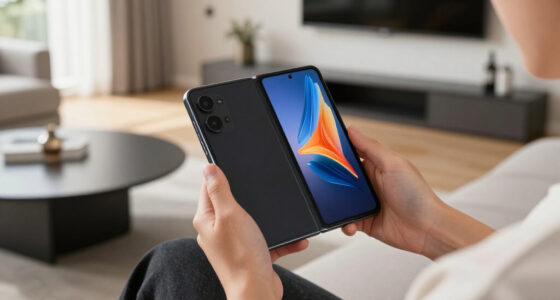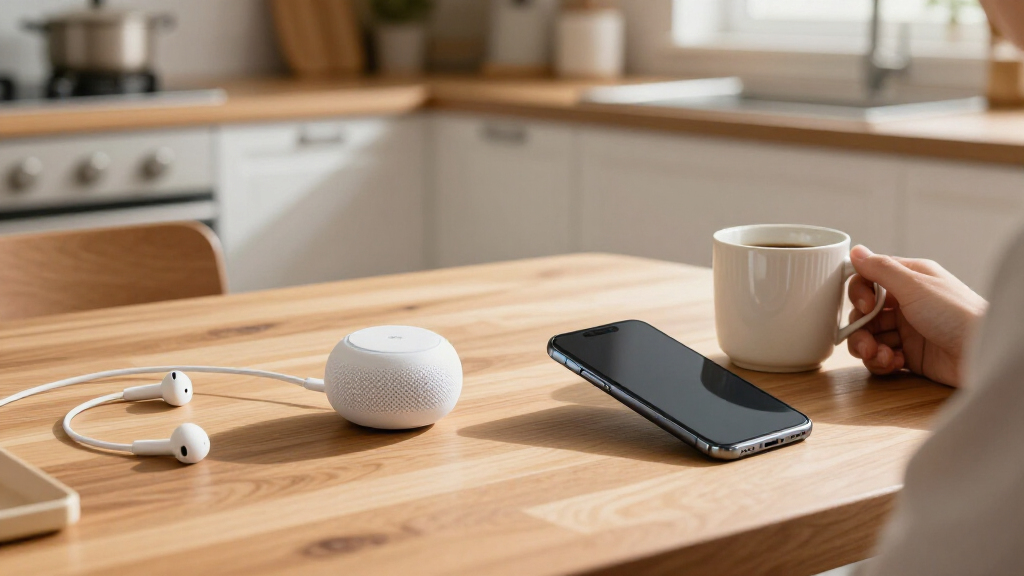
The best AI gadgets in 2027 make a clear task easier, whether that means capturing meeting notes, getting hands-free help, or adding a conversational companion to your desk. My best overall pick is the Plaud Note Pro for buyers focused on recording and turning speech into useful notes; the Osawalla AI Smart Glasses stand out for camera, audio, and photochromic lenses, while the Comu Action Pro AI Voice Recorder is another strong option for automatic documents. The main tradeoff is between a focused device with a practical job and a broader, more experimental gadget that may depend on extra setup or services. Privacy, transcription quality, battery life, comfort, and ongoing app requirements can matter as much as headline AI features. Read on for the full breakdown and guidance on matching each type of gadget to your needs.

Get the latest gadgets delivered free — and shop member deals
- Fast, free delivery on millions of items
- Access to Prime Big Deal Days deals on October 6–7
- Prime Video, Amazon Music and more included
Complete the kit



Key Takeaways
- Voice recorders are the most task-focused group. Plaud Note Pro, Plaud Note, Comulytic Note Pro, and Comu Action Pro center on capturing speech and producing usable notes or documents, so buyers should compare workflows rather than assume all transcription tools behave alike.
- The Plaud Note Pro leads this lineup for buyers who want a dedicated recording-and-notes tool. The wearable Plaud NotePin S favors a different priority: carrying a recorder on your person rather than keeping a separate device ready.
- Smart glasses vary more by camera and lens setup than by their shared AI label. Osawalla pairs an 8MP camera and 1080p video with photochromic lenses, while other listed models highlight 4K video, stabilization, or translation.
- Companion devices serve a different purpose from productivity gadgets. YONBO AIPI Lite and LOOI are oriented around interaction and companionship, so they make more sense for buyers seeking an engaging presence than for those who mainly need meeting notes.
- Broad feature lists are not a substitute for a clear use case. Rabbit r1, translation glasses, and touchscreen badges may appeal to buyers who want several interactions in one device, but setup, privacy, and the quality of each function deserve scrutiny.
| Comu Action Pro AI Voice Recorder with Automatic AI Documents |  | Best for Turning Meetings into Follow-Ups | Microphones: Six: four omnidirectional, one directional, and one bone-conduction | Storage: 16 GB | Battery life: Up to 70 hours | VIEW LATEST PRICE | See Our Full Breakdown |
| ZNP Z01 AI Companion Digital Badge with Touchscreen and Translation |  | Best Wearable for Translation | Material: Plastic | Translation languages: 60 | AI conversation languages: 101 | VIEW LATEST PRICE | See Our Full Breakdown |
| YONBO AIPI Lite AI Robot Companion, Blue |  | Best for Custom AI Characters | Model: XY006PL01 | Color: Blue | Weight: 23 g | VIEW LATEST PRICE | See Our Full Breakdown |
| Plaud Note AI Voice Recorder, Black, Non-Pro Version |  | Best for Phone Calls and Meetings | Recording modes: Phone calls and in-person meetings | Supported languages: 112 | Memory storage capacity: 64 GB | VIEW LATEST PRICE | See Our Full Breakdown |
| Rabbit r1 AI Voice-Activated Gadget and Voice Recorder |  | Best for Subscription-Free Meeting Summaries | Connectivity: 2.4 GHz/5 GHz Wi-Fi, 4G LTE, SIM card | Storage: 128 GB | Screen size: 2.88 inches | VIEW LATEST PRICE | See Our Full Breakdown |
| Plaud NotePin S Wearable AI Voice Recorder, Black |  | Best Wearable AI Recorder | Storage: 64 GB | Continuous recording time: Up to 20 hours | Standby time: Up to 40 days | VIEW LATEST PRICE | See Our Full Breakdown |
| Pocket AI Voice Recorder with Auto Transcription, Space Grey |  | Best for Follow-Up and Action Items | Color: Space Grey | Battery life: Up to 4 days per charge | Compatibility: MagSafe-compatible devices | VIEW LATEST PRICE | See Our Full Breakdown |
| Osawalla AI Smart Glasses with 8MP Camera, 1080p Video, Bluetooth Audio, and Photochromic Lenses |  | Best for Multilingual, Hands-Free Capture | Camera: 8MP | Video: 1080p with EIS stabilization | Translation: Supports 139+ languages | VIEW LATEST PRICE | See Our Full Breakdown |
| LOOI AI Desktop Companion Robot with Voice Interaction and Wireless Charging |  | Best AI Desk Companion | Model: LOOI (RLIB01) | Voice interaction: ChatGPT and Gemini | Supported language: English | VIEW LATEST PRICE | See Our Full Breakdown |
| AI Smart Glasses with 8MP Camera and Bluetooth |  | Best Smart Glasses for Translation Coverage | Camera: 8MP | Video recording: 30 fps; up to 60 minutes per session | AI translation: 164 languages | VIEW LATEST PRICE | See Our Full Breakdown |
| Comulytic Note Pro AI Voice Recorder |  | Best Value for AI Meeting Notes | Microphones: Built-in triple-microphone array | Storage: 64 GB local storage | Battery life: Up to 45 hours | VIEW LATEST PRICE | See Our Full Breakdown |
| AI Smart Glasses with 4K EIS Camera and Real-Time Translation |  | Best for Travel and Outdoor Use | Camera: 4K with EIS stabilization | Translation: 139+ languages | Water resistance: IP66 | VIEW LATEST PRICE | See Our Full Breakdown |
| AI Smart Glasses with Camera, 4K Video, and Real-Time Translation |  | Best for Hands-Free AI Features | Camera: 4K | AI features: Real-time translation, voice assistant, object recognition | Connectivity: Bluetooth | VIEW LATEST PRICE | See Our Full Breakdown |
| AI Smart Glasses with 8 MP Camera, GPT Assistant, and Real-Time Translation |  | Best for Prescription-Lens Wearers | Camera: 8 MP with EIS stabilization | AI features: GPT assistant, real-time translation, object recognition | Storage: 2 GB | VIEW LATEST PRICE | See Our Full Breakdown |
| Plaud Note Pro AI Voice Recorder |  | Best Premium Recorder for Flexible Notes | Thickness: 0.12 in | Weight: 1.06 oz | Display: AMOLED | VIEW LATEST PRICE | See Our Full Breakdown |
More Details on Our Top Picks
Comu Action Pro AI Voice Recorder with Automatic AI Documents
The Comu Action Pro is the strongest fit here for people who need more than a transcript: its app can turn recordings into editable emails, reminders, slides, and action items. Its six-microphone system combines four omnidirectional microphones with directional and bone-conduction microphones, giving it a more varied pickup setup than the Plaud Note, whose standout advantage is recording both phone calls and in-person conversations. Comu also supports 113 languages, just ahead of Plaud’s 112, and its listed 70-hour battery life is more than twice Plaud’s 30 hours. The tradeoff is that you need the companion app or website to access the AI-created material, and there is no headphone jack. I’d choose it for turning captured discussions into work products, not for an app-free recording workflow.
Pros:- Creates editable emails, reminders, slides, and action items
- Six microphones include omnidirectional, directional, and bone-conduction types
- Supports transcription, summaries, and translation in 113 languages
- Up to 70 hours of recording per charge
Cons:- AI-generated content requires the companion app or website
- No headphone jack
Best for: People who record frequent meetings and want editable follow-up documents and action items from their conversations.
Not ideal for: Listeners who need a headphone jack or want to access AI-generated content without using a companion app or website.
- Microphones:Six: four omnidirectional, one directional, and one bone-conduction
- Storage:16 GB
- Battery life:Up to 70 hours
- Recording format:MP3
- Connectivity:Bluetooth and Wi-Fi
- Charging interface:USB-C
- Mounting:MagSafe-compatible
- Languages:113
Our verdict“Choose the Comu Action Pro if turning long conversations into editable follow-up materials matters more than app-free access.”
ZNP Z01 AI Companion Digital Badge with Touchscreen and Translation
The ZNP Z01 makes AI assistance wearable rather than centering it on recording meetings. Its 60-language real-time translation, 101-language AI conversations, magnetic touchscreen, and reminders suit people who want quick help while moving through conversations or daily tasks. That gives it a different job from the Comu Action Pro, which is better equipped for capturing longer discussions and turning them into documents. ZNP’s description also says interactions are processed on-device, a privacy point worth weighing against cloud-connected options, though the listing does not spell out which features work offline. Activation requires the BagiBagi app, and the plastic badge is less like a purpose-built recorder than either Comu or the Plaud Note. I’d pick it for wearable translation and prompts, not detailed meeting notes.
Pros:- Real-time translation across 60 languages
- AI conversation support in 101 languages
- Compact badge with a customizable magnetic touchscreen
- Product description states that AI interactions are processed on-device
Cons:- Requires the BagiBagi companion app for activation
- Offline availability for AI features is not specified
- Less focused on recording and organizing meetings than the Comu Action Pro or Plaud Note
Best for: Frequent travelers and multilingual conversationalists who want translation and reminders on a wearable touchscreen.
Not ideal for: People shopping for a dedicated meeting recorder, or buyers who need confirmed offline access to AI features.
- Material:Plastic
- Translation languages:60
- AI conversation languages:101
- Connectivity:Bluetooth
- Interface:Magnetic touchscreen
- Companion app:BagiBagi
- AI assistant:Saymi
- Privacy processing:On-device processing, according to the product description
Our verdict“Choose the ZNP Z01 for wearable translation and everyday prompts, but pick a dedicated recorder if meeting capture is your main goal.”
YONBO AIPI Lite AI Robot Companion, Blue
The YONBO AIPI Lite is a small desk companion built around voice conversations, custom characters, memory, and answers grounded in uploaded or pasted content. Its free tier lists 20 AI agents and unlimited conversations, which makes it a more customizable conversational gadget than the ZNP Z01 badge, whose focus is wearable translation and daily assistance. It is not a substitute for the Comu Action Pro or Plaud Note: those record and organize real-world discussions, while AIPI Lite is aimed at interacting with an AI companion. At just 23 g, it can sit unobtrusively on a desk, but the buyer must supply the battery, USB-C cable, and power adapter. It also only supports password-protected 2.4 GHz Wi-Fi, so public login networks are out.
Pros:- Supports custom characters, memory, and answers based on uploaded or pasted content
- Free tier includes 20 AI agents and unlimited conversations
- Lightweight 23 g design suits desk or tabletop use
Cons:- Battery, USB-C cable, and power adapter are not included
- Some advanced features, including voice cloning, require an optional paid plan
- Does not support public Wi-Fi login networks
Best for: People who want a lightweight desk companion for custom AI characters, persistent memory, and questions about their own content.
Not ideal for: Travelers needing a self-contained gadget or buyers who rely on public Wi-Fi networks or expect included charging accessories.
- Model:XY006PL01
- Color:Blue
- Weight:23 g
- Dimensions:2.18 x 1.87 x 0.3 inches
- Connectivity:Password-protected 2.4 GHz Wi-Fi
- Free tier:20 AI agents and unlimited conversations
- Power:Rechargeable; battery, USB-C cable, and power adapter not included
- Included components:AIPI Lite AI robot and manual
Our verdict“Choose AIPI Lite for a customizable AI desk companion if you can provide its power accessories and a compatible private Wi-Fi connection.”
Plaud Note AI Voice Recorder, Black, Non-Pro Version
The Plaud Note stands out among these products for handling both phone calls and in-person meetings in one slim recorder. That makes it a more natural choice for people who need a record of calls as well as room conversations, while the Comu Action Pro puts more emphasis on turning recordings into editable follow-up documents and offers longer stated battery life. Plaud brings 64 GB of local storage, support for 112 languages, and templates for summaries, mind maps, and to-do lists. Its practical limit is transcription: the starter plan includes 300 minutes per month, so frequent users may need a paid plan or added minutes. Recording can last up to 30 hours, well below Comu’s 70, but its local storage and call-recording mode give it a distinct role.
Pros:- Records both phone calls and in-person conversations
- 64 GB of local storage
- Supports transcription in 112 languages
- Summary tools include templates, mind maps, and to-do lists
Cons:- Starter transcription plan is limited to 300 minutes per month
- Up to 30 hours of recording is shorter than the Comu Action Pro’s stated 70 hours
Best for: Professionals who need one compact recorder for phone calls and in-person meetings, with local storage for recordings.
Not ideal for: People who regularly exceed 300 transcription minutes per month and want transcription without added plan costs or minutes.
- Recording modes:Phone calls and in-person meetings
- Supported languages:112
- Memory storage capacity:64 GB
- Recording time:Up to 30 hours
- Standby time:Up to 60 days
- Dimensions:0.12 x 2.13 x 3.43 inches
- Weight:30 g (1.06 oz)
- Starter transcription plan:300 minutes per month
Our verdict“Choose the Plaud Note if call recording and local storage matter more than longer battery life or built-in document generation.”
Rabbit r1 AI Voice-Activated Gadget and Voice Recorder
The Rabbit r1 combines a pocketable voice assistant with meeting recording, making it a broader-purpose gadget than the dedicated Plaud Note. Its listing includes unlimited recordings, transcripts, and meeting summaries without a subscription, alongside translation, bookmarks, speaker identification, and voice prompts sent to supported agents on a connected computer. That mix favors people who want one device for meetings and spoken requests, rather than Plaud’s more focused call-and-meeting capture or the Comu Action Pro’s editable documents. The tradeoff is connectivity: Rabbit requires Wi-Fi or a nano SIM for connected features, and SIM use needs a data plan. It can record offline and sync later, but cloud-connected functions still depend on a network. At 115 g, it is also considerably heavier than the slim Plaud recorder.
Pros:- Unlimited recordings, transcripts, and meeting summaries without a subscription
- Supports offline recording with automatic cloud sync
- Includes translation, bookmarks, and speaker identification
- Can send voice prompts to supported agents on a connected computer
Cons:- Requires Wi-Fi or a nano SIM for connected features
- SIM use requires a data plan
- At 115 g, it is heavier than the 30 g Plaud Note
Best for: People who want meeting transcription and summaries without a subscription, plus voice prompts, translation, and speaker identification.
Not ideal for: Buyers seeking a lightweight, network-independent assistant or anyone unwilling to rely on Wi-Fi or pay for mobile data through a SIM.
- Connectivity:2.4 GHz/5 GHz Wi-Fi, 4G LTE, SIM card
- Storage:128 GB
- Screen size:2.88 inches
- Weight:115 g
- Microphone:Built-in, speech recognition
- Headphone jack:None
- Battery:One included lithium metal battery
- Compatible devices:Bluetooth headphones or speaker
Our verdict“Choose Rabbit r1 if subscription-free meeting summaries and voice-agent features outweigh the need for a lighter device or always-available connectivity.”
Plaud NotePin S Wearable AI Voice Recorder, Black
The Plaud NotePin S suits people who want meeting notes without holding a phone or carrying a traditional recorder. Its pin, clip, wristband, and lanyard options make it more adaptable to different clothing and routines than Pocket AI Voice Recorder, which attaches to MagSafe-compatible devices. Plaud can transcribe and summarize in 112 languages, and its support for typed notes, images, and real-time highlights gives it more ways to connect context to a recording. A 20-hour recording limit and 64 GB of local storage also help when a phone is not nearby. The tradeoff is that transcription is capped at 300 minutes per month on the included plan, and recording conversations calls for clear attention to consent and local privacy rules.
Pros:- Can be worn as a pin, clip, necklace, or wristband
- Transcription and summaries support 112 languages
- Up to 20 hours of recording with 64 GB of local storage
- Combines audio with typed notes, images, and real-time highlights
Cons:- Included transcription is limited to 300 minutes per month
- Recording other people requires attention to consent and local privacy laws
Best for: People who attend frequent in-person meetings or interviews and want a discreet recorder with flexible wearing options and multilingual transcription.
Not ideal for: Anyone who records long hours of conversation each month but does not want to manage a transcription allowance or paid service, or who needs a phone-free way to avoid consent concerns.
- Storage:64 GB
- Continuous recording time:Up to 20 hours
- Standby time:Up to 40 days
- Starter transcription plan:300 minutes per month
- Languages:112
- Weight:17.28 g (0.61 oz)
- Audio format:MP3
- Included accessories:Magnetic pin, clip, lanyard, wristband, charging dock, and USB-C cable
Our verdict“Choose the Plaud NotePin S if you want a flexible, wearable meeting recorder and can work within its monthly transcription allowance.”
Pocket AI Voice Recorder with Auto Transcription, Space Grey
Pocket AI Voice Recorder is the most task-oriented pick here: it turns captured conversations into summaries and action items, then lets users ask questions about the recordings. That makes it a better fit for people who need to retrieve decisions later than the Plaud NotePin S, whose standout strengths are wearable placement and broad language support. One-tap recording keeps capture simple, while MagSafe compatibility gives it a natural home on supported devices. Its stated battery life of up to four days also favors people who want a recorder ready across several days without frequent charging. The main compromise is that some advanced tools sit behind an optional subscription, and its attachment depends on MagSafe compatibility, so it is less flexible across phones and clothing than a standalone wearable.
Pros:- One-tap recording for calls and conversations
- AI-generated summaries and action items support follow-up
- Can answer questions about recorded conversations
- Up to four days of battery life per charge
Cons:- Some advanced features require an optional subscription
- MagSafe attachment limits convenience for people with incompatible devices
Best for: People who use a MagSafe-compatible device for meetings and want searchable recordings, summaries, and action items for follow-up.
Not ideal for: People with phones that lack MagSafe compatibility, or buyers who want every advanced AI feature without an optional subscription.
- Color:Space Grey
- Battery life:Up to 4 days per charge
- Compatibility:MagSafe-compatible devices
- Recording:One-tap recording for calls and conversations
- AI tools:Transcription, summaries, action items, conversation maps, and Ask Pocket
- Subscription:Optional premium features available through subscription
Our verdict“Pick Pocket if your priority is turning recorded meetings into actionable, searchable follow-up and your device supports MagSafe.”
Osawalla AI Smart Glasses with 8MP Camera, 1080p Video, Bluetooth Audio, and Photochromic Lenses
The Osawalla AI Smart Glasses put camera capture, translation, and audio in a wearable designed for hands-free use. Their 8MP camera records stabilized 1080p video, while object recognition and translation across more than 139 languages add AI functions beyond ordinary Bluetooth eyewear. Compared with the AI Smart Glasses with 8MP Camera and Bluetooth, Osawalla lists a lighter 40.8 g build and photochromic lenses, but the other model specifies 164-language translation and video at 30 fps. Osawalla’s lenses can darken outdoors, which reduces the need to swap eyewear as light changes; however, the effect may be slower indoors or in winter. Preset video clip lengths also make it a weaker choice for recording longer events continuously.
Pros:- 8MP camera records stabilized 1080p video
- Object recognition and translation support over 139 languages
- Photochromic lenses darken in sunlight
- 40.8 g weight with Bluetooth audio and calling
Cons:- Video recording is limited to preset clip lengths
- Photochromic lenses may darken slowly indoors or during winter conditions
Best for: Travelers and everyday wearers who want hands-free photos, short stabilized clips, translation, and lenses that adapt to bright sunlight.
Not ideal for: People who need long uninterrupted video sessions, the widest stated translation coverage, or lenses that adjust quickly in changing light.
- Camera:8MP
- Video:1080p with EIS stabilization
- Translation:Supports 139+ languages
- Bluetooth:5.4
- Weight:40.8 g (0.09 lb)
- Battery:290 mAh; up to 7 hours of music playback and 7 days standby
- Water resistance:IP65
- Storage:32 GB
- Compatibility:Android 10+ and iOS 16+
Our verdict“Choose Osawalla for lightweight, multilingual glasses with adaptive lenses, but skip it if longer video sessions or broader stated translation coverage matter more.”
LOOI AI Desktop Companion Robot with Voice Interaction and Wireless Charging
LOOI is a desk companion rather than a wearable assistant or note-taking tool. Its voice conversations, visual recognition, memory features, face tracking, and expressive animations make it the lineup’s most characterful option; the Plaud NotePin S, by contrast, is built to capture and organize real-world conversations. LOOI also adds practical desk functions such as reminders, weather, a clock, games, and 10W wireless charging, so it can serve as more than a conversational novelty. Its AI voice interaction supports ChatGPT and Gemini, but the listed language support is English only. Autonomous behaviors may also be unpredictable, and wireless charging needs a 9V/2A-or-higher adapter. This pick makes sense for someone who wants an interactive presence at a desk, not for buyers seeking a discreet, portable productivity recorder.
Pros:- Voice interaction supports ChatGPT and Gemini
- Combines visual recognition, memory, and face tracking
- Expressive animations and autonomous behaviors create an interactive desk presence
- Includes reminders, weather, clock, games, and 10W wireless charging
Cons:- Voice interaction currently supports English only
- Autonomous behavior may be unpredictable
- Wireless charging requires a 9V/2A-or-higher adapter
Best for: English-speaking desk workers or families who want an expressive AI companion alongside reminders, visual interaction, and wireless charging.
Not ideal for: People who need multilingual interaction, reliable hands-free meeting capture, or predictable behavior from a focused productivity device.
- Model:LOOI (RLIB01)
- Voice interaction:ChatGPT and Gemini
- Supported language:English
- Wireless charging:10W; requires a 9V/2A or higher adapter
- Color:Space Black
- Age range:Ages 8 and up
- Included components:LOOI Robot
- Manufacturer warranty:2 years
Our verdict“Choose LOOI if you want an English-speaking AI companion for your desk, not a focused recorder or portable assistant.”
AI Smart Glasses with 8MP Camera and Bluetooth
These AI Smart Glasses are the stronger language-focused alternative to the Osawalla AI Smart Glasses, with translation listed for 164 languages rather than more than 139. They pair that wider stated coverage with open-ear audio, dual-mic noise cancellation, Wi-Fi, and interchangeable lenses, making them a versatile option for calls and outdoor use. The 8MP camera records stabilized video at 30 fps, but each session is limited to 60 minutes; that gives buyers a clear cap for longer capture needs. Their 45 g weight is slightly above Osawalla’s 40.8 g, and there is no GPS, so they are not a substitute for location-aware eyewear. IP65 protection handles splashes, not swimming or submersion.
Pros:- AI translation is listed for 164 languages
- 8MP camera records stabilized video at 30 fps
- Open-ear audio and dual-mic ENC support calls
- Interchangeable lenses, Wi-Fi, and IP65 splash resistance
Cons:- Video recording is limited to 60 minutes per session
- IP65 protection does not allow swimming or submersion
- No GPS functionality
Best for: Frequent travelers and multilingual users who want open-ear audio, camera capture, and translation in a broad range of languages.
Not ideal for: Buyers seeking GPS navigation, underwater use, lighter glasses, or uninterrupted video beyond the 60-minute session limit.
- Camera:8MP
- Video recording:30 fps; up to 60 minutes per session
- AI translation:164 languages
- Audio:Open-ear Hi-Fi sound; dual-mic ENC noise cancellation
- Connectivity:Bluetooth 5.4 and Wi-Fi
- Water resistance:IP65
- Weight:45 g
- Battery:220 mAh; up to 8 hours of music playback
- GPS:No GPS
Our verdict“Choose these glasses over Osawalla if broader stated translation coverage matters more than a lighter frame or photochromic lenses.”
Comulytic Note Pro AI Voice Recorder
The Comulytic Note Pro is a strong fit for people who want AI-generated meeting notes without a transcription allowance that quickly runs out: its free Starter Plan includes unlimited transcription and basic summaries. That makes it a different proposition from the Plaud Note Pro, which offers broader ways to add context but limits included transcription to 300 minutes per month. Comulytic also brings 64 GB of local storage, Wi-Fi transfer, automatic recording modes, and a slim magnetic design, so it can capture long sessions without depending entirely on cloud storage. Its tradeoff is that advanced AI tools sit behind an optional Premium Plan, and cloud sync depends on the app plan. I’d choose it for routine recording and basic follow-up notes, not for buyers who need every advanced feature included.
Pros:- Free Starter Plan includes unlimited transcription and basic summaries.
- 64 GB of local storage plus Wi-Fi transfer supports practical file handling.
- Triple-microphone array, noise reduction, and automatic recording modes suit varied conversations.
- Up to 45 hours of recording supports long sessions between charges.
Cons:- Advanced AI features require an optional Premium Plan.
- Cloud sync and storage depend on the app plan.
Best for: Students, interviewers, and meeting-heavy professionals who want frequent transcription and basic AI summaries without a monthly transcription cap.
Not ideal for: Buyers who need advanced AI features without a paid plan, or who want cloud syncing independent of app-plan limits.
- Microphones:Built-in triple-microphone array
- Storage:64 GB local storage
- Battery life:Up to 45 hours
- Recording range:Up to 5 meters
- Audio formats:MP3, WAV
- File transfer:Wi-Fi, up to 10× Bluetooth speed
- Thickness:3 mm
Our verdict“Choose the Comulytic Note Pro if unlimited basic transcription matters more than premium AI tools or expansive cross-platform workflows.”
AI Smart Glasses with 4K EIS Camera and Real-Time Translation
These AI smart glasses make the most sense for travelers who want translation, calls, and a stabilized camera in one wearable. The combination of 139+ language translation and open-ear speakers supports conversation without fully blocking surrounding sounds, while photochromic lenses adapt as lighting changes. Compared with the AI Smart Glasses with Camera, 4K Video, and Real-Time Translation, this model lists IP66 water resistance and EIS stabilization, giving outdoor use a clearer place in its pitch. The compromises are practical: the 290 mAh battery capacity is specified, but runtime is not, and there is no GPS geotagging for location-tagged footage. I’d pick these over a recorder when hands-free visual capture and translation matter more than meeting transcription.
Pros:- 4K camera with EIS stabilization for hands-free video capture.
- Real-time translation supports more than 139 languages.
- IP66 water-resistance rating and photochromic lenses suit varied outdoor conditions.
- 35 g frame combines open-ear audio and Bluetooth calling.
Cons:- Battery runtime is not specified, despite the 290 mAh capacity.
- No GPS geotagging for captured media.
Best for: Frequent travelers and outdoor users who want hands-free 4K capture, open-ear audio, and live translation in a lightweight frame.
Not ideal for: Buyers who need documented battery runtime, GPS-tagged footage, or a dedicated tool for recording and transcribing long meetings.
- Camera:4K with EIS stabilization
- Translation:139+ languages
- Water resistance:IP66
- Frame weight:35 g
- Battery capacity:290 mAh
- Lens type:Photochromic
- GPS geotagging:Not available
Our verdict“Choose these glasses for travel-focused translation and stabilized outdoor capture, but skip them if you need known battery runtime or location tagging.”
AI Smart Glasses with Camera, 4K Video, and Real-Time Translation
This model puts several everyday AI functions into one pair of glasses: 4K video, real-time translation, a voice assistant, and object recognition, alongside Bluetooth audio and hands-free calling. That feature mix gives it a broader assistant role than the more travel-and-weather-focused AI Smart Glasses with 4K EIS Camera and Real-Time Translation, whose listing specifies EIS and IP66 protection. Here, stabilization is not specified, and the water-resistance information is inconsistent: the listing states IP65 but also says the glasses are not water resistant. I’d treat that rating cautiously rather than buying them for wet conditions. Their companion-app controls add a way to manage files and features, but the unspecified battery runtime makes daily reliance harder to plan. This is a flexible concept with less certainty around durability and endurance.
Pros:- Combines real-time translation, a voice assistant, and object recognition.
- 4K camera supports hands-free video capture.
- Open-ear Bluetooth audio enables calls while keeping ears uncovered.
- Companion app provides file management and feature controls.
Cons:- Water-resistance details conflict, with both an IP65 rating and a not-water-resistant statement.
- Battery runtime is not specified.
- No GPS functionality is listed.
Best for: Android users who want a wearable voice assistant, object recognition, translation, and hands-free calling in one device.
Not ideal for: Outdoor buyers who need dependable water-resistance guidance or a stated battery runtime before relying on the glasses throughout the day.
- Camera:4K
- AI features:Real-time translation, voice assistant, object recognition
- Connectivity:Bluetooth
- Audio:Open-ear speakers and hands-free calls
- Battery capacity:290 mAh
- Water resistance:Information conflicts: IP65 stated, also described as not water resistant
- GPS:No GPS
Our verdict“Pick these for their mix of assistant and recognition features, but not if clear durability claims or predictable all-day runtime are priorities.”
AI Smart Glasses with 8 MP Camera, GPT Assistant, and Real-Time Translation
Replaceable prescription lenses give these AI glasses a practical advantage for people who would otherwise need to wear a second pair over their prescription frames. The feature set includes a GPT voice assistant, translation, object recognition, EIS-stabilized capture, and open-ear calling, so they cover more than the camera-and-translation basics of the AI Smart Glasses with 4K EIS Camera and Real-Time Translation. That model specifies 4K video and a lighter 35 g frame; this one lists an 8 MP camera and a 300 mAh battery, but only 2 GB of storage. Listed playback and call runtimes also point to a device that needs charging around active use rather than uninterrupted all-day calling. I’d rank this option for prescription compatibility, not for users who prioritize ample onboard storage or long call sessions.
Pros:- Replaceable lenses support prescription use.
- GPT assistant, real-time translation, and object recognition add varied AI functions.
- EIS stabilization supports hands-free camera capture.
- Open-ear speakers and Bluetooth calling leave ears uncovered.
Cons:- 2 GB of storage limits room for locally saved media.
- Listed runtime is up to 7 hours of music playback and about 4 hours of calls.
- Charging takes approximately 2 hours.
Best for: Prescription-glasses wearers who want translation, an AI assistant, and hands-free camera features without giving up corrective lenses.
Not ideal for: People who record lots of video locally or need long, continuous call sessions without recharging.
- Camera:8 MP with EIS stabilization
- AI features:GPT assistant, real-time translation, object recognition
- Storage:2 GB
- Battery capacity:300 mAh
- Music playback:Up to 7 hours
- Call time:Approximately 4 hours
- Charging time:Approximately 2 hours
- Water resistance:IP65
- Compatibility:Android and iOS
Our verdict“Choose this model if prescription-lens support is your main requirement, and look elsewhere if storage capacity or call endurance comes first.”
Plaud Note Pro AI Voice Recorder
The Plaud Note Pro is the most flexible recorder here for people who want to build context around a conversation, not just capture audio. It supports typed notes, photos, key-moment markers, and AI queries, with syncing across mobile, desktop, and web. Four MEMS microphones plus a VPU microphone and an Enhance Mode recording range up to 5 meters give it a dedicated capture setup. Compared with the Comulytic Note Pro, Plaud offers more ways to annotate and work across devices, while Comulytic includes unlimited transcription and basic summaries on its free Starter Plan. Plaud’s included Starter Plan is capped at 300 transcription minutes per month, so frequent recorders need to account for that limit. Its long Endurance Mode runtime helps offset the cap only for capturing audio, not transcribing it.
Pros:- Captures calls and in-person meetings for transcription and summaries.
- Photos, typed notes, and key-moment markers add context to recordings.
- Syncs across mobile, desktop, and web apps.
- Up to 50 hours of recording in Endurance Mode.
Cons:- Included Starter Plan transcription is limited to 300 minutes per month.
- Enhanced recording time is lower than Endurance Mode, at up to 30 hours.
Best for: Professionals and researchers who want to combine recordings with photos, typed notes, marked moments, and cross-device access.
Not ideal for: People who transcribe many hours each month and want unlimited transcription included without a plan limit.
- Thickness:0.12 in
- Weight:1.06 oz
- Display:AMOLED
- Microphones:Four MEMS microphones and one VPU microphone
- Recording range:Up to 16.4 ft (5 m) in Enhance Mode
- Battery life:Up to 30 hours in Enhance Mode; up to 50 hours in Endurance Mode
- Included transcription:Starter Plan with 300 minutes per month
- Compatibility:Apple Find My; Plaud mobile app, desktop, and web
Our verdict“Choose the Plaud Note Pro for richly annotated, cross-device recording workflows, but not if you need unlimited included transcription.”
How We Picked
I ranked these 15 gadgets by how clearly their AI features support a real buyer task, then weighed usability, portability, versatility, build-related details, and the likely effort required to keep the device useful. For recorders, that means looking at the capture-to-transcript workflow and whether the format suits meetings, interviews, or everyday reminders. For glasses, I prioritized practical differences such as camera capabilities, audio, lens features, and translation claims; for robots and assistant gadgets, I considered whether the interaction format fits a specific routine.
The order favors focused tools with a clear job over devices whose appeal depends on broad promises. The Plaud Note Pro ranks first because this roundup’s strongest overall use case is turning recorded speech into organized notes. Other products move up when they suit a distinct buyer need, such as wearable recording or hands-free camera use, and move down when their feature set is less directly aligned with the everyday tasks most buyers are likely trying to solve. I also treat privacy, app dependence, compatibility, and recurring service requirements as buying questions, not minor details; product titles alone do not establish how well those areas are handled.
Factors to Consider When Choosing Best AI Gadgets
Before choosing among the best AI gadgets, start with the job you want done and the place you expect to use the device. The product category can shape your decision as much as the AI: a recorder, wearable glasses, a companion robot, and a voice-activated assistant have different strengths and limitations. These factors can help you avoid paying for features that do not fit your routine.
Choose the Main Job Before Comparing AI Features
Write down the task you want to improve, such as creating meeting notes, capturing first-person video, translating conversation, or adding an interactive companion to a workspace. Then compare only the device types that can do that job naturally. A recorder may be less distracting than glasses in a meeting, while glasses can make more sense when keeping your hands free matters. A robot companion is not a substitute for a transcription tool just because both respond to voice. A common mistake is treating the word AI as proof that a gadget handles every task equally well. Pick the main job first, then treat secondary features as bonuses.
Check the Full Recording and Transcription Workflow
For any recorder, ask what happens after you press record: where audio is stored, how transcripts are accessed, and whether notes can be exported into the tools you already use. A quick transcript is less helpful if it takes extra work to find, correct, or share the result. Confirm which languages and recording conditions are supported instead of assuming that an AI label guarantees accuracy in every room. Also check whether the service relies on an account, internet access, or a subscription, since those details can affect long-term use. Buyers often compare microphone claims but overlook the time needed to turn raw audio into a finished document. A clean workflow can be more useful than a longer feature list.
Treat Privacy and Permission as Part of the Purchase
Recording devices and camera glasses can capture people who are not the owner, so think through consent and workplace or local rules before buying. Find out whether audio, images, and transcripts stay on the device, move to a cloud service, or can be deleted from an account. A visible recorder may be easier to explain in a meeting than a wearable camera, even if the wearable is more convenient. Do not assume an indicator light or recording control works the same way across devices; check the specific product details. If sensitive discussions are part of your routine, choose a setup whose storage and deletion controls match your organization’s policies. Convenience is not worth a data workflow you cannot accept.
Match Wearable Features to Comfort and Daily Use
Smart glasses combine functions that can be useful on the move, but camera resolution is only one part of the decision. Consider fit, lens type, audio leakage, controls, battery needs, and whether the glasses suit your usual lighting and environment. Photochromic lenses may be useful across changing light, while a 4K camera or stabilization feature may matter more to someone capturing video. Translation is a separate use case: check supported languages, connection needs, and whether the interaction is practical in conversation. Avoid buying based on a headline specification if you would not wear the device for long periods. A comfortable product you reach for is more valuable than a feature-rich one left at home.
Compare Portability With Interaction Style
A small recorder or wearable badge can be easy to carry, while a desktop robot is designed to stay in one place and invite more visible interaction. Decide whether you want a tool that quietly supports a task or a device that becomes part of your environment. Portability can bring tradeoffs in controls, screen size, and how easily you can review information on the device. A touchscreen badge may offer a more immediate interface than a voice-only tool, but it may not fit every workplace or personal routine. Consider where you will use the gadget on a typical day and how often you will need to move it. The best format is the one that fits your habits, not simply the smallest or most feature-packed option.
Weigh Ongoing Support and Feature Dependence
Some AI functions depend on apps, online services, or software support, so check compatibility with your phone and the service terms before committing. Ask what remains usable if a cloud feature changes, an account is unavailable, or an internet connection drops. A device with several functions may create more setup steps and more places to manage permissions than a focused recorder. Look for clear information about updates, data handling, and any recurring requirements rather than assuming the initial purchase covers every feature indefinitely. Paying more can make sense for stronger hardware or a workflow you will rely on every day, but not merely for extra AI claims. Favor a gadget whose core function still fits your needs if secondary features disappoint.
Frequently Asked Questions
Which AI gadget is the best choice if my main goal is meeting notes?
A dedicated AI voice recorder is the most direct fit in this lineup because recording and turning speech into notes are its central jobs. The Plaud Note Pro is my best overall pick for that use, while Comu Action Pro may appeal if automatic documents are the priority. Before deciding, check how transcripts are stored, whether they can be exported, and what service or account requirements apply. If you need to wear a recorder rather than carry one, compare the Plaud NotePin S format against a conventional device. A gadget’s usefulness depends on whether its post-recording workflow fits the way you share and organize notes.
Are AI smart glasses a sensible alternative to a phone for photos and translation?
They can be useful for hands-free capture or on-the-go assistance, but this lineup does not make them a universal phone replacement. Camera specifications differ, and features such as photochromic lenses, stabilization, or real-time translation serve different needs. Check whether the translation feature supports the languages and connection conditions you need before relying on it while traveling. Glasses also bring fit, privacy, battery, and social-comfort questions that a phone does not. Choose them as a wearable companion for a specific task, not as a guaranteed replacement for familiar mobile tools.
What should I check before using an AI recorder at work?
Start with your employer’s recording policy and the consent rules that apply where you work. Then check whether the device sends audio or transcripts to a cloud service, who can access that material, and how you can delete it. Confirm compatibility with the apps or document formats your team already uses so recordings do not become isolated files. It is also useful to check whether the tool needs an internet connection for transcription and what happens when service is unavailable. A recorder that produces polished notes is not a good workplace fit if its data handling conflicts with your organization’s requirements.
Should I choose a wearable recorder or a traditional pocket recorder?
Choose based on how you plan to carry and operate it, not on the assumption that one format records better. A wearable option such as the Plaud NotePin S may suit someone who wants a recorder attached to their clothing and ready to hand. A pocket recorder can be simpler to place on a table or take out for a scheduled conversation. Think about comfort, control access, visibility to others, and how often you need to move between locations. If you record formal meetings, a clearly placed device may be easier to explain; for personal capture on the move, wearable convenience may matter more.
Do companion robots make sense if I already have a voice assistant?
They may, if you want a more visible, interactive presence rather than only a way to issue commands or ask questions. The YONBO AIPI Lite and LOOI desktop companion occupy a different role from the recorders and glasses in this roundup, so their value depends on whether companionship and desk interaction are goals of their own. Compare their supported interactions and setup needs with what your existing assistant already does. If your main need is reminders, information, or meeting transcription, a focused productivity gadget is likely a closer fit. A companion robot is best viewed as an intentional addition to a space, not a general upgrade to every AI task.
Conclusion
For a single recommendation, I’d choose the Plaud Note Pro as the best overall for buyers who want a dedicated AI recording-and-notes workflow. My best value-style pick for a practical, focused use case is the Comu Action Pro, particularly for readers drawn to automatic documents, while the best premium-oriented choice is the Plaud Note Pro for those who prioritize a more complete recorder workflow over a wearable form. The best option for beginners is the Plaud Note, whose straightforward recorder format is easier to understand than a multi-purpose assistant or companion device. For hands-free visual capture, look first at the Osawalla AI Smart Glasses; for wearable recording, consider the Plaud NotePin S; for desk companionship, compare LOOI and YONBO AIPI Lite. Before choosing, confirm app, privacy, and service requirements for your intended use—those details can decide whether an AI gadget becomes a daily tool or an occasional novelty.
Halloween Picks
halloween
As an affiliate, we earn on qualifying purchases.