
The best Apple Mac for most people is the 13-inch MacBook Air with M5: it pairs a portable design with 16GB of memory and a 512GB SSD. For a larger screen without a separate monitor, the 15-inch MacBook Air is a strong alternative, while the 16-inch MacBook Pro with M5 Pro suits demanding creative work and sustained workloads. The main tradeoffs are portability versus screen space, everyday performance versus professional headroom, and an all-in-one laptop versus a desktop that needs a display. Older Intel and renewed Macs may suit tightly limited budgets, but their age and smaller storage call for extra scrutiny. Read on for the full breakdown of all 14 Apple Macs and guidance on which type fits your work.

Get the latest gadgets delivered free with Prime
- Fast, free delivery on millions of items
- Prime Video, Amazon Music and more included
- Member-only deals all year
Complete the kit



Key Takeaways
- The 13-inch M5 MacBook Air is the clearest all-round choice: 16GB memory and 512GB storage make it a more balanced everyday buy than the older, lower-spec Air listings.
- Screen size changes the Air decision more than the core role: the 15-inch M5 Air favors a roomier workspace, while the 13-inch model is easier to carry.
- Pro-tier laptops separate by workload, not just screen size: the M5 Pro configuration targets demanding work, while M5 Max models are aimed at graphics-heavy tasks and larger memory needs.
- Desktop Macs require a different kind of setup: the iMac includes its display, while Mac mini and Mac Studio buyers need to account for a separate monitor and peripherals.
- Older and renewed listings trade lower-tier specifications for potential savings: the Intel Air, M1 Air, and renewed 13-inch Pro have less memory or storage than the newer M5 options, making model condition and workload fit key checks.








| Apple Mac | Memory | Storage | Display | Weight |
|---|---|---|---|---|
| Apple 14.2-inch MacBook Pro wi | 16GB unified memory | 1TB SSD | 14.2-inch Liquid Retina XDR, up to 1600 nits peak brightness | 3.41 pounds |
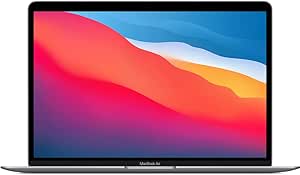
| Apple MacBook Air | 8GB | 128GB SSD | 13.3-inch Retina, 2560 × 1600, True Tone | 2.8 pounds |
| Apple MacBook Neo 13-inch Lapt | 8GB unified memory | 512GB SSD | 13-inch Liquid Retina, supports 1 billion colors | 2.71 pounds |
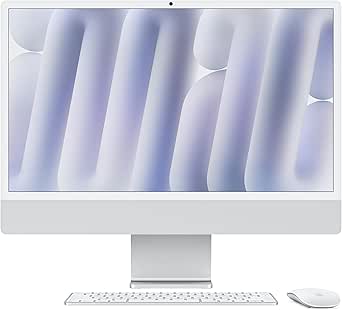
| iMac 24-inch M4 All-in-One Des | 24GB unified memory | 512GB SSD | 24-inch 4.5K Retina, 500 nits, 1 billion colors | — |
| Apple MacBook Pro 13-inch | 8GB DDR3 SDRAM | 256GB SSD | 13.3-inch Retina, 2560 × 1600, True Tone | — |
| Apple 2026 Mac Studio Desktop | — | — | — | 5.94 pounds |
| Apple MacBook Air 13-inch Reti | 8GB DDR4 | 128GB SSD | 13.3-inch Retina | 2.8 pounds |
| Apple MacBook Pro 16.2-inch wi | 64GB | 1TB SSD | 16.2-inch Liquid Retina XDR | 9.1 pounds |
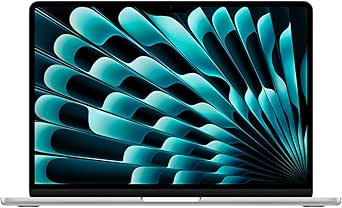
| Apple MacBook Air 13-inch Lapt | 16GB unified memory | 512GB SSD | 13.6-inch Liquid Retina | 2.71 pounds |
| Apple MacBook Pro 16.2-inch wi | 128GB unified memory | 2TB SSD | 16.2-inch Liquid Retina XDR | 9.1 pounds |
| Apple MacBook Air 15-inch Lapt | 16GB unified memory | 512GB SSD | 15.3-inch Liquid Retina | 3.32 pounds |
| Apple 16.2-inch MacBook Pro wi | 48GB unified memory | 2TB SSD | 16.2-inch Liquid Retina XDR | 4.73 pounds |
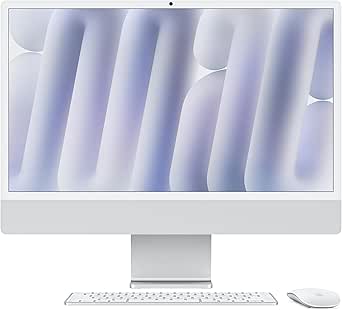
| Apple 2024 iMac 24-inch All-in | 16GB unified memory | 256GB SSD | 24-inch 4.5K Retina, 500 nits, supports up to 1 billion colors | 9.72 pounds |
| Apple Mac mini Desktop Compute | — | — | — | 1.61 pounds |
More Details on Our Top Picks
Apple 14.2-inch MacBook Pro with M5 chip, 10-core CPU and GPU, 16GB unified memory, and 1TB SSD (Space Black)
The 14.2-inch MacBook Pro is my pick for buyers who need a capable work machine that still travels easily. Its M5 chip, 16GB of unified memory, and 1TB SSD give it more room for demanding workloads and local files than the 8GB, 128GB renewed MacBook Air M1. The Liquid Retina XDR display, broad port selection, and support for two external displays also make it more adaptable for a desk setup without relying on a dock. The tradeoff is its 3.41-pound weight and Pro-level feature set, which may be unnecessary for browsing, coursework, and basic office work. The 24-inch M4 iMac offers a larger stationary screen, while this MacBook Pro suits people who need that flexibility on the move.
Pros:- M5 chip and 16GB unified memory suit demanding multitasking
- 1TB SSD provides room for substantial project files
- Liquid Retina XDR display reaches up to 1600 nits peak brightness
- Three Thunderbolt 4 ports, HDMI, SDXC, and MagSafe reduce adapter needs
Cons:- Heavier than the MacBook Air M1 and MacBook Neo
- Its Pro capabilities may be unnecessary for basic everyday tasks
Best for: Professionals who travel with large projects, need multiple built-in ports, and want a bright display for both mobile and desk work.
Not ideal for: Students and everyday users who mainly browse, write, and stream; the lighter MacBook Neo or MacBook Air may better fit those needs.
- Chip:Apple M5
- CPU and GPU:10-core CPU, 10-core GPU
- Memory:16GB unified memory
- Storage:1TB SSD
- Display:14.2-inch Liquid Retina XDR, up to 1600 nits peak brightness
- Ports:Three Thunderbolt 4, MagSafe 3, SDXC, HDMI, headphone jack
- External displays:Up to two
- Weight:3.41 pounds
Our verdict“Choose this MacBook Pro if you need a portable Mac with strong display, storage, and connectivity; skip it for lighter everyday workloads.”
Apple MacBook Air (2020) 13.3″ M1, 8GB RAM, 128GB SSD, Space Gray – Renewed
For buyers comfortable with a renewed Mac and modest storage, this M1 MacBook Air offers a lightweight route into macOS. Its fanless design and stated battery life of up to 18 hours suit note-taking, web research, and document work away from an outlet. Compared with the newer MacBook Neo, it has less memory and storage, but it includes Touch ID and a backlit keyboard. The main constraint is its 128GB SSD: a photo library or large offline files can use that space quickly, and its two USB-C ports may call for adapters. It is a more portable basic-use choice than the 24-inch M4 iMac, but that desktop has a much larger screen and more memory for a fixed workspace.
Pros:- Fanless M1 design operates without a fan
- Light 2.8-pound chassis is easy to carry
- Stated battery life is up to 18 hours
- Touch ID and backlit keyboard are included
Cons:- 128GB SSD leaves limited space for local files
- 8GB memory is not user-upgradable
- Two USB-C ports may require adapters for accessories
Best for: Students or commuters seeking a light renewed Mac for browser-based classes, writing, and documents who keep most files in the cloud.
Not ideal for: People storing large photo, video, or game libraries locally, or buyers who need ample memory for demanding creative workloads.
- Processor:Apple M1, 8-core CPU and 7-core GPU
- Memory:8GB
- Storage:128GB SSD
- Display:13.3-inch Retina, 2560 × 1600, True Tone
- Battery life:Up to 18 hours
- Weight:2.8 pounds
- Ports:Two Thunderbolt/USB-C (USB 4)
- Camera:720p FaceTime HD
Our verdict“Pick this renewed Air for portable basics and cloud-first storage; choose the MacBook Neo for more built-in storage or the M5 Pro MacBook Air for newer hardware.”
Apple MacBook Neo 13-inch Laptop with A18 Pro Chip, 8GB Memory, 512GB SSD, Liquid Retina Display, and Touch ID – Silver
The MacBook Neo fits buyers who want a compact new Mac with enough storage for a working set of files. Its 512GB SSD is four times the capacity of the renewed M1 MacBook Air in this lineup, and the 2.71-pound design is lighter than the 14-inch M5 MacBook Pro. A 1080p camera and Liquid Retina display support everyday calls and media, while the listed battery life of up to 16 hours suits a day away from a desk. Its 8GB of unified memory sets a clear ceiling for heavier multitasking, and the M5 MacBook Air has 16GB for more demanding use. I’d choose the Neo for portability and everyday tasks, not sustained creative workloads.
Pros:- 512GB SSD offers practical room for files and apps
- Light 2.71-pound aluminum design
- 1080p FaceTime HD camera
- Liquid Retina display supports 1 billion colors
Cons:- 8GB unified memory may limit demanding multitasking
- M5 MacBook Air offers more memory for heavier workloads
Best for: Mobile users who want a lightweight Mac for school, communication, browsing, and everyday documents with moderate local storage.
Not ideal for: Creative professionals and heavy multitaskers who need more than 8GB memory or plan to run demanding workloads.
- Processor:Apple A18 Pro
- Memory:8GB unified memory
- Storage:512GB SSD
- Display:13-inch Liquid Retina, supports 1 billion colors
- Battery life:Up to 16 hours
- Camera:1080p FaceTime HD
- Weight:2.71 pounds
- Material:Recycled aluminum enclosure
Our verdict“Choose the Neo for a light everyday Mac with useful storage; pick the M5 MacBook Air if your workload needs more memory.”
iMac 24-inch M4 All-in-One Desktop Computer – 10‑core CPU, 10‑core GPU, 24 GB Unified Memory, 512 GB SSD, Silver
This 24-inch M4 iMac is the clear fit for a home or office desk where a sharp, ready-to-use display matters more than portability. Its 4.5K screen, built-in camera, microphones, and speakers make video calls and media work feel integrated, while 24GB of unified memory gives it more headroom than the 16GB entry iMac listed in this roundup. Unlike the 14-inch M5 MacBook Pro, it is designed to stay put; in return, you get a larger screen without setting up a separate monitor and webcam. Its fixed all-in-one format limits later upgrades, and the 512GB SSD may constrain large media libraries. Buyers who need to work in multiple locations should choose a MacBook instead.
Pros:- 24-inch 4.5K Retina display provides a large, detailed workspace
- 24GB unified memory supports substantial multitasking
- Built-in 12MP Center Stage camera, three microphones, and six speakers
- Supports two external 6K displays
Cons:- All-in-one design is not suited to mobile work
- Limited internal upgradeability after purchase
- 512GB SSD may be restrictive for large media collections
Best for: Home-office users and families who want a shared desktop with a high-resolution screen, integrated video-call hardware, and room for multitasking.
Not ideal for: Frequent travelers or buyers who want to upgrade internal components or carry their Mac between workspaces.
- Processor:Apple M4, 10-core CPU and 10-core GPU
- Memory:24GB unified memory
- Storage:512GB SSD
- Display:24-inch 4.5K Retina, 500 nits, 1 billion colors
- Camera:12MP Center Stage
- Audio:Three microphones, six speakers with Spatial Audio
- Ports:Up to four Thunderbolt 4 ports
- External displays:Two 6K displays
Our verdict“Choose this iMac for a polished, shared desk setup with a large display; choose a MacBook if portability is part of your routine.”
Apple MacBook Pro 13-inch (8GB RAM, 256GB SSD), Space Gray – Renewed
This renewed 13-inch Intel MacBook Pro makes sense for buyers who specifically want a compact Mac with Touch Bar and Touch ID for basic, familiar workflows. Its 256GB SSD offers more local space than the 128GB renewed M1 MacBook Air, and the 2.6-pound chassis remains easy to carry. But its 8th-generation Intel processor and 8GB of memory put it behind the M1 Air for a lightweight everyday machine, while the listed macOS High Sierra version is much older than the macOS system listed for that Air. Two USB-C ports also restrict direct connections. Compared with the M5 MacBook Pro, this model lacks the newer chip, display, and port selection; I’d choose it only when the renewed form and Touch Bar matter more than newer hardware.
Pros:- 256GB SSD has more capacity than the 128GB renewed M1 Air
- Touch ID supports convenient sign-in
- Retina display includes True Tone
- Light 2.6-pound design
Cons:- 8th-generation Intel processor is older than the M1 MacBook Air
- 8GB memory is limited and not user-upgradable
- Two USB-C ports and stated battery life of up to 10 hours constrain mobile use
Best for: Budget-conscious buyers seeking a renewed, compact Mac for basic tasks who specifically prefer Touch Bar controls and need more than 128GB storage.
Not ideal for: People who need current-generation performance, longer battery life, broad connectivity, or a newer listed operating system.
- Processor:8th-generation Intel Core i5, 1.4GHz quad-core
- Memory:8GB DDR3 SDRAM
- Storage:256GB SSD
- Display:13.3-inch Retina, 2560 × 1600, True Tone
- Graphics:Intel Iris Plus Graphics 645
- Operating system:macOS High Sierra (10.13), as listed
- Battery life:Up to 10 hours
- Ports:Two Thunderbolt/USB-C
Our verdict“Choose this renewed Intel Pro only if Touch Bar and its 256GB SSD suit your basic needs; the M1 Air is the stronger everyday alternative.”
Apple 2026 Mac Studio Desktop Computer M5 Max chip
The Mac Studio earns this spot for demanding work that benefits from desktop cooling, high memory bandwidth, and extensive connections. Its M5 Max chip, up to 128GB of unified memory, and support for up to five external displays suit large creative projects and on-device AI workflows that can strain a portable Mac. Compared with the Mac mini with M5 Pro, this is the more capable choice for graphics-heavy work and memory-hungry tasks, though the mini is the more sensible fit when those workloads are modest. The compact 7.7-inch-square enclosure leaves room on a desk, and Thunderbolt 5, HDMI, USB-A, and SDXC reduce reliance on adapters. The tradeoff is that this is a desktop, not a complete workstation setup: you need a separate display and peripherals, and its performance headroom is unnecessary for everyday browsing or office work.
Pros:- M5 Max and up to 128GB unified memory support demanding creative and AI workloads.
- Four Thunderbolt 5 ports provide high-bandwidth connections for peripherals and expansion.
- Supports up to five external displays.
- Compact desktop enclosure fits beneath many displays.
Cons:- Requires a separate display, keyboard, and other peripherals.
- Its high-end processing and memory capacity may be unnecessary for routine tasks.
- Offers no built-in screen or battery for mobile work.
Best for: Video editors, 3D artists, and AI practitioners who need a compact desktop with substantial memory capacity and multiple high-bandwidth connections.
Not ideal for: People who need a computer they can carry, or everyday users who do not need M5 Max-level graphics and memory capacity.
- Chip:Apple M5 Max
- Unified memory:Up to 128GB
- Memory bandwidth:Up to 614GB/s
- Thunderbolt:Four Thunderbolt 5 ports
- Other connections:Two USB-C, two USB-A, HDMI, SDXC card slot, headphone jack
- External displays:Up to five
- Dimensions:7.76 x 7.76 x 3.74 inches
- Weight:5.94 pounds
Our verdict“Choose the Mac Studio if your AI or creative workload needs desktop-class headroom and you already have a monitor setup.”
Apple MacBook Air 13-inch Retina Display, 1.6 GHz Dual-Core Intel Core i5, 128 GB, Gold
This MacBook Air is the lineup’s legacy Intel option, and its appeal is narrow: a familiar macOS laptop with a 13.3-inch Retina display, Touch ID, and a stated battery life of up to 12 hours. Its 2.8-pound weight makes it easier to carry than the much larger 16.2-inch MacBook Pro models, but the older dual-core Intel processor and 8GB of memory make it a poor match for demanding creative work or heavy multitasking. Compared with the current 13-inch MacBook Air with M5, this model has less storage, shorter stated battery life, and an older platform. The 128GB SSD can fill quickly, while two USB-C ports may call for adapters. I’d choose it only when a particular need favors this older Intel configuration; for general everyday use, the M5 Air is the more capable and longer-lasting fit.
Pros:- 13.3-inch Retina display provides a sharp screen in a portable laptop.
- Weighs 2.8 pounds, making it easy to carry.
- Touch ID supports convenient secure sign-in.
- Listed battery life is up to 12 hours.
Cons:- Older dual-core Intel processor is less suited to demanding workloads than the M5 MacBook Air.
- 128GB SSD leaves limited room for apps and files.
- Two USB-C ports may require adapters for common peripherals.
Best for: Buyers who specifically need an older Intel-based MacBook Air for light tasks and value a compact Retina laptop with Touch ID.
Not ideal for: Students, professionals, or everyday buyers who want more storage, newer silicon, longer stated battery life, or room for demanding apps.
- Processor:8th-generation Intel Core i5, 1.6 GHz dual-core
- Display:13.3-inch Retina
- Memory:8GB DDR4
- Storage:128GB SSD
- Graphics:Intel UHD Graphics 617
- Battery life:Up to 12 hours
- Ports:Two USB-C with Thunderbolt
- Weight:2.8 pounds
Our verdict“Pick this Air only if you specifically need an older Intel Mac for light computing and can live with limited storage.”
Apple MacBook Pro 16.2-inch with M5 Pro, 18-core CPU, 20-core GPU, 64GB RAM, and 1TB SSD (Space Black)
This 16-inch MacBook Pro is the balanced mobile workstation in this group: its M5 Pro chip, 64GB of memory, and 1TB SSD give demanding apps ample room without going to the M5 Max configuration. The Liquid Retina XDR display offers a large, high-brightness workspace, while HDMI, SDXC, and three Thunderbolt 5 ports make it easier to connect cameras and desktop gear. Compared with the 16-inch MacBook Pro with M5 Max, this model gives up graphics cores and memory capacity, but that may be the right trade if your work does not need maximum GPU throughput or 128GB of memory. It also avoids the separate-screen requirement of the Mac Studio. The main compromise is portability: the listing gives a weight of 9.1 pounds, and it does not specify battery runtime, so buyers planning frequent travel should check the weight and battery details carefully.
Pros:- M5 Pro with an 18-core CPU and 20-core GPU supports demanding professional workflows.
- 64GB memory and 1TB SSD provide space for large projects and multitasking.
- 16.2-inch Liquid Retina XDR display offers a large, bright workspace.
- Thunderbolt 5, HDMI, and SDXC support varied peripherals and media workflows.
Cons:- Listed weight of 9.1 pounds makes it less convenient to carry regularly.
- Less graphics and memory capacity than the M5 Max MacBook Pro.
- The product information does not specify battery runtime.
Best for: Creative professionals who need a large built-in display, substantial memory, and a broad port selection in one computer.
Not ideal for: Frequent travelers who prioritize a lightweight laptop, or GPU-heavy professionals who need the M5 Max model’s higher graphics and memory ceiling.
- Chip:Apple M5 Pro
- CPU:18-core
- GPU:20-core
- Display:16.2-inch Liquid Retina XDR
- Memory:64GB
- Storage:1TB SSD
- Ports:Three Thunderbolt 5, MagSafe 3, SDXC, HDMI, headphone jack
- Weight:9.1 pounds
Our verdict“Choose this MacBook Pro for a large-screen mobile workstation when M5 Pro performance is enough and M5 Max capacity would be excessive.”
Apple MacBook Air 13-inch Laptop with M5 Chip, 16GB Memory, 512GB SSD, Silver
The 13-inch M5 MacBook Air is the practical everyday pick: it combines 16GB unified memory with a 512GB SSD, enough capacity for more apps and files than the older Intel Air’s 8GB memory and 128GB drive. Its 2.71-pound build and stated battery life of up to 18 hours suit commuting, classes, and working away from an outlet. Compared with the 15-inch M5 Air in the wider lineup, this 13-inch model favors easier portability over a larger screen; compared with the 16-inch MacBook Pros, it gives up the XDR display, more extensive port selection, and higher-end processing options. Two Thunderbolt 4 ports, MagSafe, and a headphone jack cover everyday connections, but the limited port count can be inconvenient with several wired accessories. It is not the right choice for users whose work needs extensive built-in storage or sustained pro-level graphics performance.
Pros:- Light 2.71-pound design suits daily commuting and travel.
- Up to 18 hours of stated battery life supports long stretches away from an outlet.
- 16GB unified memory is better suited to multitasking than the older Intel Air’s 8GB.
- 12MP Center Stage camera and Wi-Fi 7 support modern calls and wireless networking.
Cons:- 512GB storage may be restrictive for large media libraries and project files.
- Two Thunderbolt 4 ports limit direct connections to wired accessories.
- Less suited to demanding graphics work than the MacBook Pro models.
Best for: Students, commuters, and general users who want a light Mac for everyday work, video calls, and moderate multitasking.
Not ideal for: Video professionals or power users who need a larger internal SSD, more ports, or the graphics and memory headroom of a MacBook Pro.
- Chip:Apple M5
- Display:13.6-inch Liquid Retina
- Memory:16GB unified memory
- Storage:512GB SSD
- Battery life:Up to 18 hours
- Camera:12MP Center Stage
- Ports:Two Thunderbolt 4, MagSafe charging, headphone jack
- Weight:2.71 pounds
Our verdict“Choose this Air for portable everyday computing and long stated battery life, rather than pro workloads or a built-in large display.”
Apple MacBook Pro 16.2-inch with M5 Max, 18-core CPU, 40-core GPU, 128GB Memory, 2TB SSD, Space Black
This is the highest-capacity mobile Mac in the group, pairing M5 Max graphics with 128GB of unified memory and a 2TB SSD for large creative projects, complex graphics work, and on-device AI workloads. The 16.2-inch Liquid Retina XDR display keeps that work on the laptop, while Thunderbolt 5, HDMI, and SDXC make it more self-contained than the Mac Studio, which needs a separate screen. Compared with the M5 Pro 16-inch MacBook Pro, this configuration offers twice the listed GPU core count, double the memory, and twice the storage—advantages that matter most when software and projects can use them. The tradeoff is substantial: at a listed 9.1 pounds, it is a heavy machine to carry, and its capabilities are excessive for routine office tasks. Buyers who do not need this much graphics or memory capacity can choose the M5 Pro model instead.
Pros:- M5 Max with a 40-core GPU is built for demanding graphics-heavy workflows.
- 128GB unified memory supports large projects and memory-intensive tasks.
- 2TB SSD provides more built-in project storage than the M5 Pro MacBook Pro.
- Large Liquid Retina XDR screen and broad ports make it a capable standalone workstation.
Cons:- Listed 9.1-pound weight is a significant burden for frequent travel.
- The configuration may be excessive for everyday productivity and light creative tasks.
- Less desk-friendly than the Mac Studio when used primarily as a stationary workstation.
Best for: Film, 3D, and AI professionals who need maximum listed memory and graphics capability in a Mac with its own large display.
Not ideal for: Everyday users and frequent travelers who do not need M5 Max performance, 128GB memory, or a 2TB SSD.
- Chip:Apple M5 Max
- CPU:18-core
- GPU:40-core
- Display:16.2-inch Liquid Retina XDR
- Memory:128GB unified memory
- Storage:2TB SSD
- Ports:Three Thunderbolt 5, MagSafe 3, SDXC, HDMI, headphone jack
- Weight:9.1 pounds
Our verdict“Choose this premium MacBook Pro when your professional work can use its M5 Max graphics, 128GB memory, and 2TB storage.”
Apple MacBook Air 15-inch Laptop with M5 Chip, 16GB Memory, 512GB SSD, Midnight
I’d choose this MacBook Air when a roomy screen matters more than having a built-in workstation’s extra ports and sustained-performance features. Its 15.3-inch Liquid Retina display gives split-screen work, documents, and video more space than the 13-inch MacBook Air with M5, while the M5 chip, 16GB memory, and 512GB SSD make it a more balanced everyday setup than entry-level configurations with less memory or storage. Up to 18 hours of battery life, MagSafe charging, and a Center Stage camera suit mobile work and calls. The tradeoff is its slim, fanless Air design: buyers doing long, demanding creative sessions may be better served by the 16.2-inch MacBook Pro with M5 Max. It also has only two Thunderbolt 4 ports, so a hub may be needed for several wired devices.
Pros:- 15.3-inch display provides more room for side-by-side apps than the 13-inch MacBook Air.
- M5 chip, 16GB unified memory, and 512GB SSD make a capable everyday combination.
- Up to 18 hours of battery life and MagSafe charging support mobile work.
- 12MP Center Stage camera and six-speaker audio system suit video calls and media.
Cons:- Two Thunderbolt 4 ports can require a hub for a multi-accessory setup.
- The Air is less suited than a MacBook Pro to sustained demanding creative workloads.
- Its 15-inch footprint is less compact than the 13-inch MacBook Air.
Best for: Students, frequent travelers, and home-office users who want a large laptop display for multitasking without stepping up to a MacBook Pro.
Not ideal for: Creative professionals with sustained GPU-heavy workloads or people who regularly connect several wired accessories and want more built-in ports.
- Display:15.3-inch Liquid Retina
- Chip:Apple M5
- Memory:16GB unified memory
- Storage:512GB SSD
- Battery life:Up to 18 hours
- Camera:12MP Center Stage
- Ports:Two Thunderbolt 4, MagSafe charging port, headphone jack
- Wireless:Wi-Fi 7, Bluetooth 6
- Weight:3.32 pounds
Our verdict“Choose this model if you want a spacious-screen, portable Mac for everyday work, and pick a MacBook Pro for sustained high-performance tasks.”
Apple 16.2-inch MacBook Pro with M5 Max, 18-Core CPU, 40-Core GPU, 48GB Memory, 2TB SSD, Wi-Fi 7, Space Black
This MacBook Pro is the specialist in this group: its M5 Max, 40-core GPU, and 48GB of unified memory are aimed at demanding creative projects and AI workloads, not routine browsing and office tasks. The 16.2-inch Liquid Retina XDR display and 2TB SSD add a substantial workspace and room for large project files. Compared with the 15-inch MacBook Air, it brings a stronger pro-focused configuration, Thunderbolt 5, HDMI, and SDXC, making it easier to connect displays and transfer media without relying as heavily on adapters. That capability comes with a clear portability cost: at 4.73 pounds, it is heavier than the Air, and its performance and battery claims are not quantified in the supplied details. Buyers who need a desktop workstation more than a laptop should compare it with the Mac Studio instead.
Pros:- M5 Max and 40-core GPU target demanding graphics and compute workloads.
- 48GB unified memory supports complex projects and multitasking.
- 2TB SSD provides substantial local space for large working files.
- Thunderbolt 5, HDMI, and SDXC offer versatile connections for displays and media.
Cons:- At 4.73 pounds, it is heavier to carry than the MacBook Air models.
- Its high-end configuration is more capability than routine productivity typically requires.
- The supplied details do not quantify battery life or performance claims.
Best for: Video editors, 3D creators, and technical professionals who need a powerful GPU, substantial memory, and a large internal drive in a laptop.
Not ideal for: Students and everyday users who prioritize a light carry, or desktop-first professionals who do not need a built-in screen and battery.
- Display:16.2-inch Liquid Retina XDR
- Chip:Apple M5 Max with 18-core CPU
- Graphics:40-core GPU
- Memory:48GB unified memory
- Storage:2TB SSD
- Ports:Three Thunderbolt 5, MagSafe 3, SDXC, HDMI, headphone jack
- Wireless:Wi-Fi 7, Bluetooth 6
- Camera:12MP Center Stage
- Weight:4.73 pounds
Our verdict“Pick this MacBook Pro for demanding creative work that needs a powerful GPU and large built-in display; choose an Air for everyday portability.”
Apple 2024 iMac 24-inch All-in-One Desktop with M4, 8-Core CPU and GPU, 16GB Memory, 256GB SSD, Silver
I’d put this iMac on a desk where a clean, ready-to-use setup matters more than portability or upgrade flexibility. The 24-inch 4.5K Retina display, built-in 12MP Center Stage camera, microphones, and six-speaker Spatial Audio system make it a particularly tidy choice for video calls, family use, and everyday creative work. Compared with the Mac mini with M5 Pro, the iMac includes its display and audio, so there is no need to source those separately; the mini is the better fit for buyers who already own monitors or want to connect up to three displays. The iMac’s M4 chip and 16GB memory cover general work, but its 256GB SSD can fill quickly with large media libraries. Its fixed all-in-one design also makes it less adaptable than a separate desktop and monitor.
Pros:- 24-inch 4.5K Retina display offers a sharp, bright built-in workspace.
- M4 chip and 16GB unified memory suit everyday productivity and general creative tasks.
- Center Stage camera, microphones, and six speakers provide an integrated call and media setup.
- All-in-one format avoids sourcing a separate monitor, camera, and speakers as with Mac mini.
Cons:- 256GB SSD may be restrictive for large applications, photo libraries, or video files.
- The built-in display makes the system less flexible than a Mac mini with separate monitors.
- It is a desktop, so it cannot serve as a portable MacBook.
Best for: Households, students, and home-office users who want a shared desktop with a sharp display, camera, and speakers in one setup.
Not ideal for: Users with large local media libraries, buyers who need a highly configurable multi-display workstation, or anyone who needs a portable Mac.
- Display:24-inch 4.5K Retina, 500 nits, supports up to 1 billion colors
- Chip:Apple M4
- CPU and GPU:8-core CPU, 8-core GPU
- Memory:16GB unified memory
- Storage:256GB SSD
- Camera:12MP Center Stage
- Audio:Three microphones; six speakers with Spatial Audio
- Connectivity:Up to four Thunderbolt 4 ports, Wi-Fi 6E, Bluetooth 5.3
- Weight:9.72 pounds
Our verdict“Choose this iMac for a polished shared desk setup with display and audio included, but look at Mac mini if you already own a monitor or need more flexibility.”
Apple Mac mini Desktop Computer with M5 Pro Chip (2026)
This Mac mini suits buyers who want a small desktop built around a capable chip, especially if a monitor and peripherals are already on hand. The M5 Pro, 307GB/s memory bandwidth, and support for up to three external displays point to a more demanding creative and technical role than a basic desktop setup. Against the iMac, the mini takes up far less space and lets you choose your own screen, but it does not include a display, camera, speakers, or keyboard. Its Thunderbolt 5, HDMI, USB-C, and 2.5Gb Ethernet ports also make it a more adaptable hub than the MacBook Air, which is designed around portability. The main buying uncertainty is that the supplied listing does not specify memory or storage capacity, making it difficult to judge the configuration for particular workloads before purchase.
Pros:- Compact 5-by-5-inch chassis fits easily on a crowded desk.
- M5 Pro chip is positioned for demanding creative, technical, and on-device AI work.
- Thunderbolt 5, HDMI, USB-C, and 2.5Gb Ethernet support a broad desktop setup.
- Supports up to three external displays, compared with the iMac’s integrated screen.
Cons:- Memory and storage capacities are not specified in the supplied product details.
- Requires separate displays and peripherals, unlike the ready-to-use iMac.
- The configuration details do not establish how much capacity is available for specific demanding workflows.
Best for: Developers, creators, and multi-display desktop users who already have a monitor and peripherals and want a compact M5 Pro computer.
Not ideal for: First-time desktop buyers who want a complete system in one box, or professionals who need confirmed memory and storage specifications before choosing.
- Chip:Apple M5 Pro
- Dimensions:5 x 5 x 1.97 inches
- Weight:1.61 pounds
- Ports:Three Thunderbolt 5, one HDMI, one 2.5Gb Ethernet, two USB-C, one headphone jack
- Wireless:Wi-Fi 7, Bluetooth 6
- External display support:Up to three displays
- Memory bandwidth:307GB/s
- Model number:MHQN4LL/A
Our verdict“Choose the Mac mini if you want a compact M5 Pro desktop and already have peripherals, but confirm its memory and storage configuration before buying.”

How We Picked
I ranked these Apple Macs by how well each configuration fits a distinct buyer need, rather than treating the newest or most powerful chip as an automatic winner. For laptops, I weighed portability, screen size, memory, storage, and the likely gap between everyday use and sustained professional workloads. For desktops, I compared the convenience of the iMac’s integrated display with the flexibility and additional setup needs of Mac mini and Mac Studio systems.
Everyday usability and configuration balance place the M5 MacBook Air first: it offers a practical mix of memory, storage, and portability without requiring most buyers to pay for Pro-level capabilities. The larger Air, iMac, and lower-tier desktop options rank by how well their form factors serve specific needs. Higher-end MacBook Pro configurations and Mac Studio are powerful picks for specialist workloads, but their extra capability is less useful to a general buyer. Older Intel and renewed systems rank lower because their listed specifications leave less headroom, and a renewed product’s condition can vary. I also treated the two 24-inch iMac configurations as separate choices: their memory and storage differences affect how much room buyers have for files and demanding tasks.
| Apple Mac | Chip |
|---|---|
| Apple 14.2-inch MacBook Pro wi | Apple M5 |
| Apple MacBook Air | — |
| Apple MacBook Neo 13-inch Lapt | — |
| iMac 24-inch M4 All-in-One Des | — |
| Apple MacBook Pro 13-inch | — |
| Apple 2026 Mac Studio Desktop | Apple M5 Max |
| Apple MacBook Air 13-inch Reti | — |
| Apple MacBook Pro 16.2-inch wi | Apple M5 Pro |
| Apple MacBook Air 13-inch Lapt | Apple M5 |
| Apple MacBook Pro 16.2-inch wi | Apple M5 Max |
| Apple MacBook Air 15-inch Lapt | Apple M5 |
| Apple 16.2-inch MacBook Pro wi | Apple M5 Max with 18-core CPU |
| Apple 2024 iMac 24-inch All-in | Apple M4 |
| Apple Mac mini Desktop Compute | Apple M5 Pro |
Factors to Consider When Choosing Best Apple Macs
Before choosing from the best Apple Macs, I would start with the work the computer needs to handle, then narrow the list by form factor and configuration. The product names can make the differences seem like a simple ladder from Air to Pro to desktop, but the right fit depends on workload, workspace, and how long you expect to keep the machine.
Match Performance to the Work You Actually Do
Web browsing, writing, video calls, and schoolwork rarely call for the highest-tier Mac configuration. Photo libraries, large creative projects, software development, and demanding video work can benefit from more memory and stronger graphics capabilities. A common mistake is paying for professional headroom that will sit unused, or buying a base configuration that is already tight for a regular workload. Think about the most demanding task you do every week, not an occasional task you could handle another way. If your work is mostly everyday computing, the M5 Air range is a more sensible starting point than a Max-equipped MacBook Pro. If heavy projects are central to your work, the higher-tier Pro or Max systems are easier to justify.
Choose a Screen and Form Factor for Your Workspace
A laptop gives you a built-in screen and the freedom to work away from a desk, while an iMac combines a desktop computer and display in one setup. The 13-inch Air favors carrying comfort; the 15-inch version gives documents and split-screen work more room without requiring an external display. Mac mini and Mac Studio can suit a permanent desk, but their compact computer design means you must supply a monitor and other peripherals. Buyers sometimes compare desktop computer specifications without counting the space, connections, and accessories needed to make the setup usable. Decide where you work most often before choosing between an all-in-one, a portable Mac, and a desktop system.
Buy Enough Memory and Storage for Your Habits
Memory affects how comfortably a Mac can keep multiple apps and larger projects active, while storage holds apps, documents, media, and local work files. The listed options range from 8GB memory and small SSDs on older or renewed laptops to higher-memory professional configurations. Do not judge storage only by the size of your current documents; photo, video, and creative libraries can grow quickly. Cloud storage or an external drive can help, but they add dependence on internet access or extra equipment. If you keep many large files on the computer, favor a roomier built-in SSD; if your work is mostly online, a smaller drive may be workable. For a long ownership period, avoid choosing a configuration that already feels cramped at purchase.
Treat Older and Renewed Macs as a Separate Decision
An older Mac can still cover basic tasks, but its age affects more than the chip name: configuration, battery condition on a laptop, software support, and remaining storage all matter. Renewed listings may be a way to access a lower-cost model, yet the product’s condition and included components should be checked carefully before buying. The M1 Air and renewed 13-inch Pro have 8GB memory, while the older Intel Air has a small listed SSD and an Intel processor. These models make the most sense when the expected workload is modest and the listing gives enough information to judge condition. Avoid assuming that a familiar MacBook name means it offers the same headroom or longevity as a newer configuration.
Pay More Only for a Capability You Can Name
Higher-tier MacBook Pro and desktop configurations are aimed at people whose work benefits from more CPU, graphics, memory, or storage capacity. A more capable system can reduce friction on sustained or complex workloads, but it is not automatically a better everyday computer. Before stepping up, identify the task that currently slows you down or the project requirements your next Mac must meet. Compare that need with the added memory, graphics resources, and storage in the configuration rather than relying on the word “Pro” or “Max.” For casual use, a MacBook Air or an appropriately configured iMac may leave more of the machine’s capabilities available for real work instead of unused headroom.
Account for the Whole Desktop Setup
The listed iMacs include a 24-inch display, which makes them straightforward choices for buyers who want one integrated desktop setup. Mac mini and Mac Studio are computers rather than complete workstations, so a display, keyboard, mouse, and any needed adapters can change the total setup and desk requirements. The mini is a compact route to a desktop Mac, while Mac Studio is positioned for higher-demand work and a more capable desktop configuration. A frequent mistake is comparing only the computer and forgetting that a suitable monitor can be a major part of the experience. If you already own quality peripherals, a separate desktop may fit naturally; if not, the iMac’s all-in-one approach may be simpler.
Frequently Asked Questions
Is the M5 MacBook Air enough for photo and video editing?
The 13-inch M5 MacBook Air is a reasonable fit for many photo workflows and lighter video editing, particularly when portability matters. Its 16GB of memory and 512GB SSD give it a more balanced starting configuration than the older 8GB renewed laptops in this roundup. The right choice depends on project size, editing software, and how often you work with demanding footage or large effects-heavy timelines. For sustained professional workloads or graphics-intensive projects, the M5 Pro or M5 Max MacBook Pro is the safer class to examine. Choose the Air when editing is occasional or moderate; step up when it is a central part of your workday.
Should I choose a 13-inch or 15-inch MacBook Air?
Choose the 13-inch Air if you carry your Mac often, work in tight spaces, or value a smaller laptop above a larger built-in workspace. The 15-inch Air makes documents, side-by-side windows, and media more comfortable to view without an external screen. The two models share the same broad everyday role in this roundup, so the decision is chiefly about screen space and portability rather than choosing a different tier of computer. If you often connect to a monitor, the smaller laptop may be the more convenient travel companion. If the laptop screen is your main workspace, the larger model can reduce the need to rearrange windows.
Is a renewed or older Mac a sensible choice for a first Mac?
It can be, if the intended use is basic and the listing clearly describes the device’s condition, included accessories, and return or support terms. The renewed M1 Air and renewed 13-inch Pro both list 8GB of memory, and the Intel Air is an older design with a small SSD, so these are not equivalent to the newer M5 models. For a first Mac that needs to handle several years of mixed school, home, or work use, the M5 Air’s 16GB memory and 512GB storage provide more room to grow. A used or renewed choice is most appealing when the buyer understands its age and accepts the limits of its configuration. Check the exact model and condition rather than relying on the MacBook name alone.
When does a MacBook Pro make more sense than a MacBook Air?
A MacBook Pro is the stronger fit when your regular workload calls for sustained performance, more graphics capability, or substantially more memory than the Air configurations listed here. The M5 Pro 16-inch model is aimed at demanding work, while the M5 Max versions suit heavier graphics and memory needs. For general browsing, office work, study, and everyday creative tasks, the M5 Air is the more direct choice and avoids paying for capacity you may not use. A larger screen alone does not mean you need a Pro; the 15-inch Air already provides more viewing space in a lighter everyday role. Let your workload, not the product label, decide.
Should I get an iMac, Mac mini, or Mac Studio for a home desk?
Choose the 24-inch iMac if you want a desktop with its display built in and prefer a simpler, consolidated setup. The Mac mini makes more sense if you already have a suitable monitor and peripherals or want to choose those parts separately. Mac Studio is the desktop option to investigate for demanding professional workloads that can use its higher-end capabilities; it is more than most home users need for ordinary tasks. Include the cost and space needs of a monitor and accessories when comparing separate desktop systems with an iMac. The right choice depends on both workload and whether you value an integrated setup or flexibility.
Conclusion
For most buyers, I recommend the 13-inch M5 MacBook Air as the best overall Apple Mac in this group because its memory, storage, and portable design suit a wide range of everyday work. The best value for a new everyday laptop is also the M5 Air lineup: choose the 13-inch model for easier carrying or the 15-inch model when screen room matters more. For beginners, the M5 MacBook Air is the straightforward starting point, while the M1 Air is a lower-spec alternative only if its renewed condition and limitations fit the buyer’s needs. The best premium choice is the 16-inch M5 Pro MacBook Pro for demanding work; choose an M5 Max configuration when graphics performance or higher memory is central to the workload. For a desk-based setup, pick the iMac for an integrated display, the Mac mini if you already have peripherals, or the Mac Studio for specialized high-demand work.