TL;DR
The supplied guide compares eight drawing tablets across three setups: screen displays connected to a computer, screenless tablets used alongside a separate display, and standalone devices. Its picks include the HUION Kamvas 13 (Gen 3) for a connected pen display, the Inspiroy H1060P for a larger screenless workspace, and the Frunsi RubensTab T11 Pro for standalone use. Product specifications and listing details should be checked before purchase.
A new guide to eight drawing tablets for digital art sorts the options by how artists work: with a pen display connected to a computer, a screenless tablet paired with a separate monitor, or a standalone device. The guide names the HUION Kamvas 13 (Gen 3) its overall screen-tablet pick, while recommending the Inspiroy H1060P for a larger screenless surface and the Frunsi RubensTab T11 Pro for standalone drawing.

Get the latest gadgets delivered free with Prime
- Fast, free delivery on millions of items
- Prime Video, Amazon Music and more included
- Member-only deals all year
The product descriptions point to different priorities rather than one tablet that suits every artist. The Kamvas 13 (Gen 3) has a 13.3-inch display, fully laminated Canvas Glass 2.0, dual dial controls and a listed pressure sensitivity of 16,384 levels. It requires a connected computer or compatible Android device, so it is not a self-contained option.
The screenless choices trade direct on-screen drawing for a separate viewing display. HUION lists the H1060P working area at 10 × 6.25 inches, larger than the 6 × 4-inch H640P surface. The H640P weighs 0.61 pounds and is presented as a compact option for laptop or compatible Android setups. The Wacom Intuos Small is also wired and uses a battery-free pen, according to the supplied details.
Two XPPen Artist 13.3 Pro V2 entries are included, with features such as tilt support, shortcut keys and stated color coverage. The guide cautions that the listings appear closely related and advises checking the exact model and included accessories. The Frunsi RubensTab T11 Pro is described as a 10.1-inch Full HD standalone tablet, with a 5,800 mAh battery rated for up to five hours of use. The source also lists the PicassoTab A10 as a standalone pick, but the supplied excerpt cuts off before its full specifications.
Choose a drawing tablet that fits your workflow
This 2027 guide compares eight tablets across screen displays, screenless tablets and standalone devices. The right setup depends on how you draw, where you work and which software you need.
Pick your setup
Choose based on where the artwork appears and whether you need a separate computer.
Draw on screen
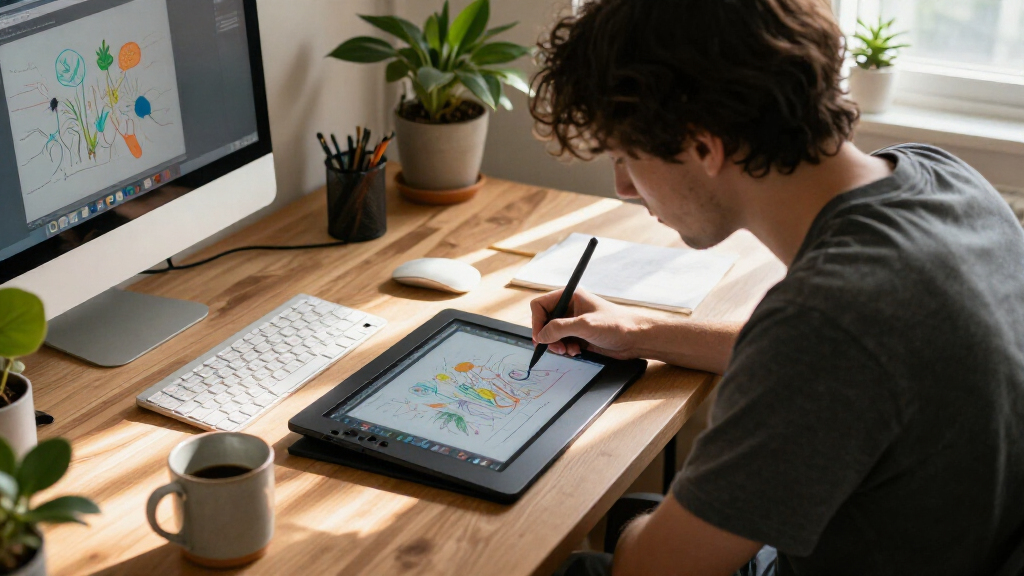
The HUION Kamvas 13 (Gen 3) is the guide’s screen-tablet pick and needs a connected computer or compatible Android device.
Use a separate display
The Inspiroy H1060P offers a larger work surface, while the compact H640P suits more portable setups.
Work without a computer
The Frunsi RubensTab T11 Pro combines a screen and computing hardware; available apps and performance depend on the device.
Compare workspace size
A larger surface can suit broad strokes; a smaller one may be easier to carry.
| Tablet | Working area | Tradeoff |
|---|---|---|
| HUION Inspiroy H1060P | 10 × 6.25 inches | Larger screenless workspace |
| HUION H640P | 6 × 4 inches | Compact; weighs 0.61 pounds |
Check the practical details
Fit and compatibility can matter as much as pen specifications.
The two XPPen Artist 13.3 Pro V2 entries appear closely related; compare listings and included accessories.
Confirm support for your computer or Android device and, for standalone tablets, your preferred drawing apps.
Check specifications, price, stock, warranty and included cables or accessories with the seller.
Choosing a Setup That Fits
The central decision is whether an artist wants to draw directly on a screen, map pen movement to a separate monitor, or work without a computer. That choice affects the desk setup, portability and software options, and may matter more in daily use than a single pen specification.
A larger active area can give desktop illustrators more room for broad strokes, while a small tablet is easier to carry but may constrain gestures. Standalone devices can reduce dependence on a computer for supported tasks; the guide cautions that Android software may not match high-end desktop illustration programs. Artists should weigh those workflow limits against portability before buying.
Products Worth Considering

Logitech MX Creative Console with 9 Customizable Keys, Graphite

DJI Mic Wireless Lavalier Microphone System with 2 Transmitters, 1 Receiver, and Charging Case

Samsung Odyssey G55C 32-Inch QHD 1000R Curved Gaming Monitor
As an affiliate, we earn on qualifying purchases.
Three Ways to Draw Digitally
The guide frames the eight products around three common configurations. Pen displays show the artwork beneath the stylus but rely on a compatible connected device. Screenless pen tablets instead send input to a separate computer display. Standalone tablets combine a screen and computing hardware in one device, though available apps and performance depend on the device.
Its comparisons cover six brands and call attention to workspace size, shortcut controls, portability and software compatibility. The source includes affiliate purchase links and says the publisher may earn a commission on qualifying purchases. That commercial relationship is relevant when reading its recommendations; the supplied material does not provide independent test results or a method for ranking all eight products.
“The main tradeoff is between drawing directly on a display, using a more affordable pen tablet with a separate computer screen, or paying for a self-contained tablet.”
— Thorsten Meyer AI guide
Specifications Still Need Checking
The supplied material does not establish current prices, stock, warranty terms, or whether each listed specification applies to every version sold in 2027. The two XPPen entries appear closely related, but the excerpt does not resolve whether their packages or specifications differ. It also ends before giving the PicassoTab A10’s full details.
The source says the post was created with AI assistance and includes affiliate links. It does not describe hands-on testing, independent color measurements, or a scoring method. Claims such as listed color coverage, pressure levels and battery life are therefore product details reported by the source, not independently verified findings here.
Check Models Before Buying
Before choosing, buyers should compare the exact model number and seller listing, confirm compatibility with their computer or Android device, and check which cables, stand and pen accessories are included. Artists considering a standalone tablet should confirm that their preferred drawing apps run on it. The source provides no confirmed schedule for product updates or further testing.
Key Questions
Which tablet does the guide recommend overall?
It names the HUION Kamvas 13 (Gen 3) its overall pen-display pick. The device still needs a connected computer or compatible Android device.
Which listed tablet has the largest screenless work area?
The guide lists the HUION Inspiroy H1060P at 10 × 6.25 inches, compared with 6 × 4 inches for the H640P.
Which options are described as standalone?
The guide presents the Frunsi RubensTab T11 Pro and PicassoTab A10 as standalone drawing tablets. The supplied excerpt gives more specifications for the Frunsi model than for the PicassoTab.
Are the two XPPen listings different products?
The source says they appear to describe closely related Artist 13.3 Pro V2 screen tablets, but does not settle whether their specifications or included accessories differ. Compare the exact listing before purchase.
Source: Thorsten Meyer AI