Future-proofing in consumer tech means making sure your devices stay compatible with emerging standards, software updates, and new features over time. It involves choosing products with open hardware interfaces, supporting future OS updates, and prioritizing flexibility for accessories. This way, you can extend your device’s relevance and protect your investment. If you want to understand how to better prepare your tech for the future, explore the key considerations and strategies ahead.
Open a free Amazon Business account
Business pricing, bulk buying and tax-exempt orders.
As an affiliate, we earn on qualifying purchases.
Key Takeaways
- Ensuring devices remain compatible with emerging standards and technologies over time.
- Prioritizing hardware and software updates to maintain security and functionality.
- Selecting products with open standards for seamless future accessory and feature integration.
- Considering future capabilities and OS support to extend device relevance.
- Making informed choices that balance current features with adaptability for evolving needs.
As consumer technology rapidly evolves, future-proofing has become essential for staying ahead of the curve. When you invest in new gadgets or devices, you’re not just buying for today—you’re preparing for tomorrow’s advancements. This forward-thinking approach helps you avoid unnecessary replacements and ensures your tech remains compatible with emerging standards. This means considering how well your tech will adapt over time, especially in terms of hardware compatibility and software updates. If your device isn’t compatible with upcoming hardware or fails to receive necessary updates, you might find yourself stuck with outdated tech that no longer serves your needs.
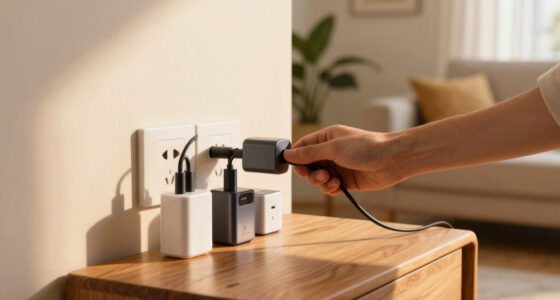
Hardware compatibility is a critical aspect of future-proofing. You want to choose devices that can integrate seamlessly with new accessories, peripherals, or upgraded components. For example, when selecting a new laptop or smartphone, check that it supports the latest ports, standards, and interfaces. USB-C, Thunderbolt, and Wi-Fi 6 are current standards that ensure your device can connect to future peripherals or networks without needing replacements. By prioritizing hardware compatibility, you reduce the risk of obsolescence and avoid the hassle and expense of frequent upgrades. Additionally, hardware standards are constantly evolving, so choosing devices that embrace open and adaptable standards can help ensure compatibility with future innovations. Paying attention to industry standards can further help you anticipate how your device will perform as new technologies emerge.
Prioritize devices supporting the latest ports and standards like USB-C, Thunderbolt, and Wi-Fi 6 to ensure future compatibility.
Software updates are equally vital. They keep your device secure, improve performance, and introduce new features that extend its usefulness. When you buy a device, confirm that the manufacturer provides regular software updates for several years. Devices with a strong track record of consistent updates are more likely to stay compatible with new apps, security protocols, and operating system improvements. Neglecting updates can leave your device vulnerable to security threats and hinder its ability to run the latest software efficiently, making it feel outdated faster. Additionally, technology standards evolve over time, so choosing devices that embrace open and adaptable standards can help ensure compatibility with future innovations.
Thinking ahead when purchasing consumer tech means evaluating both current specifications and future capabilities. For example, a smartphone that supports future operating system versions and upcoming app developments will serve you longer. Similarly, choosing a smart home device with open standards ensures it remains compatible as new devices and protocols emerge. It’s also wise to consider the manufacturer’s policy on software support, as this impacts how long your device will stay current with security and feature updates. While it might be tempting to go for the cheapest or most popular option, investing in products with solid hardware compatibility and a reliable update schedule pays off over time.
Ultimately, future-proofing isn’t about guaranteeing your device will last forever but about making smart, informed choices that extend its relevance. You want your tech to adapt as your needs evolve and as new innovations arrive. By paying attention to hardware compatibility and software updates, you ensure your investments remain valuable, functional, and secure for years to come. It’s about being proactive rather than reactive, so you can enjoy the benefits of consumer technology without constantly worrying about obsolescence.
As an affiliate, we earn on qualifying purchases.
Frequently Asked Questions
How Can I Tell if a Device Is Truly Future-Proof?
To tell if a device is truly future-proof, check if it’s compatible with evolving ecosystems and supports hardware modularity. Look for devices that can easily integrate with new software updates and accessories, ensuring longevity. You want hardware that allows upgrades or expansions, so you don’t have to replace the entire device later. Prioritize brands known for supporting future technologies, making your investment last longer and adapt to changes seamlessly.
Does Future-Proofing Mean Higher Upfront Costs?
About 70% of consumers say they prefer tech that lasts longer, even if it costs more upfront. Future-proofing often involves higher initial costs due to advanced features and longer-lasting components, addressing longevity concerns. While it may seem pricey at first, investing in future-proof tech can save money over time, reducing the need for frequent upgrades. So, yes, future-proofing can mean higher upfront costs, but it pays off in the long run.
Are Software Updates Enough for Future-Proofing?
Software updates alone aren’t enough for true future-proofing. While they improve software longevity and keep your device secure, they don’t address hardware limitations or compatibility issues with new technologies. To truly future-proof, you need a balanced approach that considers update frequency, hardware upgrades, and adaptable design. Relying solely on software updates risks obsolescence when hardware can’t support the latest features or performance improvements.
What Are the Risks of Investing in Future-Proof Tech?
Investing in future-proof tech risks wasting your money if market saturation floods the market or brand loyalty dwindles. You might find newer models replacing your investment faster than expected, leading to obsolescence. Plus, if the brand falters or the tech becomes less relevant, your investment loses value. Be cautious, as over-optimism can overshadow the reality that tech trends shift swiftly, and today’s innovation could become tomorrow’s outdated device.
How Often Should I Upgrade for Optimal Future-Proofing?
You should upgrade every 3 to 5 years to guarantee ideal future-proofing, balancing hardware longevity and upgrade frequency. Regular upgrades keep your devices compatible with new software and tech standards, reducing obsolescence. Pay attention to your device’s performance and hardware limitations, and plan upgrades proactively. This way, you maintain smooth functionality, avoid frustrations, and extend your device’s useful life while staying current with technological advancements.
As an affiliate, we earn on qualifying purchases.
Conclusion
In the fast-paced world of consumer tech, future-proofing means staying adaptable, investing wisely, and embracing change. While no device can be completely future-proof, you can reduce obsolescence by choosing versatile features and keeping software updated. Remember, “The only constant in life is change.” By understanding this, you’ll be better prepared to navigate tech’s ever-evolving landscape, making smarter choices today that stand the test of tomorrow.
As an affiliate, we earn on qualifying purchases.
As an affiliate, we earn on qualifying purchases.
Flea & tick season Picks
flea and tick prevention
As an affiliate, we earn on qualifying purchases.