
🔍 Read the full analysis: A Buyer’s Guide To Mac Mini Memory For Local AI on ThorstenMeyerAI.com

Get the latest gadgets delivered free with Prime
- Fast, free delivery on millions of items
- Prime Video, Amazon Music and more included
- Member-only deals all year
TL;DR
Apple’s Mac mini is being marketed for always-on AI, but the amount of unified memory determines which local models can fit. Published requirements suggest 16GB can handle smaller quantized models, while 64GB opens room for larger models and longer context; speed and memory headroom remain trade-offs.
Apple is positioning its Mac mini as a desktop for always-on AI, and its 16GB-to-64GB unified-memory options determine which models buyers can plausibly run locally. Published requirements from Google and OpenAI indicate that smaller, quantized models can fit on lower-memory configurations, while larger models need more memory than the Mac mini offers; fitting a model does not guarantee fast responses.
Apple announced the computer on August 25, 2026, describing it in its press release as “the leading desktop for always-on agentic computing.” On an April 30 earnings call, CEO Tim Cook said customer recognition of the Mac mini and Mac Studio as platforms for AI tools was growing faster than Apple had predicted, according to MacRumors. Those statements describe Apple’s positioning and demand, not independent evidence of how well every AI workload performs.
Apple’s current Mac mini configurations use unified memory shared by the CPU and GPU. U.S. list prices and specifications published on Apple’s site as of November 16 start at $899 for a 16GB M6 model. The top M6 option has 32GB; M5 Pro configurations range from 24GB to 64GB, with the 64GB, 1TB model listed at $3,199. Memory is selected at purchase.
Google’s published Gemma 4 figures illustrate the trade-offs. The 12B model at 4-bit precision uses an estimated 6.7GB for its weights, while the 31B model uses 17.5GB at 4-bit and 34.9GB at 8-bit. OpenAI says its gpt-oss-20b runs “within 16GB of memory.” These are model-specific estimates, not guarantees that a machine with the same amount of memory will run the model comfortably.
Memory Sets the Local Model Ceiling
Memory capacity is a practical buying constraint because a model’s weights need to remain in memory while it generates a response. With Apple’s unified architecture, the CPU and GPU draw from one pool, rather than the GPU having a separate memory bank. That can make a larger system-memory pool useful for local inference, but macOS and other apps also use it.
Model size is only part of the calculation. Google says its Gemma figures cover static weights and that larger context windows require significantly more memory. A long document or conversation can therefore push a configuration that technically fits the weights toward its limits. Buyers should leave headroom rather than treating the published weight figure as the total system requirement.
There is also a speed trade-off. Apple lists 153–170GB/s memory bandwidth for the M6 and 307GB/s for the M5 Pro. Nvidia specifies 3.35TB/s for its H100 SXM accelerator. That is roughly 11 times the M5 Pro figure, using the published specifications. The comparison is between different classes of hardware, but it helps explain why fitting a model on a compact desktop does not make its response speed equivalent to a data-center GPU.
Products Worth Considering
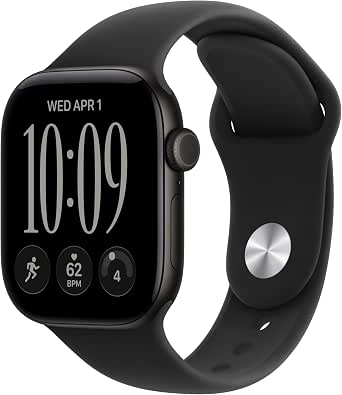
Apple Watch Series 12 GPS Smartwatch, 42 mm

Samsung Odyssey OLED G8 34-Inch Curved Ultra WQHD Gaming Monitor

Bose Lifestyle Ultra Wireless Home Speaker, White Smoke
As an affiliate, we earn on qualifying purchases.
What Apple and Model Makers Publish
Apple’s MLX documentation describes unified memory as a design in which the CPU and GPU have direct access to the same pool. In a conventional PC setup, a discrete graphics card typically has its own memory; a model that does not fit there may need to use system memory or run differently. Apple’s architecture offers a different capacity trade-off, but it does not remove the model’s memory needs.
For a buyer comparing published figures with configurations, the source material points to three broad tiers. At 16GB, Gemma 4 12B at 4-bit and OpenAI’s stated gpt-oss-20b requirement are examples of models that may fit, subject to system use and context. At 32GB, Google’s estimates put Gemma 4 26B A4B and 31B at 4-bit within the available pool, though not all memory is free for weights. At 64GB, Gemma 4 31B at 8-bit is listed at 34.9GB; its 16-bit version is estimated at 69.9GB and exceeds the Mac mini’s maximum.
Parameter counts can also mislead. Google says Gemma 4 26B A4B activates four billion parameters per token, but all 26 billion parameters must be loaded into memory. OpenAI, meanwhile, sizes gpt-oss-120b for a single 80GB GPU, beyond the Mac mini’s maximum. Apple says Thunderbolt 5 can connect multiple Mac mini systems to run larger models on-device, but that is a different setup from buying one machine.
““the leading desktop for always-on agentic computing””
— Apple, in its August 25, 2026 Mac mini press release
Performance Depends on the Workload
The published requirements do not establish how quickly these models will generate responses on each Mac mini configuration, or how much memory a particular user’s context and apps will consume. Google’s figures are estimates for model weights; OpenAI’s statement about gpt-oss-20b does not, by itself, specify performance on every Mac mini. Results can also depend on precision, software and the workload.
The source material does not provide a full, independently tested comparison of local Mac mini performance with cloud services, nor does it establish the total cost of a local setup over time. Apple’s claims about demand and its “always-on” positioning should not be read as proof that every local AI task is more economical or private in practice. The listed prices and configurations are a snapshot from Apple’s U.S. store on November 16, 2026, and may change.
Check Models Before Ordering
Before buying, readers should match the exact model and precision they plan to use against its published memory requirements, then leave room for macOS, other software and the intended context length. Buyers should also compare the higher upfront cost of a larger-memory configuration with their need for local access, offline operation or keeping data on their own computer. The source material gives no quantified savings or general performance guarantee for choosing local inference.
Apple’s published configuration options, model makers’ documentation and independent testing are the next useful checks as software and model versions change. Anyone considering a multi-Mac setup should verify the requirements and performance of the specific clustering workflow before treating it as a substitute for a larger-memory machine.
Key Questions
How much memory should I choose for local AI on a Mac mini?
It depends on the model, its precision, context length and the memory needed by the rest of the system. Published examples place some smaller quantized models within 16GB, while larger models need 32GB or more. Leave headroom beyond the model’s weight estimate.
Can a 16GB Mac mini run local AI models?
Some can. Google estimates Gemma 4 12B at 4-bit precision needs 6.7GB for its weights, and OpenAI says gpt-oss-20b runs “within 16GB of memory.” Those figures do not guarantee comfortable performance or account for every context and app.
Will the 64GB Mac mini run the largest models?
No, not all of them. Google estimates Gemma 4 31B at 8-bit precision needs 34.9GB for weights, but its 16-bit version needs 69.9GB. OpenAI sizes gpt-oss-120b for an 80GB GPU, which exceeds the Mac mini’s maximum memory.
Does a model fitting in memory mean it will run quickly?
No. Memory capacity affects whether a model can fit, while memory bandwidth is one factor affecting speed. Apple lists up to 307GB/s for the M5 Pro; Nvidia lists 3.35TB/s for the H100 SXM. Those specifications do not amount to a direct benchmark of a particular workload.
Source: ThorstenMeyerAI.com