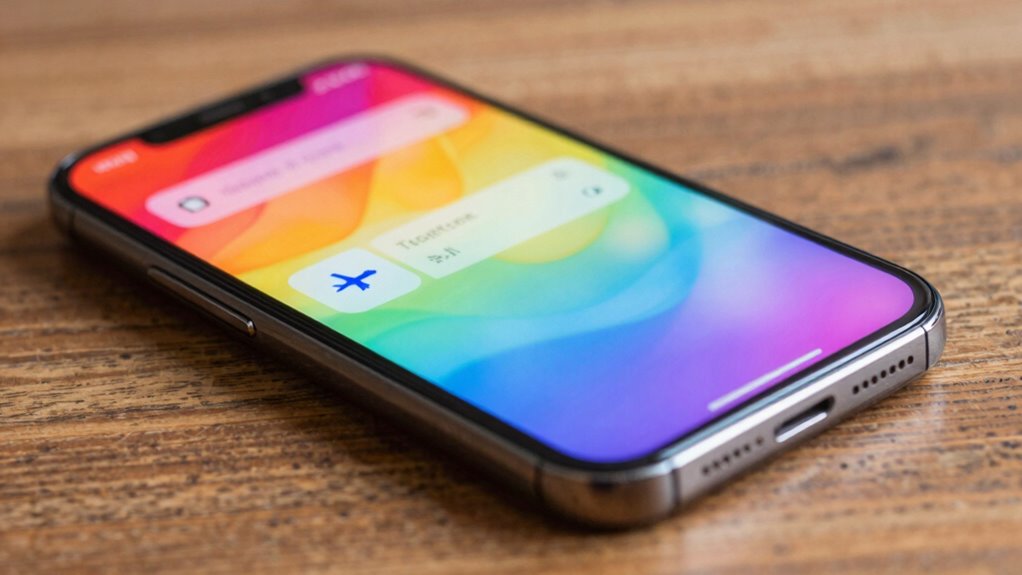

When you enable Airplane Mode on your smartphone, it turns off all wireless connections like cellular, Wi-Fi, and Bluetooth. This prevents signals that could interfere with aircraft systems during flights and helps conserve your battery. It also stops notifications, calls, and data transfer temporarily, while allowing offline access to saved content. When you disable it, your device reconnects to networks automatically. To discover exactly how this feature manages your device’s functions, keep exploring the details.
Key Takeaways
- Disables all wireless communication features like cellular, Wi-Fi, and Bluetooth to prevent interference with aircraft systems.
- Stops radio signals to conserve battery life and reduce device power consumption.
- Allows troubleshooting of connectivity issues by resetting wireless modules without turning off the device.
- Temporarily suspends notifications and calls while maintaining access to offline content.
- Re-enables all wireless connections once turned off, restoring full device functionality.

The primary purpose of Airplane Mode is to guarantee your device doesn’t interfere with aircraft systems during a flight. But it’s also frequently used in everyday situations for other benefits. One of these is managing wireless connectivity. By turning on Airplane Mode, you cut off all radio signals, which can be useful if you want to save battery life or reduce distractions. Since your device isn’t constantly searching for signals, it consumes less power, leading to significant battery conservation. This is especially helpful when your battery is low and you need to extend its life or when you’re in a location with poor signal reception, where your phone struggles to maintain connection, draining more power. Additionally, enabling Airplane Mode can help you manage wireless signals more effectively in areas with high electromagnetic interference, ensuring your device operates smoothly. Turning on Airplane Mode can also be a helpful step in troubleshooting connectivity issues, as it allows your device to reset its wireless communication systems. It also prevents your device from sending or receiving data during this process, which can be crucial in sensitive situations. It’s also a useful way to disable notifications or calls temporarily without turning off your device completely. Many people use it during meetings or when trying to focus without interruptions, knowing they won’t miss urgent calls once they turn it off. Understanding the contrast ratio of your device can also help optimize your viewing experience when using offline content or apps. Furthermore, some devices automatically disable certain background activities when in Airplane Mode to conserve system resources, making it more efficient for various tasks. While in Airplane Mode, you can still access offline features like viewing downloaded content, using apps that don’t require internet, or listening to music stored on your device. This allows you to maintain some level of functionality while keeping wireless signals off. When you’re ready to reconnect, simply disable Airplane Mode, and your device will re-establish connections with cellular towers, Wi-Fi networks, and Bluetooth devices, restoring full wireless connectivity.
As an affiliate, we earn on qualifying purchases.
Frequently Asked Questions
Can I Still Use Bluetooth and Wi-Fi in Airplane Mode?
Yes, you can still use Bluetooth and Wi-Fi in airplane mode. Turning on these features helps conserve your battery because they use less power than cellular signals. Plus, using Wi-Fi and Bluetooth reduces signal interference with the aircraft’s systems, ensuring safety. Just make sure to manually enable Wi-Fi and Bluetooth after activating airplane mode, as most devices disable them automatically to comply with airline regulations.
Does Airplane Mode Disable Location Services and GPS?
You might think airplane mode disables location services and GPS, but that’s not entirely true. Airplane mode restrictions mainly cut off cellular connections, but your device’s GPS and location services often stay active. This means you can still use navigation apps, provided Wi-Fi or Bluetooth is enabled. Keep in mind, device connectivity limitations vary by device, so double-check your settings if you rely heavily on GPS during flights.
How Quickly Does Airplane Mode Turn off and On?
When you turn airplane mode off or on, it usually happens almost instantly, within a second or two. This quick toggling helps you conserve battery when needed and minimizes signal interruption during the switch. You’ll notice your device quickly reconnects to cellular, Wi-Fi, or Bluetooth networks once airplane mode is disabled, restoring full functionality. This rapid process allows you to manage your connectivity efficiently without long delays.
Is Airplane Mode Necessary on All Flights or Just International Ones?
Think of airplane mode as your personal “black box” for safety. You only need it on international flights, where regulatory requirements are stricter, to prevent interference with aircraft systems. On domestic flights, airline safety protocols often supersede the need for it, but many airlines still recommend it as a precaution. So, whether flying across country or oceans, activating airplane mode helps adhere to airline safety rules and guarantees smooth travels.
Can I Manually Customize What Features Are Disabled in Airplane Mode?
Yes, you can manually customize airplane mode settings on many smartphones. By accessing feature customization options, you can choose which features to disable or enable, such as Wi-Fi, Bluetooth, or cellular data. This allows you to stay connected to certain networks while still complying with airline regulations. Check your device’s settings or airplane mode menu to see what options are available, giving you more control over your connectivity preferences.
Bluetooth and Wi-Fi adapters for smartphones
As an affiliate, we earn on qualifying purchases.
As an affiliate, we earn on qualifying purchases.
Conclusion
So there you have it—flipping airplane mode is like giving your phone a little vacation from reality. No calls, no texts, no notifications—just pure, unadulterated silence. It’s basically a tiny rebellion against the digital chaos, a moment of peace in your busy day. So next time you need a break or a quick escape, remember: airplane mode is your ticket to a brief, blissful escape from the endless pings and buzzes. Enjoy your digital detox!
As an affiliate, we earn on qualifying purchases.
battery saving smartphone accessories
As an affiliate, we earn on qualifying purchases.
As an affiliate, we earn on qualifying purchases.