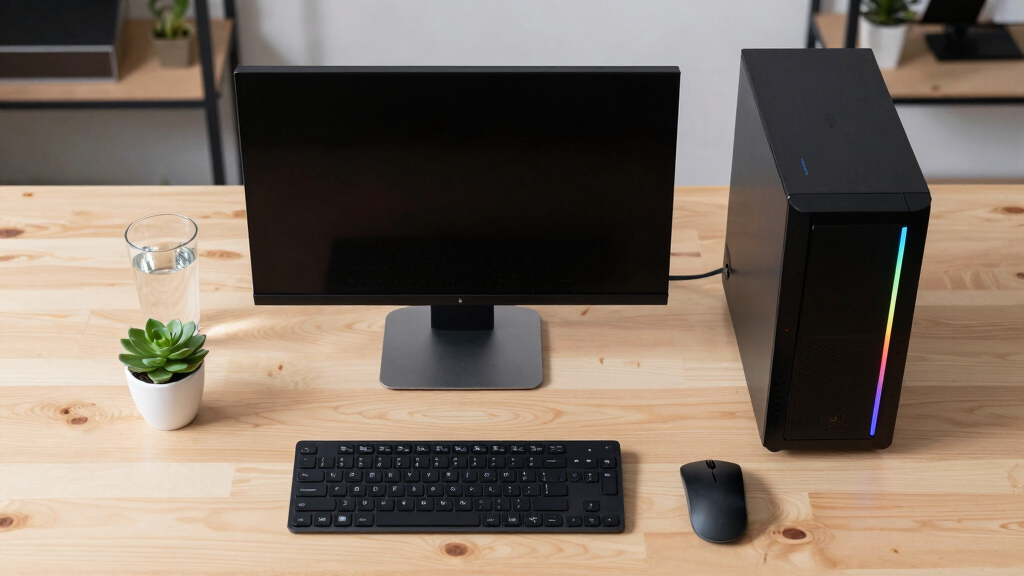

📊 Full opportunity report: Build vs Buy a Prebuilt AI Workstation on ThorstenMeyerAI.com — validation score, market gap, and execution plan.

Get the latest gadgets delivered free — and shop member deals
- Fast, free delivery on millions of items
- Access to Prime Big Deal Days deals on October 6–7
- Prime Video, Amazon Music and more included
TL;DR
In 2026, prebuilt AI workstations often match or beat DIY prices due to component shortages and bulk buying. The choice depends on speed, control, and long-term needs, with hybrid options gaining popularity.
In 2026, prebuilt AI workstations are often more cost-effective and faster to deploy than custom-built systems, challenging the traditional assumption that building is always cheaper. This shift is driven by global chip shortages and component price spikes, making ready-made solutions increasingly attractive for organizations needing quick, reliable AI hardware. For a detailed analysis, see Build vs Buy a Prebuilt AI Workstation.
Prebuilt AI workstations arrive fully assembled with validated thermals, pre-installed software, warranties, and support, reducing setup time and operational risk. Vendors like Lambda and Puget offer systems with advanced cooling, water-cooling options, and extensive testing, ensuring performance and longevity.
The decision to buy or build hinges on priorities: prebuilt solutions excel in speed, reliability, and minimal management, while building offers maximum customization and control at the expense of time and expertise. Cost comparisons show that due to supply chain disruptions, DIY components now often cost more than prebuilt systems, which leverage bulk purchasing.
Deployment timelines favor prebuilt options, which can be operational within 1–2 weeks, versus DIY builds that may take a month or more. Hidden costs—such as engineering time, ongoing maintenance, troubleshooting, and compliance—often tip the total ownership cost in favor of prebuilt solutions.
Build vs buy
an AI workstation.
The real question behind this whole series: do you pull the five heat-and-noise levers yourself, or buy a prebuilt where the vendor pulled them for you? And in 2026, the old “building is cheaper” rule has broken. Match your situation in Part 3.
Why the 2026 Shift Changes AI Hardware Choices
The evolving landscape significantly impacts organizations relying on AI workloads. Faster deployment and reduced operational risk favor prebuilt systems, especially for startups and teams needing quick results. Conversely, the desire for tailored hardware and software remains a key driver for custom builds, especially for long-term control and security.
This shift influences procurement strategies, budget planning, and talent deployment, making the build vs buy decision more nuanced and strategic than ever before.
As an affiliate, we earn on qualifying purchases.
Market Changes and Supply Chain Disruptions in 2026
Historically, building an AI workstation was considered more cost-effective, with DIY costs often below $1,000. However, in 2026, global chip shortages and increased demand have driven up component prices, making DIY builds more expensive and less predictable.
Major vendors now offer prebuilt systems that incorporate validated hardware, extensive testing, and support, often matching or beating DIY prices thanks to bulk procurement. Learn more about building vs buying AI workstations. The trend reflects a broader shift in hardware supply dynamics, emphasizing speed and reliability over customization for many users.
"Prebuilt systems now often deliver better value than DIY due to supply chain issues and bulk buying advantages."
— Thorsten Meyer, AI hardware expert
As an affiliate, we earn on qualifying purchases.
Unresolved Questions About Long-Term Costs and Upgrades
It remains unclear how long the current supply chain conditions will persist and how that will impact future component pricing. For insights on market trends, see the original analysis at Build vs Buy a Prebuilt AI Workstation. Additionally, the long-term costs of maintenance, upgrades, and support for prebuilt versus DIY systems are still being evaluated, especially as AI workloads evolve and hardware requirements change.
Further data is needed to assess whether the initial cost advantages of prebuilt systems will hold over several years, especially for organizations with specialized security or customization needs.
As an affiliate, we earn on qualifying purchases.
Emerging Trends and Future Market Developments
Expect continued growth in hybrid solutions combining prebuilt reliability with customizable components. Manufacturers are likely to expand their offerings, providing more modular, upgradeable systems that bridge the gap between build and buy. Additionally, market dynamics may shift as new chip technologies and supply chain improvements emerge, influencing pricing and availability.
Organizations should monitor vendor innovations and assess their long-term needs, considering total cost of ownership and deployment timelines for upcoming projects.
professional AI workstation warranty
As an affiliate, we earn on qualifying purchases.
As an affiliate, we earn on qualifying purchases.
Key Questions
Is building an AI workstation still cheaper in 2026?
Not necessarily. Due to supply chain disruptions and rising component costs, prebuilt systems often match or surpass DIY prices now, especially when factoring in support and validation.
How long does it take to deploy a prebuilt AI workstation?
Typically within 1 to 2 weeks, as these systems arrive ready to run, with minimal setup required.
What are the main advantages of buying a prebuilt system?
Faster deployment, validated hardware, reduced operational risk, warranty support, and optimized thermal performance.
Can I upgrade a prebuilt AI workstation later?
Most prebuilt systems allow some upgrades, but they may be more limited compared to custom builds. Modular designs are increasing in availability.
Will the trend towards prebuilt systems continue?
Yes, especially as supply chain issues persist and organizations prioritize speed and reliability. Hybrid models are also expected to grow.
Source: ThorstenMeyerAI.com
Fall Picks
fall essentials
As an affiliate, we earn on qualifying purchases.