
TL;DR

Get the latest gadgets delivered free with Prime
- Fast, free delivery on millions of items
- Prime Video, Amazon Music and more included
- Member-only deals all year
Building your own AI workstation used to be cheaper, but recent shortages and price spikes mean prebuilt systems can match or beat DIY costs. Support, reliability, and time-to-start are now key factors in the decision, especially for serious AI work.
Build vs buy
an AI workstation.
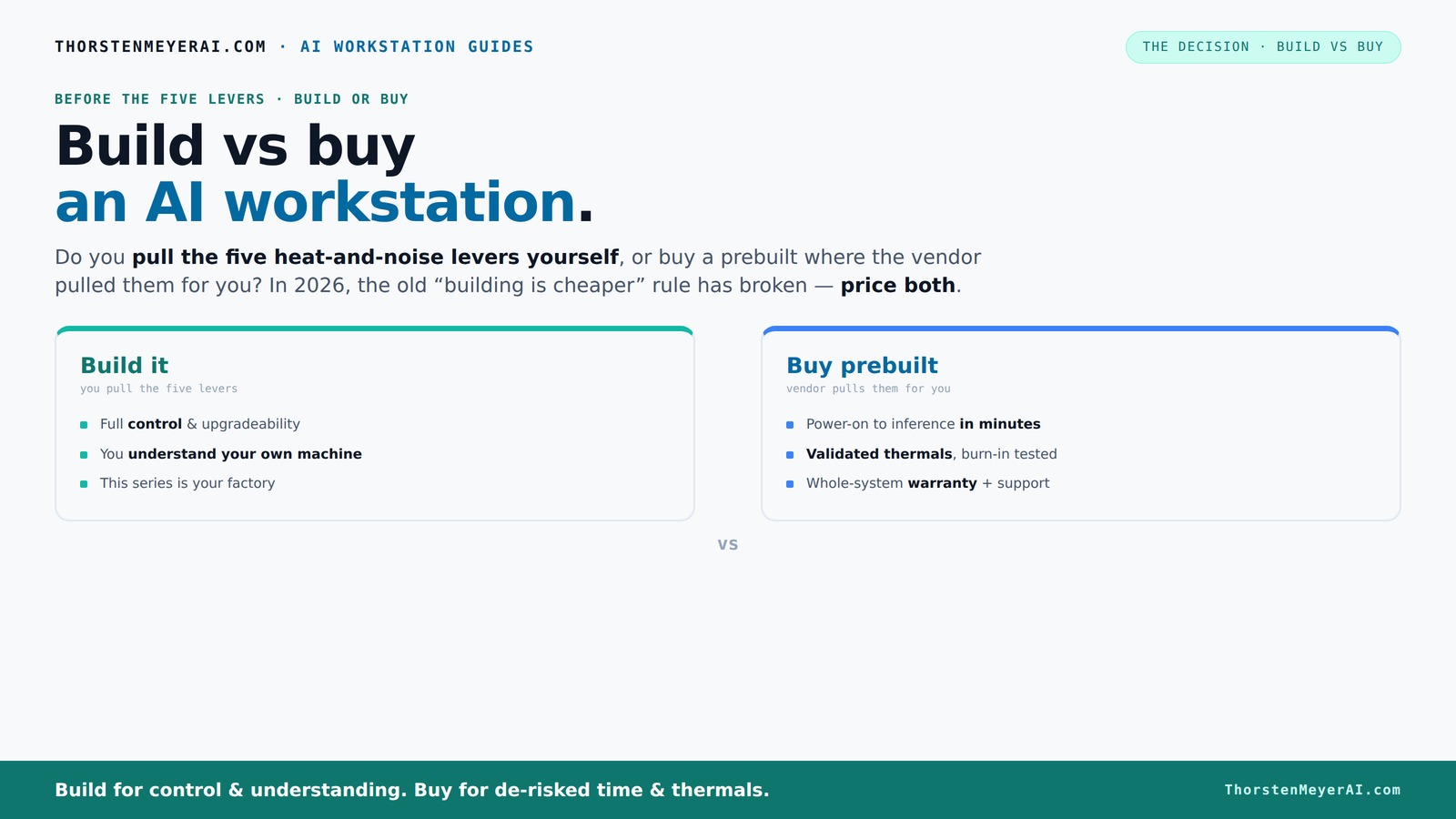
The real question behind this whole series: do you pull the five heat-and-noise levers yourself, or buy a prebuilt where the vendor pulled them for you? And in 2026, the old “building is cheaper” rule has broken. Match your situation in Part 3.
Key Takeaways
- Component shortages in 2026 make prebuilt AI workstations often cheaper than DIY, challenging the old rule that building always saves money.
- Support and warranty are critical—prebuilts come with comprehensive coverage, while DIY requires juggling multiple warranties and troubleshooting.
- Thermal management and noise control are easier and more reliable with prebuilt systems, but DIY offers full control if you have the skills.
- Upgrade paths favor DIY if future growth is a priority; prebuilts often limit expandability or require full replacements.
- AI-specific hardware like NPUs and optimized software stacks are now common in prebuilt systems, making them more plug-and-play for AI workloads.
As an affiliate, we earn on qualifying purchases.
Why building your own AI workstation used to be cheaper—and why that’s changing now
Building your own AI machine used to save you hundreds—sometimes thousands—by sourcing parts individually. Learn more about building vs buying. But in 2026, the global component shortage has flipped the script. GPUs, RAM, and SSDs are pricier due to shortages and high demand, especially for AI-grade parts. A typical DIY build now easily costs $1,250 or more, even before considering cooling or case expenses, compared to prebuilt options.
For example, a popular GPU like the NVIDIA RTX 4090 used to be $1,200; now it’s often over $1,600 in retail, and that's just one part. Large vendors like Lambda or BIZON buy in bulk, locking in lower prices and passing savings on to you. So, the old rule—DIY is always cheaper—no longer holds water. Today, it’s crucial to compare exact configurations and shop prices in real time.
high performance GPU for AI workstations
As an affiliate, we earn on qualifying purchases.
As an affiliate, we earn on qualifying purchases.
Who pulls the levers? The difference in thermal and noise control between DIY and prebuilt
Cooling and noise are the secret weapons in AI workstations. Find quiet GPU options can help optimize your setup. Prebuilt systems come tuned by experts. They run burn-in tests, optimize fan curves, and often include water-cooling options that cut noise by up to 30%. Think of a prebuilt like a tailored suit—designed and tested for comfort and performance.
On the flip side, building your own means pulling those levers yourself. You pick a quiet GPU, match the cooler, set the airflow, and tune the fans. For example, choosing a quiet GPU and a silent cooler can turn a noisy beast into a whisper. But it takes time, skills, and patience. The question: do you want to do that work, or pay someone else to do it for you?
As an affiliate, we earn on qualifying purchases.
Cost comparison: Build or buy — which really saves money?
| Factor | Build Your Own |
|---|---|
| Hardware cost | Lower, but prices are high in 2026 due to shortages |
| Assembly & testing | Time-consuming, requires expertise |
| Support & warranty | Separate warranties, DIY troubleshooting |
| Time to start | Longer, depending on parts sourcing and setup |
Prebuilt systems tend to cost more upfront because they include assembly, validation, and support. If you’re considering this option, check out this guide on build vs buy. But they arrive ready to run, saving you days or even weeks. For example, a high-end prebuilt with 4 GPUs might be $3,500, while building a comparable system could cost around $3,000 in parts, but with extra time and effort.
As an affiliate, we earn on qualifying purchases.
Support, warranty, and peace of mind: Why it matters
Prebuilt vendors like Puget or Lambda include support and warranties—often 3 to 5 years—covering parts and labor. For more insights, visit mobquotes.com. When your AI workload hits a snag, you call support, and they troubleshoot or replace parts on-site. This reduces downtime and hassle.
DIY builders rely on separate warranties for each component—GPU, PSU, motherboard. Troubleshooting becomes a puzzle. If your GPU throttles or crashes during training, you’re on your own to diagnose and fix it. That’s fine if you love tinkering, but stressful if you need reliability.
Flexibility and upgrade paths: Can you grow your AI system later?
Building your own gives you maximum flexibility. You choose the case, motherboard, GPU slots, and power supply. To help decide, see this comparison guide. Want to add another GPU later? Just pick a case with enough PCIe slots. Want more RAM? Upgrade the motherboard or add modules.
Prebuilt systems often come with fixed configurations. Upgrading might mean replacing the entire chassis or motherboard. Learn more about upgrade options at theintellihome.com. For example, some systems are tightly packed, making future GPU upgrades almost impossible without a full rebuild.
Performance tuning: Customization or turnkey perfection?
With a DIY build, you control every aspect: BIOS settings, overclocking, fan curves, thermal paste. This lets you optimize precisely for your AI workload. For example, undervolting your GPU reduces heat and noise, boosting sustained performance.
Prebuilts aim for a balanced, tested setup. They often include preconfigured software stacks optimized for AI, saving you setup time. If you’re working on a highly specialized model, custom hardware choices give you a performance edge.
Software and setup: Ready to run or DIY everything?
Prebuilt AI workstations typically arrive with the OS installed and all drivers preconfigured. They often include preinstalled AI frameworks like CUDA, TensorFlow, or PyTorch. This means you’re minutes away from training.
Building your own means installing and configuring everything yourself—drivers, libraries, dependencies. If you’re experienced, this is a chance to customize; if not, it can be a frustrating bottleneck.
Recent AI hardware trends: NPUs and optimized platforms
Vendors like Dell now emphasize AI-optimized hardware, including NPUs (Neural Processing Units), which accelerate specific tasks and reduce power consumption. This shift means AI PCs aren’t just about raw GPU power anymore—they’re about integrated solutions that handle AI workloads more efficiently.
Prebuilt systems are increasingly packaged with these features, making them more appealing for AI professionals who want plug-and-play solutions that leverage both hardware and software optimizations.
Frequently Asked Questions
Is a prebuilt AI workstation worth the extra cost in 2026?
If you value time, support, and reliability, a prebuilt often justifies its price. You get tested thermal solutions, warranty coverage, and ready-to-run AI software, which can save you days or weeks of setup and troubleshooting.Can I upgrade a prebuilt system later if I need more GPUs or RAM?
It depends on the design. Some prebuilt systems offer accessible PCIe slots and generous power supplies, making upgrades feasible. Others are more locked-in, requiring a full rebuild for major upgrades. Always check the manufacturer’s upgrade path before buying.How do I choose between building and buying for AI workloads?
Consider your budget, technical skills, and how soon you need to start. If you enjoy tinkering and have time, building can be cheaper and more tailored. But if reliability, speed, and support matter most, a prebuilt might be the smarter move.What GPU VRAM do I need for training versus inference?
Training large models often requires 24GB or more VRAM, while inference can often run comfortably on 8-16GB GPUs. Your workload determines the GPU choice—more VRAM equals fewer bottlenecks, especially for complex models.Are AI PCs with NPUs useful for serious ML work?
Yes, NPUs accelerate specific AI tasks like image recognition or natural language processing. They reduce power draw and latency, making them valuable for production environments or real-time applications, not just consumer features.Conclusion
Deciding between build and buy in 2026 isn’t just about cost. It’s about how quickly you want to start, how much support you need, and whether you enjoy fine-tuning or prefer instant reliability. The right choice depends on your workload, skills, and future plans. But one thing’s clear: the era of cheap DIY AI workstations is fading, replaced by smarter, better-supported prebuilt options.Halloween Picks
halloween
As an affiliate, we earn on qualifying purchases.