
Your home’s layout and construction materials often impact Wi-Fi performance more than upgrading to newer standards. Thick walls, metal fixtures, and furniture can weaken signals and create dead zones, regardless of the Wi-Fi standard used. Proper router placement, physical adjustments, and infrastructure improvements can boost your connection more effectively than just upgrading equipment. If you want to understand how layout influences Wi-Fi and how to optimize yours, there’s plenty more to explore.

Get the latest gadgets delivered free — and shop member deals
- Fast, free delivery on millions of items
- Access to Prime Big Deal Days deals on October 6–7
- Prime Video, Amazon Music and more included
Key Takeaways
- Physical obstacles like walls and furniture often cause signal loss, limiting Wi-Fi performance regardless of standard upgrades.
- Proper router placement and environment optimization can significantly improve coverage more than switching to newer standards.
- Interference from other devices and neighboring networks can negate the benefits of advanced Wi-Fi standards.
- Home construction materials influence signal strength, making layout and material choice crucial for reliable Wi-Fi.
- Infrastructure adjustments like extenders or mesh networks address physical barriers more effectively than solely upgrading Wi-Fi standards.
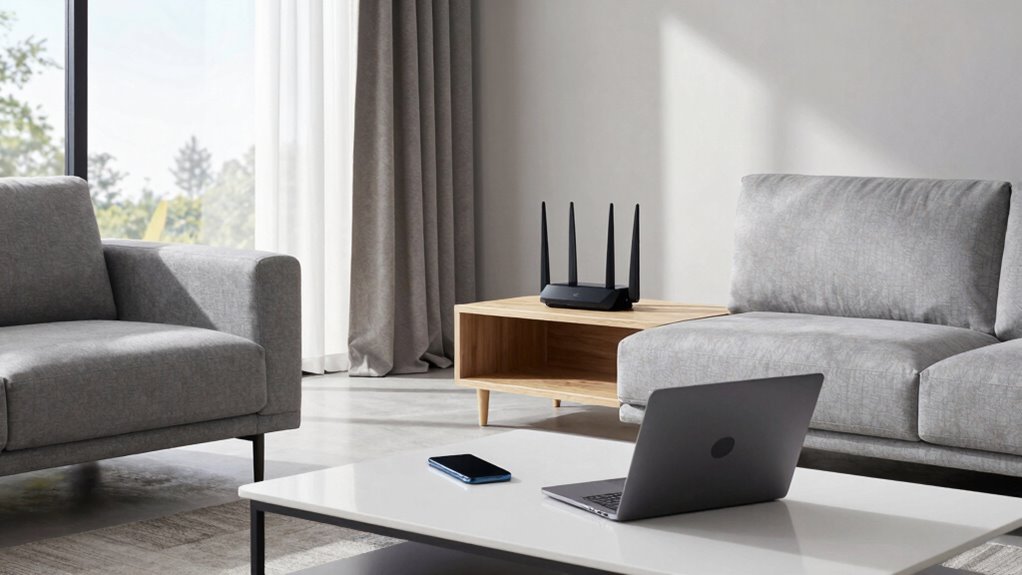
Understanding Wi-Fi standards is essential when designing your home network, as they directly impact coverage, speed, and reliability. However, even the most advanced Wi-Fi standard can’t overcome the physical realities of your home’s layout. While choosing a Wi-Fi 6 router might promise faster speeds, it won’t help if walls, furniture, or appliances interfere with the signal. Your home’s layout plays a crucial role because it determines how well your Wi-Fi can reach every corner without interruption. One key aspect to consider is interference mitigation. Wireless signals are susceptible to interference from various sources, including neighboring networks, cordless phones, microwaves, and Bluetooth devices. No matter how modern your Wi-Fi standard is, if the environment is noisy, your network’s performance will suffer. The placement of your router, the number of walls it has to penetrate, and the presence of electronic clutter can all create interference that hampers signal quality. Properly mitigating interference involves strategic placement, such as placing your router in a central, elevated location, and minimizing obstacles around it. This approach often yields better results than simply upgrading your Wi-Fi standard. Signal attenuation is another critical factor. This refers to the weakening of Wi-Fi signals as they pass through walls, floors, or furniture. Even with the latest Wi-Fi standards, signal attenuation can cause dead zones where the signal drops below usable levels. Thick walls, metal fixtures, and large furniture can dramatically reduce signal strength, making it difficult for devices to maintain a reliable connection. In these cases, boosting your Wi-Fi isn’t just about getting a more powerful router; it’s about understanding how your physical space affects the signal. Using mesh networks or additional access points strategically placed around your home can address attenuation problems more effectively than simply relying on a high-standard Wi-Fi signal. Additionally, home layout and physical barriers influence how effectively your Wi-Fi signal travels throughout your space, often more than the specific Wi-Fi standard itself. Recognizing the material composition of walls can help you determine the best locations for routers and extenders, as some materials are more resistant to wireless signals than others. Understanding how physical obstacles impact signal strength can help you make smarter decisions about router placement and additional network equipment. It’s also beneficial to consider how your home’s construction materials can influence wireless performance, as some materials are more resistant to signals than others. Furthermore, assessing your home’s size and shape can guide you in deciding whether additional access points are necessary to ensure comprehensive coverage. Ultimately, the layout of your home can overshadow the benefits of the newest Wi-Fi standards. While staying current with the latest technology is always beneficial, optimizing your home environment often has a more significant impact on your network’s performance. By focusing on interference mitigation and addressing signal attenuation through thoughtful placement and infrastructure adjustments, you can achieve a more reliable, faster Wi-Fi connection regardless of your home’s size or design. Sometimes, understanding and adapting to your home’s physical characteristics makes more difference than just upgrading to the latest Wi-Fi standard.
As an affiliate, we earn on qualifying purchases.
Frequently Asked Questions
How Do I Identify My Current Wi-Fi Standard?
You can identify your current Wi-Fi standard by checking your device’s network settings or using a speed test app. Look for details about your device compatibility, which often indicates the Wi-Fi version it supports, like 802.11n or ac. Keep in mind, signal interference from walls or electronics can affect your connection more than the Wi-Fi standard itself, so consider your home layout for *best* performance.
Can a Home’s Construction Materials Affect Wi-Fi Signals?
Material interference and structural barriers can subtly influence your Wi-Fi signals. Thick concrete walls, metal framing, or dense insulation act like gentle obstacles, diminishing signal strength or causing occasional drops. While your home’s construction materials don’t completely block Wi-Fi, they can create challenges that require strategic placement of your router or the use of range extenders. Being mindful of these factors helps guarantee a more reliable, seamless internet experience throughout your home.
What Is the Best Way to Test Wi-Fi Coverage?
To test your Wi-Fi coverage effectively, start with a signal strength analysis using a Wi-Fi analyzer app on your phone or laptop. Walk around your home with the device, noting interference sources like thick walls, appliances, or electronics, which can weaken signals. Pay attention to areas with poor signal strength, and consider repositioning your router or reducing interference to improve coverage. This hands-on testing helps identify problem spots and optimize your setup.
Do Wi-Fi Extenders Improve Signal for All Home Layouts?
Wi-Fi extenders, including signal repeaters, can improve your signal in some home layouts, but they don’t work equally well everywhere. Mesh networks often provide better coverage because they create a unified system, reducing dead zones. Extenders might cause signal drops or slow speeds in complex layouts. So, your home’s design influences whether extenders or a mesh network will give you the best Wi-Fi experience.
How Often Should I Upgrade My Wi-Fi Equipment?
You should upgrade your Wi-Fi equipment every 3-5 years. For example, a family with a smart router faced frequent disconnections due to signal interference from nearby devices. Upgrading to a newer model improved connectivity and speeds. Regular updates ensure your router keeps pace with evolving tech, reduces interference issues, and maintains peak performance, especially as new Wi-Fi standards are introduced. Staying current helps you enjoy seamless, reliable internet.
As an affiliate, we earn on qualifying purchases.
Conclusion
Think of your Wi-Fi like a garden hose—you can have the latest, most powerful nozzle, but if the garden’s layout has too many obstacles, the water won’t reach the flowers. Sometimes, adjusting your home’s layout or placement of your router can make a bigger difference than upgrading standards. Focus on clearing the path, so your signal flows freely wherever you need it. After all, a well-placed garden hose beats the fanciest nozzle every time.
As an affiliate, we earn on qualifying purchases.
Wi-Fi interference mitigation devices
As an affiliate, we earn on qualifying purchases.
As an affiliate, we earn on qualifying purchases.
Halloween Picks
halloween
As an affiliate, we earn on qualifying purchases.