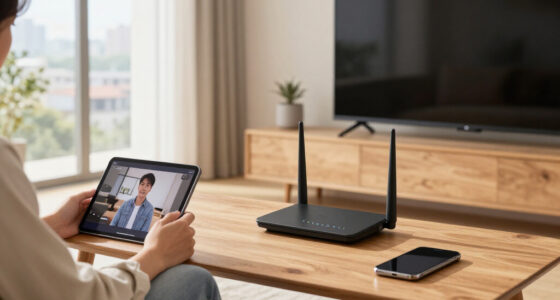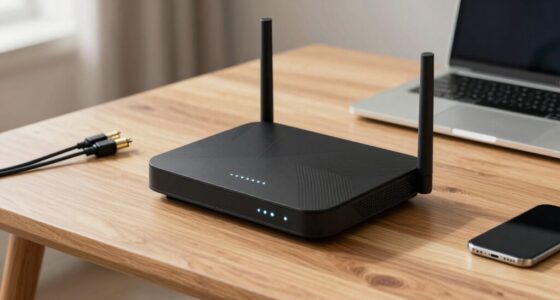
Your router’s placement has a bigger impact on Wi-Fi performance than what the spec sheets claim because environmental factors like walls, furniture, and interference sources can weaken signals and cause slowdowns. Even the most powerful router won’t perform well if it’s hidden behind furniture or placed in a corner. Proper placement guarantees better coverage, fewer dropped connections, and stronger signals for all your devices. Keep exploring to discover how optimizing your router’s location can solve many common Wi-Fi issues.

Get the latest gadgets delivered free with Prime
- Fast, free delivery on millions of items
- Prime Video, Amazon Music and more included
- Member-only deals all year
Key Takeaways
- Environmental factors like walls and furniture can weaken signals, which specs alone can’t account for.
- Proper placement minimizes interference from household electronics, improving connection stability.
- Strategically positioning the router ensures better coverage, regardless of hardware speed ratings.
- Poor placement can negate the benefits of high-spec routers, causing slow or unstable connections.
- Real-world obstacles and layout significantly impact performance, making placement more critical than specs.
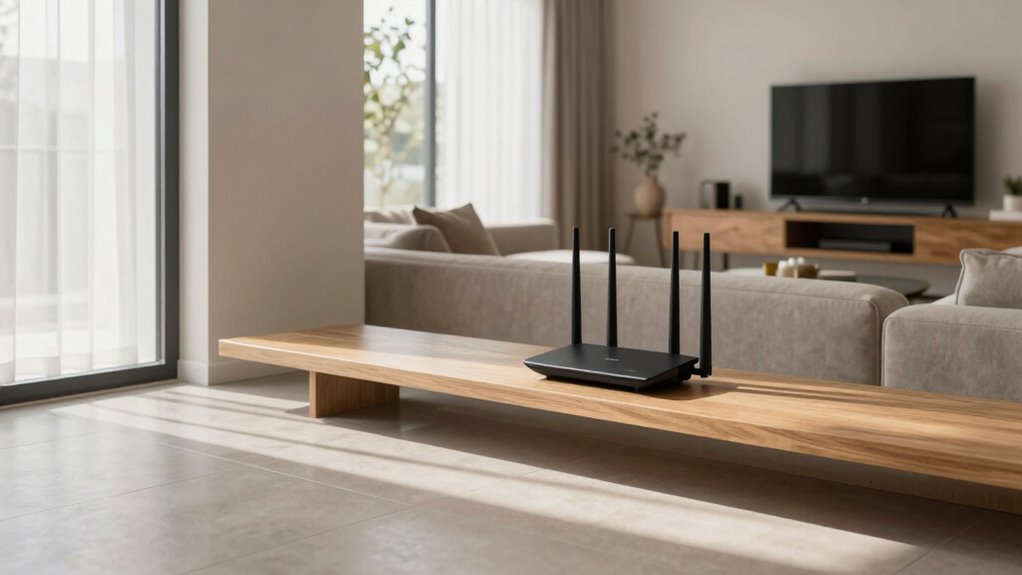
Proper router placement can considerably boost your Wi-Fi signal strength and reliability. While spec sheets often highlight maximum speeds and coverage ranges, they don’t account for real-world factors that impact your connection. One of the most common issues is signal interference. Electronic devices like microwaves, cordless phones, and baby monitors emit signals that can disrupt Wi-Fi, especially if your router is placed near these gadgets. By positioning your router away from potential sources of interference, you minimize disruptions and enjoy a steadier connection. Additionally, walls, furniture, and appliances act as physical barriers that weaken signals, so placing your router in an open, central location guarantees better coverage throughout your space. Being aware of interference sources and their impact can help you make smarter placement choices. Placing your router in a strategic location can also help extend the overall coverage area and improve connection stability. Recognizing environmental factors like physical barriers can further assist in optimizing your Wi-Fi setup. A well-placed router also allows for better signal propagation, ensuring that your Wi-Fi signal reaches every corner of your home more effectively. Device compatibility also plays a vital role in your Wi-Fi experience. No matter how advanced your router is, if it’s placed poorly, certain devices might struggle to connect or maintain stable links. For instance, some older devices operate on different Wi-Fi bands or have weaker antennas, making them more sensitive to placement issues. When your router sits behind thick walls or in a corner, these devices may experience slower speeds or frequent dropouts. Proper placement helps guarantee your devices, regardless of their compatibility level, can receive a strong, consistent signal. You might think that simply following the specs on your router’s box guarantees maximum performance, but that’s not always true. The most powerful router is useless if it’s tucked away in a closet or behind furniture. Instead, you should aim for a central location, ideally elevated, to maximize coverage and reduce dead zones. This strategic positioning helps mitigate the effects of signal interference and allows your devices to connect at their best capabilities. Environmental factors, such as furniture placement and household layouts, can also influence Wi-Fi performance. Remember, even the most compatible device can underperform if the signal can’t reach it effectively. In essence, understanding how your environment impacts Wi-Fi performance is key. Proper router placement isn’t just about convenience; it’s about actively reducing signal interference and improving device compatibility. When you take the time to position your router thoughtfully, you’re not only enhancing your current setup but also future-proofing your network against common connectivity issues. So, instead of relying solely on spec sheets, pay attention to where you put your router. It can make all the difference in achieving a reliable, fast, and seamless Wi-Fi experience.
Products Worth Considering

Bose QuietComfort Wireless Noise-Cancelling Over-Ear Headphones, Black

DJI Osmo Mobile 8 3-Axis Gimbal Stabilizer for Phones

Apple Watch SE 3 GPS Smartwatch, 40mm
As an affiliate, we earn on qualifying purchases.
Frequently Asked Questions
How Does Router Placement Affect Signal Range?
Router placement directly impacts your signal range by minimizing Wi-Fi interference and signal obstacles. If you position your router in a central, open spot, you mitigate interference from walls, furniture, or electronics that block signals. Avoid placing it near metal objects or thick walls, as these increase signal obstacles. Proper placement guarantees stronger coverage, fewer dead zones, and better overall Wi-Fi performance for your devices.
What Are Common Placement Mistakes to Avoid?
You should avoid placing your router near interference sources like microwaves, cordless phones, or Bluetooth devices, as these can disrupt signals. Also, steer clear of obstructed pathways—walls, furniture, and appliances can weaken your Wi-Fi. Keep your router elevated and in open areas to maximize coverage. Proper placement minimizes interference sources and prevents obstructed pathways, ensuring a stronger, more reliable signal throughout your space.
Can Router Height Improve Performance?
Absolutely, elevating your router can considerably boost performance. Think of your router as a lighthouse—its height influences how well its signal radiates across your space. By optimizing router height, you reduce signal interference caused by obstacles and router aesthetics, which can otherwise block or weaken the signal. A higher placement ensures your Wi-Fi reaches every corner smoothly, transforming your connection from a flickering light into a steady beacon.
Does Router Orientation Impact Wi-Fi Speed?
Yes, router orientation impacts Wi-Fi speed because it influences wireless interference and device compatibility. When you position your router vertically or place antennas upright, it helps reduce signal obstruction and interference from other electronics. Proper orientation guarantees a clearer signal, improving performance for your devices. Experimenting with different angles can optimize coverage, making your Wi-Fi faster and more reliable by minimizing interference and maximizing device compatibility.
How Often Should I Reposition My Router?
Reposition your router like a skilled navigator adjusting course, ideally every few months or when you notice Wi-Fi interference or signal obstructions. Regular tweaks help maintain *best* coverage and reduce dead zones. If your Wi-Fi slows or drops, it’s time to move it to a central, open spot. Keep an eye on interference from appliances or walls, and reposition as needed to keep your signal strong and reliable.
Conclusion
So, next time your Wi-Fi’s acting up, forget reading the spec sheets—just move that router around like a Wi-Fi whisperer. Who knew that a little strategic placement could outperform all those fancy tech specs? It’s almost like magic, but really, it’s just common sense. So go ahead, channel your inner Wi-Fi guru, and watch your signal soar—because sometimes, the simplest solutions are the best ones. Happy surfing!