
To avoid overbuying networking gear, start by evaluating your current network’s performance and identifying actual needs. Focus on resolving existing issues before upgrading and choose equipment with features that match your requirements. Consider future standards like Wi-Fi 6 or 2.5Gbps Ethernet to stay ahead, but don’t forget environmental factors that could cause interference. Proper planning, understanding your environment, and prioritizing essential features help you spend wisely—if you want to discover more strategies, keep exploring.
Get ready for Prime Big Deal Days — try Prime free
Exclusive member deals on October 6–7, plus fast free delivery. Cancel anytime.
As an affiliate, we earn on qualifying purchases.
Key Takeaways
- Assess current network performance and identify actual needs before considering new equipment.
- Focus on resolving existing bottlenecks rather than over-specifying features.
- Choose scalable hardware supporting future standards like Wi-Fi 6 and Ethernet 2.5Gbps.
- Analyze the environment for interference and placement issues to prevent unnecessary upgrades.
- Prioritize devices with advanced interference mitigation and energy-efficient features to optimize investment.

Buying networking gear can be tempting, especially with new models and upgrades constantly hitting the market. It’s easy to get caught up in the latest features and shiny devices, but before you start filling your cart, it’s vital to understand what you genuinely need. Overbuying can lead to wasted money, unnecessary complexity, and even performance issues. To avoid this, start by evaluating your current network setup and identifying what’s functioning well and where bottlenecks or gaps exist. Knowing your actual requirements helps you focus on components that will make a real difference, rather than purchasing upgrades just because they’re new.
Assess your current network to identify real needs before investing in new gear.
One common pitfall is investing in equipment that doesn’t account for potential wireless interference. If your environment has multiple wireless devices, overlapping signals, or thick walls, you might be tempted to buy high-powered routers or additional access points. However, more power or coverage doesn’t always mean better performance if interference isn’t addressed. Instead, choose gear that offers advanced wireless interference mitigation features, such as dual-band or tri-band routers, and consider channel management tools that help you minimize signal clashes. This way, you avoid spending on hardware that won’t improve your network’s stability or speed due to external interference.
Power management is another critical factor often overlooked when overbuying networking gear. Buying multiple devices without considering how they’ll be powered can lead to cluttered setups or reliance on unstable power sources. Look for equipment with integrated power management features, such as intelligent power supplies, surge protection, or energy-efficient modes. These features not only reduce energy consumption but also prolong the lifespan of your devices. Be mindful of the total power draw, especially if you’re expanding your network with many switches, routers, and extenders. Proper power management ensures your network stays reliable without the need to constantly replace hardware due to power-related failures. Additionally, understanding the importance of network scalability can help you make smarter decisions and avoid unnecessary upgrades that won’t serve your long-term needs.
Furthermore, considering the technology standards supported by your equipment—such as Wi-Fi 6 or Ethernet 2.5Gbps—can ensure future-proofing your network against evolving requirements. Incorporating proper planning and assessment into your purchasing process can help prevent overbuying and ensure your network remains flexible as your needs evolve. By understanding and addressing issues like wireless interference and implementing effective power management, you’ll make smarter choices, saving money and avoiding unnecessary upgrades. Remember, the goal isn’t just having the newest gear, but creating a reliable, efficient, and manageable network that suits your actual environment. A thorough environmental analysis can reveal potential sources of interference or power issues that might otherwise be overlooked during the buying process.
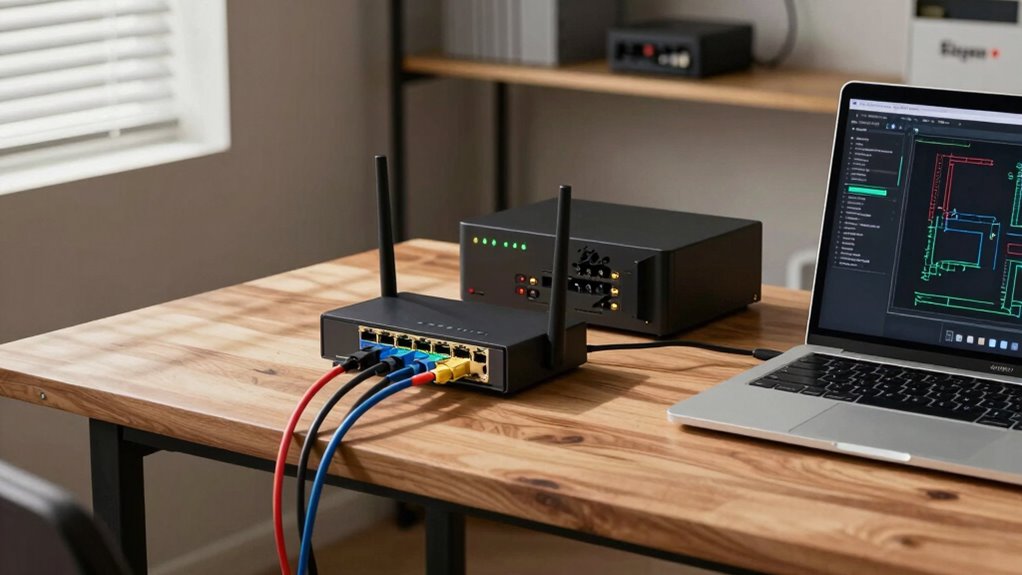
Wi-Fi 6 router with interference mitigation
As an affiliate, we earn on qualifying purchases.
As an affiliate, we earn on qualifying purchases.
Frequently Asked Questions
How Do I Determine the Right Network Speed for My Needs?
You determine the right network speed by evaluating your usage needs and considering your network topology. If you stream videos or game, opt for higher speeds like gigabit Ethernet. For wireless security, guarantee your Wi-Fi supports current standards like WPA3 and sufficient bandwidth. Evaluate your devices and their data demands, then choose a plan that matches your peak usage, avoiding overbuying while ensuring smooth performance across your network.
What Are Common Signs I’Ve Overbought Networking Equipment?
You might realize you’ve overbought networking equipment when some devices sit unused, collecting dust, or your network runs slower despite new gear. If you notice frequent upgrades, it’s a sign your purchases exceed your equipment’s lifespan needs. Relying on brand reliability becomes essential—cheap, unreliable brands often lead to premature replacements. Staying mindful of your actual requirements helps prevent overbuying, ensuring your investments last longer and serve your needs effectively.
How Often Should I Review My Networking Hardware?
You should review your networking hardware at least every six months to guarantee it meets your network security needs and remains compatible with your existing setup. Regular checks help identify outdated or incompatible equipment that could compromise security or cause performance issues. Staying proactive allows you to avoid overbuying, optimize your network, and ensure all hardware aligns with current standards and future growth plans.
Are There Budget-Friendly Ways to Upgrade My Network?
To upgrade your network without breaking the bank, consider cost-effective upgrades and DIY networking. Delve into detailed tutorials and online discussions to develop DIY skills, saving money on professional services. Look for refurbished or second-hand gear with solid warranties, and prioritize essential features over fancy extras. Small, strategic upgrades—like boosting your router’s firmware or adding affordable range extenders—can dramatically improve performance without draining your wallet.
How Can I Future-Proof My Networking Investments?
To future-proof your networking investments, focus on scalable hardware that supports the latest standards, like Wi-Fi 6 for wireless security. Plan your network topology to accommodate growth and easy upgrades. Keep firmware updated and consider modular devices that allow adding features later. This approach guarantees your network remains secure and adaptable, reducing the need for frequent replacements and helping you stay ahead as technology evolves.
As an affiliate, we earn on qualifying purchases.
Conclusion
By following these tips, you’ll dodge the nightmare of drowning in unused networking gear, saving yourself from a mountain of forgotten routers and switches that could fill a small warehouse. Avoid overbuying, and you’ll keep your network sleek, efficient, and ready to conquer any challenge—without turning your closet into a tech graveyard. Stay smart, buy only what you need, and watch your network grow strong without turning into a chaotic junkyard of unnecessary gadgets!
As an affiliate, we earn on qualifying purchases.
power management networking devices
As an affiliate, we earn on qualifying purchases.
As an affiliate, we earn on qualifying purchases.
Fall Picks
fall essentials
As an affiliate, we earn on qualifying purchases.