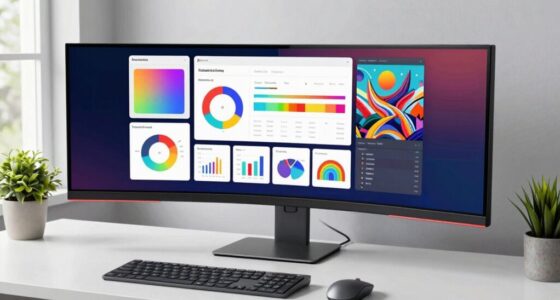
A 4K monitor is worth it on your desk when it offers sharp visuals, vibrant colors, and precise color accuracy for your work or entertainment. Look for features like high refresh rates and low response times if gaming is your focus. Make certain your hardware can support the resolution and connectivity options suit your devices. Proper ergonomic adjustments also boost comfort during long use. If you want to discover how to choose the best one, keep exploring below.
Key Takeaways
- High color accuracy and wide gamuts ensure vibrant, true-to-life visuals for professional and creative work.
- High refresh rates (120Hz+) and low response times provide smooth, responsive gaming experiences.
- Adequate hardware support and connectivity options maximize performance and ease of use.
- Ergonomic features and adjustable stands promote comfortable, strain-free extended use.
- Overall value depends on matching monitor features with specific work or entertainment needs.

In an era where high-resolution displays are becoming increasingly popular, a 4K monitor can considerably enhance your visual experience—if it’s worth the investment. When you’re contemplating upgrading your desk setup, one of the key factors to evaluate is whether the monitor provides true color accuracy. A high-quality 4K display delivers sharper images and more vibrant colors, making everything from photo editing to watching movies more immersive. Accurate color reproduction guarantees that your work looks consistent and true to life, which is especially important if you’re a creative professional or someone who values visual precision. But beyond color fidelity, you also want to think about gaming performance. A good 4K monitor can elevate your gaming sessions by offering crisp visuals and detailed textures that lower-resolution screens can’t match.
If you’re into gaming, a 4K monitor means you’ll see more detail in your games, which can make the experience more engaging. However, it’s not just about the resolution; the refresh rate and response time also matter. A monitor that combines 4K resolution with a high refresh rate—say 120Hz or higher—and low response times will give you smoother gameplay with less motion blur. This combination is essential if you want to take full advantage of the stunning visuals without sacrificing responsiveness. On the other hand, if your primary use is professional work, color accuracy takes precedence. Look for monitors that cover a wide color gamut, such as Adobe RGB or DCI-P3, and have factory calibration to guarantee your colors are precise right out of the box. Additionally, understanding display specifications can help you choose a monitor that meets your specific needs. It’s also helpful to consider hardware capabilities, ensuring your computer can support the higher resolution without performance issues.
Another aspect to evaluate is connectivity and ergonomics. A 4K monitor with multiple HDMI, DisplayPort, and USB-C ports allows you to connect all your devices seamlessly. Adjustable stands and ergonomic features help you set up your workspace comfortably, reducing strain during long hours at the desk. Remember, a 4K monitor is an investment in your productivity and entertainment, so weighing these factors against your specific needs is essential. If you’re ready to enjoy richer visuals, sharper details, and a more immersive experience, a 4K display can be well worth it. Just guarantee that your hardware can support the higher resolution, and you’re set to reap the benefits in both work and play.

LG 27US500-W Ultrafine Monitor 27-Inch 4K UHD (3840×2160) HDR10 IPS Borderless Design Reader Mode Flicker Safe Switch App HDMI DisplayPort – White
- 4K UHD Resolution: 3840×2160 pixels with high contrast
- HDR10 Support: Up to 90% DCI-P3 color gamut
- Onscreen Control: Customize workspace with mouse
As an affiliate, we earn on qualifying purchases.
As an affiliate, we earn on qualifying purchases.
Frequently Asked Questions
How Does a 4K Monitor Impact Gaming Performance?
A 4K monitor enhances your gaming experience by boosting visual clarity, making every detail pop. It improves gaming immersion by delivering sharper images and richer visuals. However, it can impact performance if your system isn’t powerful enough, leading to lower frame rates or lag. To fully enjoy a 4K monitor’s benefits, guarantee your hardware can handle the higher resolution, so you don’t compromise gameplay smoothness for stunning visuals.
Are 4K Monitors Suitable for Professional Color Grading?
Yes, 4K monitors are suitable for professional color grading if they offer high color accuracy and support calibration tools. You can fine-tune the display to match industry standards, guaranteeing your work looks consistent across devices. Look for monitors with wide color gamuts like DCI-P3 or Adobe RGB, and use calibration tools regularly to maintain precision. This guarantees your edits are true to life, making 4K monitors a valuable tool for professionals.
What Is the Ideal Desk Setup for a 4K Monitor?
You should position your 4K monitor at eye level to promote ergonomic positioning, reducing neck strain during long work sessions. Place the monitor about an arm’s length away for ideal viewing. Use cable management solutions like clips or sleeves to keep cords tidy and prevent clutter. Make sure your desk has enough space for accessories, and adjust your chair height so your feet rest flat, maintaining comfort and productivity.
How Does Refresh Rate Affect 4K Monitor Usability?
A higher refresh rate, like 120Hz or more, makes your 4K monitor feel smoother, especially during fast-paced gaming or video editing. It reduces motion blur, enhancing usability and immersion. While refresh rate primarily affects fluidity, it also complements color accuracy by providing clearer images. With a good balance, you’ll enjoy sharper visuals and more responsive performance, making your 4K experience more engaging and satisfying.
What Are the Long-Term Durability Considerations for 4K Monitors?
You should consider screen longevity and panel resilience when evaluating a 4K monitor’s durability. Look for models with robust build quality and protective coatings to prevent scratches and damage over time. Regularly clean your monitor with gentle materials, avoid excessive heat, and use a surge protector to safeguard against electrical issues. Proper care ensures your 4K monitor maintains peak performance and remains reliable for years, making your investment worth it.

Amzfast 32" 4K 120Hz 1ms Curved Gaming Monitor, 3840×2160 UHD, PIP/PBP, Adaptive Sync, 130% sRGB, 3000:1 Contrast, HDR, 300nits, 1500R, HDMI2.1(VRR)& DP1.4, Built-in Speaker, Eyes Care, VESA Mount
- Screen Size and Resolution: 32-inch 4K UHD display
- Refresh Rate and Response Time: 120Hz, 1ms MPRT for smooth gameplay
- Adaptive Sync Technology: Eliminates lag and motion blur
As an affiliate, we earn on qualifying purchases.
As an affiliate, we earn on qualifying purchases.
Conclusion
So, if you’re ready to trade your pixelated chaos for a crystal-clear view, a 4K monitor might just be your new best friend—until it starts demanding a GPU upgrade or turns your desk into a cluttered control center. But hey, who needs a tidy workspace when you can marvel at every tiny detail of your digital universe? Just remember, with great resolution comes great responsibility—and probably a lot more cable management.

ASUS ProArt PA279CRV 27 Inch 4K UHD USB-C HDR Professional Monitor
- Display Size and Resolution: 27-inch 4K UHD with HDR
- Wide Viewing Angles: 178° IPS panel for consistent colors
- Color Gamut Coverage: 99% DCI-P3 and Adobe RGB
As an affiliate, we earn on qualifying purchases.
As an affiliate, we earn on qualifying purchases.

BoYata Monitor Stand, Adjustable Monitor Riser Metal Computer Stand Compatible with TV, PC, Laptop, Computer, iMac, and All Screen Display-Black
- Adjustable Height: Twist knob for height customization
- Ergonomic Design: Promotes comfortable eye and neck level
- High Weight Capacity: Supports up to 33.06 lbs with stability
As an affiliate, we earn on qualifying purchases.
As an affiliate, we earn on qualifying purchases.