TL;DR
Wireless gaming headsets use a radio connection or Bluetooth to let you hear game audio and chat without a cable. A 2.4 GHz USB dongle is generally the safer option when low audio delay matters, while Bluetooth can be handy for phones and casual play. Before buying, check the exact platform support, fit, microphone, battery behavior, and return policy.
A headset can promise all-night battery life and three-dimensional sound, then fail the simple test: it will not connect to your console. Wireless gaming headsets remove the cable from your setup, but they still depend on the right connection, a good fit, and features that work with your specific device.

Get the latest gadgets delivered free with Prime
- Fast, free delivery on millions of items
- Prime Video, Amazon Music and more included
- Member-only deals all year
This guide explains what they are, how 2.4 GHz and Bluetooth differ, and what to check before you spend your money. You’ll also see why comfort and clear chat can matter more during a long match than a flashy surround-sound label.
Check the exact headset model’s compatibility list for every console, PC, or phone you plan to use.
A supported 2.4 GHz dongle is generally the safer choice for games where audio timing matters; Bluetooth can be more convenient for phones.
Treat battery-life estimates as setting-dependent, and check whether the headset works while charging.
Try the fit for more than a few minutes, especially if you wear glasses or play in a warm room.
Check what “noise cancelling” means on a model: microphone filtering and active noise cancellation serve different purposes.
Know which wireless connection your games need
Wireless gaming headsets send game audio to your ears and let you chat without a cable connecting the headset to your computer, console, or controller. Many use a 2.4 GHz USB dongle, which is generally a better fit for games where timing matters; Bluetooth is convenient for phones and other devices, but standard Bluetooth can add noticeable delay.
Think of the dongle as a dedicated lane between your console and headset, while Bluetooth is a shared road used by many kinds of devices. The lane is useful when a delayed footstep could cost you a round. On a relaxed mobile game, a little delay may matter less than being able to use the headset with your phone.
Some models support both connections, letting you hear game audio over 2.4 GHz while taking a Bluetooth call. That can be handy when a call comes in during a match, but dual wireless does not mean every headset can mix two sources at once. Check whether it mixes audio or simply lets you switch connections.
Bluetooth performance also depends on both the headset and the source. Newer features and codecs can reduce delay, but the device must support them. If you play a rhythm game on a tablet, test the connection you plan to use; if you play competitively on a console, start by checking supported 2.4 GHz options.
Products Worth Considering
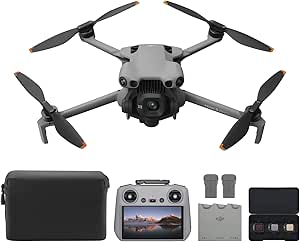
DJI Mini 5 Pro Fly More Combo with DJI RC 2

LG UltraGear evo 27-inch 5K Mini-LED Gaming Monitor
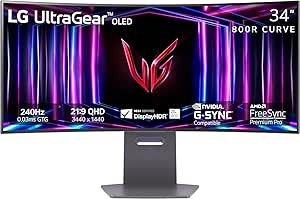
LG UltraGear 34-inch Curved OLED Gaming Monitor, WQHD 1440p, 240Hz, 0.03ms, 800R
As an affiliate, we earn on qualifying purchases.
Check console and PC support before you buy
Wireless gaming headsets work with the platforms listed for that exact model, using its supported connection method. A USB dongle that works on your PC does not automatically work on every console, and Xbox wireless support can differ from PlayStation, Switch, or mobile support.
That small compatibility detail can turn a bargain into a frustrating box on your desk. For example, if you move between a gaming PC and an Xbox, look up both devices in the headset’s official compatibility list before ordering. Check the exact model name and version; two products that look almost identical may support different platforms.
Look for the connection method, too. A headset may connect to a phone over Bluetooth but need its USB receiver for low-latency play. Some consoles have restrictions on which wireless accessories they accept, so do not treat “USB” as a universal promise.
Make your decision with a short checklist. Confirm your platform first, then verify how the headset connects and which features work on each device. Chat/game balance, equalizer controls, and companion software may be limited to particular systems. A feature listed on the product page may need a PC app even if you plan to play on console.
- Write down every device you plan to use.
- Check the manufacturer’s support list for the exact headset model.
- Confirm whether the dongle, Bluetooth, or another connection supports your intended use.
- Check whether chat, app controls, and spatial audio work on those devices.
Compare battery life, microphones, and daily controls
The best everyday headset balances reliable battery life, clear voice pickup, and controls you can reach without hunting through a menu. Published battery estimates depend on settings such as volume, lighting, and active noise cancellation, so the number on the box is a guide rather than a guarantee.
Imagine joining a three-hour evening session after work. If bright headset lighting drains the battery, you may get less use than the headline estimate suggests. Check whether the headset keeps working while charging or supports wired audio; those details can decide whether a low battery ends your game or only prompts you to plug in.
For chat, a convenient mute control can be as valuable as a long feature list. A good microphone should make your voice easy to understand, while any background-noise filtering should suit your room. A headset marketed as having “noise cancelling” may filter sounds from the microphone so teammates hear less keyboard clatter, or it may use active noise cancellation to reduce sound for you. Those are different functions.
Compare practical details before paying extra. On-headset volume and mute controls make quick changes easy; a game/chat balance wheel can help when footsteps drown out your friends. If you expect to take phone calls mid-game, confirm that the headset can mix Bluetooth and game audio rather than merely switching between them.
Find a headset you can wear through a long match
A comfortable headset stays put without squeezing your head, trapping too much heat, or pressing hard on your ears. Its weight, clamp force, headband, and ear-cup depth affect how it feels far more than a list of software features does.
Specifications can give you clues, but comfort is personal. If you wear glasses, for example, firm ear cushions may press the arms against your temples after an hour. Someone with larger ears may prefer deeper ear cups, while a player in a warm room may care more about breathable padding than a plush finish.
Picture the headset after two games, not just for the first five minutes in a shop. Does the headband leave a sore spot? Do your ears feel warm? Can you take it off and put it back on without adjusting the band every time? Those everyday moments tell you whether a design suits your routine.
Whenever possible, try a headset or buy from a seller with a clear return window. Check whether ear pads are replaceable and whether the maker sells parts. Cushions wear out, hinges can break, and batteries are not user-replaceable on every model. Good repair options may keep a headset in use long after a fixed cushion feels tired.
Separate useful sound features from marketing claims
Virtual surround or spatial audio can help some players notice direction, but a label like “3D audio” does not promise better aim or more accurate footsteps. The effect depends on the headset, platform, game, and software settings; well-tuned stereo can also work very well.
Sound preferences vary. One player may want strong bass for explosions; another may want a clearer midrange so teammates’ voices and small game sounds stand out. If a game offers its own spatial audio setting, combining it with a headset’s extra processing can sound spacious—or muddy. Try one setting at a time and keep the one that helps you locate sounds comfortably.
The same caution applies to phrases like “low latency.” They do not tell you whether the included receiver works with your device, how the headset behaves through a wall, or whether nearby wireless devices cause interference. A connection can sound steady at a desk and become less reliable when you move into another room.
Recent models increasingly combine multiple connections, companion-app equalizers, longer battery estimates, and sometimes active noise cancellation or swappable batteries. Feature names and product support change, so treat vendor claims as product claims. Check the official instructions for your current platform and game before relying on an advertised feature.
Choose a headset by matching it to your routine
Choose a headset by starting with the situations you actually play in: your main platform, the length of your sessions, and whether you need voice chat or phone audio. For competitive play, stable low-latency connectivity, a clear microphone, and comfortable fit deserve attention before virtual surround or decorative lighting.
Suppose you play quick competitive matches on a console and use your phone between rounds. A compatible 2.4 GHz receiver can handle game sound, while Bluetooth can be useful if the headset supports simultaneous phone audio. If you mostly play casual games on a phone, Bluetooth convenience may matter more; just make sure the delay feels acceptable in the games you enjoy.
Price does not settle the question on its own. A less expensive model with the right platform support and replaceable ear pads may serve you better than a costly headset whose extra features are locked to a computer you do not own. Check the warranty and parts availability alongside the advertised sound modes.
Before you buy, weigh the tradeoffs that shape daily use:
- Connection: Choose a supported 2.4 GHz option when timing and stable console or PC audio matter; consider Bluetooth for phone convenience.
- Power: Compare real-world battery expectations and confirm whether you can use the headset while charging.
- Comfort: Check the fit and return policy, especially if you wear glasses or play for hours.
- Sound and chat: Prioritize understandable voice pickup and usable controls, then try any surround modes with your own games.
Frequently Asked Questions
Are wireless gaming headsets as good as wired ones?
Many wireless models provide sound and microphone quality that works well for gaming, with the convenience of a cable-free setup. Wired headsets avoid charging and may offer simpler compatibility, while wireless models vary in delay, battery life, and connection stability.
Is Bluetooth good enough for gaming?
Bluetooth can work well for casual gaming, music, and phone use. Standard Bluetooth may add noticeable audio delay, so a supported 2.4 GHz gaming connection is generally a safer choice when timing matters.
How do I know if a headset will work with my console?
Check the manufacturer’s compatibility list for the exact model and console. Confirm both the connection method and feature support; USB receiver support, Bluetooth, and Xbox compatibility differ between headsets.
Can I hear game audio and phone calls at the same time?
Some dual-wireless headsets can mix game audio over 2.4 GHz with a Bluetooth call. Others let you switch between sources but cannot play both at once, so check the manual for simultaneous audio support.
What does noise cancellation mean on a gaming headset?
It can mean microphone filtering that reduces background sounds for teammates, or active noise cancellation that reduces ambient sound for the wearer. Check which feature the model offers; one does not imply the other.
Conclusion
Choose the headset that connects reliably to your platform, feels comfortable after a long session, and lets your friends hear you clearly. Start with compatibility and fit, then compare battery behavior and sound features against the games you actually play.
A great headset should disappear while you play: no cable tugging, no sore ears, no missed callouts. Just the match, the voices in your party, and the quiet click of a mute button when you need it.