
TL;DR
Image-Blaster is a new software that uses AI models to convert a single image into detailed 3D environments, meshes, and sound effects within minutes. It integrates with popular game engines and design tools, offering a quick start for 3D projects.
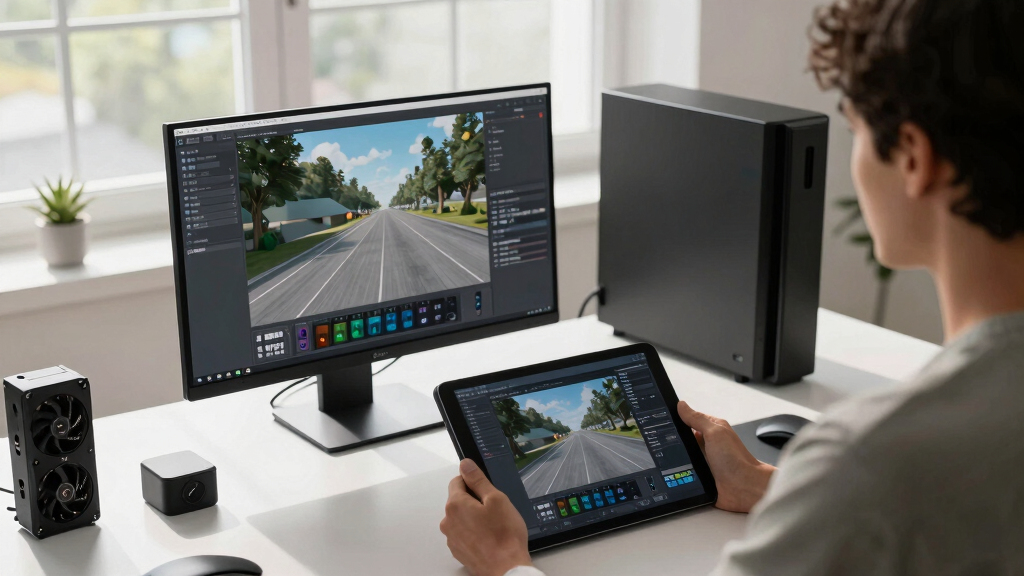
Developers have introduced Image-Blaster, a software tool capable of transforming a single image into a complete 3D environment, including models, static backgrounds, and sound effects, all in under five minutes. The tool aims to significantly accelerate 3D content creation for game developers, designers, and artists.
Image-Blaster leverages AI models from World Labs and FAL, combined with Claude skills, to generate detailed 3D models (.glb, .obj), static environment meshes, ambient sounds, and physics-based SFX (.mp3) from a single image. Users can run the process via terminal commands, inputting images into a designated folder and authenticating with API keys for Claude, World Labs, and FAL.
The tool supports extensions for integration into popular game engines like Unity, Unreal, and Godot, as well as DCC software such as Blender, 3DS Max, and Maya. It also offers web-based options through Three.js or Electron applications. Default models include marble-1.1 for environments, nano-banana for image cleanup, gpt-image-2 for image editing, hunyuan-3d for 3D object creation, and elevenlabs-sfx for sound effects.
Why It Matters
This development matters because it could drastically reduce the time and expertise needed to create detailed 3D environments, making 3D content creation more accessible and efficient. It has potential applications across gaming, architecture, film, and virtual reality, where rapid prototyping and environment generation are highly valuable.

Blender for Beginners Part 1: A reference guide to 3D modeling, shading, and animating workflows with Blender 4.5 LTS
As an affiliate, we earn on qualifying purchases.
As an affiliate, we earn on qualifying purchases.
Background
Traditional 3D modeling requires extensive manual work and specialized skills. Recent advances in AI have begun to automate parts of this process, but most tools still demand multiple images or complex workflows. Image-Blaster builds on these trends by offering a one-image solution, promising to streamline workflows for developers and artists. Its release follows ongoing industry interest in AI-powered content generation, with similar tools emerging in recent months.
“Image-Blaster can turn a single image into a detailed 3D environment in less than five minutes, opening new possibilities for rapid prototyping.”
— Developer Team
“Our models enable seamless integration with existing game engines and design software, making 3D content creation faster and more accessible.”
— World Labs spokesperson

Champion Power Equipment 4000-Watt RV Ready Portable Inverter Generator with Quiet Technology and Free 3-Year Warranty
- At less than 49 pounds, this inverter is…
- 64 dBA from 23 feet is perfect for…
- The optional parallel kit enables this inverter to…
As an affiliate, we earn on qualifying purchases.
As an affiliate, we earn on qualifying purchases.
What Remains Unclear
It is not yet clear how well the generated environments perform in complex or large-scale projects, or how the quality compares to manual modeling. The accuracy of physics and sound effects in dynamic scenarios remains to be tested in real-world applications. Further, the extent of customization and user control over the generated assets is still being evaluated.

46-Piece 3D Printer Accessories, 3D Printer Tool Kit for Cleaning & Removal
- Complete 46-Piece Tool Set: Includes tools for cleaning, removal, and finishing
- Dual Scraper Options: Wide metal for large prints, plastic for detailed edges
- Nozzle Maintenance Tools: Cleaning needles, brushes, tweezers, and wrench for routine care
As an affiliate, we earn on qualifying purchases.
As an affiliate, we earn on qualifying purchases.
What’s Next
Next steps include wider testing and user feedback, with potential updates to improve model quality, integration options, and customization features. Developers may also release tutorials and case studies demonstrating practical applications across industries.

Sound Effects Machine for Kids
- 20 Funny Sound Effects: Includes duck quacks, cheers, laughter, and more
- Adjustable Volume Control: Side knob for quiet or loud settings
- Portable and Lightweight: Pocket-sized with wrist strap for easy carrying
As an affiliate, we earn on qualifying purchases.
As an affiliate, we earn on qualifying purchases.
Key Questions
Can I use Image-Blaster for commercial projects?
Yes, but users should verify licensing terms of the generated assets and models, especially for commercial use, as those depend on the underlying AI models and software licenses.
What level of detail can Image-Blaster achieve?
The tool defaults to around 50,000 faces for models, with options to customize face count and PBR settings, allowing for a range of detail levels suitable for different project needs.
Does it support real-time editing or just batch processing?
Currently, Image-Blaster is designed for batch processing via terminal commands, with no indication of real-time editing capabilities in the initial release.
What types of environments can it generate?
It can create various environments such as game levels, architectural spaces, film locations, or even childhood rooms, depending on the input image and user preferences.