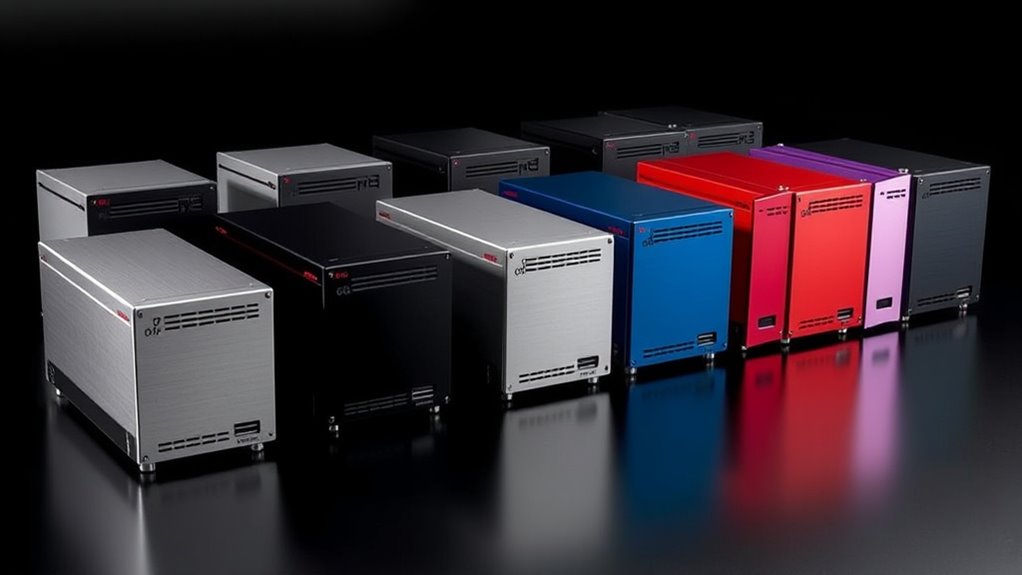

I’ve explored the top USB-C RAID enclosures of 2025, focusing on speed and dependability. From the versatile TERRAMASTER D2-320 and D4-320 to advanced options like the Sabrent 5-Bay and QNAP TR-004, these models offer high transfer speeds, robust build quality, and flexible RAID options. They’re perfect for professional workflows and data protection. If you want to discover which enclosure best suits your needs, keep going—you’re about to find out more.
Key Takeaways
- Look for enclosures supporting USB-C Gen 2 or Thunderbolt 3/4 for maximum data transfer speeds up to 10Gbps or higher.
- Prioritize models with hardware RAID options (RAID 0, 1, 5) for improved speed and data redundancy.
- Consider enclosures with multiple drive bays (2, 4, 5) and high-capacity support (up to 120TB) for scalability.
- Choose units with active cooling, vibration damping, and durable build quality to ensure reliability during intensive workloads.
- Check compatibility with your OS (Windows, macOS, Linux) and drive types (HDD/SSD) for seamless performance.
TERRAMASTER D2-320 USB RAID Enclosure
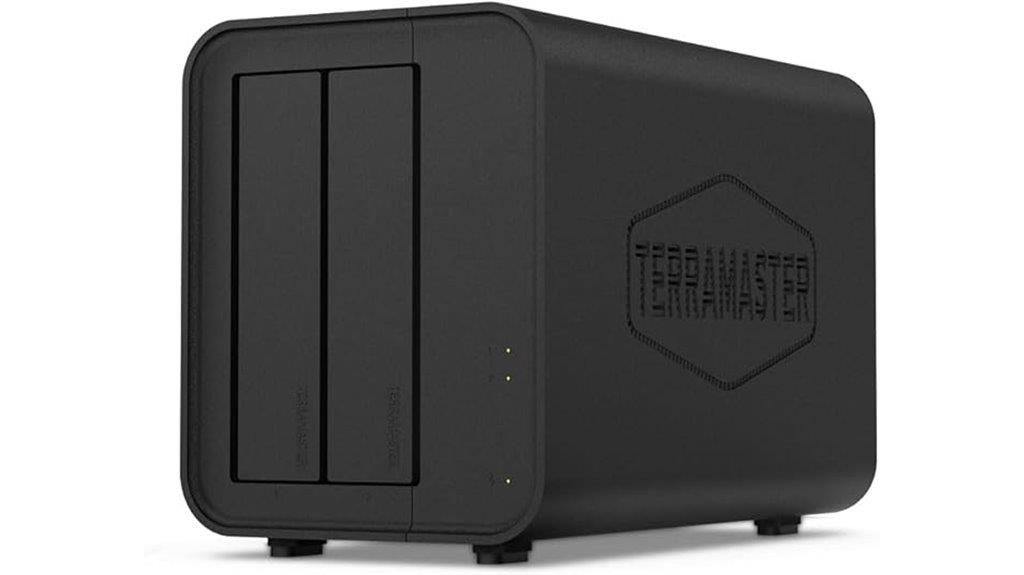
If you’re looking for a reliable and versatile RAID enclosure that’s easy to set up and maintain, the TERRAMASTER D2-320 is an excellent choice. It features a 2-bay design that supports both 3.5″ and 2.5″ SATA drives, offering flexible storage options. With USB 3.2 Gen 2, it delivers impressive transfer speeds—up to 521MB/s with HDDs and over 1GB/s with SSDs. The enclosure supports multiple RAID modes, including RAID 0 and 1, ensuring both performance and data security. Its tool-free tray and intelligent cooling make installation and maintenance simple, making it perfect for demanding storage needs.
Best For: users seeking a reliable, high-speed external RAID enclosure with easy setup and versatile drive options for both performance and data security.
Pros:
- Supports multiple RAID modes including RAID 0 and 1 for flexible performance and security options
- USB 3.2 Gen 2 interface delivers fast data transfer speeds up to 1GB/s with SSDs
- Tool-free installation and intelligent cooling design for easy maintenance and efficient heat dissipation
Cons:
- Limited to only two drive bays, which may not suit those needing larger storage arrays
- No built-in network access, so it’s not suitable as a NAS solution
- Maximum capacity per drive is 22TB, which might be insufficient for very large storage needs
TERRAMASTER D4-320 External Hard Drive Enclosure

The TERRAMASTER D4-320 stands out as an ideal choice for professionals and power users who need a high-performance external drive enclosure with versatile compatibility. It features four bays for HDDs or SSDs, supporting up to 120TB total capacity, without RAID, for maximum flexibility. With USB 3.2 Gen2 and Type-C interfaces, it delivers blazing fast transfer speeds up to 10Gbps, making large data transfers quick and efficient. Its tool-free, plug-and-play design simplifies setup and hot swapping. Plus, an intelligent fan and vibration damping keep noise levels low and heat managed, ensuring reliable operation even during demanding workloads.
Best For: professionals and power users seeking a high-performance, versatile external drive enclosure with large capacity and fast data transfer speeds.
Pros:
- Supports up to 120TB total capacity with four drives, offering ample storage flexibility.
- Achieves transfer speeds up to 10Gbps with USB 3.2 Gen2 and Type-C interfaces, enabling quick data transfers.
- Features tool-free, plug-and-play design with hot swapping, simplifying installation and maintenance.
Cons:
- No RAID functionality, which may be a limitation for users needing drive redundancy.
- Requires compatible 3.5-inch or 2.5-inch SATA HDDs/SSDs; does not include drives.
- Noise levels, while reduced, may still be noticeable under heavy workloads depending on drive types.
Sabrent 5-Bay USB 3.2 Gen 2 SATA Docking Station
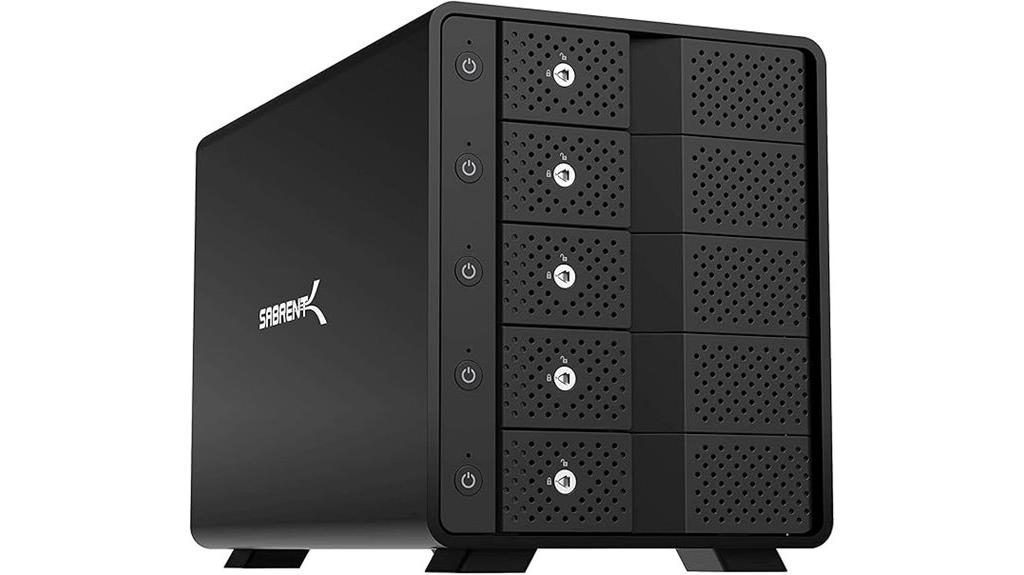
Designed for professionals who need reliable, high-capacity storage, the Sabrent 5-Bay USB 3.2 Gen 2 SATA Docking Station makes managing multiple drives straightforward with its tray-less, hot-swap design. It supports up to five 3.5” SATA HDDs or SSDs via a single USB-C port, offering transfer speeds up to 10Gbps. Built from durable aluminum and equipped with an active cooling fan, it ensures efficient heat dissipation and long-term performance. Each bay has individual on/off switches, LED indicators, and a locking key for security. With a capacity of 110TB, it’s perfect for backups, media libraries, and large data archiving.
Best For: professionals needing reliable, high-capacity, multi-drive storage for backups, media editing, and data archiving.
Pros:
- Supports up to five 3.5” SATA drives with hot-swap and tray-less design for easy drive management
- Built-in active cooling fan ensures efficient heat dissipation for long-term durability
- Individual on/off switches, LED indicators, and security lock provide flexible and secure operation
Cons:
- Audible cooling fan may generate noise during operation
- No RAID support, limiting advanced drive configuration options
- Large footprint and weight may require dedicated space for setup
QNAP TR-004 4 Bay USB Type-C DAS with hardware RAID
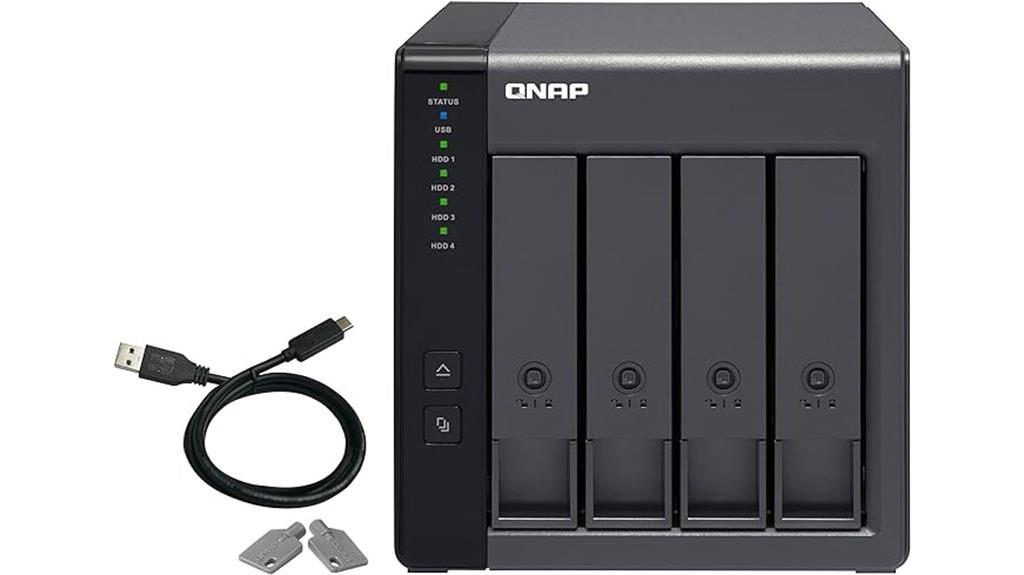
For those seeking reliable, hardware-accelerated RAID storage for professional or personal use, the QNAP TR-004 4 Bay USB Type-C DAS stands out as a versatile choice. It supports four SATA drives and offers hardware RAID options like RAID 0, 1, 5, JBOD, and individual disk mode, ensuring flexible data management. Its compatibility across Windows, macOS, and Linux makes it suitable for various setups. The lockable bays enhance security, while the included USB-C to Type-A cable provides connection versatility. Keep in mind, it’s designed solely for direct-attached storage and doesn’t integrate with NAS pools or support drive migration between NAS and DAS devices.
Best For: professionals and enthusiasts seeking reliable, hardware-accelerated external RAID storage compatible with Windows, macOS, and Linux.
Pros:
- Supports multiple hardware RAID configurations including RAID 0, 1, 5, JBOD, and individual disk mode for versatile data management
- Compatible across Windows, macOS, and Linux platforms for flexible setup options
- Lockable drive bays enhance physical security and drive management
Cons:
- Cannot be integrated into NAS storage pools or volumes, limiting NAS ecosystem compatibility
- Does not support drive migration to or from NAS devices, restricting portability between systems
- Limited to direct-attached storage, with no support for NAS applications or network sharing
4 Bay Hard Drive RAID Enclosure with Cooling Fan for SATA HDD/SSD
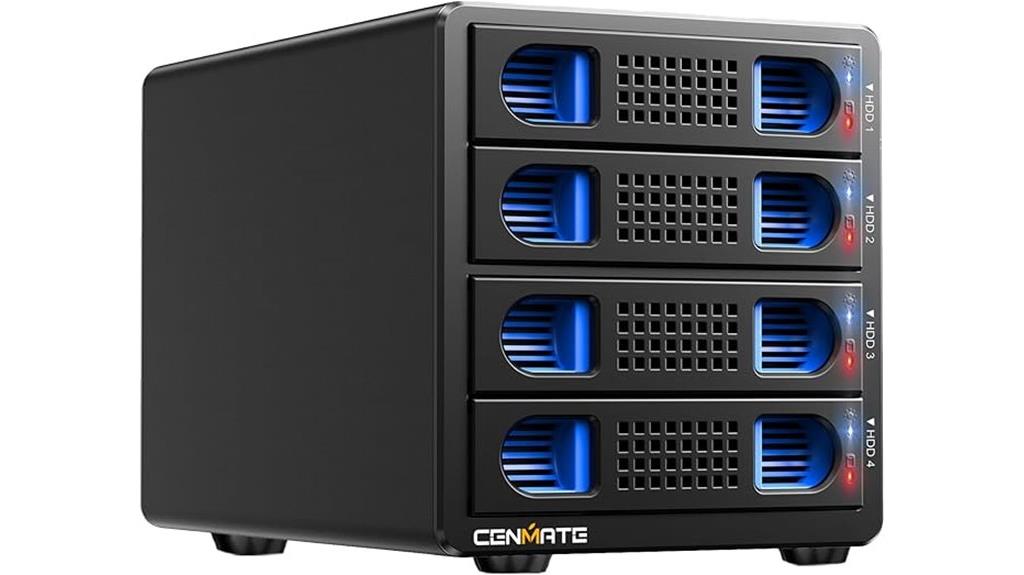
If you’re seeking a reliable RAID enclosure that handles multiple drives with ideal cooling, the Cenmate 4 Bay Hard Drive RAID Enclosure is a strong choice. It supports 2.5/3.5-inch SATA HDDs and SSDs, with a capacity up to 80TB. Made from aluminum-alloy, it features built-in 2-inch fans for effective heat dissipation, ensuring data security. With USB A/C 3.0 and eSATA options, it offers versatile connectivity. Supporting eight RAID modes, it’s suitable for both personal and enterprise use, though switching modes requires caution. Its robust construction and cooling design make it a dependable option for high-speed, reliable storage.
Best For: users seeking a durable, high-capacity RAID enclosure with efficient cooling for professional or personal data storage needs.
Pros:
- Supports up to 80TB total capacity with flexible RAID modes for tailored data management.
- Built-in aluminum-alloy body and 2-inch fans ensure effective heat dissipation and data security.
- Compatible with multiple operating systems and offers versatile USB A/C 3.0 and eSATA connectivity.
Cons:
- Switching RAID modes requires power disconnection and manual procedures, which can be inconvenient.
- Fan noise ranges from 40-50 decibels, potentially disruptive in quiet environments.
- No RAID software support for Mac OS, requiring manual toggling which may be less user-friendly.
4 Bay Hard Drive Enclosure with Cooling Fan for SATA HDD/SSD
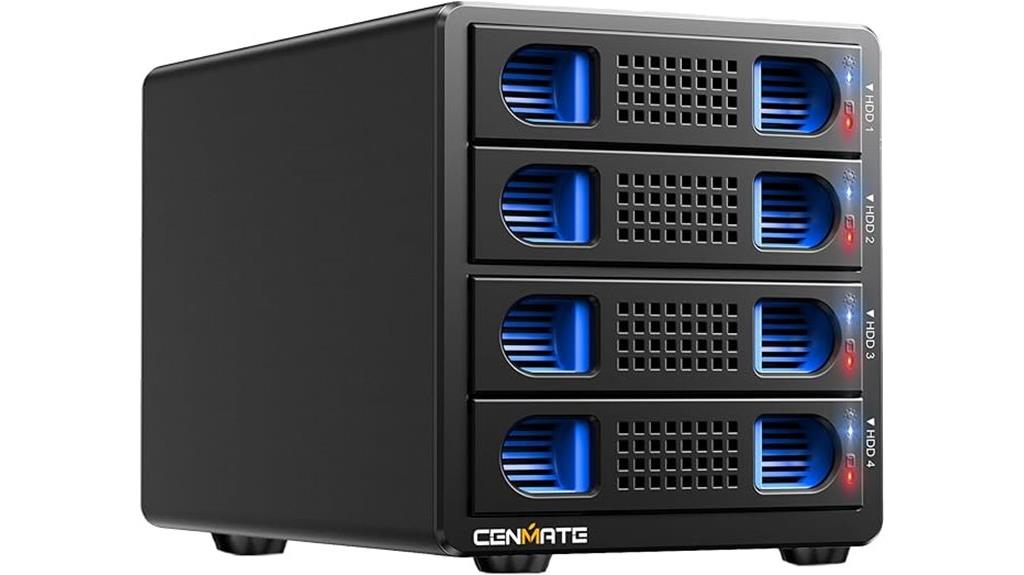
The Bay Hard Drive Enclosure with Cooling Fan stands out as an excellent choice for users seeking reliable, high-capacity storage with built-in thermal management. It supports 2.5/3.5-inch SATA HDD/SSD drives with a total capacity of up to 80TB, perfect for both personal and professional use. Its durable aluminum-alloy construction guarantees heat dissipation, while the 2-inch fan prevents overheating, maintaining data security. With USB 3.0 and UASP support, it offers fast transfer speeds up to 5Gbps. Its plug-and-play design makes setup easy across Windows, Mac, and Linux, with no extra drivers required.
Best For: users who need a high-capacity, reliable, and thermally efficient storage solution for personal or professional data management.
Pros:
- Supports up to 80TB total capacity with hot-swappable drives for convenience.
- Durable aluminum-alloy construction with an integrated 2-inch fan for effective heat dissipation.
- Fast data transfer speeds up to 5Gbps via USB 3.0 and UASP support, ideal for quick backups and large file transfers.
Cons:
- Fan noise ranges from 40-50 decibels, which may be noticeable in quiet environments.
- Requires a DC 12V power adapter, adding to cable clutter and setup complexity.
- Compatibility limited to Windows 7+, Mac 9.1+, and Linux; may not work with older operating systems or devices without USB 3.0 ports.
Yottamaster 5 Bay RAID Hard Drive Enclosure (PS500RC3)

Designed for professionals handling large data volumes, the Yottamaster 5 Bay RAID Hard Drive Enclosure (PS500RC3) stands out with support for up to five SATA drives, each up to 18TB, delivering a total of 80TB storage. It’s compatible with 2.5-inch and 3.5-inch SATA HDDs and SSDs, making installation straightforward with five removable trays that ensure secure fixing and shock protection. The enclosure offers multiple RAID modes—RAID 0/1/3/5/10, JBOD, and clone—allowing flexible data management. Built with rugged aluminum, it features efficient cooling via front and rear ventilation and an intelligent 80mm fan, ensuring reliable operation with minimal noise.
Best For: professionals and businesses requiring extensive, reliable storage solutions with versatile RAID configurations and high-capacity drives.
Pros:
- Supports up to 80TB total storage with five drives, ideal for large data files and backups
- Multiple RAID modes (0/1/3/5/10, JBOD, clone) for flexible data management and workflow optimization
- Rugged aluminum construction with efficient cooling system ensures durability and quiet operation
Cons:
- May require external power sources for high-capacity or high-power drives
- Setup and management can be complex for users unfamiliar with RAID configurations
- Data transfer speeds limited to USB 3.1 Type-C maximum of 5Gbps, which might be slower than some enterprise solutions
Dual Bay Raid SSD Enclosure with Clone Mode & Raid 0/1/JBOD
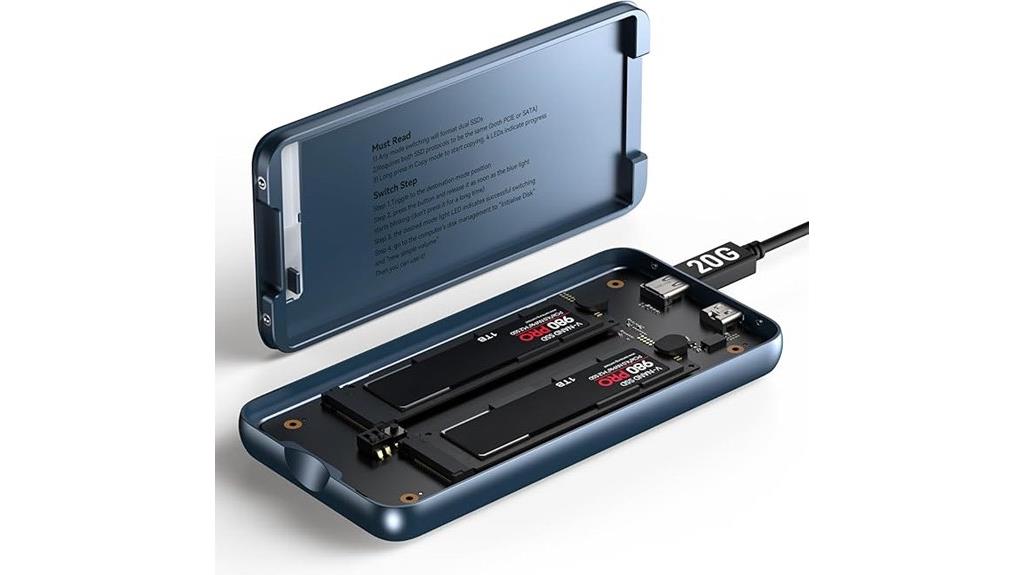
For professionals who need reliable data management and flexible storage options, the dual bay RAID SSD enclosure with clone mode and multiple RAID configurations is an ideal choice. It supports RAID 0 for speed, RAID 1 for data redundancy, JBOD for independent drives, and clone mode for quick disk duplication. Its tool-free design makes installation and SSD swapping effortless, and compatibility with PCIe NVMe M.2 SSDs ensures versatility for backups and large file transfers. Made from durable aluminum, it stays cool and lightweight, perfect for on-the-go use. With transfer speeds up to 20Gbps and external power support, it handles high-capacity SSDs seamlessly.
Best For: professionals and power users seeking flexible, high-speed data management and reliable storage solutions on the go.
Pros:
- Supports multiple RAID modes including RAID 0, RAID 1, JBOD, and Clone for versatile storage options.
- Tool-free design allows quick installation and SSD swapping without additional tools.
- High data transfer speeds up to 20Gbps and durable aluminum build for efficient heat dissipation.
Cons:
- External power supply may be required for high-capacity SSDs, adding to setup complexity.
- Compatibility limited to PCIe NVMe M.2 SSDs, excluding SATA drives.
- The compact design may limit the number of drives or expansion options in certain setups.
Mediasonic 4 Bay SATA Hard Drive Enclosure (HFR7-SU31CH)
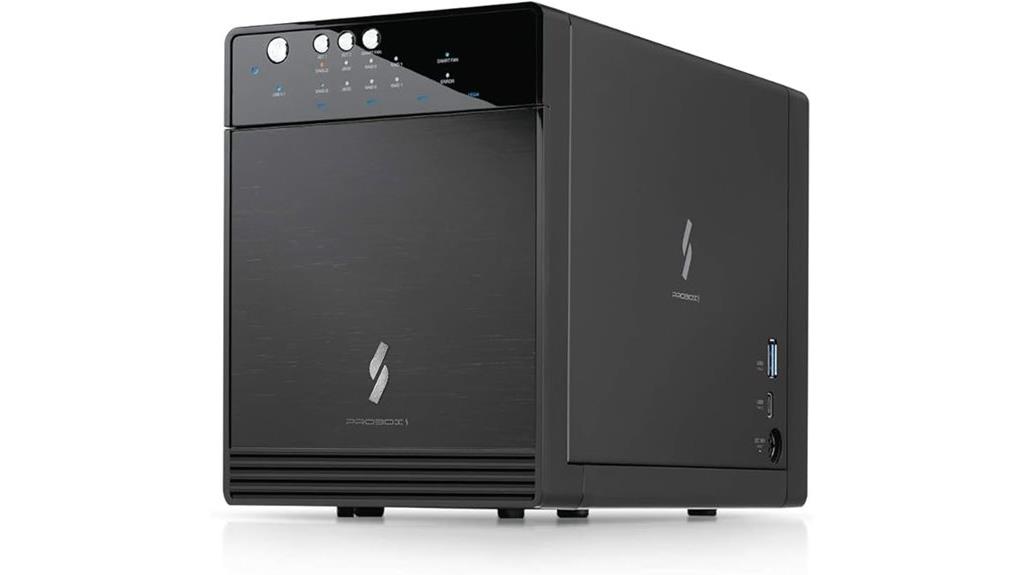
If you need a reliable RAID enclosure that combines high-capacity storage with easy operation, the Mediasonic 4 Bay SATA Hard Drive Enclosure (HFR7-SU31CH) is an excellent choice. It features a built-in hardware RAID controller supporting RAID 0/1 and single drive modes, making setup straightforward with just one button. Compatible with Windows, Mac, and Linux, it supports drives up to 30TB and offers fast transfer speeds up to 10Gbps via USB 3.2 Gen 2 Type C. Additional features like smart fan control, daisy chaining, and built-in USB hubs make it ideal for data backup, media workflows, and high-capacity needs.
Best For: users seeking high-capacity, reliable RAID storage with easy setup for data backup, media editing, or expanding storage across Windows, Mac, and Linux systems.
Pros:
- Supports hardware RAID 0/1 and single drive mode for flexible data management
- Fast transfer speeds up to 10Gbps via USB 3.2 Gen 2 Type C interface
- Tool-free installation and built-in USB hub for convenient drive setup and expansion
Cons:
- Does not support auto Power-On after power failure, requiring manual startup
- Requires additional bracket for 2.5” SATA SSD/HDD installation
- No built-in auto RAID configuration; setup is manual through the hardware button
Aluminum Dual Bay Hard Drive RAID Enclosure

The Aluminum Dual Bay Hard Drive RAID Enclosure stands out as an excellent choice for users seeking reliable, high-capacity external storage with flexible RAID options. It supports 2.5″ and 3.5″ SATA drives up to 20TB each, making it suitable for personal or enterprise use while conserving desktop space. With four RAID modes—including RAID 0, RAID 1, JBOD, and Normal—it offers versatile data management. Equipped with a USB 3.0 interface and JMS561 chip, it delivers speeds up to 5Gbps. Its aluminum construction and built-in fan guarantee efficient cooling, maximizing data security, though noise levels are around 40-50 decibels.
Best For: users seeking a reliable, high-capacity external storage solution with flexible RAID options for personal or enterprise use.
Pros:
- Supports both 2.5″ and 3.5″ SATA drives up to 20TB each for extensive storage needs.
- Multiple RAID modes (RAID 0, RAID 1, JBOD, Normal) for versatile data management.
- Aluminum construction with a built-in fan ensures efficient cooling and data security.
Cons:
- Fan noise levels range from 40-50 decibels, which may be disruptive in noise-sensitive environments.
- RAID configuration requires pressing and holding the Reset button for 5 seconds after setup, which may be less intuitive.
- No additional software needed; while plug-and-play, initial setup for RAID modes may be somewhat technical for beginners.
OWC Express 4M2 USB4 RAID Storage Enclosure for NVMe M.2 SSDs

When seeking a high-performance, versatile RAID enclosure, the OWC Express 4M2 USB4 stands out with its impressive real-world transfer speed of up to 3200MB/s. It’s compatible with USB4, Thunderbolt, and USB-C Macs and PCs, making it highly flexible. Its rugged, aircraft-grade aluminum body ensures durability and effective heat dissipation, maintaining consistent performance. The enclosure supports various NVMe M.2 SSD sizes and allows DIY assembly with your chosen drives. Designed for RAID configurations, including RAID 0, 1, 4, 5, and more, it offers robust options for speed and redundancy. Plus, it comes with a 2-year warranty and a USB-C 40Gb/s cable.
Best For: professionals and enthusiasts seeking high-speed, versatile RAID storage solutions for NVMe M.2 SSDs on Mac or PC with robust build quality and flexible RAID options.
Pros:
- Delivers real-world speeds of up to 3200MB/s for fast data transfer.
- Compatible with multiple interfaces including USB4, Thunderbolt, and USB-C Macs and PCs.
- Supports a wide range of NVMe M.2 SSD sizes and RAID configurations, with DIY assembly flexibility.
Cons:
- May require technical knowledge for RAID setup and drive installation.
- Slightly heavier due to aircraft-grade aluminum construction.
- Limited to NVMe M.2 SSDs; not compatible with 2.5″ or SATA drives.
Oyen Digital MiniPro RAID V4 USB-C (10Gbps) Dual Bay Enclosure
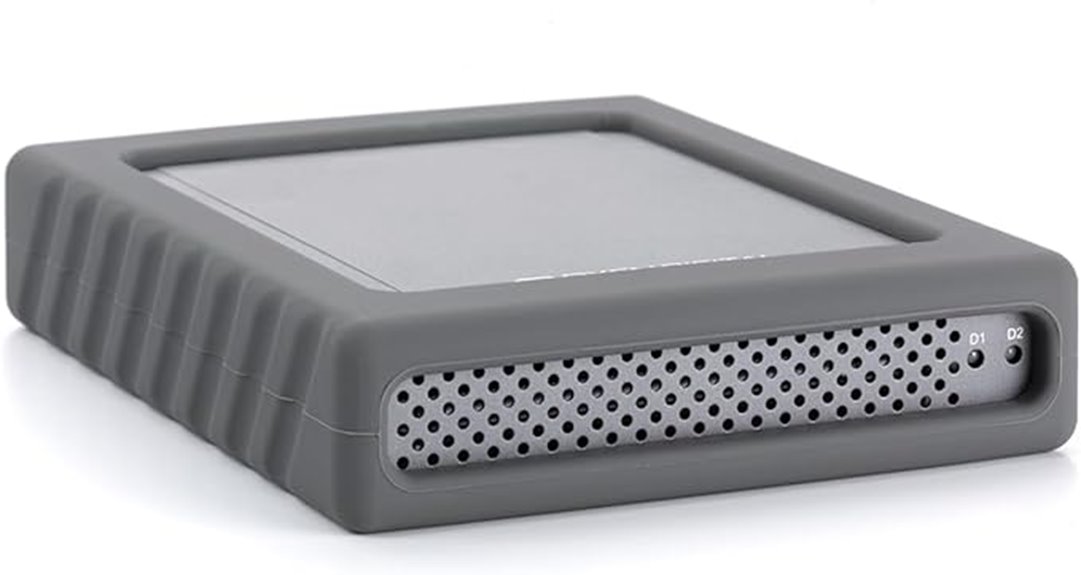
Designed for users who need a reliable and versatile dual-drive enclosure, the Oyen Digital MiniPro RAID V4 USB-C offers impressive transfer speeds and easy setup. It features a USB Gen II (10Gbps) Type-C interface compatible with Thunderbolt 3 and 4, ensuring fast data transfer. Supporting two 2.5-inch SATA drives up to 15mm thick, it can be configured in JBOD, RAID 0, RAID 1, or BIG modes, without any software. Whether bus-powered or using the included external adapter, it provides flexible power options. Backed by a 3-year warranty, the MiniPro RAID V4 is a solid choice for reliable, high-speed dual-drive storage.
Best For: users seeking a reliable, high-speed dual-drive enclosure with flexible RAID configurations and easy setup for professional or personal data storage.
Pros:
- Supports USB Gen II (10Gbps) Type-C interface compatible with Thunderbolt 3 & 4 for fast data transfer
- Offers multiple RAID modes (JBOD, RAID 0, RAID 1, BIG) with no software needed, simplifying setup
- Supports two 2.5-inch SATA drives up to 15mm thick, providing versatile storage options
Cons:
- Limited to two drives; not suitable for users needing larger or more complex storage arrays
- No included software, which may be a drawback for users seeking advanced management tools
- External power supply may be required for certain configurations, adding to setup complexity
Oyen Digital Mobius 2C RAID 2-Bay USB-C Hard Drive Enclosure

If you’re seeking a reliable RAID enclosure that simplifies data management, the Oyen Digital Mobius 2C stands out with its tray-less design and versatile connectivity options. It supports two 3.5-inch SATA drives and offers compatibility with USB-C, Thunderbolt 3 & 4, making it flexible for various setups. The aluminum housing and quiet fan guarantee excellent heat dissipation, enhancing drive longevity. With RAID support, it’s reliable for data storage and easy to set up. Weighing just under 6 pounds, it’s sturdy yet portable. Overall, the Mobius 2C combines speed, reliability, and user-friendly features perfect for demanding workflows.
Best For: professionals and enthusiasts seeking a reliable, high-performance RAID enclosure with easy setup and versatile connectivity for demanding data storage needs.
Pros:
- Supports multiple RAID configurations for flexible data management.
- Tray-less drive insertion simplifies setup and maintenance.
- Aluminum housing and quiet fan provide excellent heat dissipation and reduced noise.
Cons:
- Slightly heavy at just under 6 pounds, which may affect portability.
- Limited to two 3.5-inch SATA drives, restricting expandability.
- Customer reviews indicate some users may experience setup or compatibility issues with certain systems.
Aluminum Dual Bay Hard Drive Enclosure with Cooling Fan
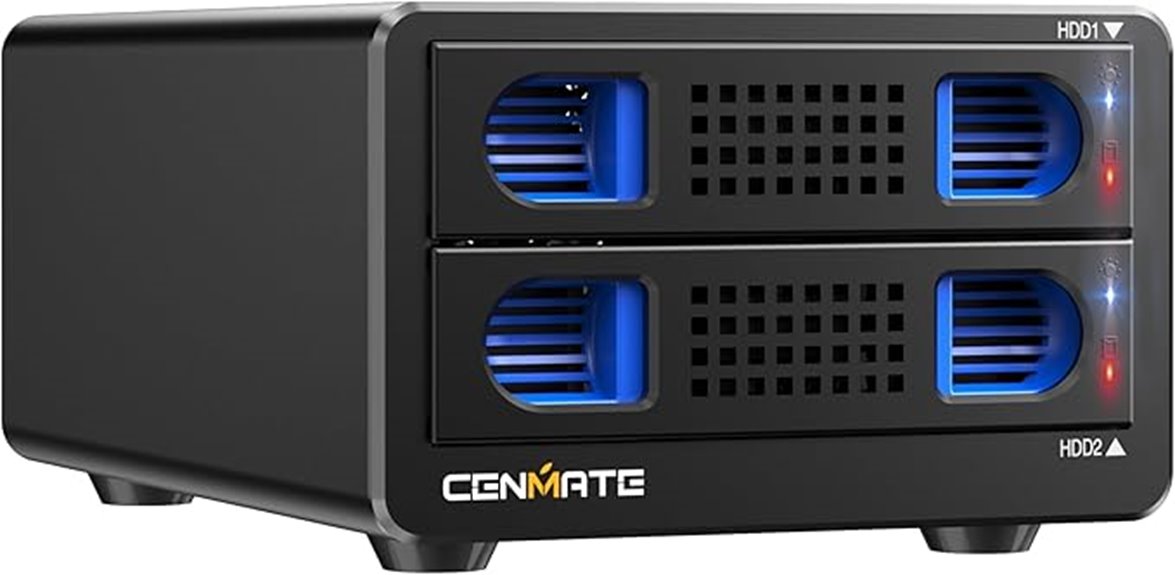
The Aluminum Dual Bay Hard Drive Enclosure with Cooling Fan is an ideal choice for users who need reliable, high-capacity storage with efficient thermal management. It supports 2.5/3.5-inch SATA HDDs and SSDs up to 20TB per drive, making it suitable for both personal and enterprise use. With USB 3.0, it delivers transfer speeds up to 5Gbps, enabling quick file transfers. The aluminum construction and built-in 2-inch fan help prevent overheating, ensuring data security. Its tool-free, hot-swappable design simplifies drive installation and replacement. Plus, daisy chain support allows connecting up to three devices for expanded storage, making it versatile and user-friendly.
Best For: users seeking a reliable, high-capacity external storage solution with efficient cooling and easy drive management for personal or enterprise use.
Pros:
- Supports up to 20TB per drive, suitable for large data storage needs
- Tool-free, hot-swappable design simplifies drive installation and replacement
- Aluminum construction with built-in fan ensures effective heat dissipation and data security
Cons:
- Fan noise ranges between 40-50 decibels, which may be disruptive in quiet environments
- Not compatible with Windows XP or earlier operating systems
- Daisy chain support is limited to three devices, potentially restricting expansion for very large setups
MAIWO Dual Bay RAID Enclosure for SATA Drives
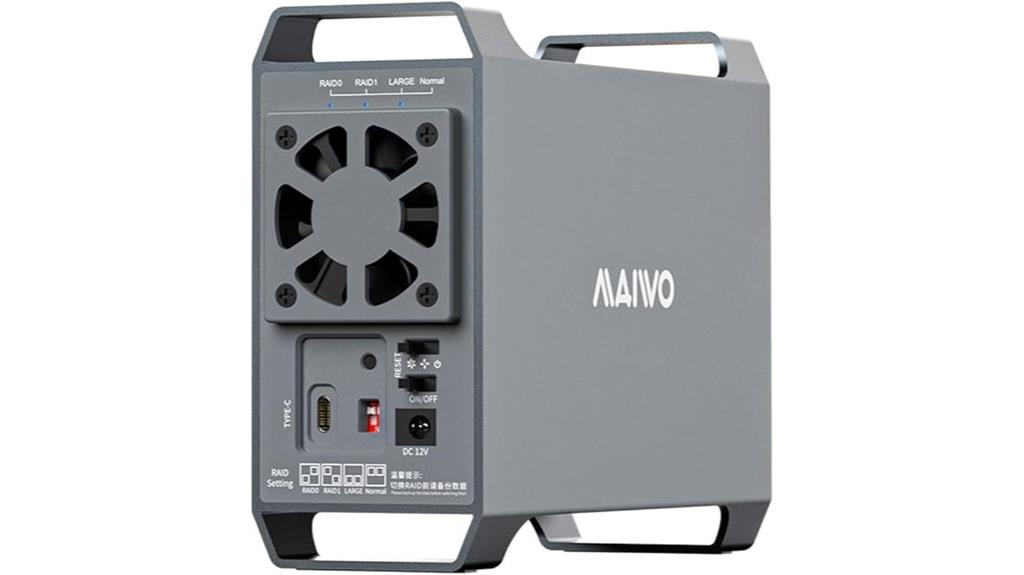
For users seeking a reliable RAID enclosure that balances performance and flexibility, the MAIWO Dual Bay RAID Enclosure for SATA drives stands out with its support for both 2.5″ and 3.5″ drives and multiple RAID modes. It supports 3.5″ drives up to 24TB each, offering a total of 48TB of storage, with an optional bracket for 2.5″ drives. Its four RAID modes—RAID 0, RAID 1, JBOD, and Normal—cover backup, speed, and expansion needs. Using USB 3.1 Gen2 and UASP, it delivers up to 10Gbps speeds, while an aluminum chassis and cooling fan keep drives cool during heavy use.
Best For: users who need a reliable and versatile RAID enclosure supporting both 2.5″ and 3.5″ SATA drives with multiple RAID configurations for data backup, transfer, and expansion.
Pros:
- Supports up to 48TB total storage with 3.5″ drives and an optional bracket for 2.5″ drives.
- Offers four RAID modes (RAID 0, RAID 1, JBOD, Normal) to meet various data management needs.
- Utilizes USB 3.1 Gen2 with UASP protocol for speeds up to 10Gbps with effective heat dissipation and cooling.
Cons:
- Mechanical HDDs are limited to around 6Gbps transfer speed despite the 10Gbps potential.
- Requires an additional bracket for 2.5″ drives, which may be an extra step for some users.
- High-performance features depend on compatible drives and host system; actual speeds may vary.
Factors to Consider When Choosing Raid Enclosures Usb C
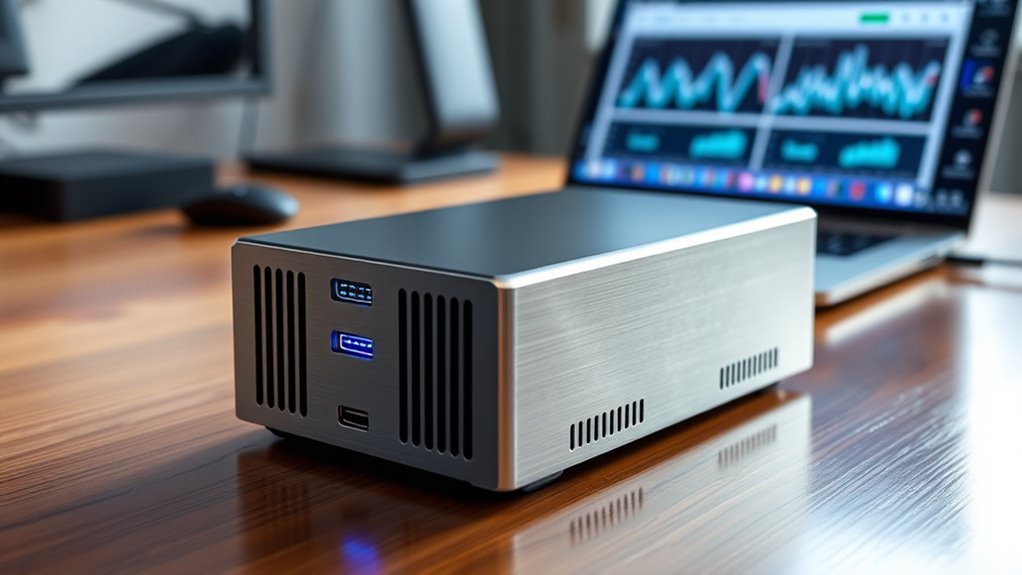
When selecting a USB-C RAID enclosure, I focus on compatibility with my devices and the available storage options to guarantee it meets my needs. I also consider the RAID modes offered, data transfer speeds, and how well it manages heat and noise levels. These factors help me choose a reliable enclosure that balances performance and practicality.
Compatibility With Devices
Choosing a USB-C RAID enclosure that works seamlessly with your device requires careful attention to compatibility factors. First, make certain the enclosure supports your device’s USB-C interface, whether it’s Thunderbolt 3, Thunderbolt 4, or USB 3.2 Gen 2, for peak performance. Check if it’s compatible with your operating system—Windows, macOS, or Linux—to avoid driver or recognition issues. Also, verify that the enclosure supports your drive type, such as SATA HDDs, SSDs, or NVMe M.2 drives, matching your storage needs. Power requirements matter too; confirm if it’s bus-powered or needs external power, aligning with your device’s capabilities. Finally, make sure the enclosure’s connection ports and data transfer speeds are compatible to guarantee smooth integration and top performance.
Storage Capacity Options
Selecting the right USB-C RAID enclosure involves paying close attention to its storage capacity options in order to meet your current and future needs. Many enclosures support multiple drives, often up to 20TB or more per bay, providing extensive storage possibilities. When fully populated, some models can exceed 80TB total capacity, ideal for large media libraries or enterprise backups. The maximum capacity per drive varies, with options for 2.5-inch drives up to 30TB and 3.5-inch drives up to 22TB or higher. Compatibility with different drive sizes and capacities offers flexibility as your data storage needs grow. Be sure to take into account both the maximum supported capacity per bay and the total capacity of the enclosure to ensure it aligns with your evolving storage requirements.
RAID Mode Flexibility
Flexible RAID mode support is essential because it allows you to customize your storage setup to match your specific performance and redundancy needs. With options like RAID 0, 1, 5, 10, JBOD, and individual disk modes, you can tailor your configuration for speed, data protection, or capacity. Enclosures that support multiple modes let you switch seamlessly without risking data loss, as long as proper procedures are followed. The choice between hardware and software RAID impacts ease of use—hardware offers speed and stability, while software provides flexibility. Supporting various RAID modes helps optimize your storage for different tasks, whether it’s quick backups, high-speed transfers, or fault tolerance. This adaptability makes USB-C RAID enclosures suitable for both professional workflows and personal use.
Data Transfer Speed
When evaluating USB-C RAID enclosures, the maximum data transfer speed is a crucial factor to contemplate, as it directly impacts how quickly you can move large files or perform backups. Enclosures supporting USB 3.2 Gen 2 can reach speeds up to 10Gbps, enabling rapid transfer of sizable data. However, actual speeds depend heavily on the drives used—NVMe SSDs outperform SATA HDDs considerably. RAID configurations like RAID 0 can boost throughput, providing higher aggregate read/write speeds. Additionally, features like UASP support improve transfer efficiency by reducing latency, making data movement smoother. Keep in mind that the enclosure’s internal hardware—controllers and chips—also plays an essential role, as it can either bottleneck or enhance overall data throughput. Choosing an enclosure with quality components maximizes your transfer speeds.
Cooling and Noise Levels
Cooling and noise levels are important factors to contemplate because they directly affect your workspace environment and the reliability of your drives. Proper cooling prevents overheating, which can cause performance issues or drive failures. Many RAID enclosures feature built-in fans or heat sinks to manage heat, with some using temperature sensors and automatic fan control for ideal balance. Effective heat dissipation, through ventilation or aluminum construction, is essential, especially when running multiple high-capacity drives. However, fans can generate noise levels around 40 to 50 decibels, which might be noticeable in quiet settings. Choosing an enclosure with efficient airflow design and noise-reducing features ensures your drives stay cool without disrupting your workspace, maintaining both performance and comfort during prolonged use.
Ease of Setup
Choosing a RAID enclosure with ease of setup can save you time and frustration. Look for models with tool-free drive bays, so installing or swapping drives is quick and simple. Opt for plug-and-play support to avoid complex configuration steps—this makes setup straightforward even for beginners. A user-friendly interface and clear control panel are essential for managing RAID modes without confusion. Enclosures that include detailed instructions or setup guides can further reduce setup time and prevent mistakes. Additionally, consider units with automatic or simplified RAID mode switching features, which help you change configurations effortlessly. Overall, a hassle-free setup process ensures you spend less time configuring and more time utilizing your storage, making your experience smoother and more efficient.
Frequently Asked Questions
What Is the Typical Lifespan of RAID Enclosures Under Heavy Use?
Typically, RAID enclosures last about 3 to 5 years under heavy use, but this depends on factors like build quality and maintenance. I’ve found that regularly checking connections, keeping firmware updated, and avoiding overheating can extend their lifespan. If I notice frequent errors or slowdowns, I consider replacing or upgrading. Proper care guarantees your enclosure stays reliable longer, safeguarding your data and investment.
How Do RAID Enclosures Handle Data Recovery After Failure?
Did you know that over 90% of RAID enclosure failures can be recovered with proper procedures? When a failure occurs, I typically rely on the RAID configuration—like mirroring or parity—to restore data. Many enclosures include built-in recovery tools or support third-party software, making the process straightforward. I always back up critical data separately too, so recovery is smoother and minimizes downtime after any hardware issues.
Are There Compatibility Issues With Specific Operating Systems?
Yes, compatibility can be an issue. I’ve found that some USB-C RAID enclosures work seamlessly with Windows, but struggle with Mac or Linux systems. It’s important to check the enclosure’s specifications and supported OS. I always verify that my enclosure has drivers or firmware updates for my OS to avoid hiccups. Doing a quick compatibility check before buying saves me time and frustration down the line.
Can RAID Enclosures Be Upgraded With New Drives Easily?
Absolutely, upgrading your RAID enclosure with new drives is usually straightforward. I’ve found that many models support hot-swapping, so I can replace or add drives without shutting down. Just make certain the enclosure’s design allows for easy drive access and check compatibility with your current setup. Overall, most modern RAID enclosures are built for simple upgrades, making it easy to boost storage capacity or improve performance whenever needed.
What Are the Noise Levels of High-Capacity RAID Enclosures?
High-capacity RAID enclosures can be quite noisy, especially during intense read/write operations. I’ve noticed that the noise levels vary depending on the model and cooling system, but generally, they emit a constant hum or whir that’s noticeable in quiet environments. If noise is a concern, I recommend choosing enclosures with good airflow and quieter fans, or placing them in a separate room to minimize disturbance.
Conclusion
Choosing the right USB-C RAID enclosure can boost your data transfer speeds by up to 50%, making backups and workflows faster and more reliable. With options ranging from 2 to 5 bays, there’s something for everyone, whether you’re a creative professional or a data enthusiast. Remember, investing in a quality enclosure not only enhances performance but also safeguards your valuable data. Don’t settle for less—your data’s speed and safety depend on it.