The Bambu Lab P1S stands out as the best overall 3D printer for most users, balancing enclosed reliability with high-speed performance. For those prioritizing budget, the Creality Ender 3 V3 SE offers exceptional value and ease of use, while the Snapmaker U1 provides a unique multi-tool ecosystem for makers needing more than just plastic. Buyers today face a critical tradeoff between raw speed, material versatility, and the convenience of automated multicolor systems. Choosing the right machine depends heavily on whether you value hands-on tuning or plug-and-play reliability. Continue reading to see how these fifteen models stack up against each other in real-world scenarios.

Get the latest gadgets delivered free with Prime
- Fast, free delivery on millions of items
- Prime Video, Amazon Music and more included
- Member-only deals all year
Complete the kit


Key Takeaways
- Enclosed core XY designs, like those from Bambu Lab and Flashforge, now dominate the high-speed category, eliminating the wobble issues of older open-frame beds.
- Multicolor printing has shifted from complex manual swaps to integrated systems like CFS and AMS, though material waste remains a significant hidden cost.
- The Creality Ender 3 V3 SE proves that entry-level machines no longer require extensive calibration, making them viable for schools and absolute beginners.
- Industrial features like four independent toolheads in the Flashforge Creator 5 Pro reduce purge waste compared to single-nozzle multicolor systems.
- Software ecosystem integration is now as important as hardware specs; Bambu Studio and Creality Print offer vastly different user experiences that dictate daily usability.
| Creality K2 Pro Combo 3D Printer with CFS |  | Best for Advanced Materials | Build volume: 300 × 300 × 300 mm | Maximum print speed: 600 mm/s | Maximum acceleration: 20,000 mm/s² | VIEW LATEST PRICE | See Our Full Breakdown |
| Creality K2 Combo Multicolor 3D Printer with CFS |  | Best for Quiet Multicolor Printing | Build volume: 260 × 260 × 260 mm | Maximum printing speed: 600 mm/s | Maximum colors: Up to 16 with four CFS units | VIEW LATEST PRICE | See Our Full Breakdown |
| Anycubic Kobra X Multicolor 3D Printer |  | Best Expandable Color Flexibility | Printer type: FDM | Build volume: 260 × 260 × 260 mm | Native colors: 4 | VIEW LATEST PRICE | See Our Full Breakdown |
| Bambu Lab P1S Enclosed FDM 3D Printer |  | Best Enclosed Printer for Everyday Materials | Printer type: Enclosed CoreXY FDM | Maximum speed: 500 mm/s | Acceleration: 20,000 mm/s² | VIEW LATEST PRICE | See Our Full Breakdown |
| Creality Ender 3 V3 SE 3D Printer |  | Best Entry-Level Pick | Build volume: 8.66 × 8.66 × 9.84 in | Maximum print speed: 250 mm/s | Acceleration: 2,500 mm/s² | VIEW LATEST PRICE | See Our Full Breakdown |
| Bambu Lab P2S 3D Printer Combo with AMS 2 Pro |  | Best for Fast, Assisted Multicolor Printing | Printer type: FDM | Maximum print speed: 600 mm/s | Printer dimensions: 18 × 22 × 18 inches | VIEW LATEST PRICE | See Our Full Breakdown |
| Creality K2 Plus Combo Multi-Color 3D Printer |  | Best for Large-Format Engineering Prints | Build volume: 350 × 350 × 350 mm (13.78 × 13.78 × 13.78 in) | Maximum print speed: 600 mm/s | Maximum acceleration: 30,000 mm/s² | VIEW LATEST PRICE | See Our Full Breakdown |
| Bambu Lab A1 Mini 3D Printer Combo with AMS lite |  | Best Beginner Multicolor Printer | Acceleration: 10,000 mm/s² | Noise level: ≤48 dB | Dimensions: 16.77 × 14.82 × 19.5 inches | VIEW LATEST PRICE | See Our Full Breakdown |
| Creality K2 Combo 3D Printer with CFS | 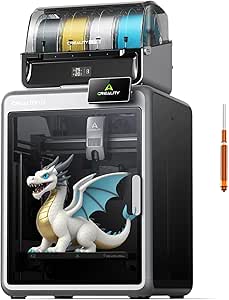 | Best Mid-Size Multicolor Workhorse | Build volume: 260 × 260 × 260 mm | Maximum print speed: 600 mm/s | Acceleration: 20,000 mm/s² | VIEW LATEST PRICE | See Our Full Breakdown |
| Bambu Lab A1 FDM 3D Printer |  | Best Standalone Printer for Straightforward Setup | Printing technology: FDM | Acceleration: 10,000 mm/s² | Multicolor printing: Requires AMS lite, sold separately or included with A1 Combo | VIEW LATEST PRICE | See Our Full Breakdown |
| FLASHFORGE Adventurer 5M Pro Enclosed 3D Printer |  | Best Enclosed Compact | Structure: All-metal CoreXY | Build Volume: 220 × 220 × 220 mm | Max Speed: 600 mm/s | VIEW LATEST PRICE | See Our Full Breakdown |
| Flashforge Creator 5 Pro Industrial 3D Printer |  | Best for Multi-Material Engineering | Chamber Temp: Up to 65°C | Toolheads: 4 Independent | Filtration: HEPA13 | VIEW LATEST PRICE | See Our Full Breakdown |
| Flashforge Creator 5 3D Printer with Four Independent Toolheads |  | Best Value Multi-Toolhead | Toolheads: 4 Independent | Tool Change: About 7 seconds | Motion System: CoreXY | VIEW LATEST PRICE | See Our Full Breakdown |
| ANYCUBIC Kobra X 3D Printer with Native 4-Color Printing |  | Best for Color Expansion | Technology: FDM | Native Colors: 4 Colors | Max Expansion: 19 Colors | VIEW LATEST PRICE | See Our Full Breakdown |
| Snapmaker U1 3D Printer with Four Toolheads and 5-Second Tool Changer |  | Best Large Build Multi-Toolhead | Toolheads: 4 Independent | Tool Change: About 5 seconds | Build Volume: 270 × 270 × 270 mm | VIEW LATEST PRICE | See Our Full Breakdown |
| 3D printer | Weight | Build volume |
|---|---|---|
| Creality K2 Pro Combo 3D Print | 61.6 lb | 300 × 300 × 300 mm |
| Creality K2 Combo Multicolor 3 | 65.9 lb | 260 × 260 × 260 mm |
| Anycubic Kobra X Multicolor 3D | — | 260 × 260 × 260 mm |
| Bambu Lab P1S Enclosed FDM 3D | 38.9 lb | — |
| Creality Ender 3 V3 SE 3D Prin | 15.66 lb | 8.66 × 8.66 × 9.84 in |
| Bambu Lab P2S 3D Printer Combo | — | — |
| Creality K2 Plus Combo Multi-C | 70.4 lbs | 350 × 350 × 350 mm (13.78 × 13.78 × 13.78 in) |
| Bambu Lab A1 Mini 3D Printer C | 22 pounds | — |
| Creality K2 Combo 3D Printer w | — | 260 × 260 × 260 mm |
| Bambu Lab A1 FDM 3D Printer | 22 pounds | — |
| FLASHFORGE Adventurer 5M Pro E | 22 pounds | 220 × 220 × 220 mm |
| Flashforge Creator 5 Pro Indus | 30.9 pounds | — |
| Flashforge Creator 5 3D Printe | 30.8 pounds | — |
| ANYCUBIC Kobra X 3D Printer wi | — | 260 × 260 × 260 mm |
| Snapmaker U1 3D Printer with F | 57.9 pounds | 270 × 270 × 270 mm |
More Details on Our Top Picks
Creality K2 Pro Combo 3D Printer with CFS
The Creality K2 Pro Combo is the strongest fit here for buyers who want an enclosed printer built around demanding materials, not just quick PLA projects. Its 60°C heated chamber, hardened-steel direct-drive extruder, and support for PPA-CF and PET-CF give it an advantage over the Creality K2 Combo, which lists a narrower material range and no active chamber heating. The included CFS adds multicolor printing, expandable to 16 colors, while two AI cameras monitor the print and nozzle. The tradeoff is a substantial 61.6-pound frame, and its 300 mm cube build volume still sets a limit on single-piece parts. Choose it over the lighter, simpler options when material capability matters more than easy relocation.
Pros:- Active chamber heating up to 60°C helps reduce warping with supported engineering materials.
- Hardened-steel direct-drive extruder supports abrasive filaments such as PPA-CF and PET-CF.
- Included CFS supports multicolor printing and can scale to as many as 16 colors.
- Dual AI cameras monitor prints and help check nozzle flow.
Cons:- At 61.6 pounds, it is difficult to move or reposition.
- The 300 × 300 × 300 mm build volume limits oversized single-piece prints.
Best for: Makers and small engineering teams printing ABS, ASA, or carbon-fiber composites who want an enclosed, heated chamber and multicolor capability.
Not ideal for: Buyers who need a compact printer they can move often, or those whose main goal is inexpensive, occasional PLA printing.
- Build volume:300 × 300 × 300 mm
- Maximum print speed:600 mm/s
- Maximum acceleration:20,000 mm/s²
- Maximum chamber temperature:60°C
- Filament system:CFS; up to 16 colors
- Extruder:Direct drive with hardened-steel gears
- Supported materials:PLA, ABS, ASA, PPA-CF, PET-CF
- Connectivity:Wi-Fi and LAN
- Weight:61.6 lb
Our verdict“Choose the K2 Pro Combo if heated-chamber materials and a broad multicolor setup matter more than portability.”
Creality K2 Combo Multicolor 3D Printer with CFS
The Creality K2 Combo pairs a pre-assembled printer with one CFS unit, making it a more straightforward entry into multicolor printing than buying a printer and filament system separately. Its 260 mm cube build area is smaller than the K2 Pro Combo’s, and it lacks that model’s heated chamber and listed carbon-fiber composite support; in return, the K2 Combo is designed for quieter operation with step-servo motors and balanced fans. Automatic target-area leveling and an AI camera cut down on routine setup and monitoring. One CFS is included, but reaching the advertised 16-color capacity requires adding three more units. At 65.9 pounds, it is still a heavy machine, so this is a better fit for a mostly fixed workspace than a shared desk that gets rearranged.
Pros:- Pre-assembled design reduces the work between unpacking and setup.
- One CFS unit is included for multicolor printing.
- Step-servo motors and dynamically balanced fans are designed to reduce operating noise.
- Automatic target-area leveling and an AI camera support setup and print monitoring.
Cons:- The included CFS is only one part of a setup that needs four units for up to 16 colors.
- Its 260 mm cube build area is smaller than the K2 Pro Combo’s.
- The 65.9-pound weight makes it awkward to move.
Best for: Home makers who want a largely ready-to-set-up multicolor printer for PLA, PETG, or ABS and value quieter operation.
Not ideal for: Users who need active chamber heating, a larger build area, or 16-color printing without buying additional CFS units.
- Build volume:260 × 260 × 260 mm
- Maximum printing speed:600 mm/s
- Maximum colors:Up to 16 with four CFS units
- Included components:K2 printer and one CFS unit
- Assembly:Pre-assembled
- Supported materials:PLA, PETG, ABS, PLA-CF, PET
- Leveling:Automatic target-area probing
- Camera:AI camera for real-time print monitoring
- Weight:65.9 lb
Our verdict“Pick the K2 Combo for an included CFS and quieter, pre-assembled multicolor setup, provided you do not need the K2 Pro’s heated chamber.”
Anycubic Kobra X Multicolor 3D Printer
The Anycubic Kobra X makes multicolor printing the starting point: it supports four colors natively, while expansion with four ACE 2 Pro units raises capacity to 19. That gives it more stated color headroom than the Creality K2 Combo’s 16-color configuration, though reaching the Kobra X’s maximum also means adding compatible hardware. Its 260 mm cube build area and 600 mm/s maximum speed place it in a similar broad size and speed class to the K2 Combo, but the Kobra X adds support for flexible TPU and PVA as well as rigid filaments. Automatic 49-point leveling, remote connectivity, and detection for spaghetti and foreign objects provide useful monitoring tools. Filament is not included, and ACE Pro units cannot substitute for ACE 2 Pro units, so expansion requires the correct system.
Pros:- Supports four colors natively and can expand to 19 with four ACE 2 Pro units.
- 49-point automatic bed leveling helps reduce manual calibration.
- Supports flexible TPU and PVA alongside PLA, PETG, and ASA.
- Wi-Fi and LAN connectivity support remote control and print monitoring.
Cons:- Filament is sold separately.
- Expansion requires ACE 2 Pro units; ACE Pro units are incompatible.
- Its 260 mm cube build area may not suit larger single-piece models.
Best for: Makers who want four-color printing from the outset, expect to experiment with flexible filaments, and may expand their color setup later.
Not ideal for: First-time buyers seeking a complete ready-to-print package, or owners of ACE Pro units who expect to reuse them for expansion.
- Printer type:FDM
- Build volume:260 × 260 × 260 mm
- Native colors:4
- Expandable colors:Up to 19 with four ACE 2 Pro units
- Maximum print speed:600 mm/s
- Nozzle temperature:Up to 300°C
- Supported filaments:PLA, PETG, TPU, PVA, ASA
- Bed leveling:LeviQ 3.0, 49-point automatic leveling
- Connectivity:Dual-band 2.4/5 GHz Wi-Fi and LAN
Our verdict“Choose the Kobra X if native four-color printing and flexible-filament support matter more than an included filament supply.”
Bambu Lab P1S Enclosed FDM 3D Printer
The Bambu Lab P1S is a practical enclosed choice for buyers who want high-speed printing without the K2 Pro Combo’s emphasis on a heated chamber and abrasive composites. Its setup takes about 15 minutes, automatic bed leveling handles a recurring calibration task, and the enclosed CoreXY design supports common materials including ABS and ASA. The maximum speed is 500 mm/s, below the 600 mm/s figures listed for the Creality K2 models and Kobra X, but that difference matters less to buyers focused on a simpler enclosed workflow. Multicolor printing is available only with a separately required Bambu Lab AMS, and the P1S is not recommended for carbon- or glass-fiber-reinforced polymers. It is a more compact alternative to the K2 Pro, but less suited to buyers who need its heated chamber or composite capability.
Pros:- Enclosed CoreXY design supports a range of everyday and higher-temperature filaments.
- Automatic bed leveling and an approximately 15-minute setup simplify getting started.
- Up to 500 mm/s speed and 20,000 mm/s² acceleration support fast printing.
- Can print up to 16 colors or materials when paired with a Bambu Lab AMS.
Cons:- Multicolor printing requires a separately purchased Bambu Lab AMS.
- Carbon- and glass-fiber-reinforced polymers are not recommended.
- Its maximum speed is lower than the 600 mm/s claims for the Creality K2 models and Kobra X.
Best for: Makers who want a compact enclosed printer for everyday materials such as PLA, PETG, ABS, and ASA, with optional multicolor capability.
Not ideal for: Users who need carbon- or glass-fiber-reinforced filament support, active chamber heating, or multicolor printing without an added AMS.
- Printer type:Enclosed CoreXY FDM
- Maximum speed:500 mm/s
- Acceleration:20,000 mm/s²
- Multi-color printing:Up to 16 colors or materials with Bambu Lab AMS
- Setup time:About 15 minutes
- Supported filaments:PLA, PETG, TPU, PVA, PET, ABS, ASA; capable of PA and PC
- Dimensions:15.31 × 18.03 × 15.31 in
- Weight:38.9 lb
Our verdict“Choose the P1S for a compact, enclosed everyday-materials printer, but look to the K2 Pro Combo for heated-chamber composite work.”
Creality Ender 3 V3 SE 3D Printer
The Creality Ender 3 V3 SE is the straightforward choice for buyers who want a conventional single-filament printer rather than the enclosed, multicolor systems elsewhere in this lineup. Its CR Touch leveling and strain-sensor Z-offset reduce two common sources of first-print frustration, while automatic filament loading and unloading make routine changes less fiddly. The Sprite direct extruder handles PLA, PETG, and TPU, giving it more material flexibility than a PLA-only starter machine. It does not match the 500–600 mm/s claims of the P1S, K2 models, or Kobra X, and its open design is not aimed at the same demanding materials as the K2 Pro Combo. In exchange, it is lighter and simpler, though its 8.66 × 8.66 × 9.84-inch build area rules out many larger projects.
Pros:- CR Touch leveling and automatic Z-offset reduce manual bed setup.
- Sprite direct extruder supports PLA, PETG, and TPU.
- Automatic filament loading and unloading simplify material changes.
- Dual Z-axis lead screws support stable movement through the printer’s build height.
Cons:- The 8.66 × 8.66 × 9.84-inch build volume limits print size.
- Its 250 mm/s maximum speed is below the faster enclosed and multicolor printers in this roundup.
- The open design does not offer the material-control advantages of the enclosed P1S or K2 Pro Combo.
Best for: New hobbyists who want an affordable-to-operate, open-frame printer for small PLA, PETG, and TPU projects and prefer automatic leveling.
Not ideal for: Buyers planning multicolor prints, large models, or regular ABS and composite printing who need an enclosure or a larger build area.
- Build volume:8.66 × 8.66 × 9.84 in
- Maximum print speed:250 mm/s
- Acceleration:2,500 mm/s²
- Extruder:Sprite direct extruder
- Leveling:CR Touch automatic leveling with strain-sensor Z-offset
- Z-axis:Dual Z-axis lead screws
- Supported filaments:PLA, TPU, PETG
- Dimensions:13.9 × 13.9 × 18.9 in
- Weight:15.66 lb
Our verdict“Pick the Ender 3 V3 SE for an easy-to-set-up first printer and modest single-color projects, not for large, enclosed, or multicolor work.”
Bambu Lab P2S 3D Printer Combo with AMS 2 Pro
The P2S Combo pairs 600 mm/s printing with automatic calibration, AI failure detection, and active flowrate compensation, a mix that suits buyers who want speed without handling every adjustment themselves. Its AMS 2 Pro adds multi-color and multi-material printing, plus filament drying up to 65 °C. Compared with the Bambu Lab A1 Mini Combo, this is the better fit for users who want a more capable material-handling setup rather than a smaller beginner-focused machine. The tradeoff is footprint: the listed 18 × 22 × 18-inch dimensions call for dedicated bench space. Also, multi-color printing depends on buying this Combo; the P2S printer alone does not provide it. I’d choose this over the Creality K2 Combo when filament drying and guided printing matter more than a larger build volume.
Pros:- Up to 600 mm/s speed with active flowrate compensation.
- AMS 2 Pro supports multi-color and multi-material printing.
- Filament drying up to 65 °C is built into the included system.
- Automatic calibration and AI failure detection reduce manual oversight.
Cons:- Multicolor printing requires the Combo; the P2S printer alone does not support it.
- Listed dimensions of 18 × 22 × 18 inches require substantial bench space.
Best for: Makers who want high-speed printing, assisted monitoring, and an included system for multicolor or multi-material jobs.
Not ideal for: Buyers with limited bench space or anyone expecting multicolor printing from the P2S printer without the AMS 2 Pro Combo.
- Printer type:FDM
- Maximum print speed:600 mm/s
- Printer dimensions:18 × 22 × 18 inches
- Item weight:46.3 pounds
- Included system:AMS 2 Pro
- Filament drying temperature:Up to 65 °C
- Chamber temperature:Up to 50 °C
- Model number:PF004-U+SA007-AU
Our verdict“Choose the P2S Combo if you want fast, assisted printing with filament drying and multicolor capability in one package.”
Creality K2 Plus Combo Multi-Color 3D Printer
The K2 Plus Combo earns its place through a 350 × 350 × 350 mm build volume, the largest stated capacity among these five picks. That extra room suits oversized parts and batch jobs that would need splitting on the Creality K2 Combo or the Bambu Lab P2S Combo. It also reaches a 350°C nozzle and 60°C chamber, making it the stronger choice here for buyers targeting high-temperature engineering materials. Two AI cameras and automatic bed leveling add monitoring and setup support. The tradeoff is its 70.4-pound weight, which makes relocation a chore, and the headline 16-color capability requires four CFS units. I’d skip it if a more compact, lighter multicolor setup matters more than volume; the A1 Mini Combo is easier to place but cannot match this build capacity.
Pros:- 350 × 350 × 350 mm build volume accommodates large models and batch printing.
- 350°C nozzle and 60°C chamber support demanding material requirements.
- Two AI cameras provide print monitoring.
- Automatic bed leveling reduces setup work.
Cons:- At 70.4 pounds, it is difficult to move or reposition.
- Using up to 16 colors requires four CFS units.
Best for: Product designers, small workshops, and engineering-material users who need large parts or batch capacity in a single build.
Not ideal for: Apartment makers or frequent movers who lack room for a 70.4-pound printer, and buyers who expect 16 colors from the included CFS setup alone.
- Build volume:350 × 350 × 350 mm (13.78 × 13.78 × 13.78 in)
- Maximum print speed:600 mm/s
- Maximum acceleration:30,000 mm/s²
- Maximum flow rate:40 mm³/s
- Maximum nozzle temperature:350°C
- Maximum chamber temperature:60°C
- Multi-color capacity:Up to 16 colors with four CFS units
- Monitoring:Two AI cameras
- Weight:70.4 lbs
Our verdict“Pick the K2 Plus Combo when large-format capacity and high-temperature material support outweigh the space and weight demands.”
Bambu Lab A1 Mini 3D Printer Combo with AMS lite
The A1 Mini Combo is the approachable pick in this group: it arrives pre-assembled and includes AMS lite for multicolor printing, so a new user can start with fewer setup decisions than with the standalone Bambu Lab A1, where AMS lite is separate. Automatic calibration, active flow-rate compensation, and a quick-swap nozzle also make routine setup and maintenance less involved. Its compact 22-pound format is easier to accommodate than the 55-pound Creality K2 Combo. The compromise is the Mini format: its stated description emphasizes a smaller printer setup, not the larger-part capacity of either Creality K2 model. I’d choose it for learning, small projects, and color experiments, but not for buyers whose work regularly exceeds a compact printer’s build area.
Pros:- Pre-assembled design and simplified setup suit beginners.
- Included AMS lite enables multicolor printing.
- Automatic calibration includes Z-offset and bed leveling.
- Quick-swap nozzle simplifies nozzle changes and maintenance.
Cons:- The Mini format is a poor match for large parts or substantial batch jobs.
- Multicolor printing relies on the included AMS lite rather than the printer alone.
Best for: First-time 3D printer owners, students, and hobbyists who want an included multicolor system and simplified setup for smaller projects.
Not ideal for: Makers who need large-format prints or want a multicolor setup without the AMS lite included with this Combo.
- Acceleration:10,000 mm/s²
- Noise level:≤48 dB
- Dimensions:16.77 × 14.82 × 19.5 inches
- Weight:22 pounds
- Included printer:A1 Mini 3D printer
- Included multicolor system:AMS lite
- Model number:PF002-M+SA005-AU
Our verdict“Choose the A1 Mini Combo for a beginner-friendly route into multicolor printing when compact-project capacity is enough.”
Creality K2 Combo 3D Printer with CFS
The K2 Combo balances a 260 × 260 × 260 mm build volume with a 600 mm/s speed ceiling, making it a more space-conscious alternative to the larger Creality K2 Plus Combo. Its included CFS supports automatic filament identification and switching, while expansion to four units enables up to 16 colors. That distinction matters: the full color count is an upgrade path, not what one included CFS unit provides on its own. The AI chamber camera, auto leveling, and built-in air purifier add practical monitoring and filtration features that the Bambu Lab A1 lacks. Still, at 55 pounds and 21 × 25 × 20 inches, this is not a lightweight desktop pick. I’d favor it over the K2 Plus when a smaller build area is sufficient and the lower stated weight is useful.
Pros:- 260 mm cubed build volume provides useful capacity in a smaller format than the K2 Plus.
- Included CFS automates filament identification and switching.
- AI chamber camera and built-in air purifier add monitoring and filtration.
- Auto leveling and guided calibration simplify setup.
Cons:- The included single CFS unit does not provide the maximum 16-color capacity.
- At 55 pounds, it is still cumbersome to move.
Best for: Makers who want a mid-size enclosed printer with included filament switching, monitoring, and room to expand color capacity.
Not ideal for: Buyers who need the K2 Plus Combo’s larger 350 mm build area or expect 16-color printing from the single included CFS unit.
- Build volume:260 × 260 × 260 mm
- Maximum print speed:600 mm/s
- Acceleration:20,000 mm/s²
- CFS units included:1
- Maximum color capacity:Up to 16 colors with up to four CFS units
- Maximum nozzle temperature:300 °C
- Connectivity:Wi-Fi
- Product dimensions:21 × 25 × 20 inches
- Item weight:55 pounds
Our verdict“Choose the K2 Combo for a feature-rich, mid-size multicolor printer when you do not need the K2 Plus’s larger build volume.”
Bambu Lab A1 FDM 3D Printer
The Bambu Lab A1 is the straightforward choice for buyers who want automatic calibration and easy nozzle changes without committing to a multicolor system at the outset. Its touchscreen, active flow-rate compensation, and motor noise cancellation keep the core printer accessible, while the 1-clip nozzle is designed to make swaps less involved. Compared with the A1 Mini Combo, this is the standalone route: the Mini bundle includes AMS lite, but this A1 requires AMS lite separately or as part of the A1 Combo for multicolor printing. That flexibility is useful if single-color printing is enough, though it leaves a clear gap for color-focused buyers. The 22-pound weight is manageable, but its listed 21.76 × 20.83 × 12.87-inch dimensions still merit checking against available desk space.
Pros:- Automatic Z-offset and bed leveling simplify setup.
- Active flow-rate compensation supports consistent extrusion.
- 1-clip quick-swap nozzle makes nozzle changes convenient.
- Touchscreen and active motor noise cancellation support easier day-to-day operation.
Cons:- Multicolor printing requires AMS lite, sold separately unless purchased as the A1 Combo.
- The listed dimensions may be awkward for a small desk or crowded work area.
Best for: Hobbyists who want a user-friendly single-color FDM printer now and may add AMS lite later for multicolor printing.
Not ideal for: Buyers who want multicolor printing included out of the box; the A1 Mini Combo includes AMS lite, while this model does not.
- Printing technology:FDM
- Acceleration:10,000 mm/s²
- Multicolor printing:Requires AMS lite, sold separately or included with A1 Combo
- Calibration:Automatic, including Z-offset and bed leveling
- Nozzle:1-clip quick-swap
- Noise level:≤48 dB
- Dimensions:21.76 × 20.83 × 12.87 inches
- Weight:22 pounds
- Model number:PF002-A
Our verdict“Choose the A1 if you want an accessible, capable single-color printer and prefer to decide on multicolor hardware later.”
FLASHFORGE Adventurer 5M Pro Enclosed 3D Printer
This model stands out for its all-metal CoreXY structure and enclosed chamber, making it a robust choice for engineering materials that warp easily. Compared to the open-frame Creality Ender 3 V3 SE, the Adventurer 5M Pro offers superior thermal stability for ABS and ASA without requiring a separate enclosure. The quick-swap nozzle system is a significant convenience feature, allowing users to switch between 0.25 mm and 0.8 mm nozzles without tools, which speeds up prototyping cycles. However, the 220 mm build volume is modest for a printer of its class, meaning larger functional parts may require assembly. It is heavier and bulkier than entry-level options, so desk space is a real consideration. For those prioritizing reliability and material versatility over maximum size, this is a strong contender.
Pros:- Enclosed chamber with dual filtration improves print quality for sensitive materials
- Tool-free quick-swap nozzles allow rapid adjustment for detail or speed
- Automatic bed leveling and power-loss recovery reduce failed prints
Cons:- Build volume is smaller than many competitors in the same price range
- The enclosed chassis takes up more physical footprint than open-frame printers
Best for: Makers who need to print engineering plastics like ABS and ASA reliably in a home or office environment.
Not ideal for: Users with very limited desk space or those who primarily print large, single-piece objects.
- Structure:All-metal CoreXY
- Build Volume:220 × 220 × 220 mm
- Max Speed:600 mm/s
- Nozzle Temp:280°C
- Materials:PLA, PETG, ABS, ASA, PETG-CF
- Weight:22 pounds
Our verdict“Choose this if you need a reliable, enclosed machine for engineering materials in a compact footprint.”
Flashforge Creator 5 Pro Industrial 3D Printer
The Creator 5 Pro distinguishes itself with an actively heated chamber reaching 65°C, a feature rarely found outside industrial machines. This allows for printing high-performance materials like Nylon and PC with minimal warping, a clear advantage over the Flashforge Adventurer 5M Pro which lacks active heating. The inclusion of four independent toolheads enables complex multi-material prints, such as rigid parts with soft TPU grips, without the purging waste associated with single-nozzle systems. While the HEPA13 filtration ensures a cleaner workspace, the unit is heavy at 30.9 pounds, making relocation difficult. The build volume is adequate but not expansive. This machine is designed for users who require material diversity and thermal control rather than just speed or size.
Pros:- Actively heated chamber significantly reduces warping for ABS, PC, and Nylon
- Four independent toolheads allow true multi-material and multi-color printing
- HEPA13 filtration and adaptive air circulation maintain a clean printing environment
Cons:- Heavier weight makes it difficult to move or reposition
- Complex multi-toolhead system may require more maintenance than single-nozzle printers
Best for: Engineers and prototypers who need to print with high-temperature materials like Nylon and PC using multi-material setups.
Not ideal for: Hobbyists focused solely on PLA or who need a lightweight, portable printer.
- Chamber Temp:Up to 65°C
- Toolheads:4 Independent
- Filtration:HEPA13
- Build Plate:Flexible Magnetic PEI
- Max Speed:600 mm/s
- Weight:30.9 pounds
Our verdict“This is the go-to choice for printing advanced engineering materials that require a heated chamber.”
Flashforge Creator 5 3D Printer with Four Independent Toolheads
This model offers the core benefits of multi-toolhead printing at a lower barrier to entry than its Pro sibling. With four independent toolheads and a seven-second tool change time, it minimizes purge waste and accelerates multi-color jobs. Unlike the ANYCUBIC Kobra X, which relies on an external system for color expansion, the Creator 5 integrates the toolheads directly, offering a more compact footprint for multi-color work. The automatic calibration with vibration compensation is critical for maintaining quality at high speeds. However, the lack of specified build volume and nozzle temperature limits in the base description suggests it may not match the thermal capabilities of the Pro version. It is an excellent option for users who want multi-color efficiency without the premium cost of industrial-grade heating.
Pros:- Integrated four-toolhead system reduces filament waste and print time
- Fast tool changes (approx. 7 seconds) support rapid multi-color transitions
- Automatic calibration and vibration compensation stabilize high-speed prints
Cons:- Lacks the actively heated chamber found in the Creator 5 Pro
- Heavier than standard single-nozzle printers at 30.8 pounds
Best for: Users who want efficient multi-color printing without the complexity of external filament management systems.
Not ideal for: Those who need to print high-temperature materials like PC or Nylon which require an actively heated chamber.
- Toolheads:4 Independent
- Tool Change:About 7 seconds
- Motion System:CoreXY
- Calibration:Automatic with Vibration Compensation
- Max Speed:600 mm/s
- Weight:30.8 pounds
Our verdict“A smart choice for multi-color enthusiasts who want integrated hardware without industrial heating costs.”
ANYCUBIC Kobra X 3D Printer with Native 4-Color Printing
The Kobra X stands out for its native 4-color capability and the ability to expand to 19 colors using multiple ACE 2 Pro units. This scalability is a unique advantage over the Snapmaker U1, which is fixed at four toolheads. The LeviQ 3.0 auto-leveling system uses a 49-point mesh, providing a more precise bed calibration than standard 3-point systems, which translates to better first-layer adhesion on uneven surfaces. The integrated 720p camera with AI monitoring adds a layer of reliability by detecting failures early. However, achieving the full 19-color potential requires purchasing additional external units, which increases the total cost and desk footprint significantly. It is a versatile machine for those who value color flexibility and modern monitoring features.
Pros:- Scalable color system allows expansion from 4 to 19 colors
- 49-point mesh auto-leveling provides superior bed calibration
- AI-powered camera monitoring helps catch print failures early
Cons:- Expanding to 19 colors requires purchasing multiple external ACE 2 Pro units
- Open-frame design may struggle with warping on ABS or ASA
Best for: Creative hobbyists who want the option to expand from 4 to 19 colors as their needs grow.
Not ideal for: Users who want a complete multi-color solution out of the box without buying extra add-ons.
- Technology:FDM
- Native Colors:4 Colors
- Max Expansion:19 Colors
- Build Volume:260 × 260 × 260 mm
- Auto-Leveling:49-point Mesh
- Camera:720p AI Monitoring
Our verdict“Pick this if you want a platform that can grow from basic multi-color to high-complexity color printing.”
Snapmaker U1 3D Printer with Four Toolheads and 5-Second Tool Changer
The Snapmaker U1 offers the largest build volume in this multi-toolhead group at 270 × 270 × 270 mm, surpassing the Flashforge Creator 5 and Adventurer 5M Pro. Its 5-second tool change mechanism is among the fastest available, significantly reducing the time penalty for multi-color prints. The support for a wide range of materials, including PCTG and PA, indicates a robust thermal system, though it lacks the active chamber heating of the Creator 5 Pro. At 57.9 pounds, it is substantially heavier than most competitors, signaling a very rigid frame that likely reduces ringing at high speeds. This weight, however, makes it a permanent fixture once placed. It is ideal for users who need size and speed in a multi-color machine and have the space to accommodate its substantial footprint.
Pros:- Largest build volume in this category at 270 mm cubed
- Fastest tool change time at approximately 5 seconds
- Heavy frame provides exceptional stability for high-speed printing
Cons:- Very heavy at 57.9 pounds, making it difficult to relocate
- Lacks the actively heated chamber found in industrial-grade alternatives
Best for: Users who need the largest build volume for multi-color prints and prioritize frame rigidity over portability.
Not ideal for: Users with limited desk space or those who need to move their printer frequently.
- Toolheads:4 Independent
- Tool Change:About 5 seconds
- Build Volume:270 × 270 × 270 mm
- Max Speed:500 mm/s
- Weight:57.9 pounds
- Warranty:1 year
Our verdict“Choose this for the best combination of large build size and fast multi-toolhead performance.”
How We Picked
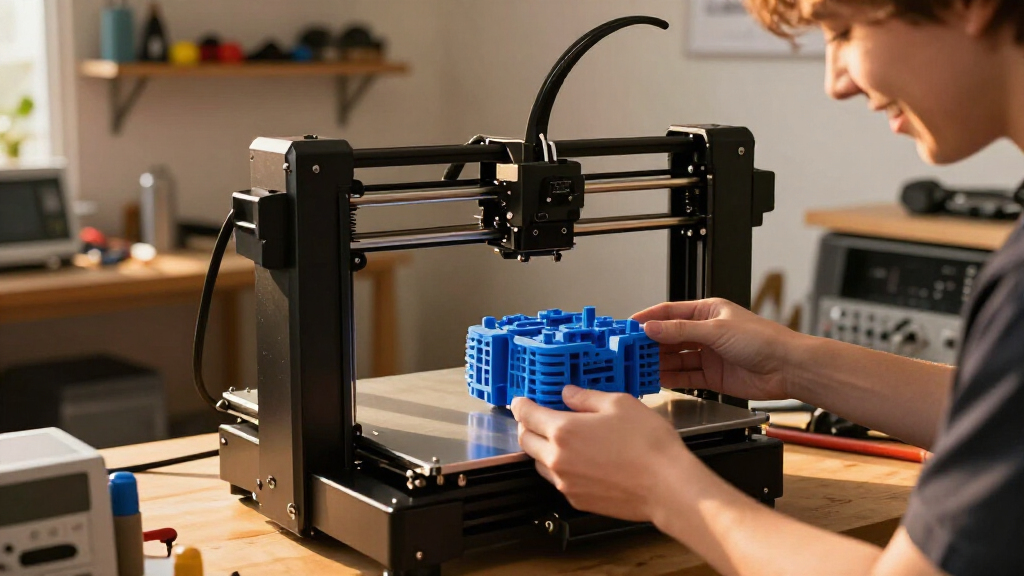
I evaluated these machines based on three core pillars: print reliability out of the box, material versatility, and ecosystem maturity. The ranking logic prioritizes consistency over raw theoretical speed, as a printer that requires constant tinkering fails to serve casual users or small businesses. I also weighed the cost of ownership, including filament waste from multicolor purging and maintenance intervals for parts like nozzles and belts.
Models were grouped by their primary utility. High-speed enclosed printers were judged on their ability to handle ABS and ASA without warping. Open-frame machines were assessed on their value proposition and ease of assembly. Multicolor units were penalized if their software workflows were unintuitive or if they generated excessive support waste. This approach ensures the recommendations reflect real-world usage rather than just spec-sheet numbers.
Factors to Consider When Choosing Best 3D Printers
Selecting a 3D printer is rarely about finding the single ‘best’ machine, but rather the best tool for your specific workflow and environment. The market has fragmented into distinct categories, each with unique strengths and compromises.Speed vs. Material Compatibility
Modern high-speed printers often sacrifice material range for velocity. Core XY enclosed printers generally handle engineering filaments like ABS and PC better than open-frame machines, but they may struggle with flexible materials like TPU due to direct-drive extrusion pressures. If you primarily print PLA or PETG, an open-frame model offers sufficient speed and better airflow for cooling. However, if your projects require strength and heat resistance, the enclosure becomes a mandatory feature, not a luxury. Do not assume a faster printer is better if it cannot handle the materials your prototypes require.
The Hidden Cost of Multicolor Printing
Multicolor capabilities are a major selling point, but they come with a purge waste penalty. Single-nozzle systems like those in the Bambu Lab AMS or Creality CFS must flush old filament before switching colors, creating a string of waste that can exceed the printed part itself. In contrast, multi-toolhead systems like the Snapmaker U1 or Flashforge Creator 5 swap entire nozzles, drastically reducing waste but increasing mechanical complexity and maintenance. Buyers should calculate their expected color changes per month; if you rarely print multicolor, paying for an automated system is unnecessary overhead.
Software Ecosystem and Community Support
The slicer software and community resources define your daily experience more than the hardware does. Bambu Lab offers a tightly controlled, streamlined ecosystem that minimizes errors but limits customization. Creality and Anycubic provide more open-source flexibility, allowing for deeper tweaks but requiring more user knowledge. If you are new to 3D printing, a curated ecosystem reduces frustration. If you are a hobbyist who enjoys tuning parameters, an open system offers greater long-term control. Consider how much time you are willing to spend troubleshooting versus printing.
Build Volume and Resolution Tradeoffs
There is an inverse relationship between build volume and precision in consumer-grade machines. Larger printers like the Creality K2 Plus may exhibit slight layer shifting or vibration at high speeds compared to smaller, stiffer frames like the Bambu Lab A1 Mini. If your work involves miniatures or detailed jewelry, a smaller footprint with a smaller nozzle diameter is preferable. For functional parts and cosplay props, a larger bed is essential despite the potential drop in fine detail. Match the machine’s physical limits to your typical project size to avoid unnecessary upgrades.
Maintenance and Long-Term Reliability
Enclosed printers and automated systems introduce more failure points than simple open-frame machines. Active heating chambers and complex filament loading paths require regular cleaning and potential part replacements. Open-frame printers like the Ender 3 series are mechanically simple, making repairs easy and cheap. When evaluating premium models, look for the availability of spare parts and the ease of disassembly. A printer that is difficult to service can become e-waste if a single proprietary component fails outside of warranty.
Frequently Asked Questions
Is an enclosed printer necessary for PLA?
Generally, no. PLA prints best with some airflow and does not suffer from warping like ABS or Nylon. An enclosure can actually trap heat, causing PLA to soften prematurely or jam. Open-frame printers like the Creality Ender 3 V3 SE or Bambu Lab A1 are superior for PLA because they offer better cooling and easier access. You should only choose an enclosed machine if you plan to print high-temperature engineering materials or need to contain fumes in a shared space.
How much filament waste does multicolor printing generate?
Single-nozzle multicolor systems can generate 50% to 200% more waste than single-color prints due to purge lines. Every time the printer switches colors, it must clear the nozzle of the previous filament. This waste accumulates quickly, especially on small models. Multi-toolhead printers like the Snapmaker U1 mitigate this by swapping nozzles instead of purging, but they are slower to change tools. If waste reduction is a priority, consider using a multi-toolhead system or sticking to single-color prints with post-processing painting.
Can I upgrade my current 3D printer instead of buying a new one?
Upgrading is possible but often inefficient on modern high-speed machines. Older open-frame printers benefit from upgrades like all-metal hotends or better extruders. However, newer Core XY enclosed printers are tightly integrated systems where firmware and hardware are closely linked. Attempting to modify a Bambu Lab or Creality K2 series often voids warranties and destabilizes the motion system. If you need significantly different capabilities, such as multicolor or higher temperatures, a new machine is usually more cost-effective and reliable.
What is the difference between direct drive and Bowden extruders?
Direct drive systems mount the motor on the print head, providing better control for flexible materials like TPU and sharper retractions for detailed prints. Bowden systems use a tube to transmit force from a stationary motor, reducing print head weight for potentially higher speeds on rigid filaments like PLA. Most modern high-speed printers, including the Bambu Lab and Creality K2 lines, use direct drive to maintain precision at high velocities. For most users, direct drive is the preferred choice for its versatility and print quality consistency.
Do I need a 0.4mm nozzle, or should I get something else?
The 0.4mm nozzle is the standard for a reason: it offers the best balance between speed and detail. A 0.2mm nozzle provides finer detail but prints much slower and clogs easily. A 0.6mm or 0.8mm nozzle speeds up large prints but sacrifices fine features. Unless you have a very specific niche, such as miniature painting or rapid prototyping of large blocks, stick with 0.4mm. It is the most forgiving size for beginners and the most versatile for general use.
Conclusion
Choosing the right 3D printer depends entirely on your primary use case. For the vast majority of users seeking a balance of reliability, speed, and ease of use, the Bambu Lab P1S is the best overall choice due to its robust enclosure and mature software ecosystem. If budget is the primary constraint and you are printing mostly PLA, the Creality Ender 3 V3 SE remains the best value option, offering surprising quality for its price. For those who demand advanced multicolor capabilities with minimal waste, the Snapmaker U1 or Flashforge Creator 5 Pro represent the best premium solutions with their multi-toolhead designs. Beginners should start with the Bambu Lab A1 Mini for its compact size and foolproof setup, while engineers and makers needing material versatility should look toward the Creality K2 Pro Combo. Evaluate your material needs, color requirements, and maintenance tolerance to make the final decision.