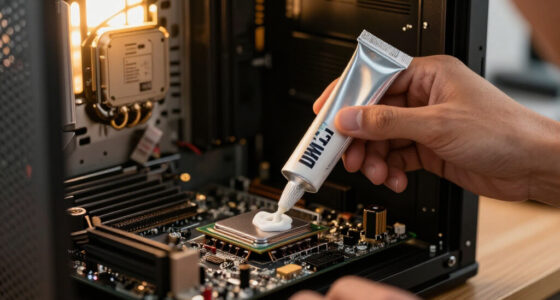

The best AI desktop computer overall in this roundup is the GMKtec EVO-X3, whose Ryzen AI Max+ 395 processor, 128GB of memory, and 2TB SSD give demanding local AI work substantial headroom. The Apple Mac Studio with M5 Max is the premium choice for buyers committed to macOS, while the GEEKOM IT13 Max offers a smaller footprint for everyday AI-assisted work. The central tradeoff is between compact size and sustained performance, with memory capacity, operating system, and upgrade options also shaping the choice. Many business towers favor familiar Windows workflows and roomier designs, while mini PCs save desk space but can limit expansion. Read on for the full comparison and guidance on matching a system to your workload.

Get the latest gadgets delivered free with Prime
- Fast, free delivery on millions of items
- Prime Video, Amazon Music and more included
- Member-only deals all year
Complete the kit



Key Takeaways
- The GMKtec EVO-X3 stands apart on listed memory and storage: its 128GB LPDDR5X and 2TB SSD make it the most clearly equipped pick here for memory-heavy local workloads, though its mini-PC form factor still calls for careful attention to cooling and expansion needs.
- AI branding does not make every desktop a local-model workstation: several business systems list Core Ultra processors and 16GB or 32GB of RAM, so buyers should match actual memory and application requirements rather than rely on the AI label.
- Apple and Windows serve different ecosystems: Mac Studio and Mac mini suit buyers who want macOS, while the Dell and HP desktops fit Windows-centered workplaces and software routines.
- The lineup spans three distinct desk footprints: mini PCs such as the GEEKOM and Dell Pro Micro save space, conventional towers offer a larger desktop format, and the HP OmniStudio combines the computer and display.
- Near-duplicate HP OmniDesk configurations make exact specifications matter: memory capacity, Windows edition, processor, and included storage vary across the listed models, so buyers should verify the precise configuration before choosing between them.
| GEEKOM IT13 Max Mini PC, Intel Core Ultra 9 185H, 24GB LPDDR5, 500GB SSD |  | Best Compact AI Desktop | Processor: Intel Core Ultra 9 185H | Memory: 24GB LPDDR5, 5600 MT/s | Storage: 500GB SSD | VIEW LATEST PRICE | See Our Full Breakdown |
| GMKtec EVO-X3 AI Mini PC with AMD Ryzen AI Max+ 395, 128GB LPDDR5X, 2TB PCIe 4.0 SSD |  | Best AI Mini Workstation | Processor: AMD Ryzen AI Max+ 395, 16 cores and 32 threads, up to 5.1GHz | Graphics: AMD Radeon 8060S, 40 compute units, up to 2900MHz | Memory: 128GB LPDDR5X, 8000 MT/s | VIEW LATEST PRICE | See Our Full Breakdown |
| AMD Ryzen AI Halo Personal AI Desktop Computer |  | Best for Linux AI Development | Operating system: Linux | Processor: AMD Ryzen AI Max+ 395, 16 cores and 32 threads, up to 5.1GHz | Graphics: AMD Radeon 8060S, 40 RDNA 3.5 compute units | VIEW LATEST PRICE | See Our Full Breakdown |
| Dell Pro Tower Plus Business Desktop |  | Best for Corporate Offices | Processor: Intel Core Ultra 5 235 | NPU performance: 13 TOPS | Memory: 32GB DDR5; maximum 64GB | VIEW LATEST PRICE | See Our Full Breakdown |
| Dell Pro Tower Business Desktop with Intel Core Ultra 5 235, 32GB DDR5 RAM, and 1TB PCIe SSD |  | Best Upgradeable Business Tower | Processor: Intel Core Ultra 5 235, 14 cores and 14 threads, up to 5.0GHz | NPU: 13 TOPS | Memory: 32GB DDR5 RAM | VIEW LATEST PRICE | See Our Full Breakdown |
| HP OmniDesk Business AI Desktop Computer, Intel Core Ultra 5 225, 32GB DDR5 RAM, 1TB SSD |  | Best for Ready-to-Use Everyday AI Work | Processor: Intel Core Ultra 5 225 | Graphics: Intel Graphics | Memory: 32GB DDR5, 4800 MHz | VIEW LATEST PRICE | See Our Full Breakdown |
| HP OmniDesk M03 Business Desktop PC, Intel Core Ultra 7 265, Windows 11 Pro |  | Best for Windows Pro Business Workflows | Processor: Intel Core Ultra 7 265 | Operating system: Windows 11 Pro 64-bit | Memory: 16GB DDR5; maximum 64GB | VIEW LATEST PRICE | See Our Full Breakdown |
| HP OmniDesk AI Business Desktop, Intel Core Ultra 7 265, 32GB RAM, 1TB SSD |  | Best Balanced HP Configuration | Processor: Intel Core Ultra 7 265, 20 cores and 20 threads | Memory: 32GB DDR5, 5600 MHz | Storage: 1TB PCIe Gen 4 NVMe SSD | VIEW LATEST PRICE | See Our Full Breakdown |
| Apple Mac Studio Desktop Computer with M5 Max |  | Best Premium AI and Creative Desktop | Chip: Apple M5 Max | Unified memory: Up to 128GB | Memory bandwidth: Up to 614GB/s | VIEW LATEST PRICE | See Our Full Breakdown |
| HP OmniDesk M03 Business Desktop PC, Intel Core Ultra 7 265, 32GB DDR5 RAM, 1TB SSD, Windows 11 Pro |  | Best for a Fully Specified Pro Tower | Processor: Intel Core Ultra 7 265, 20 cores and 20 threads | Processor speed: 2.4 GHz base, up to 5.3 GHz turbo | Memory: 32GB DDR5, 4800 MHz | VIEW LATEST PRICE | See Our Full Breakdown |
| Apple Mac mini Desktop Computer with M6 Chip (2026) |  | Best Compact Mac for On-Device AI | Chip: Apple M6 | Memory: Up to 32GB unified memory | Memory bandwidth: 170GB/s | VIEW LATEST PRICE | See Our Full Breakdown |
| Dell Tower Desktop with Intel Core Ultra 7 265, 32GB RAM, and Windows 11 Home |  | Best for Multi-Monitor Office Work | Processor: Intel Core Ultra 7 265 | Memory: 32GB RAM | Graphics: Integrated Intel UHD Graphics | VIEW LATEST PRICE | See Our Full Breakdown |
| HP OmniDesk Desktop AI PC, Intel Core Ultra 7 265, 16 GB RAM, 1 TB SSD, Windows 11 Home |  | Best Ready-to-Use AI Desktop | Processor: Intel Core Ultra 7 265 | Memory: 16GB DDR5, 5600 MT/s | Storage: 1TB PCIe Gen4 NVMe M.2 SSD | VIEW LATEST PRICE | See Our Full Breakdown |
| Dell Pro Micro QCM1250 Business Mini Desktop with Intel Core Ultra 5 235T |  | Best Compact Business Desktop | Processor: Title lists Intel Core Ultra 5 235T; supplied specifications also list a Core i7 | Dedicated NPU: 13 TOPS | Memory: 64GB DDR5, 4800 MHz; maximum listed capacity 64GB | VIEW LATEST PRICE | See Our Full Breakdown |
| HP OmniStudio 27-inch All-in-One Desktop, AMD Ryzen AI 7 445, 16GB RAM, 512GB SSD, FHD, Windows 11 Home |  | Best All-in-One for Video Calls | Processor: AMD Ryzen AI 7 445 | Graphics: AMD Radeon 840M | Memory: 16GB DDR5, 5600 MT/s; maximum listed capacity 16GB | VIEW LATEST PRICE | See Our Full Breakdown |
| AI desktop computer | Processor | Memory | Storage | Operating system |
|---|---|---|---|---|
| GEEKOM IT13 Max Mini PC | Intel Core Ultra 9 185H | 24GB LPDDR5, 5600 MT/s | 500GB SSD | Windows 11; supports major Linux distributions |
| GMKtec EVO-X3 AI Mini PC with | AMD Ryzen AI Max+ 395, 16 cores and 32 threads, up to 5.1GHz | 128GB LPDDR5X, 8000 MT/s | 2TB PCIe 4.0 SSD | — |
| AMD Ryzen AI Halo Personal AI | AMD Ryzen AI Max+ 395, 16 cores and 32 threads, up to 5.1GHz | — | 2TB M.2 SSD | Linux |
| Dell Pro Tower Plus Business D | Intel Core Ultra 5 235 | 32GB DDR5; maximum 64GB | 1TB SSD | Windows 11 Pro |
| Dell Pro Tower Business Deskto | Intel Core Ultra 5 235, 14 cores and 14 threads, up to 5.0GHz | 32GB DDR5 RAM | 1TB PCIe SSD | Windows 11 Pro 64-bit |
| HP OmniDesk Business AI Deskto | Intel Core Ultra 5 225 | 32GB DDR5, 4800 MHz | 1TB SSD | Windows 11 Home |
| HP OmniDesk M03 Business Deskt | Intel Core Ultra 7 265 | 16GB DDR5; maximum 64GB | 512GB M.2 PCIe SSD | Windows 11 Pro 64-bit |
| HP OmniDesk AI Business Deskto | Intel Core Ultra 7 265, 20 cores and 20 threads | 32GB DDR5, 5600 MHz | 1TB PCIe Gen 4 NVMe SSD | Windows 11 Pro |
| Apple Mac Studio Desktop Compu | — | — | — | — |
| HP OmniDesk M03 Business Deskt | Intel Core Ultra 7 265, 20 cores and 20 threads | 32GB DDR5, 4800 MHz | 1TB SSD | Windows 11 Pro |
| Apple Mac mini Desktop Compute | — | Up to 32GB unified memory | — | — |
| Dell Tower Desktop with Intel | Intel Core Ultra 7 265 | 32GB RAM | SSD; capacity not specified | Windows 11 Home |
| HP OmniDesk Desktop AI PC | Intel Core Ultra 7 265 | 16GB DDR5, 5600 MT/s | 1TB PCIe Gen4 NVMe M.2 SSD | Windows 11 Home |
| Dell Pro Micro QCM1250 Busines | Title lists Intel Core Ultra 5 235T; supplied specifications also list a Core i7 | 64GB DDR5, 4800 MHz; maximum listed capacity 64GB | Up to 2TB PCIe NVMe M.2 SSD | Windows 11 Pro |
| HP OmniStudio 27-inch All-in-O | AMD Ryzen AI 7 445 | 16GB DDR5, 5600 MT/s; maximum listed capacity 16GB | 512GB PCIe NVMe M.2 SSD | Windows 11 Home |
More Details on Our Top Picks
GEEKOM IT13 Max Mini PC, Intel Core Ultra 9 185H, 24GB LPDDR5, 500GB SSD
The GEEKOM IT13 Max is the space-saving pick for buyers who want an AI-capable processor and flexible workstation connections without a tower. Its Core Ultra 9 185H, 24GB of memory, and support for up to four displays suit everyday AI-assisted productivity, coding, and multi-screen work. Dual Ethernet is a useful distinction from the Dell Pro Tower Business Desktop, while the GEEKOM takes up far less desk space. Its quiet cooling and three-year warranty add appeal for a small office or home lab. The tradeoff is headroom: 24GB of onboard memory and a 500GB SSD are modest beside the 128GB and 2TB configurations in the GMKtec EVO-X3, and onboard memory cannot be upgraded. This is a compact general-purpose AI desktop, not the better choice for large local models.
Pros:- Compact 1.4-pound design fits desks where a tower would be intrusive.
- Supports Windows 11 and major Linux distributions.
- Can drive up to four displays and includes dual Ethernet.
- Quiet cooling and a three-year warranty support sustained office use.
Cons:- Onboard 24GB memory cannot be upgraded.
- The 500GB SSD leaves less room for datasets and creative project files than the larger-drive alternatives.
- Its AI workload capacity is substantially below the 128GB GMKtec EVO-X3 and AMD Ryzen AI Halo.
Best for: Home-office users and developers who want a compact Windows or Linux desktop for AI-assisted work, multiple monitors, and wired networking.
Not ideal for: Local AI practitioners running large models or buyers who expect to upgrade memory, since the 24GB is onboard and the SSD is 500GB.
- Processor:Intel Core Ultra 9 185H
- Memory:24GB LPDDR5, 5600 MT/s
- Storage:500GB SSD
- Operating system:Windows 11; supports major Linux distributions
- Display support:Up to four simultaneous displays; up to 8K via USB-C and 4K via HDMI
- Network ports:Dual Ethernet
- Dimensions and weight:4.6 × 4.4 × 1.9 inches; 1.4 pounds
- Warranty:3 years
Our verdict“Choose the GEEKOM IT13 Max for a compact, multi-display AI productivity desktop, but pick a 128GB model for serious local model work.”
GMKtec EVO-X3 AI Mini PC with AMD Ryzen AI Max+ 395, 128GB LPDDR5X, 2TB PCIe 4.0 SSD
The GMKtec EVO-X3 is the strongest fit here for buyers who want substantial local AI and creative-work capacity in a mini PC. Its 128GB of fast LPDDR5X and 2TB SSD give large projects and model files more room than the GEEKOM IT13 Max, while Radeon 8060S graphics add capability for graphics-heavy work and gaming. The listed AI performance reaches 126 TOPS, including up to 50 TOPS from its NPU, but those figures do not make every model or application automatically compatible; software support still matters. USB4 and OCuLink expansion offer useful connectivity options, including a path to an external GPU. In exchange, memory is onboard, and OCuLink devices must be connected or disconnected with the computer off. Buyers wanting a Linux-first AI development setup may prefer the AMD Ryzen AI Halo, which comes with Linux and preloaded tools.
Pros:- 128GB LPDDR5X memory supports demanding local AI and creative workloads.
- 2TB PCIe 4.0 SSD provides substantial room for models and project files.
- Radeon 8060S integrated graphics suit graphics work and gaming.
- OCuLink, USB4, Wi-Fi 7, and 2.5G LAN provide varied expansion and networking options.
Cons:- LPDDR5X memory is onboard and cannot be replaced with larger modules.
- OCuLink devices must be attached or removed while the PC is powered off.
- Dual-display support is less flexible than the GEEKOM IT13 Max’s support for up to four displays.
Best for: AI developers, creators, and technically confident users who need high memory capacity for local models and want the option to add an external GPU.
Not ideal for: Buyers who need upgradeable system memory, a simple plug-and-play GPU connection, or a Linux system with development tools already prepared.
- Processor:AMD Ryzen AI Max+ 395, 16 cores and 32 threads, up to 5.1GHz
- Graphics:AMD Radeon 8060S, 40 compute units, up to 2900MHz
- Memory:128GB LPDDR5X, 8000 MT/s
- Storage:2TB PCIe 4.0 SSD
- AI performance:Up to 126 TOPS; NPU up to 50 TOPS
- External GPU connection:OCuLink PCIe Gen4 x4
- Display output:HDMI 2.1 and USB4; supports dual displays and up to 8K output
- Networking:Wi-Fi 7, Bluetooth 5.4, 2.5G LAN
Our verdict“Pick the EVO-X3 if high-memory local AI and graphics work matter more than upgradeable RAM or the AMD Ryzen AI Halo’s preconfigured Linux environment.”
AMD Ryzen AI Halo Personal AI Desktop Computer
The AMD Ryzen AI Halo is the most purpose-built option in this group for local AI development: it combines 128GB of unified memory with Linux, ROCm support, and preloaded development tools. The supplied description says it supports models up to 200 billion parameters, making it a more focused development platform than the Windows-oriented GEEKOM IT13 Max. It shares the Ryzen AI Max+ 395 processor and Radeon 8060S graphics with the GMKtec EVO-X3, but stands apart through its Linux-first setup and 10GbE networking. That setup can save time for developers whose workflows already use its software stack; buyers who want a general-purpose desktop may find it less convenient. The compact six-inch enclosure also limits expansion, and its one-year limited warranty is shorter than the GEEKOM’s three-year coverage.
Pros:- 128GB unified memory supports memory-intensive local AI work.
- Linux system includes ROCm support and preloaded development tools.
- Listed support for models up to 200 billion parameters targets large-model experimentation.
- 10GbE and Wi-Fi 7 provide fast wired and wireless networking.
Cons:- The compact enclosure may restrict expansion options.
- The one-year limited warranty is shorter than the GEEKOM IT13 Max’s three-year warranty.
- Linux-first configuration may require extra setup for buyers whose applications depend on Windows.
Best for: Linux developers and AI researchers who want a compact machine with substantial unified memory, ROCm support, and preloaded local-AI tools.
Not ideal for: Windows-first users, people who need broad internal expansion, or buyers who value a longer included warranty.
- Operating system:Linux
- Processor:AMD Ryzen AI Max+ 395, 16 cores and 32 threads, up to 5.1GHz
- Graphics:AMD Radeon 8060S, 40 RDNA 3.5 compute units
- NPU:AMD XDNA 2, up to 50 TOPS
- Unified memory:128GB LPDDR5x, 8000 MT/s, 256 GB/s bandwidth
- Storage:2TB M.2 SSD
- Networking:10GbE, Wi-Fi 7, Bluetooth 5.4
- Dimensions and warranty:6 × 6 × 2 inches; 1-year limited warranty
Our verdict“Choose the Ryzen AI Halo for Linux-based local AI development, while general-purpose Windows users should look at the GMKtec EVO-X3 or a business tower.”
Dell Pro Tower Plus Business Desktop
The Dell Pro Tower Plus makes the list as a conventional office desktop for businesses that value Windows 11 Pro, familiar tower hardware, and support for up to three 4K displays over compact AI-workstation features. Its 32GB of DDR5 memory and 1TB SSD provide a practical starting point for office multitasking and AI-assisted applications, while the DVD-RW drive may help organizations that still use optical media. Compared with the Dell Pro Tower Business Desktop, this model is distinguished by its DVD-RW drive and stated three-display support; both rely on integrated graphics and have a 64GB memory ceiling. Its 13-TOPS NPU is a modest local-AI resource, not a match for the 128GB GMKtec EVO-X3 or Ryzen AI Halo when running large models. Choose it for managed business workflows, not GPU-intensive creative work.
Pros:- Windows 11 Pro suits business environments that need professional OS features.
- 32GB DDR5 memory and a 1TB SSD support everyday multitasking and file storage.
- Supports up to three 4K monitors for multi-screen office setups.
- Includes a DVD-RW drive for businesses with optical media workflows.
Cons:- Integrated shared graphics are not suited to demanding GPU workloads.
- Memory tops out at 64GB, well below the 128GB AI-focused mini PCs.
- The 13-TOPS NPU offers less local AI capacity than the Ryzen AI Max+ 395 systems.
Best for: Small and midsize offices that want Windows 11 Pro, three 4K display support, a tower format, and an optical drive for existing media.
Not ideal for: AI developers running large local models, GPU-heavy creators, or buyers who need memory capacity beyond 64GB.
- Processor:Intel Core Ultra 5 235
- NPU performance:13 TOPS
- Memory:32GB DDR5; maximum 64GB
- Storage:1TB SSD
- Operating system:Windows 11 Pro
- Graphics:Integrated, shared graphics
- Display support:Up to three 4K monitors
- Optical drive and networking:DVD-RW; Gigabit Ethernet
Our verdict“Choose the Dell Pro Tower Plus for managed office work and legacy optical media, not for large local AI models or graphics-heavy projects.”
Dell Pro Tower Business Desktop with Intel Core Ultra 5 235, 32GB DDR5 RAM, and 1TB PCIe SSD
The Dell Pro Tower Business Desktop suits offices that want a standard Windows 11 Pro computer with tower-style access for maintenance and upgrades. Its 32GB DDR5 RAM and 1TB PCIe SSD make it a sensible base for business applications and AI-assisted productivity, while DisplayPort 1.4a and HDMI 2.1 connect two displays. Compared with the Dell Pro Tower Plus, this configuration specifies a PCIe SSD, wireless USB adapter, and a compact tower footprint, but does not list the Plus model’s DVD-RW drive or support for up to three 4K displays. Like that Dell, it uses integrated graphics and a 13-TOPS NPU, so it is far less suited to local model development than the AMD Ryzen AI Halo. Its upgrade-friendly tower design is the reason to choose it over a mini PC; the included Wi-Fi adapter is a less tidy solution than built-in wireless.
Pros:- Tower design supports maintenance and upgrades.
- 32GB DDR5 RAM and a 1TB PCIe SSD provide a capable business-work baseline.
- Windows 11 Pro includes business-oriented security and management features.
- DisplayPort 1.4a and HDMI 2.1 support two display connections.
Cons:- Intel Graphics are integrated and not suited to demanding GPU workloads.
- The 13-TOPS NPU is limited for local AI compared with the Ryzen AI Max+ 395 desktops.
- Wireless networking relies on the included USB Wi-Fi adapter.
Best for: Small-business buyers who need Windows 11 Pro, a maintainable tower, standard display connections, and room for future hardware changes.
Not ideal for: Local AI researchers, GPU-focused creators, or users who want built-in wireless and higher-capacity memory for large models.
- Processor:Intel Core Ultra 5 235, 14 cores and 14 threads, up to 5.0GHz
- NPU:13 TOPS
- Memory:32GB DDR5 RAM
- Storage:1TB PCIe SSD
- Graphics:Intel Graphics
- Operating system:Windows 11 Pro 64-bit
- Networking:Gigabit Ethernet; wireless USB Wi-Fi adapter included
- Display outputs and dimensions:DisplayPort 1.4a; HDMI 2.1 up to 4K at 60Hz; 12.77 × 6.06 × 11.54 inches
Our verdict“Pick this Dell for a serviceable Windows business tower, but choose the GMKtec EVO-X3 or Ryzen AI Halo for substantial local AI workloads.”
HP OmniDesk Business AI Desktop Computer, Intel Core Ultra 5 225, 32GB DDR5 RAM, 1TB SSD
This OmniDesk is a practical fit for office users who want 32GB of memory and a 1TB SSD without stepping up to a Core Ultra 7 configuration. That memory headroom helps keep many work apps and browser tabs open, while the included storage leaves room for local files and projects. Compared with the HP OmniDesk AI Business Desktop, it has a lower-tier processor and Windows 11 Home, but includes the same memory and storage amounts and a small USB drive. Its Intel Graphics suit everyday productivity and light creative tasks, not graphics-heavy work or demanding local AI workloads. The 64GB maximum memory also gives less room to expand than a workstation-style system. I’d choose it for a straightforward, well-connected desktop, not for advanced business controls or a future graphics upgrade.
Pros:- 32GB DDR5 memory supports busy everyday multitasking
- 1TB SSD provides room for applications, documents, and media
- HDMI and DisplayPort support multiple display setups
- Includes a 64GB USB drive and Wi-Fi 6 connectivity
Cons:- Windows 11 Home lacks the business management features of Windows 11 Pro
- Integrated Intel Graphics are a poor fit for demanding graphics workloads
- Memory capacity tops out at 64GB
Best for: Home-office users who want ample memory and storage for multitasking, office applications, and light content creation.
Not ideal for: Businesses that require Windows Pro features, buyers planning heavy graphics or local AI workloads, and users who expect to expand memory beyond 64GB.
- Processor:Intel Core Ultra 5 225
- Graphics:Intel Graphics
- Memory:32GB DDR5, 4800 MHz
- Maximum memory:64GB
- Storage:1TB SSD
- Operating system:Windows 11 Home
- Wireless:Wi-Fi 6, Bluetooth 5.1
- Video outputs:HDMI, DisplayPort
- Included accessory:64GB USB drive
Our verdict“Choose this OmniDesk for a capable everyday office desktop with generous memory and storage, but skip it if you need Windows Pro or stronger graphics.”
HP OmniDesk M03 Business Desktop PC, Intel Core Ultra 7 265, Windows 11 Pro
The M03’s main advantage is its combination of a Core Ultra 7 265 and Windows 11 Pro, making it a better match for managed business environments than the Windows 11 Home HP OmniDesk with Core Ultra 5. The processor provides a strong foundation for productivity and concurrent workloads, while Ethernet joins Wi-Fi 6 for flexible office networking. The tradeoff is the stated configuration: 16GB RAM and a 512GB SSD are leaner than the 32GB and 1TB setup in the HP OmniDesk AI Business Desktop. Other configurations are listed, so buyers should verify what is included in this unit. It also relies on integrated graphics and its original seal was opened for upgrades. I’d rank it for Pro features and processor capability, not as the most ready-to-go AI workstation.
Pros:- Core Ultra 7 265 suits demanding productivity and multitasking
- Windows 11 Pro provides business-oriented features
- Wi-Fi 6, Bluetooth, and Ethernet support varied network setups
- Wireless keyboard and mouse are included
Cons:- Stated configuration has 16GB RAM and a 512GB SSD
- Integrated graphics limit graphics-intensive work
- Original seal was opened for RAM and SSD upgrades, with mixed warranty coverage
Best for: Small-business buyers who need Windows 11 Pro, Ethernet, and a capable processor for office productivity and managed workflows.
Not ideal for: Users who need 32GB RAM and 1TB storage immediately, graphics professionals, or buyers who prefer an unopened system with clearly fixed configuration details.
- Processor:Intel Core Ultra 7 265
- Operating system:Windows 11 Pro 64-bit
- Memory:16GB DDR5; maximum 64GB
- Storage:512GB M.2 PCIe SSD
- Graphics:Intel integrated graphics
- Connectivity:Wi-Fi 6, Bluetooth, RJ-45 Ethernet
- Video outputs:HDMI, DisplayPort
- Included accessories:Wireless keyboard and mouse
- Warranty:Upgraded RAM and SSD: 3 years through MichaelElectronics2; other hardware: 1 year through MichaelElectronics2
Our verdict“Pick this M03 when Windows Pro and a Core Ultra 7 matter more than generous included memory and storage.”
HP OmniDesk AI Business Desktop, Intel Core Ultra 7 265, 32GB RAM, 1TB SSD
This is the most balanced HP tower in this group: it pairs a Core Ultra 7 265 with 32GB DDR5 and a 1TB PCIe Gen 4 SSD, avoiding the lower memory and storage in the other listed M03 configuration. That combination is well suited to heavy office multitasking and everyday creative workloads, with fast SSD storage for applications and files. Windows 11 Pro also makes it a better fit for business use than the Core Ultra 5 OmniDesk running Windows 11 Home. Its integrated graphics remain the boundary: the Mac Studio with M5 Max is the stronger direction for demanding creative and on-device AI work, while this HP offers a familiar Windows tower setup and included keyboard and mouse. Those peripherals are wired, and the system is not a substitute for a dedicated GPU.
Pros:- Core Ultra 7 265 pairs well with demanding productivity workloads
- 32GB DDR5 memory supports substantial multitasking
- 1TB PCIe Gen 4 NVMe SSD offers fast, roomy storage
- Windows 11 Pro and included keyboard and mouse make it office-ready
Cons:- Intel integrated graphics are limiting for demanding visual work
- Included keyboard and mouse are wired
- A 280W power supply and tower format are less suited to major graphics upgrades
Best for: Windows business users and power users who want a Core Ultra 7 tower with 32GB RAM, 1TB fast storage, and Pro features.
Not ideal for: Creative professionals running graphics-intensive software or buyers seeking a compact system with advanced dedicated graphics capability.
- Processor:Intel Core Ultra 7 265, 20 cores and 20 threads
- Memory:32GB DDR5, 5600 MHz
- Storage:1TB PCIe Gen 4 NVMe SSD
- Graphics:Intel Graphics
- Operating system:Windows 11 Pro
- Wireless connectivity:Wi-Fi 6, Bluetooth 5.4
- Ports:USB-A, USB-C, HDMI, DisplayPort 1.4, Ethernet RJ-45, audio
- Power supply:280W
- Included accessories:Wired keyboard and mouse
Our verdict“Choose this HP for a well-balanced Windows Pro work desktop, but look to the Mac Studio or a dedicated-GPU system for graphics-heavy AI work.”
Apple Mac Studio Desktop Computer with M5 Max
The Mac Studio is the clear premium choice here for professionals whose work benefits from high unified-memory capacity, broad high-speed connectivity, and several displays. Its M5 Max configuration offers up to 128GB unified memory and memory bandwidth up to 614GB/s, a much higher ceiling than the 32GB HP OmniDesk towers. That makes it better suited to demanding creative and on-device AI workflows, though actual capacity depends on the selected configuration. The compact 7.76-inch-square enclosure is also far smaller and lighter than HP’s conventional towers. The tradeoffs are practical: this is a Mac rather than a Windows Pro desktop, it requires a separate display, and specs vary by configuration. I’d choose it for specialized creative workloads and multi-display studios, not as the default office PC.
Pros:- M5 Max platform is designed for demanding creative and on-device AI workflows
- Configurations offer up to 128GB unified memory
- Supports up to five external displays
- Compact enclosure includes Thunderbolt 5, HDMI, USB, and SDXC connectivity
Cons:- Display must be purchased separately
- Memory and storage depend on the selected configuration
- macOS may not suit Windows-only business applications or workflows
Best for: Creative professionals and AI practitioners who need a compact macOS desktop, substantial unified-memory options, and support for multiple external displays.
Not ideal for: Windows-dependent offices, buyers who need a display included, or users whose everyday workload does not benefit from high memory bandwidth and extensive connectivity.
- Chip:Apple M5 Max
- Unified memory:Up to 128GB
- Memory bandwidth:Up to 614GB/s
- Ports:Four Thunderbolt 5, two USB-C, two USB-A, HDMI, SDXC card slot, headphone jack
- External displays:Up to five
- Wireless:Wi-Fi 7, Bluetooth 6
- Dimensions:7.76 x 7.76 x 3.74 inches
- Weight:5.94 pounds
- Model number:MHL64LL/A
Our verdict“Choose the Mac Studio for compact, high-end creative and AI work with multiple displays, provided macOS and a separate monitor fit your setup.”
HP OmniDesk M03 Business Desktop PC, Intel Core Ultra 7 265, 32GB DDR5 RAM, 1TB SSD, Windows 11 Pro
This M03 supplies the core configuration many office power users want from the outset: Core Ultra 7 265, 32GB DDR5, and a 1TB SSD, paired with Windows 11 Pro. Compared with the other HP M03 listing, which specifies 16GB RAM and 512GB storage, this version’s stated memory and drive capacity are more ready for sustained multitasking and larger local project libraries. It also includes wired peripherals and a 64GB USB drive. The key caveats are the integrated graphics and opened seal for upgrades; buyers should also check the video-port details, since the listing’s rear-port information is inconsistent. Warranty coverage for upgraded RAM and storage is through PCOnline US, while the remaining components retain the manufacturer’s one-year warranty. This is a practical business tower, not a high-end AI graphics workstation.
Pros:- Core Ultra 7 265 has 20 cores and 20 threads for demanding productivity
- 32GB DDR5 memory and 1TB SSD are specified in this configuration
- Windows 11 Pro, Wi-Fi 6, and Bluetooth suit business workflows
- Includes wired keyboard, mouse, and a 64GB USB flash drive
Cons:- Intel Graphics are not suited to demanding GPU workloads
- Original seal was opened for RAM and SSD upgrades
- Listing gives inconsistent rear video-port details and warranty coverage varies by component
Best for: Business users who want Windows 11 Pro, 32GB RAM, and 1TB storage in a conventional desktop tower without selecting upgrades themselves.
Not ideal for: AI developers or creators who need a dedicated GPU, buyers who require clear video-port specifications, and shoppers seeking an unopened factory configuration.
- Processor:Intel Core Ultra 7 265, 20 cores and 20 threads
- Processor speed:2.4 GHz base, up to 5.3 GHz turbo
- Memory:32GB DDR5, 4800 MHz
- Maximum memory:64GB
- Storage:1TB SSD
- Operating system:Windows 11 Pro
- Graphics:Intel Graphics
- Wireless connectivity:Wi-Fi 6, Bluetooth
- Included accessories:Wired keyboard and mouse; 64GB A-DATA UC310 USB flash drive
Our verdict“Pick this M03 for a clearly stated 32GB/1TB Windows Pro office setup, but verify the ports and warranty details before buying.”
Apple Mac mini Desktop Computer with M6 Chip (2026)
The Mac mini’s appeal is its combination of M6 performance and a 5-inch-square footprint, making it a space-saving choice for Mac users who want AI workflows on a desktop. Its support for up to three external displays and a broad mix of front and rear connections also makes it more flexible than a basic mini workstation. Compared with the Dell Pro Micro QCM1250, it offers a different platform and more display capacity, while the Dell provides Windows 11 Pro and a stated 64GB memory configuration. The Mac mini’s main constraint is its 32GB memory ceiling, which may limit larger workloads, and the product data does not specify storage capacity. I’d choose it for a compact Apple setup, not for buyers who need expandable memory or detailed configuration certainty.
Pros:- Compact 5 x 5-inch chassis fits easily on a crowded desk
- M6 chip is designed to support responsive on-device AI workflows
- Supports up to three external displays
- Includes Thunderbolt 4, USB-C, HDMI, and a headphone jack
Cons:- Memory tops out at 32GB
- Storage capacity is not specified in the supplied product details
Best for: Mac users building a small-footprint AI workstation who need up to three displays and varied desktop ports
Not ideal for: Buyers running memory-heavy local AI workloads that call for more than 32GB of unified memory, or anyone who needs a specified storage capacity before choosing
- Chip:Apple M6
- Memory:Up to 32GB unified memory
- Memory bandwidth:170GB/s
- Dimensions:5 x 5 x 1.97 inches
- Weight:1.47 pounds
- Wireless:Wi-Fi 7, Bluetooth 6
- Ethernet:2.5Gb
- Ports:Three Thunderbolt 4, one HDMI, two USB-C, headphone jack
- External displays:Up to three
Our verdict“Choose the Mac mini if you want a small Apple desktop for on-device AI and multiple displays, but skip it if your work needs more memory headroom.”
Dell Tower Desktop with Intel Core Ultra 7 265, 32GB RAM, and Windows 11 Home
This Dell tower is the practical pick for buyers who want an Intel Core Ultra 7 265, 32GB of RAM, and room to arrange a multi-screen workspace. Support for up to four FHD monitors or two 4K displays is its clearest point of difference from the HP OmniDesk Desktop AI PC, which supports two displays. The tool-less access also makes routine upgrades less involved, while a TPM chip adds a hardware security feature for office and education settings. The tradeoff is graphics: integrated Intel UHD Graphics are suited to everyday productivity, not demanding GPU-heavy AI or graphics work. It is a larger, heavier tower than the Dell Pro Micro QCM1250, so I’d favor this model when monitor support matters more than a tiny footprint.
Pros:- 32GB RAM paired with an Intel Core Ultra 7 265 processor
- Supports up to four FHD monitors or two 4K displays
- Tool-less access simplifies internal upgrades
- Includes a TPM security chip and uses recycled materials
Cons:- Integrated Intel UHD Graphics are a limitation for GPU-intensive workloads
- No display is included
- The tower’s 14.7-pound weight takes more space than a mini desktop
Best for: Office and education users who need a Core Ultra 7 desktop, 32GB RAM, and several monitors for parallel work
Not ideal for: AI developers or creative users relying on dedicated graphics, and desk owners who need a compact computer or an included display
- Processor:Intel Core Ultra 7 265
- Memory:32GB RAM
- Graphics:Integrated Intel UHD Graphics
- Operating system:Windows 11 Home
- Storage:SSD; capacity not specified
- Monitor support:Up to four FHD monitors with daisy chaining, or two 4K displays
- Security:TPM chip
- Dimensions:11.54 x 6.06 x 12.77 inches
- Warranty:1-year onsite service
Our verdict“Pick this Dell for a multi-monitor Windows workspace with room for upgrades, but choose a graphics-focused system for demanding AI acceleration.”
HP OmniDesk Desktop AI PC, Intel Core Ultra 7 265, 16 GB RAM, 1 TB SSD, Windows 11 Home
The HP OmniDesk pairs a Core Ultra 7 265 with 1TB of fast NVMe storage, giving everyday AI and productivity users a clearly stated drive capacity without stepping up to a large tower configuration. It also includes a wired keyboard and mouse, so buyers can get a basic desk setup running without sourcing those accessories separately. Against the Dell Tower Desktop, the HP has less memory—16GB rather than 32GB—and fewer supported displays, but it spells out the SSD capacity and includes input devices. Its gray wood-inspired design and environmental certifications set it apart from plainer office towers. The key compromise is limited memory: the supplied details list 16GB, with no higher capacity stated, while integrated Intel Graphics are not intended for graphics-heavy AI workloads.
Pros:- 1TB PCIe Gen4 NVMe SSD provides fast storage with a stated capacity
- Core Ultra 7 265 processor and 16GB DDR5 memory suit everyday multitasking
- Wired keyboard and mouse are included
- EPEAT Gold with Climate+ and ENERGY STAR certifications
Cons:- 16GB memory may constrain larger AI workloads and heavy multitasking
- Integrated Intel Graphics are not suited to demanding GPU work
- Display support is limited to two outputs
Best for: Home-office buyers who want a Core Ultra 7 desktop with a specified 1TB SSD and keyboard and mouse included
Not ideal for: Users planning memory-intensive local AI work, dedicated-GPU tasks, or a setup that requires more than two displays
- Processor:Intel Core Ultra 7 265
- Memory:16GB DDR5, 5600 MT/s
- Storage:1TB PCIe Gen4 NVMe M.2 SSD
- Graphics:Intel Graphics
- Operating system:Windows 11 Home
- Wireless:Wi-Fi 6E, Bluetooth 5.3
- Display outputs:One DisplayPort 1.4a, one HDMI 2.1
- USB ports:Seven total
- Included accessories:HP 175C wired keyboard and mouse
Our verdict“Choose the HP OmniDesk for a ready-to-use, storage-equipped home-office AI desktop, but look elsewhere if your workload needs more memory or graphics power.”
Dell Pro Micro QCM1250 Business Mini Desktop with Intel Core Ultra 5 235T
The Dell Pro Micro QCM1250 is built for business desks where space, Windows Pro features, and memory capacity matter more than a large chassis. Its 1.2-liter form is much smaller than the Dell Tower Desktop, and the listed configuration includes 64GB of DDR5 memory plus dual-4K display support. The 13 TOPS NPU gives it a defined AI-related processor feature, though it does not make this compact system a substitute for a dedicated-GPU workstation. It also offers Windows 11 Pro and a useful spread of USB, display, and Ethernet connections. I would verify the exact configuration before buying: the supplied details conflict, naming a Core Ultra 5 235T in the title but also listing a Core i7 in the specifications. That ambiguity weakens an otherwise strong business-focused mini PC.
Pros:- Small 1.2-liter chassis fits tight business workspaces
- Listed configuration provides 64GB DDR5 memory and up to 2TB PCIe NVMe storage
- Windows 11 Pro, Wi-Fi 6E, Bluetooth, and RJ45 Ethernet support office setups
- HDMI and DisplayPort support two 4K displays
Cons:- Product details conflict on the processor, listing both Core Ultra 5 235T and Core i7
- RAM and SSD capacities may vary by configuration
- Compact integrated-graphics design is not aimed at GPU-heavy AI work
Best for: Business users with limited desk space who need Windows 11 Pro, high listed memory, wired networking, and dual-4K display support
Not ideal for: Buyers who need a clearly confirmed processor and storage configuration, or users seeking a dedicated GPU for demanding AI workloads
- Processor:Title lists Intel Core Ultra 5 235T; supplied specifications also list a Core i7
- Dedicated NPU:13 TOPS
- Memory:64GB DDR5, 4800 MHz; maximum listed capacity 64GB
- Storage:Up to 2TB PCIe NVMe M.2 SSD
- Operating system:Windows 11 Pro
- Chassis volume:1.2 L
- Ports:Five USB-A, one USB-C, HDMI, DisplayPort, RJ45 Ethernet, headphone/mic combo
- Wireless:Wi-Fi 6E, Bluetooth
- Warranty:Three years on upgraded RAM and SSD; manufacturer warranty on other components
Our verdict“Consider this Dell for a compact, well-connected Windows Pro office PC only after confirming the processor, memory, and storage in the exact configuration.”
HP OmniStudio 27-inch All-in-One Desktop, AMD Ryzen AI 7 445, 16GB RAM, 512GB SSD, FHD, Windows 11 Home
The HP OmniStudio makes the most sense for buyers who want one coordinated desktop setup rather than a separate tower and monitor. Its 27-inch Full HD screen, built-in FHD infrared camera, Windows Hello facial recognition, and noise reduction put video meetings and everyday home-office tasks ahead of component expansion. Compared with the HP OmniDesk Desktop AI PC, it includes the display and camera in the system, but gives up the tower’s 1TB SSD for a 512GB drive. The Ryzen AI 7 445 and 16GB of DDR5 memory are suited to general multitasking, though the supplied details cap memory at 16GB and Radeon 840M graphics are integrated. The large screen is convenient, but its 1920 × 1080 resolution is a notable compromise for buyers who want more desktop detail.
Pros:- 27-inch display, computer, and adjustable stand form a single desktop setup
- FHD infrared camera supports Windows Hello facial recognition
- Ryzen AI 7 445 and 16GB DDR5 handle everyday multitasking
- Wired keyboard and mouse are included
Cons:- Display resolution is limited to 1920 × 1080
- Memory is listed with a maximum capacity of 16GB
- 512GB SSD offers less stated capacity than the HP OmniDesk’s 1TB drive
Best for: Home-office users who want a tidy all-in-one for video calls, Windows Hello sign-in, and everyday work
Not ideal for: Buyers who need a sharper-than-FHD display, memory expansion beyond 16GB, or a separate tower they can upgrade independently
- Processor:AMD Ryzen AI 7 445
- Graphics:AMD Radeon 840M
- Memory:16GB DDR5, 5600 MT/s; maximum listed capacity 16GB
- Storage:512GB PCIe NVMe M.2 SSD
- Display:27-inch FHD, 1920 × 1080
- Camera:FHD infrared camera with HDR auto-switch
- Operating system:Windows 11 Home
- Ports:Two USB-C 10Gbps, one USB-A 10Gbps, two USB 2.0 Type-A, HDMI-out 2.0b, headphone/microphone combo
- Included accessories:HP 175C wired keyboard and mouse combo
Our verdict“Choose the OmniStudio if you value an integrated screen and video-call features over upgrade flexibility and higher display resolution.”
How We Picked
I ranked these desktops by how well their listed specifications and form factors support AI-related work, not by AI branding alone. I gave weight to processor class, stated memory and storage, operating system, chassis size, and whether the format appears suited to a fixed office setup, a compact desk, or a self-contained workstation. Systems with unusually substantial listed memory and storage rise for demanding local workloads, while business desktops earn their place through practical Windows configurations and familiar tower or micro-PC formats.
The ranking also reflects the limits of the information provided: product names do not establish sustained performance, upgrade paths, cooling behavior, or compatibility with every AI application. I distinguish configurations rather than treating similar model names as identical, especially among the HP OmniDesk entries. A smaller or simpler system may rank well for a specific buyer without outranking a more capable workstation overall; the best fit depends on workload, ecosystem, desk space, and the need for future expansion.
| AI desktop computer | Operating system |
|---|---|
| GEEKOM IT13 Max Mini PC | Windows 11; supports major Linux distributions |
| GMKtec EVO-X3 AI Mini PC with | — |
| AMD Ryzen AI Halo Personal AI | Linux |
| Dell Pro Tower Plus Business D | Windows 11 Pro |
| Dell Pro Tower Business Deskto | Windows 11 Pro 64-bit |
| HP OmniDesk Business AI Deskto | Windows 11 Home |
| HP OmniDesk M03 Business Deskt | Windows 11 Pro 64-bit |
| HP OmniDesk AI Business Deskto | Windows 11 Pro |
| Apple Mac Studio Desktop Compu | — |
| HP OmniDesk M03 Business Deskt | Windows 11 Pro |
| Apple Mac mini Desktop Compute | — |
| Dell Tower Desktop with Intel | Windows 11 Home |
| HP OmniDesk Desktop AI PC | Windows 11 Home |
| Dell Pro Micro QCM1250 Busines | Windows 11 Pro |
| HP OmniStudio 27-inch All-in-O | Windows 11 Home |
Factors to Consider When Choosing Best AI Desktop Computers
Choosing an AI desktop starts with the work you expect it to do, not the word “AI” on the box. I would compare the software’s hardware requirements with the exact configuration, then weigh desk space, operating system, and how long you expect to keep the machine. These checks help distinguish a compact everyday computer from a system suited to sustained local AI tasks.
Match Memory to the Workload, Not the Marketing
Memory can determine whether a local model or large creative project fits comfortably, so check the capacity required by the software you plan to run. A system with 16GB may suit general office use and lighter AI-assisted tasks, while heavier local workloads can call for much more headroom. The EVO-X3’s listed 128GB makes it the standout memory configuration in this group, but that does not mean every buyer benefits from it. Check whether memory is soldered, replaceable, or expandable before buying, since the product name alone may not answer that question. Avoid paying for capacity your apps cannot use, but do not assume that a processor marketed for AI will compensate for too little RAM. When requirements are uncertain, favor a configuration with a credible upgrade path.
Separate Local AI From Cloud-Assisted Features
Many everyday AI functions run through online services, while local model inference depends more directly on the desktop’s processor, memory, graphics capability, and cooling. Before choosing hardware, identify whether your work needs offline operation, privacy controls, low-latency processing, or simply AI features built into familiar applications. A dedicated neural processing unit can help with supported tasks, but it is not a guarantee that a machine will run every model quickly. Look up compatibility for the specific software and model size rather than comparing AI branding across product names. If most tasks use cloud services, a balanced office desktop may be a better fit than a high-memory workstation. For sensitive or offline workloads, check data handling and local software support as well as hardware.
Choose a Form Factor That Fits Your Desk and Upgrade Plans
Mini PCs reduce clutter and can work well where desk space is limited, but compact cases may offer fewer ports, less room for expansion, or tighter thermal limits. Towers take up more floor or desk space yet can be more accommodating for added storage and future hardware, depending on the exact model. All-in-ones simplify setup by combining the computer and screen, though a display or component failure can affect the whole unit and upgrades may be limited. Do not infer expandability from a tower label; check the manufacturer’s specifications for memory slots, storage bays, and supported components. Also measure the intended location and account for ventilation, cable access, and monitor connections. The right size is the one that works with both your workspace and likely maintenance needs.
Compare Exact Configurations and Operating Systems
Product families often include versions with different processors, memory, storage, and Windows editions, so a familiar model name is not enough to identify what is included. This roundup contains several OmniDesk variants with similar naming but different listed memory and operating systems. Match the full configuration to your quote or product listing, including whether RAM is 16GB or 32GB and whether Windows Home or Pro is supplied. Business users may need Pro features or organization-managed deployment, while home users may have no need for them. Check port selection and wireless connectivity if the desktop will connect to specialist displays, storage, or office peripherals. Confirming these details can prevent a mismatch that a headline processor name will not reveal.
Pay for Sustained Performance Only When Your Work Needs It
Higher-end processors and large memory configurations make the most sense when your tasks keep them busy, such as local inference, heavy multitasking, or demanding creative work. For browsing, documents, video calls, and cloud-based AI tools, a business desktop with a more modest configuration may leave more room in the budget for a good monitor or backup storage. Compact systems also deserve a sustained-load check: small cases can behave differently from larger towers during long processing sessions. Look for independent thermal and workload testing when that information is available, rather than treating a processor model as a complete performance verdict. Consider power draw, fan noise, and the ability to add storage alongside peak speed. The aim is capacity that fits your real workload, not the most ambitious specification on the page.
Plan for Security, Support, and Long-Term Ownership
AI work can involve private documents, customer data, or files that should not be sent to an online service, so review both operating-system controls and the policies of your AI software. Business buyers should check device-management, warranty, and support arrangements before standardizing on a model. Home buyers should still confirm driver support, warranty coverage, and how storage or memory repairs are handled. A desktop that is easy to service may remain useful longer than a compact machine with limited replacement options, but this varies by configuration. For any computer expected to hold important local models or datasets, plan a separate backup; internal SSD capacity is not a backup strategy. These ownership details can matter more over time than a small difference in processor specifications.
Frequently Asked Questions
Do I need 128GB of memory to run AI models locally?
No. Required memory depends on the model size, software, operating system, and whether other applications run at the same time. The EVO-X3’s 128GB specification gives it unusual headroom in this lineup, but many users relying on cloud AI or lighter local tools may not need that much. Check the memory guidance for the exact model and application you intend to use, then allow room for your operating system and other open programs. Also verify whether the desktop’s memory can be upgraded later.
Is an AI desktop useful if I mostly use online AI services?
It can be, but online services shift much of the processing away from your desktop, so local hardware may matter less than a responsive general-purpose system. A well-configured business desktop can handle documents, calls, and browser-based AI without requiring workstation-level memory. Local processing becomes more relevant if you need offline access, work with sensitive files, or run models on your own machine. Check which features are actually processed locally in the software you use. That distinction can keep you from buying capacity that sits unused.
Should I choose a mini PC or a tower for AI work?
Choose a mini PC when desk space and a compact setup take priority, and confirm that its cooling, ports, and upgrade options meet your workload. A tower is often the more practical starting point if you expect to add storage, change components, or run long processing jobs, though each model’s design differs. Neither size alone proves that a computer is faster or easier to maintain. Check manufacturer specifications for memory expansion, drive bays, connections, and supported graphics hardware. If you expect demanding local AI work, seek sustained-load information for the exact machine.
How do I choose between the similar HP OmniDesk models in this roundup?
Compare the complete configuration rather than relying on “OmniDesk” or “M03” in the name. The listed options differ in processor description, memory capacity, storage, and Windows edition; one OmniDesk AI configuration lists 16GB of RAM, while other entries list 32GB. Those differences can affect multitasking, business deployment, and local AI workloads. Confirm the exact SKU, included operating system, and whether memory can be upgraded before ordering. If two listings appear identical, use the manufacturer’s configuration details to resolve the discrepancy.
Should I choose a Mac desktop or a Windows AI desktop?
Start with the applications and workplace systems you already depend on. The Mac Studio and Mac mini are the natural choices for buyers who prefer macOS and software built for Apple’s ecosystem, while the Dell and HP options suit Windows-centered work routines. AI app support, local model compatibility, and available memory configurations can differ between platforms, so check those details for your intended tools. Also account for peripherals, company device policies, and whether your files need to move between systems. A platform that fits your software and support needs is usually a better choice than one selected by processor name alone.
Conclusion
For the broadest stated capacity for demanding local AI work, I would choose the GMKtec EVO-X3 as best overall, while recognizing that its compact format may not suit every sustained workload or expansion plan. The best value for practical Windows office use is the Dell Pro Tower with Core Ultra 5 235, 32GB of RAM, and a 1TB SSD: its listed configuration is a sensible balance for general business tasks, though buyers should verify their specific software needs. For a best premium macOS option, choose the Apple Mac Studio with M5 Max; buyers wanting a smaller Apple desktop should compare it with the Mac mini. Beginners who mainly need an approachable Windows setup can start with the HP OmniDesk Business AI Desktop configuration listing Core Ultra 5 225, 32GB of RAM, and 1TB storage. For a specific need, pick the GEEKOM IT13 Max for a compact Intel mini PC, the Dell Pro Micro for a business micro desktop, or the HP OmniStudio when an all-in-one display is the priority. Check the precise configuration and application compatibility before deciding, especially among similarly named HP models.
Halloween Picks
halloween
As an affiliate, we earn on qualifying purchases.