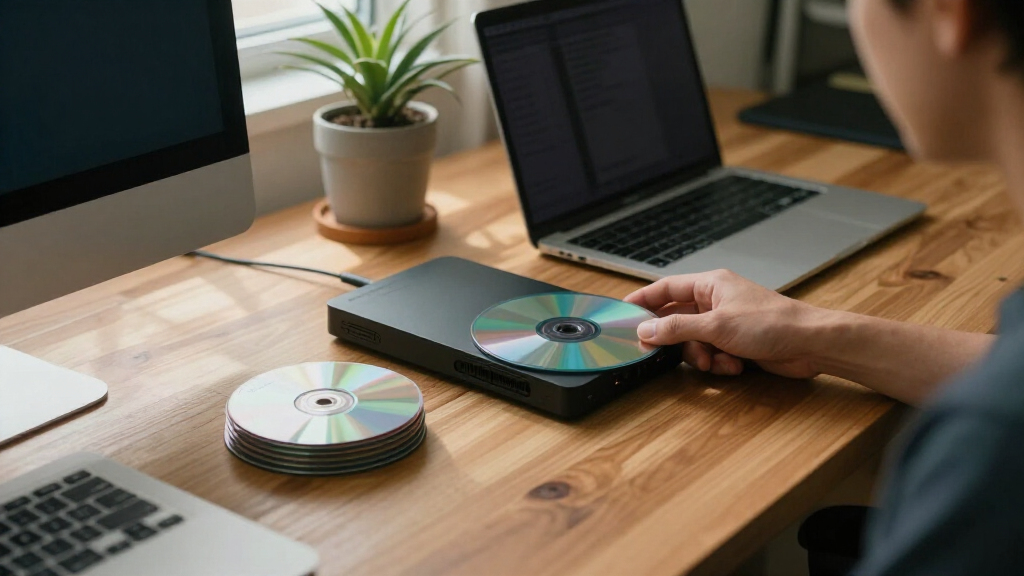
The best M-DISC Blu-ray discs depend on whether you value capacity, pack size, or easy labeling. My best overall pick is the Verbatim M-DISC BDXL 100GB 25-pack, which suits large archives when your burner supports BDXL. For smaller projects, the Verbatim 25GB 25-pack offers more discs per pack, while the 50GB 6X jewel-case disc is a useful middle ground for larger individual files. The main tradeoffs are disc capacity versus drive compatibility, and bulk packaging versus individual protection. Read on for how each option fits a different archival workflow.

Get the latest gadgets delivered free — and shop member deals
- Fast, free delivery on millions of items
- Access to Prime Big Deal Days deals on October 6–7
- Prime Video, Amazon Music and more included
Complete the kit



Key Takeaways
- The 100GB BDXL discs hold the most data per disc, but require a BDXL-capable burner and playback setup.
- The 25GB 25-pack favors repeat archiving and larger batches; its capacity per disc means more discs and labeling work for the same data volume.
- The 50GB 6X jewel-case option splits the difference between capacity and disc handling, but it is a single-disc format rather than a bulk pack.
- The 5-disc 100GB Japan pack pairs high capacity with inkjet-printable surfaces, while the 25-disc thermal hub-printable pack better suits larger labeled runs.
- For occasional backups, a small pack can limit unused inventory; buyers should compare the pack size and storage plan before choosing bulk.


| M-Disk Blu-ray disc | Capacity | Format | Recording speed | Pack quantity |
|---|---|---|---|---|
| Verbatim Japan VBR520YMDP5V1 M | 100GB per disc | Blu-ray M-DISC BD-R XL | 2–4X | 5 discs |
| Verbatim M DISC BD-R 25GB 4X A | 25GB per disc | Blu-ray M-DISC BD-R | 4X | 25 discs |
| Verbatim 25GB 4X M-Disc BD-R | 25GB per disc | Blu-ray M-DISC BD-R | 4X | — |
| Verbatim M DISC BDXL 100GB 4X | 100GB per disc | Blu-ray | 4X | 25 discs |
| Verbatim M-DISC BD-R for Singl | 25GB per disc | — | 1–6X; product data advises recording below 6X | 5 discs |
| Verbatim M-Disc BD-R Blu-ray 5 | — | Blu-ray BD-R | — | — |
More Details on Our Top Picks
Verbatim Japan VBR520YMDP5V1 M-DISC Long-Term Blu-ray Disc 100GB, 3-Layer, 2-4X Speed, Inkjet Printer Compatible, White, 5 Pack
For archiving large projects on fewer discs, I’d choose this 100GB, three-layer M-DISC over the 25GB Verbatim M DISC BD-R 25GB 4X Archival Blu-ray Recordable Discs, 25 Pack. Five discs provide substantial capacity while taking up less shelf space than a larger stack of standard-capacity media. Its inkjet-printable white surface also helps keep an event or personal-media archive identifiable without separate labels. The tradeoff is drive compatibility: recording 100GB BDXL media requires a recorder that supports that format, so a regular Blu-ray writer may not be enough. Its 2–4X recording speed is deliberate rather than fast, and each disc is write-once. I’d pick it for sizable, carefully organized archives, not frequent rewrites or buyers who want many discs in one pack.
Pros:- 100GB capacity per disc reduces the number of discs needed for large archives.
- Three-layer BDXL format suits sizable one-time backups.
- White inkjet-printable surface supports direct labeling.
- Titanium-layer construction is described as resistant to aging, heat, and humidity.
Cons:- Requires a compatible BDXL recorder.
- Write-once discs are unsuitable for backups that need repeated updating.
- The 2–4X speed makes recording slower than faster media.
Best for: People archiving large video collections or event recordings who have a BDXL-compatible recorder and want printable disc surfaces.
Not ideal for: Buyers with standard Blu-ray-only drives, or anyone who needs rewritable media or faster recording.
- Capacity:100GB per disc
- Format:Blu-ray M-DISC BD-R XL
- Layers:3
- Recording speed:2–4X
- Pack quantity:5 discs
- Disc color:White
- Printable surface:Inkjet compatible
Our verdict“Choose this five-pack for labeled, high-capacity archival projects if your recorder supports 100GB BDXL discs.”
Verbatim M DISC BD-R 25GB 4X Archival Blu-ray Recordable Discs, 25 Pack
This pack suits buyers who want to create a large set of standard-capacity archival discs in one go. Its 25-disc count is a better fit for repeated batch backups than the five-disc Verbatim 25GB 4X M-Disc BD-R – 5 Pack Jewel Case, while each disc’s 25GB capacity keeps individual projects easy to separate. The stated inorganic recording layer is intended for long-term preservation, and the product data lists a 10-year warranty. The tradeoff is that 25GB per disc can mean more handling and storage than the 100GB Verbatim M DISC BDXL 100GB 4X White Thermal Hub Printable – 25pk Spindle. Recording is write-once and capped at 4X, and you’ll need a compatible Blu-ray recorder. I’d favor this pack for organized, smaller archives over consolidating large video libraries.
Pros:- 25-disc pack supports a substantial run of backups.
- 25GB per disc provides a practical size for separating files and projects.
- Inorganic recording layer is designed for archival storage.
- Product data lists a 10-year warranty.
Cons:- Lower capacity per disc means more discs than 100GB BDXL options for the same archive.
- Write-once format does not support later updates to recorded data.
- Recording speed is limited to 4X and requires a compatible Blu-ray recorder.
Best for: Archivists and households making many separate 25GB backups who have a compatible Blu-ray recorder.
Not ideal for: People trying to minimize disc count for large media libraries, or buyers without a Blu-ray recording drive.
- Capacity:25GB per disc
- Format:Blu-ray M-DISC BD-R
- Recording speed:4X
- Pack quantity:25 discs
- Recording time:2.8 hours
- Color:Blue
- Warranty:10 years
Our verdict“Pick this pack to build a sizable collection of separately organized 25GB archives, rather than to consolidate large files onto fewer discs.”
Verbatim 25GB 4X M-Disc BD-R – 5 Pack Jewel Case
If you need a handful of discs rather than a bulk supply, this five-pack in jewel cases is the more restrained choice compared with the 25-disc Verbatim M DISC BD-R 25GB 4X Archival Blu-ray Recordable Discs. Each disc holds 25GB and records at 4X, matching the basic capacity and speed of that larger pack while making it easier to keep a small set of archives protected individually. The inkjet-printable surface gives you room to identify discs directly, which is useful for family photos or project files. Its main limitation is scale: five discs will not stretch far if you archive routinely, and the 25GB capacity requires more discs than either 100GB BDXL pick. I’d choose it for occasional, deliberate backups, not for someone filling an archive shelf.
Pros:- Five-disc quantity works for occasional or targeted backups.
- Jewel cases provide individual storage for each disc.
- Inkjet-printable surface supports direct identification.
- 25GB capacity and 4X speed are specified for each disc.
Cons:- Five discs provide less supply than the 25-pack alternative.
- 25GB capacity requires more discs than 100GB BDXL options for large archives.
- Write-once media cannot be reused for updated backups.
Best for: People preserving a small number of important projects who want individual jewel cases and printable discs.
Not ideal for: Regular high-volume archivers who need a larger pack or want 100GB capacity per disc.
- Capacity:25GB per disc
- Format:Blu-ray M-DISC BD-R
- Recording speed:4X
- Pack style:5-pack jewel case
- Disc surface:Inkjet printable
- Print area:40–118mm
- Color:Silver
Our verdict“Choose this jewel-case pack for a small, labeled archive where individual disc storage matters more than capacity or quantity.”
Verbatim M DISC BDXL 100GB 4X White Thermal Hub Printable – 25pk Spindle
For buyers who already have a BDXL-capable drive and want to archive a large collection, this 25-pack of 100GB discs is the most substantial supply in this group. It offers the same per-disc capacity as the five-pack Verbatim Japan VBR520YMDP5V1, but provides many more discs for a longer-running backup project. The thermal, hub-printable surface suits people who want custom artwork across an organized archive. That capacity comes with a compatibility cost: a standard Blu-ray recorder may not write BDXL media, so check your drive before buying. Recording tops out at 4X, and these discs are aimed at permanent archival rather than files that change often. Compared with the 25GB 25-pack, this option stores more per disc but asks for BDXL hardware and a larger commitment.
Pros:- 25-disc supply pairs with 100GB capacity per disc for extensive archives.
- Inorganic write layer is designed to resist environmental damage.
- Thermal hub-printable surface allows custom disc artwork.
- Product data lists a 10-year limited warranty.
Cons:- Requires a compatible BDXL optical drive.
- 4X recording is slower than higher-speed recording media.
- Archival write-once format is poorly suited to backups that need routine updates.
Best for: High-volume archivists with a BDXL-compatible recorder who want many 100GB discs for long-term media storage.
Not ideal for: Owners of standard Blu-ray-only writers, or people who need rewritable media for frequently changing files.
- Capacity:100GB per disc
- Media type:BDXL M-DISC
- Format:Blu-ray
- Recording speed:4X
- Pack quantity:25 discs
- Printable surface:White thermal hub printable
- Recording capacity:12 hours
- Warranty:10-year limited
Our verdict“Choose this bulk pack for a large, stable archive if you have BDXL hardware and want 100GB on each printable disc.”
Verbatim M-DISC BD-R for Single Recording, 25GB, 1-6x, 5 Sheets, Printable White Label, Blu-ray Disc
This five-disc set stands out among the 25GB options for its stated 1–6X recording range and white printable surface. It may suit owners of compatible drives who want more speed flexibility than the fixed 4X Verbatim 25GB 4X M-Disc BD-R – 5 Pack Jewel Case. The product description also specifies a high-hardness titanium layer intended to resist light, heat, and humidity, making it a fit for files you want to preserve rather than routinely replace. The limitation is that the speed range is not a guarantee of 6X operation: the listing says to set the drive below 6X for recording. Like the other BD-R picks, it is write-once, and its 25GB capacity is less suited to large collections than the 100GB BDXL discs.
Pros:- Stated 1–6X recording range offers speed flexibility with compatible drives.
- White surface supports inkjet printing.
- Titanium-layer construction is described as resistant to light, heat, and humidity.
- Five-disc pack fits small, targeted archival projects.
Cons:- The product data advises setting recording speed below 6X.
- Write-once format does not support repeated updates.
- 25GB capacity means more discs than 100GB BDXL media for large archives.
Best for: Owners of compatible Blu-ray recorders who want a small, printable 25GB set and a stated range of recording speeds.
Not ideal for: People who need rewritable backups, depend on recording at 6X, or want high capacity per disc.
- Capacity:25GB per disc
- Disc type:BD-R
- Recording speed:1–6X; product data advises recording below 6X
- Pack quantity:5 discs
- Printable:Yes
- Disc color:White
- Material:High-hardness titanium layer
Our verdict“Choose this set for a small, printable 25GB archive when your drive supports the media and you can record below 6X.”
Verbatim M-Disc BD-R Blu-ray 50GB 6X Speed, Jewel Case
I’d choose this 50GB M-Disc when 25GB discs would mean too many swaps, but 100GB media feels like more capacity than a project needs. Its 6X recording speed is a practical advantage over the 2–4X Verbatim Japan VBR520YMDP5V1 100GB discs, though actual writing speed also depends on the drive and recording setup. The jewel case gives each disc individual protection and straightforward shelf storage, unlike the 25-pack spindle of Verbatim’s 100GB BDXL option. The tradeoff is that a 50GB disc sits between the lineup’s 25GB and 100GB choices: buyers with large archives may prefer fewer 100GB discs, while routine backups may be better served by a 25-pack. It also requires a Blu-ray writer and costs more than standard recordable media.
Pros:- 50GB capacity holds more data per disc than the lineup’s 25GB M-Disc options.
- 6X media speed is higher than the 2–4X speed listed for the 100GB Verbatim Japan disc.
- M-Disc format is intended for long-term data preservation.
- Jewel case provides individual storage rather than requiring a spindle.
Cons:- Offers less capacity per disc than the 100GB M-Disc alternatives.
- Requires Blu-ray-compatible recording and playback equipment.
- M-Disc media generally costs more than standard recordable discs.
Best for: Home archivists backing up photo, video, or project collections who want more room than 25GB provides and prefer individual jewel-case storage.
Not ideal for: Buyers archiving very large collections who want to minimize disc count, or anyone without a Blu-ray-compatible writer and reader.
- Storage capacity:50 GB
- Format:Blu-ray BD-R
- Media speed:6X
- Recording capacity:636 minutes
- Packaging:Jewel case
- Color:Silver
- Item weight:0.1 kg
Our verdict“Choose this 50GB jewel-case disc for long-term storage when 25GB feels restrictive and a 100GB format is unnecessary.”

How We Picked
I compared these six options on capacity, recording speed, pack quantity, and labeling format, then weighed how each combination fits common archival jobs. A disc’s stated capacity only helps if the writer and intended playback hardware support its format, so compatibility matters alongside storage space. Packaging also changes the practical fit: jewel cases favor individual handling, while spindle packs suit larger recording batches.
The ranking favors versatility and useful capacity without treating the largest disc as an automatic winner. The 100GB 25-pack leads for buyers with compatible equipment and substantial archives; the 25GB bulk pack ranks well for repeatable, smaller-volume projects. Compact packs and single-disc formats serve narrower needs, so they rank below the bulk choices for general use, even when their storage or packaging may better suit a specific workflow.
| M-Disk Blu-ray disc | Format | Color |
|---|---|---|
| Verbatim Japan VBR520YMDP5V1 M | Blu-ray M-DISC BD-R XL | — |
| Verbatim M DISC BD-R 25GB 4X A | Blu-ray M-DISC BD-R | Blue |
| Verbatim 25GB 4X M-Disc BD-R | Blu-ray M-DISC BD-R | Silver |
| Verbatim M DISC BDXL 100GB 4X | Blu-ray | — |
| Verbatim M-DISC BD-R for Singl | — | — |
| Verbatim M-Disc BD-R Blu-ray 5 | Blu-ray BD-R | Silver |
Factors to Consider When Choosing Best M-Disk Blu-ray Discs
Before choosing a pack, match the disc to your equipment and the way you plan to create and maintain an archive. A higher capacity can reduce the number of discs, but it may also narrow compatibility or increase the amount of data lost if one disc is damaged. These factors help separate a sensible storage plan from a purchase based on capacity alone.
Check Burner and Playback Compatibility
Confirm that your burner supports the exact format and capacity before buying discs. A drive that writes standard 25GB BD-R may not write 50GB dual-layer or 100GB BDXL media. Playback compatibility is a separate question: a device may read Blu-ray discs but still lack BDXL support. Check the drive maker’s format list and firmware notes, rather than relying on a broad “Blu-ray compatible” label. If you are replacing an older drive, verify compatibility before building an archive around higher-capacity media. For uncertain setups, standard 25GB discs are generally the simpler format to match.
Choose Capacity Around Recovery Needs
Higher-capacity discs can reduce the number of discs needed, but they also concentrate more files on each piece of media. If a disc becomes unreadable or goes missing, a 100GB disc puts more of the archive at stake than a 25GB disc. Group files by project or importance so one damaged disc does not scatter a single collection across a large backup set. Use larger formats for stable, grouped archives and smaller formats when you want finer control over how files are divided. Do not fill every disc to its limit if you expect to add or revise files later, since recordable discs are intended for single recording rather than routine updating.
Match Speed to Your Recording Workflow
The listed speed is a supported recording rate, not a promise that every burn will finish at that pace. Actual speed depends on the burner, media profile, data layout, and recording conditions. Faster-rated media can shorten a compatible workflow, but it does not compensate for an unsupported drive or poor verification habits. For important files, allow time to verify the recorded data after burning, even if that makes the archive session longer. If you record only a few discs occasionally, choosing by compatibility and capacity is usually more useful than chasing the highest speed specification. Batch recording makes speed differences more relevant.
Plan Labeling Before You Buy
Printable surfaces are useful only when they match your printer and labeling method. Inkjet-printable and thermal-printable media are not interchangeable, so check the printer’s supported disc-printing format before selecting a printable pack. Hub-printable designs allow printing closer to the center, which can give labels more usable space, but only if your printer supports that layout. If you do not have a compatible disc printer, use a method approved for optical media rather than ordinary adhesive labels, which can affect disc handling. Even a plain label should include a date, archive contents, and a short identifier so a disc remains easy to locate years later.
Balance Pack Size With Your Backup Schedule
A bulk pack can suit a planned archive project, but it is not automatically the better choice for a household or occasional user. Unused discs take up storage space, and a large pack may encourage recording more material than you can catalog or verify. Estimate the amount of data you will archive over the next few recording sessions, then account for spare discs for failed burns and future additions. Small packs make sense when you are checking drive compatibility or recording a limited collection. For ongoing projects, a larger pack can reduce interruptions, provided you can store the discs cleanly and keep their contents documented.
Treat M-DISC as One Part of an Archive
Archival media does not replace a backup plan. Keep another copy of important files on separate storage, and store the discs away from heat, moisture, direct light, dust, and scratches. Record an inventory outside the disc set so you can identify contents if a label fades or a case is separated. Periodically check that files can still be read and that the playback hardware remains available. Avoid assuming that a longevity claim guarantees access without suitable drives or careful storage. The strongest plan combines recorded discs, a second copy, and clear documentation.
Frequently Asked Questions
Do I need a BDXL drive for the 100GB M-DISC options?
Yes, writing a 100GB BDXL disc requires a burner that specifically supports BDXL recording. A standard Blu-ray writer may support 25GB discs yet lack the ability to record 100GB media. Check the drive’s supported formats and capacities before ordering, and confirm that the computer’s software can author BDXL discs. If you also plan to read the archive on another device, check that device separately. When compatibility is unclear, the 25GB options avoid the BDXL requirement.
Should I choose 25GB, 50GB, or 100GB discs for family photos and videos?
Choose based on how you want to divide and retrieve the collection, not just the total capacity. The 25GB discs let you split a library into smaller sets, while 50GB and 100GB discs reduce the number of discs but place more files together. For photos organized by year or family member, smaller groupings can make recovery and browsing easier. For large, stable video projects, higher capacity may reduce handling and cataloging. Whichever size you choose, keep a separate copy of irreplaceable files.
Is the 25-disc pack a better choice than buying a small pack?
A large pack suits buyers who already have a compatible burner and a substantial recording plan. It can be less practical if you are testing a new drive, archiving only a few files, or unsure whether your labeling workflow will work. Estimate how many discs your current project needs, then allow a modest number for failed burns and later additions. The small packs in this lineup give occasional users a way to limit leftover media. Do not choose a bulk pack solely because it contains more discs.
Can I use any printer to label the printable M-DISC discs?
No. The inkjet-printable and thermal-printable surfaces are designed for different printing equipment, and a printer must support printing directly onto discs. Check both the printer’s media support and the disc’s printable surface description before buying. A hub-printable area can change how much of the disc face accepts a label, but it does not make the disc compatible with every printer. If you lack a supported disc printer, use a marker intended for optical media and avoid ordinary adhesive labels. Keep the label concise so the disc remains easy to identify.
Does M-DISC mean I can store the discs without making another backup?
No. M-DISC is an archival media choice, not a substitute for keeping separate copies of important files. Discs can be scratched, lost, or become difficult to access if compatible drives are no longer available. Keep a second copy on separate storage, ideally in a different location, and maintain a written or digital inventory. Store discs in suitable cases and avoid heat, moisture, and direct light. Periodically verify that the files can still be read.
Conclusion
For most buyers with compatible hardware, I recommend the Verbatim M-DISC BDXL 100GB 25-pack as the best overall: its high capacity suits sizeable archives, though the BDXL requirement rules it out for some setups. The 25GB 25-pack is the best value for recurring smaller backups, especially when broad format simplicity matters more than reducing disc count. For a premium high-capacity choice in a smaller quantity, the 100GB Japan 5-pack adds an inkjet-printable surface. Beginners should start with a small 25GB pack and verify burner support before committing to a larger archive. Choose the 50GB jewel-case disc for a single larger project or individual protection, and the 25GB printable options when your workflow depends on matching a specific printer. Match the format to your drive first; then choose pack size and labeling style around your archive.
Fall Picks
fall essentials
As an affiliate, we earn on qualifying purchases.