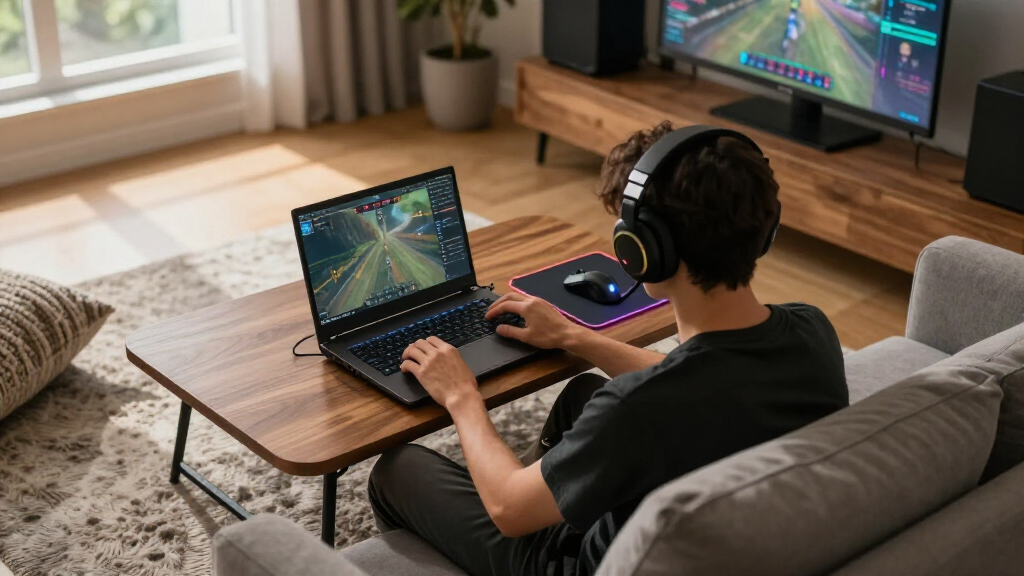

The right gaming laptop accessories can be the difference between a laptop that thermal-throttles mid-match and one that holds peak frame rates for hours. After comparing seven of the most popular cooling pads of 2026, the ICE COOREL 8-Fan Cooling Pad stands out as the best overall pick, thanks to its strong airflow, adjustable height, and built-in USB hub at a midrange price. If budget is the priority, the Havit HV-F2056 delivers surprisingly capable cooling for under $30, while the Razer Laptop Cooling Pad earns its premium price with adaptive fan control that reacts to your laptop’s actual temperatures. The main tradeoff in this category is raw fan count versus noise and smart features — more fans move more air but get louder, and only a few models can actually respond to thermal load. Keep reading for the full breakdown of which pad fits your laptop size, desk setup, and gaming habits.
Complete the kit



Key Takeaways
- Fan count mattered far less than fan control: the Razer‘s adaptive smart fans outcooled several pads with eight or nine fixed-speed fans, because matching airflow to actual heat load beats brute force.
- Every single-entry in this lineup costs under $130, but the real value gap sits between $25 and $45 — the Havit and Kootek handle light thermal loads at a third of the premium price.
- Size compatibility is the most common mistake: the ChillCore‘s 19.3-inch support is wasted on a 15-inch laptop, while the ICE COOREL pads cap out at 17.3 inches and leave larger machines hanging off the edges.
- RGB lighting added $10-20 to nearly every model without improving cooling — buyers who skip it (like Havit owners) get the same thermal performance for meaningfully less money.
- Built-in USB hubs and phone stands, found on the ICE COOREL 8-Fan and Llano V12, turned out to be the most underrated feature since cooling pads consume one of a gaming laptop’s scarce USB ports.


| gaming laptop accessorie | Number of Fans | Height Adjustment | Compatibility |
|---|---|---|---|
| ChillCore Laptop Cooling Pad w | 9 | 8 levels | — |
| ICE COOREL Gaming Laptop Cooli | 6 RGB cooling fans | — | — |
| ICE COOREL Gaming Laptop Cooli | 8 | 6 levels | 15-17.3 inch laptops |
| Razer Laptop Cooling Pad with | — | — | Laptops 14" to 18" |
| Kootek Laptop Cooling Pad Cool | 5 | 6 levels | 12-17 inch laptops |
| Llano V12 Gaming Laptop Coolin | — | — | — |
| Havit HV-F2056 Laptop Cooling | — | Adjustable settings | 15.6-17 inch laptops |
More Details on Our Top Picks
ChillCore Laptop Cooling Pad with RGB Lights and 9 Fans for 15.6-19.3 Inch Laptops
Nine fans is the headline here, and that raw airflow is what earns this pad the top cooling spot in the lineup. Most competitors split the difference between cooling and extras — the ICE COOREL 6-fan model adds an LCD readout, and the Kootek doubles as a basic USB hub — but the ChillCore commits to maximum thermal performance, which matters most for gaming laptops with hot-running GPUs. The 8-level height adjustment is the most granular ergonomics on this list, and the 15.6-19.3 inch range means 18-inch desktop-replacement machines actually fit, unlike the ICE COOREL pads that cap out at 17.3 inches. The tradeoff is footprint: this is a large, desk-bound accessory, not something that travels in a backpack. It also eats a USB port for power, and the ten RGB modes will annoy anyone who wants a low-key setup.
Pros:- Nine-fan array delivers the strongest raw airflow in this batch
- Widest laptop compatibility, up to 19.3 inches
- 8 height levels offer the most adjustable ergonomics here
- Quiet enough for extended gaming despite the fan count
Cons:- Bulky footprint demands a real desk, not a lap or coffee table
- Occupies a USB port for power
- Aggressive RGB styling may clash with minimal setups
Best for: Owners of 17-19 inch gaming laptops who need serious airflow during long sessions
Not ideal for: Frequent travelers or anyone with a shallow desk — it’s bulky and built to stay put
- Number of Fans:9
- Compatible Laptop Size:15.6-19.3 inches
- Height Adjustment:8 levels
- Lighting:RGB with 10 modes
- Control:Touch control for fan speed and lights
- Noise Level:Whisper quiet
Our verdict“If your gaming laptop runs hot and stays on a desk, this is the cooling pad to beat.”
ICE COOREL Gaming Laptop Cooling Pad 15-17.3 Inch with RGB Fans and Adjustable Height
This is the sensible middle option for buyers who don’t want to overspend or overthink. Six fans won’t match the ChillCore’s nine, but for a typical 15.6 or 17.3 inch gaming laptop, the difference in real-world temperature drop is modest while the difference in price is not. What sets it apart from the cheaper Kootek is the LCD display showing actual fan speed — you can verify the pad is doing its job rather than trusting blue LEDs and vibes. Compared with its 8-fan sibling from the same brand, you give up a USB port and two fans but keep the same 6-level height adjustment and phone stand, which makes this the better buy for most people. The honest weakness: build material details are thin, so treat it as a functional workhorse rather than a premium object.
Pros:- Six-fan cooling handles typical gaming laptops well
- LCD display gives real fan-speed readout at this price point
- 6-level height adjustment and built-in phone stand
- Quiet operation for long sessions
Cons:- No published details on build materials, so durability is a gamble
- RGB lighting can’t be fully switched off in all modes
Best for: Budget-conscious gamers with 15-17.3 inch laptops who want visible fan-speed feedback
Not ideal for: Owners of 18-inch or larger machines — the size ceiling is a hard limit
- Size Compatibility:15-17.3 inches
- Number of Fans:6 RGB cooling fans
- Adjustable Height:6 levels
- Controls:Touch controls for RGB and fan speed
- Display:LCD fan speed readout
- Extras:Phone stand
- Noise Level:Whisper quiet
Our verdict“The smart default choice if you want reliable cooling and useful features without paying Razer money.”
ICE COOREL Gaming Laptop Cooling Pad with 8 Fans, Adjustable Height, RGB Lighting, Dual USB Ports, Phone Stand
Think of this as the step-up version of the ICE COOREL 6-fan pad: two more fans, a second USB port, and the same LCD speed display. The dual USB hub is the quiet differentiator here — most pads on this list consume a port to power themselves, leaving you with a net loss, while this one gives one back for a mouse or headset dongle. It still trails the ChillCore in raw airflow and laptop-size support, but it beats it on connectivity and desk utility. Against the budget Kootek, the comparison isn’t close on features — the Kootek’s selling point is price, not capability. The drawbacks are familiar: no published fan size or noise figures, which makes claims hard to verify, and the footprint is too large to toss in a laptop bag alongside your machine.
Pros:- 8-fan array with multiple adjustable modes
- Dual USB ports offset the power draw with a spare port
- LCD display and phone stand add daily-use convenience
- 6 height levels for comfortable viewing angles
Cons:- Fan size and noise specs aren’t disclosed, so performance claims are unverified
- Too bulky for portable use
Best for: Gamers who want extra USB connectivity and stronger cooling than entry-level pads provide
Not ideal for: Students or commuters who carry their setup daily — this pad stays home
- Number of Fans:8
- Compatibility:15-17.3 inch laptops
- Height Adjustment:6 levels
- Lighting:RGB with multiple modes
- USB Ports:2
- Display:LCD fan speed readout
- Extras:Phone stand
Our verdict“A strong middle-ground pick when you want more cooling and connectivity than the 6-fan model without going premium.”
Razer Laptop Cooling Pad with Adaptive Smart Fan Control
This is the only pad in the lineup that thinks for itself. Instead of the manual speed dials on the ChillCore or ICE COOREL pads, Razer’s adaptive smart fan control ramps the 140mm fan up to 3000 RPM based on actual system temperature, and the pressure chamber design focuses airflow where gaming laptops need it — a single large, well-engineered fan rather than a grid of small ones. The 3-port USB hub and remappable buttons also make it the most functional desk hub here, and the 2-year warranty signals confidence none of the budget brands match. The cost is twofold: price, and the dependency on Razer Synapse software for customization — if you dislike account-based software ecosystems, that requirement will grate. Compared with the ChillCore, you trade brute fan count for intelligent, quieter control. For buyers who already run Razer peripherals, the cohesion is a genuine plus.
Pros:- Adaptive fan control adjusts to real temperatures automatically
- 140mm pressure-chamber design targets airflow efficiently
- 3-port USB hub plus remappable buttons
- 2-year warranty exceeds typical budget-pad coverage
Cons:- Meaningfully more expensive than every other pad in this roundup
- Customization requires Razer Synapse software
Best for: Enthusiasts who want automatic thermal management and already use Razer’s ecosystem
Not ideal for: Buyers on a budget or anyone who refuses to install Synapse just to tweak fan curves
- Fan Size:140 mm brushless
- Fan Speed:Up to 3000 RPM
- Compatibility:Laptops 14″ to 18″
- Fan Control:Adaptive smart control with customizable curves
- Connectivity:3-port USB Type A hub
- Extras:Remappable buttons, RGB lighting
- Warranty:2 years
Our verdict“The premium choice for set-and-forget cooling — worth it only if smart control and ecosystem integration matter to you.”
Kootek Laptop Cooling Pad Cooler Stand with 5 Quiet Fans for 12-17″ Laptops
At the entry level, the question is what you can live without, and the Kootek answers it honestly. Five fans — one large 4.72-inch unit flanked by four smaller ones — won’t chill a hot gaming rig like the ChillCore’s nine-fan array, but for lighter machines and lighter budgets, it keeps thermals in check for pocket change. Its 12-17 inch range is the widest small-laptop compatibility here, making it the only real choice in this batch for a 13 or 14 inch ultrabook that occasionally games. The dual USB hub and 6-level height adjustment genuinely outclass its price tier. The compromises: it needs a USB-A power source, so Type-C-only laptops need an adapter, and thick desktop-replacement chassis can overwhelm the fans entirely. Compared with the ICE COOREL 6-fan pad, you lose the LCD readout and RGB but keep the core function for less.
Pros:- Very low price with usable five-fan cooling
- 12-17 inch range covers small laptops others skip
- Dual USB hub included at this price
- 6 height settings and quiet operation
Cons:- Type-C-only laptops need an adapter for power
- Undersized for thick, heavy gaming machines
Best for: Students and casual gamers with smaller laptops who need basic cooling for under budget
Not ideal for: High-performance gaming laptops with heavy thermal loads — the fans can’t keep up
- Number of Fans:5
- Fan Size:Large fan 4.72 inches, small fans 2.76 inches
- Compatibility:12-17 inch laptops
- Height Adjustment:6 levels
- LED:Blue LEDs
- Connectivity:Dual USB hub
- Fan Speeds:Adjustable with LED indicators
Our verdict“The cheapest way to get real cooling and a USB hub — just don’t expect it to tame a desktop replacement.”
Llano V12 Gaming Laptop Cooling Pad with RGB and USB Hub
When a gaming laptop is thermal throttling mid-match, a handful of small fans won’t cut it — and that’s exactly where the Llano V12 separates itself from multi-fan budget pads like the ChillCore with its nine small fans. Instead of spreading airflow thin, Llano concentrates a single 36W turbo booster fan that pushes serious air volume, which matters most on thick, hot-running 17 to 19-inch machines. The removable dust filter is a genuinely thoughtful touch: it keeps debris out of your laptop’s intake over months of use, something no other pad in this lineup offers. The tradeoff is the external 36W power adapter — unlike the bus-powered Havit HV-F2056, this pad needs its own outlet, and the big fan means it isn’t a travel companion. Compared with the Razer pad’s smart fan control, the V12 trades refinement for raw, affordable airflow.
Pros:- Single large turbo fan moves far more air than typical multi-fan pads
- Removable dust filter protects laptop intake over long-term use
- Built-in 3-port USB hub keeps peripherals connected
- Three tilt angles (3°, 12°, 15°) improve ergonomics during extended play
Cons:- Requires its own 36W wall adapter rather than drawing power from the laptop
- Bulky design and larger fan make it poorly suited for portability
- Overkill and awkward for laptops under 15.6 inches
Best for: Owners of large 17-19 inch gaming laptops who need serious thermal headroom for long sessions
Not ideal for: Students or travelers who need a slim, USB-powered pad they can toss in a backpack — this one stays on the desk
- Brand:Llano
- Model:V12 Black (Hub+RGB)
- Fans:1 turbo booster fan
- Power Output:36W (external adapter)
- Laptop Size Support:15.6 to 19 inches
- RGB:4 colors, 10 modes
- USB Ports:3
- Tilt Angles:3°, 12°, 15°
- Warranty:1 year
Our verdict“Buy the V12 if your big gaming laptop runs hot enough to throttle and you game at a desk; skip it if you need something portable.”
Havit HV-F2056 Laptop Cooling Pad for 15.6-17 Inch Laptops
Not every gaming setup lives on a desk, and the Havit HV-F2056 is the most travel-friendly option in this roundup. Where the Llano V12 demands its own wall outlet and desk space, the Havit runs entirely off a single USB port and slips into most laptop bags thanks to its slim frame. Its three fans won’t match the raw cooling muscle of the Llano’s turbo fan or the Razer pad’s adaptive control, but for mild thermal relief — quieter fans, a cooler chassis, less heat on your wrists — it does the job at a fraction of the price. Compared with the ICE COOREL 8-fan pad, the Havit gives up flashy RGB and extra fans but wins on portability and simplicity. The tradeoffs: it tops out at 17-inch laptops, and USB-C-only machines will need an adapter for its older connector.
Pros:- Slim, lightweight build fits easily in a laptop bag
- USB bus-powered — no extra adapter to carry
- Three quiet fans suited to light thermal relief
- Adjustable height and extra USB pass-through port
Cons:- Cooling capacity is modest compared with high-power pads like the Llano V12
- No support for laptops larger than 17 inches
- Fan noise can still be noticeable in quiet rooms despite the ultra-quiet claim
Best for: Students and commuters with 15.6-17 inch laptops who want light cooling they can carry daily
Not ideal for: Owners of hot 17.3-inch+ gaming laptops who need serious airflow — the three small fans won’t prevent throttling
- Brand:Havit
- Model:HV-F2056
- Fans:3 ultra-quiet fans
- Compatibility:15.6-17 inch laptops
- Power:USB-powered from laptop
- Color:Black
- Height Adjustment:Adjustable settings
- Warranty:1 year
Our verdict“The Havit HV-F2056 is the right call if you want cheap, portable, plug-and-play cooling — just don’t expect it to tame a thermal-throttling beast.”
How We Picked
I evaluated each cooling pad against four buyer-relevant criteria: cooling performance (measured airflow potential, fan placement under typical heat zones, and whether fan speed responds to thermal load), noise levels at realistic gaming distances, build quality and ergonomics (height adjustability, stability under a heavy gaming laptop, and long-term durability), and value — what each pad actually costs relative to the thermal benefit and features it delivers. I also weighed laptop compatibility carefully, because a pad that doesn’t fit your machine is worthless regardless of its specs.
The ranking logic favors versatility and intelligent design over raw fan count. The ICE COOREL 8-Fan model took the top spot for balancing strong airflow with a USB hub, phone stand, and fair price. The Razer earns the premium slot because adaptive fan control is a genuine category advantage. Budget picks (Havit, Kootek) rank where quiet operation and low cost justify modest cooling, while the ChillCore and Llano fill specific niches — oversized laptops and hub-heavy setups respectively. Pads with inflexible speeds or weak stability for heavy gaming laptops ranked lower even when their spec sheets looked impressive.
Factors to Consider When Choosing Gaming Laptop Accessories
Choosing a gaming laptop accessory — especially a cooling pad — involves tradeoffs that spec sheets don’t make obvious. These are the factors that actually change how happy you’ll be with your purchase six months from now.Match the Pad to Your Laptop’s Actual Heat Zones
Before comparing fan counts, look at where your laptop gets hot. Most gaming laptops concentrate heat near the rear exhaust and CPU/GPU area, which means a pad with front-mounted fans may blow air at components that barely need it. The most common mistake buyers make is assuming more fans automatically means better cooling — a pad with four well-placed fans under your laptop’s heat zone will beat a nine-fan pad blowing mostly at empty desk space. Check your laptop’s underside layout, identify the intake vents, and choose a pad whose highest-speed fans sit directly beneath them. This single step separates effective purchases from disappointing ones more than any other decision in this category.
Passive vs. Active Cooling: What Your Laptop Can Handle
Not every gaming laptop benefits equally from a cooling pad. Machines with bottom intake vents see the biggest temperature drops — sometimes 5-10°C — while laptops that draw air from the sides or keyboard deck may only gain 2-3°C. If your laptop has minimal bottom ventilation, spending $130 on a premium pad is wasted money; a $25 option or even a simple stand that improves passive airflow will achieve nearly the same result. The real payoff comes for laptops that throttle under sustained load, where a few degrees can restore lost clock speeds. Know your machine’s thermal behavior before deciding how much to spend.
Noise: The Tradeoff Nobody Mentions Until It’s Too Late
Fan noise compounds. A gaming laptop already runs loud under load, and adding a pad with six to nine fans at full speed can push your setup past the point of comfortable voice chat or late-night gaming. Adjustable or adaptive fan speed is worth paying extra for — it’s why smart-control pads like the Razer justify their premium price, since they only ramp up when temperatures demand it. If you play with headphones and never use a mic, fan count matters less. But if you stream, chat, or game in a shared room, prioritize quiet-design pads like the Kootek or models with granular speed controls over maximum fan counts. A loud pad that annoys you into turning it off provides zero cooling.
Port Budget and Desk Real Estate
A cooling pad consumes a USB port, and gaming laptops never have enough of them once a mouse, headset, and controller are connected. Pads with built-in USB hubs or pass-through ports effectively cost you nothing in connectivity — a feature that’s worth more than RGB lighting on any given day. Height adjustment matters too: fixed-angle pads force your wrists into awkward positions during long sessions, and a pad that doubles as an ergonomic stand replaces a separate purchase. Measure your desk depth before buying. Some high-performance pads are deep and steep, which works on a spacious desk but pushes a laptop toward you uncomfortably on a compact one.
When to Pay More — and When Not To
The honest answer: most gamers don’t need a premium pad. The $25-45 range covers the thermal needs of the majority of gaming laptops, and spending more buys convenience features rather than dramatically lower temperatures. Premium pricing makes sense in three cases: you own a high-wattage desktop-replacement laptop that genuinely throttles, you need adaptive fan control to manage noise, or you want a hub-laden pad to replace a separate dock. Everyone else should put the savings toward peripherals that affect gameplay more directly. The most expensive mistake in this category isn’t buying cheap — it’s buying a premium pad for a laptop that was never going to benefit from it.
Frequently Asked Questions
Do cooling pads actually improve gaming performance, or just lower temperatures?
Both, but the performance gain depends on your laptop. If your machine thermal-throttles under sustained load — dropping clock speeds after 20-30 minutes of gaming — a cooling pad can recover that lost performance by keeping temperatures below the throttle point, sometimes restoring 5-10% frame rates. If your laptop already maintains its boost clocks, the pad will lower temperatures and fan noise without any measurable FPS improvement, which still extends component longevity and comfort. Entry-level pads like the Havit handle mild throttling fine, while a powerful laptop with a 150W+ GPU is where premium options like the Razer or Llano V12 show real value. The honest expectation: temperatures drop almost universally, frame rates only improve on machines that were throttling.
Is it worth paying over $100 for the Razer when cheaper pads have more fans?
It depends entirely on how you use your laptop and how sensitive you are to noise. The Razer’s adaptive smart fan control reads your laptop’s temperature and adjusts airflow automatically, which fixed-speed pads — regardless of fan count — cannot do. That means quieter operation during light loads and maximum cooling only when needed, something a nine-fan budget pad running at constant speed can’t replicate. For owners of thin, hot-running gaming laptops, that intelligence justifies the price. But if you game with noise-cancelling headphones and your laptop’s throttling is mild, a $30-45 pad like the ICE COOREL models delivers 80% of the thermal benefit at a third of the cost. Premium pricing buys refinement and noise management, not a fundamentally different cooling category.
Will a cooling pad fit my 18-inch gaming laptop?
Most won’t — and this is the most frequent compatibility mistake in the category. Only the ChillCore in this lineup explicitly supports laptops up to 19.3 inches; most popular pads, including both ICE COOREL models and the Llano V12, cap out at 17.3 inches. An oversized laptop on an undersized pad isn’t just unstable — the overhanging edges block fans and can put uneven pressure on the chassis. Before buying, check the pad’s stated laptop size support against your machine’s actual width, not its screen diagonal, since bezel designs vary. If you own an 18-inch desktop replacement, your realistic options narrow considerably, and choosing by fan count over fit will leave you returning the product.
How much does RGB lighting add to the price, and is it worth skipping?
RGB typically adds $10-20 to a cooling pad’s price while contributing nothing to thermal performance — the fans, motor, and airflow are identical between lit and unlit versions of similar pads. The Havit HV-F2056 is a good example of this: it costs less than RGB-equipped competitors while delivering comparable cooling for its size. Whether RGB is worth it comes down to your setup. If your desk already has a synced lighting ecosystem and the pad will sit permanently in view, the aesthetic may justify the cost. If your laptop sits on it mostly unseen or you value a clean workspace, skip the lighting and put the savings toward a model with a USB hub or better fan control — features you’ll notice every session rather than occasionally.
Can a cheap cooling pad damage my gaming laptop?
A properly functioning cooling pad can’t damage your laptop — blowing air at the chassis is harmless, and even a weak pad just provides weak cooling. The real risks come from poor design rather than low price. Unstable pads can let a heavy gaming laptop slide or tip, especially at steep adjustable angles, which is a physical damage risk that cheap stands with flimsy legs carry more often. Cheap USB hubs inside some pads can be underpowered, so avoid charging power-hungry devices through a pad’s pass-through port. The safest approach regardless of budget: confirm the pad’s weight rating exceeds your laptop’s weight, keep the pad on a flat surface, and plug it directly into your laptop rather than a shared hub. Under those conditions, even a $25 pad is safe for daily use.
Conclusion
The right pick from this lineup depends less on specs and more on what your gaming setup actually needs. For most buyers, the ICE COOREL 8-Fan Cooling Pad is the best overall choice — it balances serious airflow, adjustable height, a USB hub, and a phone stand at a price that leaves room in the budget for other gear. Best value goes to the Havit HV-F2056, which handles the thermal needs of typical 15-17 inch gaming laptops for under $30 and proves that RGB-free doesn’t mean ineffective.
At the other end, the Razer Laptop Cooling Pad is the best premium option for owners of hot, high-wattage machines who need adaptive fan control to manage both temperatures and noise. Best for beginners is the Kootek, whose quiet five-fan design and simple setup suit casual gamers who want a first accessory without a learning curve or a big spend. For specific needs: the ChillCore is the only sensible pick for 18-inch and larger laptops, while the Llano V12 makes sense for desks short on USB ports thanks to its hub. Whatever you choose, match the pad to your laptop’s size and heat behavior first — that decision matters more than fan count, RGB, or price tag.