
TL;DR

Get the latest gadgets delivered free with Prime
- Fast, free delivery on millions of items
- Prime Video, Amazon Music and more included
- Member-only deals all year
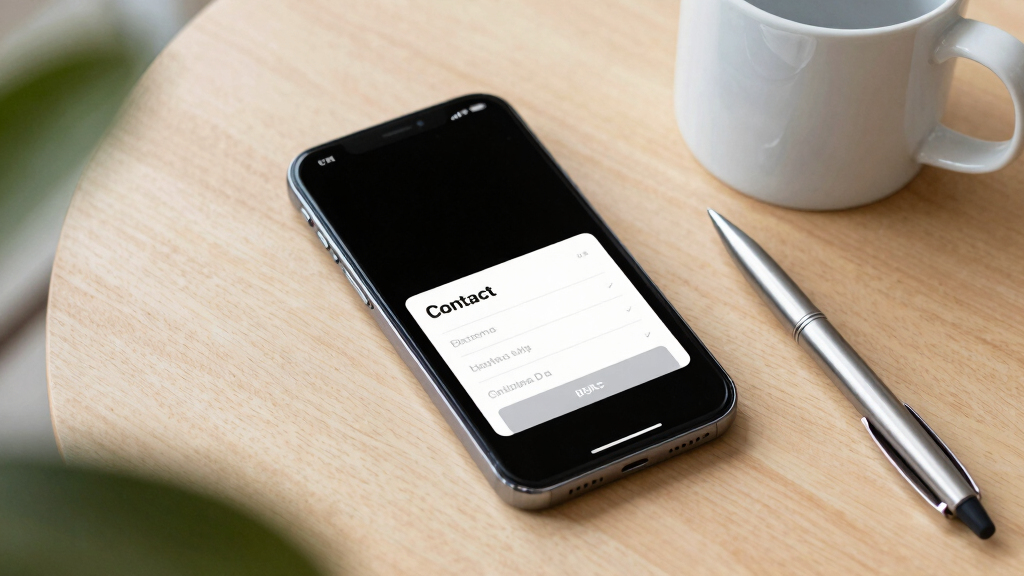
Traditional contact forms cause high abandonment—up to 62%. Simplify, personalize, and streamline your form to turn more visitors into leads. Small changes yield big results.
If you’ve ever wondered why visitors vanish right before hitting submit, you’re not alone. Your contact form is more than just a simple tool — it’s the final gatekeeper between interest and action. And yet, it’s often the biggest bottleneck.
Despite decades of online shopping and lead generation, static forms haven’t changed much. But the numbers don’t lie. They show that most forms kill your chances — with abandonment rates soaring as high as 62%. That’s a huge chunk of potential leads slipping away every day.
In this article, you’ll learn why your contact form’s design and structure are the silent killers of your conversions — and exactly what you can do to fix it. The good news? Small tweaks can multiply your leads without spending a dime on new traffic.
Key Takeaways
- Keep your contact form under 5 fields to drastically improve completion rates.
- Remove mandatory phone numbers and credit card fields unless absolutely necessary.
- Design with white space, visual cues, and mobile in mind to boost trust and usability.
- Use multi-step, conditional forms to guide and qualify leads effectively.
- Regularly test and tweak your form based on real data to keep conversions climbing.
As an affiliate, we earn on qualifying purchases.
Why Your Contact Form Is Sabotaging Your Business
Long, boring forms scare away visitors faster than a bad smell. When someone lands on your page, they’re already interested. But if your form asks for too much, too soon, they hit the exit button.
Research shows that forms with over 10 fields reduce completion rates by 50% or more. A typical form asking for name, email, phone, message, and a few extras is a death trap. People get overwhelmed, and their brains decide it’s easier to leave than to fill out everything.
Take ImageScape, for example. They cut their form from 11 fields to 4 and saw a 120% boost in submissions. Making the process quicker and easier turns browsers into buyers.
Understanding why complexity causes abandonment is crucial. When forms are overly lengthy or ask for unnecessary information upfront, they create friction—mental effort that discourages completion. This friction triggers a subconscious decision to abandon, often without the visitor realizing it. Simplifying forms reduces this cognitive load, making the process feel effortless and inviting. It’s not just about reducing fields; it’s about respecting the user’s time and attention, which builds trust and increases the likelihood of conversion. However, tradeoffs exist: too few questions might miss qualifying leads or gather insufficient data, so balance is key.
As an affiliate, we earn on qualifying purchases.
The Biggest Friction Killers in Your Contact Form
Friction is the enemy. It’s what makes visitors hesitate, second-guess, and eventually leave. Here are the core issues that turn your form into a conversion killer:
- Too many fields: Every extra question adds effort. The rule of thumb? Keep it under five. Each additional field drops completion rates by up to 20%.
- Mandatory phone numbers and credit cards: Forcing visitors to provide sensitive info kills leads. Removing the requirement can lift conversions by 52%, according to recent tests.
- Poor design and spacing: Cluttered, cramped buttons and tiny input boxes frustrate users. White space around buttons can double click-through rates.
Imagine a busy trade show. If you ask for a full resume before anyone even says hello, you scare people off. It’s the same online.
Addressing these friction points is essential because each one adds perceived effort and uncertainty. For example, requiring a phone number might seem like a minor ask, but it signals a higher commitment level—many visitors may hesitate to share personal details unless they trust your brand. Similarly, poor design elements like tiny buttons or cluttered layouts increase cognitive strain, leading to frustration and abandonment. Eliminating or minimizing these friction points reduces the mental and physical effort needed to complete the form, making users more willing to follow through. The tradeoff? Sometimes, less data means less qualification, so it’s important to weigh the benefits of simplicity against the need for detailed information, especially in high-value contexts.
multi-step contact form software
As an affiliate, we earn on qualifying purchases.
As an affiliate, we earn on qualifying purchases.
How Simplifying Your Form Can Triple Your Leads
Less is more. When you trim down your form, you remove the barriers that scare people away. The magic number? Under 5 fields, with optional phone and minimal questions.
For example, a real estate site reduced their form from 11 to 4 fields. Their submissions jumped 160%. They focused on the essentials — name, email, property interest, and timeline — and watched their lead flow surge.
To make your forms more effective, try these strategies:
- Limit questions to what really matters
- Make non-essential fields optional
- Use smart, conditional logic to show relevant questions
Reducing the number of questions not only shortens the form but also signals to visitors that you value their time. This approach lowers perceived effort and increases trust, making users more likely to complete the form. However, tradeoffs include potentially missing out on qualifying information that could help tailor your follow-up. Using conditional logic can mitigate this by asking relevant questions only when necessary, striking a balance between simplicity and data collection. The key is to test what works best for your audience and goals, always aiming for a frictionless experience that encourages completion without sacrificing critical insights.
form analytics and testing tools
As an affiliate, we earn on qualifying purchases.
As an affiliate, we earn on qualifying purchases.
The Power of Visuals and Feedback in Forms
A polished, professional look instantly builds trust. Use branded colors, clear typography, and smooth transitions. Think of your form as a handshake — firm, confident, and welcoming.
Adding a progress indicator shows users how close they are to completing the process, reducing drop-offs by 20-30%. And immediate feedback, like ‘Your message has been sent!’ or personalized tips, makes the experience feel valuable.
Take RevKey’s case. They added a progress bar and personalized thank-you messages. Their completion rate increased by 35%, proving that good design isn’t just aesthetic — it’s strategic.
Deeply, visual cues and feedback mechanisms influence user psychology. Clear, consistent visuals reduce cognitive load, guiding users smoothly through the process. Progress indicators tap into the desire for achievement—each step completed feels like a small victory, motivating users to finish. Immediate feedback reassures users that their effort was successful, reducing anxiety and uncertainty. These elements collectively foster trust, enhance perceived professionalism, and increase completion rates. The tradeoff? Over-design can sometimes distract or slow down the process if not implemented thoughtfully. The key is to strike a balance—use visuals and feedback to support ease of use, not complicate it.
Make Your Forms Mobile-First and User-Friendly
More than half of visitors are on mobile devices. If your form is tiny, cluttered, or hard to tap, you’re losing them before they start. Mobile-friendly forms feature large buttons, single-column layouts, and quick load times.
University of Wisconsin tested a mobile form redesign. Moving from a desktop-heavy layout to a vertical, simple form increased mobile conversions by 68%. Mobile isn’t an afterthought — it’s the main event.
Pro tip: Always test your form on various devices. Use tools like Google’s Mobile-Friendly Test to spot issues before they kill your next batch of leads.
Designing for mobile isn’t just about responsiveness; it’s about understanding user context. Mobile users often have less patience and more distractions, so your form must be quick and simple. Large touch targets prevent frustration, and vertical layouts eliminate the need for zooming or horizontal scrolling. Testing across devices uncovers usability issues that might not be obvious on desktop. Prioritizing mobile usability ensures you don’t miss out on a significant portion of your audience, making your lead capture process more inclusive and effective. The tradeoff? Over-simplification can sometimes omit necessary fields, but with smart design, you can maintain data quality while maximizing mobile conversions.
Turn Your Contact Form Into a Guided Journey
Instead of a static, one-size-fits-all form, create a step-by-step experience. Break questions into small chunks. Ask one or two at a time. This reduces perceived effort and encourages completion.
Think of it as a friendly conversation, not an interrogation. Visitors are more likely to follow through when they feel guided.
Platforms like Delvasta offer multi-step forms with conditional logic, making this approach simple to implement and highly effective. You can increase conversion rates by up to 20% with just this tweak.
Deeply, guided forms tap into psychological principles of commitment and consistency. When users see a clear path, they’re more likely to commit to completing it, especially when each step feels manageable. This approach also allows for personalization—showing relevant questions based on previous answers—making the experience feel tailored and respectful of the visitor’s time. The tradeoff? Multi-step forms can sometimes seem longer, but if designed well, they actually improve perceived speed and ease. The key is to maintain clarity and avoid unnecessary steps that could frustrate users or cause drop-off. Ultimately, guiding visitors through a logical, friendly process transforms a daunting task into a manageable journey, boosting completion rates and lead quality.
Qualify Leads Automatically and Focus on the Best Ones
Not every visitor is ready to buy. Use scoring and conditional logic to filter out the tire-kickers. Assign points based on responses — high scores go to your calendar; low scores get nurturing resources.
This way, your sales team concentrates on the most promising leads. For instance, a SaaS company reduced their unqualified inquiries by 70%, saving hours of manual work.
Deeply, automated lead qualification transforms the sales process by making it more efficient and targeted. By scoring responses, you can prioritize high-intent visitors, ensuring your team invests time where it counts. This not only increases conversion rates but also improves the quality of your leads—focusing on prospects that are genuinely interested and ready to engage. Additionally, automated qualification reduces bias and subjectivity, providing consistent criteria for lead evaluation. The tradeoff? Overly aggressive scoring might exclude potential clients who need nurturing, so it’s essential to calibrate your scoring system carefully. When done right, it creates a self-sustaining pipeline that filters and nurtures leads intelligently, saving time and boosting revenue.
Test, Tweak, and Keep Improving Your Contact Form
Don’t settle for a gut feeling. Use A/B testing to try different form lengths, questions, and layouts. Track where users drop off and what increases submissions.
For example, changing a CTA button from ‘Submit’ to ‘Get My Free Quote’ increased conversions by 21%. Small changes, big impact.
Deeply, ongoing testing is vital because user preferences and behaviors evolve over time. What works today might not work tomorrow, and assumptions can be wrong. By continuously experimenting with different versions, you gather data-driven insights that guide your design decisions. Analytics tools help identify bottlenecks—such as specific questions causing drop-offs—and reveal what motivates users to complete the form. This iterative process fosters a culture of continuous improvement, ensuring your forms remain optimized for maximum conversions. The tradeoff? It requires commitment and resources, but the payoff is a steadily increasing conversion rate and a better understanding of your audience’s preferences.
Frequently Asked Questions
How many fields should my contact form have?
The sweet spot is under 5 fields. Tests show that reducing from 11 to 4 fields can boost submissions by 160%. Focus on essentials like name, email, and one or two key questions.
Should I require phone numbers or credit cards?
Make these optional or remove them altogether initially. Forcing visitors to provide sensitive info kills conversions. Removing phone requirements alone can increase form completions by over 50%.
What’s the biggest mistake businesses make with contact forms?
Overloading the form with too many fields, requiring sensitive info, and ignoring mobile design. Simplify, streamline, and optimize for mobile to keep visitors engaged.
How can I test if my new form design works?
Use A/B testing to compare different versions. Track drop-offs and conversions with analytics tools. Small tweaks based on real data yield the best results.
Is a multi-step form really better?
Yes. Breaking questions into steps reduces perceived effort and increases completion rates. Plus, it allows you to personalize the experience, making visitors more likely to follow through.
Conclusion
Your contact form isn’t just a form — it’s a funnel’s final gatekeeper. Small, thoughtful changes can turn it from a barrier into a bridge—tripling your leads without extra traffic.
Imagine a sleek, simple form that feels like a friendly handshake, guiding visitors effortlessly to reach out. That’s the power of smart design. Are you ready to give your form a makeover and watch your pipeline grow?
Fall Picks
fall essentials
As an affiliate, we earn on qualifying purchases.