

To free up storage on your phone without deleting everything, start by managing app data and clearing caches regularly. Use cloud services like Google Drive or iCloud for photos and videos, and transfer files to external drives or SD cards. Uninstall unused apps and delete duplicate or unnecessary files. Take advantage of built-in storage features and stream media instead of downloading. Keep your OS and apps updated for maximum efficiency—more tips to streamline your space come next.
Key Takeaways
- Clear app caches and temporary files using built-in storage tools or third-party cleanup apps.
- Transfer media files like photos and videos to cloud services or external devices to free internal space.
- Uninstall unused or duplicate apps to reduce storage consumption without deleting data.
- Manage app permissions and background processes to prevent unnecessary data buildup and optimize space.
- Regularly update apps and software to fix bugs and improve efficiency, helping maintain optimal storage.
Review and Manage Your App Storage Usage

Have you checked how much space your apps are taking up on your phone? Start by reviewing each app’s storage usage in your settings. Some apps store large files or caches that you can clear without deleting the app itself. While you’re at it, examine app permissions—disabling unnecessary access can improve privacy and sometimes reduce background activity that consumes space. Also, review notification settings; disabling unnecessary alerts can prevent apps from generating extra data or files. Managing these aspects helps you identify which apps use the most storage and what settings can be optimized. Regularly monitoring app storage, permissions, and notification preferences guarantees your device stays clutter-free and runs smoothly, all without the need to delete entire apps or data. Understanding app storage management is essential for maintaining optimal device performance. Additionally, being aware of background activity can help you identify apps that may be unnecessarily consuming resources even when not in use. To further optimize your device, consider using storage cleaning tools that can automatically identify and remove unnecessary files and caches.
Clear Cache and Temporary Files Regularly
To free up space, you should regularly clear cache and temporary files on your phone. You can identify cache locations and use built-in tools or apps to make this process easier. Automating cleanup tasks guarantees your storage stays optimized without extra effort. Additionally, managing storage space effectively can prevent your device from becoming sluggish. Regularly updating your device’s security measures and being aware of AI vulnerabilities can also help protect your data and maintain optimal performance. Incorporating essential oils for device health, such as those with antimicrobial properties, can also support your device’s longevity.
Identify Cache Locations
Since cache and temporary files can quickly accumulate and take up significant space, regularly identifying their locations is essential for maintaining your phone’s storage. Start by locating the cache location, which varies by app and system. Common cache locations include app-specific folders, system cache, and the temporary folder. To find these, you can:
- Check your device’s storage settings for app data and cache details.
- Use file management apps to browse system folders and find cache or temporary files.
- Access app settings directly to clear cache from the app menu.
- Being aware of storage management techniques helps prevent unnecessary storage buildup and keeps your phone running smoothly. Additionally, understanding how system cache operates can assist you in more effectively managing your device’s overall performance, especially when encountering storage limitations. Regularly clearing cache can also improve device responsiveness, making your phone more efficient during daily use. Developing good storage hygiene habits ensures your device remains optimized over time.
Use Built-in Tools
Using your phone’s built-in tools to clear cache and temporary files is an effective way to free up storage space regularly. These tools remove unnecessary data that apps store temporarily, helping your device run smoother. Before clearing files, consider backing up important data to a cloud backup service to prevent accidental loss. Keep in mind that some apps encrypt data for security; clearing cache won’t affect this encryption but can improve performance. Most smartphones have options in settings to delete cached data safely. Regularly performing this cleanup maintains *ideal* storage and speed. Remember, built-in tools are designed to help you manage space efficiently without deleting personal files, ensuring your phone remains secure with data encryption while staying clutter-free. Additionally, understanding your device’s storage management features can help you optimize space even further, especially since regular maintenance can prevent storage issues before they arise. Implementing AI-powered tools for device optimization can also contribute to a smoother overall device experience.
Automate Cleanup Processes
Automating the cleanup of cache and temporary files guarantees your phone stays clutter-free without requiring manual effort every time. To do this effectively, you should address background processes and notification settings that may generate unnecessary data. Managing these processes can also help prevent the buildup of temporary files, ensuring your device runs smoothly over time. Additionally, understanding industry trends can help you better manage your investments and avoid unnecessary account fees or complications. Here are three ways to automate cleanup:
- Enable automatic cache clearing in your device’s settings or use third-party apps that regularly delete cache files.
- Limit background processes for apps that don’t need to run constantly, reducing temporary data buildup.
- Adjust notification settings to prevent apps from creating excessive temporary files through frequent alerts.
- Consider using sound design techniques or tools like synthesis and layering to optimize background activity and improve overall device efficiency.
Utilize Cloud Storage for Photos and Videos

Using cloud storage for your photos and videos can free up a lot of space on your phone. You’ll need to choose the right cloud service and manage your storage settings to keep things organized. Let’s explore how to select the best options and optimize your storage. Additionally, consider using media media guides to understand the impact of different formats on storage requirements and choose the most efficient options. To ensure your data remains safe, look into cloud security practices and configure your accounts accordingly. Implementing smart IoT technologies can also help automate and monitor your storage solutions, making management more efficient.
Choose Cloud Services
Cloud storage services like Google Drive, Dropbox, and iCloud offer an easy way to free up space on your phone by storing photos and videos online. When choosing a cloud service, consider your needs for cloud storage options, ease of use, and data synchronization techniques. To maximize efficiency:
- Evaluate different cloud storage options based on cost, capacity, and compatibility.
- Enable automatic data synchronization to keep your files updated across devices.
- Organize your media into folders for quick access and easier management.
Manage Storage Settings
Managing your storage settings effectively allows you to optimize space on your phone by leveraging cloud storage for photos and videos. First, review app permissions to prevent apps from unnecessarily accessing or syncing media, which can consume extra space. Disable background processes for apps that don’t need constant updates, freeing up resources and reducing data usage. Many devices allow you to set default storage locations for photos and videos—switch these to the cloud where possible. Regularly check your storage settings to identify large files or duplicated media that can be moved or deleted. By managing app permissions and controlling background processes, you prevent apps from consuming storage in the background, making your device more efficient while keeping your photos and videos safely stored in the cloud.
Uninstall Unused or Less-Needed Apps
Unnecessary apps can take up valuable storage space and slow down your phone’s performance. To free up space, consider doing some app removal based on your app usage analysis. First, review which apps you rarely open or no longer need. Second, uninstall apps that serve little purpose or are duplicates. Third, look for apps that consume a lot of storage but aren’t essential. By regularly analyzing your app usage, you can identify candidates for removal and keep only what’s useful. This simple step helps optimize your phone’s storage and performance without deleting important data or files. Remember, fewer apps mean less clutter and smoother operation. Taking a few minutes to remove unused apps can make a noticeable difference in your device’s speed and available space.
Transfer Files to External Devices or SD Cards
To free up space, you should select the right storage device, like an external drive or SD card, for your files. Moving your photos, videos, and important app data can considerably reduce your phone’s clutter. Make sure to manage your files carefully to keep everything organized and accessible.
Choose Suitable Storage Devices
If your phone’s storage is filling up quickly, transferring files to external devices or SD cards can make a big difference. Choosing the right hardware options is key to expanding your digital storage efficiently. Consider these options:
- External USB drives – portable and compatible with many phones via adapters.
- SD cards – ideal if your phone supports expandable storage, offering large capacity for photos, videos, and files.
- Cloud storage devices – connect via Wi-Fi to access your data without using physical space.
Selecting suitable storage devices depends on your phone’s hardware options and your needs. External drives and SD cards are cost-effective ways to increase digital storage without deleting content, helping you keep your phone running smoothly.
Transfer Photos and Videos
Transferring your photos and videos to external devices or SD cards is an effective way to free up space on your phone. Start by organizing your photos through a dedicated app or file manager, making it easier to select what to transfer. Moving files to an SD card or external drive helps keep your device’s storage clear and improves performance. This process also acts as a reliable video backup, protecting your memories if something happens to your phone. Be sure to verify that all files have transferred correctly before deleting them from your device. Regularly updating your photo organization system and backing up videos ensures your memories are safe while keeping your phone clutter-free. This simple step can make a big difference in managing your storage efficiently.
Manage App Data Files
Managing app data files is an essential step in freeing up storage on your phone. You can do this by transferring app data to external devices or SD cards, improving overall storage management. Here are three ways to manage app data effectively:
- Move app data to an SD card: Many Android devices allow you to relocate apps and their data to an SD card, freeing up internal storage.
- Use cloud storage services: Upload app data, such as documents or backups, to cloud platforms like Google Drive or Dropbox to reduce local storage use.
- Clear app cache and data: Regularly clear cache files for apps with large data footprints to free up space without deleting the app itself. Proper storage management guarantees your device runs smoothly.
Optimize Photos and Videos With Compression Tools

Compressing your photos and videos is one of the most effective ways to free up storage space on your phone. By using photo compression and video optimization tools, you reduce file sizes without sacrificing quality. These tools analyze your media and adjust resolution, format, or data compression to save space. Here’s a quick guide:
| Step | Action | Result |
|---|---|---|
| 1 | Choose a compression app | Simplifies photo and video editing |
| 2 | Select photos/videos to compress | Reduces their storage footprint |
| 3 | Apply compression settings | Balances quality and space savings |
Utilizing these methods helps you manage storage efficiently while keeping your media accessible and high-quality.
Delete Duplicate or Unnecessary Files and Downloads

Have you ever noticed how quickly your phone’s storage fills up with duplicate files and unnecessary downloads? These cluttered files can take up valuable space and slow your device down. To free up space, focus on deleting them efficiently. Here are three steps to help:
- Use a duplicate file finder app to scan your device and identify duplicate files.
- Review your downloads folder regularly and delete files you no longer need.
- Manually check for redundant photos, videos, or documents that may be stored in multiple locations.
Use Built-In Storage Management Features
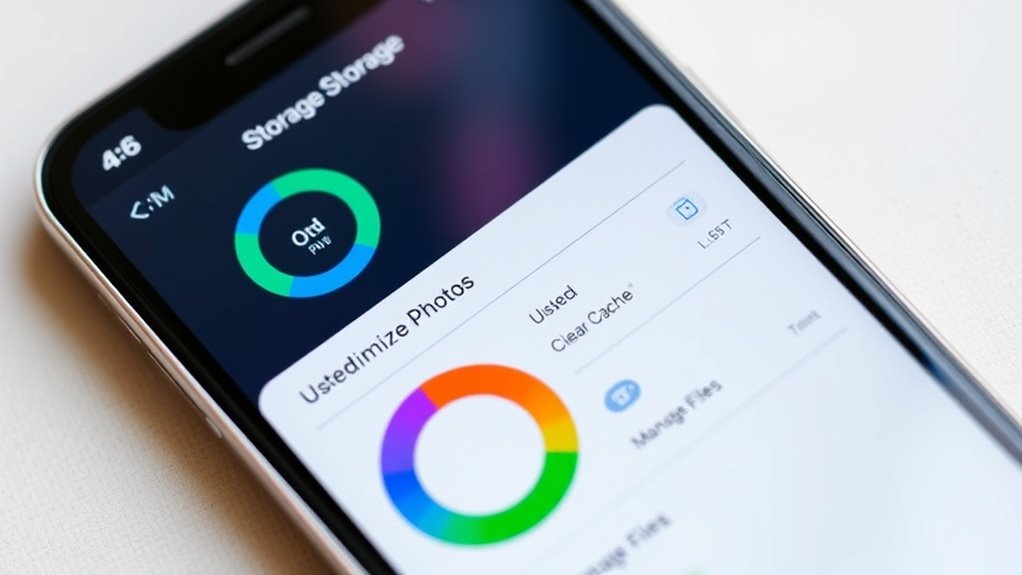
After clearing out duplicate files and unnecessary downloads, it’s time to make the most of your phone’s built-in storage management features. Start with system storage analysis, which helps you identify what’s taking up space and pinpoint apps or files you can optimize. Many phones offer options to clear app cache, which can free up a surprising amount of storage without deleting app data. Use these tools regularly to keep your device running smoothly. Some devices also suggest deleting large files or unused apps directly from storage settings. Taking advantage of these built-in features helps you manage your storage efficiently, avoiding the need for drastic measures like factory resets or extensive deletions. Staying proactive with storage management keeps your phone fast and clutter-free.
Stream Music and Videos Instead of Downloading

Instead of downloading entire files to your device, streaming music and videos allows you to enjoy your favorite content without sacrificing storage space. Streaming services like Spotify, Apple Music, and Netflix let you access vast libraries without filling up your storage. To save space, consider these options:
- Use streaming services for daily listening and viewing.
- Download content offline only when needed, removing it after.
- Rely on internet connections for regular use, reserving offline downloads for essential items.
This approach minimizes storage use while giving you access to plenty of media. Streaming keeps your device tidy, and offline downloads ensure you can enjoy content without interruptions when offline. Embracing streaming services helps you enjoy your favorite entertainment without cluttering your device.
Keep Your Operating System and Apps Updated

Keeping your operating system and apps updated is a simple yet effective way to optimize your device’s storage and performance. Operating system updates often include bug fixes, security patches, and improvements that can reduce app crashes and enhance efficiency. Likewise, app updates can fix bugs and introduce features that optimize space usage, such as better data compression or smarter storage management. Regularly checking for updates ensures your device runs smoothly and minimizes unnecessary storage consumption from outdated software. To stay current, enable automatic updates when possible, so your OS and apps update in the background without your intervention. Maintaining everything up to date helps prevent storage bloat caused by outdated versions and keeps your device running at its best.
Frequently Asked Questions
How Can I Identify Which Apps Consume the Most Storage?
To identify which apps consume the most storage, start with app storage analysis on your device. On iPhones, go to Settings > General > iPhone Storage, and on Android, open Settings > Storage > Apps. This allows you to see app sizes and manage them effectively. Focus on large apps first, then decide whether you can clear cache, delete unnecessary data, or uninstall apps to optimize your storage space.
Are There Built-In Tools to Automatically Optimize Storage?
Like a vigilant guardian, your phone often has built-in tools to optimize storage automatically. You can enable features that manage app data, clear cache, and offload unused apps through settings—think of it as your personal cloud storage assistant. These tools help you keep your device lean and efficient, making room for new apps and files. Explore your device’s app management options to turn on automatic optimization and free up space effortlessly.
How Do I Securely Back up My Important Files Before Cleaning?
To securely back up your important files, start by using a cloud backup service like Google Drive or iCloud. Make certain your data is protected by enabling encryption methods offered by these platforms, which safeguard your files during transfer and storage. Double-check that your backup includes all critical documents, photos, and videos before cleaning your phone. This way, you can free up space confidently, knowing your data remains safe and accessible.
Can I Recover Deleted Files if I Delete Too Much?
Yes, you can recover deleted files if you delete too much, especially if you have a cloud backup. Check your cloud service’s trash or recently deleted folder, as files often stay there temporarily. For file recovery, use data recovery apps or software to scan your device. Regularly backing up files to the cloud guarantees you can restore important data even if you accidentally delete something important.
What’s the Best Way to Manage Storage on Older Phone Models?
Managing storage on older phone models is like tending a garden—you need to prune regularly. Start by offloading files to cloud storage, freeing up space without losing data. Check app permissions to disable unnecessary access, which can also reduce storage use. Uninstall unused apps and clear cache. These simple steps help your device run smoothly, extending its life and keeping important data accessible.
Conclusion
By following these simple tips, you can free up valuable storage space without deleting everything. Did you know that the average smartphone user has over 20% of their storage filled with unnecessary files? Regularly managing your apps, clearing cache, and utilizing cloud storage can make a huge difference. Keep your device running smoothly and efficiently by staying proactive—your phone will thank you with faster performance and more space for what truly matters.