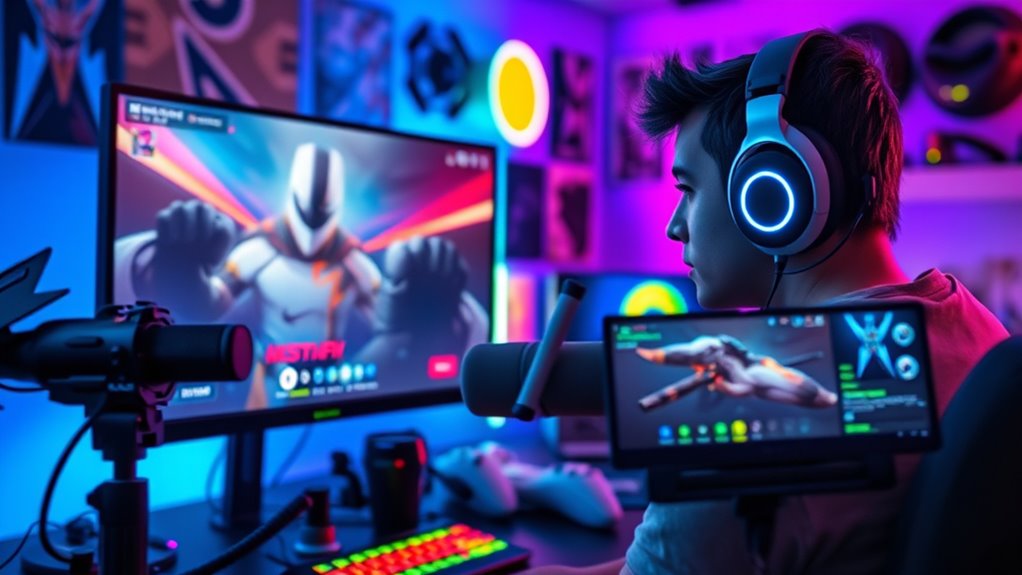

To livestream your gameplay, start by choosing a platform like Twitch, YouTube, or Facebook Gaming that suits your goals. Set up your streaming software with the right video and audio settings, and guarantee your internet connection is stable and fast, ideally with a wired connection. Create an inviting gaming space with good lighting, a clean background, and camera at eye level. If you keep these steps in mind, you’ll be ready to go live with confidence. There’s more to explore for a successful stream.
Key Takeaways
- Choose a suitable streaming platform like Twitch, YouTube, or Facebook Gaming for your audience and features.
- Set up and configure your streaming software (e.g., OBS, Streamlabs) with proper video, audio, and bitrate settings.
- Ensure a stable internet connection, preferably wired Ethernet, and optimize your network for smooth streaming.
- Use high-quality cameras and microphones to enhance visual and audio professionalism during your livestream.
- Prepare your gaming environment with good lighting, a clutter-free background, and camera placement at eye level for engaging streams.
Choosing the Right Streaming Platform

Selecting the right streaming platform is essential for a successful gameplay livestream. Your choice impacts viewer engagement and how easily you can grow your audience. Look for platforms that offer features that support your goals, like customizable overlays, chat moderation, and integrated alerts. These platform features help you interact with viewers in real-time, making your stream more engaging and inviting. Consider the platform’s stability and streaming quality, ensuring your gameplay looks smooth and professional. Some platforms also provide built-in monetization options or community tools that can boost your channel’s growth. Additionally, evaluating the platform’s compatibility with various devices can help you reach a broader audience. Understanding the content guidelines of each platform can also prevent potential issues and ensure your stream remains compliant. Being aware of community standards can help you maintain a positive environment for your viewers. Finally, researching the quality of streaming infrastructure can ensure your live broadcasts are reliable and high-quality, which is crucial for retaining viewers. Incorporating support for viewer interaction features can further enhance viewer engagement and retention. Ultimately, choosing a platform that aligns with your content style and audience preferences will set a solid foundation for your streaming journey.
Essential Equipment for Live Streaming

To start streaming smoothly, you need the right equipment. High-quality cameras, reliable microphones, and essential streaming hardware make a big difference in your broadcast. Selecting the right tools guarantees your gameplay looks and sounds professional to your viewers. Incorporating home decoration inspiration can also enhance your streaming setup, creating a more inviting and stylish background. Additionally, ensuring your streaming setup is secure and free from vulnerabilities is important to protect your content and personal information, especially as AI security measures continue to evolve. Being aware of resources and tools available for streamers can help optimize your setup and safeguard your digital environment, including understanding how projector contrast ratios can improve your viewing experience during live streams. Utilizing sound recording techniques can also ensure your microphone captures your voice clearly, making your stream more engaging for viewers.
High-Quality Camera Options
A high-quality camera can make a significant difference in how professional your livestream appears, so choosing the right one is essential. Focus on camera quality to ensure sharp images and smooth video. Look for models with good low-light performance and high resolution, such as 1080p or higher. Lens options also matter; interchangeable lenses give you versatility for different streaming situations, whether you want a wide shot or close-up. Compact webcams with excellent image quality are ideal for beginners, while DSLR or mirrorless cameras offer superior image clarity and flexibility but require additional setup. Remember, investing in a camera with strong camera quality and versatile lens options helps elevate your stream’s visual appeal and keeps your audience engaged. Additionally, consider camera features like autofocus and stabilization to maintain clear and steady footage throughout your broadcasts. Incorporating camera calibration can further improve image consistency and color accuracy, enhancing your overall stream quality. Keeping up with AI-driven security systems can also help protect your streaming setup from cyber threats and unauthorized access.
Reliable Microphone Choices
Since clear audio is essential for engaging your audience, choosing a reliable microphone should be a top priority. A good microphone captures your voice clearly and minimizes background noise, making your stream more professional. Proper microphone placement is key—position it close to your mouth without causing distortion. Soundproofing techniques, like using foam panels or blankets, help reduce echo and external noise, ensuring your voice remains crisp. Consider these options to improve your audio quality:
- Invest in a condenser or dynamic microphone suited for streaming
- Use a pop filter to eliminate plosive sounds
- Test different microphone placements for ideal sound
- Incorporate soundproofing techniques to further enhance audio clarity and support a healthy biodiversity of sound in your streaming environment. Adding acoustic treatment can significantly improve overall sound quality and user experience. Additionally, understanding relationship dynamics can help you better connect with your audience by sharing more authentic and relatable content.
Streaming Hardware Essentials
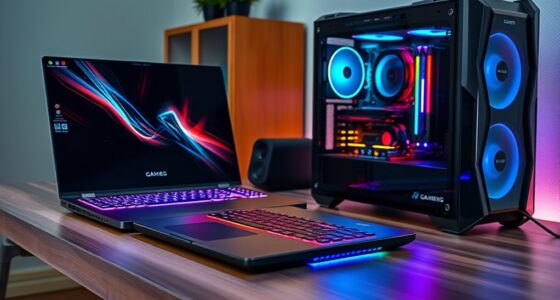
High-quality streaming begins with the right hardware setup. A reliable capture card is essential to transmit your gameplay smoothly to your streaming software, ensuring crisp visuals and minimal lag. Choose a capture card compatible with your setup, whether it’s internal or external, to guarantee seamless performance. Additionally, investing in good streaming overlays enhances your broadcast’s professional look, making your stream more engaging. These overlays can include alerts, chat boxes, and custom graphics that personalize your channel. Make sure your computer has enough processing power and a stable internet connection to handle the data flow. Proper hardware setup not only improves video quality but also creates a smoother viewer experience, helping you stand out as a beginner streamer. Regularly updating your streaming tools ensures compatibility and hardware compatibility can prevent technical issues. Being aware of your capture card specifications and limitations will also help maintain optimal streaming quality, especially when considering the performance requirements needed for high-quality streams. Incorporating mindfulness techniques into your routine can also help manage the stresses of setting up and maintaining your streaming environment, leading to a more focused and relaxed streaming experience.
Setting Up Your Streaming Software

To set up your streaming software, start by choosing a platform that fits your needs, like Twitch or YouTube. Next, configure your video settings to make sure smooth playback and clear visuals. Don’t forget to add your audio sources so your viewers can hear your gameplay and commentary clearly. Additionally, understanding the family photoshoot fails can help you prepare for unexpected moments during your stream.
Choosing a Streaming Platform
Choosing a streaming platform is a crucial step before setting up your streaming software, as it determines how your gameplay reaches your virtual audience. Your choice impacts your ability to connect, grow, and earn through monetization strategies. When selecting a platform, consider how it makes you feel:
- Excited to share your passion with a global audience
- Motivated to build a supportive community
- Hopeful about turning your hobby into income
Popular options like Twitch, YouTube, and Facebook Gaming each offer unique advantages. Your decision influences not only your reach but also your potential earnings and engagement. Picking the right platform helps you establish a strong foundation, making every livestream more impactful and rewarding. Choose wisely to maximize your gaming journey.
Configuring Video Settings
Have you ever wondered how to make your livestream look professional and smooth? It all starts with configuring your video settings properly. Begin by adjusting your resolution settings; a common choice is 720p or 1080p, depending on your internet speed and hardware capabilities. Higher resolutions provide better image quality but require more bandwidth. Next, focus on bitrate adjustments—set an appropriate bitrate to balance quality and stability. For 720p, a bitrate of 3,000 to 4,000 kbps usually works well, while 1080p might need 5,000 to 6,000 kbps. Making these tweaks guarantees your stream isn’t choppy or pixelated. Proper configuration of resolution and bitrate is essential for delivering a clear, smooth viewing experience for your audience.
Adding Audio Sources
Adding audio sources is a crucial step in setting up your streaming software to guarantee your viewers hear both game sounds and commentary clearly. Proper audio mixing creates a balanced experience, making your stream more engaging. To achieve this, you’ll add your microphone, game audio, and possibly other sound effects. Remember, voice modulation can enhance your commentary, keeping your audience interested and entertained. Be sure to adjust levels so no sound overwhelms another, maintaining clarity. Here are key points to focus on:
- Fine-tune your audio levels for a smooth, immersive experience
- Use voice modulation to add personality and clarity
- Integrate multiple audio sources seamlessly for balanced sound
Mastering these elements ensures your stream sounds professional and engaging.
Optimizing Your Internet Connection

Since a strong, stable internet connection is essential for smooth gameplay streaming, taking steps to optimize your connection can considerably improve your broadcast quality. Focus on increasing your internet speed by using a wired Ethernet connection instead of Wi-Fi, which often provides more reliable network stability. Close any unnecessary background applications that might be hogging bandwidth, and prioritize your streaming device in your network settings. Regularly restart your router to refresh your connection and reduce lag. If possible, upgrade to a higher-speed internet plan to ensure adequate bandwidth for live streaming. Monitoring your network stability with tools like speed tests helps identify issues early. By optimizing these aspects, you’ll experience fewer interruptions, reduced buffering, and a more professional-looking broadcast.
Preparing Your Gaming Space and Camera Setup

Creating an organized and comfortable gaming space is essential for delivering a professional livestream. Your setup influences both your confidence and viewers’ experience. Pay attention to your lighting setup; good lighting highlights your face and reduces shadows, making your stream more engaging. Consider background decoration that reflects your personality—avoid clutter and opt for neat, visually appealing elements that won’t distract viewers. Keep your camera at eye level for natural framing, ensuring your face is centered and visible. A clutter-free desk and a clean backdrop create a polished look. Remember, a well-prepared space helps you stay focused and confident, making your gameplay more intriguing. Ensure your environment feels welcoming and professional, so viewers feel connected to your stream.
Going Live: Tips for a Smooth Broadcast

To guarantee your broadcast runs smoothly from the start, it’s essential to test all your equipment beforehand. Check your microphone, camera, and streaming software to prevent technical issues during your live session. Set up chat moderation tools to keep your chat safe and manageable, especially as your viewer count grows. Engage with your audience early by welcoming viewers and encouraging interaction; this boosts viewer engagement and makes your stream more lively. Keep an eye on your stream’s quality and stability throughout, adjusting settings as needed. Practice a few test runs to familiarize yourself with your setup. By preparing in advance, you’ll minimize disruptions and create a more enjoyable experience for your viewers, setting the stage for a successful, smooth broadcast.
Frequently Asked Questions
How Do I Attract Viewers to My Livestream?
To attract viewers to your livestream, focus on promoting your content across social media platforms and gaming communities. Engage viewers by interacting actively in chat, asking questions, and responding to comments. Consistently stream at scheduled times to build anticipation, and share highlights or clips to draw more attention. By promoting your content and engaging viewers, you’ll create a welcoming environment that encourages more people to tune in regularly.
What Are Common Technical Issues and How Can I Troubleshoot Them?
Your stream’s technical issues can feel like an apocalypse, but don’t panic. For audio issues, check your microphone settings and verify the volume isn’t muted. Connectivity problems often stem from a weak internet signal—try restarting your router or switching to a wired connection for stability. Keep your software updated and test your setup before going live. With these steps, you’ll conquer technical glitches and keep viewers engaged.
How Can I Interact Effectively With Viewers During a Stream?
To interact effectively with viewers during your stream, focus on chat engagement by actively responding to comments and questions in real-time. Encourage viewer feedback by asking for their opinions or suggestions, making them feel involved. Use a friendly tone, acknowledge new viewers, and maintain eye contact with your camera. This creates a welcoming atmosphere, boosts interaction, and helps build a loyal community around your gameplay.
What Legal Considerations Should I Be Aware of When Livestreaming?
When livestreaming, you should be aware of copyright concerns and licensing requirements to avoid legal issues. Always use content you own or have permission to share, like licensed music or images. Familiarize yourself with the platform’s rules and fair use policies. Avoid streaming copyrighted material without authorization, and consider obtaining licenses if needed. Staying informed helps protect you from potential takedowns or legal actions while enjoying your gameplay live.
How Do I Analyze My Streaming Performance and Grow My Audience?
You need to dig into your viewer retention and engagement metrics to grow your audience effectively. Track which moments keep viewers hooked and where they drop off—these are your goldmine clues. Use analytics tools to see patterns, then tweak your content accordingly. Remember, Rome wasn’t built in a day; focus on consistent improvement and engaging with your community to turn viewers into loyal fans.
Conclusion
Starting your livestream journey might seem intimidating, but with the right platform and equipment, you’ll be streaming like a pro in no time. Did you know that over 80% of viewers watch gaming streams on mobile devices? So, make certain your setup is mobile-friendly and engaging. Keep practicing, stay consistent, and interact with your audience. Before you know it, you’ll build a dedicated community and enjoy sharing your gaming adventures!