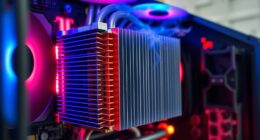
If you’re looking for better performance, a desktop generally outshines a gaming laptop because it can house more powerful, upgradable components and has superior cooling systems that sustain high performance during demanding tasks. Desktops also offer easier customization, better longevity, and future-proofing options, making them ideal for serious gaming and heavy workloads. Want to discover how these differences impact your gaming experience and long-term value? Keep exploring to find out more.
Key Takeaways
- Desktops house larger, more powerful components, delivering superior gaming performance and consistent thermal management.
- Upgradable hardware in desktops extends longevity and maintains top-tier performance over time.
- Desktops typically feature advanced cooling solutions, reducing thermal throttling and enabling sustained high performance.
- Gaming laptops offer portability but often have lower performance ceilings due to smaller components and thermal constraints.
- Cost-to-performance ratio favors desktops, providing higher gaming power at generally lower prices than laptops.
Performance Capabilities and Hardware Components

When comparing gaming laptops and desktops in regard to performance capabilities and hardware components, desktops generally have the edge due to their ability to house more powerful and larger components. Desktops often feature high-end GPUs and CPUs that deliver superior processing power, but this can lead to hardware bottlenecks if components aren’t balanced properly. Additionally, desktops have better cooling solutions, reducing the risk of thermal throttling, which can slow down performance during intense gaming sessions. Laptops, constrained by smaller form factors, often compromise on component size and cooling, making them more susceptible to thermal throttling under heavy loads. As a result, desktops tend to maintain consistent, peak performance longer compared to gaming laptops. Moreover, desktops allow for easier hardware upgrades, enabling users to customize their setups for optimal gaming performance over time. The ability to upgrade components ensures that desktop systems can adapt to evolving gaming requirements and technological advancements.
Upgradability and Customization Options

Desktops generally offer far greater upgradability and customization options than gaming laptops. This means you can tailor your system to match your evolving gaming needs or performance goals. With desktops, you have a higher upgradeability potential, allowing you to swap out components like graphics cards, RAM, or storage without much hassle. This flexibility lets you extend your system’s lifespan and stay current with new technology. Additionally, hardware compatibility in desktops is broader, enabling more diverse and powerful upgrades to meet demanding gaming or productivity requirements. The expandability options available in desktops also facilitate easier integration of future advancements, ensuring your system remains relevant over time. Moreover, cultivating a creative practice mindset can help users optimize their hardware setups for multitasking and innovative workflows, leveraging the extensive customization possibilities that desktops provide. Incorporating energy efficiency considerations can further enhance your setup’s sustainability and operational costs, making desktops a more adaptable choice for long-term use.
Portability and Convenience

While desktops excel in customization and upgradability, gaming laptops prioritize portability and convenience. If portability concerns are high for you, a gaming laptop offers the advantage of easy transport, letting you game anywhere without fuss. This convenience factor is perfect for travel, LAN parties, or moving between your home and workspaces. Unlike desktops, which require you to carry a tower and peripherals, a gaming laptop consolidates everything into a compact, lightweight device. This means fewer cables and setup time, making it simple to jump into gaming sessions on the go. However, keep in mind that this portability can sometimes come at the expense of performance, but for convenience, gaming laptops deliver a practical solution that fits busy or mobile lifestyles.
Cost and Budget Considerations

Budget is often a key factor in choosing between a gaming laptop and a desktop. Your budget constraints can substantially influence your purchase affordability and decision-making process. Gaming laptops typically come with a higher upfront cost but include portability and integrated components. Desktops, on the other hand, usually offer better performance for the price but require additional spending on peripherals and upgrades. Additionally, essential oil benefits can help you manage stress and make more informed decisions during your purchase process. Considering the cost-to-performance ratio is crucial when evaluating which system aligns with your financial plan and gaming needs. Moreover, understanding brand reputation can further guide your choice by ensuring you select reliable and trustworthy options. When evaluating performance, factors like horsepower of electric dirt bikes highlight how different hardware components impact overall capability, emphasizing the importance of choosing the right specifications. Incorporating community resilience strategies can also be beneficial in long-term planning for tech investments, ensuring durability and adaptability over time.
Cooling Systems and Thermal Management

Effective cooling systems are essential for maintaining ideal performance in gaming setups, whether you choose a laptop or a desktop. In desktops, liquid cooling options can considerably improve thermal management by efficiently dissipating heat from high-performance components, preventing thermal throttling. Applying high-quality thermal paste ensures better heat transfer between the CPU or GPU and their coolers, further optimizing cooling efficiency. Laptops typically rely on advanced air cooling systems, but some gaming models incorporate liquid cooling or vapor chamber technology for better heat management. Proper thermal management not only keeps temperatures in check but also prolongs component lifespan and maintains consistent performance during intense gaming sessions. Additionally, cooling systems in both laptops and desktops play a crucial role in sustaining optimal operation under heavy loads. Investing in robust cooling solutions can also help prevent overheating issues that could lead to hardware failures. Ultimately, investing in robust cooling solutions is vital for maximizing your gaming experience, regardless of your chosen device.
Display and Graphics Quality

The display and graphics quality are essential factors that directly impact your gaming experience, whether you’re using a laptop or a desktop. Higher refresh rates mean smoother gameplay, reducing motion blur and lag. Screen resolution determines how sharp and detailed your visuals appear, enhancing immersion. When choosing between devices, consider these aspects:
- A higher refresh rate (like 120Hz or 144Hz) provides smoother animations and gameplay.
- A resolution of at least 1080p is standard, but 4K offers stunning detail if your hardware supports it.
- Graphics cards in desktops often handle higher resolutions and refresh rates better, offering more vivid visuals.
- A methodical testing process can help ensure your gaming setup performs reliably at your desired settings.
Your choice affects clarity, fluidity, and overall enjoyment, making it a fundamental aspect of your gaming setup.
Power Consumption and Energy Efficiency

You’ll notice that gaming laptops typically use less power than desktops, thanks to their smaller size and energy-efficient components. Modern models often come with energy-saving features that help reduce power consumption during less demanding tasks. Understanding these differences can help you choose a device that balances performance with energy efficiency. Additionally, the noise levels of modern heat pumps are designed to be quite low, which can contribute to a quieter overall environment when used in conjunction with energy-efficient cooling systems. Incorporating energy management features in gaming setups can further optimize power use and reduce environmental impact. Recognizing the role of power consumption in overall system performance can guide users toward more sustainable choices, especially considering how thermal management influences both performance and energy efficiency. As technology advances, integrating smart power controls can enhance energy efficiency even further, making gaming setups more environmentally friendly.
Power Usage Differences
Although gaming laptops are designed to be portable, they often consume more power than desktops during intensive gaming sessions. This higher power usage impacts your battery life and overall energy efficiency. Laptops rely on batteries, so heavy gaming can drain them quickly, limiting playtime away from power outlets. Desktops, on the other hand, draw power directly from the wall, typically offering better power efficiency and consistent performance. Additionally, many gaming laptops feature advanced cooling systems to handle increased power consumption and heat generation during demanding tasks. As technology advances, energy-efficient components are becoming more common, helping to reduce overall power consumption without sacrificing performance. In fact, the efficiency of a system can also be influenced by power management settings, which optimize energy use based on activity levels.
Energy Saving Features
While gaming laptops tend to consume more power during intense sessions, many now come equipped with energy-saving features that help manage their power usage. These features improve battery life and optimize power management, allowing you to extend usage time without sacrificing performance. Modern laptops include settings like adaptive brightness, CPU throttling, and GPU power limits, which reduce energy consumption during lighter tasks. Here’s a quick comparison:
| Feature | Effectiveness | Benefit |
|---|---|---|
| Power Management Modes | Adjusts system performance | Extends battery life |
| Dynamic Brightness | Saves energy on display | Better battery longevity |
| Hardware Throttling | Limits power draw | Reduces heat and power use |
Using these features, you can maximize your gaming laptop’s battery life and efficiency.
Longevity and Future-Proofing

When considering longevity and future-proofing, your upgrade options are key—desktops typically offer more flexibility for hardware improvements. You also face different risks of becoming obsolete as technology advances, with laptops often needing replacements sooner. Additionally, repair and replacement processes tend to be easier and more cost-effective on desktops, helping them stay functional longer.
Hardware Upgradeability Options
Hardware upgradeability plays a significant role in determining a gaming setup’s longevity and ability to stay future-proof. With a desktop, you often have more options to enhance performance by upgrading components like RAM, GPU, or storage. Laptops, however, are more limited, but some models allow upgrades to external ports or RAM.
Your focus should include:
- External ports for connecting new peripherals or displays
- The ease of upgrading internal components without damaging aesthetic design
- The ability to swap out parts as technology advances
Desktops typically excel here, offering more flexibility for future upgrades while maintaining a sleek aesthetic design. Laptops may be more compact but often sacrifice upgradeability, affecting long-term performance potential.
Technological Obsolescence Risks
Technological obsolescence poses a significant challenge for gaming setups, as rapid advancements in hardware and software can render components outdated quickly. With a shorter hardware lifespan, your gaming laptop or desktop might become less capable sooner than expected. Desktop systems generally offer better future-proofing, allowing you to upgrade components to maintain performance. Laptops, on the other hand, tend to have limited upgrade options, making them more vulnerable to obsolescence. Additionally, software compatibility evolves rapidly, requiring newer hardware to run the latest games and updates efficiently. If you want to maximize longevity, investing in a desktop with upgrade potential helps mitigate the risks of obsolescence, ensuring your gaming system remains relevant for years to come.
Repair and Replacement Ease
Repair and replacement ease considerably influences the longevity and future-proofing of your gaming setup. With a desktop, you typically benefit from a straightforward repair ease and a simpler replacement process. Components like RAM, GPU, and storage are usually accessible and easy to upgrade or replace. This means you can extend your system’s lifespan and adapt to new gaming demands without replacing the entire machine. Conversely, gaming laptops often have a more complex replacement process due to their compact design, making repairs more time-consuming and costly. To maximize your setup’s longevity, consider these points:
- Desktops allow quick upgrades with minimal effort.
- Laptops may require professional help for repairs.
- Future-proofing is easier with a desktop’s accessible parts.
User Experience and Practical Usage Scenarios

When choosing between a gaming laptop and a desktop, your experience and how you plan to use the device are essential factors. If multiplayer experience is a priority, a desktop often offers better connectivity options and smoother performance for online gaming. Desktops also provide more ergonomic comfort, allowing you to customize your setup for longer gaming or work sessions. On the other hand, a gaming laptop offers portability, so you can enjoy gaming or work on the go, but it might sacrifice some ergonomic benefits due to smaller screens and limited space. Consider your practical usage scenarios, whether you need mobility or a dedicated gaming station, and how each device aligns with your comfort and multiplayer needs. Your decision hinges on balancing these factors for your ideal user experience.
Frequently Asked Questions
How Does Latency Differ Between Gaming Laptops and Desktops?
You’ll notice that wireless latency and input delay tend to be lower on desktops because they often have more powerful hardware and better cooling, which helps maintain stable performance. Gaming desktops usually provide faster response times, reducing lag during intense gameplay. Laptops, especially wireless ones, might experience higher latency due to less robust components and potential Wi-Fi interference. So, if minimal latency is your priority, desktops generally give you the edge.
Which Option Offers Better Support for Multiple Monitors?
Did you know that desktops typically support more monitors than gaming laptops? If you’re aiming for a multi monitor setup, desktops excel due to their superior screen connectivity options, often featuring multiple HDMI, DisplayPort, or DVI ports. Laptops generally have limited ports, making it harder to connect several screens without additional adapters. So, if multi monitor support is a priority, a desktop offers a more seamless and flexible experience.
Are Gaming Laptops More Prone to Hardware Failures?
Gaming laptops are generally more prone to hardware failures due to their compact design, which can lead to overheating and limited hardware durability. When hardware issues arise, repair costs tend to be higher because of specialized parts and tight integration. You should handle your gaming laptop carefully, keep it well-ventilated, and consider extended warranties to mitigate repair expenses and guarantee better hardware durability over time.
How Do Sound Quality and Audio Features Compare?
You’ll find gaming laptops often deliver decent sound quality, but desktops generally provide superior audio clarity thanks to larger speakers and customizable audio hardware. If you prioritize sound, desktops allow better headset compatibility and richer sound experiences. Laptops may struggle with immersive audio due to size constraints, but they’re still functional. For the best audio experience, desktops typically offer more options for upgrading or customizing audio components.
Can Gaming Laptops Handle Virtual Reality Applications Effectively?
Yes, gaming laptops can handle VR applications effectively if they feature strong VR integration and system compatibility. You need a laptop with a powerful GPU, at least an RTX 3060 or higher, and sufficient RAM. Make sure it meets the VR headset’s requirements, and check for ports like HDMI or DisplayPort. With the right specs, your gaming laptop can deliver smooth virtual reality experiences on the go.
Conclusion
So, whether you choose a gaming laptop or a desktop depends on what matters most to you—performance, portability, or budget. Do you really need the absolute best performance, or is convenience your priority? Both options have their perks, but understanding your gaming style and needs will help you make the right choice. Ultimately, isn’t it about finding the setup that keeps you immersed and ready to game whenever the mood strikes?